
Too Long? Read This First
- WhatsApp is rolling out usernames, an optional way for people to be reached without sharing a phone number, and businesses can now claim a branded handle like @WatiHQ too.
- Reservations for usernames opened June 29, 2026, through the WhatsApp app, WhatsApp Business app, WhatsApp Manager, or Meta Business Suite. It activates when the feature reaches each region.
- Usernames must be 3 to 35 characters, use only English letters, digits, periods, and underscores, and follow a few placement rules.
- A new identifier, the Business-Scoped User ID (BSUID), now accompanies every customer interaction and replaces the phone number entirely for a first-time contact who has already adopted a username.
- Existing customers still show up with their phone numbers. Anyone already in Meta's Contact Book continues to be identified by phone number, alongside the new BSUID, exactly as before.
- Businesses can now message customers directly via BSUID and, with consent, request a phone number through an in-chat CTA.
- Usernames are rolling out gradually over the coming months, country by country, with a wider launch expected later this year.
For as long as WhatsApp has existed, being reachable on it has meant handing over your phone number, without any alternatives or exceptions.
That is changing now. WhatsApp is rolling out usernames (like @WatiHQ) and letting customers message that business using a username instead of their phone number.
For businesses on the API, this isn't a small update. It changes how customers find you, and some will now arrive with a Business-Scoped User ID instead of a phone number.
This guide walks through what WhatsApp usernames are, how to reserve and set up your username, the format guidelines, what a Business-Scoped User ID means for your integration, and what your team should be doing about it right now.
What are WhatsApp Usernames?
WhatsApp usernames are unique handles, like @yourbusinessname, that give people an optional way to connect on WhatsApp without sharing a phone number.
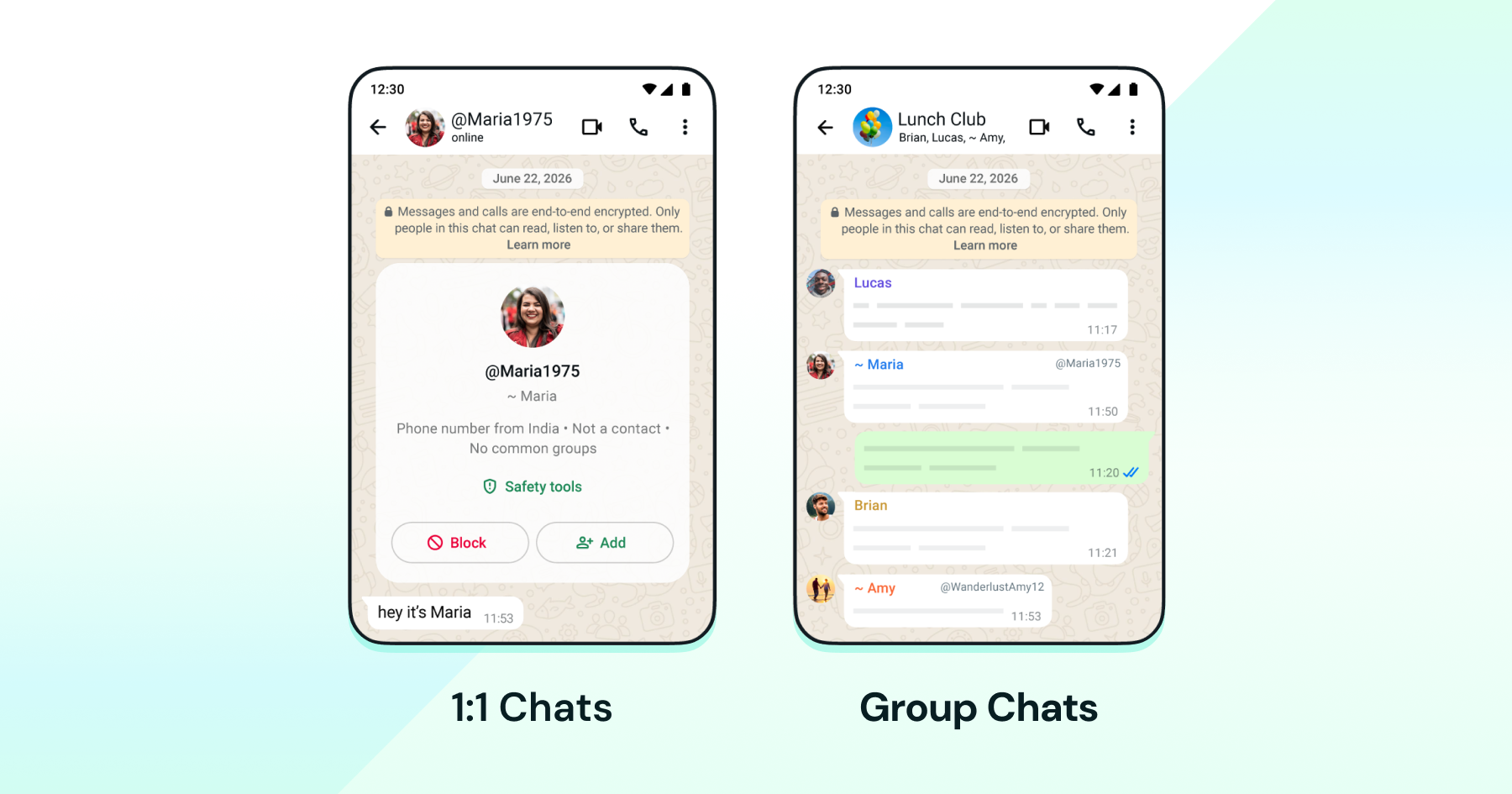
Much like usernames on Instagram, this adds a layer of privacy to conversations on WhatsApp. There's no public directory to browse and no search suggestions either, so someone needs to know your exact username to start a conversation.
Every account still runs on a phone number in the background, but once you enable usernames, only your username shows up across 1:1 chats, group chats, and voice or video calls.
What are WhatsApp Usernames?
A WhatsApp business username is a handle your business claims on WhatsApp, used instead of your phone number, or alongside it, to identify you to customers. It gives your brand a consistent, memorable identity, something customers can recall and use directly, and it is the business counterpart to the same feature rolling out to everyday users.
If you adopt a business username, however, it will not cause your business phone number to be hidden in the WhatsApp or WhatsApp Business client.
A business username maps to exactly one phone number across all of WhatsApp. A single number can hold only one username at a time, and that username cannot be reused on any other WhatsApp number, business or consumer.
If your business already has an Instagram or Facebook handle, WhatsApp lets you claim that same username here, so your presence stays consistent across platforms. If you are on the WhatsApp Business API, you also get first access to reserve your preferred handle before it opens up more broadly.
Note: Usernames are rolling out gradually over the coming months, and WhatsApp will send a notification once the feature is available in a given country. |
What is a Username Key?
A username key is an optional setting that acts as a security layer. It gives you control over who can contact your business using your username.
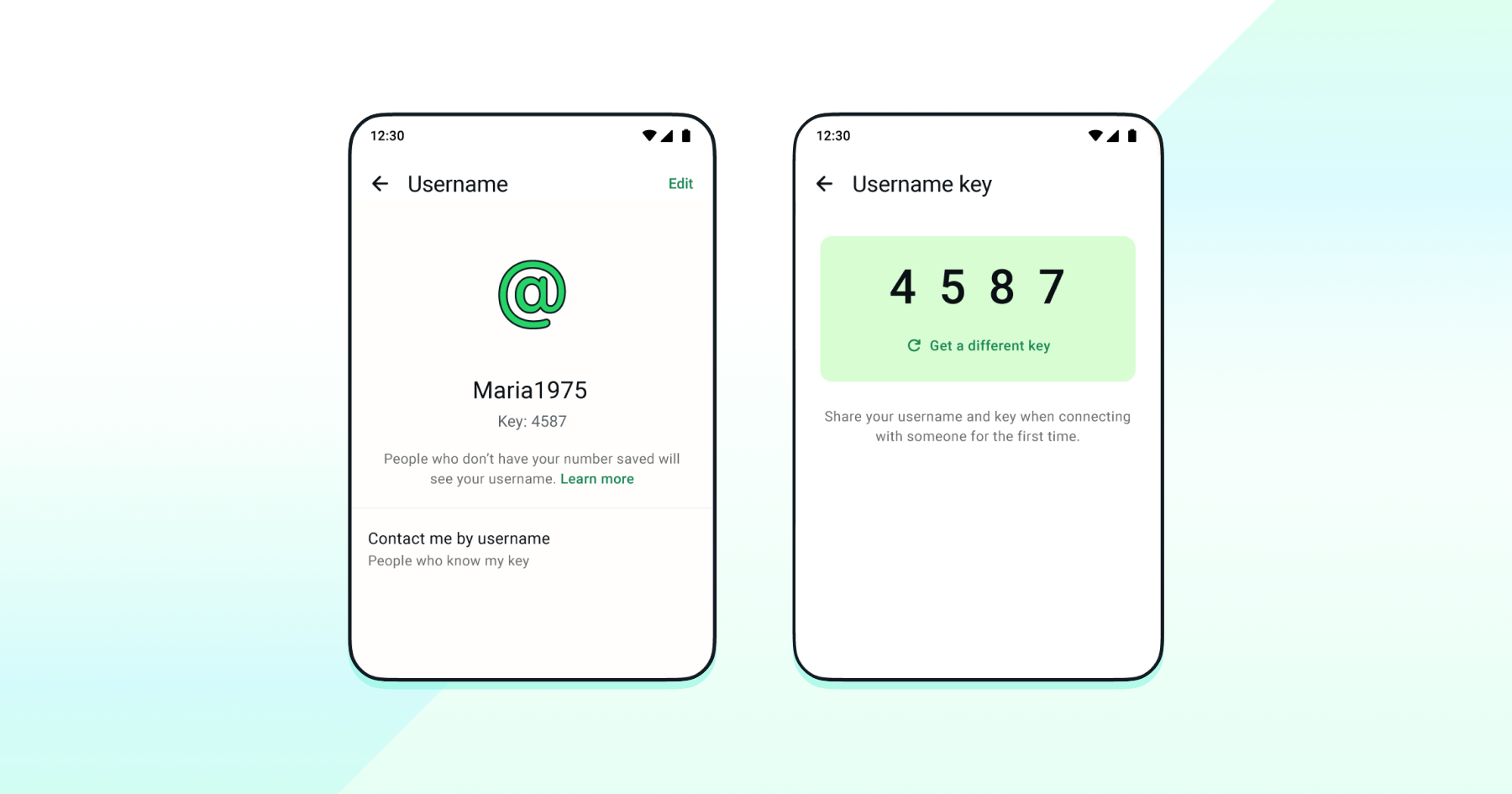
If you enable a username key, anyone who wants to send you a message for the first time needs to enter your username key. The key is not required for someone who already has your number.
Note: Adding or managing a username key isn't currently available on WhatsApp Web. It has to be done using your mobile device for now. |
How do You Reserve a WhatsApp Business Username?
WhatsApp already lets you reserve a username, even though the feature has not fully rolled out in every region yet. Reservations opened in June 2026, giving businesses a window to lock in their preferred handle.
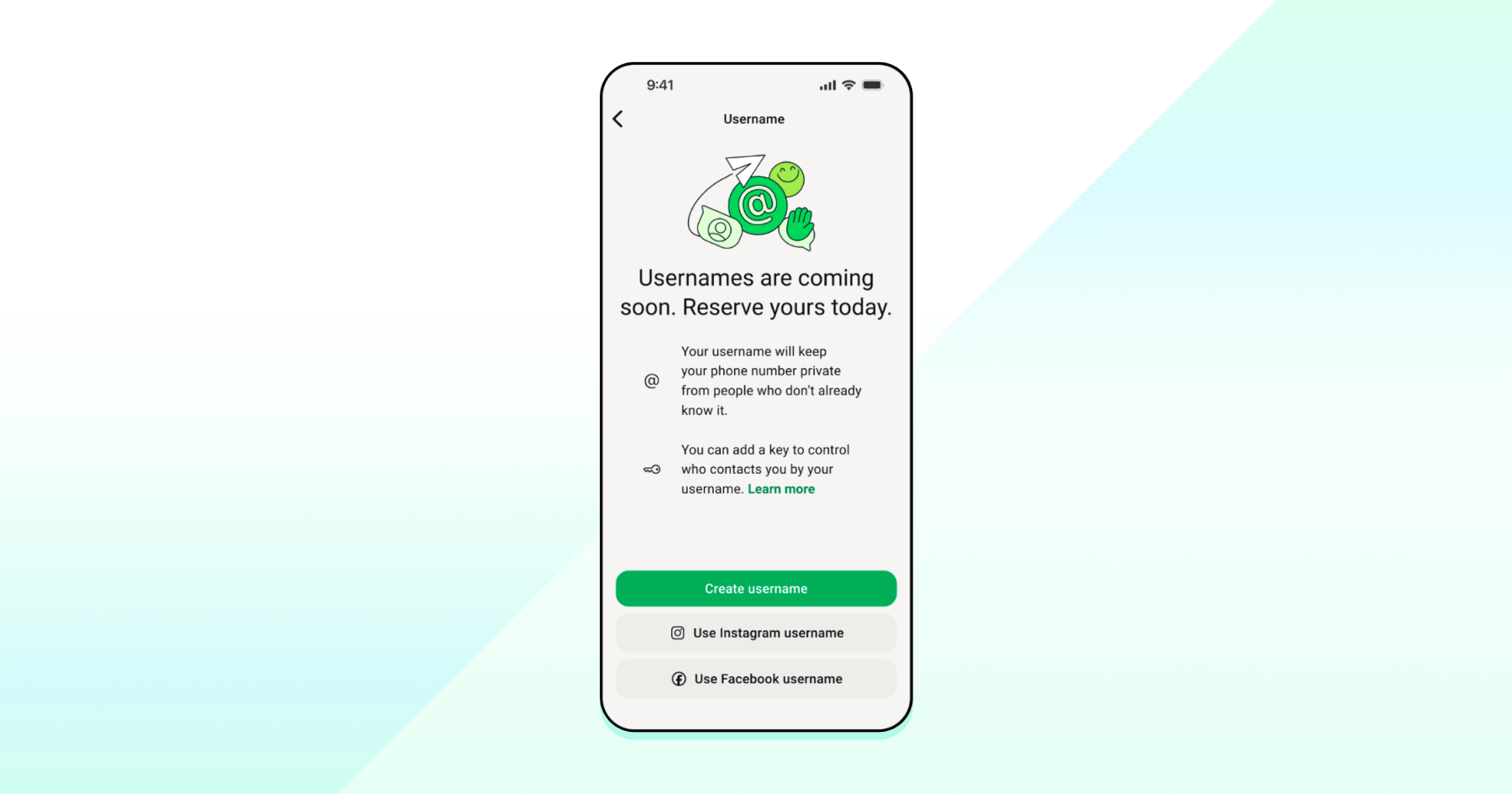
You can reserve a business username through any of three ways:
WhatsApp Business App
If your business runs on the regular WhatsApp App or the WhatsApp Business App, reserving a username takes a few seconds. This method is available only in the mobile app for now.
- Open WhatsApp and go to Settings.
- Tap Account.
- Tap Username, then enter the username you want.
- Click Save.
WhatsApp Manager
If your business runs on the WhatsApp Business Platform, you can reserve a username directly from WhatsApp Manager.
- Open WhatsApp Manager.
- Click Phone number in the left menu, then click your phone number.
- Click Profile, then scroll to Username.
- Click Create, then enter the username you want.
- You can also choose a username from Suggested.
- Click Save.
- Click Close.
Meta Business Suite
You can also reserve a username from Meta Business Suite, which stays in sync with WhatsApp Manager.
- Go to Meta Business Suite.
- Click WhatsApp Accounts in the left menu.
- Click the phone number you want to create a username for.
- Click Phone numbers, then click the Edit icon.
- Scroll to Username, then click Create.
- Enter the username you want.
- You can also choose a username from Suggested.
- Click Save.
- Click Close.
When you create a business username, it will become active once the feature launches in your region. You will receive a notification once your username is ready to use.
Note: To claim a username matching an existing Instagram or Facebook account, that account must first be linked to WhatsApp, if it doesn't already appear as a suggestion. This can be done while claiming the username in Meta Business Suite or WhatsApp Manager, or directly from the Facebook Page or Instagram account by adding the phone number there. Either method requires full control over the page or account, or partial access with the manage_phone permission. |
What are the WhatsApp Username Format Rules?
WhatsApp business usernames must follow a specific set of rules. The username:
- May only contain English letters (a-z, A-Z), digits (0-9), period (.), and underscores(_).
- Must be between 3 and 35 characters long
- Cannot include non-English characters, such as ñ, é, or ü; these will cause the request to fail.
- Cannot start or end with a period, or contain two periods in a row.
- Should contain at least one English letter (a-z, A-Z)
- Cannot start with "www."
- Cannot end with a domain extension such as .com, .org, .net, .int, .edu, .gov, .mil, .arpa, .html, .htm, .txt, or .xml.
- Case does not matter when checking for duplicates, but periods and underscores do. "myID" and "myid" count as the same username, while "myid", "my.id", and "my_id" are all treated as distinct.
What is a Business-Scoped User ID (BSUID)?
A Business-Scoped User ID (BSUID) is a unique user identifier Meta assigns to every business portfolio-user pair. It is used by businesses to message a WhatsApp user when their phone number isn't available.
Meta generates it automatically for every customer who interacts with a business, whether or not that customer has adopted a username.
A few things worth knowing about how BSUIDs are structured:
- Meta generates a BSUID automatically for every customer-business pair, with no setup required on the business's end.
- Each BSUID follows a fixed format, starting with the customer's two-letter country code, followed by a period and up to 128 alphanumeric characters, for example, US.13491208655302741918.
- It's unique per customer within a business. No two customers ever share the same BSUID on the same account.
- A BSUID is scoped to a business portfolio; different portfolios get different BSUIDs unless they opt into a shared Parent BSUID account.
- It is regenerated if a customer's phone number changes, and this triggers a system message webhook so the business knows to update its records.
BSUIDs can be used to send nearly any type of message, except one-tap, zero-tap, and copy code authentication templates. They still require an actual phone number.
When making an API request with a BSUID, the full BSUID has to be used exactly as issued, including country code, period, alphanumeric characters, etc. Leaving out or altering any part of it will cause the request to fail.
What Changes on Your API Integration
Businesses running on the WhatsApp Business API rely on user identifiers, most often a phone number, to keep track of conversations, sync data to a CRM, and trigger automations.
Usernames introduce a new identifier into that picture, the BSUID, and depending on whether the customer is new or an existing one, the identifier arriving in the data will look a little different.
- Existing customers: As long as a business has exchanged a message with a customer recently or the customer is already in Meta’s Contact Book, their phone number will show up alongside the BSUID. The Contact Book runs in the background automatically, hosted by Meta rather than something a business sets up. It stores phone number and BSUID pairings for interactions happening from the Contact Book's launch onward, not retroactively for past conversations, and it can be turned off in Business settings if needed.
- First-time contact from someone using a username: When someone messages a business for the first time after already adopting a username, the Cloud API returns a BSUID as the identifier instead of a phone number. This is the one case where a business genuinely never receives a phone number for that customer, since there wasn't one to begin with.
In short, nothing changes for the existing users already in the Contact Book. The only place this shows up is with brand new, username-first users. If a business's CRM or automation logic assumes every customer arrives with a phone number, this is the one scenario worth testing for.
What New Capabilities Come with This Rollout?
Along with the shift in how customers get recognized, WhatsApp has rolled out two new capabilities.
- Sending messages using a BSUID: As of early July 2026, businesses can send a message directly to a customer's BSUID, even without knowing their phone number. This means a username-first customer isn't a dead end for outreach; a business can still follow up, send updates, or continue a conversation using the identifier that's available.
- Requesting a phone number, with consent: Businesses can now add a button called REQUEST_CONTACT_INFO inside a conversation, asking a customer to share their phone number. This can be added to a utility or marketing template, or sent as a standalone interactive message. If the customer agrees and taps it, their number gets shared in the chat, and it's automatically added to the business's Contact Book, so it's ready to use in every future interaction with that customer.
Together, these two give businesses a real way to keep working with customers who have enabled usernames, and a compliant path to collect phone numbers when one is genuinely needed.
A fair bit is happening with usernames all at once, but the actual to-do list is short.
- Reserve a username soon: Handles are claimed on a first-come basis, so a good brand name is worth locking in early. Pick something that matches the brand and passes the format rules, then confirm it goes through cleanly.
- Check that Contact Book is switched on: It's on by default, and it's what keeps phone numbers flowing for existing customers even after usernames go live. Nothing to build here, just worth confirming it hasn't been turned off anywhere.
- Get systems ready for BSUIDs: A CRM or messaging setup built around phone numbers as the only identifier needs to handle a contact who shows up with only a BSUID, too. This is the one piece worth testing properly before it becomes a live problem.
- Add a phone number request step where it's genuinely needed: For flows like shipping or verification, ask clearly and only proceed once the customer agrees.
- Loop in client-facing teams early: Helping key accounts reserve their username before someone else does is a small thing that saves a much bigger headache later.
Wrapping Up
For sixteen-plus years, WhatsApp has run on one thing: a phone number. Usernames are the first real crack in that, giving businesses a branded handle and a couple of new capabilities to keep reaching customers who choose to stay username-first.
None of this needs to happen in a rush. Reserving a username takes a few minutes, and the rest of the work can move at a steady pace from there. Businesses that handle it early are the ones customers can still find and message without a hitch, no matter how they choose to show up on WhatsApp.
If your team runs on the WhatsApp Business API through Wati, changes like this are exactly what we're here to help you navigate, so your workflows keep running smoothly as WhatsApp evolves around them.
Book a demo with Wati.
Frequently asked questions
Is reserving a WhatsApp business username free?
Yes. Reserving a username costs nothing and can be done through the WhatsApp app, WhatsApp Manager, or Meta Business Suite.
Will customers still see my business phone number after I set a username?
Yes. A business username doesn't hide your phone number the way it does for personal accounts. It works alongside your number, not instead of it.
What happens if someone else already has the username I want?
It's held on a first-come basis. If it's taken, you will need to pick a different one. WhatsApp will also suggest variations, like adding a number or underscore to your preferred handle.
Do I need to change anything in my API setup right now?
Only if a new, username-first customer messages your business for the first time. Existing contacts keep showing up with their phone number as usual, so most integrations won't need immediate changes.
Can I use the same username I already have on Instagram or Facebook?
Yes, as long as it isn't already taken. Your accounts need to be linked through the same Accounts Center for WhatsApp to let you claim it.
Related posts
- Complete Guide to Instagram Automation
Instagram comment automation auto-replies to comments and DMs commenters within seconds via Meta's API. Covers strategy, use cases, and Wati setup.
- How to Set Up a TikTok Business Account: Step-by-Step Guide
Set up a TikTok Business Account step by step: switch from personal, pick a category, add your profile, and unlock ads and analytics.
- TikTok for Business: How to Set Up, Market, Advertise & Grow (2026)
Learn how to use TikTok for Business to build your brand, create content, run ads, manage customer messages, and turn views into growth.
- Shared Team Inbox for Instagram: A Buyer’s Checklist for 2026
Use this fastest checklist to evaluate any shared team inbox for Instagram, which covers DMs, comments, automation, and multi-channel support.