
Too Long? Read This First
- MCP and multi-agent routing serve different roles: MCP gives AI agents access to WhatsApp tools and business data, while a separate routing layer decides which agent should handle each conversation.
- Build routing around six core layers: webhook ingestion, intent classification, agent selection, context management, human escalation, and observability.
- Make webhook processing idempotent: WhatsApp events can be retried, so your system needs to detect duplicate events before triggering another response or automation.
- Keep context across handoffs: When a conversation moves from sales to support, the next agent should receive the relevant customer history instead of starting from scratch.
- Keep humans involved in sensitive actions: Refunds, cancellations, account changes, and other high-risk requests should have an approval or escalation path.
- Use MCP and A2A for different jobs: MCP is suited to giving agents access to tools and data, while Agent2Agent (A2A) is better for delegation between independent agents.
- Use Wati MCP as the control layer: It can help create, test, deploy, and manage agents and escalation rules, while the routing and classification logic sits in the architecture built around it.
Most WhatsApp bots start as one flow answering FAQs and looping in a human when they stall. Growth changes that fast, and one flow becomes five specialized jobs: sales qualification, order status, billing disputes, returns, appointment booking.
At that point, teams ask whether an MCP server can route conversations by itself, or whether they need a separate layer in front of it.
Both pieces exist for a reason, and blurring them causes bots to lose context mid-handoff. This guide covers the difference between an MCP server and a multi-agent router, a practical WhatsApp architecture that connects them, and where Wati MCP fits without overstating what it does.
What is an MCP Server, Really?
An MCP server is a bridge that lets an AI assistant reach outside its own reasoning to call real tools and read real business data.
The Model Context Protocol is an open protocol that connects AI applications to external data sources, tools, and workflows so they can act, not just talk, according to the official MCP documentation. For a WhatsApp business, that means the model can look up a contact, read a template, or trigger a workflow instead of guessing at an answer.
Tools, Data, and Business Context
The MCP server handles the mechanics; it doesn't make the decision. Wati MCP, for instance, lets you manage Contact Management, Automation Rules, and Webhook setup through plain natural-language requests instead of a settings screen: you describe what you want, and the server handles the call. That kind of interface is why the developer-friendly approach to WhatsApp tooling matters: fewer custom scripts, more direct requests.
None of that decides which specialized agent should answer a customer. It only makes the answer possible once a decision has already been made.
Why Human Confirmation Still Matters
Sensitive actions on a live customer channel need a checkpoint before they run, not after.
The official MCP specification recommends human confirmation for sensitive operations and requires servers to validate inputs, enforce access controls, rate-limit invocations, and sanitize outputs, per the MCP tools specification. On WhatsApp, that translates into a real rule: don't let a model issue a refund or close a ticket without a person approving it first. This is the human-in-the-loop pattern, and it belongs at the tool layer, not just the routing layer.
MCP Server vs Multi-Agent Router: The Core Difference
An MCP server exposes what's possible; a router decides who acts and when the conversation moves.
Confusing the two is the single most common mistake teams make when they wire up AI agent orchestration for WhatsApp. The MCP server answers "can this be done." The router answers "who should do it, right now, for this exact customer."
What a Router Actually Does
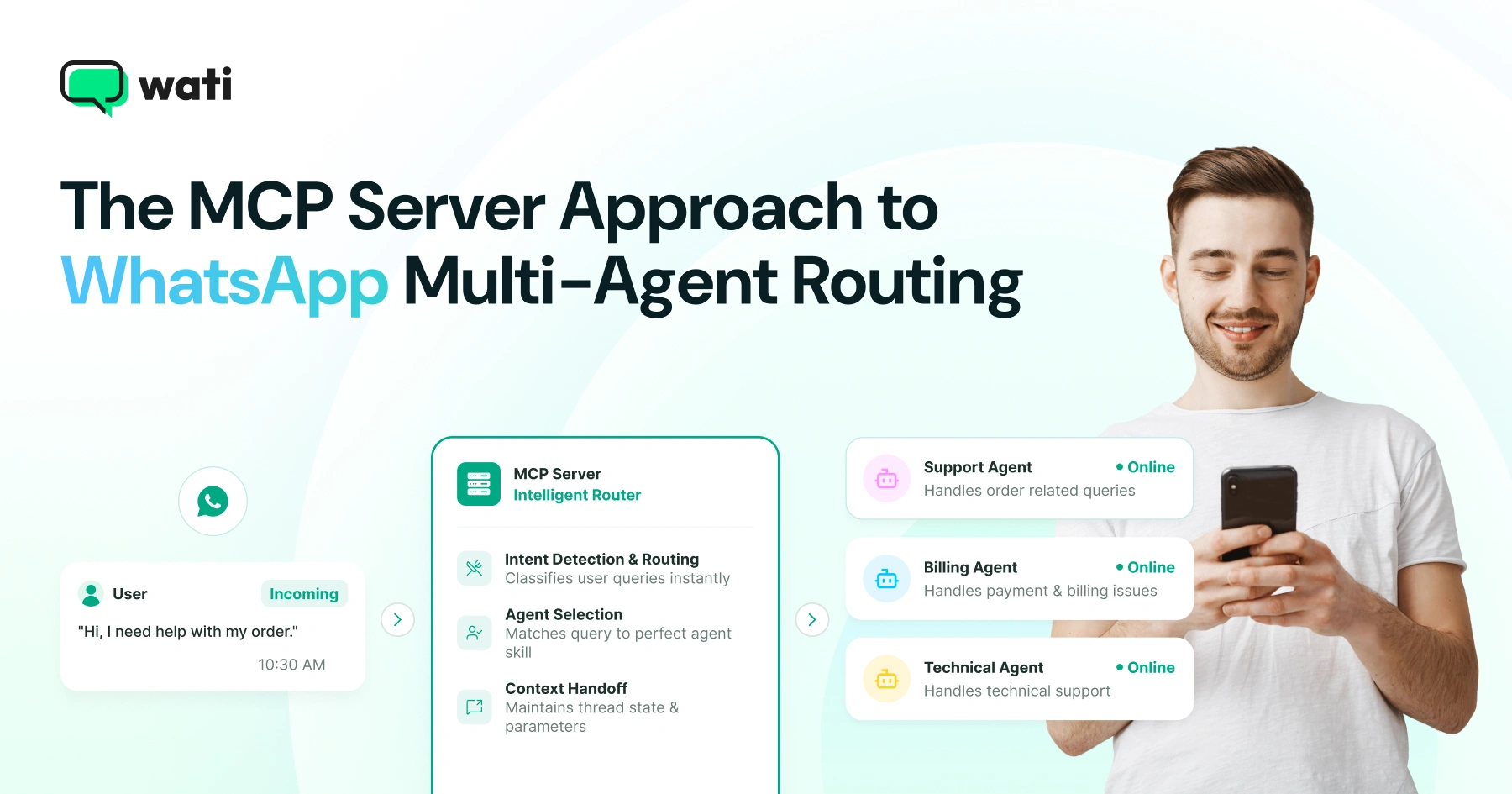
A router classifies the incoming message, selects a specialized agent, preserves the conversation's context, and manages the handoff when the job changes hands.
An ecommerce order-status question needs different context and tools than a healthcare appointment reminder or a real-estate lead question, as you can see across the WhatsApp for Shopify guide, whatsapp api for healthcare, and supercharge your real estate business with whatsapp api.
Anthropic's engineering team has described this kind of orchestrator-worker pattern for multi-agent systems, where one layer plans and delegates while specialized agents execute narrower tasks.
Agent handoff is the hard part. Drop context when moving a customer from sales to support, and they repeat themselves, defeating the whole point of routing.
Where Wati MCP Fits In
It's the control layer for your agents and Wati resources, not the router that sits between them and the customer. You use it, in natural language, to create an agent, test it against sample conversations, deploy it, improve it based on results, and set the rules for when it escalates, following the conversational AI agent builder WhatsApp bot approach. The classification and handoff logic still lives in the architecture you design around those agents.
The distinction matters most when you're evaluating vendors. If a claim says an MCP server "routes conversations across agents automatically" with no detail on classification logic or context handling, ask what's actually deciding the handoff.
A Practical WhatsApp Architecture for Multi-Agent Routing
A working WhatsApp routing stack has four jobs: ingest events reliably, classify and route by policy, escalate to humans when needed, and log everything for review.
Each job sits on its own layer, and each layer can fail independently, so you build them as separate, observable pieces, not one giant function.
The channel itself adds complexity worth planning for. The WhatsApp Business Platform supports conversational experiences built from interactive calls to action, dynamic product lists, rich media, and notifications, per Meta's WhatsApp Business Platform overview, so your routing layer has to pass more than plain text between agents.
Meta Webhooks and Idempotent Ingestion
Every routing decision starts with a webhook event, and that event can arrive more than once. WhatsApp Business Platform webhooks report incoming messages, outgoing-message status, call events, account changes, and template-quality changes, but Meta warns that retries can produce duplicate notifications, according to Meta's webhook documentation.
A router that isn't idempotent might file the same order-status question twice or fire an automation rule twice. Track a message ID before you act on it, especially once you're pushing volume, the same discipline that matters when you're watching WhatsApp api rate limits under load.
Policy-Controlled Routing and Classification
Classification should run on policy, not guesswork: a fixed set of rules or a lightweight model decides which agent owns a conversation. Feed that decision real customer data: purchase history, support tier, or open ticket status pulled from a synced source like Google Sheets integration or your CRM.
Segment first, then classify, since a returning high-value customer and a first-time browser shouldn't hit the same triage path, which ties directly into how you think about what is AI marketing automation for WhatsApp.
Escalation, Human-in-the-Loop, and Observability
Escalation is a policy decision, not an afterthought, so define upfront which intents always go to a person. Refunds, account closures, and legal complaints are common triggers. Route those into a shared queue, similar to the setup described in WhatsApp multiple phones, so a human team can pick them up without losing the thread. Log every classification, every handoff, and every escalation decision, since you can't debug a routing bug you can't see.
6 Building Blocks of a WhatsApp AI Agent Orchestration Stack
That four-job stack breaks down into six layers in practice, covering everything from the first webhook event to the final human review.
Layer | Job | Common failure if skipped |
Ingestion | Receive and de-duplicate webhook events | Duplicate replies to the same message |
Classification | Decide the intent and required agent | Wrong agent answers, customer repeats itself |
Agent selection | Route to the matching specialized agent | Generic answers for specific problems |
Context store | Carry history across the handoff | Agent starts the conversation from zero |
Escalation | Hand off to a human on policy match | Sensitive request handled by a model alone |
Observability | Log decisions for review and tuning | Silent failures nobody catches |
Most of this sits outside any single MCP server. The server gives an agent the tools to act, send a template, look up a contact, but the layers above decide when and why, which is the same separation you see in how the WhatsApp Business Cloud API exposes messaging without dictating your business logic.
When Should You Reach for Agent2Agent Protocol Instead?
Agent2Agent protocol is built for a different problem than MCP: peer delegation between independent agents, not tool access inside one system.
MCP connects one assistant to tools and data it needs to complete a task. The Agent2Agent protocol, an open specification for agent-to-agent communication, is built for cases where separate autonomous agents, possibly built by different teams or vendors, need to negotiate and hand off work directly, rather than one system calling another's tools.
A2A vs MCP: When Each One Fits
Question | Points to MCP | Points to A2A |
Is one assistant calling tools inside your system? | Yes | No |
Are two independent agents negotiating a task between organizations? | No | Yes |
Do you need a fixed set of business tools exposed safely? | Yes | No |
Do you need agents to discover each other's capabilities dynamically? | No | Yes |
For most WhatsApp businesses, the practical setup is MCP for tool access plus a routing layer for classification and handoff. Agent2Agent protocol becomes relevant once you're delegating work to agents you don't control.
How Does Wati MCP Manage Agents Without Being the Router?
It manages an agent's full lifecycle, building it, testing it, shipping it, and tuning it, through natural-language requests instead of a configuration panel.
You describe what an agent should do, and Wati MCP creates it. You can then run it against sample conversations before it ever touches a live customer, which matters more than it sounds, since a launch that skips testing is a launch that fails in public.
Creating, Testing, and Deploying Agents
Building an agent through conversation instead of forms cuts the setup time for a new use case dramatically. Ask for a returns-handling agent, review its draft responses, adjust the instructions, and deploy it. The same iteration loop applies whether you're improving accuracy or adding capability, which is part of why teams pair this with broader model upgrades like the ones described in Wati Gemini 3 AI capabilities.
Configuring Escalation Paths
Escalation rules are part of the agent's setup, not a separate system bolted on afterward. You tell Wati MCP when an agent should hand off, a keyword, a sentiment signal, a policy match, and it configures that path for you. That escalation still needs a receiving system, whether that's a live team inbox or a broader setup like Meta Business Agent and whatsapp business api for handling the handoff downstream.
Security and Governance Checklist for Production Routing
Production routing on a live customer channel needs the same access controls you'd expect from any system handling money or personal data.
For HTTP-based MCP setups, the specification requires the server to act as an OAuth 2.1 resource server and the client to act as an OAuth 2.1 client, with protected-resource metadata and token validation enforced on every request, according to the MCP authorization specification.
Government guidance on MCP security, including a cybersecurity information sheet from NSA and CISA, echoes the same theme: validate inputs, limit what a token can reach, and don't assume a tool call is safe just because a model requested it.
A short checklist for a production router:
- Validate every webhook payload before acting on it.
- Rate-limit tool invocations per contact and per agent.
- Require human approval on refunds, cancellations, and account changes.
- Log every classification and handoff decision with a timestamp.
- Rotate and scope tokens so one leaked credential can't reach everything.
Build Your WhatsApp Agent Stack With Wati MCP
None of this needs to start from a blank architecture diagram. It gives you the natural-language control layer for agents and Wati resources, and you build the routing policy around it to match how your team actually escalates work. If you're ready to see the pieces together, book a demo with Wati and walk through your own escalation paths with the team
Frequently asked questions
What is the difference between an MCP server and a multi-agent router for WhatsApp?
An MCP server exposes WhatsApp tools and business data to an AI assistant through one protocol, while a multi-agent router classifies conversations, picks a specialized agent, and manages the handoff between agents or to a human.
Does Wati MCP work as a multi-agent router on its own?
Wati MCP is a natural-language control layer for managing Wati resources and your agents, creating, testing, deploying, and improving them, plus setting escalation rules. It is not documented as a standalone multi-agent router; routing logic sits in the architecture you build around it.
Does Wati MCP work as a multi-agent router on its own?
Wati MCP is a natural-language control layer for managing Wati resources and your agents, creating, testing, deploying, and improving them, plus setting escalation rules. It is not documented as a standalone multi-agent router; routing logic sits in the architecture you build around it.
Why do WhatsApp webhooks need idempotent handling in a routing system?
Meta's WhatsApp webhooks report incoming messages, delivery status, and account changes, but retries can send the same notification more than once. A router that isn't idempotent may process one customer message twice, triggering duplicate replies or a duplicated automation.
When should you use the Agent2Agent protocol instead of MCP?
MCP connects one assistant to tools and data inside a single system. Agent2Agent protocol is built for peer delegation, letting independent agents across different systems negotiate and hand off tasks to each other directly, which suits cross-organization workflows more than in-app tool calling.
What security controls does an MCP server need in production?
The MCP specification calls for input validation, access control, rate limiting, and output sanitization, and recommends human confirmation before sensitive actions run. For HTTP-based setups, the server also acts as an OAuth 2.1 resource server that validates every token before granting tool access.
How does human-in-the-loop fit into WhatsApp agent handoffs?
Human-in-the-loop means a person approves or reviews an action before it reaches the customer, such as a refund or an account change. In a WhatsApp routing system, this usually shows up as an approval step before an agent escalates a sensitive request to a live team member.
Related posts
- AI Customer Support in 2026: What It is, How It Works, and Why Smart Teams are Quietly Switching Over
Learn how AI in customer support manages ticket escalations, automates ticket tagging and routing, and improves customer satisfaction. See how Astra does it.
- How to Automate Business Conversations With a WhatsApp AI Agent in 2026
Learn how to build a WhatsApp AI agent to engage, qualify, and convert prospects round the clock without any delays in 2026.
- Voice-First Web Experiences: Navigating with Voice Commands
learn how voice first web experiences enable you to power personalized, human-like conversations to have a competitive advantage in today’s market.
- How Voice AI Agents Qualify Leads: A Sales Team’s Guide to Hands-Free Pipeline
know how does voice ai qualifies leads for an effective sales action and potential conversion and where does astra 2.0 stand when it comes to pre-configured lead qualification