
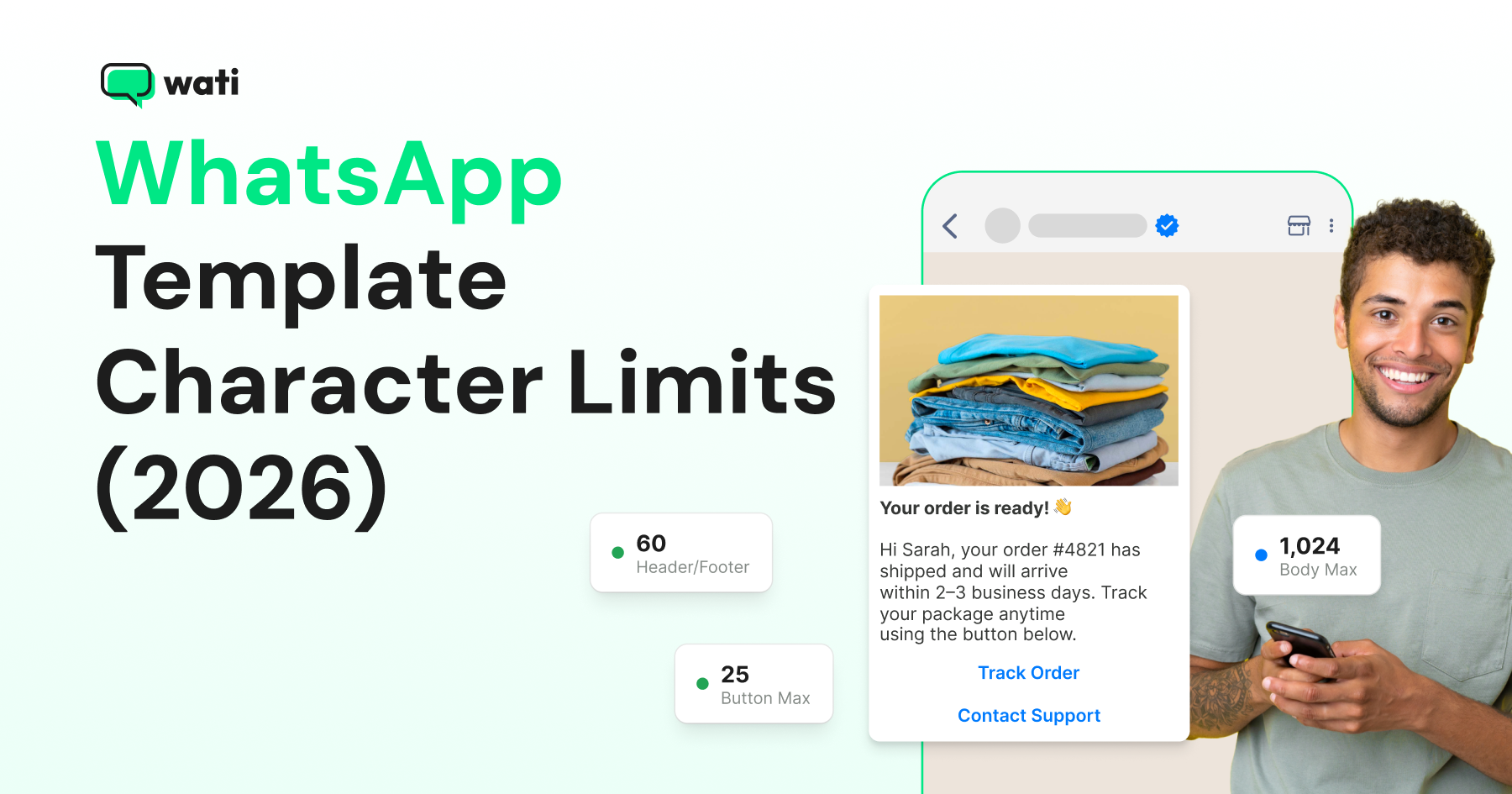
The WhatsApp template message character limit for the body is 1,024 characters. The header and footer are each capped at 60 characters each, and buttons are limited to 25 characters per label.
Memorizing these numbers isn't the hard part. The real risk is forgetting that your variables count toward them once a real customer name or order number gets substituted in.
Below is the quick-reference version for each component, followed by the full limit table, where sources disagree, and how to test a template before it gets rejected for length.
The Complete WhatsApp Template Character Limit Table
A WhatsApp template is built from a handful of parts: the template name, the body, an optional header and footer, and optional buttons.
Each one has its own character limit, and some limits change depending on the template's category or the button type you pick. The table below lists every one of them in a single place.
Component | Limit | Notes |
|---|---|---|
Template name | 512 characters | Lowercase alphanumeric and underscores only |
Body (Marketing) | 1,024 characters | Includes substituted variable values |
Body (Utility) | 1,024 characters | Includes substituted variable values |
Body (Authentication) | Fixed, Meta-prescribed text | Not freely customizable: Meta controls the verification-code wording |
Header (text) | 60 characters | Exactly one variable parameter allowed; avoid Markdown characters |
Header (media) | No text-character limit | Governed by file/media requirements, not character count |
Footer | 60 characters | No variables allowed |
Quick reply button label | 25 characters | Up to 10 quick-reply buttons per template, subject to combination rules |
Call-to-action label (URL or phone) | 25 characters | Keep it short and action-oriented |
Phone number field | 20 characters | Alphanumeric only |
URL in a URL button | 2,000 characters | Supports one variable appended to the URL; percent-encode special characters |
Copy-code value | 20 characters | The value copied to the user's clipboard |
A quick note on the button-label number: Meta's current template component documentation states 25 characters for quick-reply, URL, and phone-number button labels. You will still find some older third-party integrator docs citing 20 characters. If your provider's editor enforces a stricter number, follow what it actually accepts over what any article (including this one) states, since Meta's component specs are periodically revised.
Bonus Read: WhatsApp Template 101: Types, Benefits, and Examples
How WhatsApp Variables Count Toward the Limit
Meta requires you to supply a sample value for every variable when you create a template, and replaces the placeholder with the real value at send time.
- Named parameters must be unique, lowercase, and use letters, numbers, and underscores. Positional parameters must stay in order.
- The limit that matters is the rendered message, not the literal template source:
- literal text + substituted variable value(s) ≤ component limit.
- Test with your longest plausible real value for every variable, not the placeholder token, and leave a buffer below the hard limit rather than targeting it exactly.
For example, a body written as "Hi {{customer_name}}, your order {{order_id}} ships {{ship_date}}." looks short in the editor.
If {{customer_name}} becomes "Alexandria Montgomery-Whitfield-Osei" and {{order_id}} becomes a 24-character tracking code, the rendered body is a lot longer than it looks.
Rules That Affect Length Beyond the Raw Character Count
Staying under the character limit doesn't guarantee approval. Meta rejects templates for how the content is used, not just how long it is, so a technically compliant template can still fail for the wrong reason.
- Category matters more than length: Marketing templates can promote products, offers, or renewals. Utility templates must stay non-promotional and tied to a specific user action or request: mixing a promotion into an order update can get a utility template reclassified as marketing.
- Authentication templates are locked down: You don't write custom body text for OTP templates. Meta controls the core wording, and you're limited to the supported OTP button plus optional, also Meta-controlled, security or expiration text.
- Vague body content gets rejected regardless of length: A body that's just {{1}} or "Congratulations!" with no context is a common approval failure. State clearly why the customer is receiving the message.
- Every variable needs a realistic example: Ideally, your longest expected value, submitted at creation time for Meta's review.
- Text headers reject Markdown special characters: keep header copy plain.
- Encode URL variables: URL variable values need percent-encoding for special characters, or delivery/validation can fail.
- Approval isn't permanent: Only an approved template can send, and quality ratings can change after the fact based on user engagement.
Best Practices for Writing WhatsApp Templates
These habits keep templates readable, faster to approve, and easier to maintain across languages.
- Lead with the point: "Your order {{order_number}} ships today" beats a preamble before the useful information.
- Stay well under 1,024 characters in the body: shorter copy reads better on mobile and tends to have an easier approval path.
- Keep button labels to a few words: even though 25 characters are technically allowed, shorter reads better on small screens regardless of the limit.
- Put stable, explanatory copy directly in the body text: reserve variables for genuinely dynamic, bounded values.
- Use the footer for one compact detail: a deadline, an opt-out instruction, or a support line, kept well under 60 characters.
- Test every translated language separately: a translation is often longer than the English source, and Meta doesn't translate your template text for you.
- Create a new template rather than combining objectives: don't fold a discount offer into a utility order-status template.
- Before submitting, render your worst-case example: count characters after substitution, with roughly a 10-20% buffer below the limit.
Creating and Sending Templates in Wati
Wati covers the full lifecycle, from building a template to sending it to tracking how it performs.
- Creating: Wati's template creation flow walks through choosing a category and language, writing body text, inserting variables, and configuring an optional footer, header, and buttons. Save as a draft to review the rendered text before submitting for Meta's review.
- Sending: Wati's V3 template-send endpoint accepts the template name, recipient list, and per-recipient variable values, returning request- or recipient-level errors. It's a delivery API, not a validator, so check the rendered length against Meta's limits before you submit.
- Tracking: Once live, Wati's campaign analytics show read, reply, and click-through behavior by template, a practical signal for spotting an underperforming template and revising the next one.
Ship Templates That Get Approved the First Time
Templates that respect the character limits and account for what variables do to them once real data is substituted in clear Meta's review faster and get resubmitted less often.
Wati's template editor, sending API, and campaign analytics cover the rest of the workflow, but the character count is still on you to check. Get it right, and the approval process comes down to clarity and category, not length.
Building templates that stay compliant and convert? Book a free demo to see Wati's template editor and approval workflow in action.
Frequently asked questions
What is the WhatsApp template body character limit?
1,024 characters for Marketing, Utility, and Authentication templates, and this includes the actual substituted values of any variables, not just the literal template text.
How many characters can a WhatsApp template header have?
A text header is limited to 60 characters and supports exactly one variable. Media headers (image, video, document) aren't subject to a text-character limit since they don't carry header copy.
Can WhatsApp template footers include variables?
No. Footers are limited to 60 characters and don't support variables at all: only static text.
What's the character limit for WhatsApp template buttons?
Quick reply, URL, and phone-number button labels are each capped at 25 characters under Meta's current documentation, though some older third-party guides cite 20 characters. Check what your specific provider's editor enforces.
Do variables count toward the character limit?
Yes. The limit applies to the rendered message after variables are substituted with real values, not to the literal placeholder text. Always test with your longest realistic variable value before submitting.
Related posts
- Instagram Comment Automation: How It Works and How to Set It Up in Wati
Instagram comment automation auto-replies to comments and DMs commenters within seconds via Meta's API. Covers strategy, use cases, and Wati setup.
- Shared Team Inbox for Instagram: A Buyer’s Checklist for 2026
Use this fastest checklist to evaluate any shared team inbox for Instagram, which covers DMs, comments, automation, and multi-channel support.
- How to Send Bulk Messages on WhatsApp Without Getting Blocked
Learn how to send bulk WhatsApp messages without getting blocked. Compare the WhatsApp Business app and API, messaging limits, costs, templates, and best practices for safe, compliant bulk messaging.
- How to Set Up a TikTok Business Account: Step-by-Step Guide
Set up a TikTok Business Account step by step: switch from personal, pick a category, add your profile, and unlock ads and analytics.