
Too Long? Read This First
- To send a link in WhatsApp, paste the URL into a chat. WhatsApp auto-detects it and builds a clickable preview with the page title and image.
- Plain links get ignored; short, clean links with a line of context and a preview image get the most clicks.
- Businesses use three link types: wa.me chat links, Click-to-WhatsApp links, and template CTA buttons on the WhatsApp Business API.
- In 2026, Meta bills per delivered marketing message and applies a dynamic per-user frequency cap, so how, and how often, you send links affects cost and deliverability.
- The WhatsApp Business API, through a platform like Wati, lets you automate link sharing, route replies into a shared team inbox, and track template, button, and link clicks at scale.
A WhatsApp link (also called a wa.me link) is a URL in the format https://wa.me/[phone-number] that opens a chat with a specific WhatsApp number the instant someone taps it, with no need to save the contact first.
To send a link in WhatsApp, simply copy the URL and paste it into a chat. WhatsApp automatically detects the link and creates a clickable preview with the page title and image.
Add a short message if needed and tap Send.
But when businesses share links on WhatsApp, just copying and pasting is rarely enough. Plain or messy links often get ignored, which means fewer clicks, less traffic, and missed opportunities.
In this guide, you’ll learn how to send a link in WhatsApp for business that stands out, including creating clickable previews, tracking clicks, and improving engagement.
How to Get Better Results by Sharing Attention-Capturing Links?
You’ve just published a new product page or event registration link, and you’re excited to share it on WhatsApp.
So, you copy the link and send it to your customers or groups, hoping they’ll click and check it out. However, you notice only a few people actually open it.
That is because the links look plain and aren’t clickable enough to grab attention.
When you share links the right way, you can bring in more traffic, get people to engage, and make communication easier for everyone. It’s a simple way to get better results for your business.
1. Traffic and Lead-Generating Magnets
Business links can do more than share information. When used strategically, they guide customers and generate results.
- Send customers your product-related information or content: Drive traffic to product pages, blogs, or websites
- Offer instant support: Share a WhatsApp Business link so customers can start a support conversation immediately
- Generate leads: Use direct messaging links to capture interest and follow up quickly
Bonus Resource: How to Create a WhatsApp Business Account: A Step-by-Step Guide
2. Increase Engagement with WhatsApp Links
A well-placed clickable WhatsApp promotional link encourages users to take action.
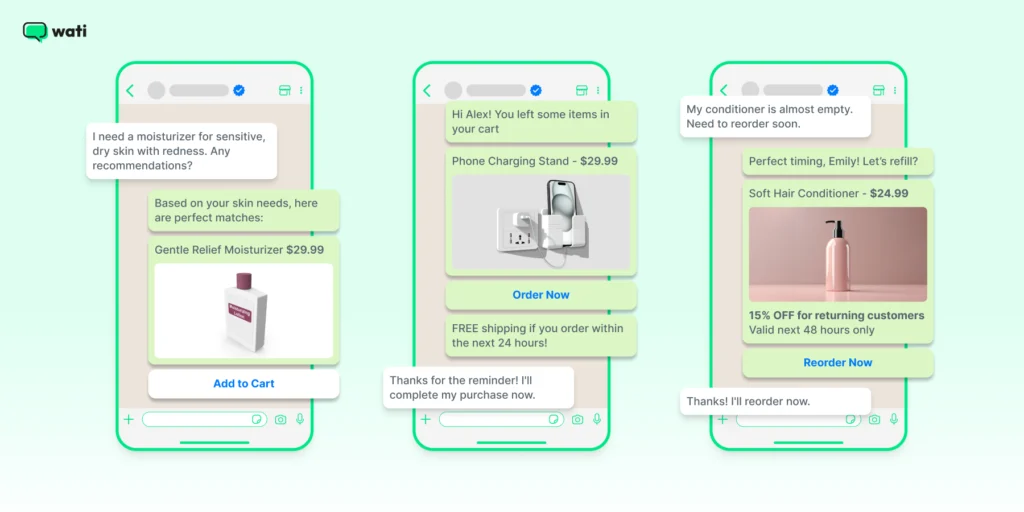
- Clickable previews: Links with previews look more appealing and build trust.
- CTA links: Adding clear calls-to-action like “Click to chat” or “View more” makes links more effective.
Make It Easy for Customers to Reach You 👇 Tools like a WhatsApp link generator let you create clickable links in seconds. With just one tap, customers can start a conversation. Sharing links this way makes chats smoother, boosts engagement, and helps your business get better results on WhatsApp. |
Related Read: Why Isn’t Instagram Engagement Converting Into Leads? (And How To Fix It)
What are the Different Types of WhatsApp Links Businesses Can Use?
Businesses can use three main types of WhatsApp links: wa.me chat links, Click-to-WhatsApp ad links, and CTA-button template links sent via the WhatsApp Business API.
While sending a link in WhatsApp is simple, businesses use several types of links to guide customers to conversations, websites, and campaigns.
1. WhatsApp Chat Links (wa.me Links)
A WhatsApp chat link allows customers to start a conversation with your business instantly without saving your phone number. When someone clicks the link, it opens a WhatsApp chat with your business automatically.
The format is: https://wa.me/<phone-number> (full international number, no +, spaces, or leading zeros). Add an optional pre-filled message with ?text=.
Businesses often use WhatsApp chat links on:
- Websites and landing pages
- Email signatures
- Social media bios
- Marketing campaigns
This makes it easier for customers to start a conversation with just one click.
2. Click-to-WhatsApp Links
Click-to-WhatsApp links allow you to send users directly into a WhatsApp conversation from ads or campaigns.
These links are commonly used in paid advertising campaigns where the goal is to start a conversation rather than send users to a website.
When someone clicks a Click-to-WhatsApp link:
- The link opens WhatsApp
- A chat window with your business appears
- The user can start messaging immediately
Businesses use Click-to-WhatsApp links in:
- Facebook and Instagram ads
- Website banners
- Landing pages
- Email campaigns
This approach is powerful because it removes friction and encourages users to ask questions, request quotes, or place orders directly in WhatsApp.
3. WhatsApp Template Links with CTA Buttons (API)
Businesses using the WhatsApp Business API can share links using CTA buttons inside template messages. Instead of sending a raw URL, the link appears as a clear button, such as:
- Visit Website
- View Product
- Track Order
These buttons make messages easier to read and significantly improve click-through rates.
When the user taps the button, they are redirected to the link you have added.
Businesses use CTA buttons for:
- Order tracking links
- Product pages
- Payment links
- Appointment booking
- Promotional campaigns
This approach makes WhatsApp messages more interactive and helps businesses drive customers to key pages.
Sending Links in WhatsApp Groups vs Broadcasts vs 1-to-1 Chats
1-to-1 chats work best for personalized support, groups suit community updates, and broadcasts scale to marketing campaigns, each with different reach and formatting limits.
Businesses can share links on WhatsApp in three main ways: personal chats, groups, and broadcasts. Each option works differently and is suited for different communication goals.
In a 1-to-1 chat, links are sent directly to an individual contact. This is the most personal context and allows businesses to provide tailored responses, share product pages, or send support resources.
In WhatsApp groups, links are visible to every participant. This works well for communities, customer groups, or event updates, but messages can quickly get buried in active conversations.
Broadcast messages allow businesses to send links to multiple users individually. When sent through the WhatsApp Business API, broadcasts can include template messages, CTA buttons, and tracking, making them ideal for marketing campaigns and announcements.
Delivery Method | How It Works | Best Use Cases | Key Limitations |
1-to-1 Chat | Link sent directly to an individual conversation with a full preview | Customer support, product recommendations, order updates | Not scalable for large campaigns |
WhatsApp Group | Link shared in a group conversation visible to all members | Communities, event announcements, shared discussions | Messages can get buried quickly |
Broadcast / API Campaign | Link sent individually to many contacts via broadcast or template message | Promotions, updates, marketing campaigns | Requires user opt-in and API setup |
Bonus Read: WhatsApp Broadcast vs Group
How Do WhatsApp Link Previews Work (and Why They Sometimes Don’t Appear)?
WhatsApp builds link previews from the Open Graph (OG) tags on the destination page. Meta requires three non-empty tags for a preview to generate: og:title, og:description, and og:url.
A fourth tag, og:image, supplies the thumbnail. If it's missing, you still get a text-only preview card, not a failed one. Previews commonly fail when a required tag is missing, the<head> markup sits beyond the first 300 KB of the page, an image is too large (keep it under 600 KB, at least 300 px wide) or unsupported, caching is stale, or a link redirects several times
WhatsApp generates these previews using Open Graph (OG) tags embedded in the webpage. The most important tags include:
1. og:title
The page title shown in the preview
2. og:description
The short summary below the title
3. og:image
The preview image displayed in the message
If these tags are missing or incorrectly configured, the preview may not appear properly.
Sometimes WhatsApp previews fail to load due to:
- Missing Open Graph tags on the webpage
- Large or unsupported preview images
- Temporary caching issues
- Links being shortened or redirected multiple times
If a preview doesn't appear, refresh the link, clear cache, or check the page's OG tags with the Facebook Sharing Debugger.
For a fuller rundown of what else changed on WhatsApp this year, see WhatsApp Features 2026: Latest Updates, Best Practices and More.
Best Practices for Sending Links on WhatsApp for Businesses
The three practices that most improve WhatsApp link click-through are clean formatting, shortened URLs, and a one-line reason to click before the link.
Sharing links on WhatsApp is easy, but doing it the right way can make a big difference.
Small changes, such as how you format your links or add context, can encourage people to click more.
1. Format Your Links for More Clicks
Always ensure that your WhatsApp business links are clean and properly formatted. A clickable WhatsApp link should be easy to read and open instantly.
- Use the full URL: Instead of just pasting a bare link, add a short introduction to make it more inviting.
- Avoid broken links: Double-check your link to ensure it works before sending it.
- Enable link previews: WhatsApp automatically generates previews for most links, but if it doesn’t, try adding “https://” at the beginning.
2. Use URL Shorteners for Cleaner Links
Long URLs can look cluttered and unprofessional. Consider using a WhatsApp link generator or a URL shortener like Bitly to make your messages more organized.
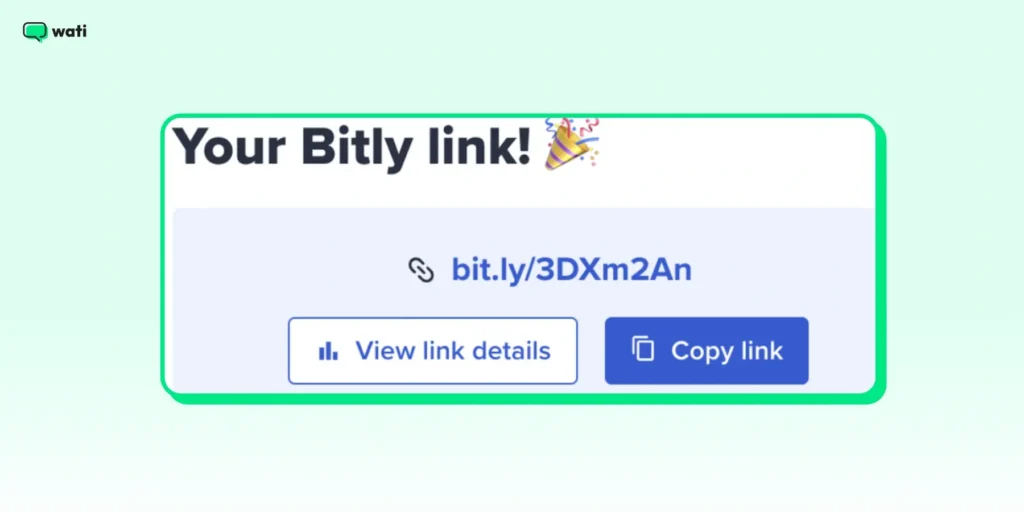
Here’s why it helps:
- Shorter links look better: A trimmed-down URL is easier to read and share.
- They take up less space: It is useful when adding multiple links in a single message.
- You can track clicks: Many shorteners offer analytics, helping you measure link performance.
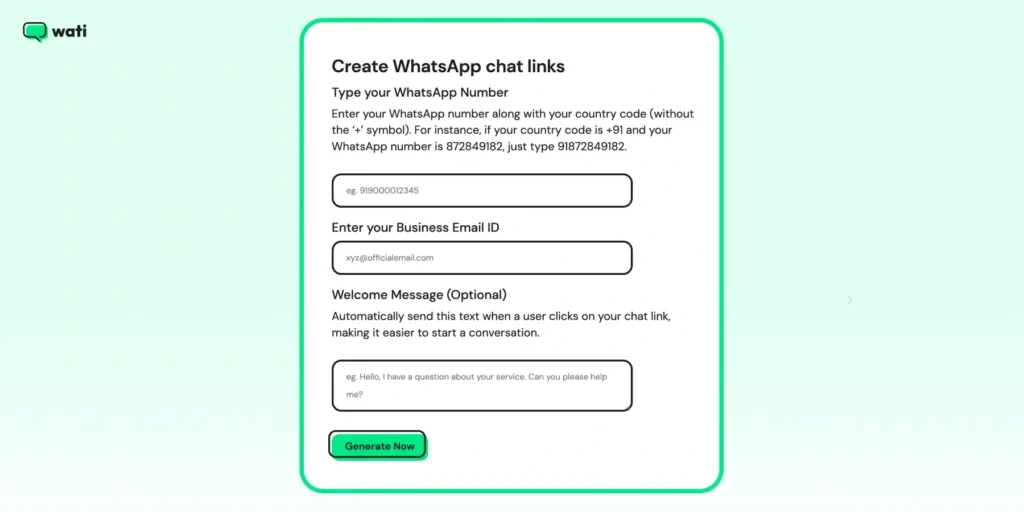
For businesses, a WhatsApp Business link generator makes it easy to create clickable links that take customers straight to a chat or product page.
3. Add Context for Higher Engagement
Just sharing a link in a chat isn’t enough. Adding a bit of context helps people see why it’s worth clicking.
Here’s how you can do it.
- Provide a short description: Instead of just sending a link, add a line explaining what it’s about.
- Use a call to action (CTA): Phrases like “Check this out!” or “Tap the link to learn more” can boost engagement.
- Include relevant emojis: A simple 📢 or 🔗 can make your message more visually appealing.
For example, instead of sending: 👉 https://example.com/product-page
Try this: 👉 Looking for the perfect gift? 🎁 Check out our top picks here: [Product Link]
Advanced Tips for Sending Links Professionally
A few smart tweaks can make your links more clickable, trustworthy, and engaging. Here are advanced strategies to help your links stand out and get noticed.
Tip 1: Make Your Links Pop with Rich Media
A simple text link might get ignored. However, pairing it with rich media such as images, videos, or GIFs can instantly make it more appealing.
When sharing a WhatsApp link, consider adding a relevant image or video that provides context.
For example, if you’re promoting a product, a short demo video or an eye-catching image can significantly increase clicks.
Another great approach is embedding a clickable image for WhatsApp, which allows users to tap on an image and be redirected to a webpage or chat.
This makes the experience more engaging and improves the chances of users interacting with your content.
Don’t Miss This: WhatsApp Marketing Messages Examples: WhatsApp Promotional Messages
Tip 2: Stay Within WhatsApp's 2026 Marketing Rules
WhatsApp actively limits promotional messaging, and the rules changed in 2026. Sending links carelessly now costs money and risks blocks.
You're billed per delivered marketing message. Since July 1, 2025, Meta charges per delivered template message (not per conversation), and marketing templates carry the highest rate, about $0.025 per message across North America on the January 2026 rate card, plus your provider's markup.
Meta has paused delivery of marketing templates to US phone numbers since April 2025 [Meta], so plan promotional sends around the markets where they're actually delivered. There's a per-user frequency cap. Meta limits how many marketing messages a person receives per day across all businesses. A dynamic cap that flexes with engagement and varies by market (industry estimates put it around two per day), not a fixed number. Sends beyond it are blocked with error 131049.
Promotional "utility" templates get reclassified. Since April 2025, a utility template containing promotional content is auto-reclassified as marketing and billed at the higher rate.
The practical takeaway is the same advice, now with teeth: personalize messages, space them out, and mix links with genuinely useful content instead of blasting the same URL in bulk. See our WhatsApp campaign frequency guide for cadence by segment.
Tip 3: Keep Your Links Safe from Spam Filters
WhatsApp monitors messages to prevent spam. Sending too many links too quickly can flag your number. Here’s how to stay safe while sharing links.
- Personalize your messages: Avoid sending the same generic link to multiple users. Add a short, custom message to make it feel personal.
- Don’t blast links in bulk: Space out your messages instead of sending a flood of links at once.
- Mix content types: Share links alongside images, text, or quick tips to keep messages natural and less spammy.
Tip 4: Send Links at the Right Time for Maximum Clicks
Timing plays a crucial role in how well your links perform. Sending a clickable WhatsApp link when your audience is most active increases the chances of it being seen and clicked.
Analyzing customer behavior can help determine the right timing. For promotional messages, mornings or lunchtime usually work well since people check their phones more often then.
Scheduling messages to align with customer time zones can improve engagement rates.
Related Read: WhatsApp Scheduler: How To Schedule WhatsApp Messages?
How to Start Sending Links via WhatsApp Business API?
If you want to take your link-sharing a step further, the WhatsApp Business API can help.
It lets you share product pages, booking links, or support chats automatically and at scale. You can schedule messages, target the right audience, and track clicks to see what’s working.
It’s a smarter way to make every link count.
Automating Link Sharing with Message Templates
Manually sending links to customers can be time-consuming. The WhatsApp Business API allows you to automate this process using message templates.
WhatsApp Business message templates help maintain consistency while ensuring links are formatted correctly for easy access.
For example, an e-commerce business can automatically send order confirmation messages with a clickable WhatsApp link directing customers to their tracking page. Through a platform like Wati, replies flow into a shared team inbox, and a no-code chatbot can respond the instant someone taps a link — so intent isn't lost.
Using Click-to-WhatsApp Ads for Seamless Link Sharing
Click-to-WhatsApp ads are a powerful way to drive engagement by integrating WhatsApp links directly into advertisements.
These ads, run on platforms like Facebook and Instagram, allow users to click a button that opens a WhatsApp Business link, instantly starting a conversation.
This eliminates friction in the customer journey and makes it easier for potential buyers to connect with a brand.
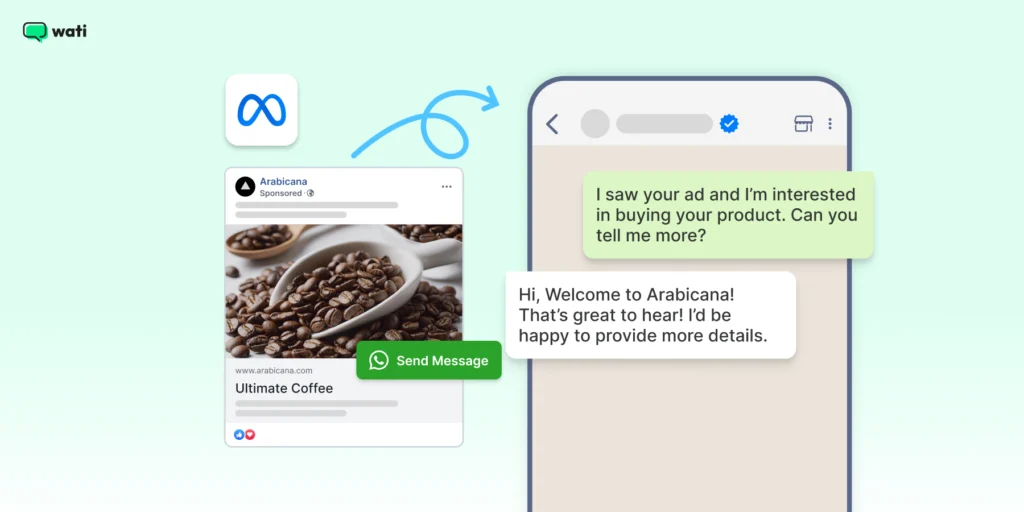
Businesses can further optimize these ads by using WhatsApp link generators to create specific tracking URLs. This allows marketers to measure which campaigns drive the most interactions and refine their messaging accordingly.
When you pair it with personalized auto-replies, it can really boost your conversion rates. Blacklyf replaced traditional lead forms with Click-to-WhatsApp Ads and paired them with Wati's keyword automation and re-engagement flows, cutting acquisition costs 60% and tripling conversions.
How Do You Track Link Performance on WhatsApp?
Track links two ways, because they measure different things:
- CTA button and message metrics come from the WhatsApp Business API's template analytics: sent, delivered, read, and button clicks for template messages with URL buttons.
- Raw website-link clicks aren't reported by WhatsApp itself, but a platform can fill the gap. In Wati, turning on click tracking for a template wraps your URL in a redirect and reports link clicks directly in your campaign analytics, so you don't need an external tool. If you're not on a platform that tracks clicks, wrap the URL in a shortener or add UTM parameters and read the clicks in Bitly or your web analytics.
Combining both (message-level metrics plus link clicks) tells you which links drive not just taps but actual traffic and conversions, so you can double down on what works. Using message templates, click-to-WhatsApp ads, and analytics makes WhatsApp a powerful tool for marketing and support. Not on the WhatsApp API yet? Try Wati for free by booking a free demo.
Making Every Link Count on WhatsApp
Sharing links on WhatsApp may seem simple, but doing it correctly can significantly improve how people engage with your messages.
A clean, well-written link with a short note or image gives people a reason to click. For businesses, using features like automation, click-to-WhatsApp ads, and analytics can make a big difference.
They help you share links that reach the right people at the right time without feeling pushy or spammy.
With a few smart tweaks, every link you share can spark better conversations and stronger results.
Ready to send links at scale with full automation, CTA buttons, and click tracking? Wati’s WhatsApp Business API platform makes it possible without code. Start your free trial today.
Next Read: How to Capture Phone Numbers From Instagram DMs With Wati in 2026
Frequently asked questions
1. Can I track who clicks on my WhatsApp links?
Yes, with the right setup. WhatsApp's own template analytics report clicks on CTA buttons but not on plain links. Platforms like Wati add link-click tracking by wrapping the URL in a redirect and reporting clicks in campaign analytics; otherwise, use a URL shortener or UTM parameters and read the data in Bitly or your web analytics.
2. What is a wa.me link?
A wa.me link opens a WhatsApp chat with your business without the person saving your number. The format is https://wa.me/<phone-number>, and you can pre-fill a message by adding ?text=your%20message.
3. Can I send a link on WhatsApp without saving a number?
Yes. You can send a WhatsApp message without saving a number by using a wa.me link. When you open the link in a browser, WhatsApp automatically starts a chat with that number. This is commonly used by businesses to let customers start conversations instantly.
4. Are there any restrictions on sending links via WhatsApp Business API?
Yes, WhatsApp has policies against spam and misleading links. Businesses must use approved message templates for outbound messages, and excessive or unsolicited link sharing can lead to restrictions or account suspension.
5. Can I send a link in WhatsApp Web or from my PC?
Yes. You can send a link from WhatsApp Web or the WhatsApp desktop app the same way you would on mobile. Copy the URL you want to share, open the chat in WhatsApp Web, and paste the link into the message box. WhatsApp will automatically detect the URL and generate a clickable preview if the webpage supports it. Press Enter to send the link to the recipient.
6. How many promotional links can I send on WhatsApp?
Meta applies a dynamic per-user cap on marketing messages not a fixed number, but often estimated at around two per person per day and bills per delivered marketing message. Space sends out, personalize them, and mix in useful (non-promotional) content to stay within limits and avoid blocks (error 131049).
7. What types of links can businesses share on WhatsApp?
Businesses commonly share website links, product pages, payment links, booking links, support resources, and promotional campaigns. These links help guide customers to important actions such as making a purchase, tracking orders, or contacting support.
Related posts
- How to Send Bulk Messages on WhatsApp Without Getting Blocked
Learn how to send bulk WhatsApp messages without getting blocked. Compare the WhatsApp Business app and API, messaging limits, costs, templates, and best practices for safe, compliant bulk messaging.
- Instagram Comment Automation: How It Works and How to Set It Up in Wati
Instagram comment automation auto-replies to comments and DMs commenters within seconds via Meta's API. Covers strategy, use cases, and Wati setup.
- Shared Team Inbox for Instagram: A Buyer’s Checklist for 2026
Use this fastest checklist to evaluate any shared team inbox for Instagram, which covers DMs, comments, automation, and multi-channel support.
- How to Set Up a TikTok Business Account: Step-by-Step Guide
Set up a TikTok Business Account step by step: switch from personal, pick a category, add your profile, and unlock ads and analytics.