
Too Long? Read This First
- Use the "Click to Chat" trick: Click to chat is the fastest way for anyone to send a message. Just type wa.me/ followed by the person's full phone number (with country code) into your browser to start a chat instantly.
- Message yourself a number: Text the number to yourself in WhatsApp. It becomes a clickable link that opens a new chat with that person.
- Scan a QR code: Businesses can use QR codes to connect with customers. Point your camera, scan the code, and you're ready to chat. No typing or saving required.
- For businesses: Businesses can use WhatsApp Business API like Wati to send personalized messages to thousands of customers at once to make the process simple and scalable.
WhatsApp now has over 3 billion monthly active users, so chances are, whoever you're trying to reach already has an account. Which raises the obvious question: can you message them without saving their number first?
Yes, you can. You can message any active WhatsApp account without adding it as a contact, using a wa.me "Click to Chat" link, the message-yourself trick, a QR code, or the WhatsApp Business API if you're sending to hundreds of people at once. Each method opens a normal chat window, no address book required.
Here's the thing: when a message comes in from a new number, most of us save it without even thinking, the electrician, the pharmacy, the delivery driver. Over time, your contact book gets filled with contacts you might never contact again.
Skipping saving a contact keeps your address book clean and gets you straight into the conversation.
This guide covers five ways to do it for personal chats, plus how businesses message unsaved contacts at scale.
Why Messaging on WhatsApp Without Saving Numbers Makes Sense
Messaging without saving numbers removes friction for both sides: your customer reaches you in one tap, and you keep a tidy contact list. WhatsApp is where that conversation increasingly happens
WhatsApp is where that conversation increasingly happens, with 38% year-over-year increase in the number of brands running conversational marketing on WhatsApp, and 54% of users say they prefer receiving marketing messages via WhatsApp over email or SMS.
Asking a customer to save your number first adds a step that can cost you the sale. Here's why removing it works:
- Convert More Leads, Faster: When customers can reach you instantly, your team can respond instantly, which shortens the sales cycle. 72.4% of consumers say they're more likely to do business with a brand that offer messaging, so removing friction from that first message directly moves leads toward a sale.
- Boost Customer Experience Instantly: A single click to chat makes an excellent first impression. It shows customers you value their time and makes your brand feel accessible and easy to do business with.
- Build Trust by Respecting Privacy: Not forcing a contact save is a small gesture that shows you respect your customer’s digital space. This simple act of consideration builds significant brand trust and goodwill.
- Strengthen Your Brand Image: Offering no-setup communication positions your brand as efficient, tech-savvy, and customer centric.
Also read: Learn the best way to use WhatsApp Business Web or a smoother check-in and checkout experience.
What are the Easiest Ways to Send a WhatsApp Message to an Unsaved Number?
There are five reliable methods for one-on-one chats, plus the WhatsApp Business API when you need to message hundreds or thousands of contacts at once. The table below shows which fits your situation; each method is explained in full underneath.
Here's a quick side-by-side comparison before we break each one down.
Method | Best for | Saves contact? | Works at scale? |
Click to Chat (wa.me) | Fast one-off chats | No | No |
Message yourself | Quick send on your own phone | No | No |
QR code | Offline-to-chat (packaging, storefront) | No | Partly |
Third-party app (e.g. Truecaller) | Identifying an unknown number | No | No |
WhatsApp group lookup | Reaching a group member | No | No |
Method 1: Using WhatsApp’s Click to Chat
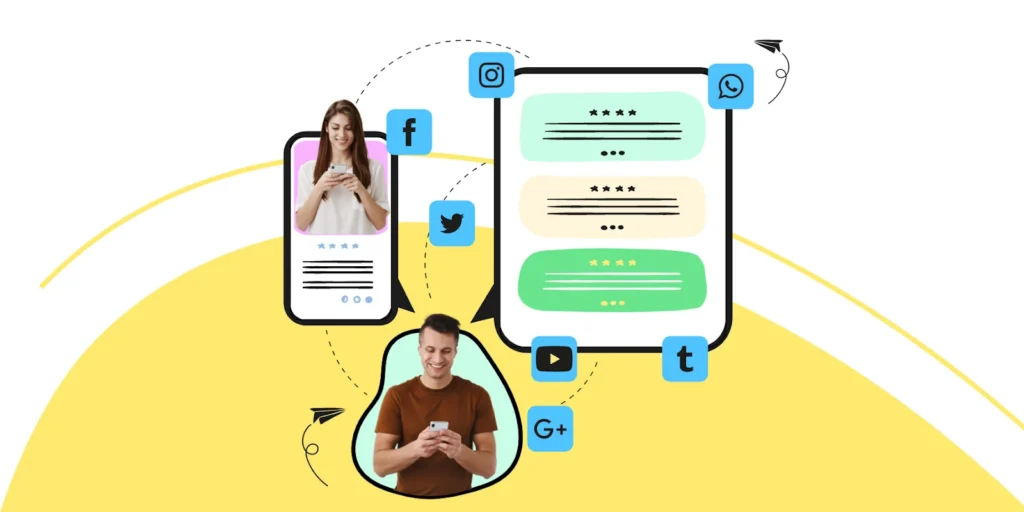
Click to Chat is the official method from WhatsApp. A wa.me link opens a chat with any active WhatsApp account instantly, without saving the number.
Here is the process:
- Copy the link format: https://wa.me/phone-number.
- Open a browser: Chrome or Safari, on phone or computer.
- Edit the link: Replace phone-number with the full number in international format. Include the country code and omit any spaces, plus signs, dashes, brackets, or leading zeros. For the Indian number 9988776655, the link becomes https://wa.me/919988776655.
- Press enter, wait for the page to load, and click Continue to Chat.
- Start messaging: The chat opens in WhatsApp with no contact saved.
Want to create these links instantly? Use Wati's free WhatsApp Chat Link Generator.
Method 2: Message Yourself the Number
Messaging yourself turns any phone number into a tappable link inside your own WhatsApp chat. It's the quickest workaround when you're on the go.
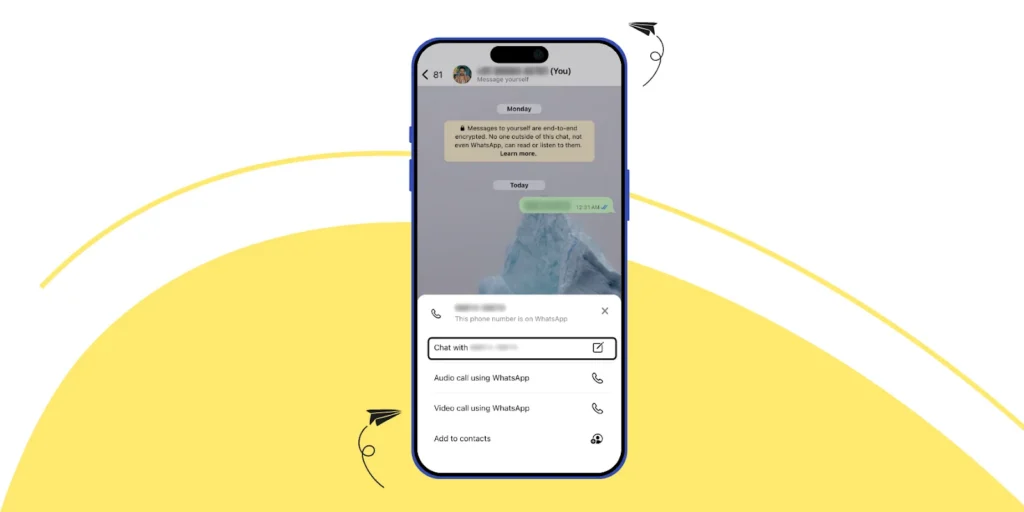
Here is the process:
- Open WhatsApp and find your own contact in the chat list (labeled "You").
- Type or paste the full phone number, with country code, and hit send.
- The number appears as a blue, clickable link.
- Tap it and choose Chat with [phone number] from the menu.
- A new conversation opens.
Method 3: Using WhatsApp QR Codes
A WhatsApp QR code lets a customer scan and start a chat instantly, bridging your offline and online presence. Put it on product packaging, a business card, or a storefront and no one has to type or save your number.
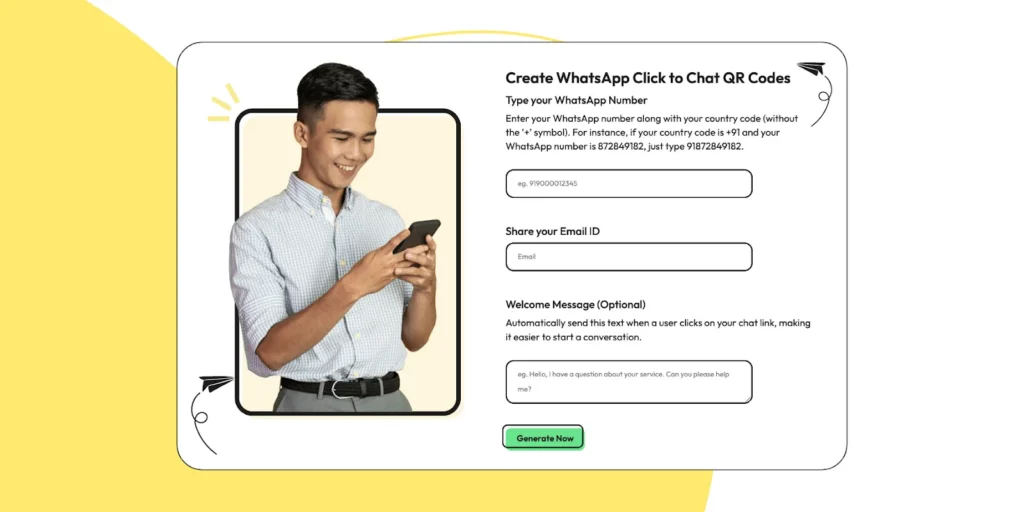
To create your WhatsApp QR code:
- Use a reliable QR code generator, such as Wati's free WhatsApp QR Code Generator.
- Enter your WhatsApp Business number and a default welcome message.
- Download the code and add it to your marketing materials.
Learn more about leveraging QR codes for your business in our guide to WhatsApp Marketing.
Method 4: Using Third-Party Applications
Some apps, such as Truecaller, identify a number and offer a shortcut to message it on WhatsApp. It's convenient, but proceed with care: use only reputable, well-reviewed apps, and mind the permissions you grant to protect your privacy.
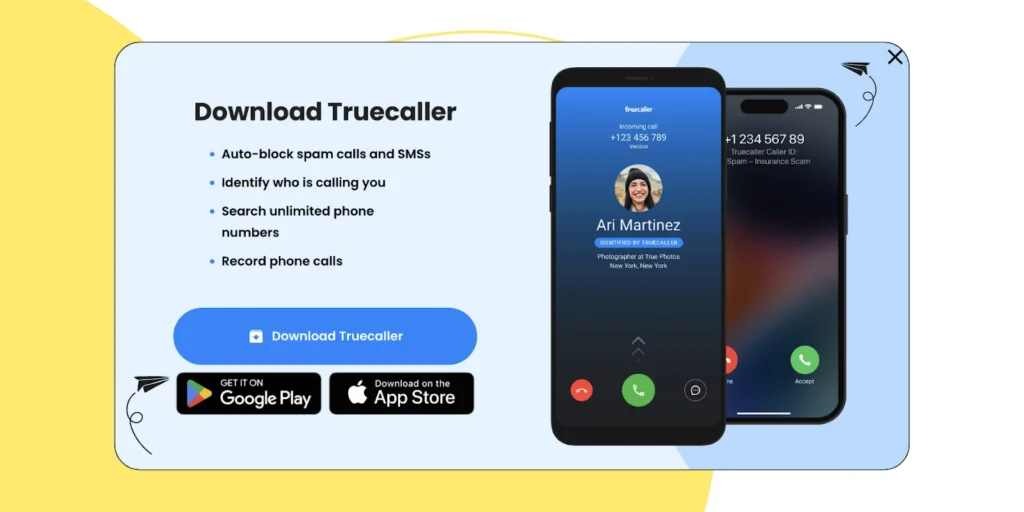
Here’s how you can use Truecaller to send WhatsApp messages without saving a number.
- Install Truecaller on your device.
- Use its search to locate the number you want to message.
- When the number appears, select the WhatsApp icon among the interaction options.
- WhatsApp opens a chat window with the unsaved number.
Method 5: Find the Contact Number in WhatsApp Groups
If the person shares a WhatsApp group with you, you can message them straight from the member list without saving their number. This works only when you're both in the same group.
- Open the group chat where the person is a member.
- Scroll the member list and locate their number.
- Tap the number to open a pop-up.
- Choose Message to open a direct chat.
Bonus Read: How to Capture Phone Numbers From Instagram DMs With Wati in 2026
That covers one-on-one messaging. For businesses working at a different scale, there's a sixth option built specifically for that.
How Can Businesses Send Bulk WhatsApp Messages Without Saving Numbers?
The methods above are perfect for one-on-one chats. But what if your business needs to send updates or promotions to hundreds, or even thousands, of customers at once?
Businesses can send bulk messages to unsaved numbers using the WhatsApp Business API, which is the compliant way to reach hundreds or thousands of customers at once.
The WhatsApp Business API lets you send personalized bulk messages without saving a single number, deploy chatbots to automate replies, integrate WhatsApp with your CRM, and manage everything from a shared team inbox.
One pricing note: Since July 1, 2025, WhatsApp bills per delivered template message. They are priced by message category (marketing, utility, authentication) and recipient country, replacing the old per-24-hour-conversation model.
Budget bulk sends per message, not per conversation. Estimate costs with Wati's WhatsApp Conversation Pricing Calculator.
Why Choose Wati as Your WhatsApp API Provider?
Wati is an official Meta Business Partner and a WhatsApp Business API platform that helps businesses manage high volumes of customer conversations in bulk. It pairs broadcasts, automation, and a shared inbox in one easy-to-use platform.
Here is what sets it apart:
- Send Broadcasts at Scale: You can reach thousands of unsaved contacts with personalized marketing campaigns, promotions, and automated updates without cluttering your address book.
- Automate with No-Code Chatbots: You can easily build and deploy intelligent chatbots with our drag-and-drop builder to handle FAQs, qualify leads, and provide 24/7 customer support.
- List with catalog management: With Wati, you can build product catalogues at scale and lead users through meaningful product journeys. Building product catalogues results in improved customer attention span, direct action, faster checkouts, and brand visibility.
- Custom Notifications: Wati provides customized notifications to trigger frequent updates and drive sales forward. Teams can stay updated on customer conversions and engagement to streamline their sales strategy and monitor revenue securely and efficiently.
- Collaborate in a shared team inbox: Manage every customer chat from one WhatsApp number, assign conversations, and keep responses fast.
- Key Integrations: Connect Wati with Shopify, Zoho, HubSpot, Salesforce, and Google Sheets to automate workflows and sync customer data.
- Advanced Analytics: Track delivery, read, and reply rates on a detailed dashboard to make data-driven decisions.
- Instagram and TikTok automation: You can automate both Instagram and TikTok messaging, covering everything from Instagram comments and DMs to TikTok conversations, and manage WhatsApp, Instagram, Facebook Messenger, and TikTok all from one shared team inbox, without juggling between separate tools for each platform.
New to the API? Start with our WhatsApp Business API guide for 2026
Streamline Your WhatsApp Communication Today
Consumers do not want to scroll through their contacts to find you.
Whether you need a quick personal chat or you're a business scaling customer engagement, messaging on WhatsApp without saving numbers saves time, protects privacy, and builds brand loyalty.
By using simple methods like “Click to Chat” or powerful tools like the WhatsApp Business API, you can save time, protect your privacy, and create a smoother, more professional experience for everyone you interact with.
Ready to unlock the full potential of WhatsApp Business API? Book a demo to get a better sense of our offerings.
Frequently asked questions
Can I integrate this messaging with my company's CRM?
Yes. The WhatsApp Business API is designed to integrate directly with CRMs like HubSpot and Zoho, allowing you to manage all customer conversations from your existing dashboard.
Is it possible to automate messages to unsaved contacts?
Absolutely. Automation is a core feature of the WhatsApp Business API. You can easily set up automated welcome messages, order confirmations, and alerts to save time and engage leads instantly.
How can I track the performance of my messaging campaigns?
Through integrated analytics. Wati provides a dashboard to track essential metrics like open rates, response rates, and conversions, so you can easily measure your campaign's effectiveness and ROI.
Are "Click to Chat" links safe for my customers to use?
Yes. While the phone number is part of the link itself, tools from official providers like Wati are built to be secure and compliant with global privacy regulations like GDPR, ensuring customer safety.
How do I create a wa.me Click to Chat link?
Type https://wa.me/ followed by the full phone number, including country code, with no spaces, plus signs, or dashes. For example, an Indian number would look like https://wa.me/919988776655 (this is just a placeholder, not a real number). Open the link in any browser and tap "Continue to Chat."
Related posts
- How to Set Up Auto Reply in WhatsApp Business?
Master WhatsApp auto-reply for your business: improve response times, customer service, and communication.
- WhatsApp Verification Explained: How to Get Blue Tick in WhatsApp
Discover how WhatsApp verification boosts trust and credibility. Get insights into timelines, steps, and how Wati makes the process seamless for businesses.
- TikTok Business Account vs. Personal Account: How Do They Differ?
TikTok Business Account vs Personal Account: Business unlocks ads, analytics, and messaging; Personal keeps sounds and creator payouts.
- How to Use an Instagram Chatbot for FAQ Automation (2026 Guide)
An Instagram chatbot replies to DMs, comments, and story replies instantly using keyword triggers, then hands off to a human when needed. Here's how to set one up in Wati.