
Too Long? Read This First
- The WhatsApp Business app is free, but the WhatsApp Business API is designed for growing teams that need automation, integrations, and large-scale messaging.
- API access itself is free, but you pay for the WhatsApp messages you send, based on message categories, volume, and your region.
- Businesses switch to the API when they need multi-agent support, automated workflows, richer customer engagement, or higher message reliability. This shift usually happens when one phone and manual replies are no longer enough.
- With the API, businesses can move beyond basic chats using templates, broadcasts, order updates, CRM integrations, and real two-way automation.
- If WhatsApp plays a key role in your business, the API becomes the logical next step as conversations start to scale.
- Starting October 1, 2026, Meta is reintroducing charges for service messages and in-window utility replies that have been free since 2024 and 2025. Factor this into your 2026 budget.
When people search for the WhatsApp API for free, it often starts with a simple question: Can I use WhatsApp for my business without paying?
The short answer is yes. The WhatsApp Business app is free and works well for solo users and small teams.
However, when a business grows and needs automation, multi-agent support, or higher message volumes, the WhatsApp Business API enters the picture.
The API isn’t free, but it gives you flexibility in how you scale and pay for messaging. Costs depend on your business size, your messaging needs, and the provider you choose. This guide will walk you through what’s free, what’s not, and how to decide if the API is the right next step for your business.
Wati is an AI-powered business messaging platform built on the WhatsApp Business API, used by 16,000+ businesses in 190+ countries to run marketing, sales, and support conversations on WhatsApp.
What’s Actually Free on WhatsApp?
When people look for the WhatsApp API for free, it helps to start with the basics. WhatsApp offers two main products for businesses: the WhatsApp Business app and the WhatsApp Business Platform.
The app is completely free and is often enough for a small business that wants to send messages, answer customer questions, and set up a simple WhatsApp Business profile.
With the free app, you can chat with customers, share rich media, label conversations, and respond quickly during your customer service window. It’s built for solo owners and small teams who want an easy way to engage customers without any setup or integration work.
However, the free app has limits. It can’t manage large message volumes, automated messaging, or multi-agent support.
These limitations are usually what push growing teams to explore the WhatsApp Business API for scale, faster support, and better customer experiences.
Related Read: WhatsApp API Pricing: Costs, Categories, and Regions
The Difference Between Free Business App and the Paid Business API
A common question behind searches for “WhatsApp API for free” is whether the API itself costs money. While Meta doesn’t charge an upfront fee to access the WhatsApp Business API, it isn’t free in practice; you still pay for the messages you send.
The pay here comes from sending WhatsApp messages to customers, and costs depend on message type, volume, and how you engage.
Meta charges for WhatsApp Business Platform usage based on a billing model where you pay per message sent, rather than a flat subscription.
Messages like important updates, authentication codes, utility messages, and marketing campaigns each fall into specific categories that influence pricing.
You also need a WhatsApp Business account and typically go through an approved provider (BSP) to get API access.
BSPs often bundle the API access with tools to help you integrate, send, and receive messages, but they may charge for setup, management, or additional features.
In simple terms, you don’t pay to unlock API access itself, but you do pay to send and manage most business-initiated WhatsApp messages. That’s why “WhatsApp Business API free” really refers to access itself, not free usage for messaging at scale. |
When Do Businesses Usually Switch to the WhatsApp Business API?
Most companies begin with the free WhatsApp Business app, but they eventually outgrow its limits. Businesses typically move to the WhatsApp Business API when they need more scale, automation, and control.
You will usually switch when you need to:
- Manage higher message volumes and serve more customers every day.
- Support multiple agents using one WhatsApp Business account.
- Integrate WhatsApp with CRMs and other internal tools.
- Automate messaging for FAQs, order confirmations, shipping updates, alerts, or appointment reminders.
- Run WhatsApp marketing campaigns with rich media and message templates.
- Deliver better customer support using faster response times and structured workflows.
For growing teams, the API unlocks consistent customer engagement across the entire customer journey. Large businesses rely on it to boost conversions, increase customer satisfaction, and maintain smooth two-way communication at scale. Now, Meta offers Meta Business Agent inside WhatsApp. However, the capabilities are limited. If you are a growing business, you still need a WhatsApp Business API. Check out the detailed article about Meta Business Agent here
What Can You Do with the WhatsApp API?
The WhatsApp Business API gives businesses far more control than the free app.
It’s built for scale, automation, and deeper customer engagement across the entire customer journey. You can use it to:
1. Send and Receive Messages at Scale
Manage thousands of conversations efficiently with a support team instead of a single device.
2. Use Message Templates for Important Updates
Send order confirmations, shipping updates, alerts, reminders, and other notifications using approved message types.
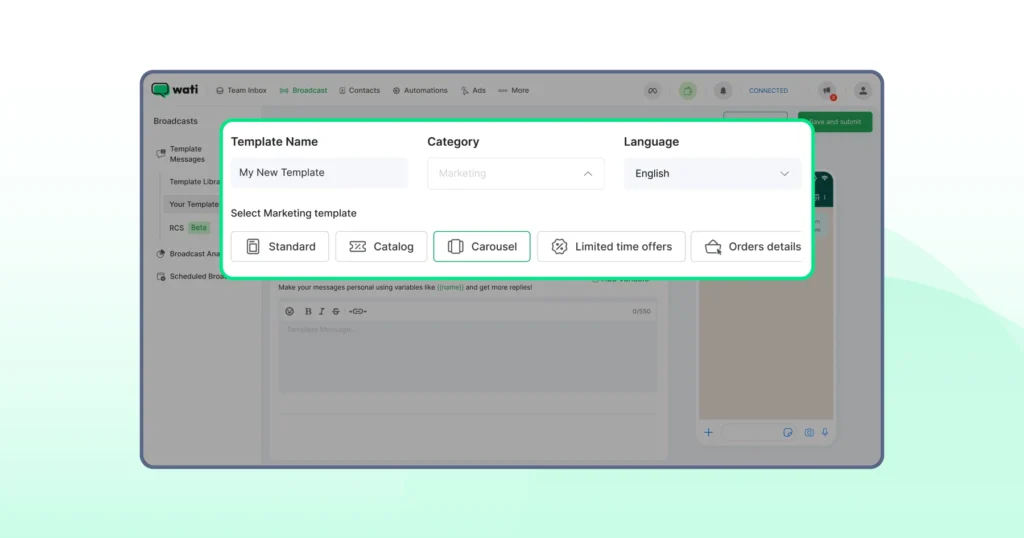
3. Run WhatsApp Broadcasts for Marketing Campaigns
You can share personalised promotions, offers, and rich media with customers who have opted in.
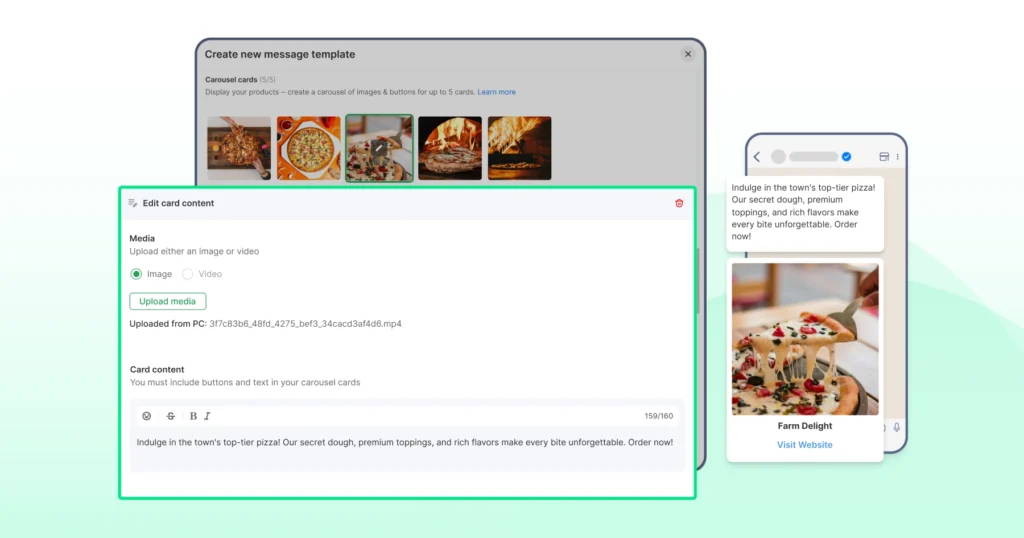
4. Automate Customer Support
Use automated messaging to answer FAQs, route conversations, or assist users 24/7.
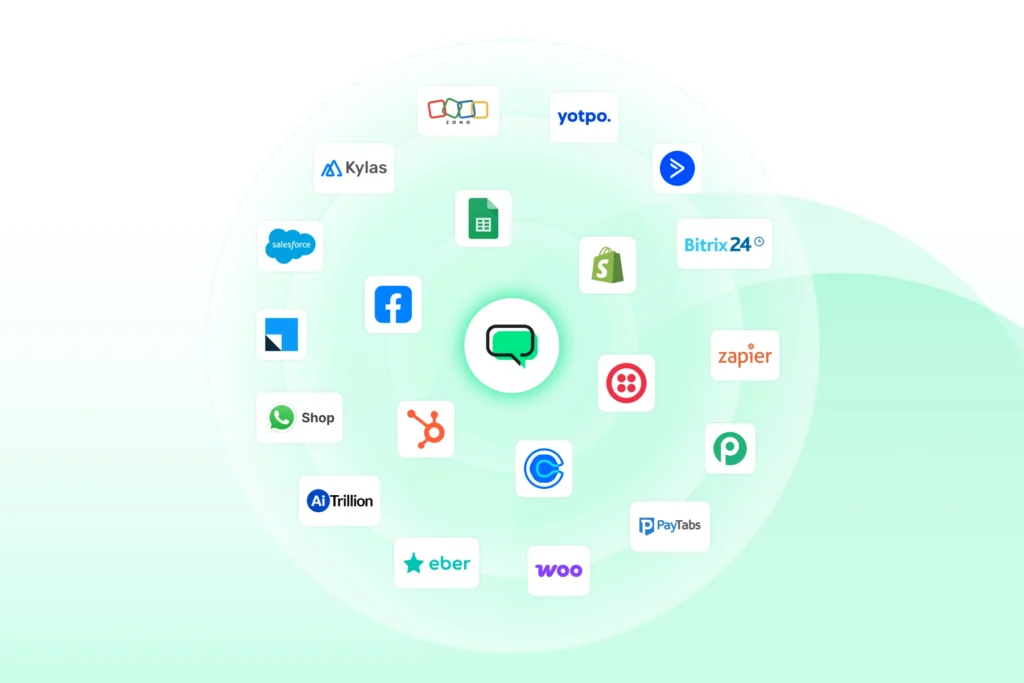
5. Integrate WhatsApp With Your CRM or Apps
Connect your WhatsApp Business account to tools like a CRM, helpdesk, or internal systems for a smoother workflow.
6. Build Custom Journeys on the WhatsApp Business Platform
Developers can use API access, code samples, and detailed documentation to create advanced features or custom integrations.
Real Customer Result: What the API is Worth
Printcious, a custom-printing business, was averaging a 3-hour response time on manual WhatsApp quotes, with inconsistent replies and no way to reassign conversations when a rep was out. After moving to Wati's WhatsApp Business API with automated lead qualification and instant quoting, it grew revenue 300% and lifted its closing rate from 10% to 25–30% (up to 40% on some products). That's the kind of return businesses weigh against the API's per-message costs.
Is WhatsApp API free? What You Actually Pay For
The WhatsApp Business API isn’t a free service, but the way pricing works is clearer now than ever.
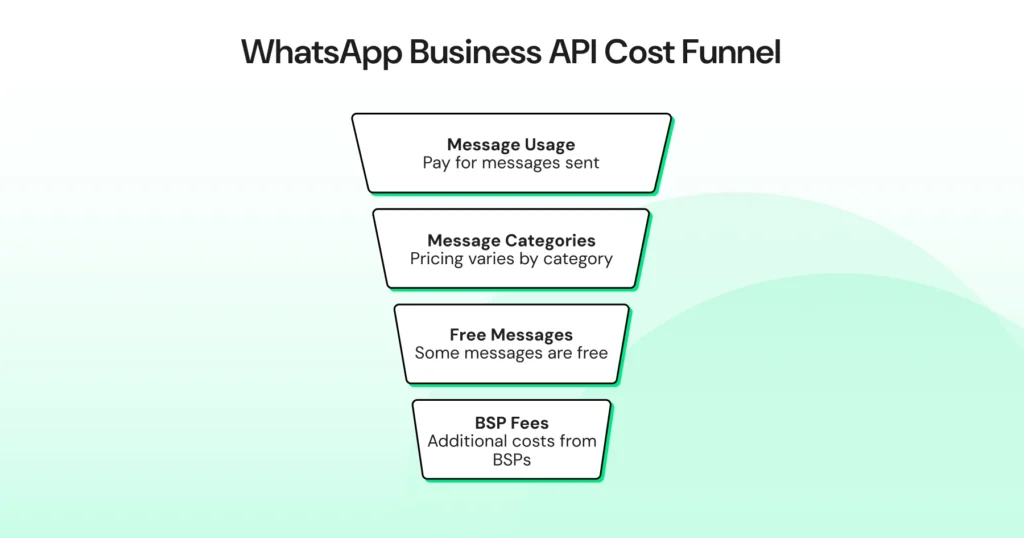
WhatsApp has shifted to a per-message pricing model, which means you pay for the messages you send, not for API access itself.
API Access is Free, but Usage is Paid
Meta doesn’t charge to unlock the API. However, every business still pays for the WhatsApp messages they send through the platform.
Pricing Depends on Message Categories
WhatsApp uses categories like marketing, utility, and authentication. Each category has its own rate, and prices vary by region.
Some Messages Can Be Free (For Now)
There are free entry points, such as:
- Customer replies within the 24-hour service window
- Conversations that start from a click-to-WhatsApp ad
- The 72-hour free entry window from Click-to-WhatsApp ads and Facebook CTA buttons remains free for message delivery even after the October 2026 changes below, though Meta's own AI replies (Meta Business Agent) are billed by token from August 1, 2026, regardless of entry point.
These give businesses more flexibility without extra cost.
BSPs Add Their Own Fees
BSPs may charge for onboarding, paid plans, additional features, or advanced tools like automated messaging or CRM integrations.
Some BSPs market a "free forever" plan that waives their own platform fee, and that part can be genuinely free. However, Meta's per-message charges for marketing, utility, authentication, and (from October 2026) service messages still apply no matter which BSP you use.
"Free" usually describes the BSP's fee, not Meta's messaging costs.
Total Cost Depends on Volume and Use Case
If you run WhatsApp marketing campaigns, send notifications, or manage large-scale customer support, your spending increases based on message volume.
What's Changing: Meta's August–October 2026 Pricing Update
Meta is reintroducing charges on message types that have been free, and launching a new paid AI category. Two dates matter most:
Effective date | What changes | Why it matters |
|---|---|---|
Aug 1, 2026 | Meta Business Agent messages (Meta's own AI replies) are charged per token, about $2 per 1M tokens, roughly 4 to 5 cents per message | A new AI-message category becomes billable |
Sep 1, 2026 | Meta publishes the exact rates taking effect Oct 1 | Firm numbers become available for budgeting |
Oct 1, 2026 | Service messages, free since Nov 1, 2024, are charged per message again | A previously-free reply type starts costing money |
Oct 1, 2026 | Utility messages sent inside an open 24-hour window, free since Jul 1, 2025, are charged per message again | Another previously free category returns to paid |
In short, the free 24-hour reply window this article points to is shrinking. If WhatsApp is a high-volume channel for you, budget for these changes before they land. Read the WhatsApp service message, October pricing change complete details here
Choosing the Right Option: App vs API
The free WhatsApp Business app is great for solo owners and small teams who only need basic messaging, a business profile, and simple customer engagement tools.
But as message volume grows and you need automation, multi-agent support, or CRM integration, the WhatsApp Business API becomes the better fit.
If you want a full breakdown of features, use cases, and differences, you can read our detailed guide on WhatsApp Business App vs WhatsApp Business API.
WhatsApp API for Free: What You Get at No Cost (and What You’ll Pay For)
Meta has also introduced its own Business AI agent to handle automated customer conversations, but for teams that need deeper automation, custom workflows, and full CRM integration, the WhatsApp Business API still outperforms it.
However, as your conversations increase and your workflows become more complex, the WhatsApp API for free becomes less about cost and more about understanding what the platform can unlock for your business.
Most businesses start with simple tools, and WhatsApp is no different. You get a free app, an easy setup, and a direct line to your customers.
Even though messaging through the API isn’t free, the flexibility to build a system that fits your operations often outweighs the cost.
If you see WhatsApp playing a long-term role in your customer engagement strategy, the API is the natural next step.
We will guide you through the tools, setup, and the fee you require. Schedule a demo with Wati to get started today.
Frequently asked questions
1. Is the WhatsApp API free to use?
The WhatsApp Business API is free to access, but sending WhatsApp messages through it is not. Meta charges based on message categories and volume, and BSPs may add their own platform fees. You only pay for what you send, depending on your business needs.
2. What’s the difference between the WhatsApp Business app and the API?
The WhatsApp Business app is free and built for small businesses that handle conversations manually. The WhatsApp Business API is designed for automation, multi-agent support, CRM integrations, and large-scale customer engagement. It’s best for growing or high-volume teams.
3. Can I run WhatsApp marketing campaigns through the API?
Yes. The API allows businesses to send message templates, broadcasts, personalized promotions, and rich media at scale. You’ll need customer opt-ins, and marketing messages may have different rates depending on your region.
4. What type of messages can I send with the WhatsApp API?
You can send utility updates, marketing messages, authentication codes, order confirmations, shipping updates, and automated responses. Each message type fits into a specific category, which influences pricing and delivery rules.
5. Who should use the WhatsApp Business API?
The API is ideal for businesses that manage high message volumes, want automated workflows, or need multi-agent customer support. It’s especially useful for teams that rely on WhatsApp for sales, notifications, customer service, or ongoing customer journeys.
6. Are "free forever" WhatsApp API plans really free?
Some BSPs advertise a free-forever tier that waives their own platform fee, which is genuinely free. But Meta's per-message charges still apply no matter which BSP you use. "Free" refers to the BSP's fee, not Meta's messaging costs.
Related posts
- WhatsApp vs Email Marketing: Choosing the Best Channel for Growth in 2026
Learn the key differences between WhatsApp vs email marketing in 2026 and find out which performs better for ROI and customer engagement.
- WhatsApp Multi Agent: Setup for Sales Agents On One Platform
This guide explains how a multi-agent WhatsApp setup works across agents, teams, and countries, and how the right structure prevents delays, confusion, and broken handovers as usage grows.
- WhatsApp API for Enterprise: Designing Intelligent End-to-End Workflows for 2026
Build scalable workflows using the WhatsApp API for enterprise. Connect CRM, ERP, ticketing, and RPA tools to automate enterprise sales operations.
- How to Take Your Brand Global With WhatsApp Business API
Learn how WhatsApp API handles sales and marketing communication, customer calling, data security, and automation globally and expand the market.