
Too Long? Read This First
- WhatsApp automation helps businesses reply faster, follow up on leads, and keep conversations moving without extra manual work.
- Companies use automation for sales, marketing, and support, such as running Click to WhatsApp Ads and sharing updates.
- Wati makes automation simple for everyone. You can build chatbots, send personalised campaigns, and setup integration with your CRM.
- When done right, automation helps businesses chat to customers faster, serve them better, and build long-term relationships.
Imagine having an assistant who’s always ready to respond to your customers: answering their questions, confirming orders, and even sharing updates. That’s the magic of WhatsApp automation! For businesses today, especially small and growing ones, automating WhatsApp is like having a superpower in your customer service toolkit.
Consider this: 90% of consumers today expect faster responses from brands, and WhatsApp automation makes it possible. By automating responses, you ensure no customer inquiry goes unanswered, providing instant interactions that people appreciate and trust.
So, how does it work, and what’s in it for your business? Let’s walk through setting up WhatsApp business automation and explore the key benefits that can transform your customer experience.
What is WhatsApp Automation?
WhatsApp automation is a way for businesses to streamline and speed up customer interactions on WhatsApp by setting up automated responses, alerts, and workflows. Instead of manually replying to every message, you can use automation to handle common tasks like:
- Answering FAQs
- Confirming orders
- Sending shipping updates
And doing all this in real-time.
Through automation, businesses can stay responsive 24/7, ensuring no customer is left waiting for a reply. It’s an effective tool for businesses of all sizes, helping boost customer satisfaction and free up time for teams to focus on more complex requests.
Key Benefits of WhatsApp Automation
Not sure if you should automate WhatsApp messages? Let’s discuss the advantages you can expect of automating via WhatsApp.
1. Increased Efficiency and Productivity 📈
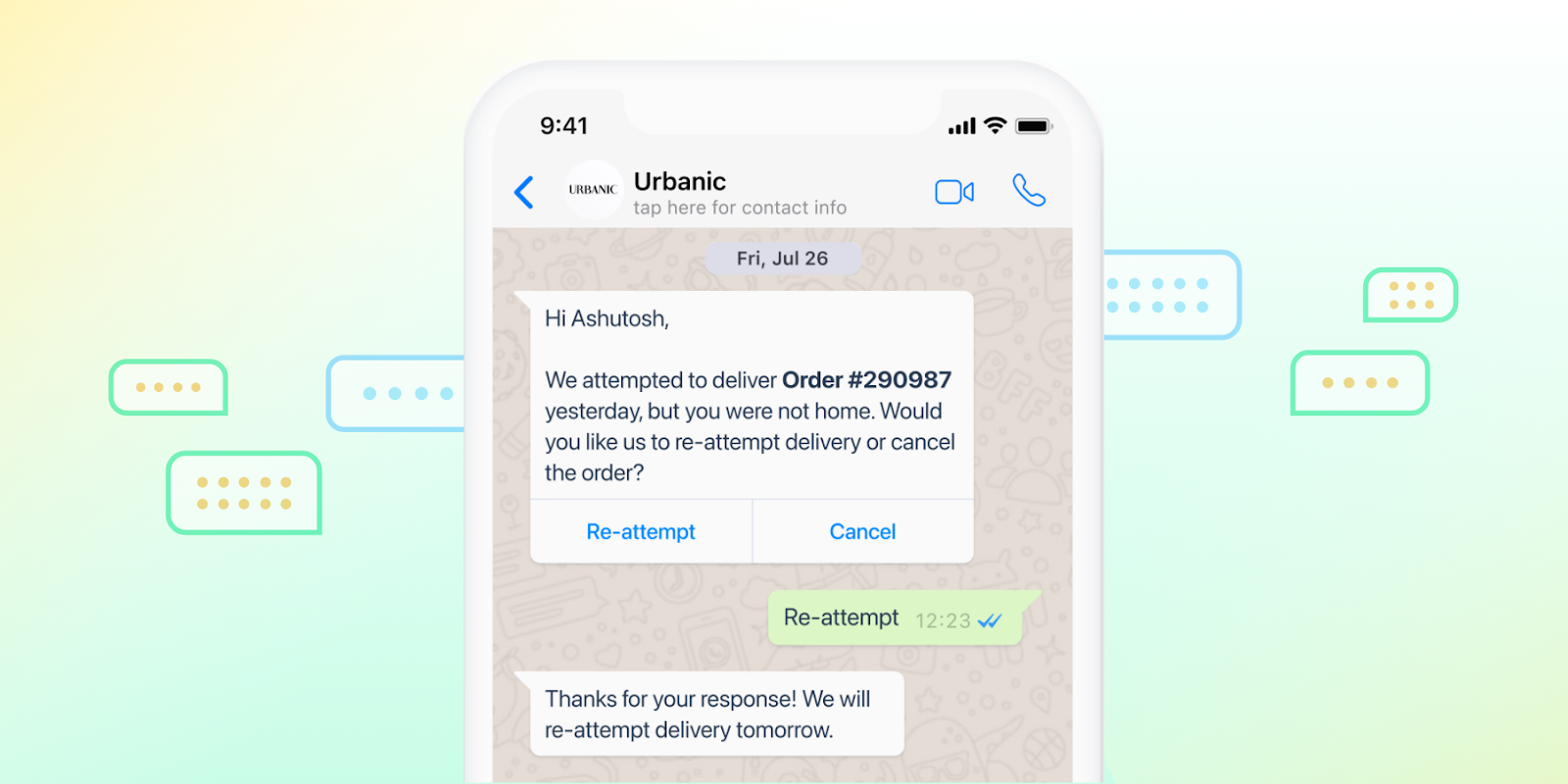
WhatsApp automation can handle repetitive queries, manage order confirmations, and even schedule messages, giving your team more time to focus on higher-value tasks. In fact, businesses report up to a 50% improvement in response times after automating their customer support. Urbanic, a fashion brand, uses WhatsApp automation to handle order-tracking inquiries, cutting down on response times and improving team efficiency.
2. Enhanced Customer Engagement 💬
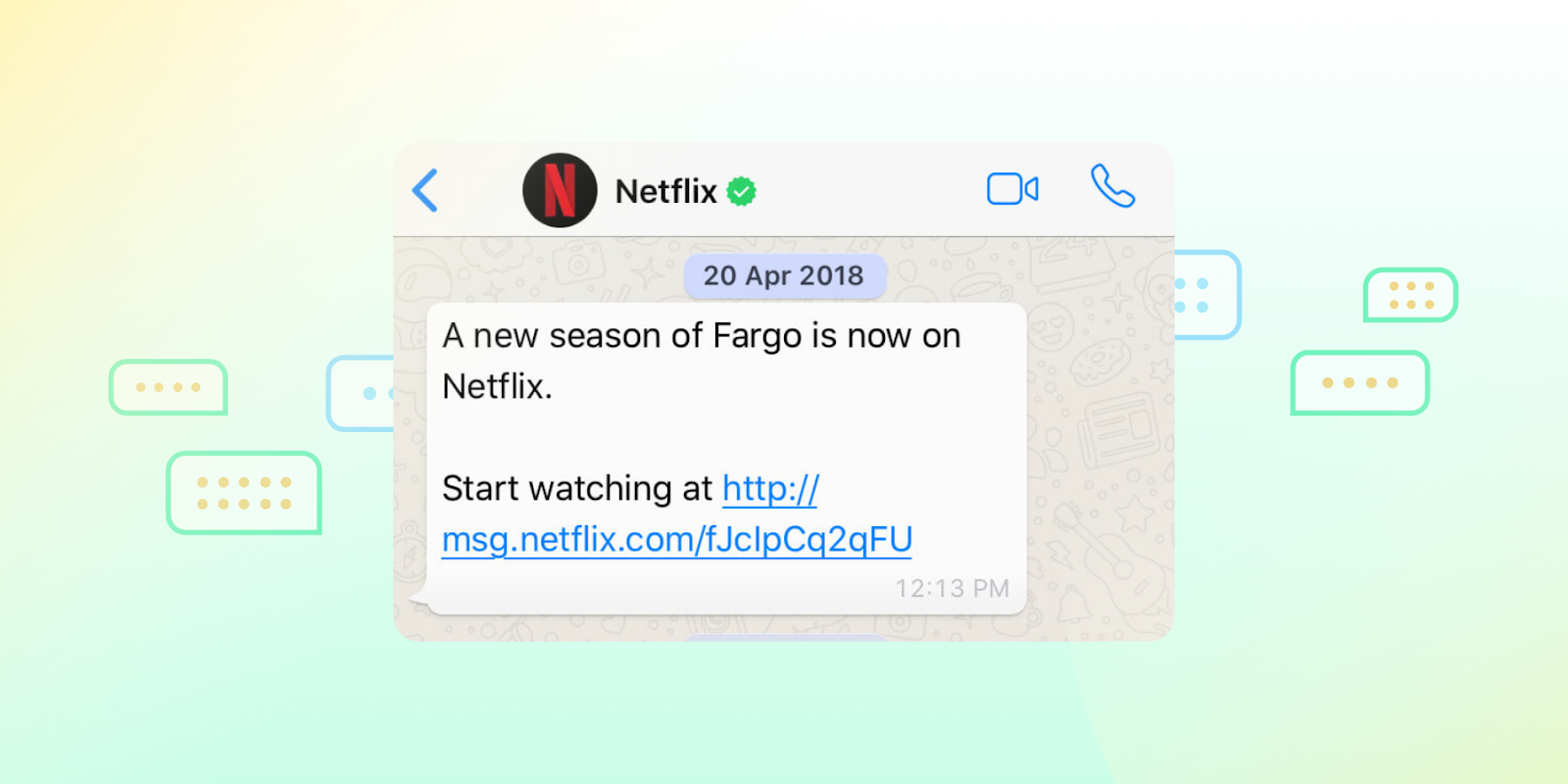
WhatsApp automation for business keeps customers connected with instant replies, reminders, and updates, helping brands stay top of mind. Netflix uses WhatsApp to send personalized show recommendations and reminders, maintaining engagement without needing manual effort.
3. Cost-Effectiveness 💰
By reducing the need for a large support team, WhatsApp automation can significantly cut costs. With automated responses handling routine queries, your team can focus on high-priority tasks, boosting overall efficiency and customer satisfaction.
4. Personalization of Customer Interactions 🎯
Automated messages can still be customized based on customer behavior or preferences, creating a personal touch at scale. Nearly 80% of consumers are more likely to buy from brands that personalize their interactions. Many brands leverage WhatsApp automation to send product recommendations tailored to customer preferences, enhancing both customer satisfaction and loyalty.
Setting Up WhatsApp Automation
Getting started with WhatsApp automation is simpler than you might think, but a structured approach ensures you make the most of it.
The setup process can set the foundation for smooth, engaging customer interactions, from configuring the right responses to aligning your automation with customer needs.
Let’s dive into the essential steps for setting up WhatsApp automation and some best practices to keep your setup effective and customer-focused.
Step-by-Step Guide to Setting Up WhatsApp Automation
Here’s how you can get started with WhatsApp business automation.
A. Choose the Right WhatsApp Business Solution
To begin, decide between the WhatsApp Business App (ideal for smaller businesses) and the WhatsApp Business API (better for medium and large businesses). The API offers advanced features, such as integration with CRM systems and more complex automation, but requires a verified business account and may need help from a third-party provider.
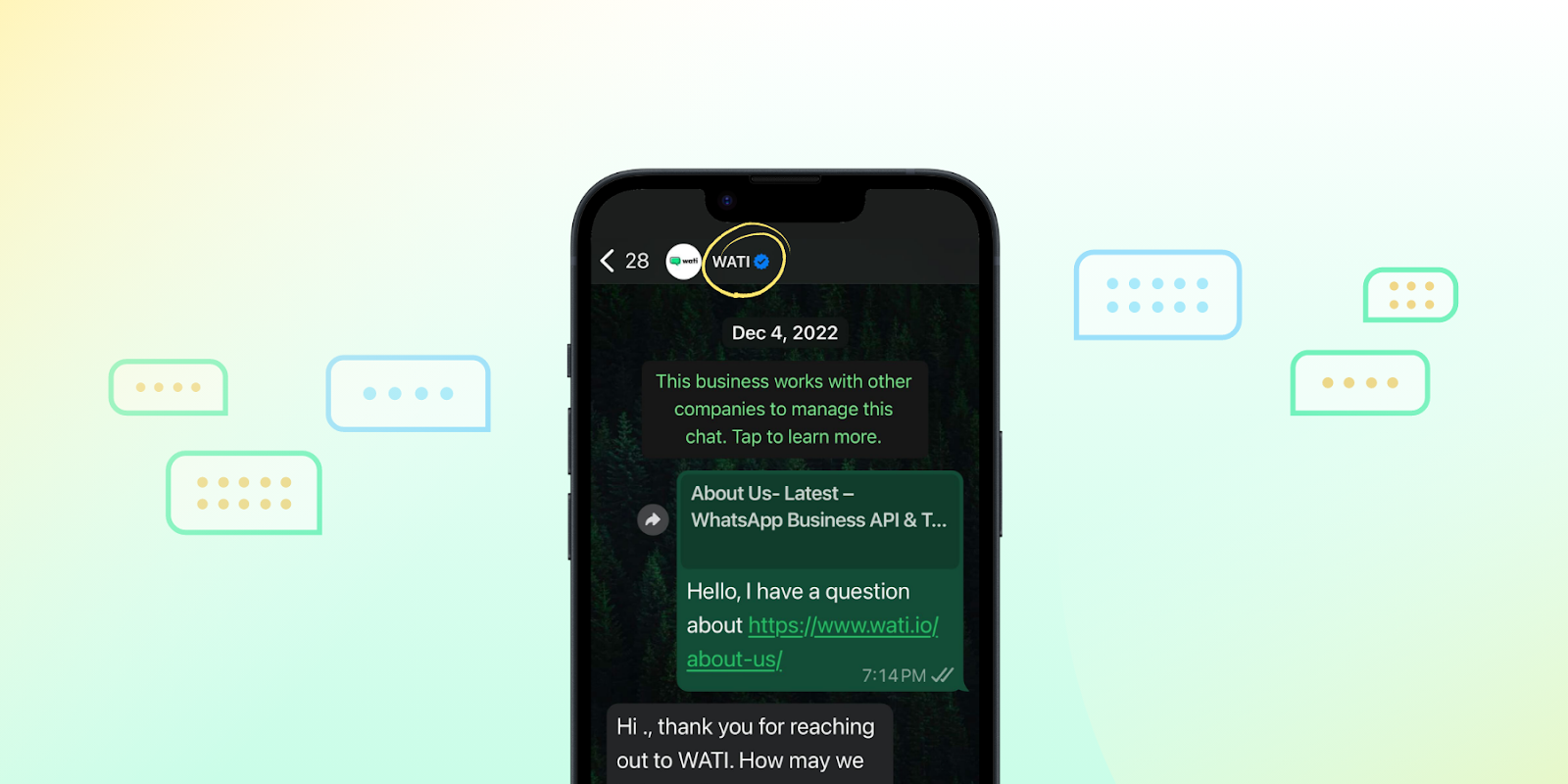
Helpful Read 💫: WhatsApp Blue Tick: Get Started Today!
B. Define Your Automation Goals
Identify the areas where automation can add the most value—whether handling FAQs, sending order updates, or offering 24/7 customer support. Clearly defining these goals helps tailor your automation to effectively meet customer needs and prevents overloading users with irrelevant WhatsApp messages.
C. Create a Message Flow and Set Responses
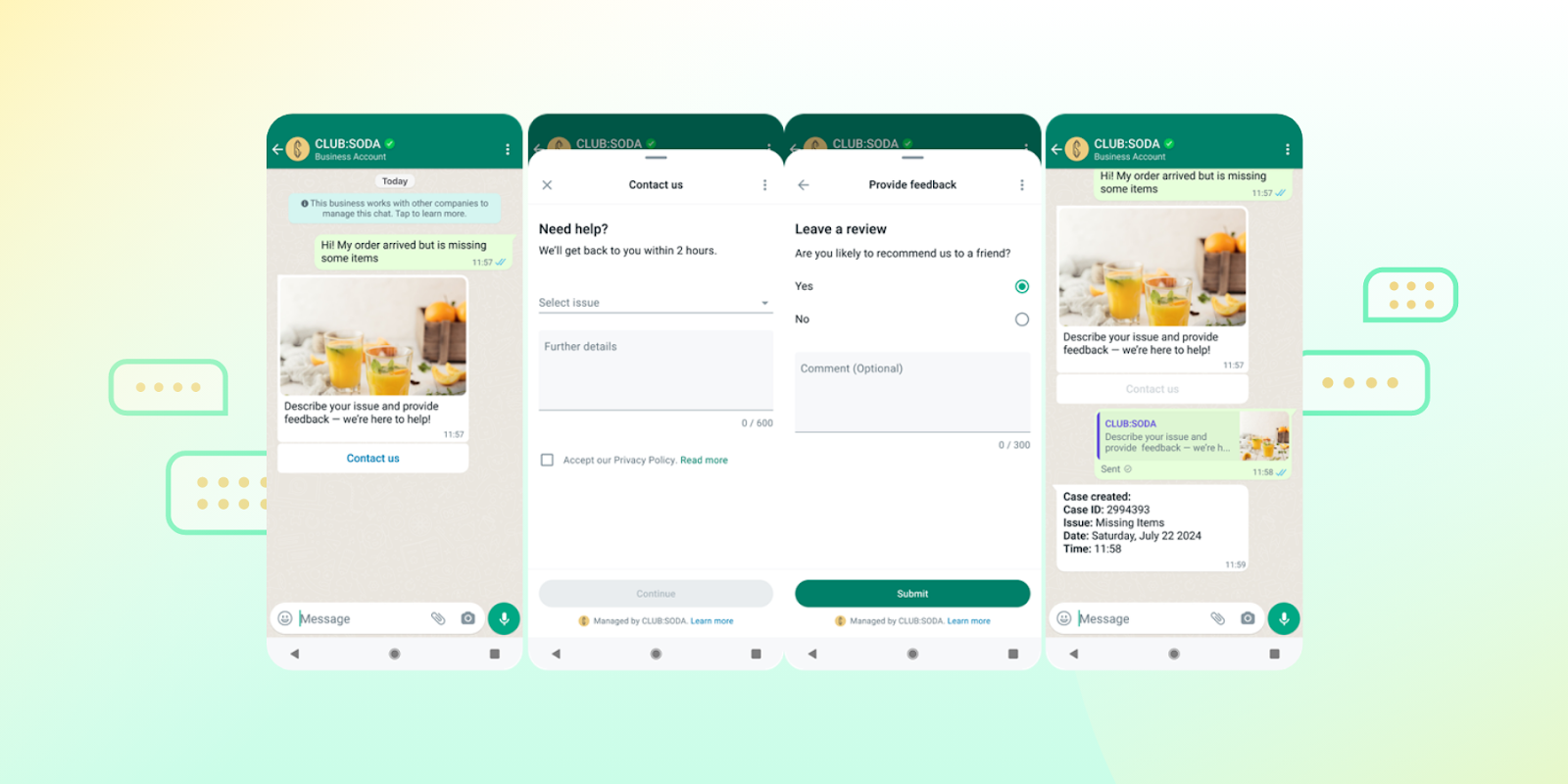
Map out customer journeys to understand the different interactions they may have. For each possible query or action, create personalized automated responses that are friendly, informative, and aligned with your brand’s voice. Many brands use a mix of quick replies for FAQs and keyword-based triggers to respond to specific inquiries.
D. Use a Third-Party Provider for the API
If using the WhatsApp Business API, you’ll need a provider like Wati to connect your system with WhatsApp’s API. These providers offer integration with CRMs and other business tools, making it easier to handle large volumes of WhatsApp messages while ensuring security and compliance.
E. Test and Monitor Your Automation
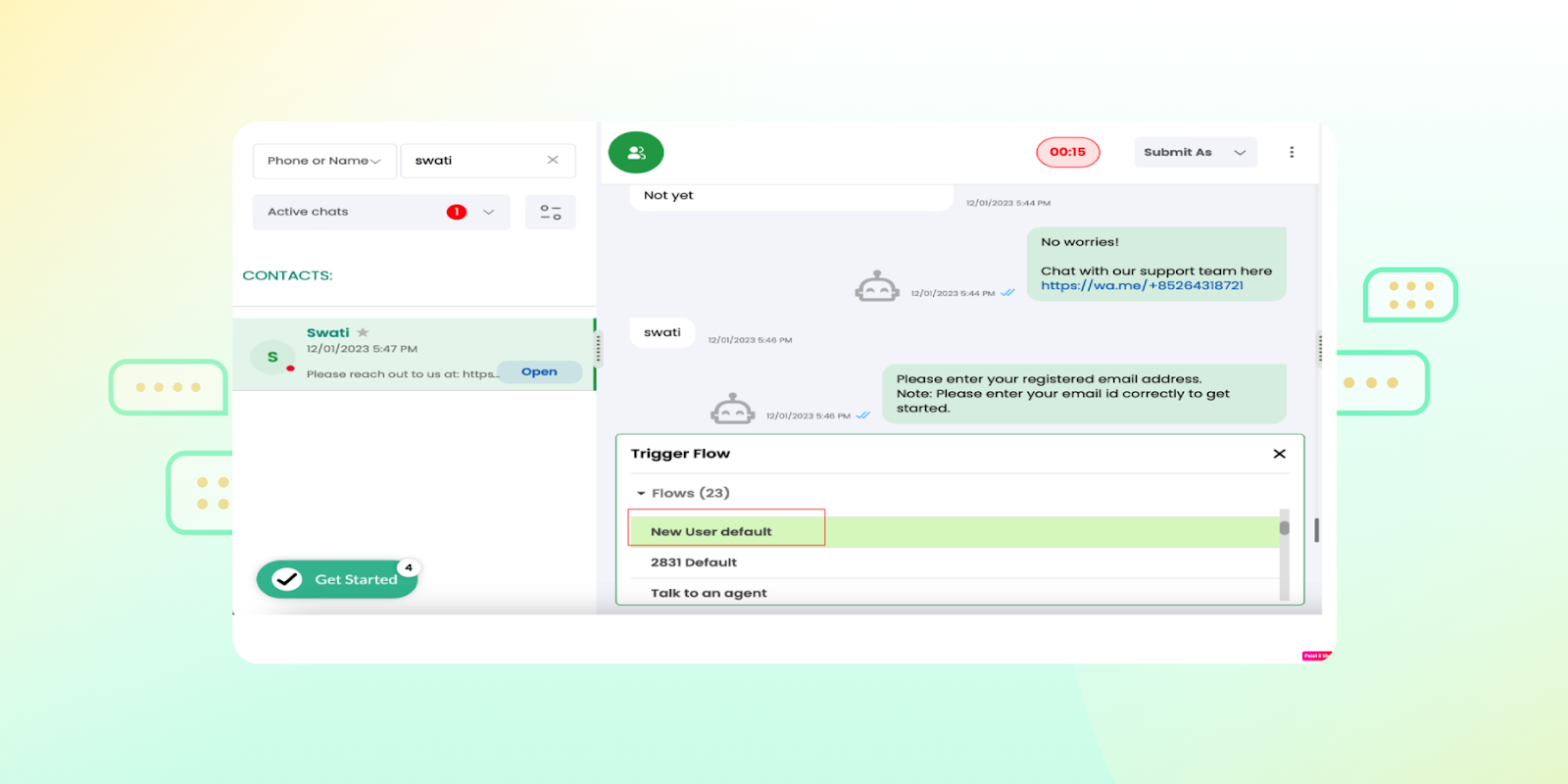
Before going live, test your automation to catch any issues or unexpected responses. Regularly monitor metrics like response time, message delivery rates, and customer feedback to ensure the automation is functioning smoothly. This testing phase is crucial for maintaining a positive customer experience.
Best Practices for Implementing WhatsApp Automation
Now let’s talk about some of the best practices you can use for implementing Whatsapp automation for business.
- Keep Responses Short and Clear 🌟
Automated responses should be concise and easy to understand. Avoid overloading WhatsApp messages with excessive detail, and use simple language to ensure that responses feel natural and friendly. Clear communication goes a long way in making automation feel less robotic.
- Use Personalization Wisely 💬
Add a touch of personalization where it counts, such as using the customer’s name or referencing their recent order. Simple personalized elements can make the interaction feel unique and engaging, improving overall customer satisfaction.
- Set Up an Escalation Process 🔄
WhatsApp Business automation can’t handle every query, so ensure that customers can quickly escalate to a human agent if needed. For instance, in automated messages, include options like “Talk to a representative” or “Need more help?” to guide customers towards additional support.
- Regularly Update Responses Based on Customer Feedback 📈
Customer needs and expectations evolve, so update your automated WhatsApp messages regularly. Gather feedback from customers and monitor their interaction patterns to refine responses, add new FAQs, or adjust message flows to stay relevant.
- Ensure Compliance and Data Security 🔐
Protecting customer data is a top priority with the WhatsApp Business API. To build customer trust, work with trusted API providers and comply with data regulations like GDPR. Implementing secure handling of customer data will keep your automation safe and reliable.
Also Read 👉: Understanding WhatsApp Data Security: End-to-End Encryption and Backups
Integrating WhatsApp Automation with Other Channels
Integrating WhatsApp automation with other communication channels, like email, social media, or SMS, can create a seamless, multichannel experience that keeps customers engaged wherever they are.
By aligning WhatsApp with other platforms, businesses can respond faster, build stronger connections, and maintain consistent messaging across touchpoints.
Here’s a look at why multichannel communication is essential and how to set up these integrations smoothly.
Benefits of Multichannel Communication
A. Improved Customer Reach 📲
Multichannel communication lets businesses meet customers on their preferred platforms, whether that’s WhatsApp, social media, or email. In fact, studies show that 90% of consumers expect consistent interactions across channels, and integrating WhatsApp with other tools helps deliver that seamless experience.
B. Consistent Customer Experience 🔄
Consistency is critical to building brand trust. When you integrate WhatsApp with other channels, customers receive a unified experience no matter where they reach out. This prevents miscommunication and allows customers to pick up conversations on any platform, whether they started on WhatsApp or a website chatbot.
C. Faster Response Times ⚡
By linking WhatsApp with CRMs or support systems, businesses can consolidate inquiries from multiple channels in one place. This helps support teams respond faster and with context, resulting in quicker, more efficient service.
D. Enhanced Data Insights 📈
Integrating WhatsApp with other platforms also provides valuable data insights by capturing customer interactions across channels. These insights can reveal customer preferences, pain points, and engagement trends, allowing businesses to refine their messaging and improve customer satisfaction.
How to Seamlessly Integrate WhatsApp with Other Platforms
1. Connect WhatsApp to Your CRM
Integrating WhatsApp with your CRM (like HubSpot) centralizes customer data and provides teams with a complete view of each customer’s history and preferences. CRM integration also enables more personalized interactions, as agents can see past conversations and tailor responses accordingly.
Also Read 🎁: WhatsApp CRM: How Can it Help Your Business in 2025?
2. Use an Omnichannel Support Tool
Wati offers omnichannel support, enabling businesses to manage WhatsApp alongside other channels like SMS, email, and social media from a single dashboard. This setup keeps messages organized, helps avoid duplicate responses, and allows support teams to respond seamlessly.
3. Automate Channel Switching for Complex Queries
Set up workflows that automatically route inquiries from WhatsApp to other channels if needed. For instance, an automated message could direct customers to an email or website link if a query requires detailed documentation. This way, each channel is used for its strengths, improving the overall customer experience.
4. Enable Data Sync Across Platforms
Ensure that customer data from WhatsApp conversations is synced across platforms, so that information like order history, preferences, and support queries are accessible everywhere. Many platforms offer integration solutions that sync data in real-time, keeping customer profiles up-to-date and reducing manual data entry.
5. Test and Refine Multichannel Interactions
Regularly test interactions across channels to ensure smooth transitions and consistent experiences. Gather customer feedback on how seamless it feels to switch from WhatsApp to other channels, and make adjustments as needed to maintain a cohesive experience.
Key Features of Wati for WhatsApp Automation
Wati brings everything you need for WhatsApp automation into one place. From auto-replies and message templates to easy CRM integration and WhatsApp chatbot support, Wati’s features are built to make managing customer chats simpler and faster. Here’s a look at what makes Wati stand out for WhatsApp automation.
1. Efficient Team Collaboration with a Shared Inbox 📑
Wati’s shared inbox feature is a powerful tool for teams handling customer inquiries. Multiple team members can access and manage conversations from a single inbox, reducing response times and ensuring consistent service. You can assign conversations to specific agents or departments, making collaborating and tracking each customer’s experience easy.
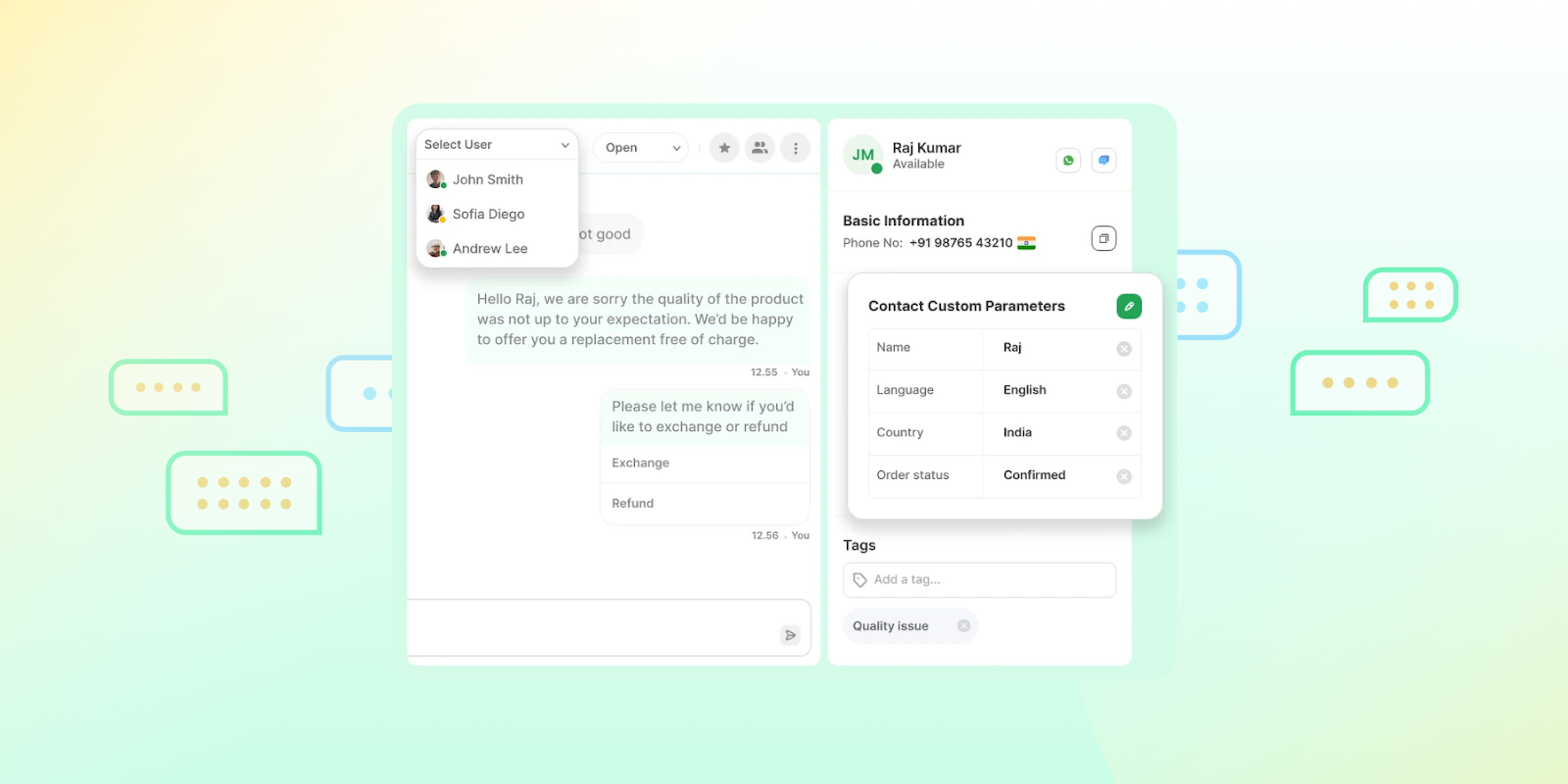
Bonus Read 💡: WhatsApp Team Inbox: Features, Benefits, and Setup
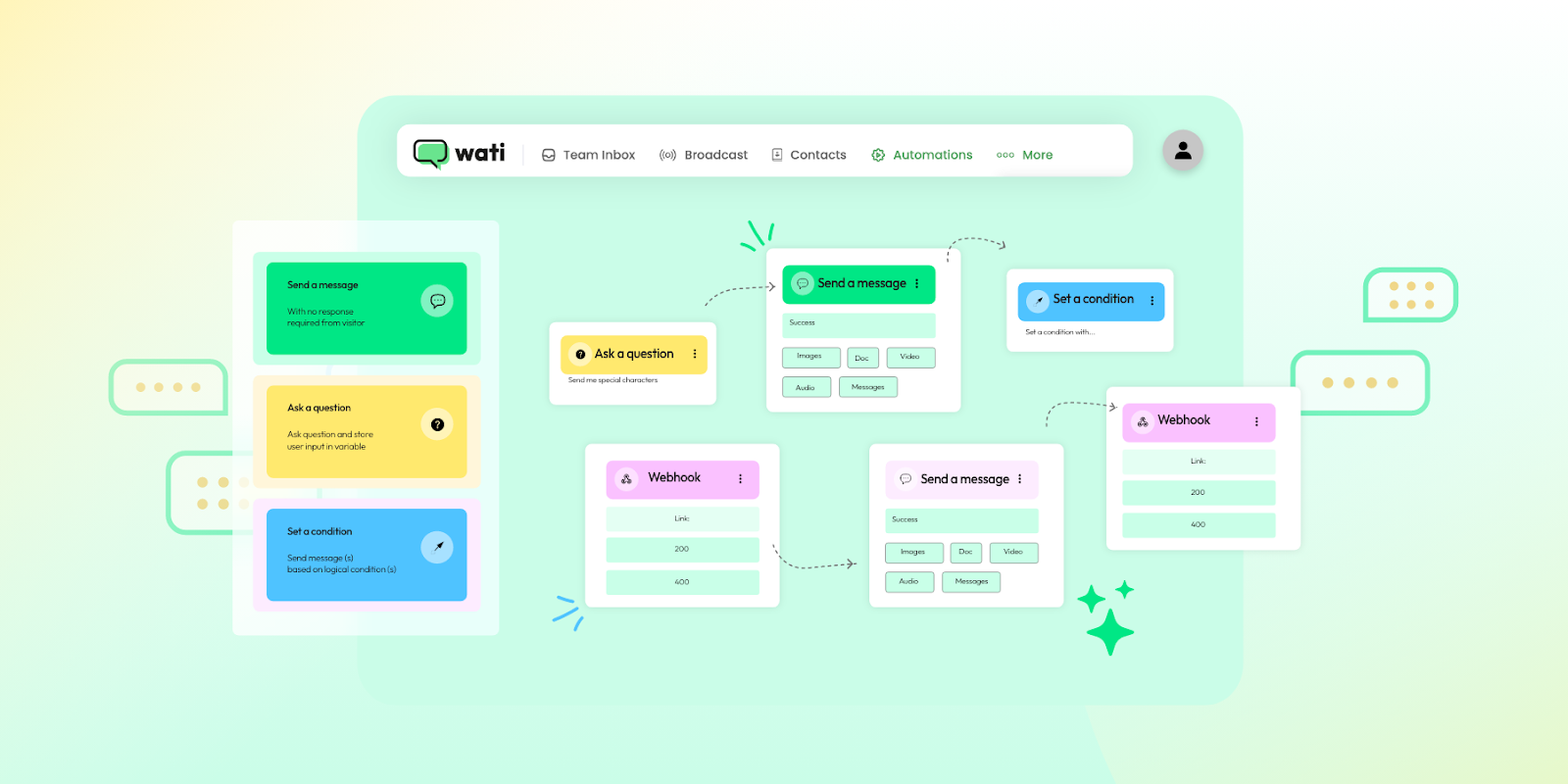
2. 24/7 Customer Support with Automated Responses ⏰
Wati allows you to create a library of automated replies to handle common questions, like store hours, return policies, or product details. This means customers can get instant answers, even outside of business hours.
3. Order Updates and Notifications 📦
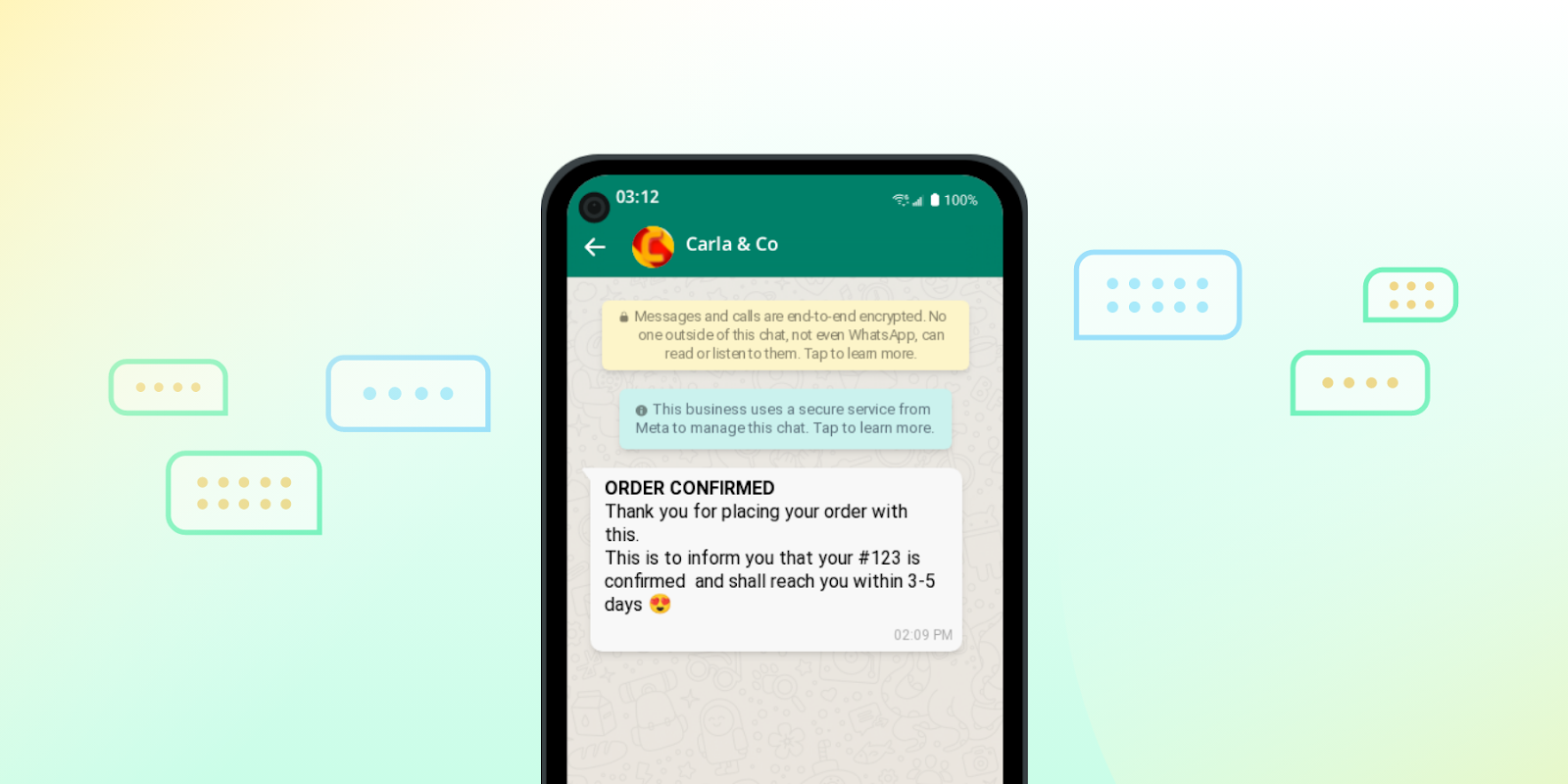
For e-commerce and retail brands, keeping customers informed about their orders is key to building trust. With Wati, you can set up automated order confirmations, shipping notifications, and delivery alerts, ensuring customers are updated at every step.
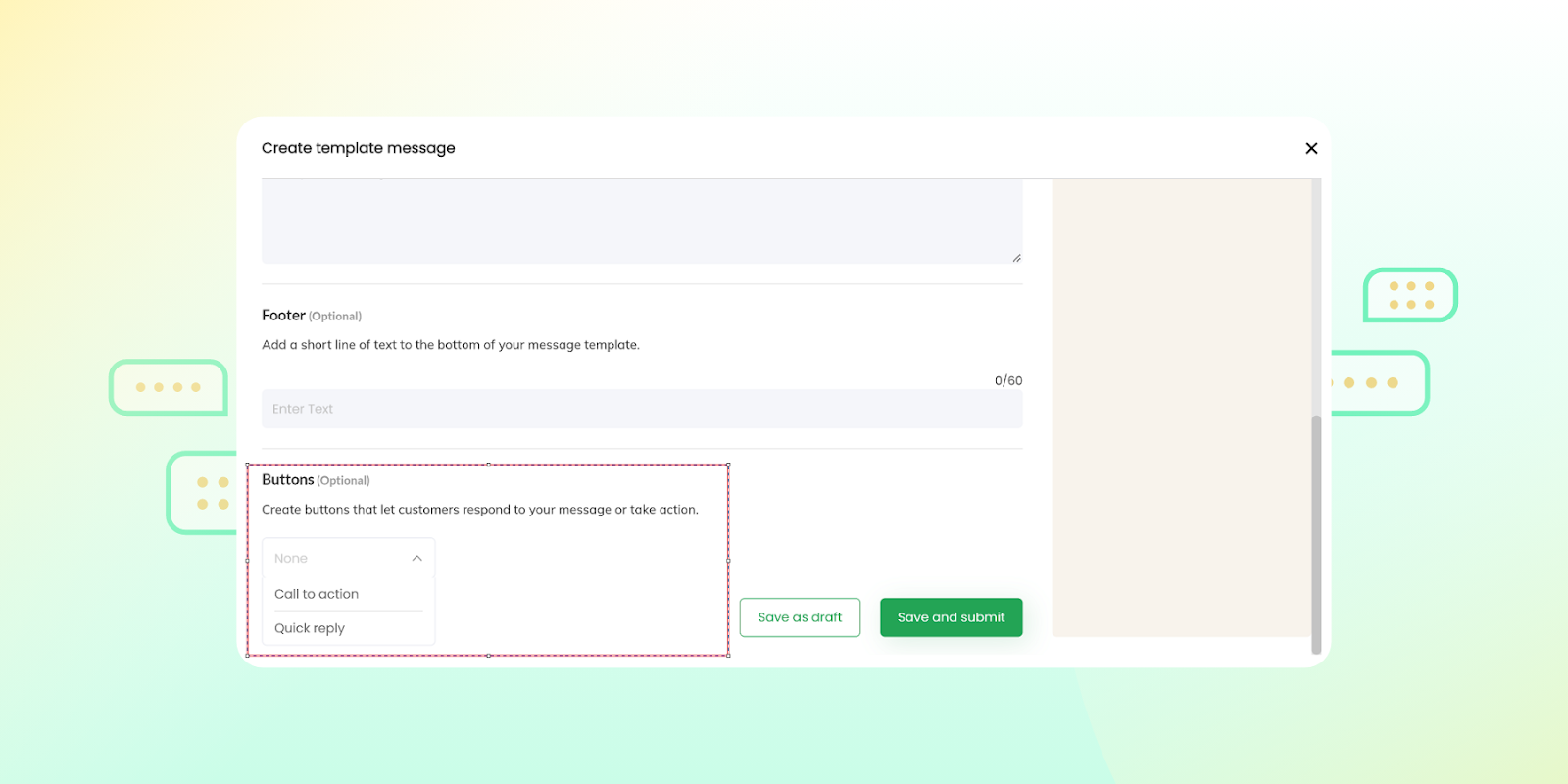
This keeps customers in the loop and reduces the need for manual follow-ups.
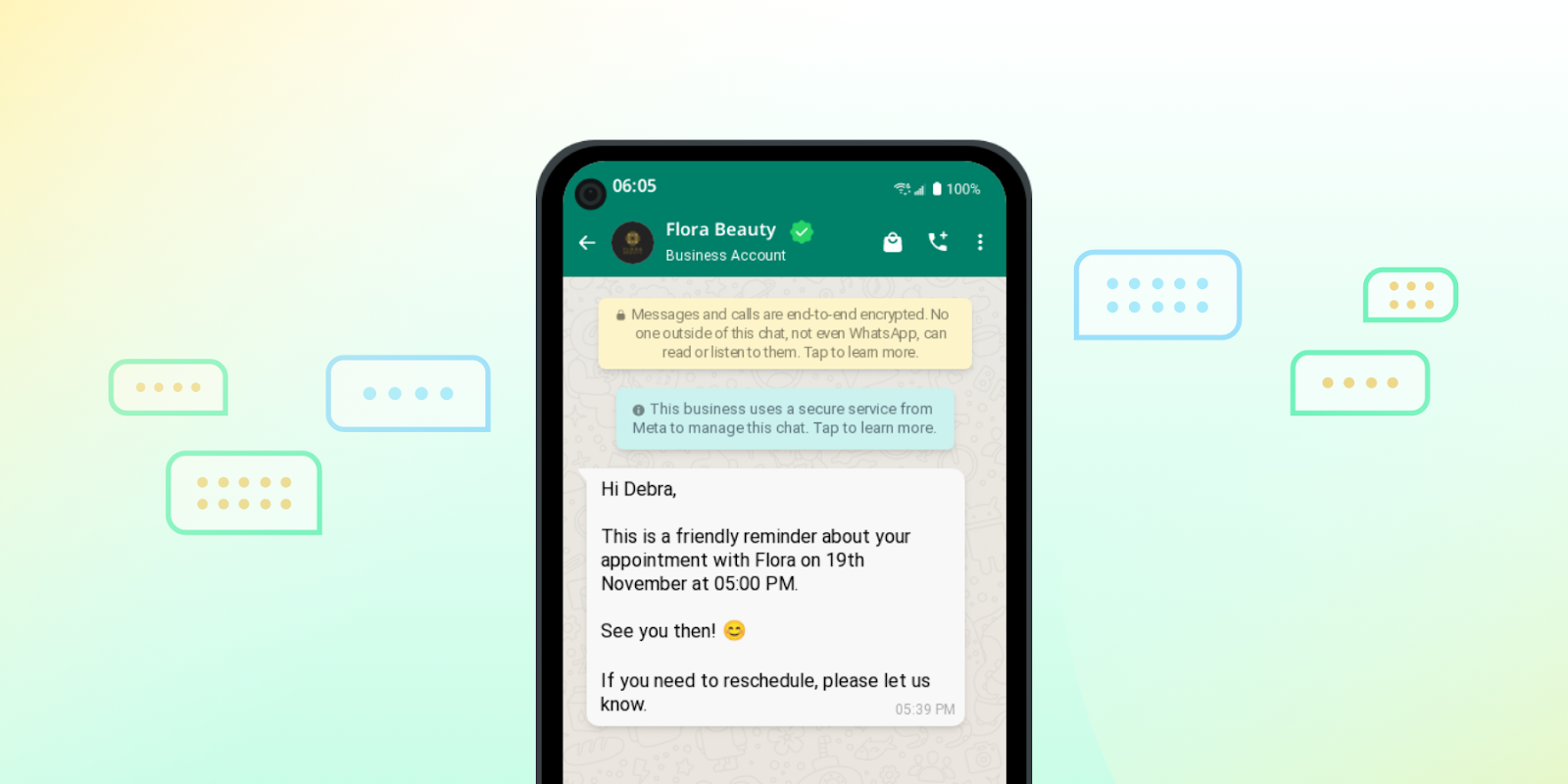
4. Automated Appointment and Reservation Reminders 🧾
Wati’s WhatsApp marketing automation is ideal for service-based businesses needing to send reminders for appointments or reservations. You can set up timely, automated reminders that reduce no-shows and make it easy for customers to confirm or reschedule. This feature is especially useful for healthcare providers, salons, and hospitality businesses.
5. Easy CRM Integration for a Complete Customer View 🖇️
Wati integrates seamlessly with popular CRM platforms like HubSpot and Zoho, allowing you to keep track of customer interactions across channels. This integration provides your team with a complete view of each customer’s journey, enabling more personalized and informed conversations.
Your Next Read: WhatsApp Marketing: Complete Guide for Businesses (2025)
Final Words
Embracing WhatsApp automation can be a transformative step for businesses aiming to enhance customer communication, streamline processes, and stay ahead in today’s fast-paced digital world. With features like automated responses, real-time notifications, seamless CRM integrations, and a shared inbox, Wati empowers you to create more engaging, efficient, and personalized customer interactions via WhatsApp.
Whether you’re a growing e-commerce business, a service provider managing appointments, or a brand looking to boost engagement through targeted promotions, WhatsApp automation with Wati can simplify your workflows and elevate your customer experience.
Ready to see this WhatsApp automation software in action? Book a demo today and discover how Wati’s WhatsApp marketing automation can drive efficiency and help your business connect with customers like never before. You can also opt for a free trial by signing up.
Frequently Asked Questions
1. What metrics should I track to measure the success of WhatsApp automation?
Track metrics like response time, message open rate, customer satisfaction score, and conversion rate. These help gauge engagement levels, service efficiency, and the overall impact of automation on customer interactions.
2. Is it possible to integrate WhatsApp automation with other platforms?
Yes, WhatsApp automation can integrate with CRMs, e-commerce platforms, and support tools, allowing businesses to sync customer data, streamline workflows, and manage all communications from a single place.
3. What industries benefit the most from WhatsApp automation?
E-commerce, healthcare, finance, and hospitality see strong benefits from WhatsApp automation, as it enables efficient order updates, appointment reminders, customer support, and targeted promotions.
4. How does WhatsApp automation enhance customer support?
WhatsApp automation enables quick responses to common questions, ensures 24/7 availability, and allows for seamless escalation to live agents when needed, improving response times and customer satisfaction.
Related posts
- What Platform Lets Me Build a WhatsApp Agent That Automatically Syncs Conversations and Lead Data to My CRM?
Stop losing chat context. Build a no-code WhatsApp AI agent with Astra by Wati that automatically syncs qualified leads, summaries, and history to your CRM.
- The Most Reliable WhatsApp API Platform for Mid-Market Marketing Teams
Mid-market marketing teams are constantly seeking an edge in engaging customers effectively, yet many struggle with fragmented communication channels and inefficient workflows. The search for a reliable WhatsApp API platform is not just about connectivity; it is about transforming engagement into tangible business growth. Wati stands as a powerful, highly capable solution, offering capabilities specifically …
- What platform lets me build a fully automated WhatsApp sales agent that takes leads from first message to meeting booked?
Astra by Wati is a powerful platform that lets you build and deploy a fully automated WhatsApp sales agent capable of taking leads from the first message to a booked meeting. It uses action-oriented AI and native integrations to qualify prospects and schedule appointments directly in chat, without requiring any coding. Introduction Modern sales teams …
- Which WhatsApp Business Messaging Platform Unifies Marketing, Sales, and Support in a Single Inbox?
Businesses today face an urgent need to consolidate their customer interactions. The fragmented landscape of marketing, sales, and support tools often leads to disjointed customer experiences, lost opportunities, and operational inefficiencies. A leading WhatsApp-centric business messaging platform, engineered specifically to collapse these silos into a singular, powerful inbox, ensures every customer touchpoint is seamless and …