
Too Long? Read This First
- Pick where customers message you: website chat (Gorgias, Tidio, Rep AI, Shopify Inbox) or Instagram and WhatsApp (Wati, ManyChat).
- Decide whether your problem is support volume or conversion. Support-first and sales-first chatbots solve different problems.
- Check what the price is metered on (seats, tickets, sessions, contacts, or resolutions) and model it against your busiest month.
- Test the human handoff yourself before launch, then pilot for 30 days and track CSAT, containment, handle time, and conversions.
The best AI chatbot for ecommerce depends on where your customers talk to you.
If most questions arrive on your website, pick a Shopify-native helpdesk or widget like Gorgias, Tidio, or Rep AI. If they arrive in Instagram DMs and WhatsApp, pick a messaging-first platform like Wati (with its Astra AI Agent) or ManyChat.
Everything below is sorted by that one question, with pricing taken from each vendor's own pricing page in November 2026.
Some context on why this matters now: Gartner predicted that by 2027, chatbots will become the primary customer service channel for roughly a quarter of organizations. Your customers have already noticed. A 2 a.m. "where is my order?" message isn't waiting until Monday.
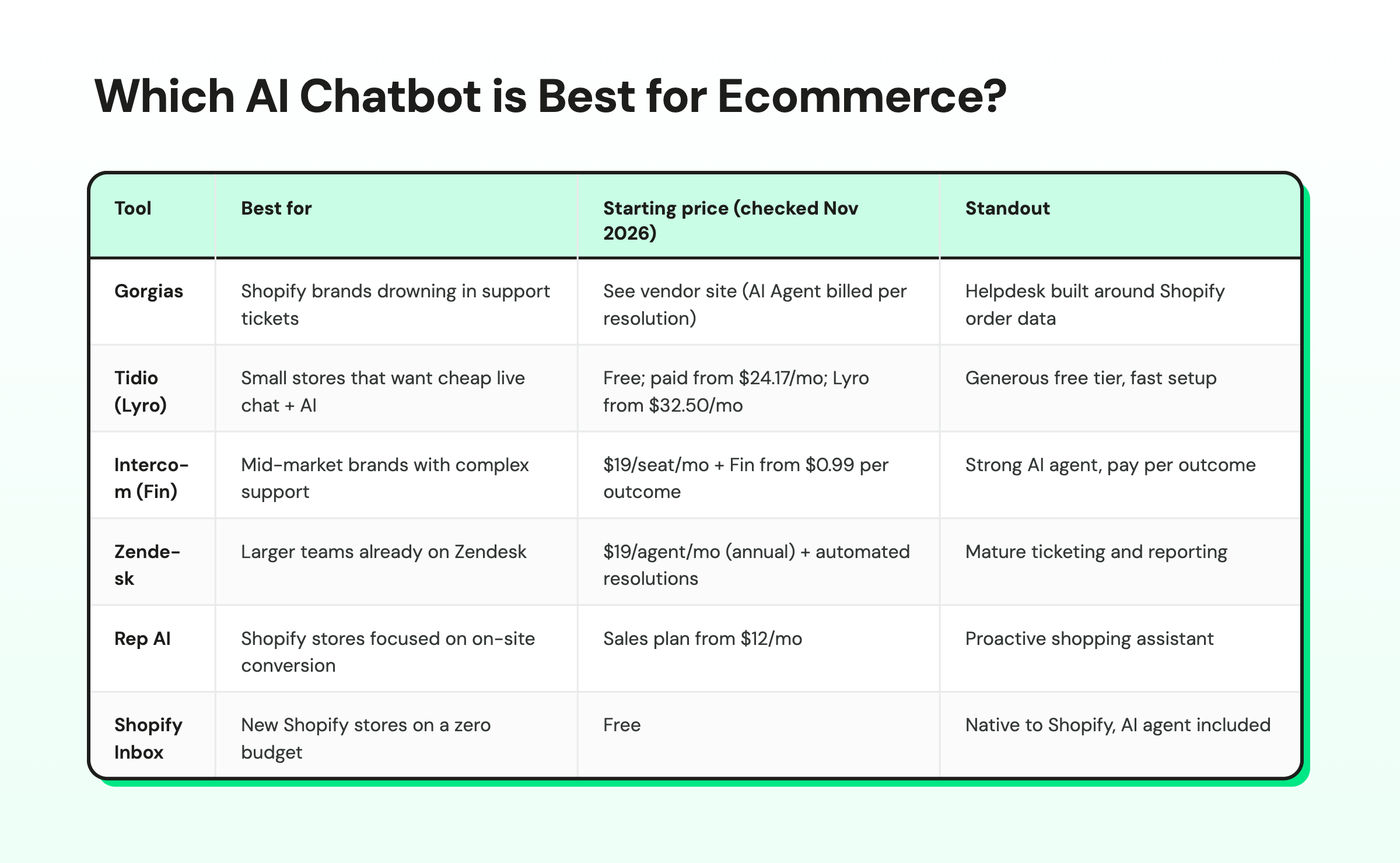
Which AI Chatbot is Best for E-commerce?
Here’s the short version: each tool’s best fit, its entry price, and the one thing it does better than the rest. Full reviews follow below.
If you want marketing tools (email, reviews, ads) instead of conversational-led platforms, see our separate roundup of Shopify AI marketing tools. This list is only about chatbots and AI agents that talk to shoppers.
Do AI Chatbots Actually Help E-commerce Stores?
This is the question merchants keep asking on Reddit, and it deserves a straight answer: sometimes, and only for specific jobs.
AI chatbots earn their keep on repetitive, answerable questions. Order status. Shipping times. Return windows. "Does this come in medium?" "Is this vegan?" Those questions make up a large share of inbound volume for most stores, and a bot trained on your catalog and policies can answer them in seconds at any hour.
They fail in predictable ways too:
- Untrained bots guess. A chatbot that hasn't been given your return policy will improvise one. Customers screenshot that.
- No exit to a human. Angry customers with a broken product want a person. A bot that loops them through menus turns a refund request into a one-star review.
- Wrong channel. A beautiful website widget does nothing if your customers DM you on Instagram and text you on WhatsApp.
- Measuring the wrong thing. "Conversations handled" isn't a business result. Resolved tickets, recovered carts, and assisted orders are.
So run it like an experiment. Pick your top 10 questions, train the bot on the answers, turn it on for 30 days with a clear human handoff.
Track resolution rate, customer satisfaction, and assisted revenue!
What Types of E-commerce Chatbots Are There?
Most tools on this list fall into one of four types, and plenty of stores end up running two of them.
Type | How it works | Best for | Watch out for |
Rule-based bot | Keyword rules, decision trees, and conditional branching, usually built from a template library | Predictable questions, comment-to-DM campaigns, lead capture | Breaks when a shopper phrases things differently |
AI support bot | Reads your knowledge base, policies, and order data, then uses intent recognition to answer in context | "Where's my order?" returns shipping and policy questions | Only as good as the support content you feed it |
AI sales agent | Uses your product catalog to recommend items and answer pre-purchase questions | Stores where shoppers browse, ask, and leave | Needs clean product data and a clear path to checkout |
Custom-built chatbot | Your developers build on commerce APIs and an AI model | Large brands with unusual workflows | Months of build time and ongoing maintenance |
Off-the-shelf widgets and platforms (everything in our list) come with pre-built procedures for common ecommerce jobs, so you can go live in days. A custom chatbot only makes sense when no off-the-shelf tool fits your workflow.
Wati sits in between: no-code Automations for rule-based flows, the Astra AI Agent for open-ended questions, and an API if your team wants to build on top.
What Can an E-commerce AI Chatbot do?
The useful ones cover the whole customer journey, from the first question to the return. Features worth paying for:
- AI-powered FAQ support. Answers shipping, sizing, and policy questions from your knowledge base at any hour.
- Order tracking and post-purchase support. Looks up the order and replies with its status, so "where's my order?" never reaches your team.
- Returns automation. Explains the policy, collects the order number and reason, and starts the return for your team to approve.
- Product recommendations. Suggests items from your catalog based on what the shopper asks for.
- Cart abandonment recovery. Sends a timed reminder on the channel the shopper used to bring them back to checkout.
- Proactive chat invitations. Opens a conversation when a shopper lingers on a product or checkout page, instead of waiting for them to ask.
- Lead qualification. Asks about budget, timing, and needs before a person steps in, which matters most for high-ticket products.
- Multichannel messaging. One bot across website chat, Instagram, Messenger, and WhatsApp.
- Live chat, helpdesk, and CRM integration. Hands conversations to your team with full context and syncs contacts to tools like HubSpot or Salesforce.
- No-code chatbot builder. A drag-and-drop builder, so your marketing or support team can change flows without a developer.
The payoff is time: the bot handles repeat questions in seconds, and your team spends its day on refunds, complaints, and your best customers.
How We Evaluated These E-commerce Chatbots
We looked at each tool through the eyes of a DTC brand doing somewhere between a few hundred and a few thousand orders a month. Criteria:
- Commerce integration. Can it see orders, products, and customers (especially in Shopify), or does it only read your FAQ page?
- AI quality and control. Can you train it on your own content, set tone and rules, and stop it from inventing answers?
- Human handoff. Does the conversation move to a person with full context?
- Channels. Website chat, email, Instagram, Messenger, WhatsApp. Which ones are first-class?
- Pricing transparency. Is the price published, and how does it scale (seats, sessions, resolutions, contacts)?
- Sales features. Product recommendations, cart recovery, campaigns.
- Multilingual support. Can the AI answer shoppers in their own language without you building a separate bot per market, and can your team reply across languages from the same inbox?
Pricing for every tool comes from the vendor's public pricing page as of November 2026. Where a page didn't show plan prices, we say "see vendor site" instead of guessing.
Prices change often, so check before you buy.
The 8 Best AI chatbots for E-commerce in 2026
1. Wati (Astra AI Agent)
Wati is an AI-powered business messaging platform built for revenue growth and is an Official WhatsApp Business Solution Provider.
It combines a Team Inbox, no-code Automations, Marketing (Campaigns, Catalog messages, Click-to-WhatsApp ad tracking), and Astra, its AI layer, across WhatsApp, Instagram, and Messenger.
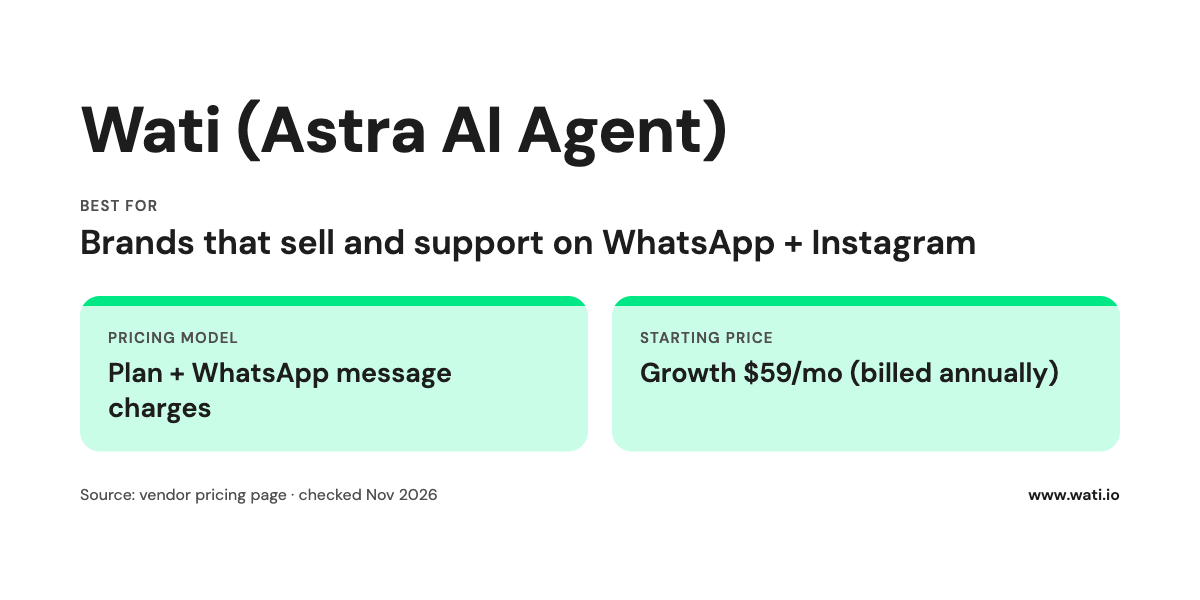
Best for: DTC brands that sell and support on WhatsApp and Instagram, where conversations continue after the first purchase: order updates, reorders, cart recovery, and support. If your customers only ever talk to you through a website widget, Wati isn't your first pick. Start with Gorgias, Tidio, or Rep AI.
Key features:
- Astra AI Agent: answers routine support questions around the clock and qualifies leads, trained on your own content, with human handoff on Pro and Business plans
- Shopify integration: abandoned cart recovery sequences, order confirmations, and shipping notifications triggered from your store data
- Instagram automation: comment-to-DM replies, keyword triggers, and a step that collects a shopper's WhatsApp number inside the DM flow (see our Instagram comment automation setup)
- Campaigns and Catalog messages on WhatsApp for launches, restocks, and repeat purchases
- Voice AI Agents with Astra on the Business plan, plus AI Co-Pilot for your human agents
Pricing: Wati plans are billed annually, and Meta's WhatsApp message charges are added on top.
- Pro: $119/mo for 5 users, 2 Astra AI Agents, and 5,000 AI credits
- Business: $279/mo for unlimited Astra AI Agents, 20,000 AI credits, and Voice AI Agents
- Shopify integration: $4.99/mo
- WhatsApp message charges from Meta are extra and vary by country and message type (see our WhatsApp API pricing guide).
Pros:
- One inbox for WhatsApp, Instagram, and Messenger, with AI and humans working the same threads
- Sells as well as supports: Campaigns, Catalog messages, and cart recovery live next to the AI agent
- 16,000+ customers across 190+ countries, rated 4.6/5 on G2
Cons:
- Website chat is not where Wati leads; widget-first stores will find better fits above
- WhatsApp conversation costs sit on top of the subscription, so model them before you launch Campaigns
Wati is also useful upstream of the sale. If your WhatsApp inbox fills with "is this still available?" messages from ads, Astra can sort buyers from browsers.
Here's how brands handle AI pre-sales qualification for D2C brands and AI-powered B2C lead qualification.
Brands with phone orders can add Voice AI lead qualification, and if you also sell wholesale, the B2B lead generation strategy guide covers that side.
2. Gorgias
An e-commerce help desk with an AI Agent, built primarily for Shopify brands. Support agents see order data inside each ticket, and the AI Agent handles repetitive questions.
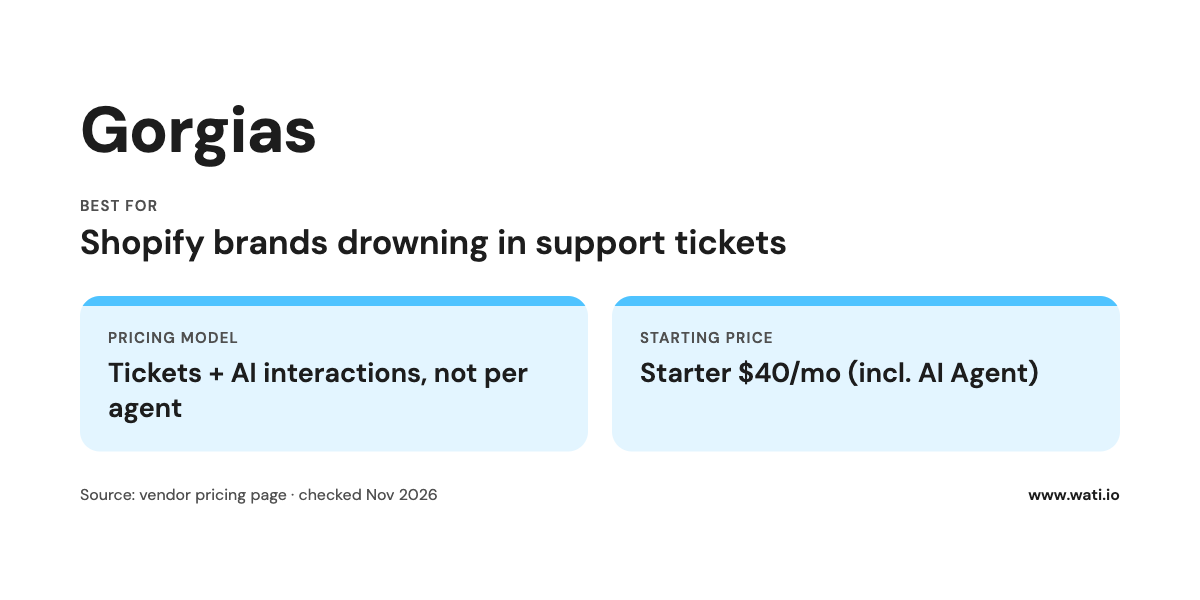
Best for: Shopify brands whose main problem is support volume (order status, returns, address changes).
Key features:
- Helpdesk that pulls in Shopify order context
- AI Agent available on every plan
- Voice and SMS add-ons
- Pricing based on ticket volume instead of agent seats
Pricing: Gorgias's pricing page says it bills Helpdesk and AI Agent together, never per agent.
Monthly prices with AI Agent included start at:
- Starter $40/mo (Helpdesk $10 + AI Agent $30) for 50 tickets and 30 automated interactions
- Basic $90/mo (Helpdesk $60 + AI Agent $30) for 300 tickets and 30 automated interactions
- Pro $550/mo (Helpdesk $360 + AI Agent $190) for 2,000 tickets and 190 automated interactions
- Advanced $1,430 (Helpdesk $900 + AI Agent $530) for 5,000 tickets and 530 automated interactions
- Past your limit, extra tickets cost $0.40 each on Starter and Basic and $0.36 on Pro and Advanced, and each extra automated interaction costs $1.50.
- Annual billing is also offered, and the free trial needs no credit card!
Pros:
- Deep fit with Shopify order workflows
- No per-seat pricing, which helps growing teams
- AI cost tied to resolved conversations
Cons:
- Website and email first; social DMs and WhatsApp are secondary
- Two meters (tickets plus AI resolutions) make costs harder to forecast
3. Tidio (Lyro AI Agent)
Live chat plus an AI agent called Lyro, popular with smaller Shopify and WooCommerce stores.
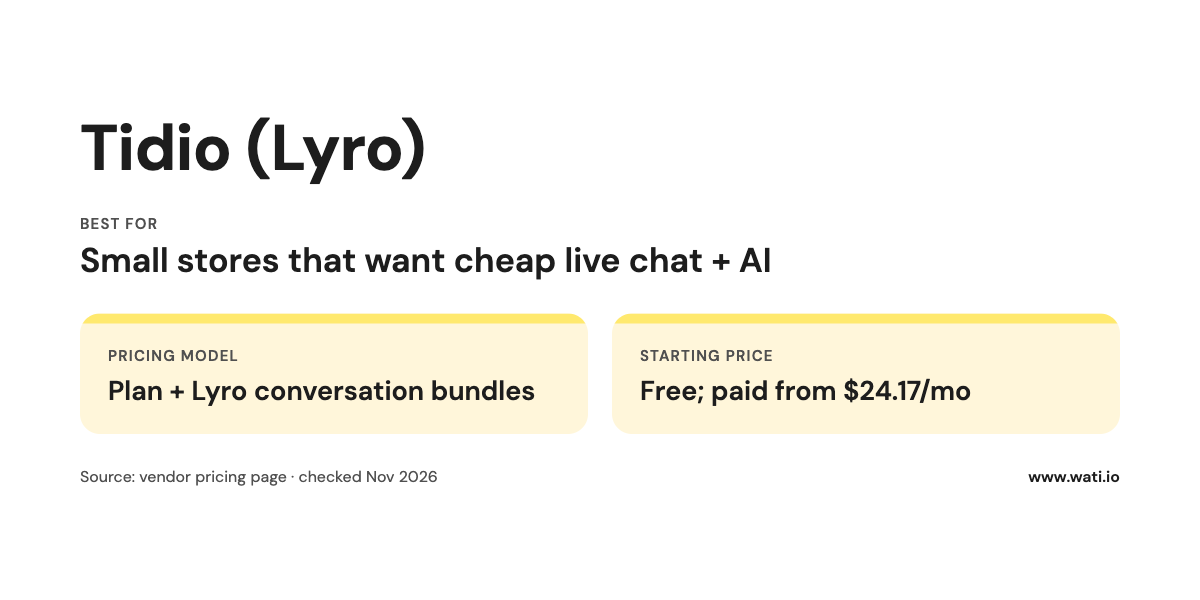
Best for: Small stores that want a website chat widget and basic AI answers without a big bill.
Key features:
- Website live chat widget
- Lyro AI Agent trained on your FAQs and content
- Free plan to start
Pricing: Tidio prices plans by billable conversations and sells its Lyro AI Agent as an add-on.
- Free $0/mo for 50 billable conversations
- Starter $24.17/mo for 100 conversations
- Growth from $49.17/mo
- Plus from $300/mo plus usage
- Premium: contact Tidio for pricing
- Lyro AI Agent add-on from $32.50/mo for 50 Lyro conversations, and your first 50 Lyro conversations are free.
- Monthly and annual billing are both offered (annual includes 2 months free), so confirm which billing period the prices above use.
Pros:
- Cheapest way to test AI on your website
- Fast setup for non-technical teams
Cons:
- Conversation-based limits mean costs rise with volume
- Website-first; it won't run your Instagram or WhatsApp selling
4. Intercom (Fin AI Agent)
A customer service platform with Fin, one of the better-known AI agents on the market.
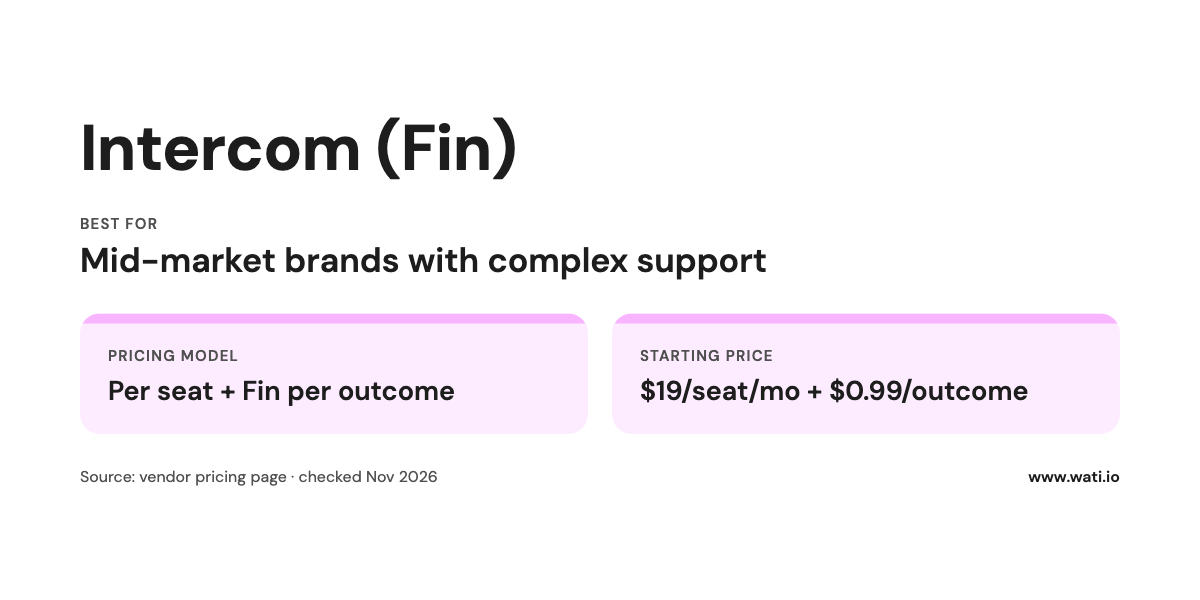
Best for: Mid-market brands with complex support (subscriptions, multiple products, detailed policies) and a team to configure it.
Key features:
- Fin AI Agent that can work without seat licenses
- Help center, inbox, and workflows in one platform
- Advanced and Expert plans for larger teams
Pricing: Intercom prices its helpdesk per seat (shown billed annually) and its Fin AI Agent per outcome.
- Essential $19/seat/mo (discounted from $29 for new customers)
- Advanced $85/seat/mo
- Expert $132/seat/mo
- Fin AI Agent from $0.99 per Fin outcome, with no seats required.
Pros:
- Strong AI answers on complex knowledge bases
- Fin can be bought on outcomes alone
Cons:
- Seats plus per-outcome pricing adds up as you scale
- Built for SaaS-style support as much as ecommerce; more setup than Shopify-native tools
5. Zendesk
Enterprise-grade ticketing with AI agents and automated resolutions across email, chat, and messaging.
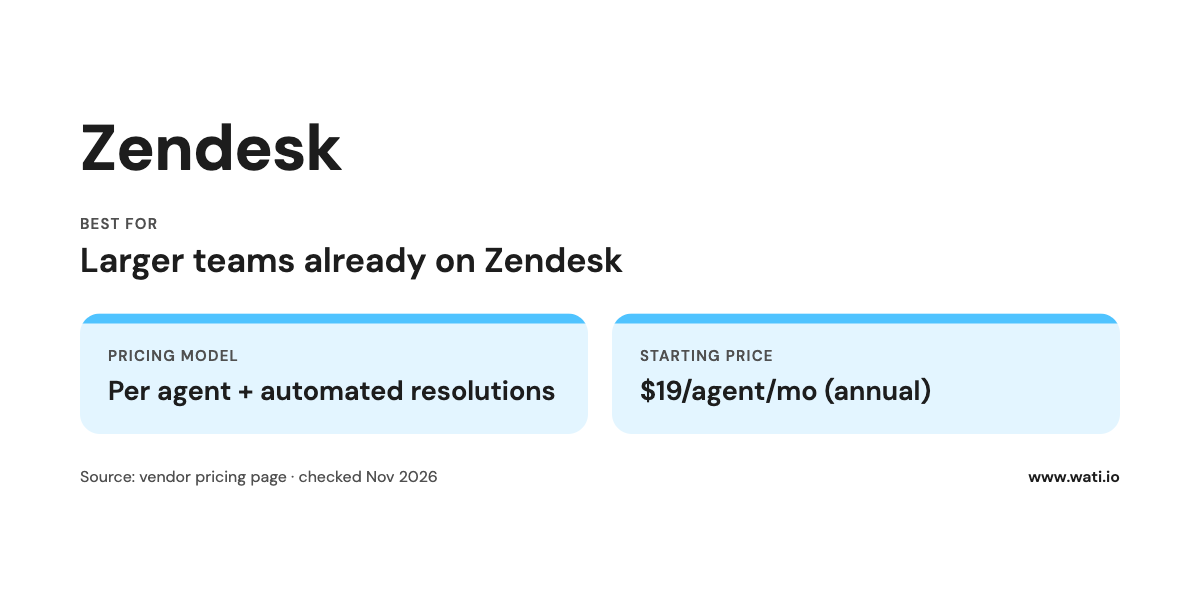
Best for: Larger ecommerce teams already running support on Zendesk, or brands with multiple regions and complex routing.
Key features:
- Mature ticketing, routing, and reporting
- Automated resolutions included per agent, with more available to buy
- Enterprise plan with Copilot for agents
Pricing: Zendesk prices per agent, and annual billing is cheaper than monthly.
- Support Team: $19/agent/mo billed annually ($25 monthly) for 5 automated resolutions/agent/mo
- Suite Team: $55/agent/mo billed annually ($69 monthly) for 5 automated resolutions/agent/mo
- Suite Professional: $115/agent/mo billed annually ($149 monthly) for 10 automated resolutions/agent/mo
- Enterprise: talk to sales
- Extra automated resolutions cost $1.50 each committed or $2.00 pay-as-you-go.
Pros:
- Scales to large teams and complex workflows
- Published per-resolution AI pricing
Cons:
- Overkill for a 3-person support team
- AI resolutions beyond the allowance get expensive at high volume
6. Rep AI
An AI shopping assistant that engages visitors on your store and nudges them toward purchase, with a support plan for post-purchase questions.
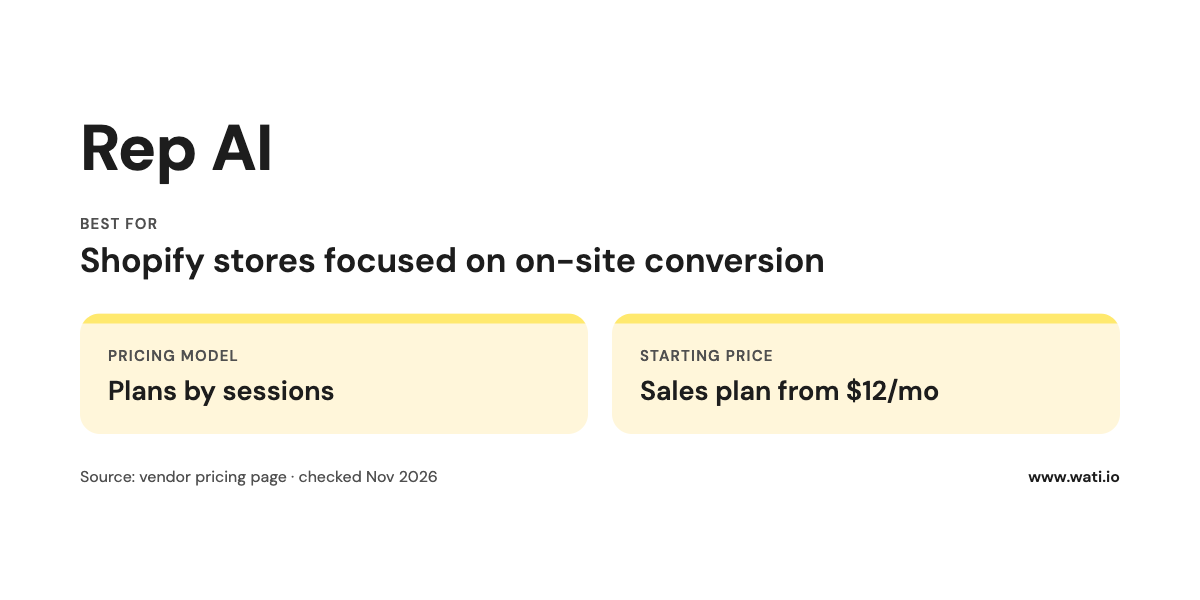
Best for: Shopify (and WooCommerce or Salesforce Commerce) stores whose main problem is on-site conversion.
Key features:
- Proactive AI sales chat on your website
- AI support plan and a combined "Concierge" plan
- AI add-on for email, Instagram, Facebook Messenger, and WhatsApp, billed per resolved conversation
- Hands off to helpdesks like Gorgias, Zendesk, Kustomer, Freshdesk, and Richpanel
Pricing: Rep AI prices plans by monthly website sessions.
- Sales from $12/mo for up to 3,000 sessions
- Support from $49/mo for up to 10,000 sessions
- Concierge from $130/mo for up to 10,000 sessions
- AI add-on for email, Instagram, Messenger, and WhatsApp: $0.75 per AI-resolved conversation.
- Yearly billing is 20% less.
Pros:
- Built around selling, with support as a second job
- Low entry price, scaled by sessions
Cons:
- Website is the core; messaging channels are a paid add-on
- Session-based pricing grows with traffic, whether or not shoppers chat
7. Shopify Inbox
Shopify's own free chat app, which now includes an AI agent that answers buyer questions and recommends products from your catalog.
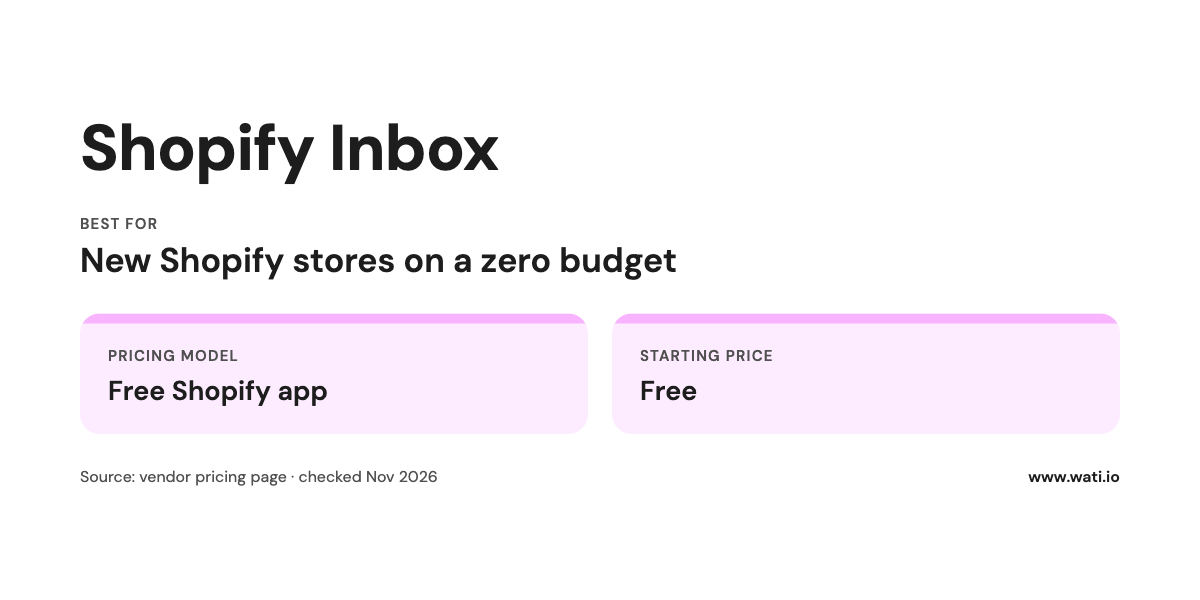
Best for: New or small Shopify stores that want something working today at zero cost.
Key features:
- Connects to your catalog, inventory, and policies automatically
- AI agent tone, style, and rules you can set
- Rate chats to improve the agent over time
- Analytics on orders assisted and buyer satisfaction
Pricing: Free. Rated 4.6 out of 5 from 5,812 reviews on the Shopify App Store.
Pros:
- Free and native to Shopify
- Personalizes answers for shoppers signed in with Shop
Cons:
- Shopify-only, and focused on your storefront chat
- Fewer workflow, routing, and campaign features than paid platforms
8. ManyChat
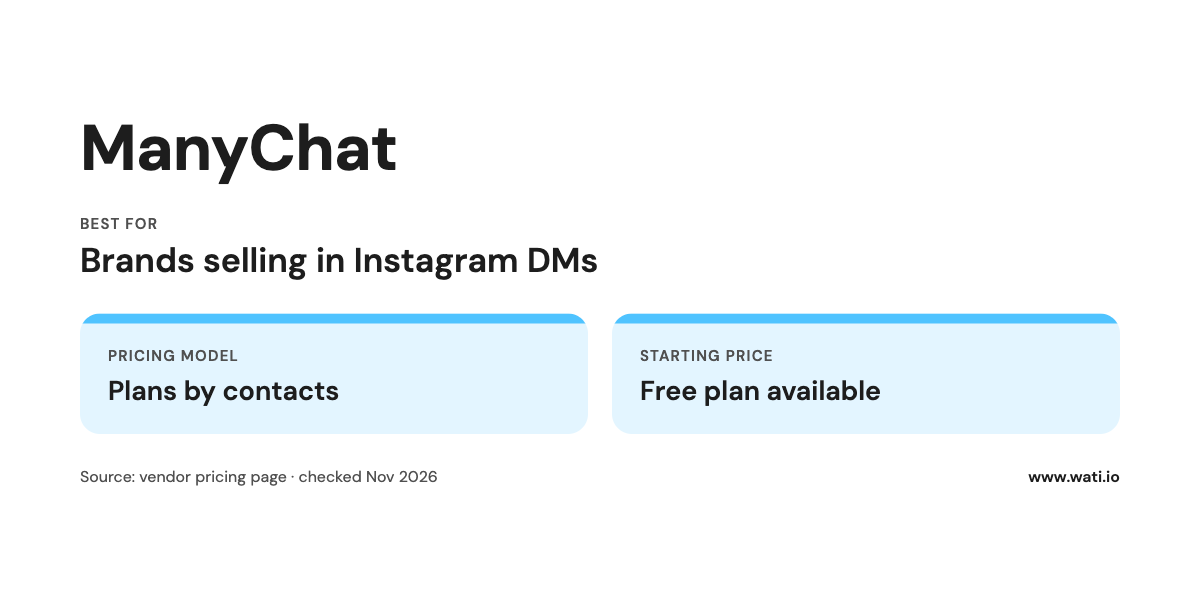
A DM automation platform best known for Instagram comment-to-DM flows. Comment "LINK" on a Reel, get the product link in your DMs.
Best for: Creators and social-first brands whose sales start in Instagram comments.
Key features:
- Instagram DM and Facebook Messenger automation on every plan
- SMS and email on paid plans
- AI features on Pro and Premium
Pricing: ManyChat's paid plans are priced by contact count.
- Free $0/mo for up to 1,000 contacts
- Pro from $15/mo, scaling with contact count
- Premium: custom pricing
- No separate price is listed for ManyChat AI.
Pros:
- Best-in-class for Instagram comment automation
- Cheap to start
Cons:
- No native website chat widget
- Contact-based pricing climbs fast after a viral post
- Built for capturing interest; post-purchase support needs another tool
If you're comparing DM tools, our ManyChat alternatives guide goes deeper.
E-commerce Chatbot Comparison Table
Tool | Main channel | Shopify fit | AI pricing model | Human handoff | Sells or supports? |
Gorgias | Website chat, email | Deep | Per resolution | Yes (helpdesk) | Mostly support |
Tidio (Lyro) | Website chat | Good | Lyro conversation bundles | Yes (live chat) | Support + light sales |
Intercom (Fin) | Website chat, email | Via integrations | Per Fin outcome | Yes | Support |
Zendesk | Email, chat, messaging | Via integrations | Per automated resolution | Yes | Support |
Rep AI | Website chat | Deep | Plans by sessions; add-on per resolution | Hands off to helpdesks | Sales + support |
Shopify Inbox | Storefront chat | Native | Free | Yes (merchant replies) | Light sales + support |
ManyChat | Instagram DMs, Messenger | Limited | Plans by contacts | Yes (live chat) | Lead capture + sales |
Wati (Astra) | WhatsApp, Instagram, Messenger | Integration ($4.99/mo) | AI credits included per plan | Yes (Team Inbox) | Sales + support |
All pricing details as of November 2026, from each vendor's pricing page.
How to Choose the Right AI Chatbot for Your Store?
Skip the feature checklists for a minute. Two questions get you most of the way.
1. Is your problem support volume or conversion?
If your team spends its day answering "where's my order?", you need a support-first tool that can read order data and resolve tickets: Gorgias, Zendesk, Intercom, or Tidio. If shoppers browse and leave without buying, you need a tool that sells: Rep AI on your website, or Wati and ManyChat in messaging.
2. Where do your customers start the conversation?
Look at last month's inbound messages and count them by channel. That number decides more than any demo.
- Mostly website chat and email: Gorgias, Tidio, Rep AI, or Shopify Inbox.
- Mostly Instagram comments and DMs: ManyChat if you only need to capture interest; Wati if you also want the conversation to continue on WhatsApp for order updates, support, and repeat purchases.
- WhatsApp, or a mix of WhatsApp and Instagram: Wati. Read our guide to WhatsApp for ecommerce for the playbook.
Then check the practical stuff:
- Pricing meter. Seats, sessions, contacts, conversations, or resolutions. Model the meter against your busiest month (Black Friday, a viral Reel).
- Training controls. Can you feed it your policies and product data, and block topics it shouldn't touch?
- Handoff. Test it yourself. Pretend to be angry. See how fast you reach a person and whether they see your history.
- Ownership of the conversation. A shopper who messages you on WhatsApp can be reached again for order updates and Campaigns (with consent). A website chat usually ends when the tab closes.
- Builder. A drag-and-drop builder with conditional branching handles decision trees like "is this a return or an exchange?" Check that people on your team who don't code can edit flows.
- Knowledge base. Can the AI read your help center and product pages directly, or do you have to copy every answer into the tool?
- Operator-level questions. Ask how conversations get assigned, what agents see when the bot hands over, and whether the live agent fallback works outside business hours.
- Multilingual support. If you sell in more than one market, test the bot in each language with real customer questions.
- CRM and helpdesk integrations. If your sales team lives in Salesforce or HubSpot, check how contacts and conversation history sync.
- Buying intent signals. Some tools flag real-time buying intent (questions about sizes, stock, or delivery dates) so a person can step in. This matters most for high-ticket items.
- Ticket volume. At a few dozen tickets a week, a simple tool is enough. In the thousands, per-ticket and per-resolution pricing adds up fast, so model it against your busiest month.
Want to see what good flows look like before you build one? Browse these chatbot examples or read what a WhatsApp chatbot is and how it differs from a website widget.
How to Roll Out an AI Chatbot in 30 Days?
A plug-and-play tool can go live in a day. Getting it to answer well takes a few weeks. Here's the rollout we'd use:
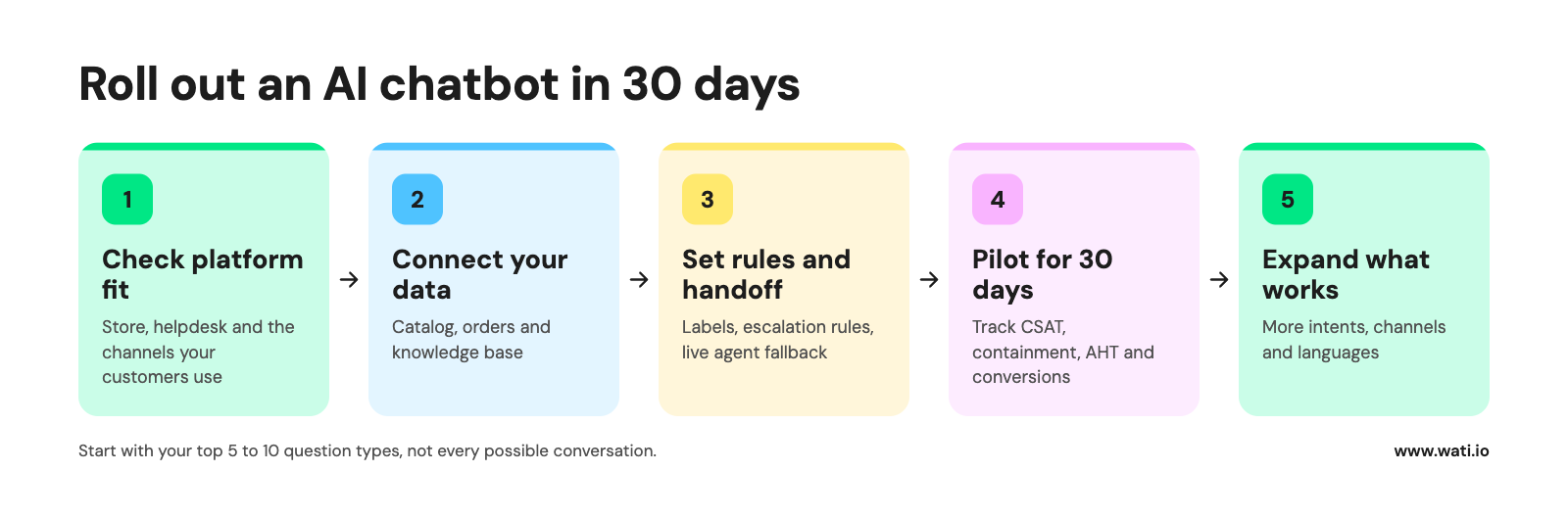
- Check platform fit. Confirm the tool connects to your store platform, your helpdesk, and the messaging channels your customers use, and decide whether you need a website widget, messaging channels, or both.
- Connect your data. Link your product catalog and order data, then load your knowledge base. Start with the pre-trained ecommerce use cases or pre-built procedures the tool offers (order status, returns, shipping) before writing your own.
- Set rules and handoffs. Add custom labels and rules for intents like "refund", "damaged item," or "wholesale", and decide which ones always go to a person. Test intent recognition with real messages from last month, typos included.
- Pilot for 30 days. Run it on one channel or a share of traffic, and track four numbers against your baseline:
- CSAT: are customers as happy with bot answers as with a person?
- Containment: the share of conversations the bot resolves without a handoff.
- AHT (average handle time): are agents faster now that the bot collects the details first?
- Conversions: assisted orders and recovered carts from bot conversations.
- Expand what works. Add intents, channels, and languages one at a time, and keep reading transcripts every week.
How Can AI Be Used in E-commerce?
Chatbots are one slice. The jobs AI does well for online stores right now:
- Answering order status and policy questions across chat, email, and messaging
- Recommending products from your catalog based on what the shopper asks
- Recovering abandoned carts with timed reminders and offers
- Qualifying leads from ads and DMs before a human steps in
- Assisting human agents with suggested replies and summaries
- Running voice conversations for brands that take phone orders
Adoption is already broad. In a Gartner survey from early 2022, 54% of customer service leaders said they were using some form of chatbot, virtual customer assistant, or other conversational AI for customer-facing work (a small sample of 50 respondents, so treat it as directional).
Ready to Answer Every Message on WhatsApp?
If your customers already message you on WhatsApp and Instagram, a website widget won't catch them. Wati puts Astra, your AI agent, on the channels where your shoppers actually talk, then hands the hard conversations to your team in one inbox.
Book a demo to see how Astra answers order questions, recovers carts, and hands off to your team on WhatsApp and Instagram.
Frequently asked questions
Which AI chatbot is best for e-commerce?
The best AI chatbot for ecommerce depends on your main channel and goal. For website support on Shopify, Gorgias and Tidio are strong picks; for on-site selling, Rep AI; for Instagram DMs, ManyChat; and for brands that sell and support on WhatsApp and Instagram, Wati with its Astra AI Agent. Start with the channel where most customer messages already arrive.
What is an e-commerce chatbot?
An ecommerce chatbot is software that talks to shoppers in chat or messaging apps to answer questions, recommend products, track orders, and recover abandoned carts. Modern ecommerce chatbots use AI trained on a store's catalog and policies, and hand complex conversations to human agents.
Is there a free AI chatbot for Shopify?
Yes. Shopify Inbox is free and includes an AI agent that connects to your catalog, inventory, and policies. Tidio and ManyChat also have free plans, though AI features and conversation limits vary by plan (checked Nov 2026).
Do AI chatbots increase e-commerce sales?
They can, when they handle the questions that block a purchase (sizing, shipping, stock) and recover abandoned carts. A chatbot that only deflects support tickets saves time but rarely moves revenue. Track assisted orders and cart recovery, not conversation counts, to know what you have.
How much does an AI chatbot for e-commerce cost?
Entry prices range from free (Shopify Inbox) to around $12 to $60 a month for paid starter plans, as of November 2026. Most tools add usage charges on top, billed per AI resolution, conversation, session, or contact, so your real cost depends on volume.
Can an AI chatbot work on WhatsApp and Instagram?
Yes, but most website chatbots treat messaging as an add-on. Messaging-first platforms like Wati run AI agents, automations, and Campaigns natively on WhatsApp and Instagram, and ManyChat focuses on Instagram and Messenger DMs.
Will an AI chatbot replace my support team?
No. A well-trained AI chatbot handles repetitive questions so your team can focus on refunds, complaints, and high-value customers. Every tool on this list supports handoff to a human, and you should test that handoff before launch.
How do I train an AI chatbot on my store's content?
Most ecommerce chatbots learn from your help center, FAQ pages, policies, and product catalog, and some also read live order data through a Shopify integration. Keep that support content short, current, and specific, because the bot can only answer as well as the pages it reads. Re-check its answers after every policy or pricing change.
Can an AI chatbot handle returns and refunds?
It can start them: explain your returns policy, check order status, and collect the order number and reason. Approving returns, partial refunds, and exceptions usually needs a person or a tightly scoped bot workflow, because the decision complexity is higher and mistakes cost money. Set escalation rules so anything outside policy, or above a value you choose, goes straight to your team.
Is it safe to give an AI chatbot access to customer and order data?
It can be, if you limit what it sees and does. Connect only the order data it needs for order tracking, keep payment details out of the chat, and route refunds and account changes to a human. Before you sign, read the vendor's security and data-handling documentation for the regions you sell in.
What's the difference between keyword rules and an AI agent?
Keyword rules send a fixed reply when a message contains a word, like the size guide when someone types "SIZE". An AI agent reads the whole message and answers in context, including questions you didn't plan for. Most stores use both: keyword rules for campaigns and comment-to-DM, and an AI agent for open-ended questions. Wati's Instagram keyword rules, for example, support Contains, Exact Match, and Fuzzy Match (setup guide).
Which channels should an e-commerce chatbot connect to?
Start with where customers already message you: website chat, Instagram, Facebook Messenger, and WhatsApp cover most stores, and some tools also connect Telegram. A native integration matters more than a long channel list, so check that each channel gets AI replies and human handoff, not just notifications.
Do AI chatbots support multiple languages?
Many do, but in different ways: some detect the shopper's language and reply in it automatically, while others need content set up per language. Test the bot with real questions in each market's language before launch. Wati's Astra AI Agent supports multilingual conversations, and Wati's Voice AI covers 12+ languages.
How do I know if my AI chatbot is working?
Track the autonomous resolution rate (conversations the AI closes without a person), how much it deflects from your previous ticket volume, and revenue signals like assisted orders and recovered carts. Where a tool offers block-level analytics, use them to see which step of a bot workflow loses people. If resolutions go up but complaints do too, the bot is closing conversations it shouldn't.
How much setup does an AI chatbot need?
A basic FAQ bot can go live in a day if your help center is in good shape. Order tracking, returns flows, and escalation rules take longer because they need integrations and testing on real conversations. If you only handle a few dozen tickets a week, a simpler tool with good keyword rules may be all you need.
Related posts
- How Retail Brands Sell on Instagram Without Missing a Single DM
To sell on Instagram, reply to price DMs fast, turn comments into orders, and follow up on WhatsApp. See 7 retail use cases that make it work.
- From Browsing to Buying: WhatsApp Catalog for Seamless Shopping
WhatsApp Catalog allows businesses to showcase their products/services to potential customers easily. Learn how to set up and leverage Catalog to grow your business.
- Upselling and Cross Selling on Shopify With AI: Timing, Scripts, and Workflows
Upselling and cross-selling on Shopify work best while a shopper is deciding. See how AI times offers in chat, with scripts, workflows, and a checklist.
- How to Recover Abandoned Carts on Shopify With AI and WhatsApp?
Discover easy ways to recover Shopify abandoned carts using WhatsApp, automation, and data-driven strategies that turn lost carts into sales.