
Too Long? Read This First
- WhatsApp lead generation helps businesses attract, engage, and convert prospects through real-time, personalized conversations.
- Setting up WhatsApp Business API makes it easy to automate chats, capture lead details, and manage responses at scale.
- Use click-to-WhatsApp ads, chat buttons, QR codes, and email signatures as entry points to start conversations instantly.
- Combine WhatsApp Flows, chatbots, broadcasts, and in-chat payments to qualify leads, nurture interest, and close deals faster.
- Measure success using key metrics such as leads generated, conversion rate, response time, and cost per lead, all of which are trackable via CRM integrations.
Your best leads are ghosting you.
Not because they’re uninterested but because you’re making them wait. Fill out this form. Check your email. Click this link. Verify your account. By step three, they’re gone.
Meanwhile, there’s an app they check 23 times a day, where a single message gets opened in under 90 seconds. How can you utilize WhatsApp’s potential to turn casual browsers into qualified leads before they even leave your website?
In this guide, we’ll show you how to set up WhatsApp lead generation using platforms like Wati, from capturing leads to automating conversations to tracking which campaigns actually convert. Less waiting, more closing.
What is WhatsApp Lead Generation?
WhatsApp lead generation is the process of using WhatsApp to attract, engage, and convert potential customers into marketing qualified leads.
WhatsApp conversations are like skipping the long queue and walking straight to the counter. Instead of relying on forms, cold calls, or emails, businesses connect with prospects through real-time conversations.
The moment someone shows interest in their website, the agent can pop into their WhatsApp chat and share tour packages; it’s almost like handing them a brochure right into their palm.
A financial services firm can chat with potential clients, explain investment options, and schedule consultations without back-and-forth emails.
Whether it’s website chat buttons, click-to-WhatsApp ads, or automated chatbots that reply faster than you can blink, there are countless ways to spark these conversations and keep them going.
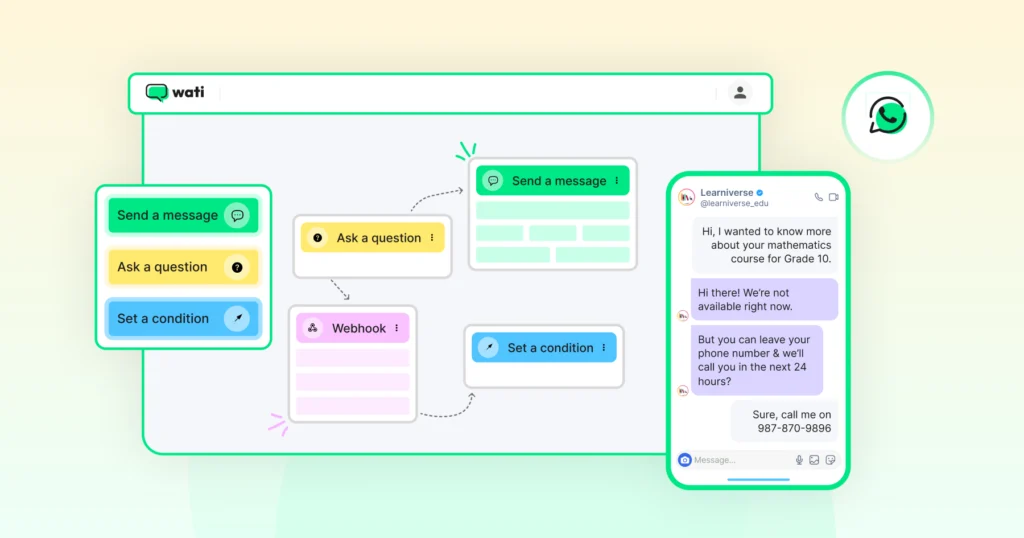
The goal is simple: turn interest into action through meaningful, one-on-one interactions.
How Does WhatsApp Help with Lead Generation?
Generating leads is not just about collecting contact details; it’s about building connections that convert.
WhatsApp makes that possible by turning one-way outreach into real-time, two-way conversations.
1. Instant Communication: Catch Them Before They Slip
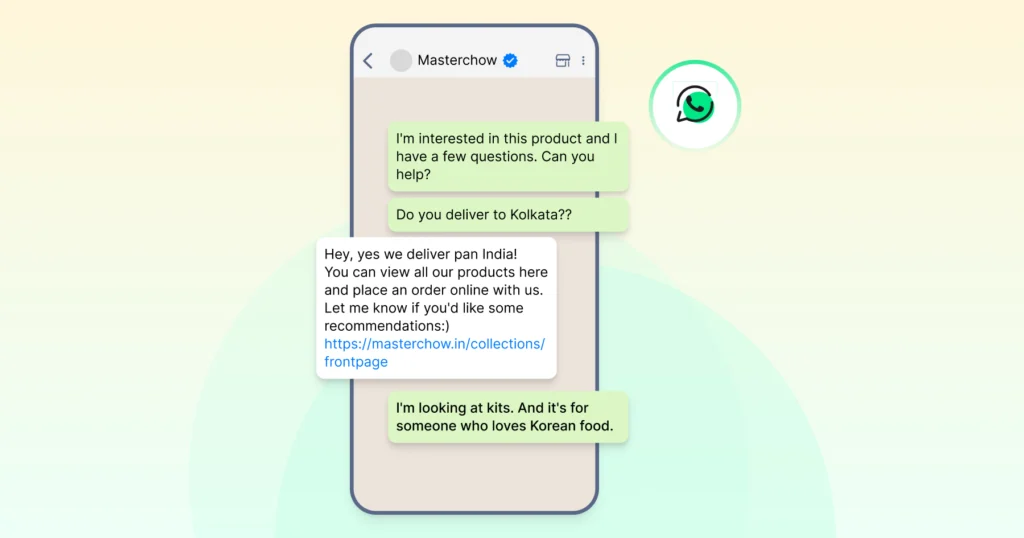
Let’s be honest, leads today have the patience of a goldfish. If you don’t respond instantly, they vanish faster than a pop-up ad.
With WhatsApp, you can catch prospects while the iron is hot, reply in seconds, and keep them hooked before their interest cools off or a competitor swoops in.
2. Personalized Conversations: Because No One Appreciates Ambiguity
Nothing kills a sale faster than sounding robotic. On WhatsApp, every chat feels like a one-on-one conversation, like sliding into a customer’s DMs with exactly what they need. You can call them by name, tailor your suggestions, and guide them like a friendly store owner who knows their taste better than they do.
They will reply and keep the conversation going, making it easier than ever to wind up those chats with a sales win.
3. Automated Lead Capture: Intelligent Sales Agentic Support
Chasing details like name, budget, or requirements shouldn’t feel like pulling teeth. Chatbots and quick replies act like your round-the-clock assistant.
It captures information automatically, sorting leads neatly and ensuring no one falls through the cracks. It’s like having a receptionist who works 24/7 and never asks for a coffee break.
4. No More Juggling Apps: Centralized Lead Management
Switching between tools just to track one lead is just painful. With WhatsApp integrating smoothly into your CRM, e-commerce platform, or marketing tools, everything falls into place like puzzle pieces. Your sales team can track, nurture, and convert leads without feeling like they’re stitching data together with duct tape.
5. Multi-Channel Entry Points: Turn Every Touchpoint Into Opportunity
Whether it’s a WhatsApp button on your website, a QR code on your product box, or a click-to-WhatsApp ad, every interaction becomes a conversation starter. It’s like leaving a trail of little “doors” everywhere your customers go, and every door opens directly into your WhatsApp chat.
How to Set Up WhatsApp for Lead Generation?
Before you start generating leads, it’s important to set up WhatsApp the right way. A proper setup ensures your business looks credible, stays compliant, and can scale conversations smoothly.
1. Choose the Right WhatsApp Version
Start by deciding between the WhatsApp Business App and the WhatsApp Business API.
- The Business App works well for small businesses managing a few customer chats.
- The API is built for larger teams that need automation, CRM integrations, and multi-agent support.
2. Create a Professional Business Profile
Add your business name, logo, website, and contact details. Include a short business description and working hours so customers know exactly who they’re chatting with.
A well-completed profile builds trust and boosts response rates.
Related Read: How to Create a WhatsApp Business Account
3. Set Up Quick Replies and Greeting Messages
You can save time by creating ready-to-send responses for FAQs. Use greeting messages to make a great first impression and let leads know you will get back soon.
4. Use WhatsApp Flows for Lead Capture
WhatsApp Flows make lead collection seamless and interactive. You can design step-by-step journeys within WhatsApp, where users can fill out forms, book demos, or sign up for offers without leaving the chat.
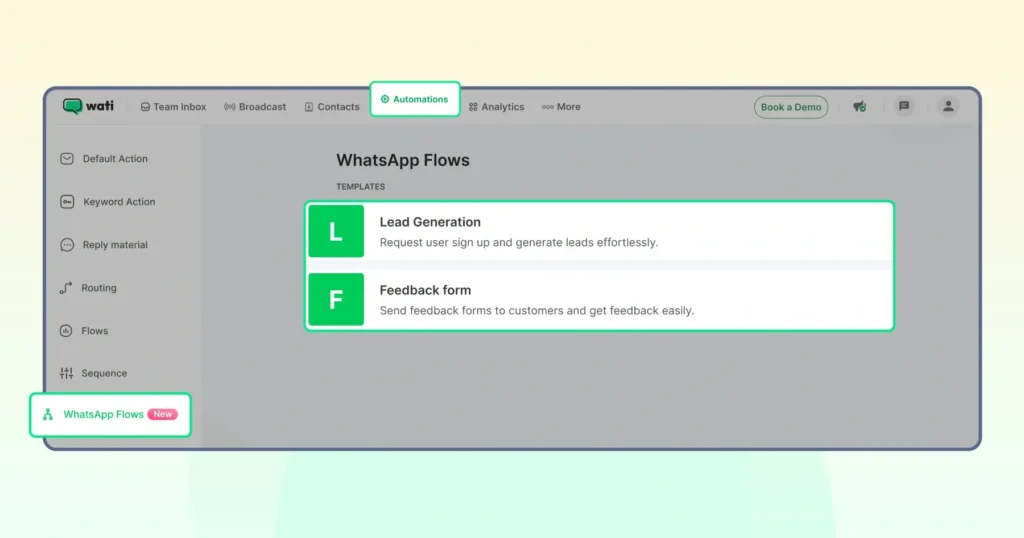
It’s a smooth, native experience that helps you capture intent instantly and qualify leads in real time.
5. Connect WhatsApp with Your Lead Sources
Add click-to-WhatsApp buttons on your website, ads, or social media.
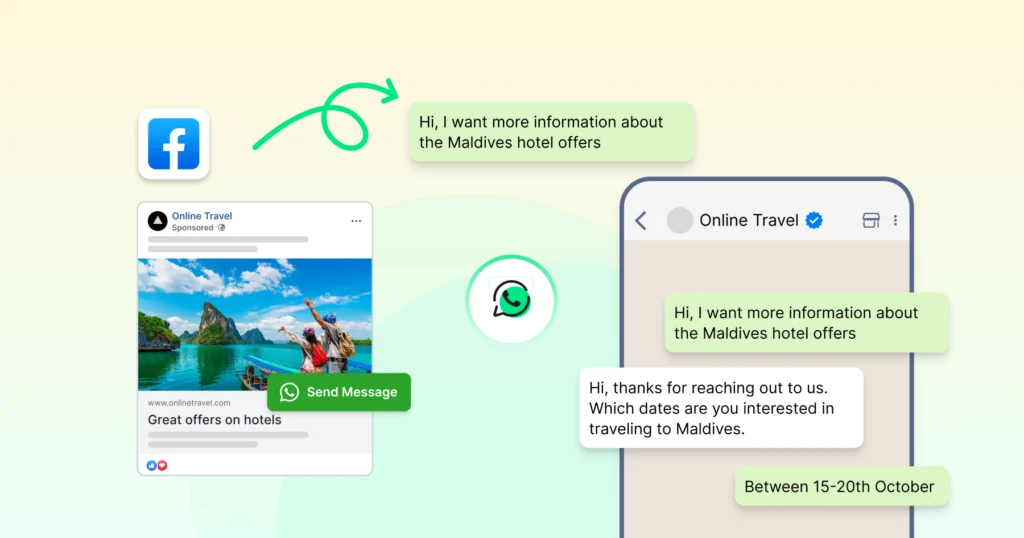
You can also use QR codes on product packaging, flyers, or store signage to encourage instant chats with interested users.
6. Automate and Organize Conversations
You can use WhatsApp chatbots to collect basic lead details and route conversations to the right team.
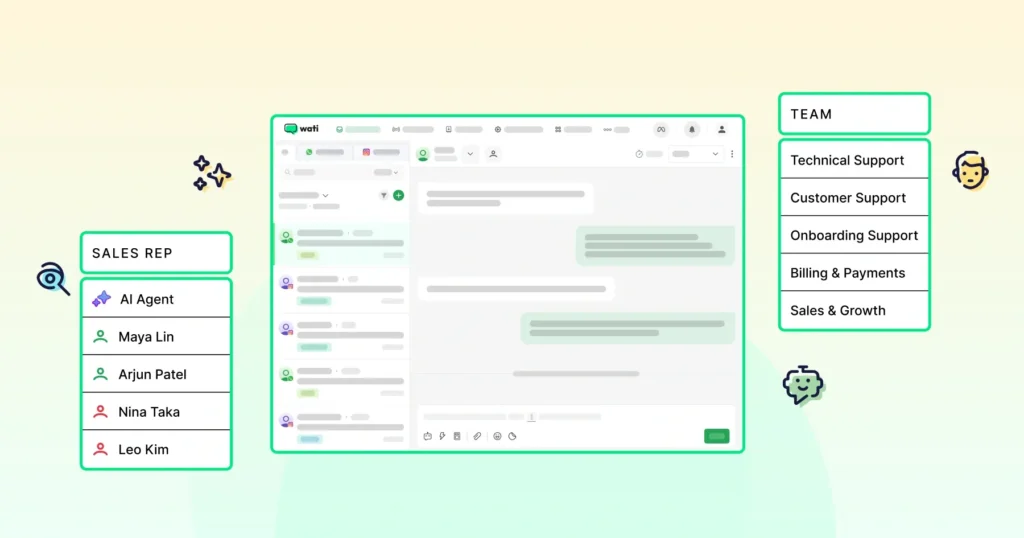
API users can also integrate WhatsApp with their CRM or platforms like Wati to manage leads efficiently, automate follow-ups, and send personalized responses at scale.
WhatsApp Lead Generation Strategies That Work
Generating leads via WhatsApp is not just about sending messages.
It’s about creating a journey: from discovery → conversation → qualification → conversion.
Here’s how to map it out.
1. Create Strong Entry Points
Make it easy for prospects to start a chat with you.
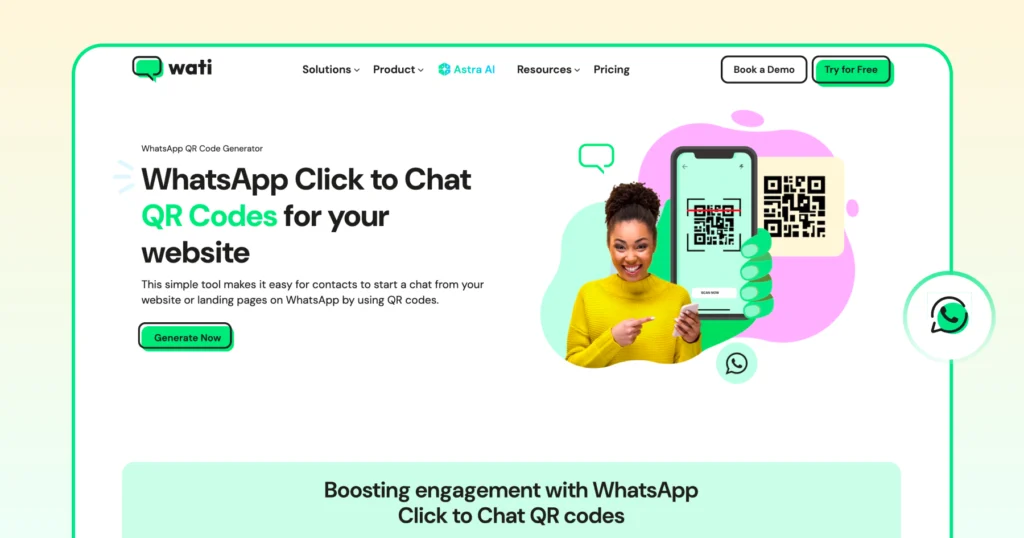
- Add a chat button on your website or landing page that says: “Chat with us”. When clicked, it opens a WhatsApp chat thread.
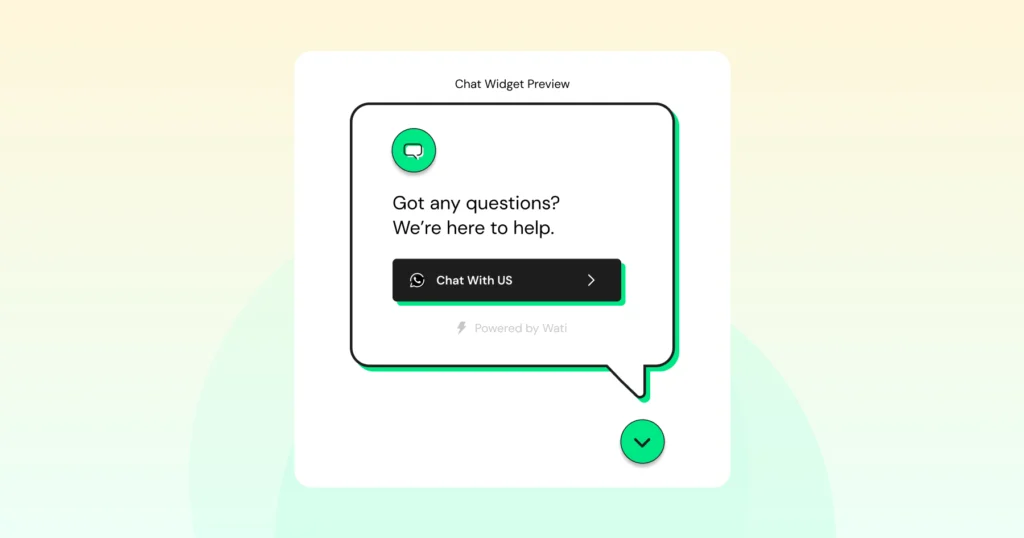
- Use a QR code on packaging, event flyers, or store signage. When scanned, it opens a WhatsApp chat. Example: a retail brand prints a QR code on a receipt offering “WhatsApp me to claim 10% off”.
- Include a WhatsApp link (wa.me/…) in your email signature and social media bios so your team becomes instantly reachable via WhatsApp.
These multiple entry points help capture interest wherever your prospect is.
Don’t Miss This: Free WhatsApp Link Generator
2. Use WhatsApp Flows and Chatbots to Qualify and Guide
Once a user initiates chat, you can use built-in flows to capture key data and steer the conversation.
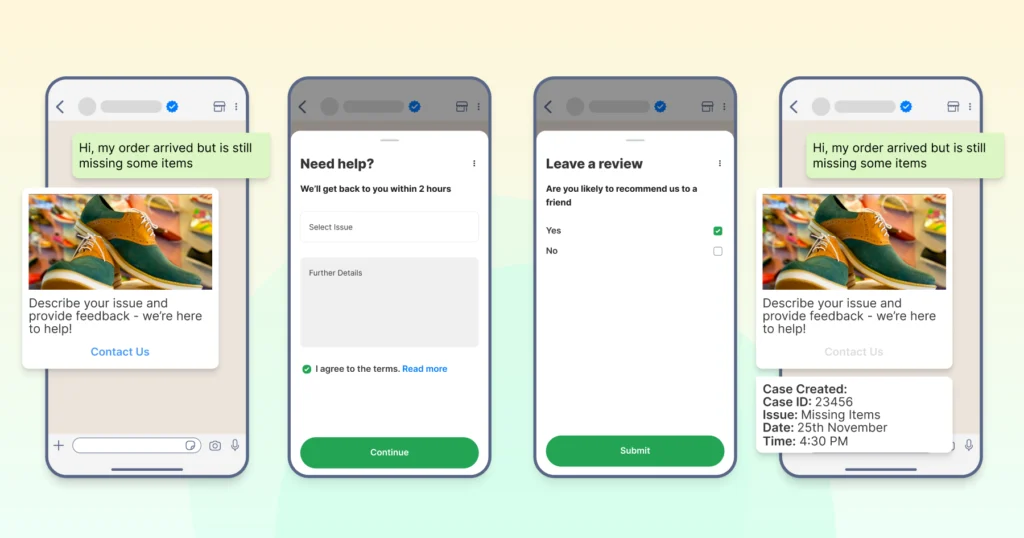
- A “Welcome” message asks: “Hi – what brings you here today? Product info / Demo / Other”.
- Based on the answer, you collect the name, company, budget, and timeline. Example: a software company asks “When are you looking to implement?” and “Number of users”.
- Use branching: If the user selects “Demo”, send calendar link; if “Product info”, send catalog or short video.
What’s important is that the user stays inside WhatsApp. They don’t need to leave to fill out a long form. You capture lead data in chat.
As Heritage Foods saw, moving to a chat-based catalog and subscription flow via WhatsApp helped them double their conversion rate. |
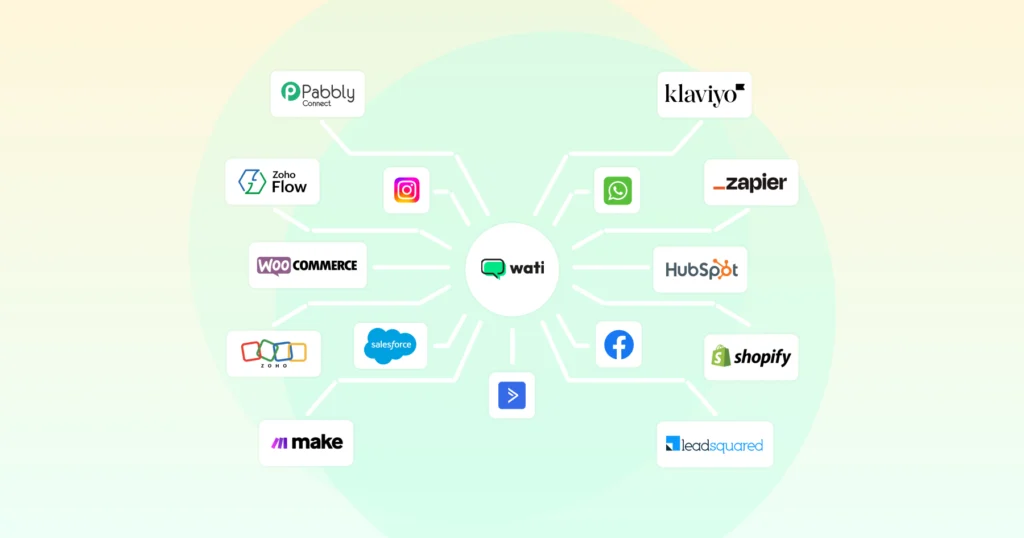
3. Integrate with Your CRM + Automation
To scale and track leads:
- Connect WhatsApp chats to your CRM so every conversation is logged.
- Automate follow-ups: If a user asked for a catalog but did not respond in 24 hours, send a gentle reminder or value offer.
- Segment leads: e-commerce vs service, new inquiry vs returning user. Create your messages carefully. You can send a promo to “abandoned-cart” leads that clicked the chat button but did not purchase.
Also read: How does Wati Segments categorize leads based on previous contact history for improved targeting?
4. Use WhatsApp Features: Broadcast Lists, Payments, Catalogs
- Broadcast lists allow you to send a message to many opted-in contacts without creating a group. Example: send “New product launch” alert to users who asked about your previous collection.
- WhatsApp payments (where available) let you close sales inside the chat. You send a payment link or checkout button inside WhatsApp chat, and the user pays without leaving the app. This shortens the sales loop.
- Catalogs let you show products or services inside WhatsApp. For instance, you can show 3 new real estate listings with images, then ask, “Which one interests you? I can book a viewing.”
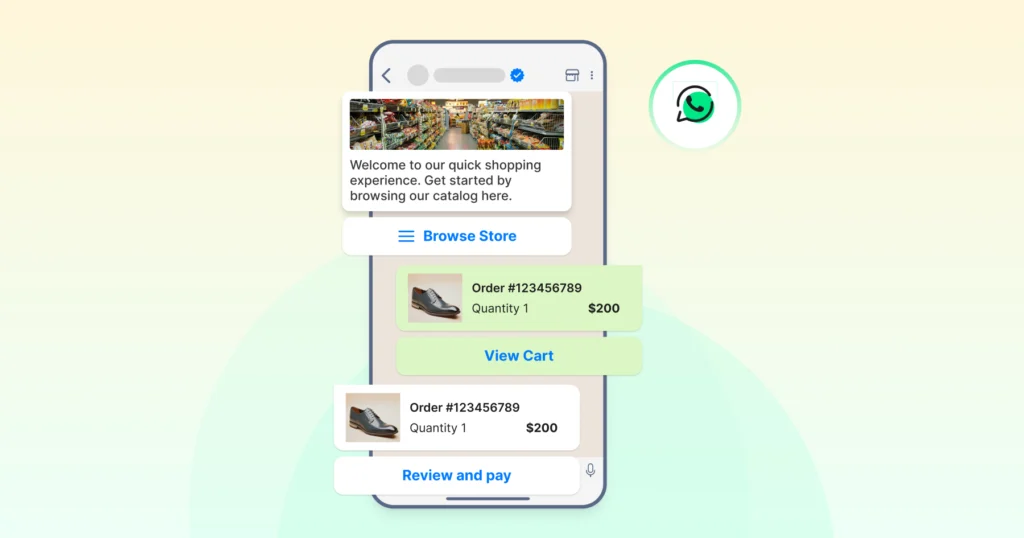
These features help convert leads faster.
5. Follow-up and Nurture the Leads
Leads are not always ready to buy immediately. You need a consistent, human-friendly follow-up.
- Send helpful content: Quick tips, how-to videos, case studies via WhatsApp chat.
- Reminder flows: After a user requested a demo but didn’t pick a slot, send “Just checking if you’d like to schedule your demo this week?”
- Personal check-ins: Use their name, refer to their earlier message. Example: “Hi Riya, just wanted to share our new white-paper on X since you mentioned interest in Y.”
This keeps the lead engaged and builds trust.
6. Measure, Optimize, and Refine
You can’t improve what you don’t measure.
Track the number of chats started, the percentage that answer qualifying questions, response time, and conversion from chat to sale.
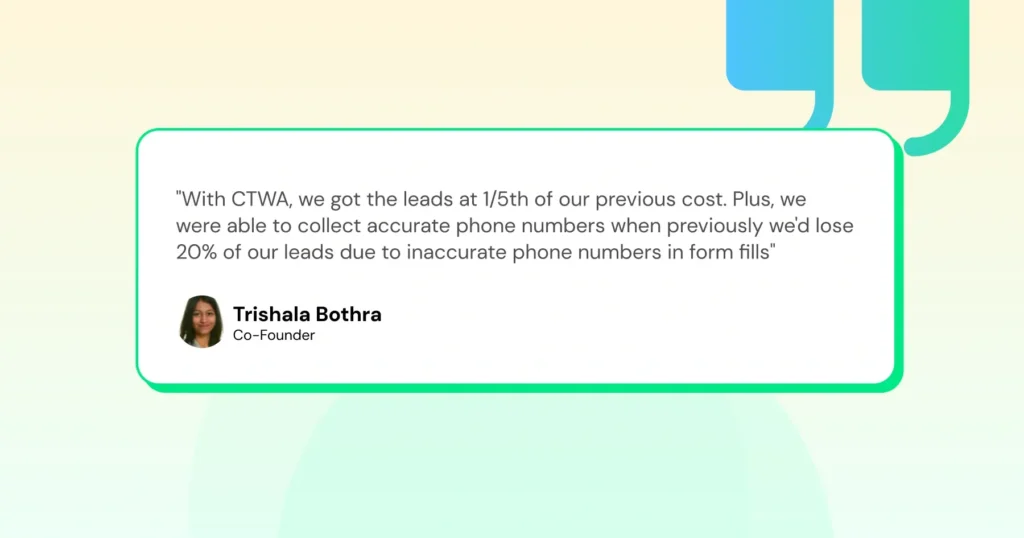
Pediasure utilized click-to-WhatsApp ads and found that the cost per lead dropped by 64% compared to the previous channel.
Based on data: Tweak your entry point copy, adjust qualifying questions, and change follow-up timing.
How to Measure Success on WhatsApp
To get real value from WhatsApp lead generation, you need to measure how it’s performing.
Here are the KPIs that matter most.
1. Number of Leads Generated
Start by tracking how many new leads come through WhatsApp each week or month.
You can identify which sources (website chat buttons, QR codes, or click-to-WhatsApp ads) are driving the most conversations.
Over time, this helps you optimize where to focus your marketing spend.
2. Conversion Rate
Measure how many WhatsApp leads actually turn into paying customers or booked appointments.
This metric reveals how effective your messaging, follow-ups, and lead nurturing flows are.
For instance, if your response time improves, your conversion rate usually follows.
3. Response Time
Speed matters. The faster you reply, the higher your chances of keeping leads engaged.
Businesses using automation tools or chatbots on Wati often cut their response times, ensuring no potential lead slips away.
4. Cost Per Lead (CPL)
Calculate how much you spend to acquire each WhatsApp lead.
If you’re running click-to-WhatsApp ads, divide the total ad spend by the number of qualified leads generated.
Tracking CPL helps balance lead quantity with lead quality.
5. Lead Engagement Rate
Look beyond message delivery. Check how many users actually reply, click links, or interact with your messages.
High engagement means your content and offers are resonating with your audience.
6. Chat Completion and Drop-Off Rates
If you’re using WhatsApp Flows, monitor how many users complete the flow versus how many drop off mid-way.
This helps you refine the questions, improve clarity, and simplify the journey.
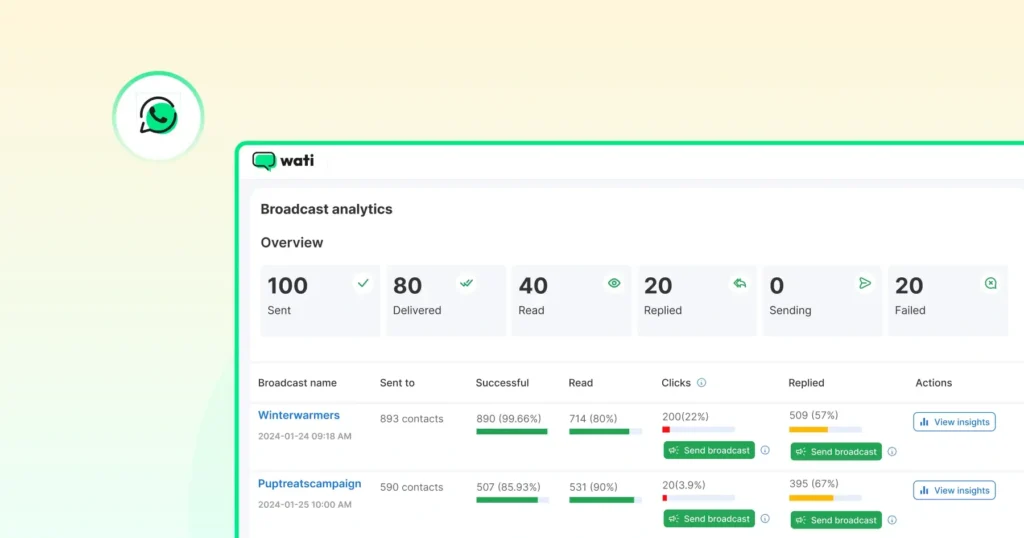
7. CRM Integration and Analytics Dashboards
Integrating WhatsApp with your CRM gives you a complete view of every lead’s journey, from the first message to final conversion.
Wati provides built-in dashboards to track conversations, agent performance, and campaign results.
You can also view metrics such as message read rates, lead sources, and average response times, all in one place.
Common Mistakes to Avoid in WhatsApp Lead Generation
Even the best WhatsApp strategies can fall short if the basics aren’t right.
Many businesses miss out on quality leads because of small but costly errors in setup, messaging, or follow-up.
Read on to learn about the most common WhatsApp marketing mistakes and how to fix them.
Sending Messages Without User Consent
Many businesses start sending bulk messages without clear opt-ins. This can lead to users blocking your number or even account restrictions.
Solution: Always get explicit consent before messaging. Use opt-in forms on your website, checkboxes on ads, or QR codes with clear messaging like “Chat with us on WhatsApp to get updates.
Overusing Broadcast Messages
Broadcasts are powerful, but if used too often or with irrelevant content, they quickly turn into spam.
Solution: Segment your audience and send targeted broadcasts to opted-in users only. Personalize your messages based on behavior or interest. For instance, send product updates only to users who enquired about similar items.
Slow or Inconsistent Response Times
A delayed response can kill a lead’s interest. Many users expect real-time engagement, especially on WhatsApp.
Solution: Use automated greetings and chatbots to respond instantly and collect basic lead details.
Treating WhatsApp Like Email Marketing
WhatsApp isn’t meant for long, generic messages. Overly formal or promotional content feels unnatural in chat.
Also read: WhatsApp Marketing vs Email Marketing: Which is Better in 2026?
Solution: Keep it conversational. Use short, friendly messages with quick questions or prompts. Instead of “Check our new product catalogue,” try “Hey there! Want to see what’s new in our collection this week?”
Ignoring Lead Nurturing
Some businesses focus only on capturing leads, not on nurturing them. Without consistent follow-up, most leads go cold.
Solution: Create a simple WhatsApp follow-up plan. Use reminders, value-driven messages, or WhatsApp Flows to move leads through the funnel.
Sending the Same Message to Everyone
A one-size-fits-all approach rarely works. Different users are at different stages of the journey.
Solution: Segment leads into categories such as new inquiries, active prospects, and repeat customers. Tailor your tone and offers accordingly.
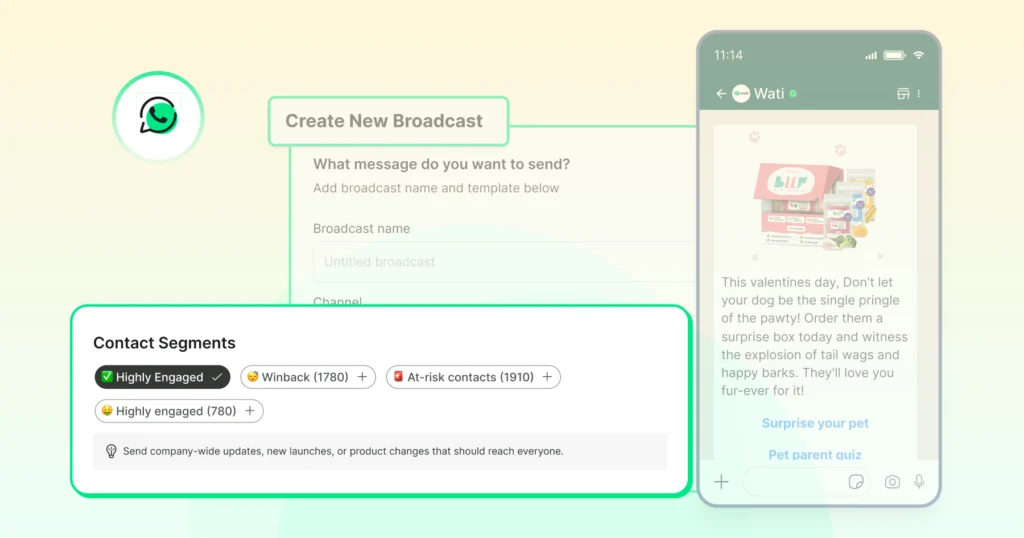
Generating and Managing WhatsApp Leads with Wati
Using WhatsApp for lead generation becomes far more powerful with Wati.
It’s an all-in-one platform that helps you capture, qualify, and manage leads.
- With Wati, you can create chat entry points like website buttons, QR codes, and click-to-WhatsApp ads that drive real conversations instead of form submissions.
- Once a chat begins, WhatsApp Flows and automation collect lead details like name, intent, and preferences instantly.
- Leads are then routed to the right team using Wati’s shared inbox, ensuring faster replies and zero missed opportunities.
- For ongoing engagement, teams can send targeted broadcasts, share product catalogs, or even close deals with in-chat payments (where available).
Everything is tracked through Wati’s built-in dashboard and CRM integrations, so you can monitor leads, response times, and conversion performance.
In short, Wati helps you do it all: Attract more leads, engage them instantly, and convert them faster through personalized WhatsApp conversations that scale.
See how Wati turns WhatsApp chats into qualified leads by scheduling a free demo.
Take Your WhatsApp Lead Generation to the Next Level
Generating leads shouldn’t feel complicated, and with WhatsApp, it doesn’t have to be.
It’s where your customers already are, ready to chat, ask questions, and make decisions in real time.
When done right, WhatsApp lead generation helps you build meaningful connections, respond faster, and close deals without endless back-and-forth emails or calls.
If you’re ready to scale this channel, Wati provides you with everything you need, from automated lead capture and smart routing to analytics and CRM integration. You can create flows, manage campaigns, and turn everyday chats into qualified leads. See how your lead volume can improve with WhatsApp by signing up for a free trial with Wati.
FAQs on WhatsApp Lead Generation
1. How to use WhatsApp for lead generation?
You can use WhatsApp for lead generation by adding chat buttons to your website, running click-to-WhatsApp ads, or using QR codes on social media and packaging. Once users start chatting, you can qualify and nurture them with automation, chatbots, and personalized responses.
2. What is a WhatsApp lead generation campaign?
A WhatsApp lead generation campaign focuses on driving users to start a chat with your business. It can include click-to-WhatsApp ads, website CTAs, or broadcast messages to engage new audiences, collect lead data, and guide them toward conversion.
3. How do click-to-WhatsApp ads help generate leads?
Click-to-WhatsApp ads let users connect with your business instantly by tapping a single button on Facebook or Instagram. These ads remove the friction of forms and redirect users straight into a WhatsApp chat, where you can answer questions, share details, and capture leads in real time.
4. What are the benefits of using WhatsApp for lead generation?
WhatsApp offers instant communication, high open rates, and a personal way to engage customers. It helps businesses qualify leads faster, build trust, and convert more effectively than traditional channels like email or cold calls.
5. Can I manage WhatsApp lead generation campaigns with Wati?
Yes. Wati simplifies WhatsApp lead generation by automating chat flows, routing leads to the right team, and tracking performance with built-in analytics. You can run campaigns, send broadcasts, and manage all leads from a single dashboard.
Frequently asked questions
1. How to use WhatsApp for lead generation?
You can use WhatsApp for lead generation by adding chat buttons to your website, running click-to-WhatsApp ads, or using QR codes on social media and packaging. Once users start chatting, you can qualify and nurture them with automation, chatbots, and personalized responses.
2. What is a WhatsApp lead generation campaign?
A WhatsApp lead generation campaign focuses on driving users to start a chat with your business. It can include click-to-WhatsApp ads, website CTAs, or broadcast messages to engage new audiences, collect lead data, and guide them toward conversion.
3. How do click-to-WhatsApp ads help generate leads?
Click-to-WhatsApp ads let users connect with your business instantly by tapping a single button on Facebook or Instagram. These ads remove the friction of forms and redirect users straight into a WhatsApp chat, where you can answer questions, share details, and capture leads in real time.
4. What are the benefits of using WhatsApp for lead generation?
WhatsApp offers instant communication, high open rates, and a personal way to engage customers. It helps businesses qualify leads faster, build trust, and convert more effectively than traditional channels like email or cold calls.
5. Can I manage WhatsApp lead generation campaigns with Wati?
Yes. Wati simplifies WhatsApp lead generation by automating chat flows, routing leads to the right team, and tracking performance with built-in analytics. You can run campaigns, send broadcasts, and manage all leads from a single dashboard.
Related posts
- Shopify WhatsApp Integration: How to Connect Your Store and Go Live in Under an Hour
Set up your Shopify WhatsApp integration the right way. Step-by-step instructions, common mistakes to avoid, and what to turn on first after you go live.
- How Often to Send WhatsApp Campaigns in 2026
How often to send marketing emails is a settled debate. WhatsApp frequency is not. Learn the right cadence by audience segment and the best send windows for 2026
- WhatsApp Business Calling vs Cloud Telephony vs Traditional VoIP: Which One Does Your Business Need?
Comparing WhatsApp Business Calling, cloud telephony, and traditional VoIP in 2026? Here’s the honest breakdown of which stack fits your business.
- Why Every Business Needs CRM WhatsApp Integration Today?
Discover why CRM WhatsApp integration is essential for businesses to manage leads, close deals faster, and deliver better customer support.