
Too Long? Read This First
- MCP defines hosts, clients, and servers, but it does not define a standard switch_tenant or list_accounts operation. Multi-account support is something each server has to build.
- Wati's MCP server ships this today: an account-list tool, an active-account check, and a switch that applies to every request for the rest of the session.
- The Wati MCP server itself is available on Wati's Growth, Pro, and Business plans (or during a trial); confirm your plan supports it before you plan an account-switching workflow around it.
- Meta caps a Business Account at 20 WhatsApp Business Accounts (WABAs) and 2 to 20 registered phone numbers, with 250 templates per WABA and 2 partners per WABA.
- Agencies and multi-brand teams get the real payoff: one Claude or ChatGPT window instead of five separate logins.
- The actual risk isn't the protocol, it's cross-tenant mix-ups: sending from the wrong number because nobody checked which account was active.
Yes, but only if the specific MCP server you connect to builds account switching into its tools. The Model Context Protocol (MCP) itself has no built-in idea of a "tenant" or a "current account."
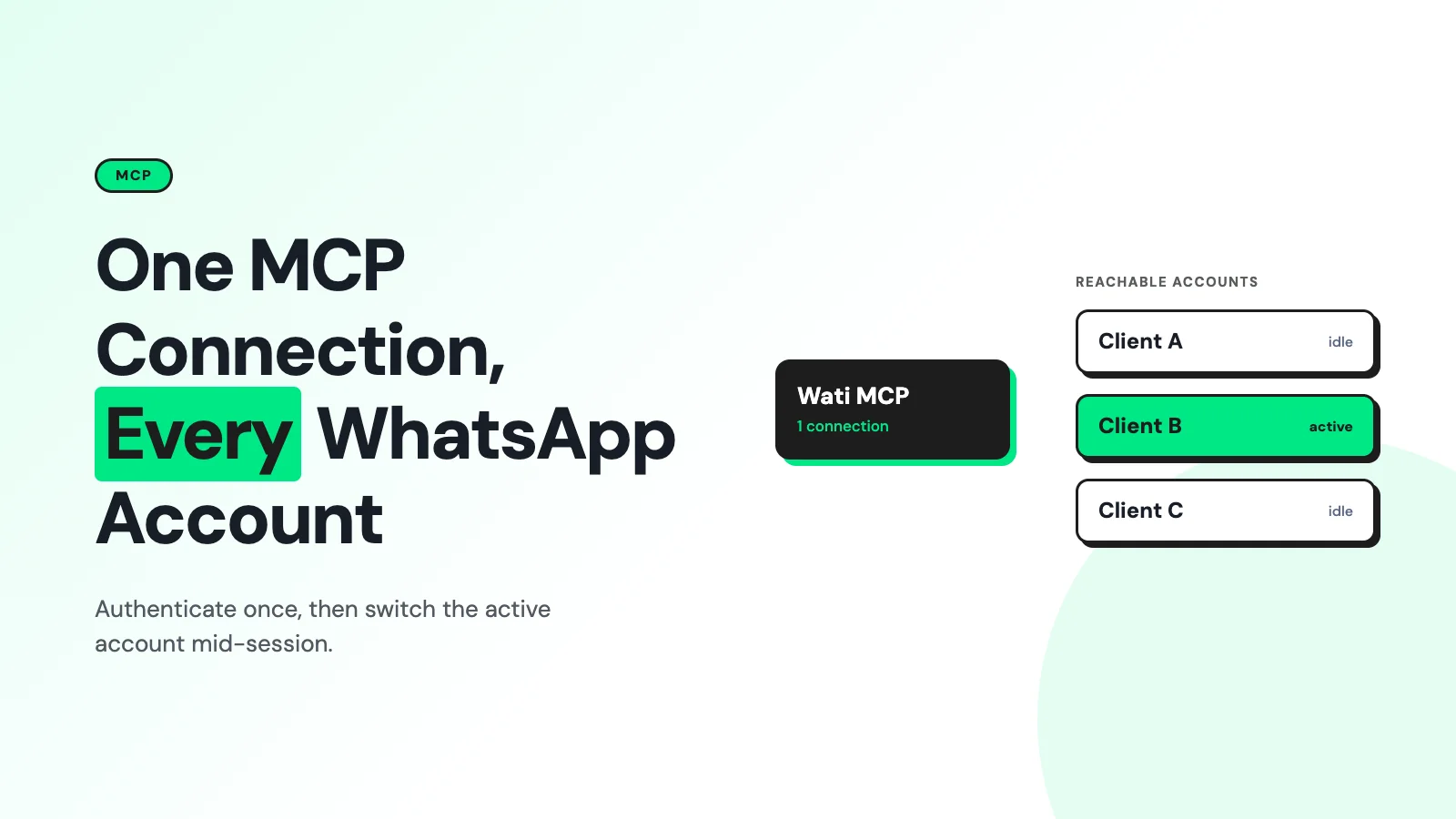
Wati's MCP server is a documented, working example of the alternative. One AI connection that can list every Wati account it has access to, show which one is active, and switch between them mid-session.
What "Multiple Accounts" Actually Means
Three different things get flattened into "multiple WhatsApp accounts," and mixing them up is where most confusion starts:
- A Wati account: your login and workspace inside Wati, which can be connected to one or more WhatsApp numbers.
- A WhatsApp Business Account (WABA): Meta's container for a business identity, which holds phone numbers, templates, and analytics.
- A phone number: the actual sending identity inside a WABA.
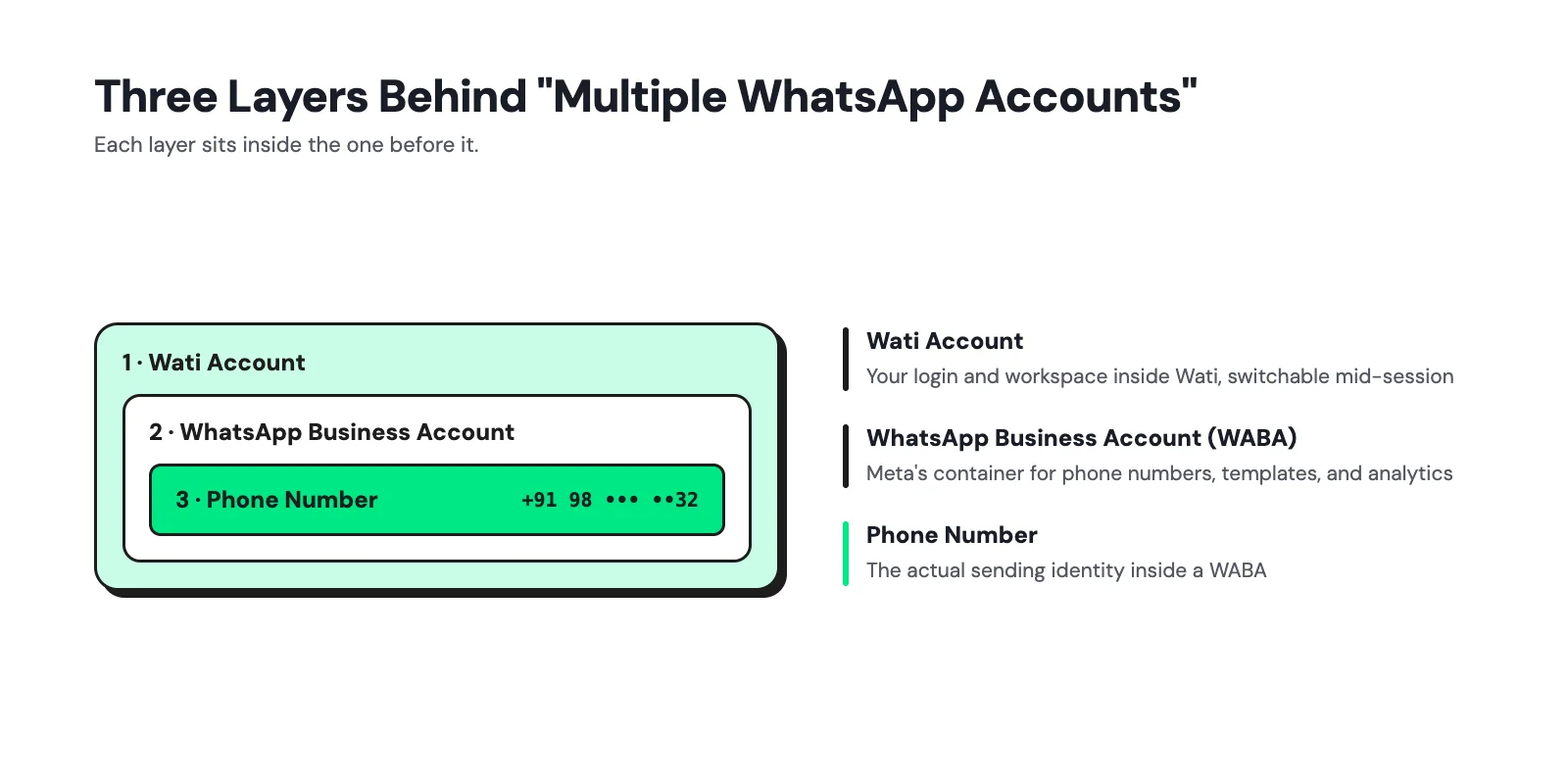
Meta's hierarchy runs business portfolio, then WABA(s), then phone number(s), then messages, templates, and webhooks, and a WABA can only ever belong to one business portfolio (Meta developer docs).
When someone asks, "Can my AI agent handle multiple WhatsApp accounts?" they usually mean the Wati-account layer, and that's the layer Wati's MCP server actually switches.
How MCP Handles Multi-Tenancy (It Mostly Doesn't)?
The Model Context Protocol spec describes a host that creates clients, and clients that each hold one connection to one server (MCP architecture spec). Servers expose tools, resources, and prompts.
MCP's own specification calls it a stateful session protocol, but that statefulness covers the connection and its negotiated capabilities, not any concept of accounts or tenants. The protocol defines no built-in idea of "which account is active," so if an operation needs to remember that, the server has to hold and check that state explicitly, not assume the model will keep track of it.
That means there is no universal list_accounts or current_account call baked into MCP. A server can implement multi-account access however it wants:
- One connection with an account selector on every tool call.
- One connection with a server-side "active account" that applies until changed.
- Separate MCP endpoints per client or department.
- A broker that maps one identity to several downstream accounts.
Wati picked the second pattern.
The MCP authorization spec also requires that access tokens be validated on every request and never simply forwarded to a downstream API, which matters here, because the account a request is authorized for and the account it's about to act on need to be checked every single time, not just at login.
How Wati's MCP Server Switches Accounts, Step by Step?
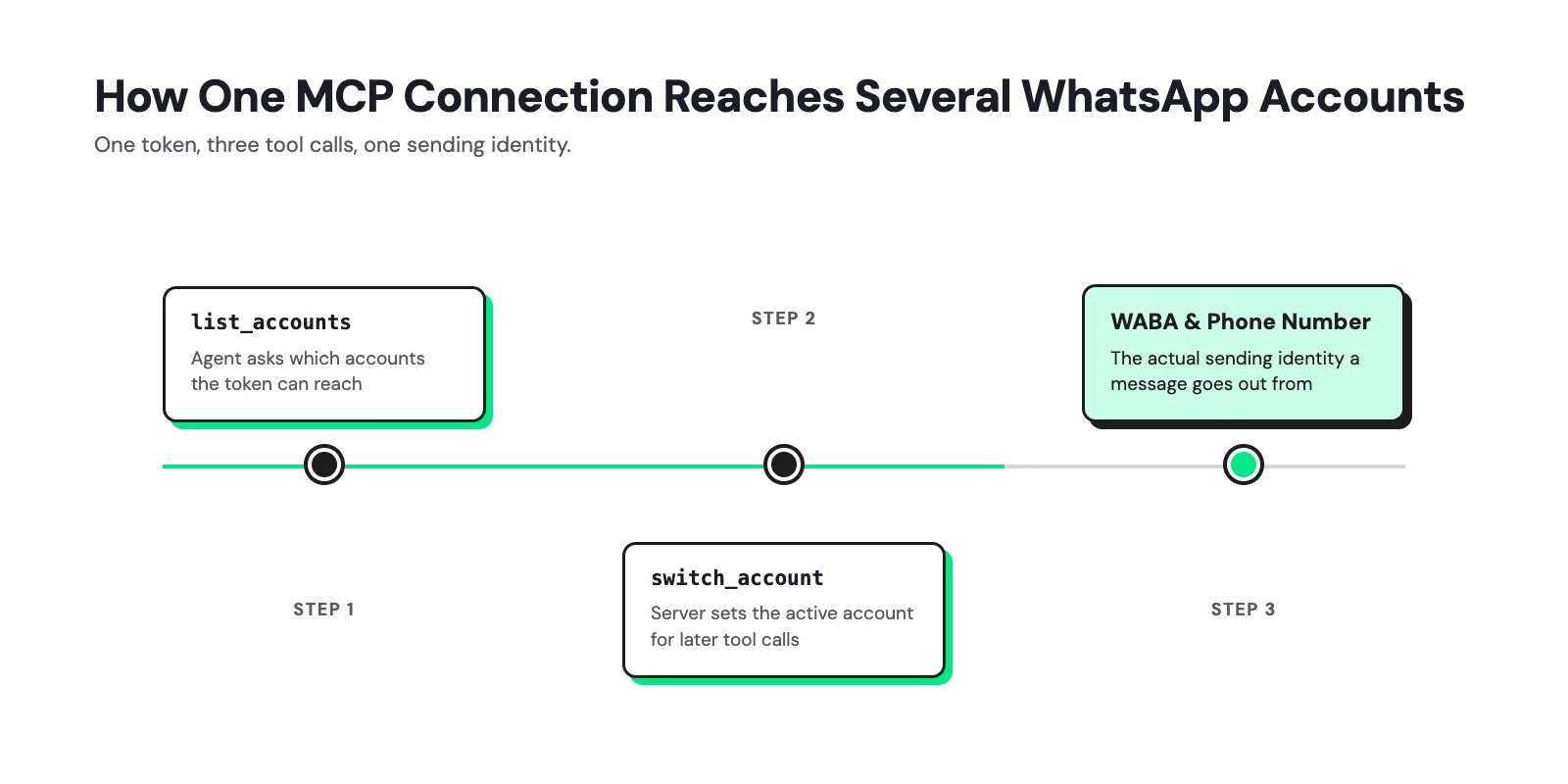
Wati's help documentation describes this under "manage multiple Wati accounts," and it works the way you'd expect a permissioned tool to work rather than a hidden prompt trick:
- Ask Claude or ChatGPT to list the Wati accounts your connection has access to.
- The MCP server returns only the accounts your login is actually authorized for, not every Wati account that exists.
- Ask which account is currently active before you do anything account-sensitive.
- Switch accounts explicitly; the switch "changes the Wati account used for subsequent MCP requests during the session" (Wati Help Center).
- Confirm the active account again before sending a message, changing a template, or updating contacts. Wati's own documentation flags this step because the switch persists for the rest of the conversation.
Setup itself is the same either way: connect to the mcp.wati.io/mcp endpoint (or eu-mcp.wati.io/mcp for EU-hosted workspaces) from Claude's Connectors settings or ChatGPT's plugin panel, and authenticate with OAuth. No password ever passes through the chat.
The MCP server is available on Wati's Growth, Pro, and Business plans, and during a trial period, so confirm your plan before you build a workflow around it.
Meta's Real Limits on Accounts, Numbers, and Templates
Wati's account switch controls which Wati workspace you're acting in. It doesn't change how many WABAs or numbers Meta lets that workspace hold. Those caps come from Meta directly:
Resource | Documented limit | Source |
|---|---|---|
WABAs per Meta Business Account | 20, initially | Meta developer docs |
Registered phone numbers per business portfolio | 2 initially, up to 20 once verified | Meta developer docs |
Message templates per WABA | 250 maximum | Meta developer docs |
Partners of WABA can be shared with | 2 | Meta developer docs |
A WABA can't be split across two business portfolios, and it can't be migrated from one business to another. So "multiple accounts" for an agency usually means multiple client-owned WABAs shared into one partner setup, not one WABA stretched across clients.
Meta's solution-provider APIs support exactly that: a partner can pull the list of WABAs shared with them, and pull the phone numbers inside a given WABA, which is the raw material any multi-account MCP tool is built on top of.
None of this scales up simply by adding more WABAs; see Wati's complete guide to the WhatsApp Business API for how the number and template volume actually behave as an account grows.
Where Does this Actually Pay Off: Agencies and Multi-Brand Teams
The account-switch pattern is built for a specific kind of user: someone who legitimately needs to be inside more than one Wati workspace in the same day.
- Agencies managing WhatsApp for several clients from one Claude window instead of re-logging into each client's dashboard, similar to how managing WhatsApp Business on multiple devices solves the human-agent version of the same problem.
- Multi-brand or multi-region companies running separate Wati workspaces per brand, country, or department, where sales and support need to stay on different numbers.
- Operations leads who want read-only visibility across every client's contact and campaign data without holding standing write access to all of it.
None of this requires a bigger WhatsApp Business API footprint. See Wati's guide to WhatsApp lead generation with MCP for what an agency-style multi-workflow setup can actually do once it's connected.
What changes is how many Wati workspaces one person, or one AI agent, touches in a session.
The Real Risk Isn't MCP, It's Mix-Ups
Every failure mode here comes down to the same root cause: the active account changing without anyone noticing.
- Cross-tenant leakage: a broad login or a stale filter returns Client A's contacts while you think you're in Client B. Fix: never treat a caller-supplied account name as authorization; the server has to check it server-side on every call.
- Misrouted sends: the agent sends from the wrong number because the "active account" was left over from an earlier task. Fix: display the account name and last digits of the number before any send, and require re-confirmation after a long pause.
- Session and context mixing: cached results or webhook events tagged to the wrong tenant, even when the underlying API call was valid. Fix: partition memory and job keys by tenant, not just by user.
Wati's own guidance is blunt about this: check the active account before you send a message, change a template, or update a contact. That single habit closes most of the risk in this list.
For a broader look at what to lock down before giving any AI assistant write access to a WhatsApp workspace, see Wati's guide to AI chat and MCP-powered support.
Setting This Up on Your Own Wati Workspaces
If you manage more than one Wati account, the setup is identical to a single-account connection. You just add the account-check habit on top:
1. Connect Claude or ChatGPT to the mcp.wati.io/mcp endpoint and complete OAuth once.
2. Ask it to list the Wati accounts available to that login.
3. Before any send, campaign, or contact edit, ask "which account is currently active" and read the answer back.
4. Switch explicitly when you move to a different client or brand, and re-check the active account afterward.
5. For agencies: keep a simple internal registry (client name, Wati workspace, WABA, phone number) so the account name shown by the AI always maps to something a human can verify.
If your team is still deciding whether to give an AI agent write access at all, start with read-only questions: contact counts, conversation status, template lists, before turning on sends.
For a multi-workspace rollout past a single pilot account, loop in Wati's team to review account and permission scoping before you flip on write access everywhere at once.
Curious how account-switching and permission scoping would work for your own multi-client setup?
Get a walkthrough from Wati and bring your specific account structure to the call.
Frequently asked questions
Does MCP itself support multiple WhatsApp accounts?
No. MCP defines how a host, client, and server talk to each other, but it doesn't define a tenant or account model. Multi-account support has to be built into the specific server, the way Wati built it into its own MCP server.
Can one MCP connection see every WABA on my Meta Business Account?
Only if the server is built to enumerate them. Wati's switch works at the Wati-account level; a custom server would need to separately call Meta's owned- and shared-WABA APIs and add its own authorization layer on top.
What's the biggest limit I'll actually hit?
For most single-business setups, none of Meta's caps (20 WABAs, 2 to 20 numbers, 250 templates, 2 partners) come into play. Agencies onboarding many clients are the ones who eventually need the partner-sharing limit raised.
Is switching accounts safe to leave to the AI without checking?
No. We recommend confirming the active account before any action that sends a message or edits data, because the switch persists for the rest of the session.
Do I need a separate MCP server per client?
Not with Wati's approach. One connection can list and switch between every Wati account your login is authorized for, which is the point of the feature.
Related posts
- AI Customer Support in 2026: What It is, How It Works, and Why Smart Teams are Quietly Switching Over
Learn how AI in customer support manages ticket escalations, automates ticket tagging and routing, and improves customer satisfaction. See how Astra does it.
- How to Automate Business Conversations With a WhatsApp AI Agent in 2026
Learn how to build a WhatsApp AI agent to engage, qualify, and convert prospects round the clock without any delays in 2026.
- Voice-First Web Experiences: Navigating with Voice Commands
learn how voice first web experiences enable you to power personalized, human-like conversations to have a competitive advantage in today’s market.
- How Voice AI Agents Qualify Leads: A Sales Team’s Guide to Hands-Free Pipeline
know how does voice ai qualifies leads for an effective sales action and potential conversion and where does astra 2.0 stand when it comes to pre-configured lead qualification