
Too Long? Read This First
- Customer segmentation sorts contacts into groups (VIP, at-risk, win-back, and more) based on real behavior and purchase data, not a single guess about who they are.
- Behavioral segments use signals like campaign engagement and link clicks instead of static fields like age or location.
- A WhatsApp CRM with 32 behavioral signals and pre-built activity segments can auto-build VIP, at-risk, and win-back lists without manual tagging.
- On Shopify, segments are designed to build themselves directly from store data, including Product Viewed and Page Viewed events; confirm what's live on your account before your Black Friday send, since rollout is staged.
- Behavioral segmentation and chat-data analysis can directly improve order value and acquisition cost, not just engagement metrics, as shown further down in this guide.
Customer segmentation for Black Friday means splitting your WhatsApp contact list into groups like VIP, at-risk, and win-back, so each group gets a message built for where they actually are in their relationship with your brand.
This guide covers the three customer groups that matter most for a Black Friday send, exactly how to build each one in Wati, and how a WhatsApp CRM for e-commerce does most of the heavy lifting for you.
What is Customer Segmentation for Black Friday?
Customer segmentation for Black Friday is the practice of dividing your contact list into distinct groups based on activity, purchase history, and engagement, so each group receives a message suited to their actual relationship with your brand.
Instead of one broadcast to everyone, a VIP shopper who buys monthly gets a different message than a customer who added something to their cart in October and never came back.
This matters more during Black Friday than any other sale window.
Every e-commerce brand is competing for the same inbox at the same moment, and a generic blast reads as noise.
Customers ignore or block messages that feel irrelevant, which is exactly the outcome segmentation is built to avoid.
How Do I Segment Customers for a Black Friday Campaign?
You segment customers for a Black Friday campaign by combining three inputs:
- Activity level (how recently and how often someone engages)
- Purchase behavior (what they bought, how much they spent, and when)
- Intent signals (what they clicked, viewed, or asked about).
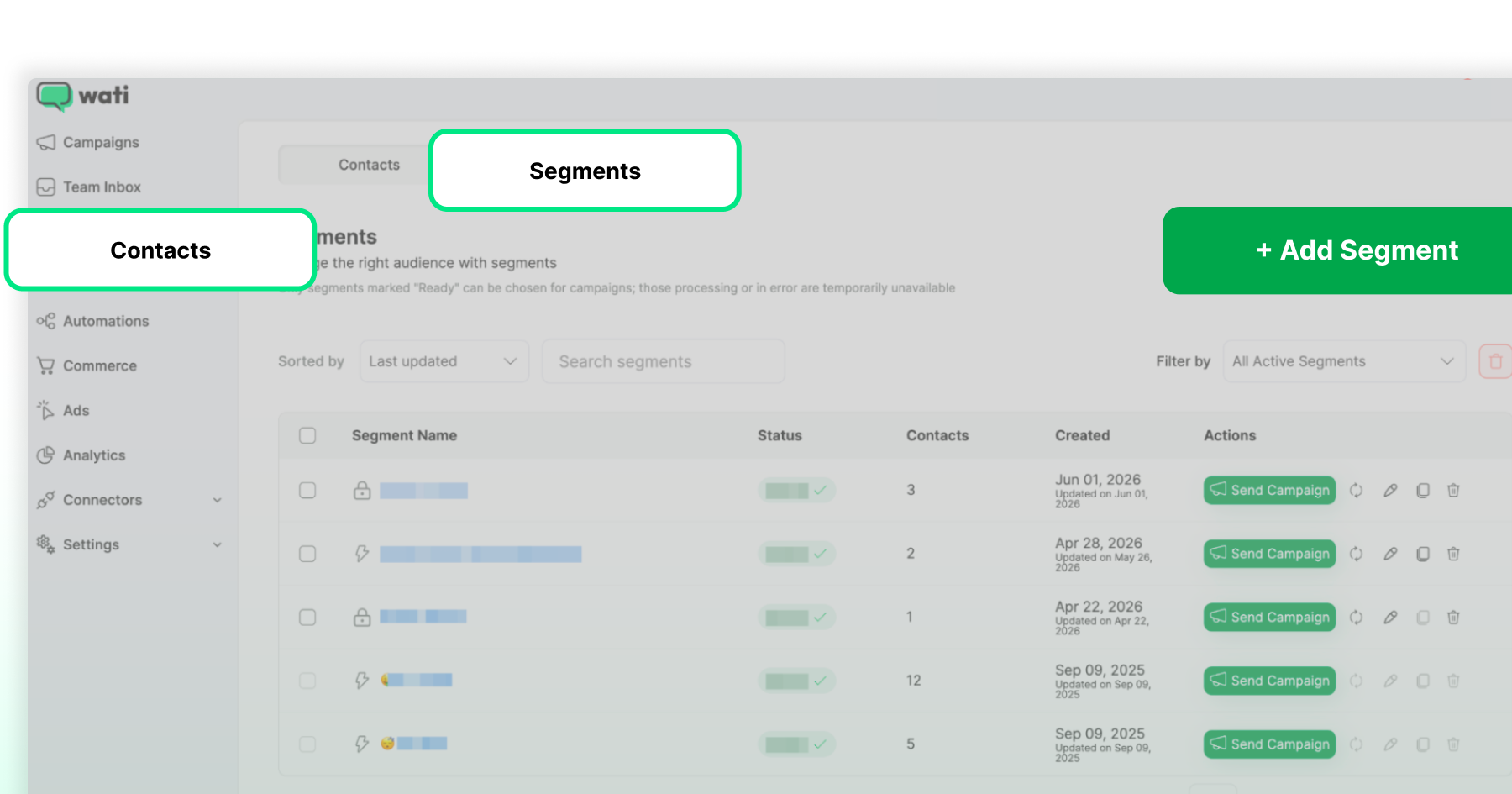
Most WhatsApp CRMs, including Wati, offer pre-built activity segments out of the box, such as "Highly Engaged," "At Risk," and "Winback," so this doesn't require building lists from scratch.
Historically, this meant exporting a messy CSV from your e-commerce platform, filtering columns by hand, and re-uploading it to your messaging tool: slow, error-prone, and often stale by the time the campaign shipped.
With a WhatsApp CRM, this is largely automated:
- Sync your store data first. Connect Shopify (or WooCommerce) so customer profiles, order history, and browsing behavior flow into your segments automatically instead of through manual export.
- Start with pre-built activity segments for a fast first pass: active, highly engaged, at-risk, and winback groups are usually available immediately, with no setup required.
- Layer in Profile Signals for a sharper cut. Combine signals like purchase recency, campaign engagement, and link clicks to build cohorts a static field never could, like "engaged with a recent campaign but hasn't purchased" or "bought last Black Friday, hasn't ordered since."
- Schedule targeted broadcasts per segment, not one blast for everyone: VIPs get exclusive early access, at-risk customers get a value-forward nudge, win-back customers get a stronger incentive to return.
A note on precision: exactly which fields and filters are available in Profile Signals can vary by plan and by how much store data is synced. Confirm the specific filter options in your Wati dashboard before building these segments, rather than assuming a particular field name is available.
The VIP Segment: Your Highest-Value Customers
The VIP segment is your most active and highest-spending customers, the group most likely to buy again with the least persuasion.
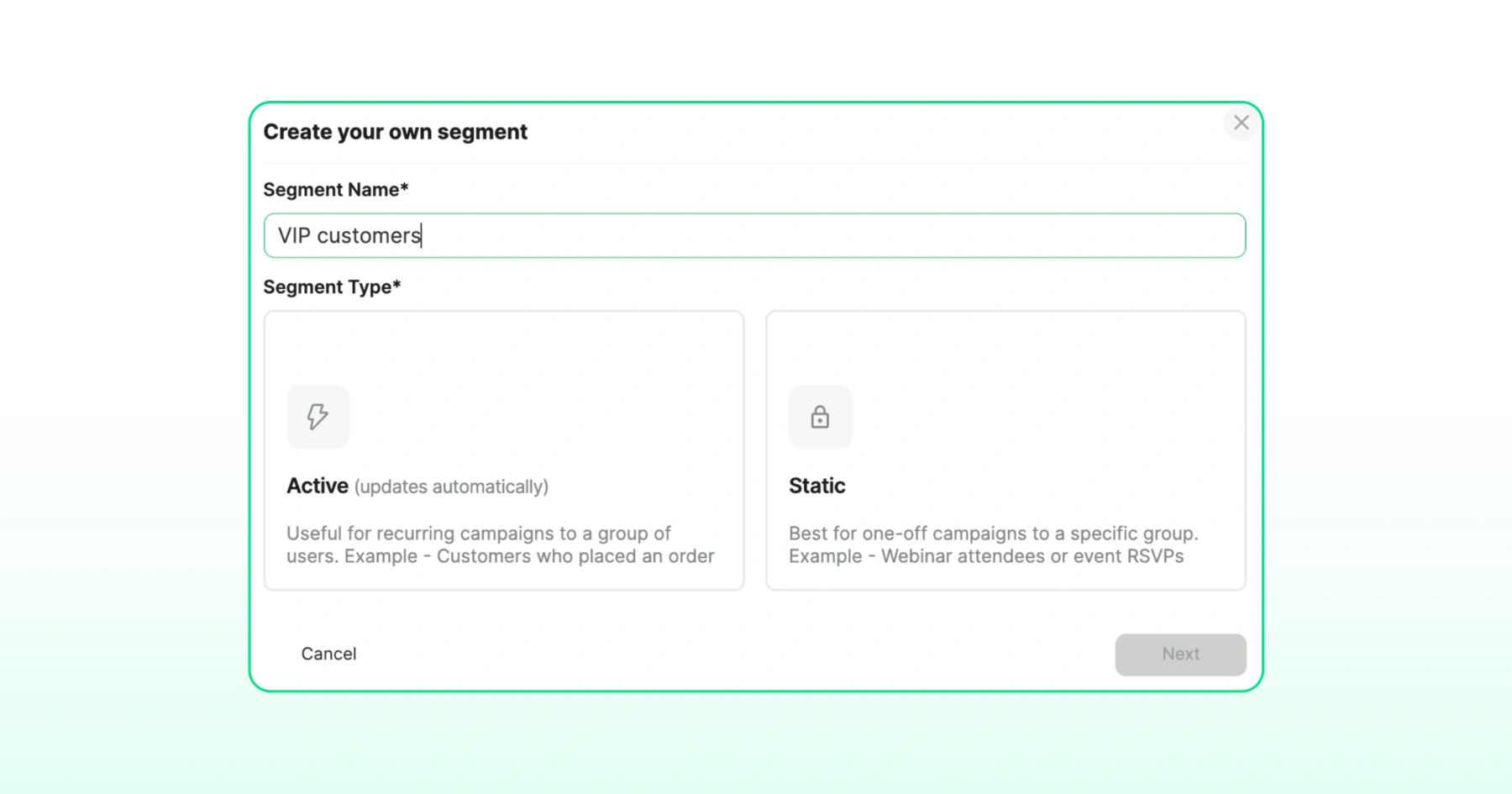
These are customers with high total spend, frequent purchases, or consistently high engagement with your WhatsApp messages.
During Black Friday, they don't need a massive discount to convert. They need to feel recognized ahead of everyone else.
How to build this segment in Wati: The pre-built "Highly Engaged" activity segment is the fastest starting point.
On Shopify, Wati's Shopify CDP is designed to sync purchase history and spend data directly into your WhatsApp CRM for sharper spend-based cuts, though CDP rollout is staged by account, so confirm with your account manager what's live for you before building around it.
Black Friday strategy: Instead of a standard promo code, give VIPs exclusive early access 24 to 48 hours before your public sale goes live. A message like "You're one of our top customers, so we're unlocking Black Friday access for you first" rewards existing loyalty instead of manufacturing urgency from scratch.
Frequent, rich updates are appropriate here since this group has already opted into a closer relationship with your brand.
The At-Risk Segment: Customers Slipping Away
The at-risk segment includes customers whose engagement or purchase frequency has started dropping, but who haven't gone fully dormant.
They know your brand and have bought before, but they've quietly drifted, and Black Friday's deal-hunting mood is exactly what can bring them back before they're gone for good.
How to build this segment in Wati: Wati's pre-built "At Risk" activity segment groups these customers automatically based on engagement activity, so this typically doesn't need to be built manually. For a sharper cut, layer in Profile Signals such as declining campaign engagement or a longer-than-usual gap since their last click.
Black Friday strategy: At-risk customers respond best to a value-forward nudge that acknowledges the gap, paired with a real incentive, rather than a loud generic sale blast.
A message like "It's been a while, here's 30% off your usual [category] to welcome you back for Black Friday" references their history and gives a specific reason to return. Sending fewer, more relevant messages here respects where this segment actually is, rather than pinging them at VIP frequency.
The Win-Back Segment: Customers Who've Already Left
The win-back segment is customers who have gone fully dormant, typically with no recent activity or purchases for an extended period.
This group needs the strongest incentive of the three, because the relationship has cooled enough that a standard offer likely won't move them.
How to build this segment in Wati: Toggle on the pre-built "Winback" activity segment as your starting point. This is the most reliable way to reach fully dormant customers today.
Black Friday strategy: A "We Miss You" message paired with a meaningful re-engagement offer, restock alerts for items they've previously viewed, or a free-shipping incentive are the tactics that tend to work here.
Layering in a click-based retargeting for anyone who engaged with a Black Friday ad but didn't convert extends this segment's reach further, since that's a related but distinct group from your fully dormant customers.
Bonus segment worth setting up alongside these three: Customers who've shown intent but never purchased, such as cart abandoners or anyone who clicked a recent campaign link with zero orders on file. Wati's dynamic segmentation via Shopify or CRM integrations can tag these "warm, not-yet-converted" contacts automatically, and they typically respond well to a product-specific nudge rather than a broad discount. |
What are Behavioral Segments?
Behavioral segments are customer groups built from what people actually do, such as campaign clicks, message activity, call history, or which ad they came from, rather than static fields like age, gender, or location.
A behavioral approach answers questions a static field never could, like "who clicked our last two campaigns but hasn't purchased" or "who's read every message but never replied."
Wati's Profile Signals feature filters custom segments by 32 tracked behavioral signals, including campaign engagement, link clicks, message activity, call history, and last CTWA ad source or template used.
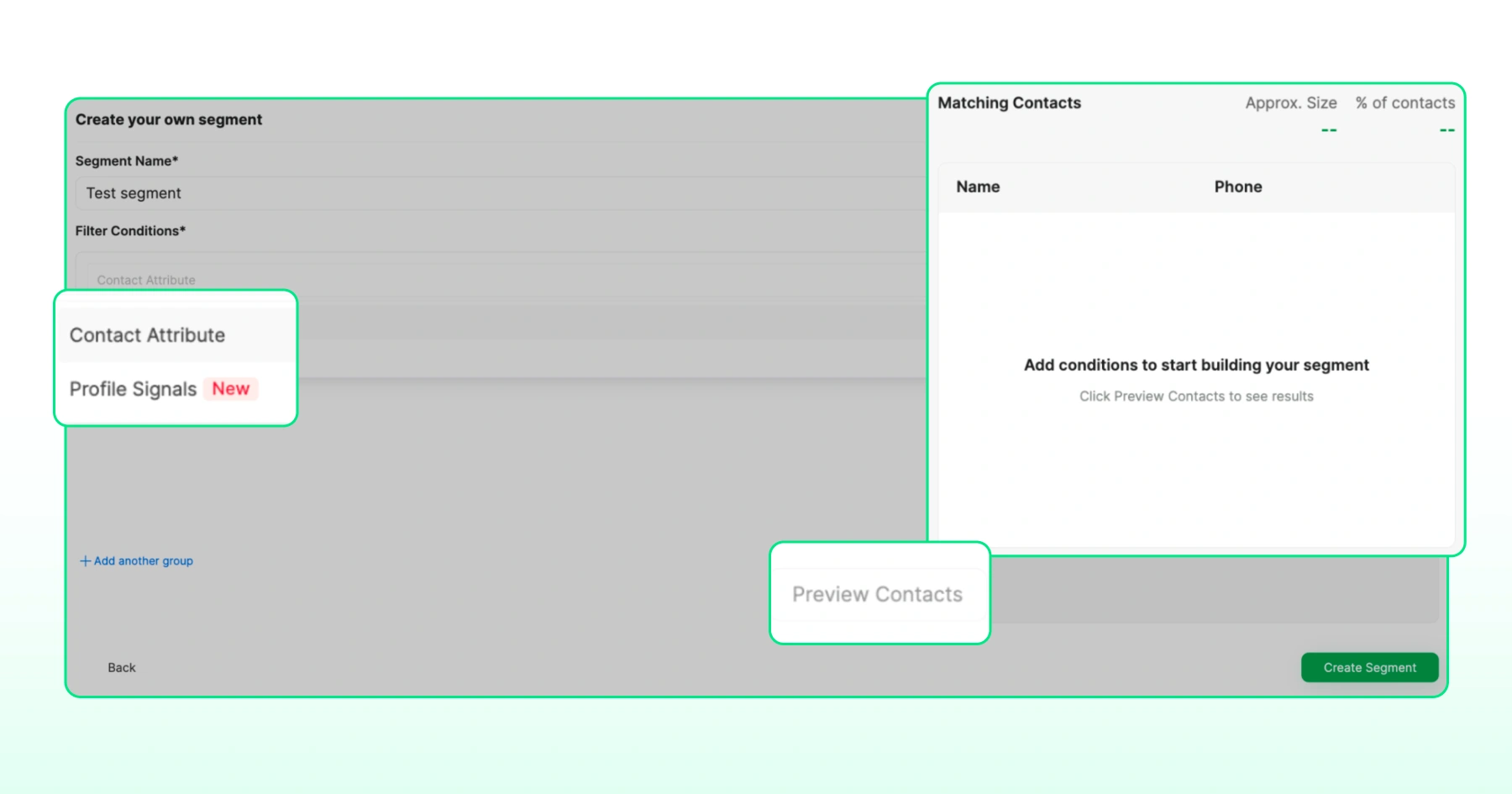
Wati is also developing signal-to-signal comparison, which would let you compare one date signal to another per contact instead of a fixed calendar date, turning a vague hunch into a cohort tied to each contact's own timeline; confirm current availability on your plan before building a campaign around it.
How a WhatsApp CRM Builds These Segments For You
A WhatsApp CRM builds VIP, at-risk, and win-back segments automatically by combining pre-built activity segments, behavioral signal tracking, and store-data sync, so none of this requires manual list-building or spreadsheet exports.
- Pre-Built Activity Segments give you a fast starting point: segments like "Active in Last 24hrs," "Highly Engaged," "At Risk," and "Winback" are typically available without any setup.
- Profile Signals and 32 behavioral signals let you build custom segments from actual customer activity and profile data instead of static fields. This includes campaign engagement, link clicks, message activity, call history, and last CTWA ad source. Wati is also developing signal-to-signal comparison for cohort-style segments; check with your account manager on current availability before relying on it for a specific campaign.
- Shopify CDP is designed to auto-build VIP, at-risk, and category-affinity segments directly from store data on Shopify, including Product Viewed and Page Viewed triggers, with no manual tagging required. Rollout of the full feature set is staged by account, so if you're on Shopify, talk to your account manager about what's currently live for you before your Black Friday send goes out, since setup takes some lead time either way.
- Dynamic segmentation via CRM or Shopify integrations lets you tag contacts based on behavior in real time, such as tagging someone "Abandoned Cart" the moment they click a reminder link without purchasing, then sending a follow-up with a sweeter incentive only to that group.
Common Black Friday Segmentation Mistakes
- Sending one broadcast to the entire list. This is the single biggest driver of blocked numbers and ignored messages during a high-volume sale window.
- Treating "at-risk" and "win-back" as the same segment. At-risk customers need a gentle nudge; win-back customers need a real incentive. Using the same message for both under-serves one group and over-corrects for the other.
- Building segments once and never updating them. Activity and purchase behavior shift constantly, especially during a sale window. Segments built on integrations and behavioral signals update automatically; manually tagged lists go stale fast.
- Ignoring click-based retargeting for ad-engaged non-converters. Someone who clicked a Black Friday ad but didn't convert is a distinct, valuable segment on its own, not a subset of "at-risk."
- Skipping Shopify CDP setup until the week of the sale. Enabling store-data sync takes lead time; starting during Black Friday week is too late to benefit from it this cycle. For the full setup sequence, see Wati's WhatsApp marketing playbook for Shopify.
Segment Your Black Friday Audience with Wati
Customer segmentation turns a single Black Friday broadcast into three sharper conversations: rewarding your VIPs, nudging your at-risk customers before they go quiet, and giving your win-back segment a real reason to return.
As an existing Wati user, the pieces are already available in your dashboard: Profile Signals, 32 behavioral signals, pre-built activity segments, and Shopify CDP. These groups are based on actual customer activity, not guesswork, so the right message reaches the right group without manual list-building.
Log into your Wati dashboard, sync your Shopify CDP if you haven't already, and toggle on your VIP, at-risk, and winback activity segments before the Black Friday rush begins.
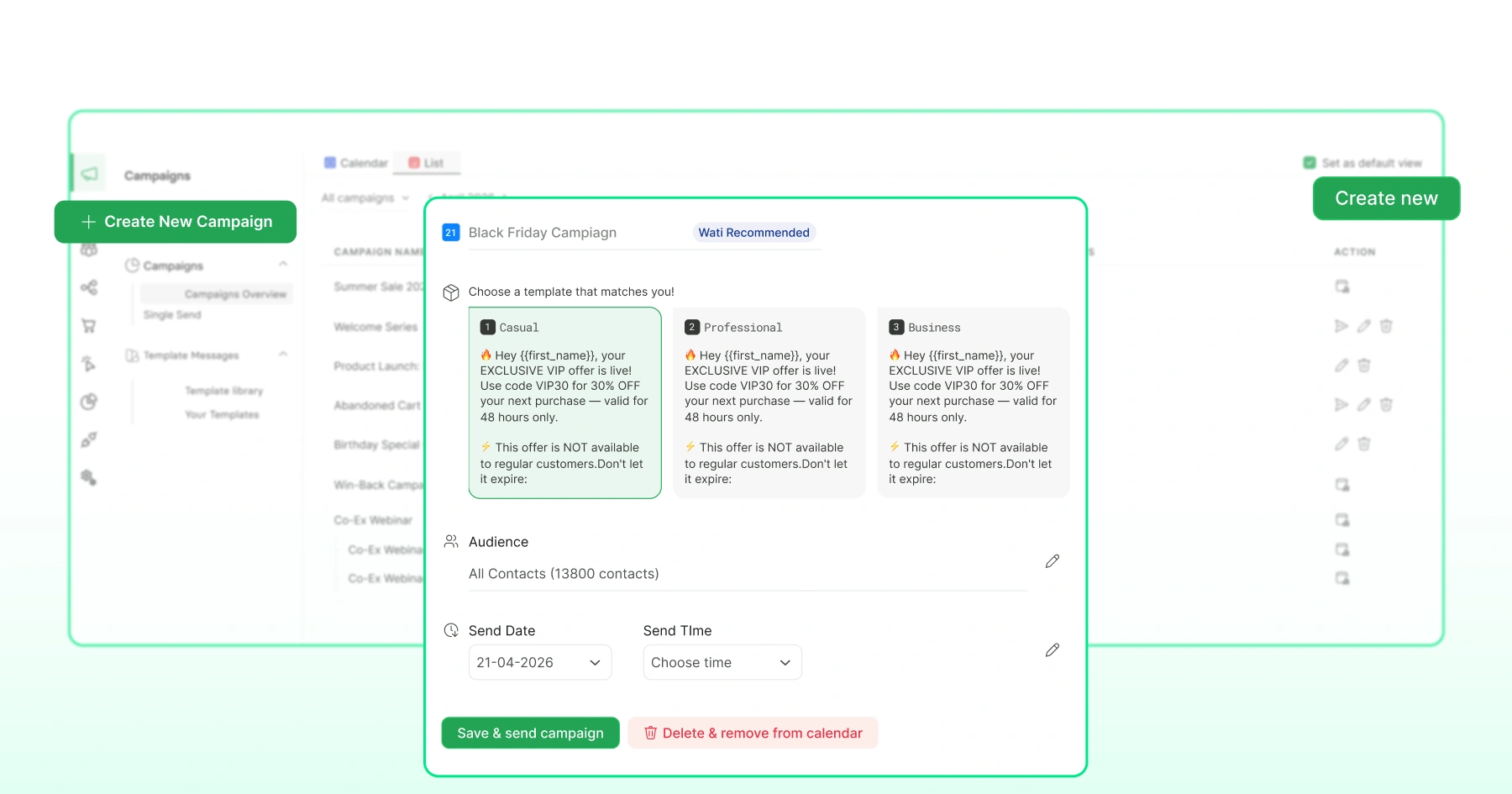
If you want a second set of eyes on your segment setup or campaign sequencing, book a demo with Wati and we'll walk through it together.
Frequently asked questions
How do I segment customers for a Black Friday campaign?
Combine activity level, purchase history, and behavioral signals like campaign clicks and last order date. Start with pre-built activity segments (active, at-risk, winback), then layer in purchase data and behavioral signals for sharper targeting. Most WhatsApp CRMs offer this out of the box.
What is the difference between at-risk and win-back customers?
At-risk customers show declining but not fully dormant engagement, so they respond well to a gentle nudge. Win-back customers have gone fully dormant and typically need a stronger incentive, like a meaningful discount or a "We Miss You" message, to return.
What are behavioral segments in WhatsApp marketing?
Behavioral segments group customers by what they actually do, such as campaign engagement, link clicks, and message activity, rather than static demographic fields. This lets you build precise cohorts like "clicked the last campaign but hasn't purchased" that static fields can't capture.
Can I automatically segment Shopify customers for Black Friday?
A Shopify-integrated WhatsApp CRM is designed to auto-build VIP, at-risk, and category-affinity segments directly from store activity, including Product Viewed and Page Viewed events, without manual tagging. Rollout of this can vary by account, so confirm what's currently live with your account manager, and get it set up well before the sale window rather than during it.
How much does segmentation actually improve Black Friday campaign performance?
Segmented campaigns have shown click-through rates around 30% higher than one-size-fits-all messaging. In one case, an e-commerce-adjacent business using behavioral segmentation and chat-data analysis increased average order value by 95% and reduced cost per acquisition by 34%.
How many customer segments should I build for Black Friday?
Three core segments (VIP, at-risk, win-back) cover most Black Friday needs. Brands with more granular data can add category-affinity or spend-tier segments, but three well-targeted groups outperform ten poorly maintained ones.
Related posts
- How to Create Personalized AI Videos with Wati’s AI Video Generator
Transform your marketing with Wati’s AI video generator. Create personalized, professional videos at scale without technical expertise or expensive equipment.
- How to Set Up Auto Reply in WhatsApp Business?
Master WhatsApp auto-reply for your business: improve response times, customer service, and communication.
- How to Add a WhatsApp Chat Button On Website: 2026 Guide
Discover how to add a WhatsApp chat button on your website effortlessly. Create real-time connections, improve support, and convert visitors with Wati.
- How to Set Up an Instagram Chatbot to Answer FAQs Automatically (2026 Guide)
Learn how an Instagram FAQ chatbot works, which questions to automate, and how to set one up in Wati without code, from your first button template to a live keyword rule.