
Too Long? Read This First
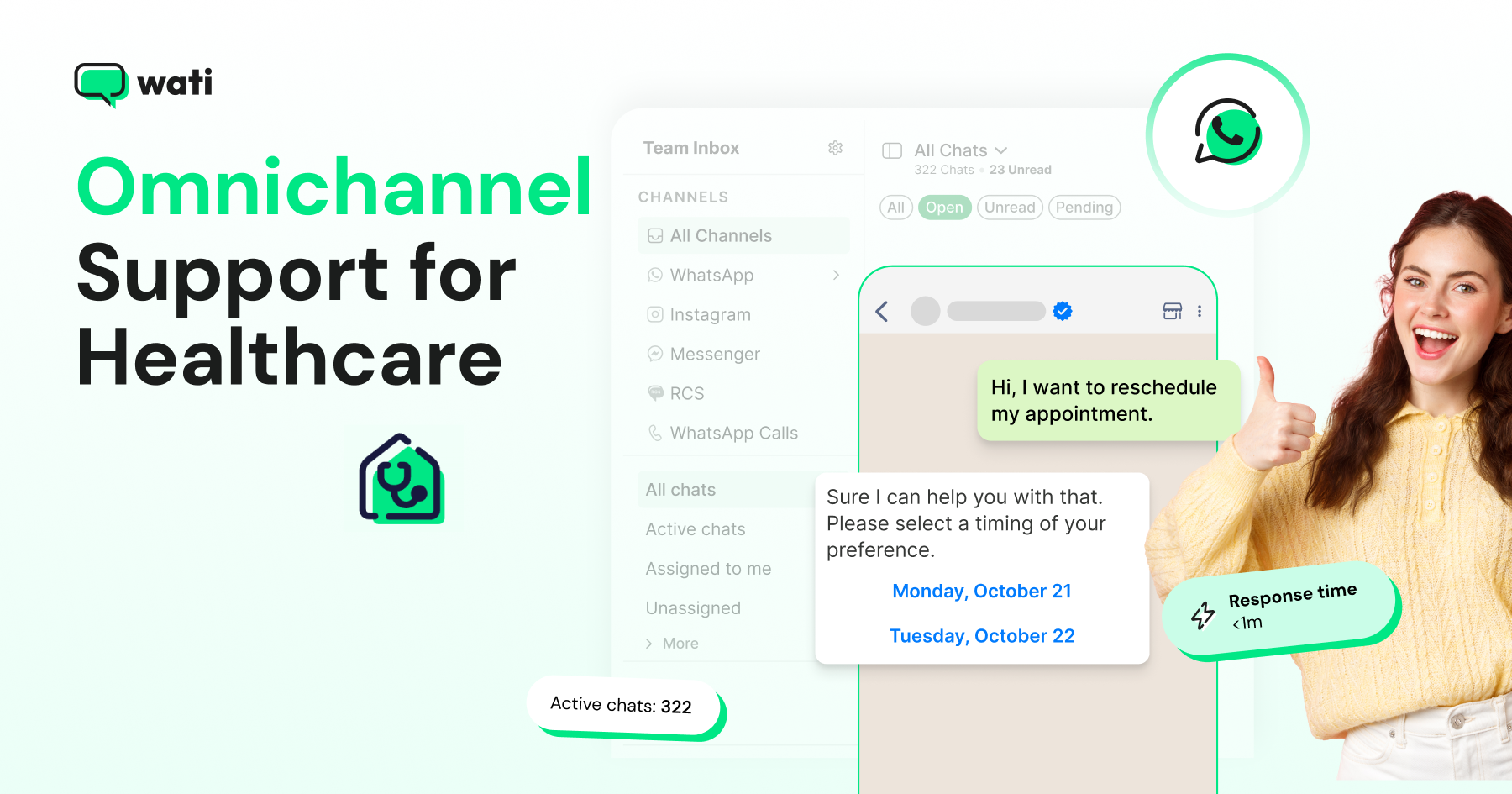
- Omnichannel support for healthcare brings every patient request, from every channel, into one support operation with clear owners and response times.
- Healthcare support teams handle a predictable set of requests, such as appointments, intake, reminders, medications, reports, billing, and complaints.
- A tiered model works best, with self-service and AI agents handling routine requests and staff handling everything that needs judgment.
- Clinical questions should always reach qualified staff, while administrative requests can be resolved on the channel the patient chose.
- You should measure patient support by response targets met, first contact resolution, backlog age, and patient satisfaction by request type.
Omnichannel support for healthcare is the way a clinic, hospital, or lab runs patient support across all the channels patients use, including phone, WhatsApp, web chat, email, and social media.
Every request lands in one place, goes to the right team, and gets answered with the patient's full history in view.
Most healthcare support problems are not caused by a lack of channels. They come from requests that have no clear owner, no response target, and no path to the right person.
This guide explains how to run patient support as an operation. We cover the requests a healthcare support team handles, how to structure support tiers and response times, and how to run intake, booking changes, reminders, medication support, and patient feedback across channels.
We also look at where the call center fits, how chatbots should support the desk, and which metrics show the operation is working.
What is Omnichannel Support for Healthcare?
Omnichannel support for healthcare is a patient support model in which every channel feeds one queue, every request type has an owner, and every staff member sees the same patient history.
A patient who calls about a bill and then sends a WhatsApp message about the same invoice should reach a team that already knows about the first conversation.
It covers the non-clinical work around care. That includes booking and rescheduling, intake paperwork, reminders, access to reports, billing and insurance questions, and patient feedback. It also defines how clinical questions move quickly to a qualified nurse or doctor.
This guide focuses on how to run that support operation day-to-day. For how the full patient journey connects across channels, from finding a doctor to returning for a follow-up, see our guide to omnichannel customer engagement for healthcare.
What Requests Does a Healthcare Support Team Handle?
A healthcare support team handles eight main types of requests. Mapping them is the first step, because each one needs a different owner and a different response time.
Request Type | Typical Examples | Usual Owner |
|---|---|---|
Appointments | Booking, rescheduling, cancellations, waitlist | Front desk or scheduling coordinators |
Patient intake | Registration, forms, ID and insurance documents | Front desk or intake coordinators |
Reminders | Appointment, vaccination, and follow-up reminders | Scheduling team, mostly automated |
Medications | Refill requests, reminders, side-effect questions | Pharmacy or nursing team |
Reports and results | "Is my report ready?", report access links | Lab or records team |
Billing and insurance | Invoices, payment links, coverage questions | Billing team |
Clinical questions | Symptoms, aftercare concerns, urgent issues | Nurses or clinicians |
Feedback and complaints | Surveys, reviews, formal complaints | Patient experience or quality team |
Most organizations find that a handful of these, usually appointments, reminders, and reports, make up the bulk of their volume. Those are the first candidates for self-service and automation.
How Should You Structure Healthcare Support Tiers?
You should structure healthcare support in four tiers, so each request is handled at the lowest level that can resolve it safely.
Tier 0: Self-Service and AI Agents
Routine, rules-based requests are handled without staff involvement. That includes clinic timings, consultation fees, directions, booking open slots, and "is my report ready?" checks.
AI agents answer from an approved knowledge base, and chatbot flows guide patients through straightforward tasks.
With Wati: Astra answers common patient questions on WhatsApp, Instagram, and Messenger from your approved knowledge base. No-code chatbots handle basic tasks such as booking from available slots and replying to welcome and out-of-office messages when the front desk is closed.
Tier 1: Front Desk
Front-desk staff pick up requests that need a person but not clinical judgment. Examples include unusual booking requests, document problems, and patients who ask to speak to someone.
With Wati: The Team Inbox brings WhatsApp, Instagram, and Messenger into one queue.
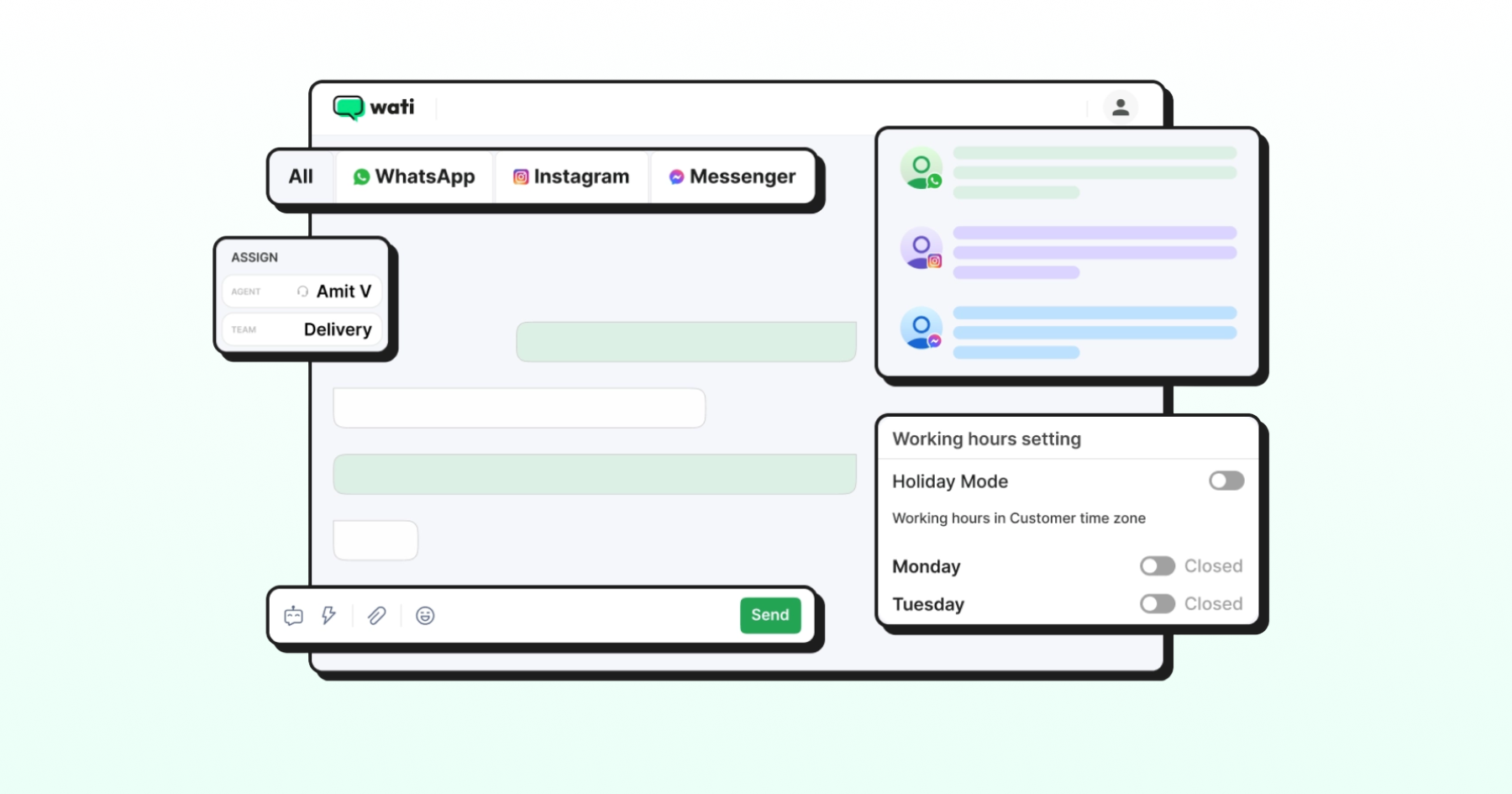
Smart Escalation hands a chat from the bot to a person when a patient asks for one or sounds upset.
Wati AI then gives the front desk a summary of the conversation so far.
Tier 2: Coordinators and Specialist Teams
Scheduling coordinators, billing staff, and records teams manage requests that need specific access or expertise, such as insurance disputes, complex rescheduling across departments, or report corrections.
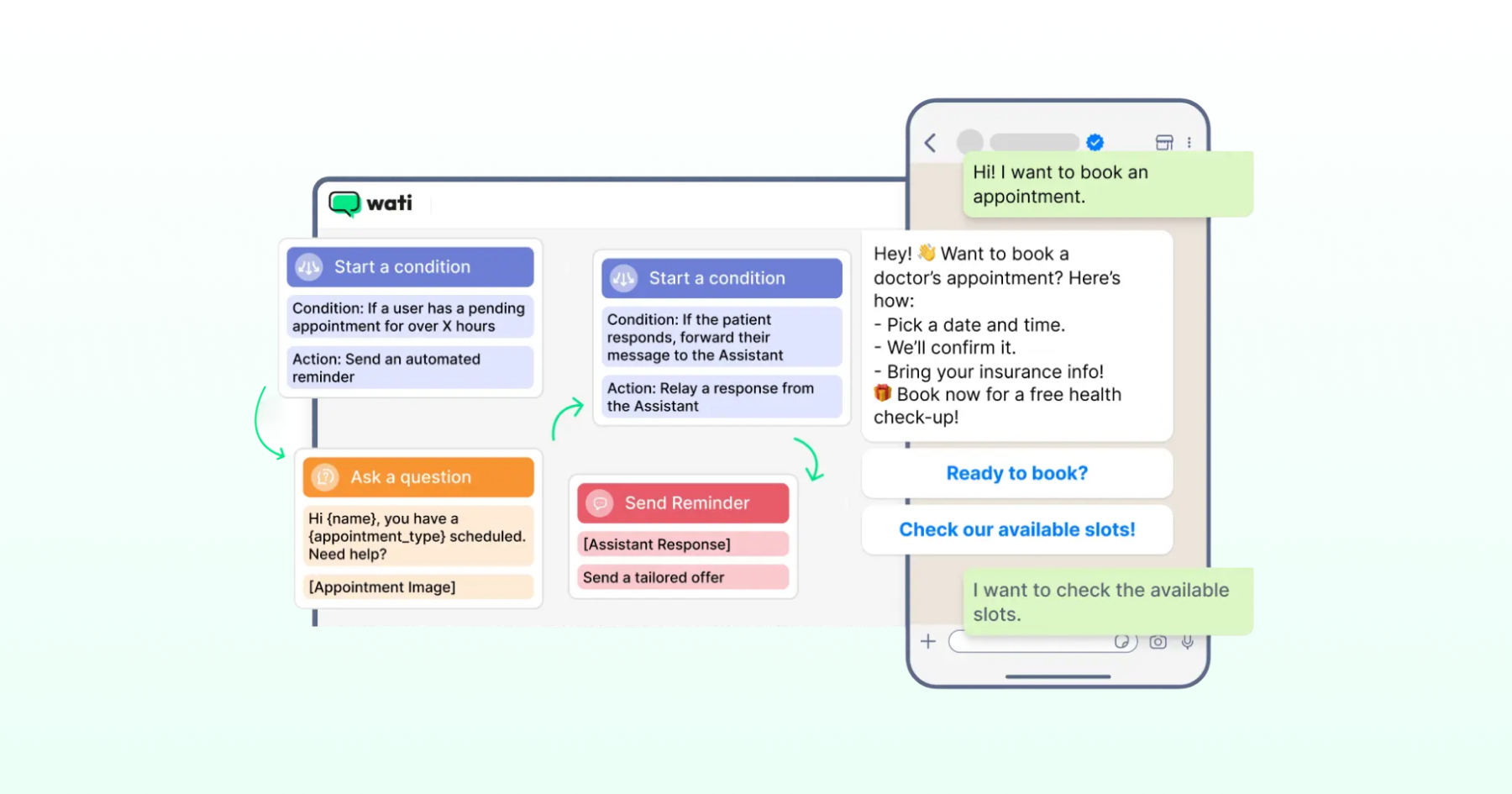
With Wati: Routing rules send each request to the correct team, such as billing, records, or a specific department. Private Notes let staff leave internal context the patient never sees, and Wati AI translates messages when a patient writes in another language.
Tier 3: Clinical Triage
Nurses and clinicians take over anything clinical, such as new symptoms, aftercare concerns, medication side effects, or a patient in distress. These requests should skip the lower tiers entirely and reach clinicians as fast as possible.
With Wati:
Keyword Actions and routing keywords can send red-flag terms you configure, such as chest pain or difficulty breathing, to your clinical team. Add an emergency notice and a ‘talk to a nurse’ option inside every booking and FAQ flow too, because automation rules pause while a patient is mid-chatbot.
One rule holds the model together. Automation can answer and route, but it should never diagnose, triage, or give treatment advice.
How Do You Set Response Times and Queues for Patient Requests?
You set response times by request type, not by channel. A patient asking about a delayed report on WhatsApp deserves the same response target as one who emails about it.
Request Type | Suggested Priority | Example Response Target |
|---|---|---|
Clinical concerns and red-flag symptoms | Urgent | Immediate routing to clinical staff, with an emergency notice |
Same-day appointment changes | High | Within minutes during opening hours |
Booking and intake | Standard | Within the hour during opening hours |
Billing and insurance | Standard | Within one working day |
Feedback and complaints | Standard | Acknowledge within one working day |
These targets are starting points. Set your own based on your staffing and patient volume, then review them monthly.
Three queue rules make response targets realistic:
- One queue per team, not per channel. Phone, WhatsApp, and web chat requests for billing should arrive in the same billing queue.
- Shift-aware assignment. New requests should go only to staff who are on shift, and open conversations should move cleanly at shift change.
- After-hours coverage. Outside opening hours, automated replies should answer everyday questions, set expectations for a response, and always direct urgent cases to emergency services.
Round Robin assignment spreads new requests across available staff, and Away Mode stops new chats from reaching people who are off shift. Wati AI can tell how many requests are open and which ones are waiting longest.
How Do You Run Patient Intake Across Channels?
You run patient intake across channels by collecting the same information in the same structure, wherever the patient starts. Patient intake covers registration details, contact information, insurance or ID documents, and the reason for the visit.
A good omnichannel patient intake process follows four steps:
1. Collect intake details before the visit. Send a short form in the chat, rather than handing patients a clipboard on arrival.
2. Ask only what you need. Collect administrative details in chat, and keep detailed clinical history for secure systems or the consultation itself.
3. Write the data directly into your systems. Intake answers should flow into your practice management system or a shared sheet, so nobody retypes them.
4. Flag incomplete intake. Send a reminder if documents are missing, and alert the front desk before the patient arrives.
Messaging works well for intake because patients can complete it in a few minutes on their phone. Structured forms inside WhatsApp keep answers consistent and easy to process.
With Wati, Dynamic WhatsApp Flows collect intake details as a short in-chat form and send the answers to your system in real time. Clinics without a practice management integration can log every submission with the Google Sheets integration.
How Does Appointment Booking Work Across Channels, From Phone to WhatsApp?
Omnichannel appointment booking lets patients book, reschedule, or cancel on whichever channel they use, while each request feeds one shared calendar and one patient record.
A patient might call to book, reschedule through a WhatsApp reminder, and ask a follow-up question on the website chat. To the support team, it is one booking with one history.
This is what separates omnichannel booking from simply offering several ways to book. If phone bookings live in one system and chat bookings in another, staff end up double-booking slots, missing changes, or asking patients to repeat themselves.
Three booking flows matter most for support teams:
- Rescheduling from any channel: The patient taps “Reschedule” in a WhatsApp reminder, replies to an SMS, or asks on web chat. Each request pulls open slots from the same booking system, so the new time is confirmed in seconds. Staff step in only if no suitable slot exists.
- Cancellations and waitlists: A slot canceled on any channel is released immediately and offered to patients on the waitlist, on the channel each one prefers. The appointment is filled instead of lost.
- Department and doctor routing: For multi-specialty clinics, a short question about the specialty, whether asked by a chatbot or the front desk, sends the request to the appropriate scheduling team.
Fewer patients book digitally than many teams assume. A November 2024 MGMA Stat poll found that only 11% of medical groups report that most of their patients schedule appointments with digital tools.
That gap is an opportunity. Adding WhatsApp appointment booking and web chat alongside the phone line moves everyday scheduling to the channels patients already use, and frees phone staff for the calls that need them.
How Do You Run Appointment Reminders That Patients Actually Confirm?
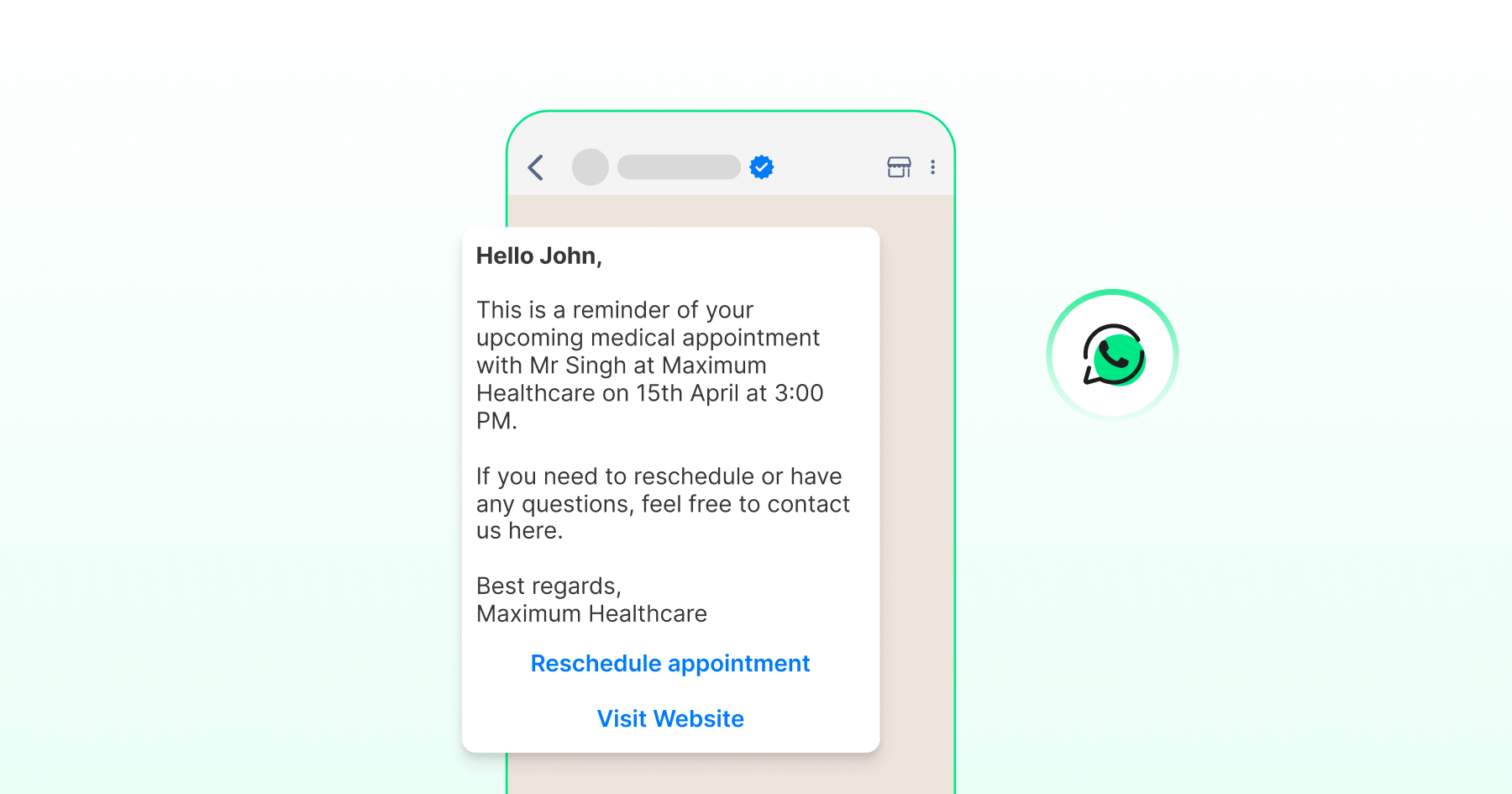
You run appointment reminders that patients confirm by replying on the channel each patient uses, and you act on the answer. A reminder that nobody reads, or that cannot be answered, does little to protect the schedule.
Reminders matter because no-shows remain stubborn. In an August 2025 MGMA Stat poll, 27% of medical practices said no-shows had increased compared with the previous year.
Practices that held steady or improved most often credited consistent patient communication, especially frequent digital reminders, automated calls, and occasional live outreach.
A reminder process that works has four parts:
- A confirmation request. Include one-tap "Confirm" and "Reschedule" buttons, not just a date and time.
- A sensible cadence. Send a reminder a few days before and another the day before, adjusted for the visit type.
- A no-response rule. If the patient doesn't reply, follow up on a second channel, such as SMS or a short call.
- A slot-release step. When a patient reschedules or cancels, release the slot right away so the scheduling team can offer it to someone else.
Keep reminder content minimal. Share the date, time, and location, but not the reason for the visit.
With Wati, your booking system can trigger reminder templates with Confirm and Reschedule buttons, and each reply returns to the same conversation in the Team Inbox. Our guide to WhatsApp drip campaigns shows how to space follow-ups for patients who don't respond.
How Can Support Teams Improve Medication Reminders and Adherence?
Support teams can improve medication reminders and adherence by turning refill and dosage schedules into timely, two-way conversations, and by routing every clinical question to a pharmacist or nurse.
Medication reminders sit between support and care, so the handoffs matter more here than anywhere else.
The need is real. A 2024 expert review in Frontiers in Pharmacology notes that the widely cited estimate of 50% non-adherence to long-term therapies has shaped the field for two decades. Studies of patients with multiple conditions have found non-adherence between 44.1% and 76.5%.
A support-led medication reminder process includes:
- Refill reminders triggered by your systems. Your pharmacy or practice management system triggers a reminder when a refill is due, based on the prescription date and supply.
- Two-way replies. Patients can reply "refill," "done," or "question," and each reply goes where it belongs.
- Clinical routing. Any question about side effects, dosage, or interactions goes directly to a pharmacist or nurse, never to an automated reply.
- Discreet wording. Reminders should avoid naming sensitive medications or conditions in the message itself.
Support teams should coordinate medication reminders, not give medical advice. The goal is to make it easy for patients to stay on track and to reach a clinician when they need one.
Where Does the Healthcare Call Center Fit in Omnichannel Support?
The healthcare call center remains the backbone of patient support for many organizations, especially for urgent, complex, or emotional conversations.
Omnichannel support does not replace voice. It connects voice to every other channel.
In practice, that means:
- Moving repetitive calls to messaging. Booking changes, report status checks, and directions can shift to chat, freeing phone lines for the calls that need them.
- Keeping call context. Call notes or summaries should sit on the same patient record as chat history, so the next person sees what happened.
- Offering a call from chat. When a chat gets complicated, patients should be able to switch to a voice call without starting over. With WhatsApp Business Calling in Wati, calls can be recorded, transcribed, and summarized on the patient's contact.
- Following up in writing. After a call, a short message with the next steps or a payment link reduces repeat calls.
Healthcare contact center teams that connect voice and messaging this way usually see fewer repeat contacts, because patients have the information in writing.
How Should Healthcare Chatbots Support the Desk?
Healthcare chatbots should handle the Tier 0 requests that follow a fixed process, and hand everything else to a person. Used this way, they reduce front-desk volume without putting patients at risk.
A healthcare chatbot works well for:
- Answering fees, timings, directions, and doctor availability
- Booking and rescheduling from open slots
- Collecting intake details and documents
- Sharing report-ready notices with a secure link
- Running patient feedback surveys after a visit
It should never assess symptoms, interpret results, or give treatment advice. Configure keyword rules so that terms such as chest pain or difficulty breathing route directly to clinicians, and make each automated reply include a clear way to reach a person.
Our guide to healthcare chatbots and AI covers the benefits and limits in more detail.
How Do You Collect and Act on Patient Feedback?
You collect and act on patient feedback by asking at the right moment, routing negative responses to a person quickly, and closing the loop with the patient. Patient feedback is only useful if someone acts on it.
A basic patient feedback loop has four steps.
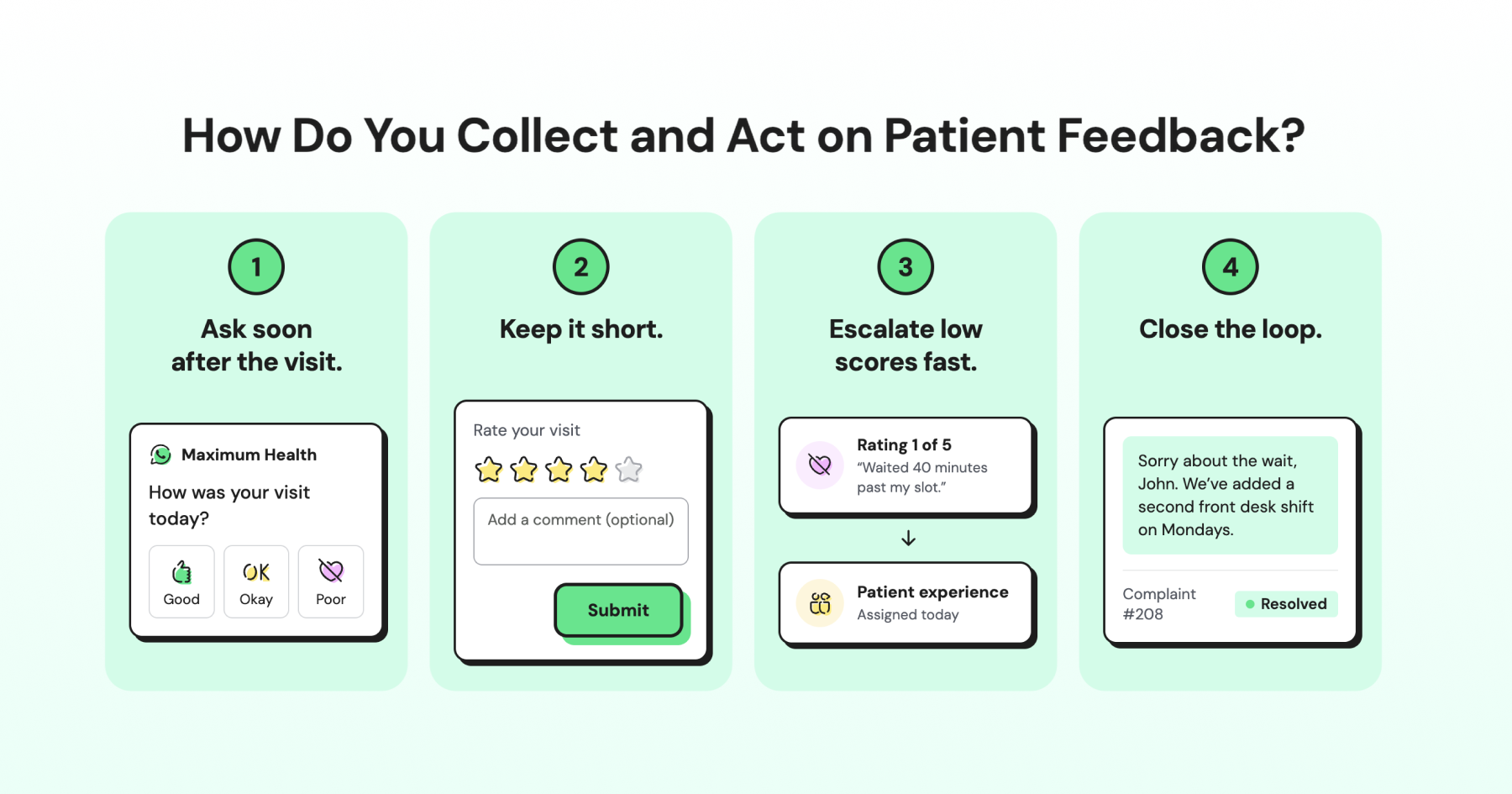
1. Ask soon after the visit. Send a short survey a few hours after the appointment, on the channel the patient used to book.
2. Keep it short. One rating question and one optional comment get far more responses than a long form.
3. Escalate low scores fast. Route any low rating or negative comment to the patient experience team the same day.
4. Close the loop. Reply to the patient, explain what will change, and track the issue until it is resolved.
In Wati, a survey step at the end of a chatbot flow can collect a rating after the visit, in the same chat the patient used to book. Low ratings can be routed to the patient experience team, and segmented broadcasts help you follow up with specific patient groups.
Formal complaints need a separate, documented process. Acknowledge them quickly, assign a named owner, and keep the patient informed until the complaint is closed. Patients who see their feedback acted on are far more likely to trust the organization with their next concern.
How Do You Keep Patient Support Private?
You keep patient support private by sharing only what each channel and each staff member needs.
Use messaging for administrative updates, such as reminders, booking changes, and report-ready notices, and keep clinical details in secure systems such as patient portals.
Inside the support team, give staff access based on their role, use internal notes for context the patient should not see, and record each patient's consent for every channel and purpose.
Requirements differ by country, so confirm the specifics with your legal or compliance team.
Which Metrics Show Your Patient Support is Working?
The metrics that show your patient support is working measure speed, resolution, and patient experience by request type. Track them across all channels together.
Metric | What It Measures | Why It Matters |
|---|---|---|
Response target attainment | Share of requests answered within their target time | Shows whether staffing and routing match demand |
First contact resolution | Share of requests resolved without a follow-up contact | Shows whether patients get complete answers the first time |
Backlog age | How long the oldest open requests have waited | Warns you before patients start chasing |
Transfer rate | Share of requests moved between teams | Reveals routing problems |
Reminder confirmation rate | Share of reminders confirmed or rescheduled | Shows whether reminders are protecting the schedule |
Complaint resolution time | Time from complaint to closure | Shows how seriously feedback is handled |
Satisfaction by request type | Patient rating for each type of request | Shows which support processes need work |
Review these metrics weekly at first, then monthly. Look for patterns by request type, such as a billing queue that keeps missing its target or a reminder template that patients rarely confirm.
How Does Wati Power Omnichannel Support for Healthcare?
Wati is an omnichannel customer engagement platform that turns conversations into revenue growth across marketing, sales, and support.
For healthcare organizations, it brings every tier of the patient support model into one place, from AI agents answering common questions to clinicians picking up urgent cases with full context.
The pieces covered throughout this guide work together.
- Astra AI Agent and no-code chatbots handle Tier 0.
- The Team Inbox, routing, Smart Escalation, and Private Notes support Tiers 1 and 2.
- Keyword rules move red-flag conversations to the clinical team at Tier 3.
- Reminder templates, drip sequences, and broadcasts keep patients on schedule, while WhatsApp Business Calling and Wati AI tie every call and chat to the same patient record.
Teams that already use their own AI models can bring them into Wati conversations through Connect External Agent. Wati also connects with HubSpot, Salesforce, and 100+ other tools.
Build a Patient Support Operation That Connects
Omnichannel support for healthcare turns scattered patient conversations into one connected support operation.
Map your request types, give each one an owner and a response target, let automation take on the repetitive work, and make sure clinical questions always reach the right person. Then measure by request type and keep improving.
Ready to connect your patient support? Start your free Wati trial or book a demo.
Frequently asked questions
What is omnichannel support in healthcare?
Omnichannel support in healthcare is a patient support model that brings requests from phone, messaging, web chat, email, and social media into one operation. Each request type has an owner and a response target, and every staff member sees the same patient history.
How do you handle patient support after hours?
You handle patient support after hours with automated replies that answer routine questions, set expectations for when staff will respond, and direct urgent cases to emergency services. Requests that need a person are queued for the next shift with their full context.
Can patients book and reschedule appointments on WhatsApp?
Yes, patients can book and reschedule appointments on WhatsApp when it is connected to your scheduling system. Patients choose from open slots in the chat, and staff step in only when a request needs special handling.
How do medication reminders work on messaging apps?
Medication reminders on messaging apps are triggered by your pharmacy or practice system when a refill or dose is due. Patients can reply to confirm or ask a question, and any clinical question is routed to a pharmacist or nurse.
How should healthcare teams handle patient complaints?
Healthcare teams should acknowledge complaints quickly, assign a named owner, and keep the patient informed until the issue is resolved. Complaints that arrive on any channel should follow the same documented process.
Related posts
- Instagram Comment Automation: How It Works and How to Set It Up in Wati
Instagram comment automation auto-replies to comments and DMs commenters within seconds via Meta's API. Covers strategy, use cases, and Wati setup.
- Shared Team Inbox for Instagram: A Buyer’s Checklist for 2026
Use this fastest checklist to evaluate any shared team inbox for Instagram, which covers DMs, comments, automation, and multi-channel support.
- How to Send Bulk Messages on WhatsApp Without Getting Blocked
Learn how to send bulk WhatsApp messages without getting blocked. Compare the WhatsApp Business app and API, messaging limits, costs, templates, and best practices for safe, compliant bulk messaging.
- How to Set Up a TikTok Business Account: Step-by-Step Guide
Set up a TikTok Business Account step by step: switch from personal, pick a category, add your profile, and unlock ads and analytics.