
Too Long? Read This First
- TikTok Business Messaging and Click-to-TikTok-DM ads create new customer conversations that teams need to manage alongside existing channels.
- A native TikTok inbox works for single-channel management. An omnichannel inbox connects TikTok DMs with WhatsApp and Instagram under one customer record.
- Wati places TikTok DMs in the same Team Inbox used for WhatsApp and Instagram, with ad source tagging and conversion event feedback to TikTok Ads.
- TikTok Business Messaging is unavailable for accounts registered in the US, EEA, Switzerland, and the UK.
TikTok has become one of the fastest-growing customer acquisition channels. As of 2026, TikTok's advertising reach has grown to 2.21 billion, and the platform's average engagement rate sits at 3.70%, giving businesses more opportunities to connect with potential customers before purchase.
Customers increasingly use TikTok to ask product questions, check availability, and understand offerings before making a purchase decision.
These conversations rarely stay within one channel. A customer may discover a brand through TikTok, visit its website, and later interact with the business through WhatsApp for order updates or support. Managing these interactions across separate inboxes can result in fragmented customer history, slower responses, and inconsistent experiences.
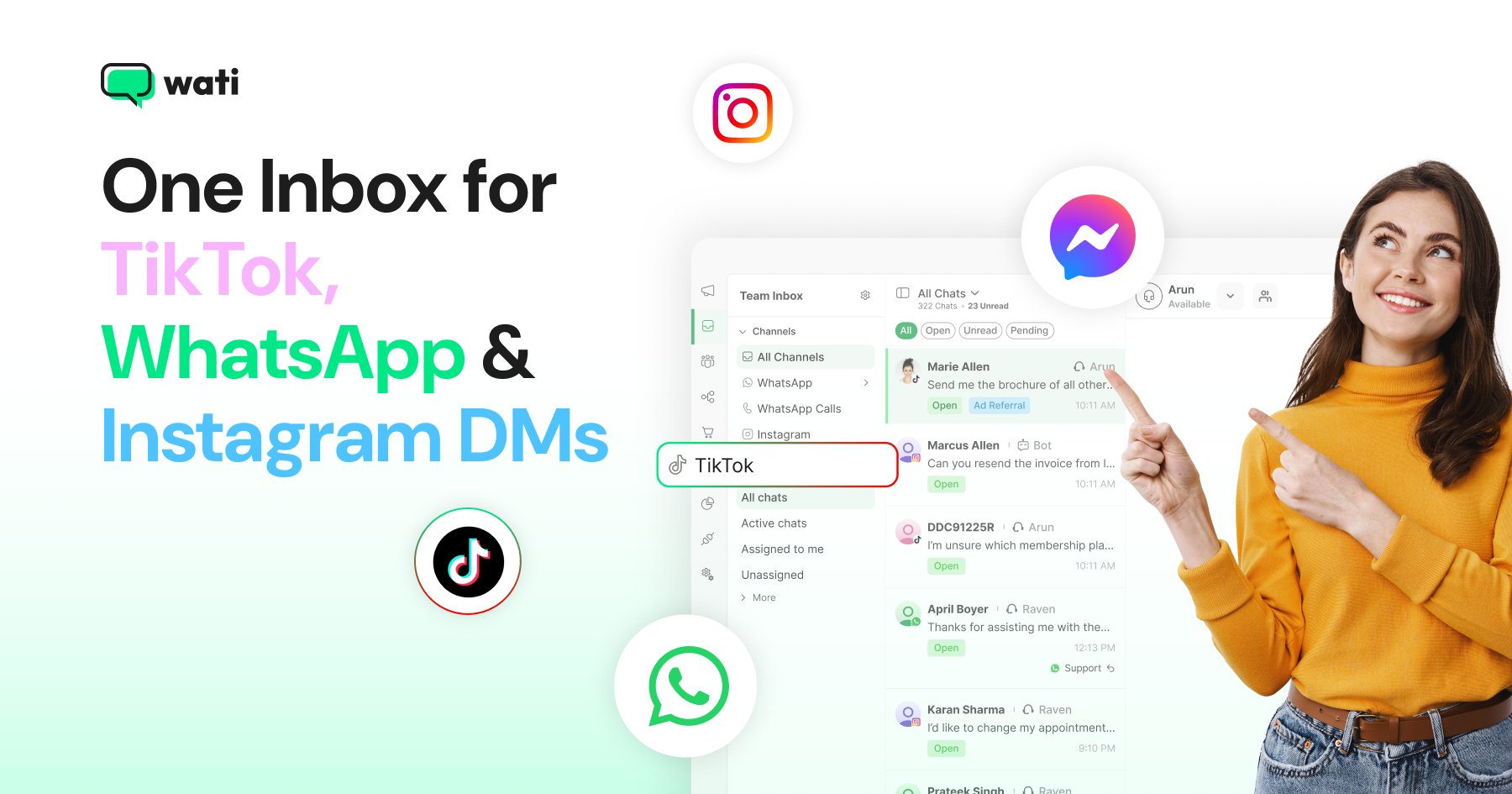
Wati is an AI-powered customer engagement platform that brings WhatsApp, Instagram, and TikTok conversations into one shared inbox. Its TikTok Business Messaging lets teams manage and reply to conversations across all three channels from one place, without switching between apps.
What is an Omnichannel Inbox for TikTok DMs, WhatsApp & Instagram?
An omnichannel inbox brings customer conversations from multiple messaging channels into a single dashboard. Instead of managing TikTok, WhatsApp, and Instagram separately, teams view and respond to conversations through a single interface while retaining the full customer history.
It includes direct messages generated through organic posts and paid ads.
In a multichannel setup, each platform is managed separately, creating disconnected customer conversations.
TikTok's native inbox works well for managing conversations within TikTok alone. It organizes messages into separate tabs for individual account management. As message volume grows, businesses typically need conversation assignment, shared access, cross-channel customer history, and team collaboration.
Capability | TikTok Native Inbox | Omnichannel Inbox (Wati) |
Agent assignment | Built for one person managing one account | Assign conversations to specific agents or teams |
Customer history | Limited to TikTok interactions | Unified view across TikTok, WhatsApp, and Instagram |
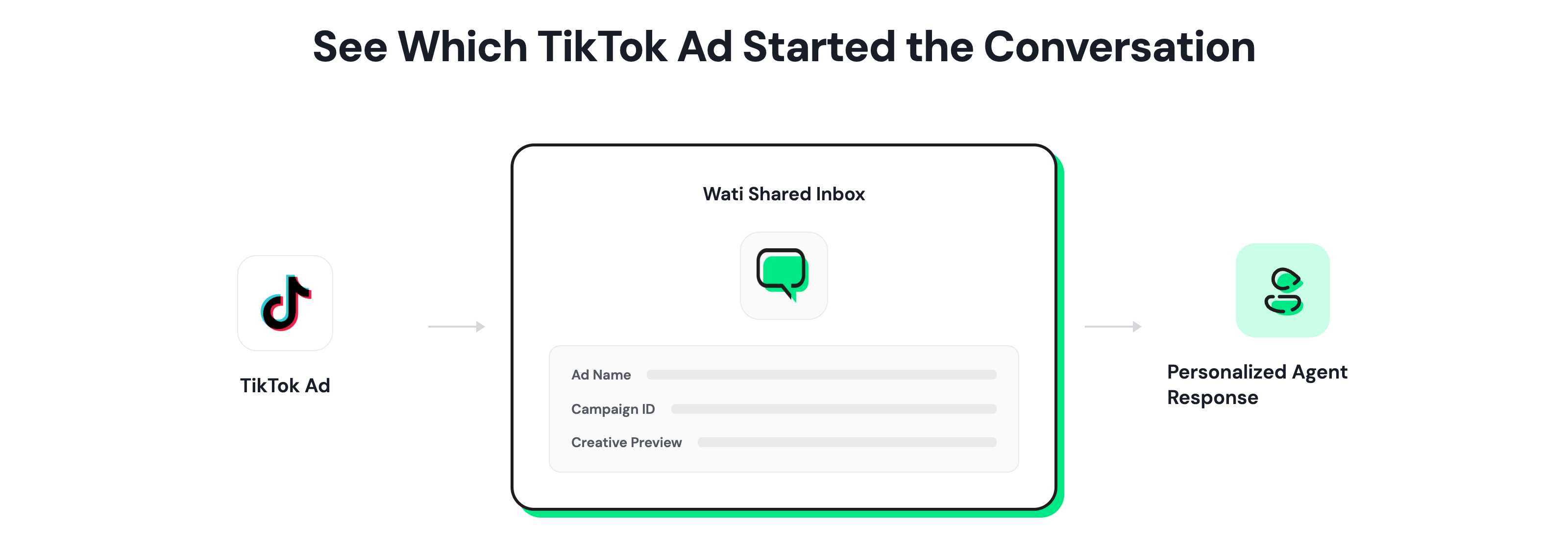
Ad context | Minimal conversation context | The ad source, ad name, and creative preview are shown when TikTok provides them. |
Team collaboration | Limited multi-user workflows | Multiple agents manage conversations together with notes and tags |
Where Do TikTok DMs Fit in the Buying Journey?
TikTok often serves as the initial touchpoint in a longer buying process, not the final one. Customers discover businesses through organic content, creator mentions, and paid ads, which makes TikTok DMs a common entry point for product questions and pre-purchase inquiries.
When these interactions happen across multiple channels, teams need access to previous conversations to avoid repeating questions or losing purchase context.
Example customer journey:
- TikTok. A prospect watches a product video, then sends a DM asking about availability.
- Website. The prospect visits the site, reviews product details, and completes checkout.
- WhatsApp. The business sends order confirmation and shipping updates over the WhatsApp Business API. If the customer replies with a support question, the assigned agent can pull up the original TikTok exchange instead of starting from zero.
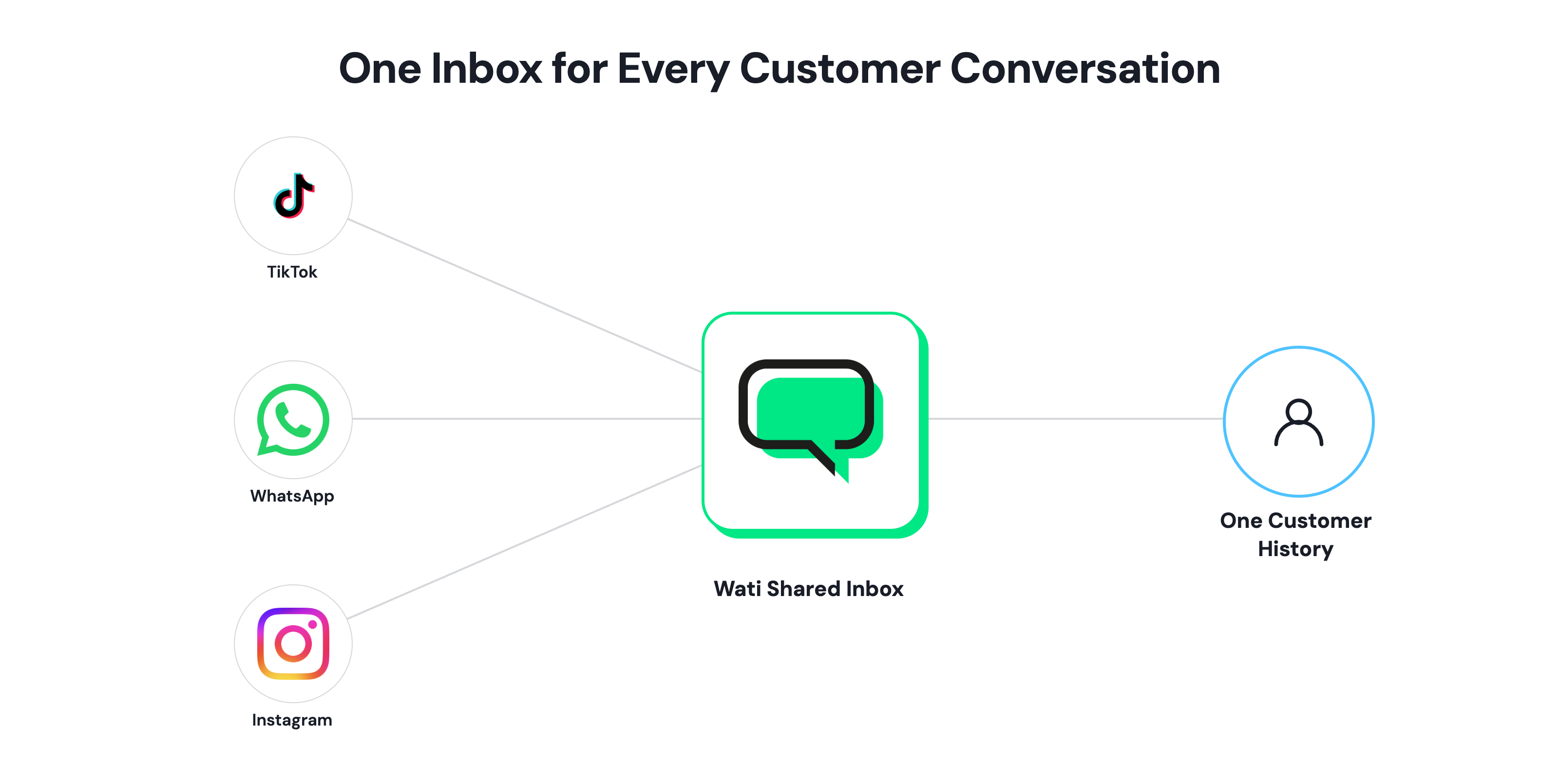
Without a shared inbox, that last step breaks down.
The WhatsApp agent cannot see the earlier TikTok conversation. The customer repeats information, response time increases, and purchase momentum slows.
Which Businesses Get the Most Value from an Omnichannel TikTok, WhatsApp & Instagram Inbox
TikTok DM volume is concentrated in a specific set of industries, largely because that is where TikTok discovery and purchase intent overlap most.
- Beauty and cosmetics: Product videos routinely trigger direct questions about shade matching, ingredients, and availability before a purchase. Agents can continue the same customer conversation on WhatsApp instead of starting a new one.
- Retail, DTC, and ecommerce: Inquiries often center on stock, sizing, and order status, the same questions that resurface on WhatsApp once the order ships. Merged customer records preserve conversation history across purchase and support.
- Education and e-learning: Course videos generate enrollment and pricing questions that need a fast answer to avoid losing an interested student to a competitor. Assigning these conversations to the admissions team in the same inbox used for other channels keeps follow-up consistent rather than scattered across separate apps.
- Healthcare, automotive, and local services: Appointment and availability inquiries require fast responses, making conversation routing important.
- Food and beverage: Menu and location questions spike around trending content in short bursts. Shared assignment distributes high message volumes across multiple agents.
These industries see the greatest benefit in LATAM, Southeast Asia, the Middle East, and ANZ, where TikTok Business Messaging is available. Businesses registered in the US, EEA, Switzerland, and the UK should confirm eligibility before planning around the channel.
What Features Does Wati's Features for a TikTok, WhatsApp & Instagram Inbox Include?
Wati brings TikTok, WhatsApp, and Instagram conversations into a shared Team Inbox, so sales and support teams operate from the same workflow regardless of which channel a conversation started on. The key capabilities include:
Unified Conversation View
Every TikTok DM appears in the same Team Inbox already used for WhatsApp and Instagram. Agents can reply from one interface without switching between separate platforms.
Ad Source Visibility
When TikTok shares ad data with Wati, agents see the ad ID, ad name, and a creative preview right in the conversation. That tells them if an inquiry came from a campaign or from organic activity, before they even reply.
Some campaigns, like Smart+, don't pass this data through. In those cases, agents just won't see a creative preview.
Conversation Ownership and Collaboration
Conversations can be assigned to specific agents or teams, with internal notes attached that stay invisible to the customer, and tags applied for reporting. Clear ownership reduces duplicate replies and missed follow-ups.
One Customer Record Across Channels
A TikTok user becomes a contact on the first message, identified by their TikTok display name and profile photo. TikTok does not expose phone numbers, so if that same person later messages on WhatsApp, an agent merges the two records manually rather than relying on automatic matching. Once merged, the unified contact carries context from both channels forward, giving agents a complete conversation history.
Conversion Events Sent Back to TikTok Ads
When an agent marks a conversation's outcome, that signal is sent to TikTok Ads Manager through the Events API. Wati supports this for both TikTok Click-to-Direct Messaging (Click-to-DM) Ads and TikTok Click-to-WhatsApp Ads.
How TikTok's Messaging Window Rules Affect Response Time
TikTok uses a 48-hour conversation window that determines when businesses can reply. Wati tracks this automatically and displays the current messaging window within each conversation.
- 48-hour conversation window: Once a customer sends a message, the business can reply within a 48-hour conversation window.
- Up to 10 messages per window: Businesses can send up to 10 messages during each active conversation window.
- Window resets with every customer reply: Each new customer message resets both the 48-hour window and the 10-message limit.
- No replies after the window expires: Once the 48-hour window ends, businesses cannot send additional messages until the customer replies. Messages sent outside the active window are not delivered.
Businesses that reply outside these limits risk having messages rejected under TikTok's platform rules. Wati displays the active conversation window inside the Team Inbox, helping agents respond within TikTok's messaging limits.
What TikTok Business Messaging Does Not Support
TikTok Business Messaging has several platform limitations. These constraints come from TikTok's own Business Messaging API, not from any inbox provider.
- Inbound only: A business can reply once a customer starts a conversation, but cannot send the first message. There is no TikTok equivalent of a WhatsApp broadcast campaign, so if nobody has messaged the account, the account cannot reach out via TikTok DM.
- Text and images only: TikTok's Business Messaging API supports text and image replies. Video, voice notes, and stickers sent by a customer arrive as links rather than playable media. TikTok also restricts image sending in some regions, so even image support isn't universal.
- No bulk broadcasts: Bulk broadcasts to TikTok users are not supported.
- Region restrictions: TikTok Business Messaging is unavailable for accounts registered in the US, the European Economic Area, Switzerland, and the UK. This restriction applies across every provider building on the Business Messaging API, not a limitation specific to one inbox tool.
- No native chatbot support: TikTok doesn't support tappable buttons or interactive menus in third-party inboxes. Any automated flow has to rely on plain text, which limits how businesses can guide customers through a conversation.
Note: Wati's own automation builder for TikTok, including AI agents, keyword-triggered replies, welcome flows, and FAQ automation, is coming soon.
How Do You Run a Multi-Channel Response Teams with Wati?
Managing conversations across channels requires clear ownership, prioritization, and follow-up processes.
- Respond quickly to high-intent inquiries: Customers often compare multiple businesses before making a purchase. Wati tags help teams prioritize purchase-related conversations.
- Define escalation paths before volume spikes: A viral post or high-performing ad can multiply TikTok DM volume within hours. Assign backup ownership before message volume increases.
- Standardize on conversation history, not memory: An agent should check the customer record before replying rather than asking the customer to repeat their situation.
- Align messaging across channels: A customer who gets one answer on TikTok and a conflicting one on WhatsApp loses trust faster than one who gets a slow reply on a single channel. Shared notes and tags keep answers consistent across agents.
- Review campaign-driven conversations on a cadence: TikTok content and ads generate inquiries with patterns worth tracking, including recurring product questions and common objections. Review tagged conversations regularly to identify recurring questions and campaign trends.
Getting Started with TikTok DM Management in Wati
Connecting TikTok follows the same OAuth-based flow Wati uses for Instagram. TikTok DMs are available across all Wati plans. TikTok Ads features are available in Pro and Business plans, see current pricing for plan details.
Before connecting, confirm the following:
- An active TikTok Business Account with the Business Messaging API enabled by TikTok.
- The TikTok channel is enabled on the Wati workspace.
- Confirmation that the connected TikTok account is not registered in the US, EEA, Switzerland, or the UK.
An administrator connects the account from Wati Settings, approves TikTok permissions, and the inbox begins receiving TikTok DMs alongside WhatsApp and Instagram.
Start a free trial to manage TikTok, WhatsApp, and Instagram conversations from one inbox.
Frequently asked questions
What is TikTok DM management?
TikTok DM management is the process of receiving, organizing, and responding to direct messages sent to a business's TikTok account, whether the conversation started organically or through a TikTok ad.
Can businesses automate TikTok DM replies?
Not through third-party inboxes today. TikTok doesn't support tappable buttons or interactive menus outside its own app, so any automated flow has to rely on plain text. Wati's own automation builder for TikTok, including AI agents and keyword-triggered replies, is coming soon.
How does TikTok ad attribution work inside an inbox?
When a conversation starts from a TikTok messaging ad and TikTok passes that data through, Wati shows the ad source, including ad ID, ad name, and creative preview, directly in the conversation. Some campaign types don't pass full metadata, so a creative preview isn't guaranteed on every conversation.
Is TikTok Business Messaging available in every country?
No. TikTok Business Messaging is unavailable for accounts registered in the US, the EEA, Switzerland, and the UK. Businesses should confirm their account's registration location before planning a TikTok messaging strategy.
How is Wati's inbox different from TikTok's native inbox?
TikTok's native inbox manages conversations within TikTok only. Wati adds cross-channel context, conversation assignment, internal notes, and a unified customer record spanning TikTok, WhatsApp, and Instagram.
Can multiple team members manage TikTok conversations together?
Yes. Conversations can be assigned to specific agents or teams, tagged, and tracked through the same shared workspace used for WhatsApp and Instagram.
Does using an inbox tool like Wati risk violating TikTok's rules?
No. Wati connects to TikTok through the official Business Messaging API and OAuth flow, the same access TikTok grants any approved partner. It doesn't scrape data or send messages outside TikTok's own limits (the 48-hour window, the 10-message cap, inbound-only messaging).
Related posts
- Best TikTok Marketing Tools for Businesses in 2026
The best TikTok marketing tools depend on your stage: start with TikTok's built-in tools, then add these 10.
- TikTok vs Instagram for Business: Which Platform Should You Use?
TikTok wins on discovery and reach among people who've never heard of you; Instagram wins on trust, research, and the tools that turn interest into a customer. Most businesses need both, at different
- Instagram Comment Automation: How It Works and How to Set It Up in Wati
Instagram comment automation auto-replies to comments and DMs commenters within seconds via Meta's API. Covers strategy, use cases, and Wati setup.
- Shared Team Inbox for Instagram: A Buyer’s Checklist for 2026
Use this fastest checklist to evaluate any shared team inbox for Instagram, which covers DMs, comments, automation, and multi-channel support.