
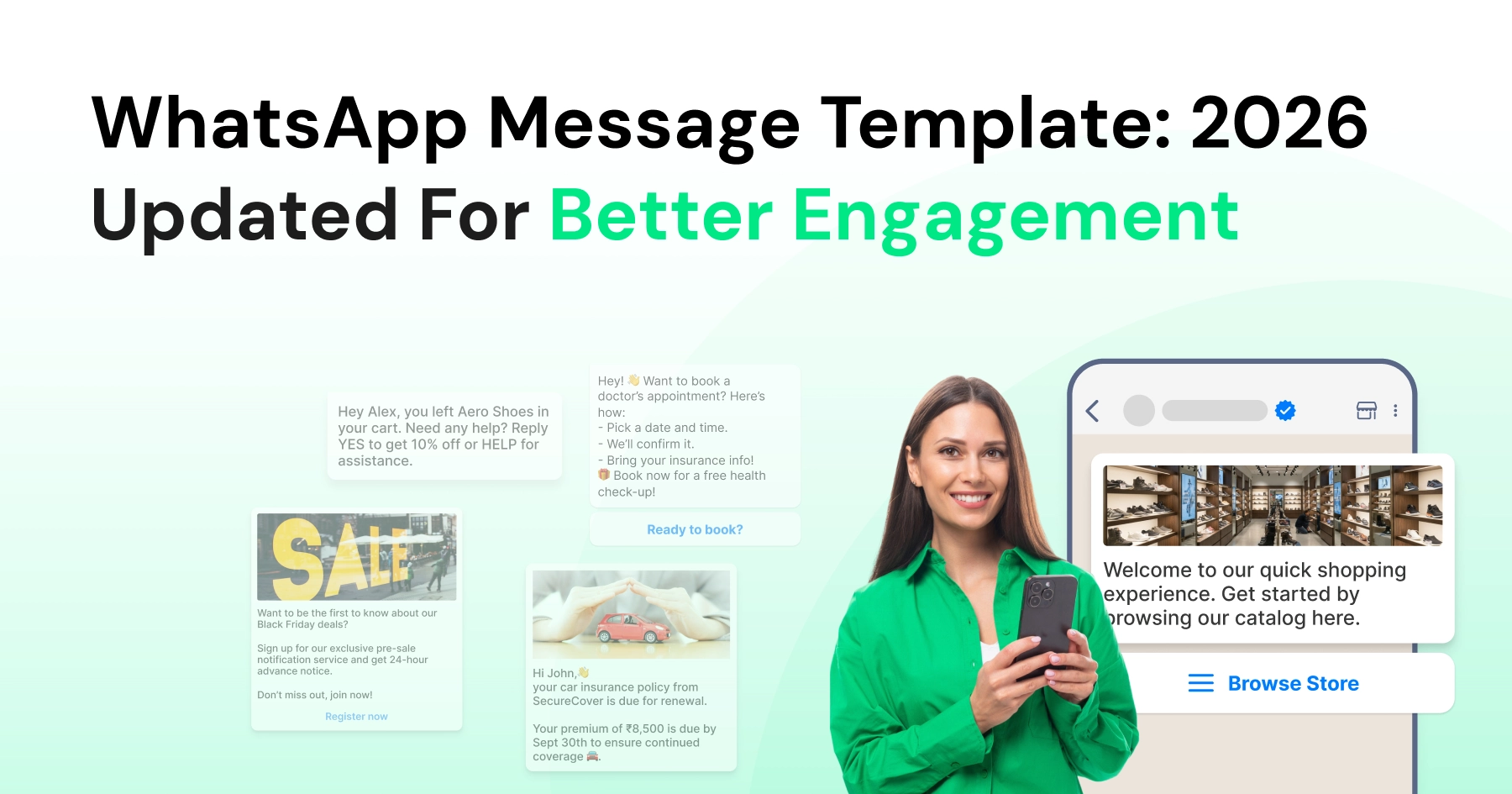
Too Long? Read This First
- WhatsApp templates act as your professional foundation, ensuring every customer receives clear, error-free, and brand-aligned communication automatically.
- Beyond simple text, you can leverage swipeable carousels and rich media to turn standard notifications into engaging, mini-app experiences.
- Brands need to rely on "permission-based" marketing, where traceable opt-ins and easy "STOP" footers protect your reputation and deliverability.
- By using Wati’s no-code interface to manage the WhatsApp API, you can launch broadcast campaigns and automate complex workflows without a developer.
- Real-time analytics let you track ROI and engagement by template, helping you refine your messaging to better nurture and retain customers.
Customers who express interest in your product or service expect focused, prompt communication that shapes their brand impression.
Communicating with a WhatsApp template makes it easy to tackle customer queries on a large scale for businesses.
The goal of WhatsApp messages is to automate engagement, and customers receive assistance from start to end.
In this guide, we will learn how to create a WhatsApp template from scratch, types of WhatsApp messages for different stages of the sales cycle, and the benefits.
If you have a large customer base and tackle endless chats manually. WhatsApp Business API automates communication via broadcasts and expands your reach.
What is a WhatsApp Template?
A WhatsApp template is a predefined message format that businesses can use to communicate with their customers on WhatsApp. The main idea behind using templates is to maintain a consistent and professional tone, ensuring clarity and uniformity in communication.
This comes in handy, especially for WhatsApp Business accounts, as businesses need to maintain a consistent structure across all customer messages.
When you think of the term WhatsApp message template, it refers to these standardized formats that make business communication more efficient.
What are the Key Types of WhatsApp Templates?
With the increasing demand for personalized and effective communication, WhatsApp offers varied message templates to cater to diverse business needs.
Understanding these types will allow businesses to better engage their audience.
- Text-based templates: These WhatsApp templates only contain text, no images or videos. Text templates can be transactional, promotional, or informational that businesses use to update customers.
- Rich WhatsApp templates: Rich templates contain attachments like images, videos, links, pdf documents, or knowledge hubs that are supposed to supplement the end user with more information.
- Combination templates: These WhatsApp templates are the combination of text+image or “text+video,” which are used for marketing purposes. Businesses can use it to run a virtual demo or create an instruction manual for their product.
- Carousel templates: Carousel template, or product cards, is a set of 4-5 templates for intelligent automation and customer assistance. Brands can automate carousels to guide their user and supercharge their WhatsApp purchase journey.
How to Create a WhatsApp Template in WhatsApp Business API? 5 Key Steps
With a WhatsApp message template, you can automate follow-ups, appointment reminders, greeting messages, and alert and account updates for customers.
Templates can be either only-text or multimodal (i.e., with images, audio, video, or attachments). Brands can send WhatsApp templates to users even after the 24-hour customer service window has passed.
As per the updated July 2025 pricing, Meta charges brands on a “per-message” basis.
That means, WhatsApp templates for multiple categories (like utility, promotional, marketing) have a charge, and brands will be charged every time they’ll send one specific template.
To create a WhatsApp template in Wati, you can follow these steps.
- Navigate to the Template Message section
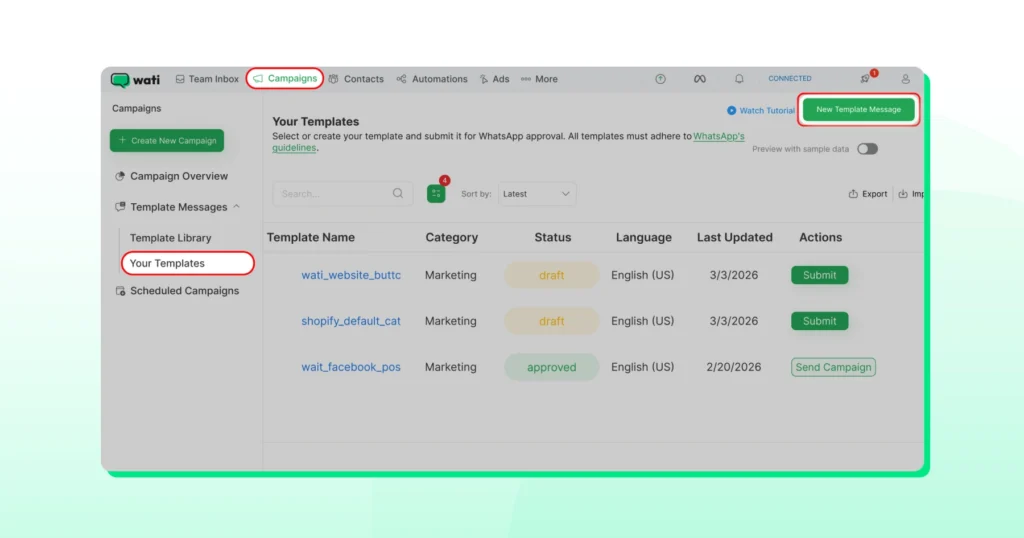
- Go to campaign, select “Template Messages”. Click “Your Templates”. Click “New Messages
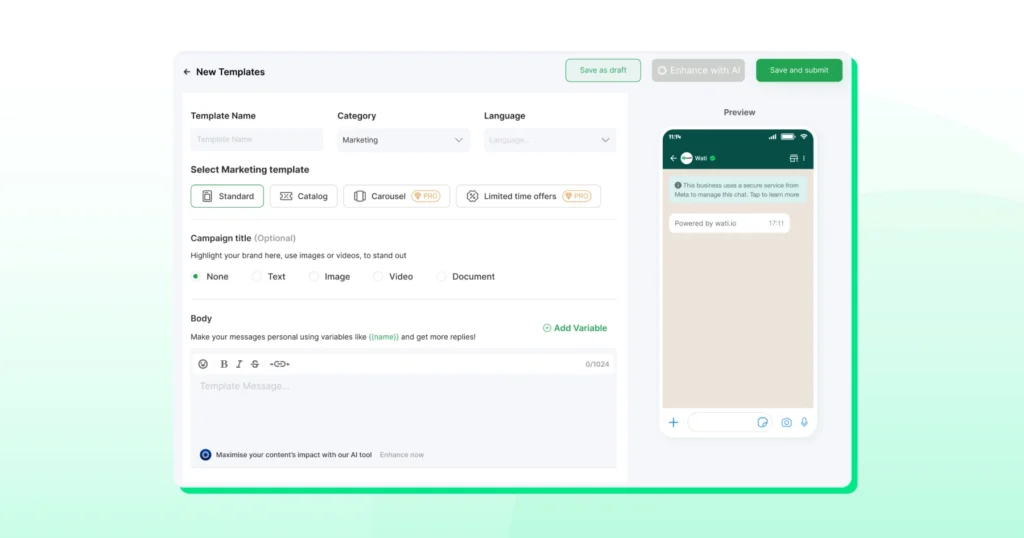
- Enter the template name, category, and language. After that, enter the template body.
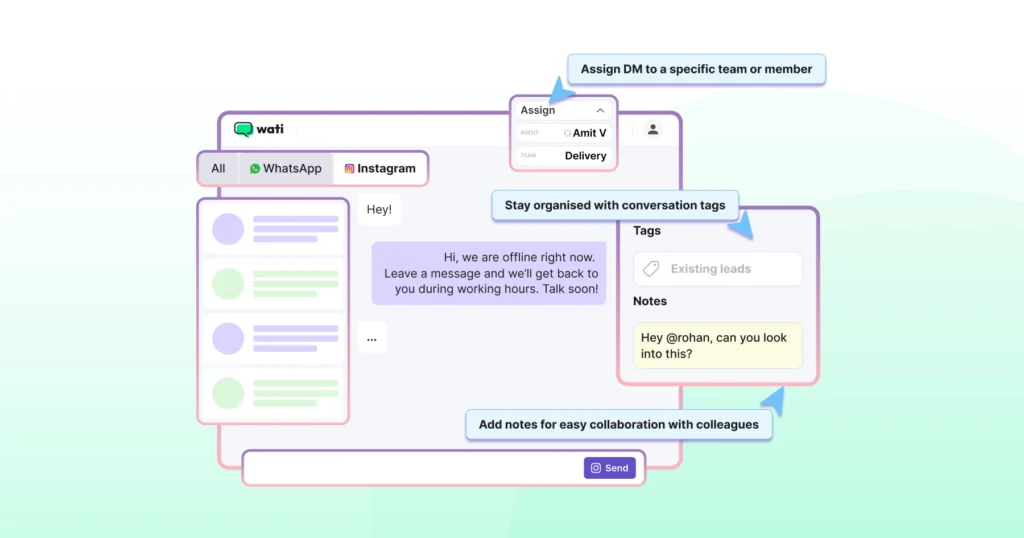
- Use parameters in the format `{{parameter}}` to personalize messages. During the campaign, these variables will be replaced with corresponding contact attribute values.
- Save the template. Click on “save and submit” to finish the template and submit it for approval.
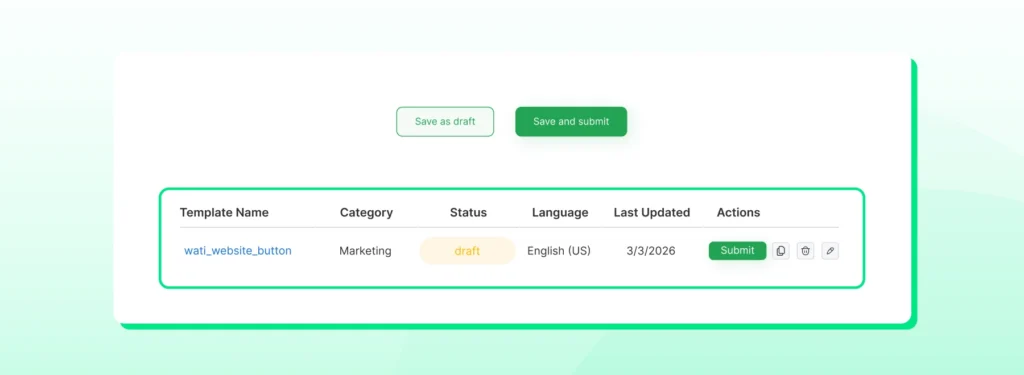
How to Create a Rich WhatsApp Template for Your Audience?
By sending rich templates, you promote your product better andassist your customers with relevant content and images.
Rich WhatsApp templates are visually appealing and create a sense of “personalization” for the end user, which improves attention.
Sending rich messages during initial promotions or for announcing earlybird discounts can improve online traffic. Here is how to create them:
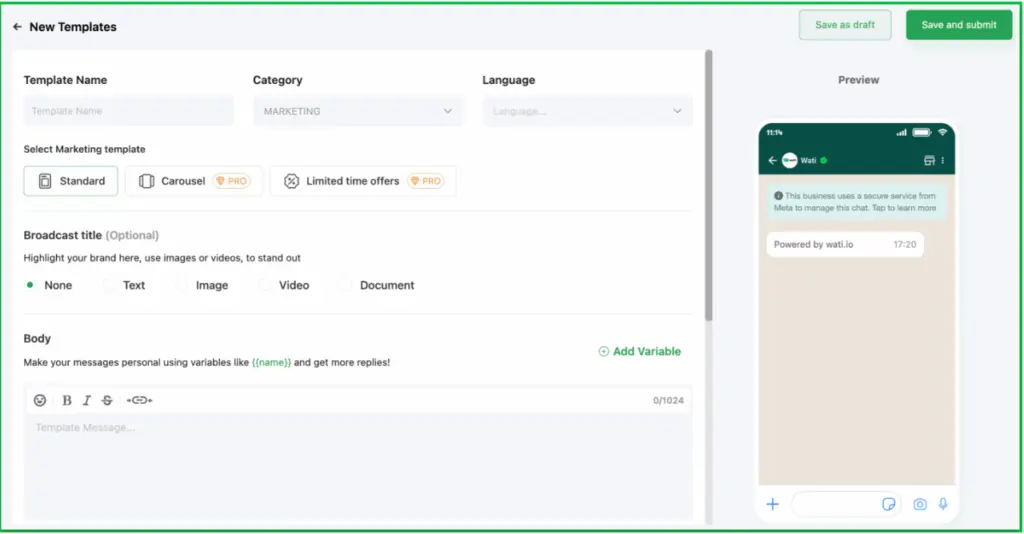
- Enter the template Name (use underscores, i.e., “template_for_payment”).
- Select the category and choose the language.
- Select the campaign title (optional). For the text template, select a “text-based” title. For media campaigns, select a title, an image (JPEG or PNG), a video (MP4), or a document (any valid MIME type).
- Add the message body. Click “Add variable” to insert a dynamic field for name in Wati (e.g Hi {{name}}, hello from Wati.)
- Add an optional footer (i,e Powered by Wati.io)
- Add interactive buttons like “visit website”. For buttons, define button text, select URL type (static or dynamic), and enter URL (dynamic URLs can use the same variables as the body)
- You can add upto 3 quick reply buttons with the template.
Also read: How to integrate WhatsApp chat button to your website for instant conversations.
How to Create a Carousel Message Template
Carousel WhatsApp marketing campaigns intelligently guide customers throughout the next steps of the purchase cycle.
Write them, set them up, and automate them as a part of your campaign.
Once you set it, WhatsApp API does the rest. It intelligently runs dynamic flows to send these carousel templates to customers to keep the conversation flowing.
When a user clicks on “buy now”, the device opens a link on web browser. Instead, product carousel cards direct users again to WhatsApp.
Here is how to create it.
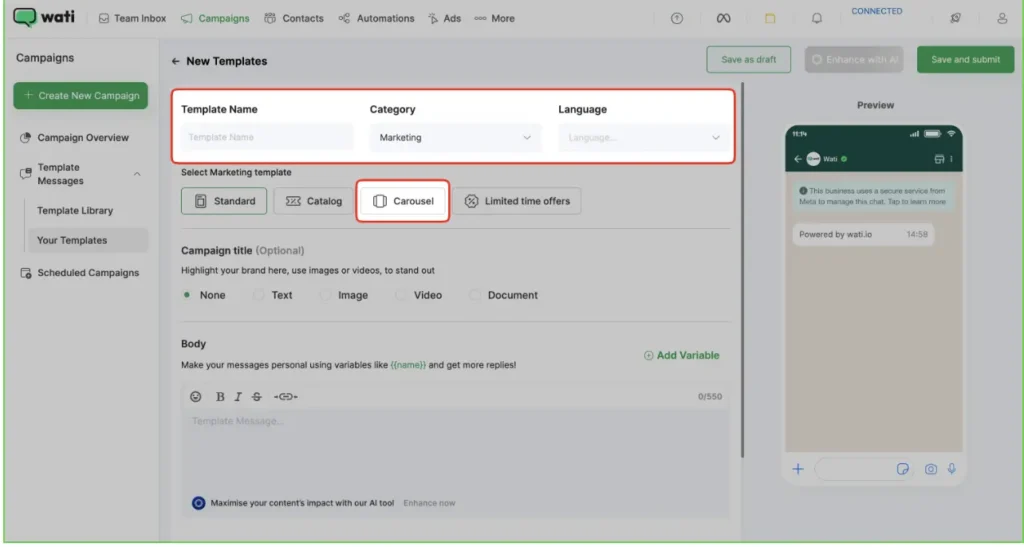
- Enter the Template Name, select the category as utility, and choose the language. Select the Marketing template as “carousel”.
- Enter your message body. Add a Carousel Card. You can add up to 5 cards.

Note: You can see sample carousels here by enabling the toggle.
- Click on the “+” to add a card. Add the card content, and that’s it.
The goal is to provide relevant assistance to prospects and answer all their questions without being overly salesy or creating urgency.
WhatsApp templates are a key attribute to organizing your customer communications and improving your lead nurturing approach.
Why Businesses Love to Use WhatsApp templates in their Business?
Here are the reasons why businesses prefer WhatsApp templates to communicate with customers.
- Brand Uniformity: Every customer gets the same high-quality experience, regardless of which team member sent the message template.
- Precision: Pre-approved messaging eliminates the risk of typos or confusing phrasing, ensuring your point gets across the first time.
- Better Workflows: Instead of drafting replies from scratch, teams can auto reply, keeping resolution times low and customers happy.
- Seamless Automation: From shipping updates to appointment reminders, templates allow you to keep customers in the loop without manual effort.
How to Get Faster WhatsApp Template Approvals in 2026?
Here is how you can get faster approvals for your private business templates in 2026:
- Secure Explicit Opt-ins: Ensure every recipient has provided opt in for specific message categories (Utility vs. Marketing) to comply with Meta’s latest 2025 anti-spam protocols.
- Maximize Character Economy: Stick to the 1,024-character limit, but aim for under 500 characters to boost mobile readability and engagement rates.
- Use Sequential Placeholders: Personalize messages using {{1}}, {{2}}, etc., for dynamic content like customer names or order IDs, ensuring a human, non-automated feel.
- Leverage Rich Formatting: Use native Markdown like *bold* for emphasis and emojis (limit to 2–3) to maintain a professional yet approachable brand voice.
- Optimize Call-to-Actions (CTAs): Deploy clear, high-intent buttons (e.g., “Track Order” or “Claim Discount”) to drive frictionless user journeys directly within the chat.
- Monitor Template Quality: Track your “Template Health” in Wati. Sending bulk templates with high block rates can lead to account restrictions or lower messaging tiers.
- Include Unsubscribe Options: Always provide a clear “Reply STOP” footer to empower users and protect your sender reputation from manual reports.
WhatsApp Message Templates: Key Applications For End-to End Marketing?
Here are various applications of Whatsapp template in your e-commerce brand journey:
1. Order Confirmations and Updates
Whether it’s a recent purchase on an e-commerce platform or a food delivery, a WhatsApp business message template can be used to confirm orders and provide timely updates.
:
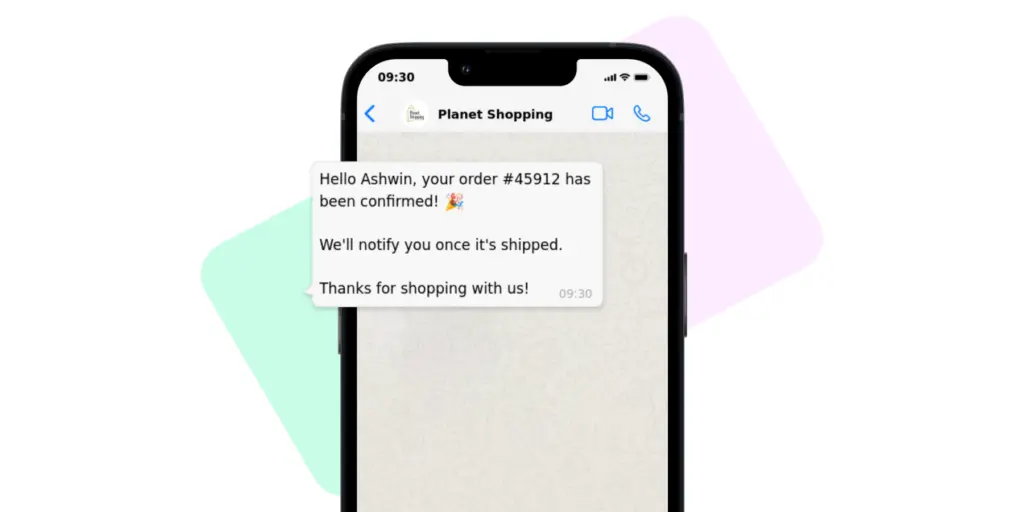
Template text: Hello [Name], your order #[Order Number] has been confirmed! We’ll notify you once it’s shipped. Thanks for shopping with us!
2. Order delivery and Tracking
By sending order delivery updates, you can let the customer know where their order is and how much time it will take to reach them. Whether it is in transit, at the warehouse, or out for delivery, keep the customers informed.
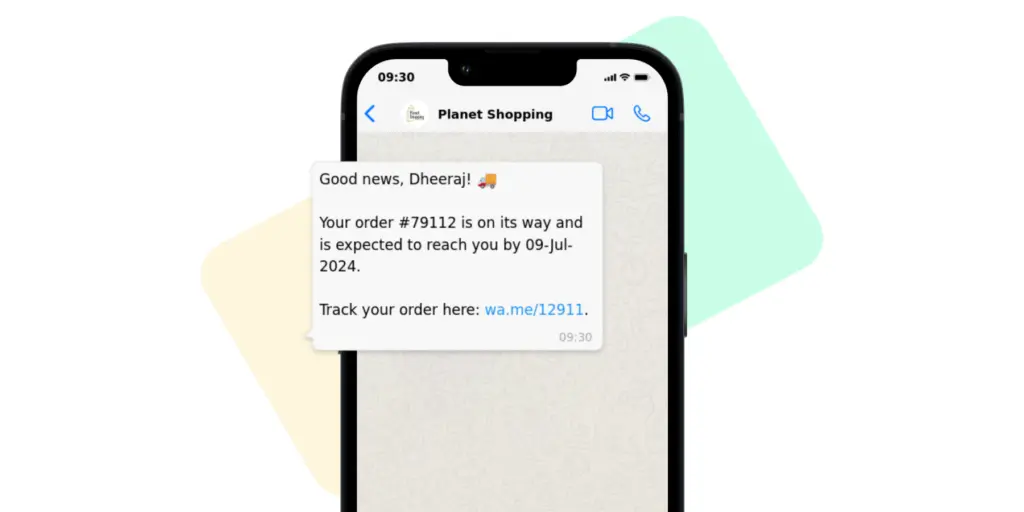
Template Text: Good news, [Name]! Your order #[Order Number] is on its way and is expected to reach you by [Date]. Track your order here: [Tracking Link].
3. Appointment Reminders and Scheduling
Medical practitioners, consultants, salons, and other service providers can utilize the WhatsApp text message template to remind clients of upcoming appointments or reschedule if needed.
This reduces “no-shows” and ensures smooth operations, enhancing service delivery and client relations.
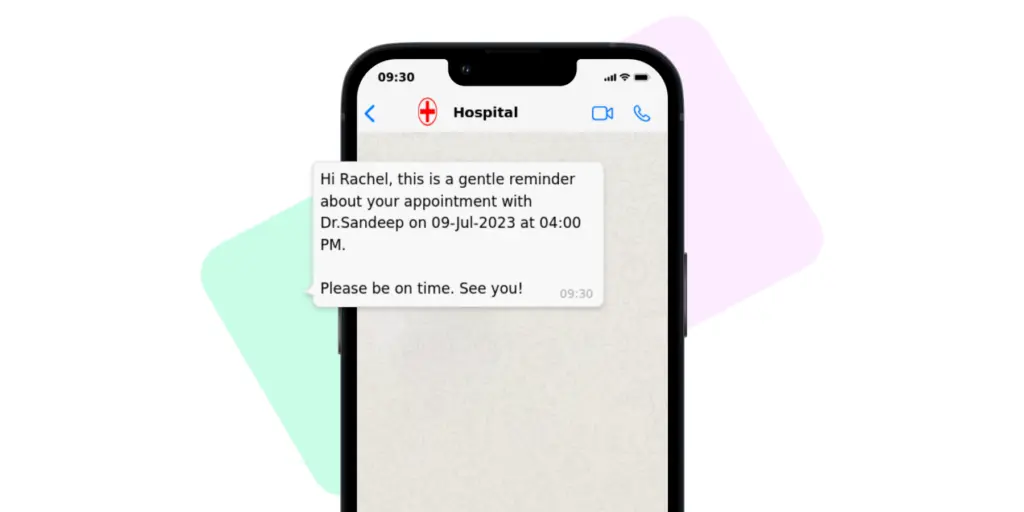
Template Text: Hi [Name], this is a gentle reminder about your appointment with [Doctor/Service Provider Name] on [Date] at [Time]. Please be on time. See you!
4. Appointment Rescheduling
If your customer sets an appointment but couldn’t come due to urgent reasons, you can automate a gentle follow-up for polite rescheduling.
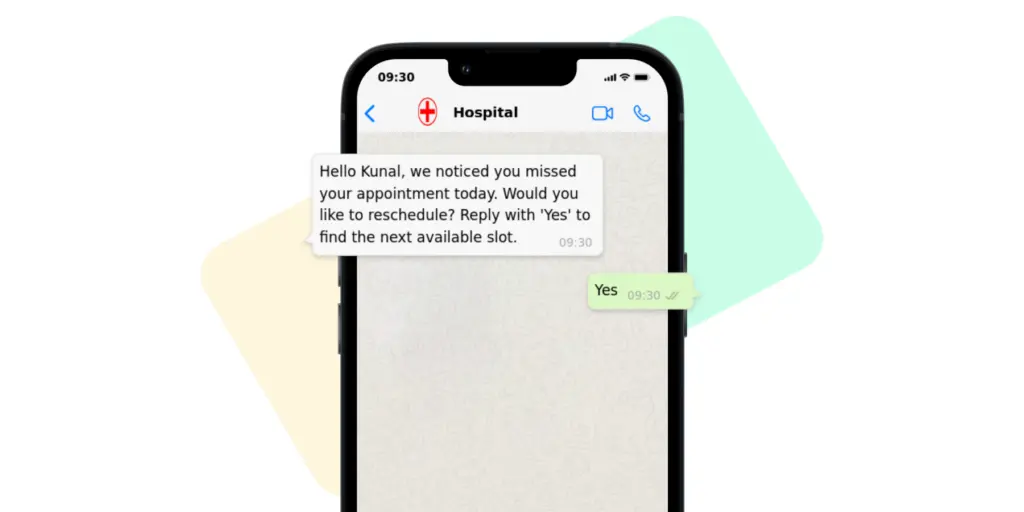
Template Text: Hello [Name], you missed your appointment today. Would you like to reschedule? Reply with ‘Yes’ to find the next available slot.
5. Customer Support and FAQs
Instead of manual responses, businesses can use WhatsApp templates to provide instant customer service. WhatsApp messages are seen most; teams can reduce their customer escalations with it.
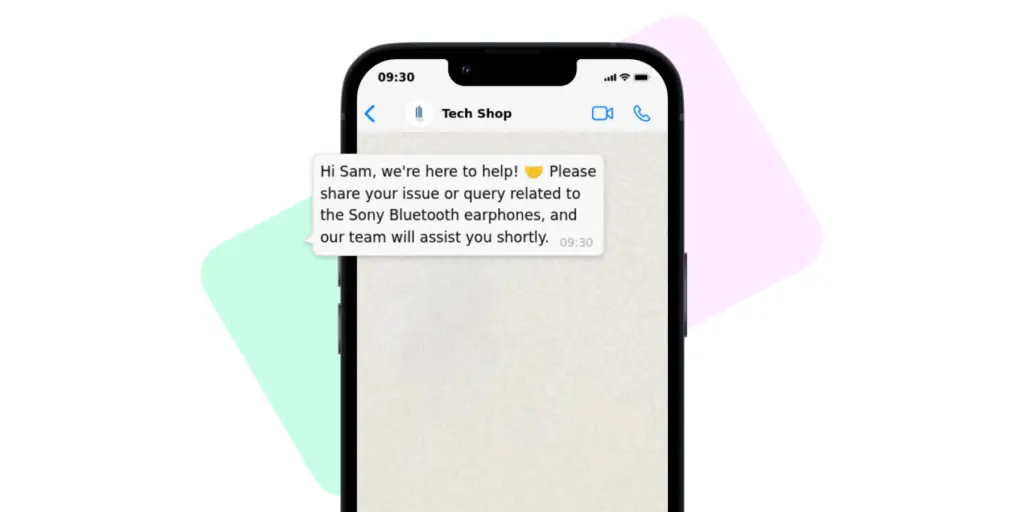
Template Text: Hi [Name], we’re here to help! Please share your issue or query related to [Product/Service], and our team will assist you shortly.
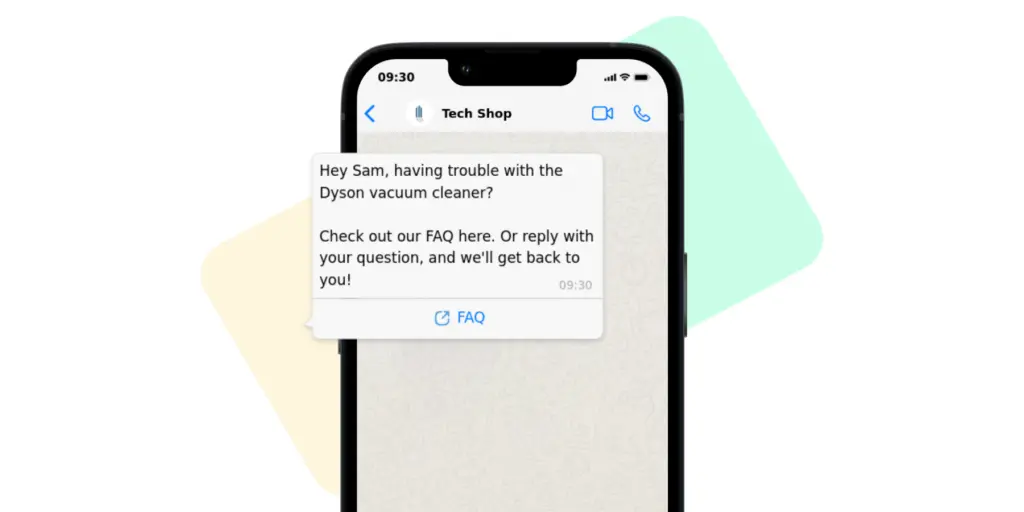
Template Text: Hey [Name], having trouble with [Product/Service]? Check out our FAQ here: [Link]. Or reply with your question, and we’ll get back to you!
6. Promotional and Marketing Messages
Introducing a new product? Hosting a sale? The WhatsApp promotion message template is your ally. With captivating visuals and crisp text, businesses can engage customers, driving traffic and sales.
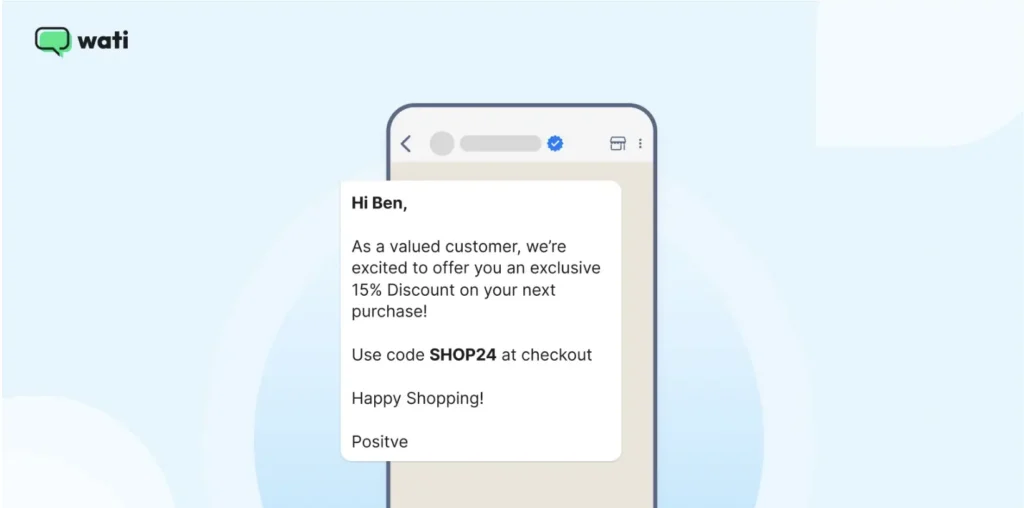
Template Text: “Hey [Name], As a valued customer, we’re excited to offer you an exclusive 15% discount on your next purchase. Use code: [Promo Code] at checkout. Happy Shopping!!”
7. Event Invitations and Updates
With WhatsApp marketing messages, you can send out event invites, update attendees about changes, or share highlights post-event. Such personalized touchpoints amplify engagement and foster community.
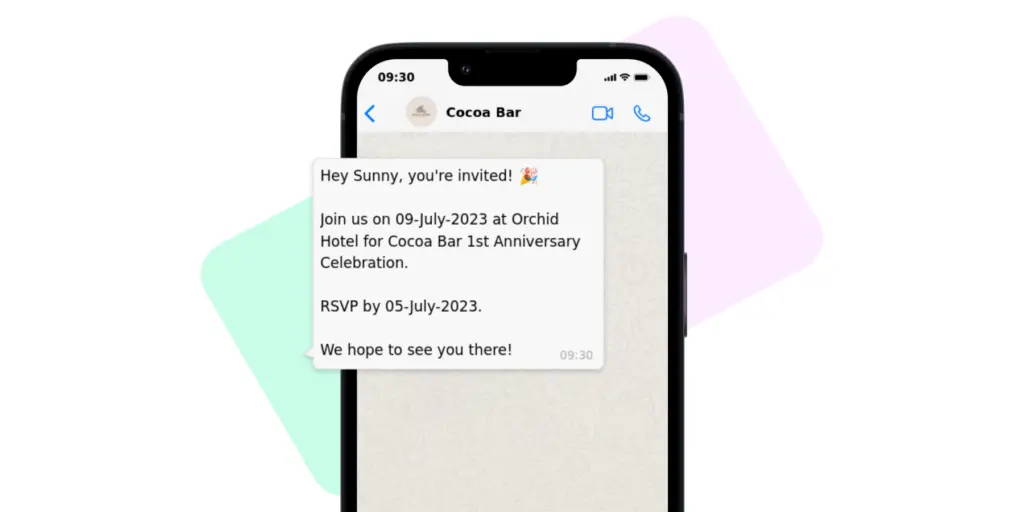
Template Text: Hey [Name], you’re invited! Join us on [Date] at [Venue] for [Event Name]. RSVP by [RSVP Date]. We hope to see you there!
How to Implement WhatsApp Marketing Templates for Your Brand?
Whether you run a small business or enterprise, you need to factor in your infrastructure bandwidth to support these templates. Here is how, depending on your business size, you can use these templates.
- Choose Your Infrastructure: Decide between direct WhatsApp API Integration for high-volume, programmatic automation or third-party BSPs like Wati for a “no-code” interface and pre-built template library.
- Segment for Relevance: Use broadcast lists to categorize users by behavior or demographics. A tailored WhatsApp Business template sent to a specific audience segment is much more usable and has great conversion potential.
- Time Your Outreach: Align message delivery with the recipient’s local time zone. For example. Utility templates (like confirmation) are best sent immediately, while marketing templates can be sent only during peak active hours.
- Design for Visual Impact: Incorporate high-quality multimedia headers (images or short videos) and interactive “WhatsApp Flows” to turn a static message into a good all-around experience.
- Prioritize Performance Analytics: Use the ROI dashboard to track open rate, response rates, and CTR (Click-Through Rate) to evaluate Per-Template ROI. It enables you to improve future messaging.
- Prepare for AI-Driven support: Transition toward AI-powered templates. By integrating a conversational agent (like Wati’s Astra), your templates can trigger intelligent flows and reduce manual effort.
Talk the Talk and Earn Credits!
While brands can converse in an off-the-beat, friendly way, WhatsApp template standardizes the interaction and creates familiarity.
If you are a brand that tackles WhatsApp inquiries across channels, using the WhatsApp Business API like Wati can improve engagement tracking and team productivity.
We hope this guide on WhatsApp marketing templates was helpful to you!
Take a free demo of Wati to design your first WhatsApp template.
Frequently asked questions
1. What is the difference between a Utility and a Marketing template?
Utility templates are for essential, transaction-triggered updates like order confirmations, flight alerts, or appointment reminders. Marketing templates are for promotional content, such as discount codes, product launches, or event invitations. Meta prices these categories differently.
2. Can I send a WhatsApp template to a customer who hasn't messaged me first?
Yes, but only if you have a documented, explicit opt-in from the user. Sending unsolicited templates (spam) will quickly lower your "Sender Quality Rating" and may lead to permanent account suspension under Meta’s 2025 anti-spam protocols.
3. How long does it take for a WhatsApp template to get approved?
In 2026, most templates will be approved by AI within minutes. However, templates containing excessive emojis, poor "Parameter-to-Text" ratios, or sensitive content may be flagged for manual review, which can take up to 24 hours.
4. What are "Carousel Message Templates"?
Carousels are interactive "product cards" that allow users to swipe through up to five different items or options within a single message. Each card can have its own image and "Buy Now" or "View Details" button, making them ideal for e-commerce catalogs.
5. Why was my WhatsApp template rejected?
Common reasons for rejection include formatting errors (e.g., using (1) instead of {{1}}), promotional content in a Utility category, lack of a clear footer/unsubscribe option, or the template name containing uppercase letters or spaces instead of underscores.
Related posts
- WhatsApp vs Email Marketing: Choosing the Best Channel for Growth in 2026
Learn the key differences between WhatsApp vs email marketing in 2026 and find out which performs better for ROI and customer engagement.
- WhatsApp Multi Agent: Setup for Sales Agents On One Platform
This guide explains how a multi-agent WhatsApp setup works across agents, teams, and countries, and how the right structure prevents delays, confusion, and broken handovers as usage grows.
- WhatsApp API for Enterprise: Designing Intelligent End-to-End Workflows for 2026
Build scalable workflows using the WhatsApp API for enterprise. Connect CRM, ERP, ticketing, and RPA tools to automate enterprise sales operations.
- How to Take Your Brand Global With WhatsApp Business API
Learn how WhatsApp API handles sales and marketing communication, customer calling, data security, and automation globally and expand the market.