
Too Long? Read This First
- AI customer service for Shopify connects an AI agent to your store data, so it can answer order, shipping, and return questions on its own, around the clock.
- The nine biggest benefits are 24/7 coverage, faster replies, lower support costs, cart recovery, scale during sales spikes, consistent answers, multilingual support, sales assistance, and happier agents.
- The best results come from a hybrid model, where AI handles repetitive questions and passes complex or emotional ones to a person with the full context.
- Wati brings AI agents, WhatsApp, Instagram, and your Shopify data into a single inbox, so every chat can turn into a sale or a resolved ticket.
The benefits of AI in customer service for Shopify stores are mainly in three areas: speed, scale, and completion
AI customer support answers shoppers within seconds at any hour, resolves routine order questions using live store data, and keeps buyers moving toward checkout instead of waiting in a queue.
For merchants, that matters most at the busiest moments. A flash sale, a festive rush, or a single viral product can triple chat volume overnight, and most of those messages ask the same handful of things: where is my order, can I change my address, and how do I return this?
In this guide, you'll find the 9 benefits that matter most for Shopify brands, along with real examples of AI support chats. After that, we'll walk through a setup workflow and a readiness checklist you can use before going live.
What is AI Customer Support for Shopify?
AI customer support for Shopify is software that reads a shopper's message, understands what they want, and replies using your store's own data: orders, products, policies, and past conversations.
Unlike a rules-based chatbot that walks people through fixed menus, an AI agent handles free-text questions, remembers context across messages, and knows when to pass the chat to a person.
It works on the channels your customers already use. For most Shopify brands, that means WhatsApp, Instagram DMs, and a chat widget on the storefront, all feeding into one shared inbox.
Four building blocks make it work:
- Store data: Orders, customer profiles, and tracking details sync from Shopify, so answers are specific to the shopper rather than generic.
- Knowledge base: Shipping timelines, return windows, sizing guides, and FAQs teach the AI your rules and tone.
- Channels: WhatsApp, Instagram, Facebook Messenger, and web chat carry the conversation wherever it starts.
- Human handoff: Complex or sensitive cases move to your team with the full chat history attached.
A native connection such as Wati's Shopify integration handles the first block for you, pulling store events into every conversation without custom code.
If you're new to running support on messaging apps, this primer on WhatsApp customer service for ecommerce covers the basics.
Why are Shopify Stores Switching to AI Customer Service in 2026?
Three shifts are pushing Shopify merchants toward AI support this year.
Ticket volume grows faster than teams do. Every new order creates follow-up questions about delivery, sizing, and returns. Hiring for peak season is slow and costly, and those extra agents sit idle once the rush ends.
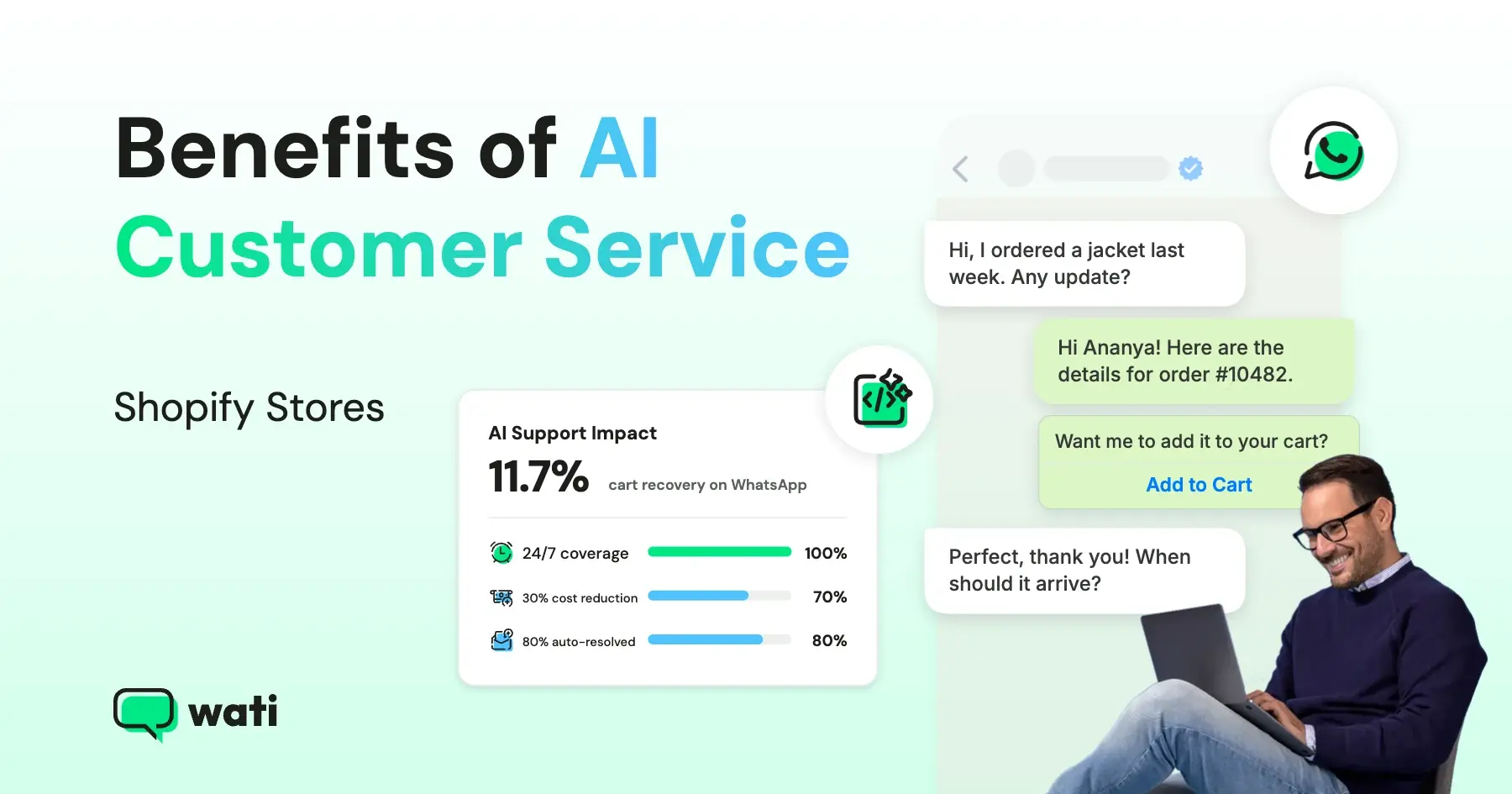
AI can now act, not just reply. Older chatbots matched keywords to canned answers. Agentic AI reads intent, looks up data, and completes the task. Gartner predicts that by 2029, agentic AI will autonomously resolve 80% of common customer service issues, leading to a 30% drop in operational costs.
Shoppers live in messaging apps. Your customers already check WhatsApp and Instagram many times a day. Answering them there removes the "email us and wait" step that pushes people to a competitor's tab. Our guide to WhatsApp for ecommerce explains why the channel works so well for online stores.
9 Benefits of AI Customer Support for Shopify Stores
Each benefit below ties back to a real Shopify workflow, so you can see where AI earns its keep.
1. Round-the-Clock Answers in Every Time Zone
Shoppers browse at midnight and on Sunday mornings.
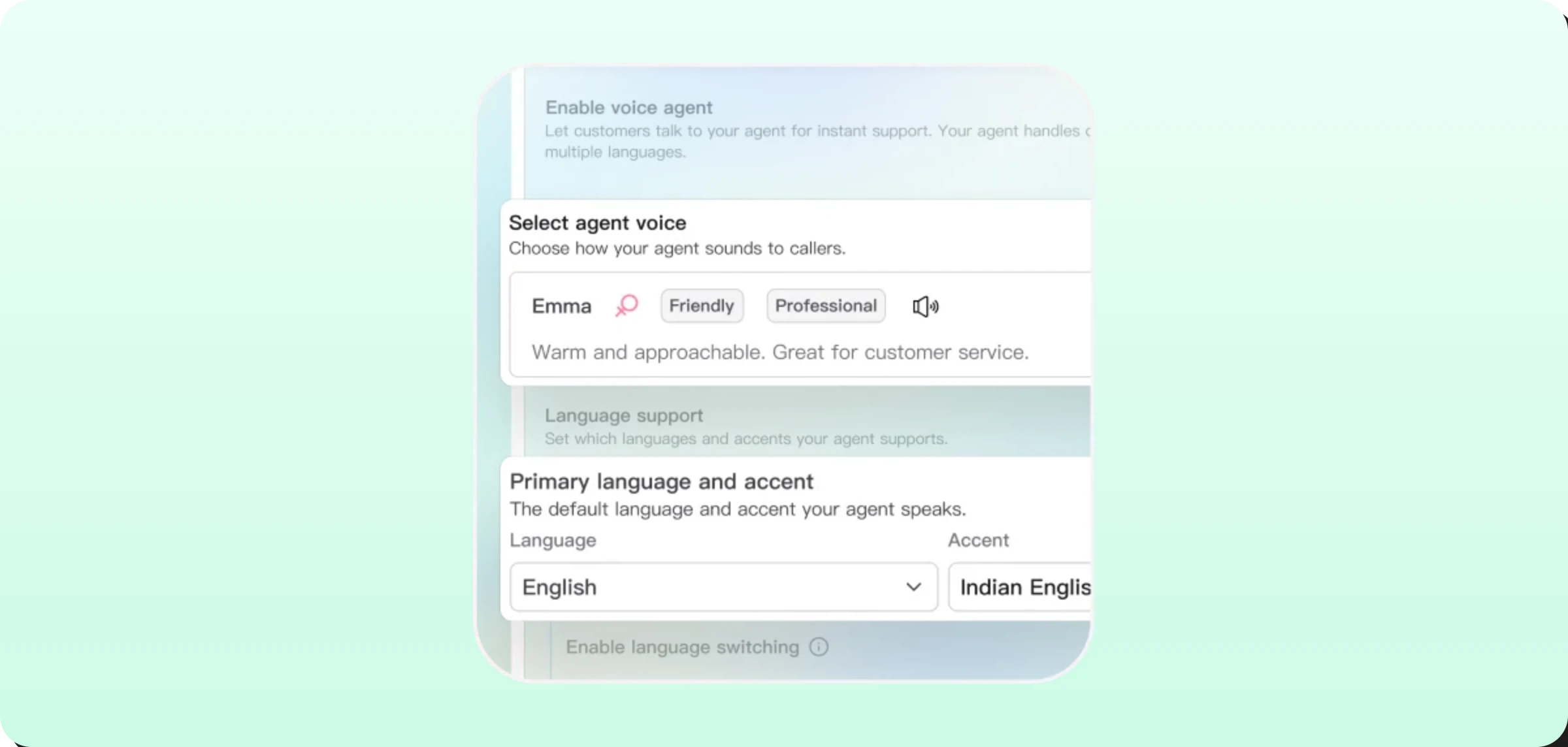
An AI agent replies in seconds no matter when the message lands, so nobody waits until your team logs in. For cross-border stores, multilingual support matters just as much.
Astra works across 30+ languages, allowing a single agent to serve customers in multiple markets.
2. Order Updates Without a Support Ticket
"Where is my order?" is the most common question in ecommerce support. With store data connected, AI shares the order number and tracking link straight from Shopify.
Better still, proactive messages stop many of these questions before they start: Wati sends automated order confirmations, shipping updates, and delivery notifications on WhatsApp at each milestone.
3. Sale-Season Spikes Without Extra Hires
A human agent handles one or two chats at a time. AI handles hundreds at once, so a Black Friday surge doesn't mean temporary staff, rushed training, or a backlog that lasts into the following week.
Your core team stays the same size while capacity flexes with demand.
4. Faster First Response and Faster Resolution
First response time drops to near zero because the AI picks up every chat right away. Resolution speeds up too.
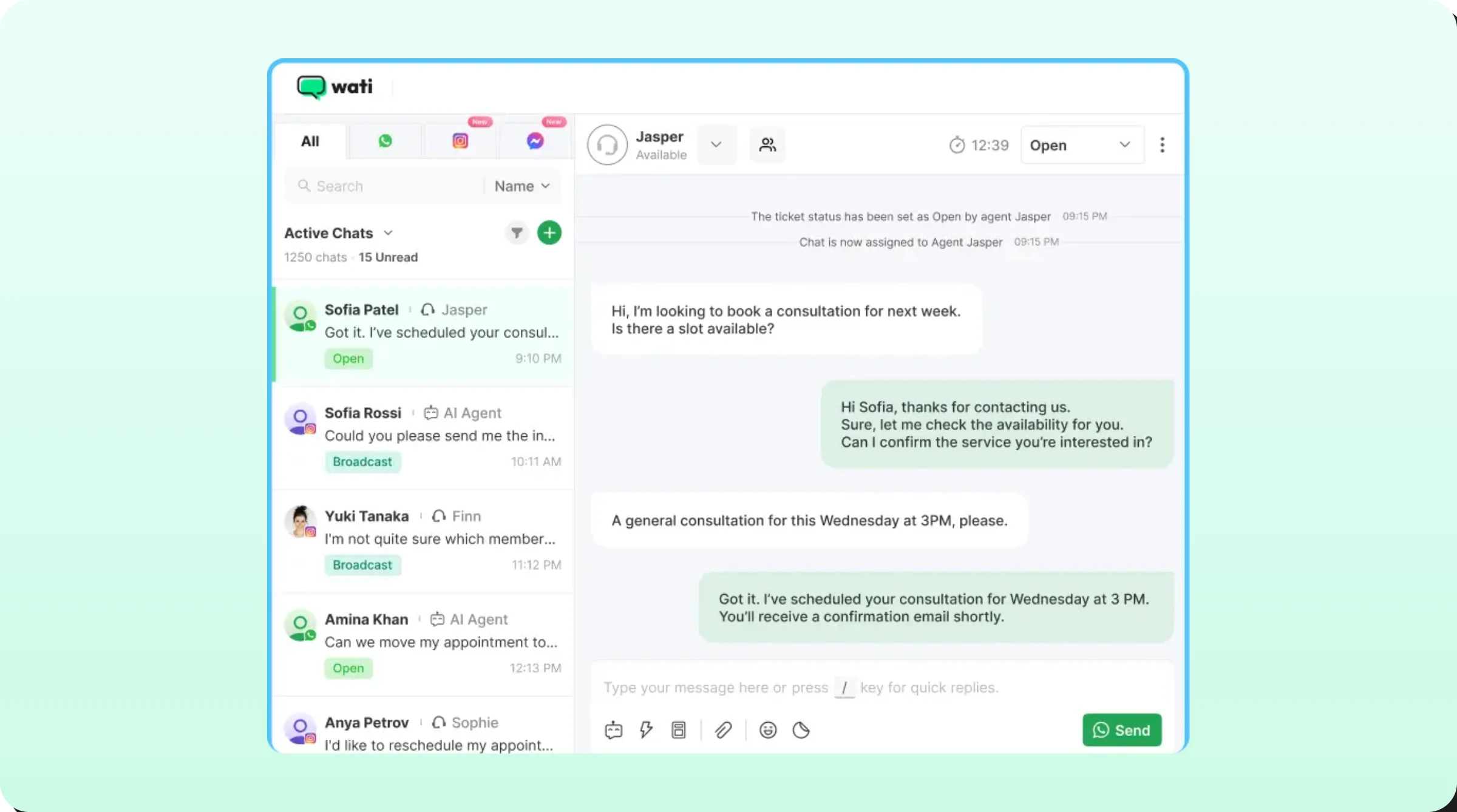
Before a handoff, the AI collects the order number, photos of a damaged item, or a preferred exchange size, so the sales rep who takes over in the shared team inbox can solve it in one reply instead of three.
5. More Recovered Carts Through Conversation
The average documented cart abandonment rate sits at 70.22%, according to Baymard Institute.
Recovery messages on a channel people actually read change that math: according to Wati's Shopify App Store listing, merchants see up to 11.7% cart recovery on WhatsApp, compared with 0.34% on email.
When a shopper replies with a question about shipping or sizing, the conversation keeps the sale alive. This guide to Shopify abandoned cart recovery covers the full playbook.
6. Pre-Purchase Guidance That Lifts Conversion
Many shoppers leave because one small question goes unanswered.
- Does this run true to size?
- Will it arrive before Friday?
- Is it compatible with my model?
An AI agent trained on your product pages and policies answers on the spot, acting like a knowledgeable store associate on every product page.
7. Smoother Returns, Exchanges, and COD Confirmations
AI explains your return window, gathers the details your team needs, and routes the request, so returns stop clogging the inbox.
For stores that ship with cash on delivery, especially in India and the Middle East, COD verification on WhatsApp asks buyers to confirm or cancel with one tap before dispatch, reducing fake orders and costly return-to-origin shipments.
8. Human Agents Freed for Complex Cases
AI works best alongside people, not in place of them. A Gartner survey found 64% of customers would prefer companies didn't use AI for service, with difficulty reaching a person as the top concern. Clear handoffs solve that.
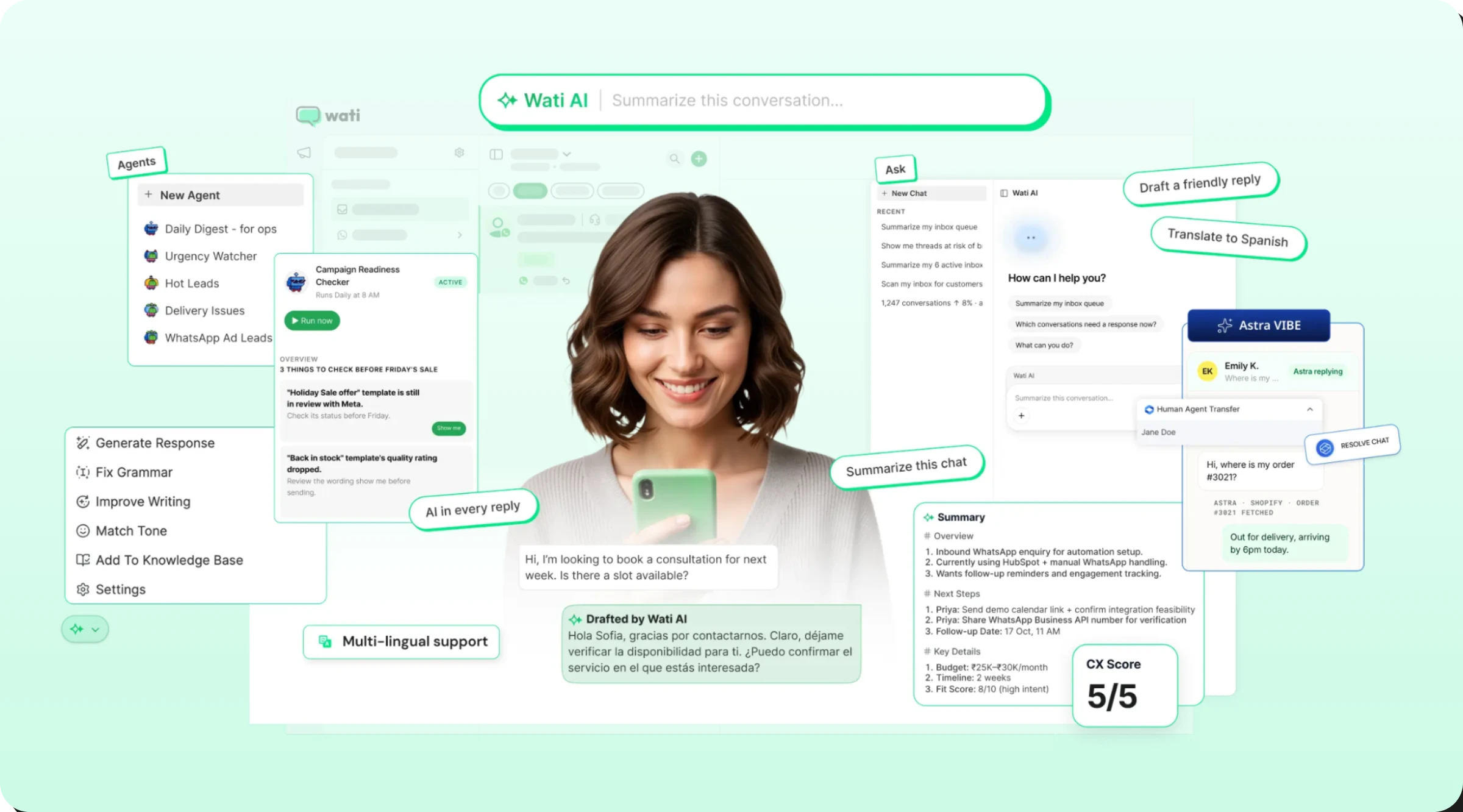
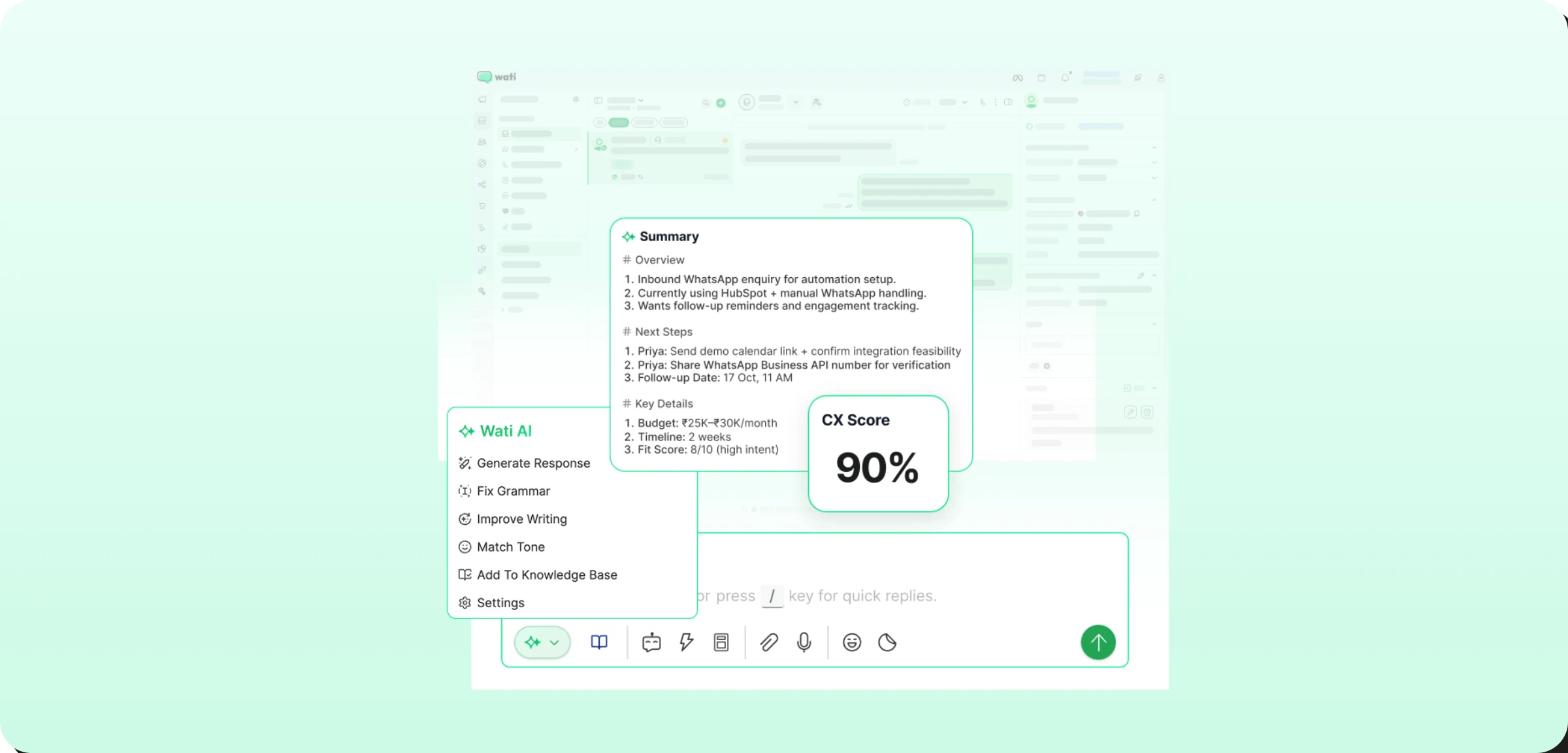
Once a chat reaches your team, Wati AI summarizes long threads, suggests replies, and translates messages, helping agents handle up to 3x more conversations.
9. Consistent Answers and Insights From Every Chat
AI gives the same policy answer on the first chat of the day and the five-hundredth. It also turns conversations into data.
Features like AI CX Score rate every chat for quality without surveys, and recurring themes, such as a courier causing delays or a product with sizing complaints, surface quickly enough for ops and merchandising teams to act.
Bonus Read: WhatsApp Marketing for Shopify - How to Turn Every Message into a Revenue Moment
What Do AI Support Chats Look Like on a Shopify Store?
Good AI support feels like texting a helpful store associate. Here are three common Shopify conversations on WhatsApp.
Chat 1: Order Tracking
Shopper: Hi, I ordered a jacket last week. Any update?
AI agent: Hi Ananya! Here are the details for your latest order, #10482. You can follow it live here: [tracking link]. Anything else I can help with?
Shopper: That's all, thanks!
The AI matched the shopper's WhatsApp number to her Shopify profile and shared the tracking details in one reply. No agent touched it.
Chat 2: Return Request
Shopper: The shoes I got are too small. Can I return them?
AI agent: Sorry about that! You can return or exchange unworn items within 30 days of delivery. Would you like a refund or a different size?
Shopper: A size 8, please.
AI agent: Got it. I've passed your exchange request to our team with your order details, and they'll confirm the pickup shortly.
The AI answered the policy question, captured the exchange size, and handed a ready-to-act request to a human.
Chat 3: Pre-Purchase Question
Shopper: Is the linen shirt see-through? I want it for the office.
AI agent: It's a medium-weight linen, so it's not sheer in light colors. Many customers wear the white and sage options to work. Want the link to the size guide?
The AI answered from product details in its knowledge base, which is exactly the kind of small doubt that otherwise ends in an abandoned tab.
How to Set Up AI Customer Support for Your Shopify Store
Most Shopify brands can go live in a few days if they follow this order.
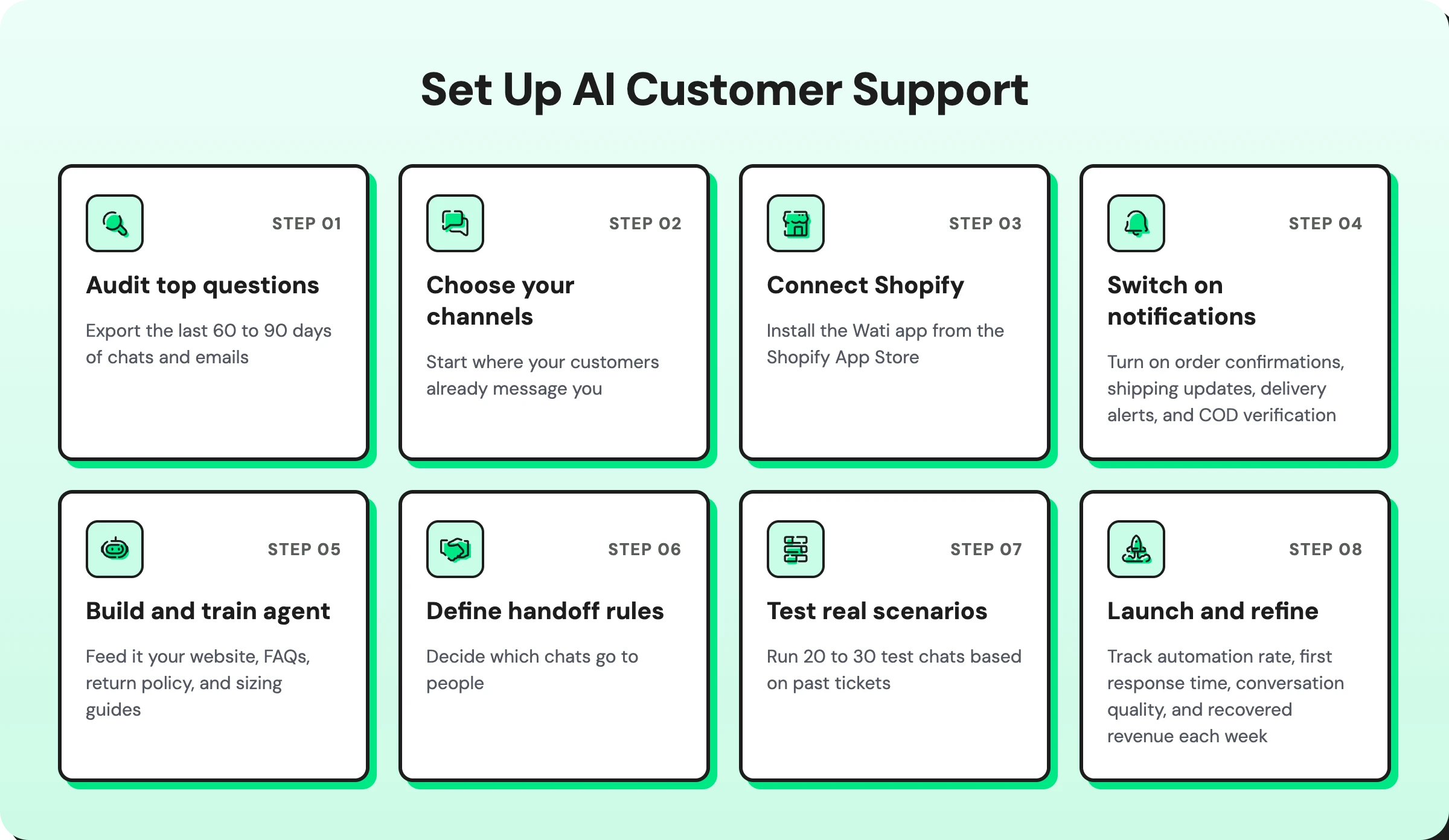
1. Audit your top questions. Export the last 60 to 90 days of chats and emails, then group them by intent. You'll usually find that order status, returns, shipping times, and sizing make up the bulk of volume. Those become your first automation targets.
2. Choose your channels. Start where your customers already message you. For most stores, that's WhatsApp plus Instagram, with a storefront chat widget for browsing shoppers.
3. Connect Shopify. Install the Wati app from the Shopify App Store so orders, customer profiles, and store events flow into your conversations automatically.
4. Switch on proactive notifications. Turn on order confirmations, shipping updates, delivery alerts, and COD verification first. Every question you prevent is one the AI never has to answer.
5. Build and train your AI agent. Feed it your website, FAQs, return policy, and sizing guides. Set its tone to match your brand, and define what it should never do, such as promise refunds or quote unconfirmed discounts.
6. Define handoff rules. Decide which chats go to people: refund disputes, frustrated customers, high-value orders, or anyone who asks for a human. Route them to the right teammate with the conversation history attached.
7. Test with real scenarios. Run 20 to 30 test chats based on past tickets, including messy ones with typos and mixed questions, before you go live.
8. Launch, measure, and refine. Track automation rate, first response time, conversation quality, and recovered revenue each week, then update the knowledge base wherever the AI hands off too often.
What Does an AI Customer Service Workflow Look Like?
A typical AI customer service workflow for a Shopify store follows six stages.
- A shopper asks a question on WhatsApp, Instagram, or website chat.
- AI detects intent, such as an order-status, return, product, or complaint question.
- AI pulls live data from Shopify, including order details, tracking, and stock.
- AI resolves the request with an answer, a tracking link, or a return or exchange.
- AI escalates when needed to a human for complaints, refund disputes, or anything it can't solve.
- AI follows up with a feedback request or a relevant product recommendation.
This workflow connects to the rest of your stack through tools like Shopify Flow, so a return request can trigger a refund or an exchange order automatically.
AI Customer Support Readiness Checklist for Shopify
Run through this list before launch. If you can tick every box, your AI is ready for real shoppers.
Data and integrations
- Shopify store connected, with orders and customer profiles syncing
- Tracking links appearing on recent orders
- WhatsApp Business number verified and connected
Knowledge and guardrails
- Shipping, returns, exchange, and COD policies written in plain language
- Product details, sizing guides, and care instructions added to the knowledge base
- Brand tone defined, with clear limits on refunds, discounts, and pricing claims
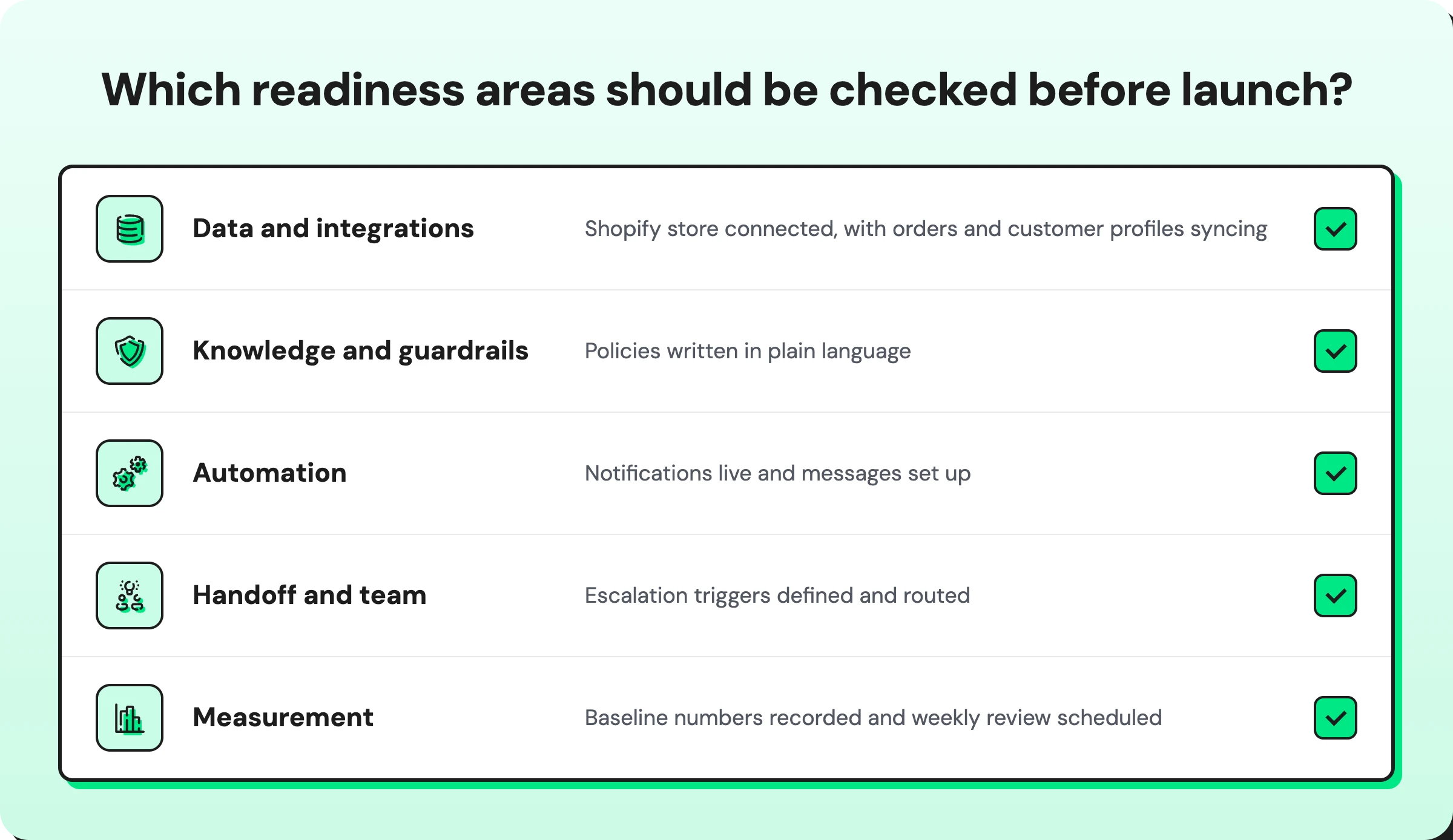
Automation
- Order confirmation, shipping, and delivery notifications live
- Cart recovery messages set up with a checkout link
- COD verification enabled (if you offer cash on delivery)
Handoff and team
- Escalation triggers defined and routed to the right teammates
- Agents trained to pick up handed-off chats from the shared inbox
Measurement
- Baseline numbers recorded for response time, ticket volume, and recovery rate
- Weekly review scheduled to fix gaps in AI answers
How Wati Helps Shopify Stores Automate Customer Support
Wati is an agentic customer engagement platform that connects your Shopify store to WhatsApp, Instagram, TikTok, Messenger, SMS, and RCS, so every conversation can move a customer closer to revenue.
The easiest way to see it is to follow a single shopper from first click to repeat purchase.
While she browses: A chat widget on your storefront opens a WhatsApp conversation. Astra, Wati's AI agent, answers her question about fabric and fit using your product pages and policies.
When she leaves her cart: Wati's Shopify integration spots the abandoned checkout and sends a recovery message with her cart and a checkout link. If WhatsApp isn't available, the message can fall back to SMS or RCS.
After she orders: Confirmation, shipping, and delivery updates arrive on WhatsApp automatically. If she paid cash on delivery, a one-tap confirmation goes out before the parcel ships.
When something needs a person: Her exchange request lands in the Team Inbox with the full history attached. Wati AI summarizes the thread and drafts a reply, so the agent resolves it quickly.
Behind every chat: Contact Intelligence builds her history and preferences over time, Conversation Intelligence summarizes, scores, and routes chats, Campaign Intelligence learns from every send, and Connected Intelligence pulls in context from tools you already use, such as HubSpot.
Together, that turns support from a cost line into a revenue channel.
Make Every Shopify Chat Count
AI customer service helps Shopify stores answer shoppers instantly, recover more sales, and scale support without adding headcount. The strongest results come from a hybrid model where AI resolves routine questions and your team handles the conversations that need a human touch.
Wati helps you set this up across messaging apps and your website, with your Shopify store data powering every reply. Book a demo with Wati to see AI customer service in action.
Frequently asked questions
What are the benefits of AI in customer service for e-commerce?
The main benefits are 24/7 availability, faster response and resolution times, lower support costs, and higher sales from recovered carts and pre-purchase answers. AI also gives consistent answers and turns every conversation into data you can use to improve products and operations.
Is AI customer service worth it for a small Shopify store?
Yes, often more than for large stores. A small team feels every spike in volume, and AI lets two or three people support thousands of customers without burning out. Starting with order updates and FAQs keeps the setup light.
Will AI replace my customer support team?
No. AI takes over repetitive questions so your team can focus on refunds, complaints, and high-value customers. The best setups make it easy for shoppers to reach a person whenever they ask.
Can AI handle returns and refund requests on Shopify?
AI can explain your return policy, collect order details and reasons, and route the request to your team. Most stores keep final refund approval with a human to avoid errors and protect margins.
What's the difference between a Shopify chatbot and an AI agent?
A traditional chatbot follows fixed menus and keyword rules, so it breaks when shoppers phrase things differently. An AI agent understands free-text questions, keeps context across messages, pulls live store data, and decides when to hand off.
How long does it take to set up AI customer support on Shopify?
With a native Shopify integration and a no-code agent builder, a basic setup covering order updates and FAQs can go live within a day. Plan another week or two of testing and refinement before you rely on it during a big sale.
Related posts
- Instagram Comment Automation: How It Works and How to Set It Up in Wati
Instagram comment automation auto-replies to comments and DMs commenters within seconds via Meta's API. Covers strategy, use cases, and Wati setup.
- Shared Team Inbox for Instagram: A Buyer’s Checklist for 2026
Use this fastest checklist to evaluate any shared team inbox for Instagram, which covers DMs, comments, automation, and multi-channel support.
- How to Send Bulk Messages on WhatsApp Without Getting Blocked
Learn how to send bulk WhatsApp messages without getting blocked. Compare the WhatsApp Business app and API, messaging limits, costs, templates, and best practices for safe, compliant bulk messaging.
- How to Set Up a TikTok Business Account: Step-by-Step Guide
Set up a TikTok Business Account step by step: switch from personal, pick a category, add your profile, and unlock ads and analytics.