
Too Long? Read This First
- Move Instagram followers into a high-ROI WhatsApp sales funnel by automatically capturing phone numbers during DM interactions.
- Use a WhatsApp automation flow to launch a lead capture chatbot whenever a user comments on your post or DMs a specific keyword.
- Deploy a New Flow to offer an immediate benefit, such as a discount code or a catalog, in exchange for the user's WhatsApp number.
- Wati automatically verifies phone number formats and stores them with an "Instagram" source tag in your unified CRM for easy export.
- Trigger an immediate, personalized WhatsApp follow-up message the moment a number is captured to close sales faster.
- As of June 2026, Wati also keeps the conversation alive with WhatsApp username support, even before a number is shared, though Campaigns (formerly Broadcasts) and OTP templates still require a saved number.
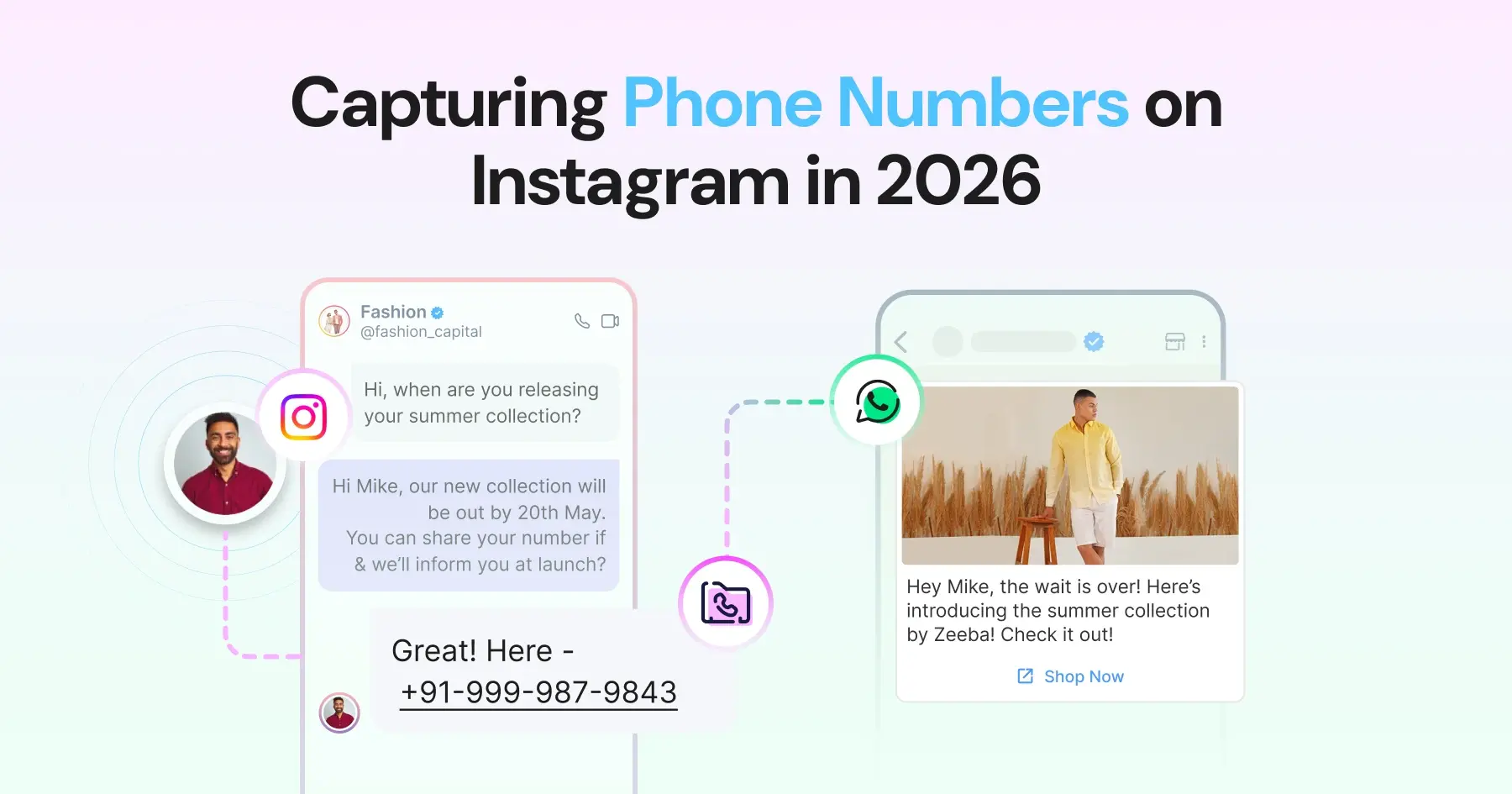
- Instagram DM lead capture is the process of using an automated chatbot flow to collect a prospect's phone number inside an Instagram conversation, then bridging that conversation to WhatsApp for follow-up.
Wati is an AI-powered customer engagement platform that automates lead capture across Instagram and WhatsApp, so comments and DMs turn into phone numbers and WhatsApp conversations without manual follow-up.
You must be halfway through celebrating your campaign success. 5000 likes, 500 comments, and 100 DMs. If you can’t capture phone numbers from those Instagram DMs, none of it converts.
However, something is missing. You got the DMs, but not even a single phone number. Which means no WhatsApp follow-up, no CRM entries, and no real conversions.
Most brands get stuck at this stage on Instagram. To outwin them, you need to capture phone numbers with Instagram automation functionality.
In this guide, we'll show you how to capture a phone number from Instagram via Wati and shift the conversation to WhatsApp. We'll also cover what's changed as of mid-2026.
Why Capturing Phone Numbers via Instagram DM Matters?
To close deals, just sending vague DMs won’t work.
You must have had a really promising conversation in DMs, but if you don’t take it to the next step, the engagement will go cold.
Sales teams try to reply to DMs and answer FAQs. Because they answer a lot of DMs, they miss out on highly interested prospects who didn’t remember to include their phone details.
After you reach out via DM, the next step is to get contact details and capture the lead. Once you capture the lead, you can transfer the data to either an external CRM or WhatsApp.
By capturing a phone number, you establish a conversion bridge between Instagram and WhatsApp.
Without capturing numbers, you lose follow-ups, CRM visibility, and sales opportunities.
How Comment-to-DM Automation Triggers the Lead Capture Flow?
Most brands don’t initiate a lead capture flow until someone reaches out via direct Instagram DMs. But the engagement starts way earlier.
The moment you receive a comment on your Instagram ad or post, you need to auto-reply and establish a direct conversion bridge.
Here is how you can auto-reply to comments and trigger auto-DMs with Wati:
1. Keyword Trigger to Invoke Automation
With a keyword trigger, you can detect a specific word/query in the comment to initiate an instant automated reply.
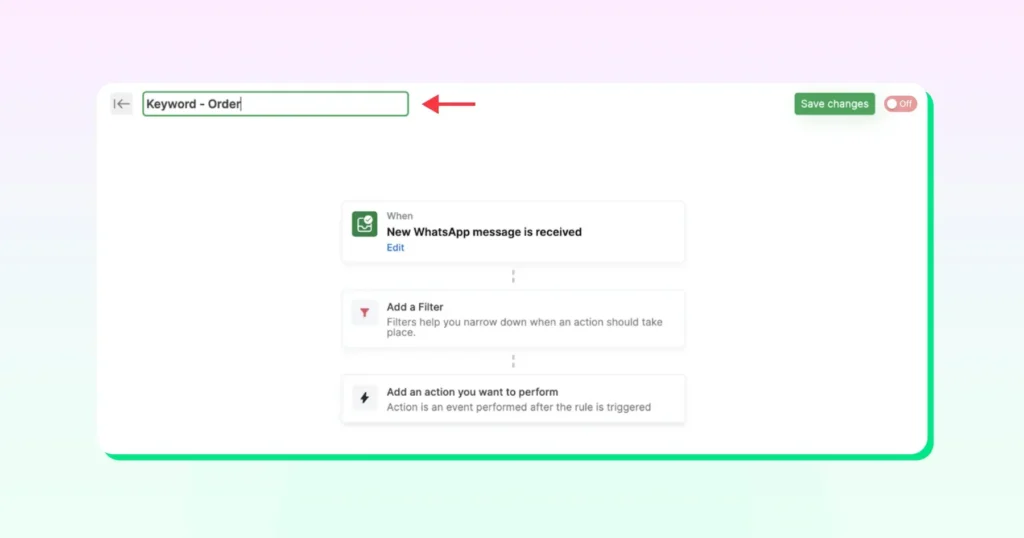
Every time a user comments on your Instagram post or reel, Wati automatically triggers a comment reply/DM to their inbox. At the same moment, an FAQ bot reaches out, confirming details and collecting phone numbers.
With keyword trigger, you can convert high-intent comments into high-quality conversations.
For example, if someone comments, “price”, “link”, or “interested”, it triggers the keyword rule, and a reply is fired from the system.
Apart from this, you can also automate comment replies as well as DMs. Wati allows you to send replies or trigger an auto-DM.
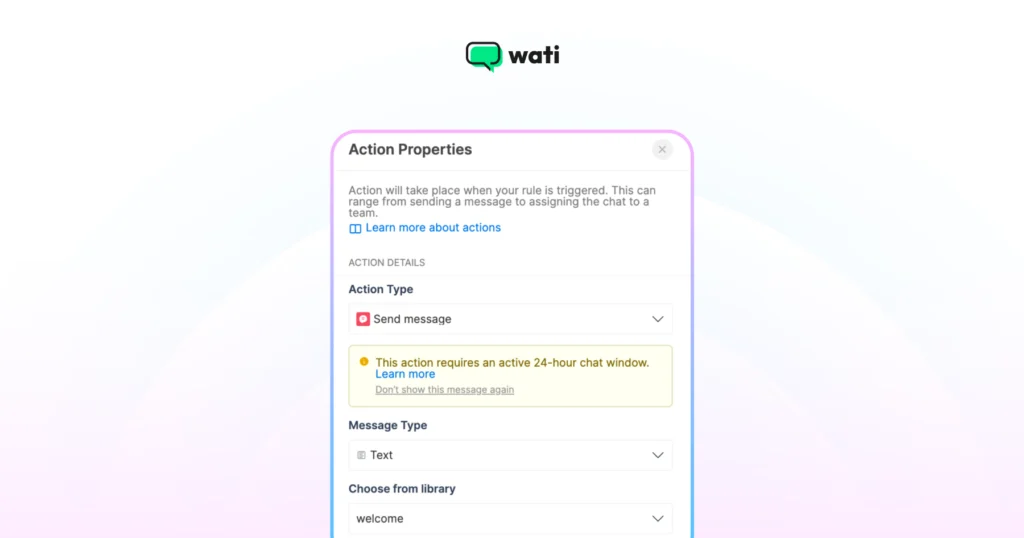
This moves the conversation from a public, noisy comment thread into a one-on-one channel where your bot can ask for their phone number.
2. Instagram DM Automation For Automatic Lead Capture
In case a user reaches out via a private DM, Wati automatically initiates lead capture.
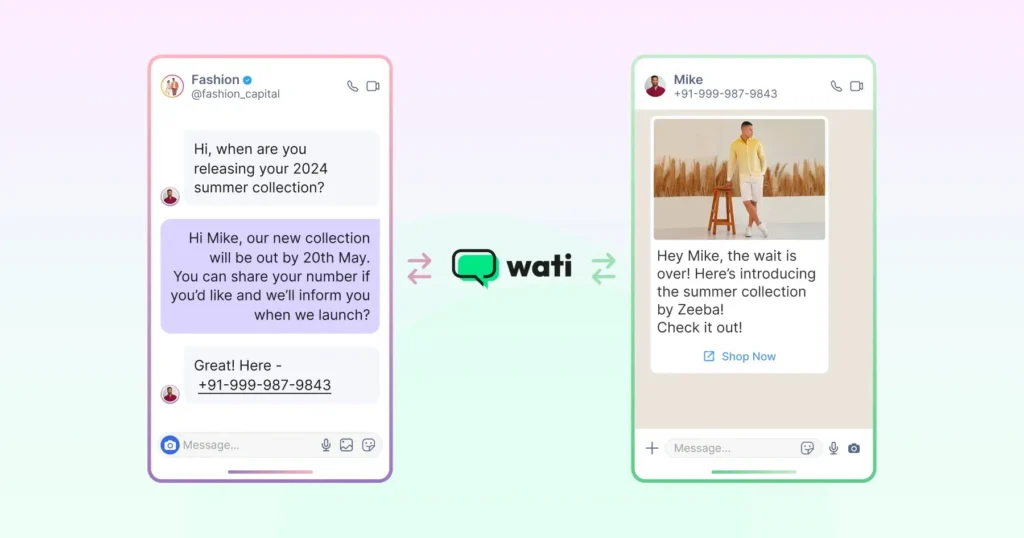
The moment a new DM lands in your inbox, whether it’s a keyword trigger or a cold first message, Wati triggers lead capture flow and begins collecting their contact details.
DM automation saves you from two hassles: engaging with leads to assist them and switching to CRM to manually enter the phone number details.
As of June 2026, Business-plan customers can also connect more than one Instagram or Messenger account to a single Wati account, which is useful if you run multiple brands or manage pages for several clients. Messages from every connected account land in one inbox, filterable by account, with automations that can target specific accounts.
3. Campaign Rules to Maintain Accuracy
Campaign rules in Wati let you fire the right DM reply to the user. You can define precise filter conditions (or FAQ nodes) that control the lead capture workflow.
For example, if a user comments “Price”, auto-initiating lead capture is a bad practice. The campaign rule ensures that only auto-DM is triggered, not the generic welcome DM message or a random reply.
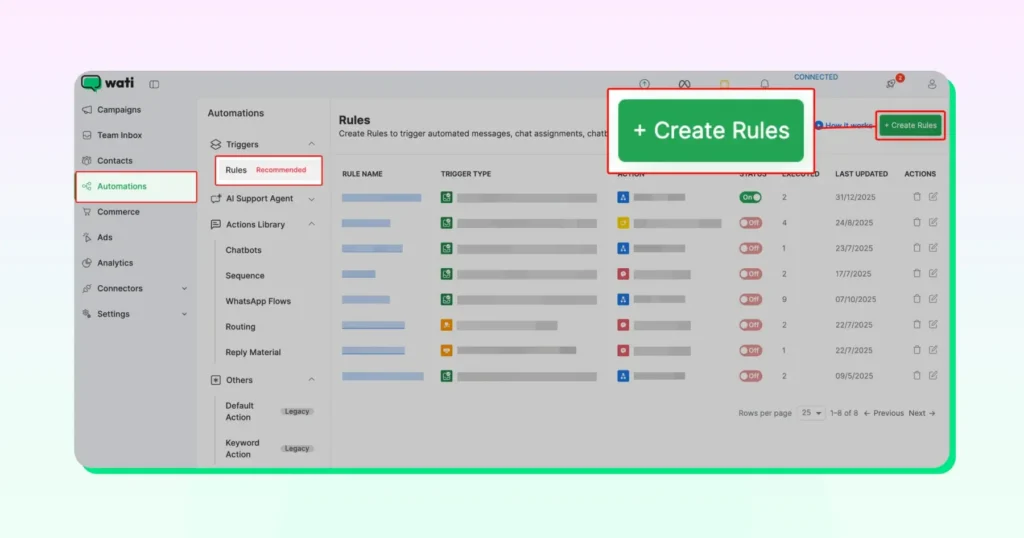
If someone DMs about availability, the rule routes them to the availability node specifically, rather than sending an FAQ menu.
This prevents users from receiving irrelevant messages mid-conversation, which is one of the most common reasons the lead drops off. When someone asks a specific question and gets a specific answer, the conversation stays on track. That helps in improving customer experience.
How Does the Lead Capture Flow on Instagram Work?
To convert from Instagram, just triggering DMs won’t work. By collecting contact details via a bot, you successfully capture the lead for the next sales steps and follow-ups.
Instagram → DM → Phone Number → WhatsApp → Sale
Here is how it works:
- User comments or sends a DM: By using comment-to-DM automation, you successfully move the conversation from a public channel to a private DM.
- Automation triggers a reply: As soon as someone comments, the system triggers a personalized comment or DM. The instant reply keeps the lead warm and interested in the product.
- Bot asks for phone number: The bot requests the phone number as a delivery method. It responds with something like “Where do you want me to give the coupon code?” or “How do you wish to redeem the code”?
- Wati validates and stores it: Once a user shares the contact details, Wati automatically validates them and creates the contact. With this, you move from DM to a successful lead capture.
- WhatsApp follow-up is sent instantly: Teams can view the conversation now on WhatsApp, send follow-ups, and build the sales funnel.
WhatsApp converts far better than cold Instagram DMs - opted-in WhatsApp campaigns can reach 45–60% conversion for SMEs, versus roughly 7–20% for Instagram DMs. Shifting the chat to WhatsApp is where the sale actually closes.
Once you successfully route it to WhatsApp, you can add leads to your WhatsApp marketing campaign and nurture them accordingly. You can send pre-approved messages, catalogs, or new links.
With Wati, you do not require any intermediary like Zapier to temporarily store leads. It does it automatically.
How to Capture Phone Numbers from Instagram: A Pre-Requisite Checklist
To ensure you don’t miss out on high-intent DMs, follow these steps to capture phone numbers with Wati.
1. Create a Lead Capture Chatbot Flow
- Go to Automation > Flow Builder. Click on +New Flow
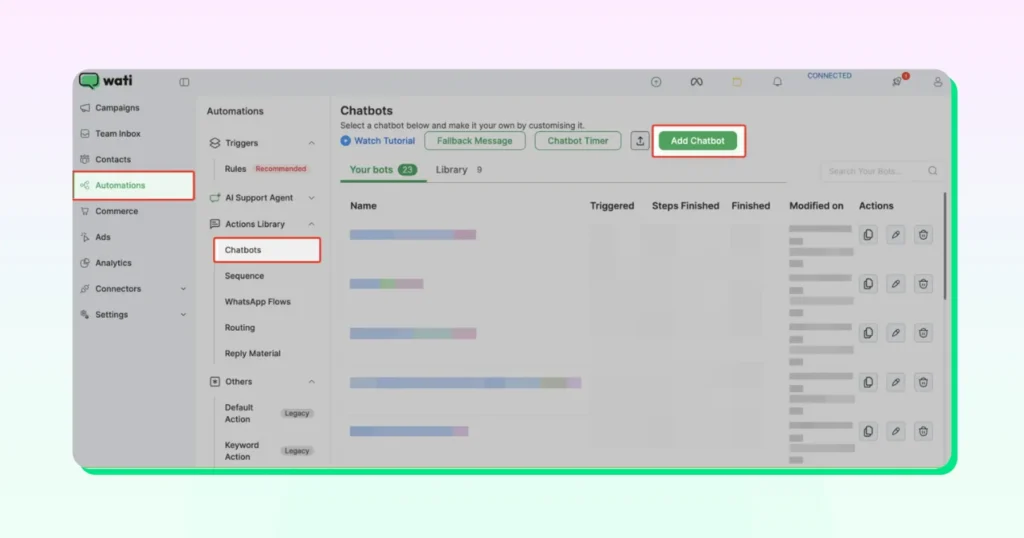
- Name it clearly (e.g., “Instagram Lead Capture – Campaign Name”).
2. Trigger the Lead Capture Flow
- Navigate to Automation > Campaign Rule
- Choose your trigger, such as “New IG comment received,” “new message received,” or a keyword trigger. Comment triggers or keyword triggers activate the automation.
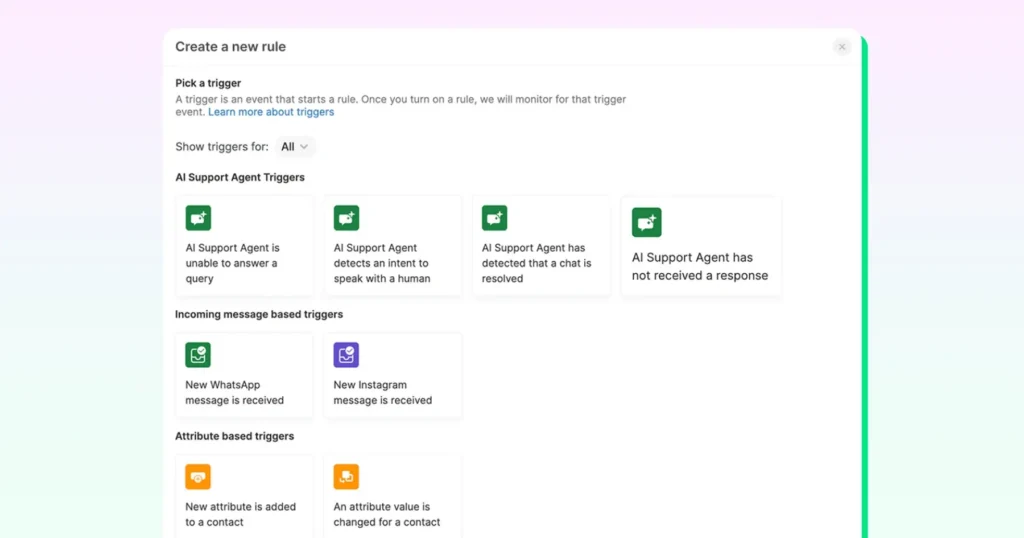
- Select “Send chatbot on Instagram Direct Message” in the Action field.
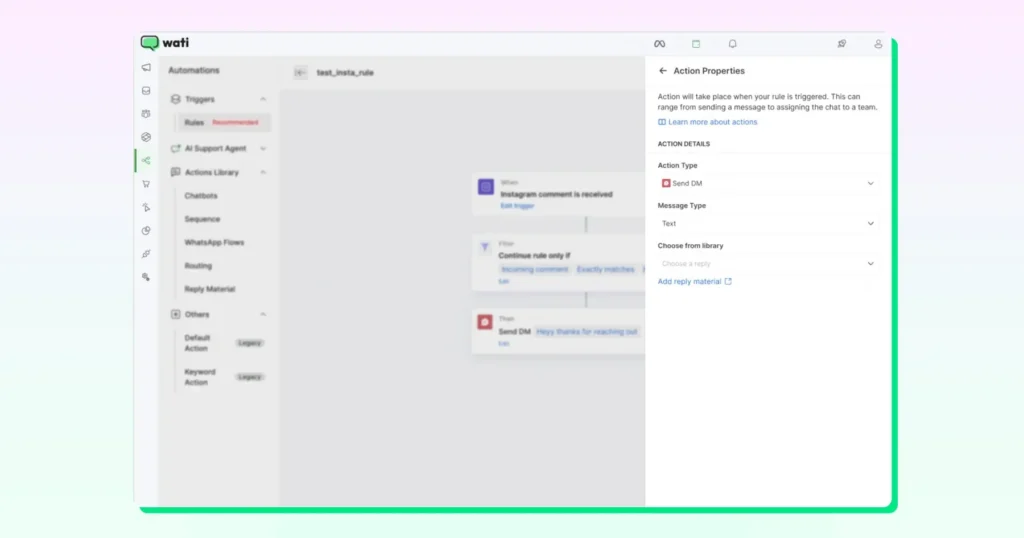
3. Ask For A Phone Number
- In your Flow Builder, add a “question” node.
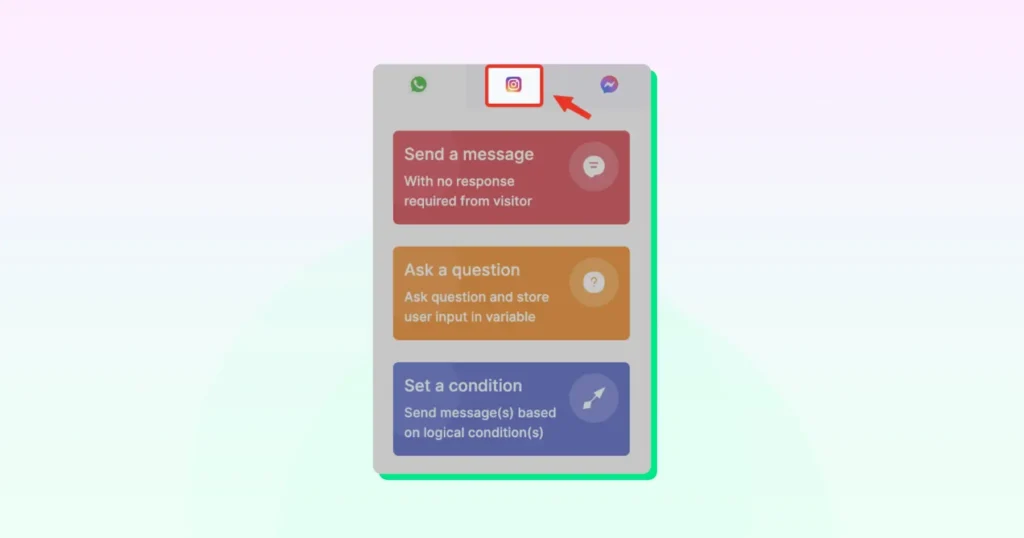
- Add the Message. Keep your messaging concise and frame it as a benefit, explicitly offering value (like a PDF catalogue or a discount code) in exchange for their WhatsApp number.
Note: You can frame your message like, “We’ll send you the full catalog on WhatsApp. What’s your number?”
4. Validate and Store the Lead Data
- Set the node’s validation type to ‘store user input in phone number’.
- Wati automatically validates the number and stores it as an Instagram lead.
Note: If a contact isn’t created or uploaded, you can trigger a “retry” message asking them to input their country code. Validated numbers are stored as contacts under the source tag “Instagram” on the dashboard.
5. Trigger a WhatsApp Follow-Up
- Once the number is captured, add the lead to your WhatsApp broadcast campaign list.
- Trigger an immediate, pre-approved WhatsApp message template to close the loop and shift the conversation to WhatsApp.
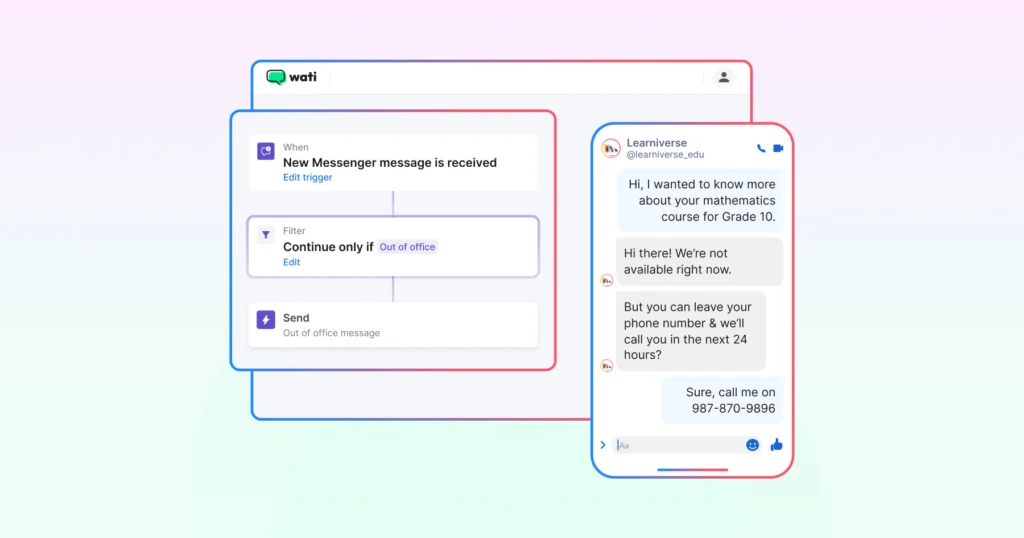
Note: When someone directly sends a DM, you can directly collect the phone number and create a contact in Wati.
Is Instagram DM Automation Against Meta's Rules?
No, provided the automation connects through the official Instagram Graph API using OAuth (logging in and authorizing access) rather than a browser bot that stores your password. Meta's Instagram Graph API enforces its own rate limits on API calls per connected account, and only Business or Creator accounts can access it at all; personal accounts are locked out entirely.
Wati connects to Instagram through this official channel, the same requirement laid out in the prerequisites above (Business account, Facebook Page link, message-access permission).
Wati also carries Meta-recognized credentials, including Meta Official Partner status and Meta's WhatsApp for Business Technical Certified Company and Business Messaging Strategy Certified Company badges, visible on Wati's site.
What Else Can You Automate On Instagram With Wati Apart From Phone Numbers?
We know that Wati automates lead capture directly in the user inbox. However, it doesn’t always jump to lead capture. It helps build a journey, i.e., a conversion bridge to maintain quality standards.
Once your account is connected to Wati, you can build an end-to-end automation layer for Instagram campaigns.
Automation Type | What It Does |
|---|---|
Welcome Messages | Sends an automatic greeting and FAQ menu the moment a new user sends their first DM, making a strong first impression. |
Out of Office (OOO) Replies | Sends a respectful auto-reply when a user messages outside working hours, even without a keyword trigger. |
Chatbot Automation | Handles repetitive questions on pricing, availability, shipping, or refunds automatically, routing complex queries to a human agent. |
Together, these automations mean Wati isn’t just a lead capture tool. It’s a full Instagram automation stack that works before, during, and after the phone number is collected.
How Does Wati Automate Instagram Lead Capture Better Than Others?
Most Instagram automation tools stop at capturing the lead. You might still need Zapier or another tool to move that lead to WhatsApp, store it in CRM, and follow up.
Wati removes that entire layer. Its AI-powered bot engages in a DM, captures the lead with zero effort, and automatically lists it as a contact in the backend.
One inbox for Instagram and WhatsApp
Every Instagram DM or comment your account receives lands in the same Wati team inbox, along with your WhatsApp conversations. You can initiate a reply, customize DMs, or export leads directly from the Wati dashboard.
Your team doesn’t need to check a separate app, log into Instagram again and again, or toggle between tools.
Having all the DMs in one place makes it easy for sales teams to nurture leads. When a salesperson can see an Instagram lead with proper assignment, tag, and history, they make faster conversion efforts.
Assign, Track, and Close from one place
Within the Wati inbox, you can assign Instagram leads to specific team members, just like you would a WhatsApp conversation.
Managers get full visibility into what’s been replied to, what’s pending, and which leads are being actively worked.
You can also filter and segment Instagram-sourced contacts by what they actually did, campaign opens, link clicks, replies, and route the highest-engagement leads to your best closers automatically.
Comments are in There, Too
It’s not just DMs. Comments from your Instagram posts and reels also appear in the Wati inbox, under Instagram comments. Visible comments help your team to reply directly or convert a commenter into a DM conversation without leaving the platform.
For support teams already using Wati for WhatsApp, Instagram is simply one more channel to boost the current workflow and convert.
What Do You Need to Capture a Phone Number from Instagram?
Requirement | Why It's Needed |
|---|---|
Instagram Business Account | Only Business, Professional, or Creator accounts can unlock API access. Personal accounts don't qualify. |
Facebook Admin Manager | Your Instagram account must be linked to both a Facebook Page and Facebook Admin Manager. |
Wati Account Connected | Wati is the bridge between your Instagram DMs and WhatsApp. No connection means no data flow. |
Access to Messages | Message access must be enabled in Instagram settings for Wati to read and respond to messages. |
Start Capturing Instagram Leads on WhatsApp
Every DM is an opportunity. But only if you don’t let it stagnate and reach out at the right time. With Wati’s comment-to-DM automation, you keep leads flowing, tighten your pipeline, and turn Instagram engagement into WhatsApp revenue.
Take Blacklyf, a brand that used Wati's click-to-WhatsApp automation on the paid side of this same social-to-WhatsApp bridge to cut acquisition costs 60% and triple conversions. The same core mechanism this guide walks through for organic Instagram DMs.
Start capturing leads on Instagram and seamlessly build a WhatsApp pipeline with Wati today!
Book a free demo now.
Frequently asked questions
How do I collect phone numbers from Instagram DMs automatically?
Using a lead capture bot in Wati, you can configure an automated DM flow that asks for the user's phone number inside the Instagram conversation. The bot prompts the user, validates the number format, stores it in Wati's contact database, and can automatically trigger a WhatsApp follow-up message to that number.
Can I move Instagram leads to WhatsApp automatically?
Yes, with Wati. Because Wati manages both Instagram DMs and WhatsApp Business messaging in the same platform, you can configure a lead capture flow that captures a phone number from an Instagram DM and automatically sends a WhatsApp message to that number. This is the Instagram-to-WhatsApp pipeline that Wati enables natively.
What happens if someone gives me the wrong phone number in Instagram DMs?
Wati's lead capture flow includes a number validation step that checks whether the entered number matches a valid phone number format. If the format is invalid, the bot sends a retry message asking the user to re-enter their number with the correct country code. Only valid-format numbers are stored in the contact database.
Does Wati support Instagram comment automation, or only DMs?
Wati supports both. You can view and manage all comments on your posts and reels directly from the Wati inbox, and set up automations to auto-reply to those comments with a DM. Keyword filters ensure only high-intent comments, like "price" or "interested", trigger the flow, making comment-to-DM the fastest entry point for lead capture at scale.
Can Wati keep messaging an Instagram lead who never shares their phone number?
Partly. Since Wati added WhatsApp username support in June 2026, a contact can keep chatting by username even without a saved number. A phone number is still required to send them Campaigns (formerly Broadcasts) or authentication/OTP templates.
Does capturing phone numbers from Instagram DMs cost anything beyond my Instagram account?
The Instagram Graph API itself is free to use. Automation tools that connect to it, such as Wati, require a paid plan that includes Instagram automation.
What happens if I don't automate phone-number capture from Instagram DMs?
Without automation, sales teams manually reply to each DM and often lose high-intent leads who don't spontaneously share a phone number, since there's no automatic prompt, incentive, or CRM record created.
Related posts
- How to Create Personalized AI Videos with Wati’s AI Video Generator
Transform your marketing with Wati’s AI video generator. Create personalized, professional videos at scale without technical expertise or expensive equipment.
- How to Set Up Auto Reply in WhatsApp Business?
Master WhatsApp auto-reply for your business: improve response times, customer service, and communication.
- How to Add a WhatsApp Chat Button On Website: 2026 Guide
Discover how to add a WhatsApp chat button on your website effortlessly. Create real-time connections, improve support, and convert visitors with Wati.
- How to Set Up an Instagram Chatbot to Answer FAQs Automatically (2026 Guide)
Learn how an Instagram FAQ chatbot works, which questions to automate, and how to set one up in Wati without code, from your first button template to a live keyword rule.