
Too Long? Read This First
- TikTok Direct Messaging Ads turn a single tap into a real conversation, right inside TikTok's own DM inbox.
- Setup is refreshingly simple: a connected DM channel, a TikTok Ads account, and a few clicks in Wati.
- Three events, Lead, High Intent Conversation, and Qualified Lead, help you track genuine progress, not just clicks.
- The Reporting dashboard is your source of truth, easy to check with no QR code needed.
- Once live, every conversation lands in Wati's Team Inbox, ready for your team to turn that first tap into lasting trust.
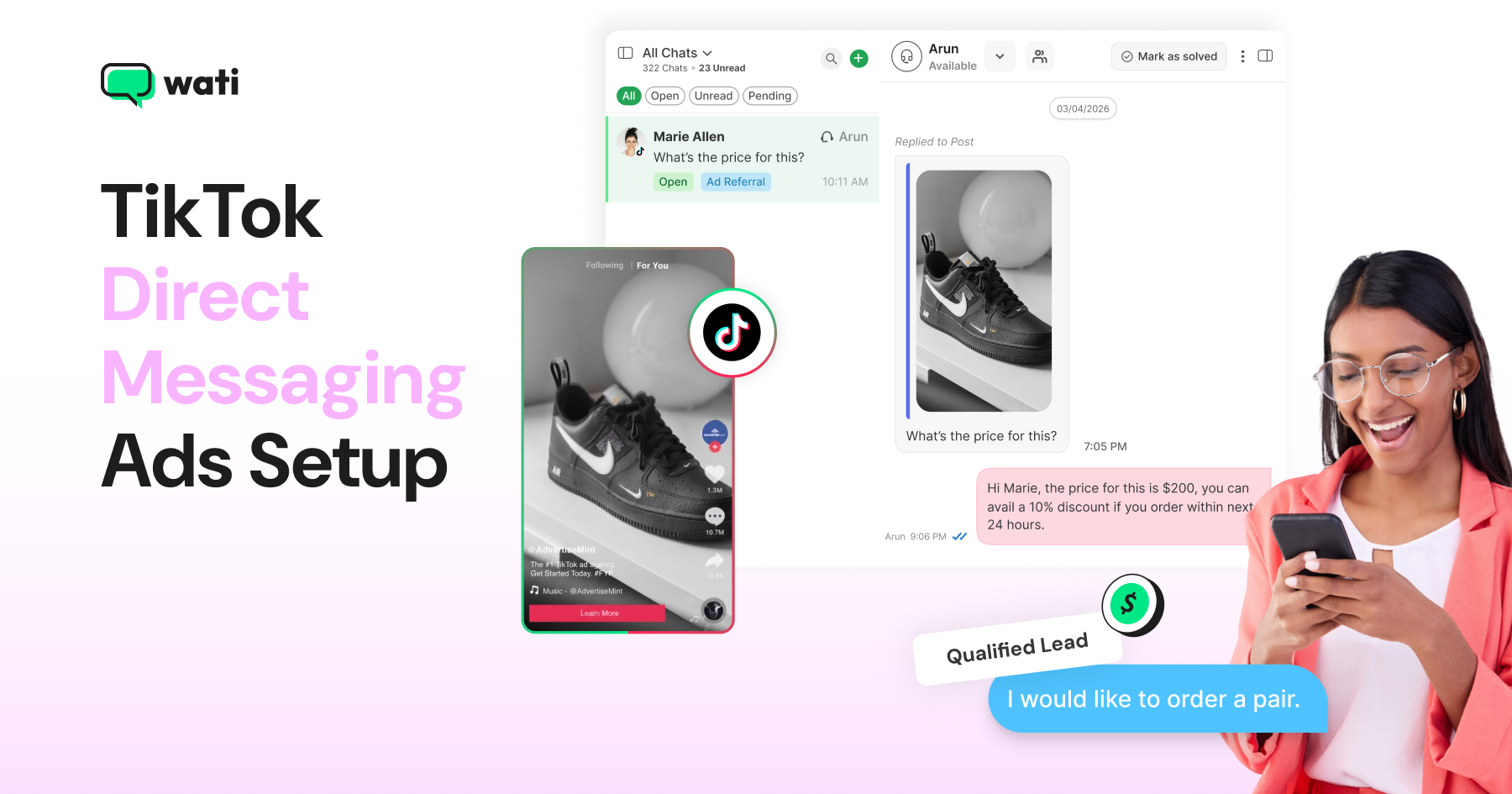
TikTok Direct Messaging Ads are built for exactly that moment. Instead of sending someone off the platform, a tap on your ad opens a real conversation right inside TikTok's own DM inbox.
Wati is an AI-powered customer engagement platform. With TikTok Business Messaging, businesses can turn TikTok Direct Messaging Ads into conversations that their team can manage in Wati.
This guide walks through setting up TikTok Click to Direct Messaging Ads in Wati without requiring a technical background, connecting your accounts, configuring what counts as a lead, and checking where to see that it's actually working.
If you're still deciding between TikTok Direct Messaging Ads and the WhatsApp-based alternative, our TikTok Ads guide covers that choice in more depth.
What are TikTok Click-to-Direct Messaging Ads?
TikTok Click-to-Direct Messaging Ads are ads that open a conversation in TikTok's native DM inbox the moment someone taps them. There's no redirect and no separate app to open. The entire conversation happens inside TikTok.
It is one of two TikTok Messaging Ad formats. The other, Click-to-WhatsApp (CTWA), moves the conversation out of TikTok and into WhatsApp. Both formats turn an ad tap into a conversation; the difference is where that conversation lands.
TikTok Click-to-Direct Messaging Ads are built for audiences that stay inside TikTok rather than switching apps mid-scroll - and with TikTok users 1.5x more likely to immediately buy something they discovered on the platform (TikTok x Material study), keeping the conversation where the discovery happened is often the shorter path to a sale.
What Do You Need Before Setting Up TikTok Direct Messaging Ads?
Before you begin, make sure you have:
- Your TikTok DM channel is already connected to Wati
- A TikTok Ads account
- Wati's Pro or Business plan. This integration isn't available on lower tiers
Since TikTok Direct Messaging Ads keep the whole conversation inside TikTok, there's one less moving part to set up compared to the WhatsApp-based alternative.
Setting Up the TikTok Ads Connection for Click to DM Ads
With your DM channel connected, linking your TikTok Ads account takes just a few steps.
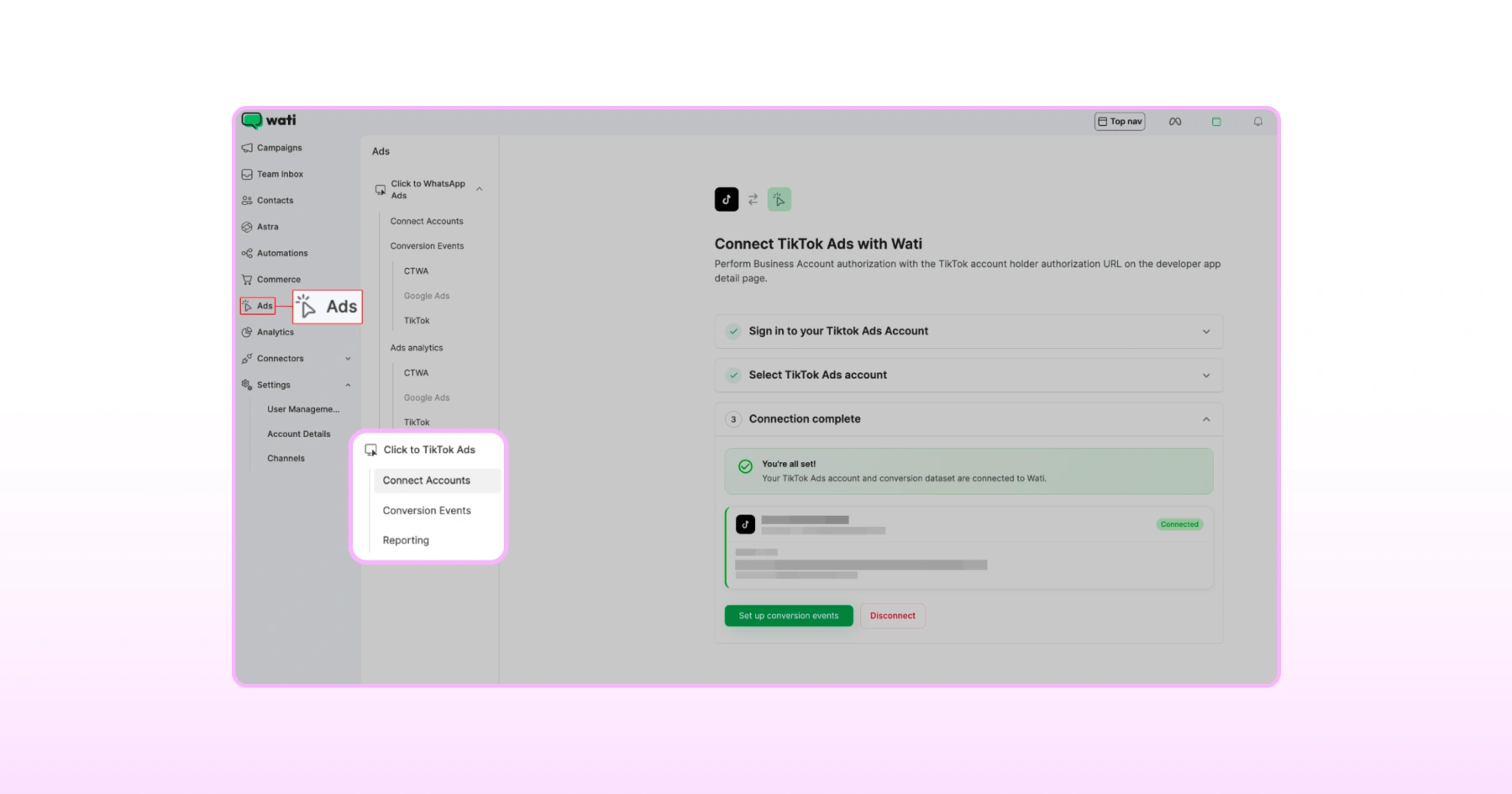
1. Head To Click-to-TikTok Ads
In Wati, go to Ads > Click-to-TikTok Ads.
2. Connect Your TikTok Ads Account
Click Connect Accounts, then sign in to your TikTok Ads account when prompted.
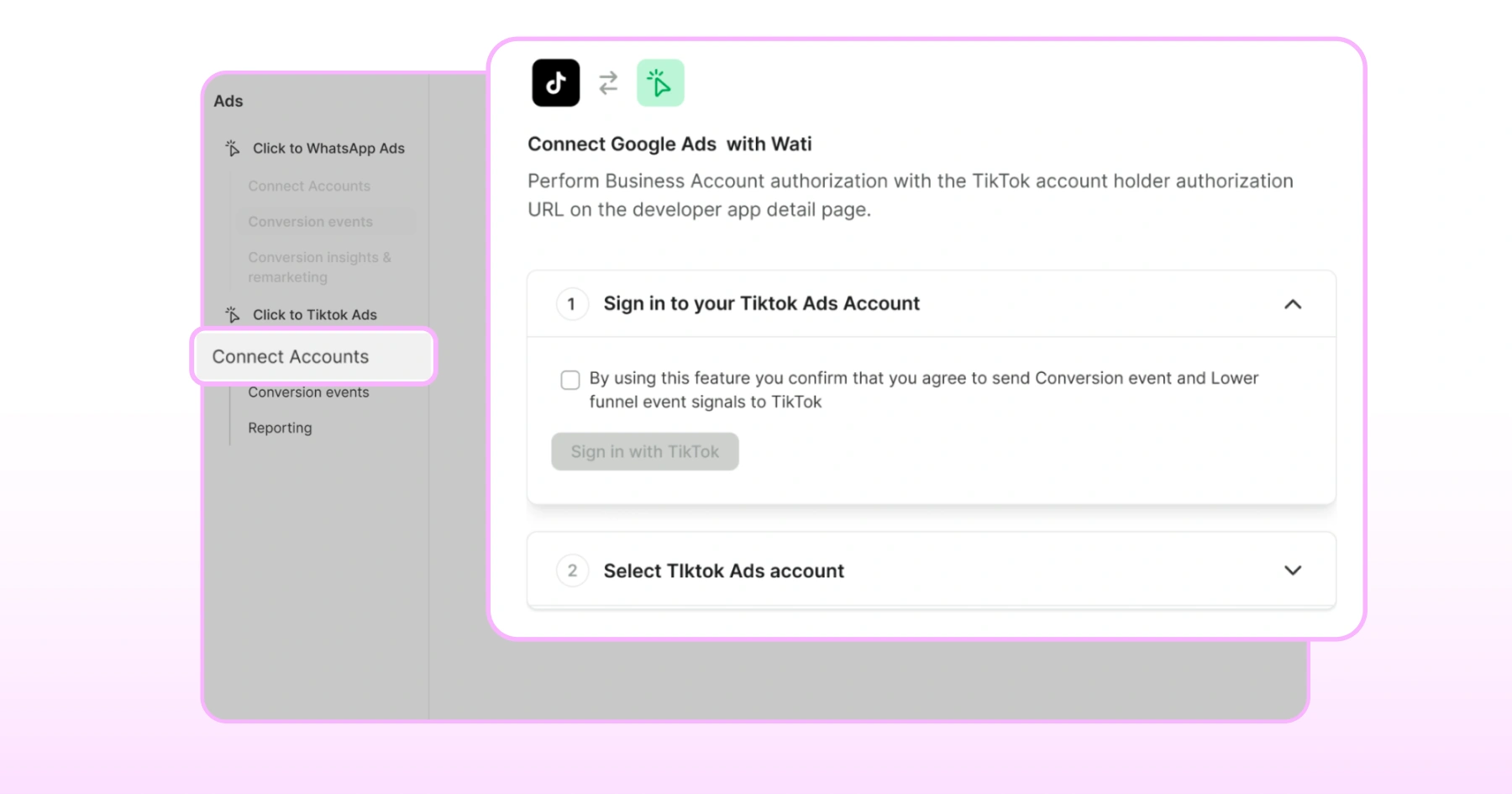
3. Select Your Account and Event Set
Choose the TikTok Ads account you want to connect, then select the Event Set tied to that account.
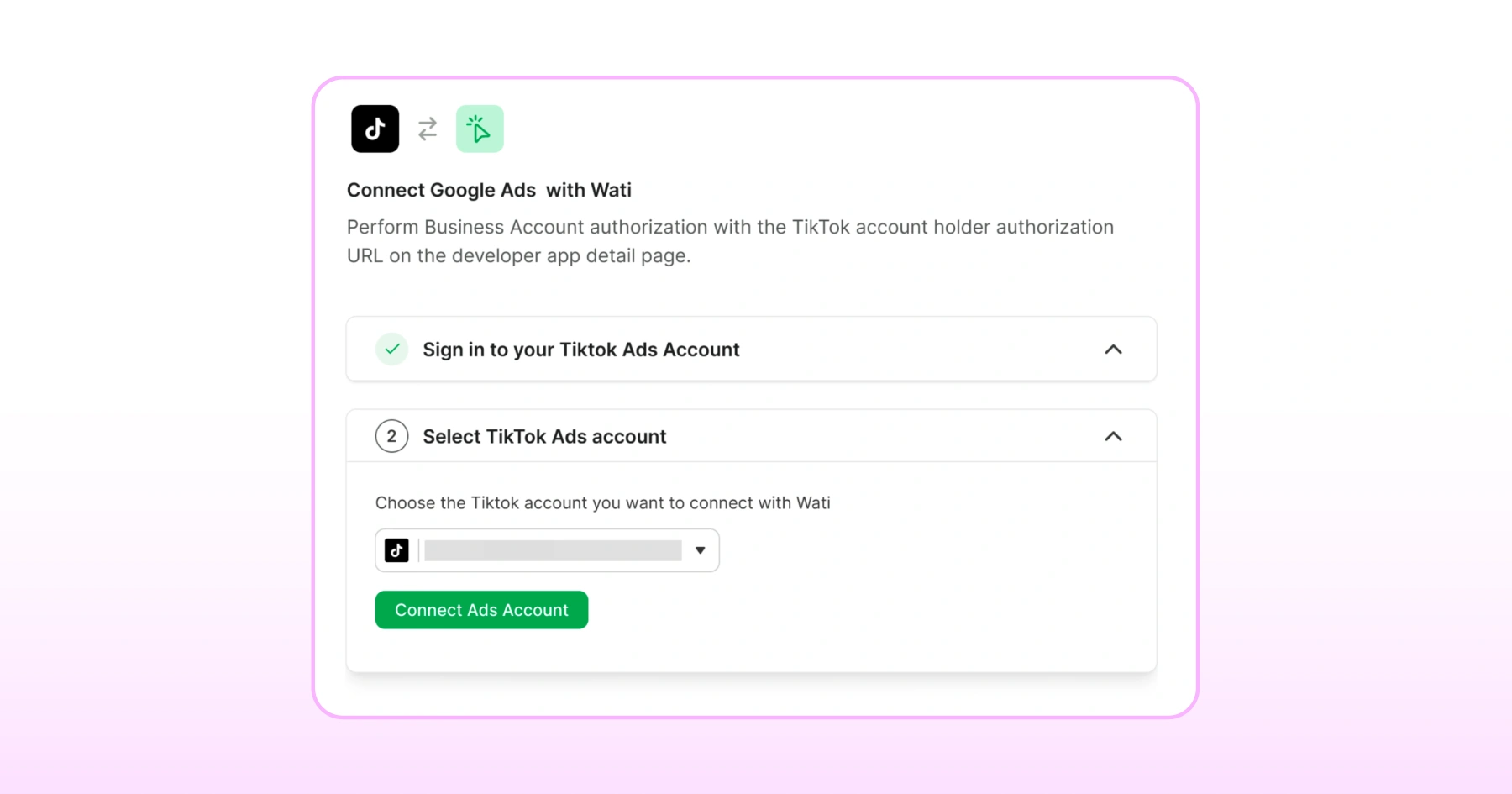
4. Confirm The Connection
Click Connect Ads Account, review the permissions, and click Agree to finish.
Next, we'll set up what actually counts as a lead.
How Do You Set Up Conversion Events for TikTok Direct Messaging Ads?
This is where you tell TikTok what actually counts as meaningful progress in a conversation, not just that someone tapped the ad.
In Wati, go to Ads > Click-to-TikTok Ads > Conversion Events, and you'll find three events you can configure.
1. Lead
Fires when a specific template message you've chosen is sent in the conversation. This is your baseline signal: someone engaged enough to receive that message.
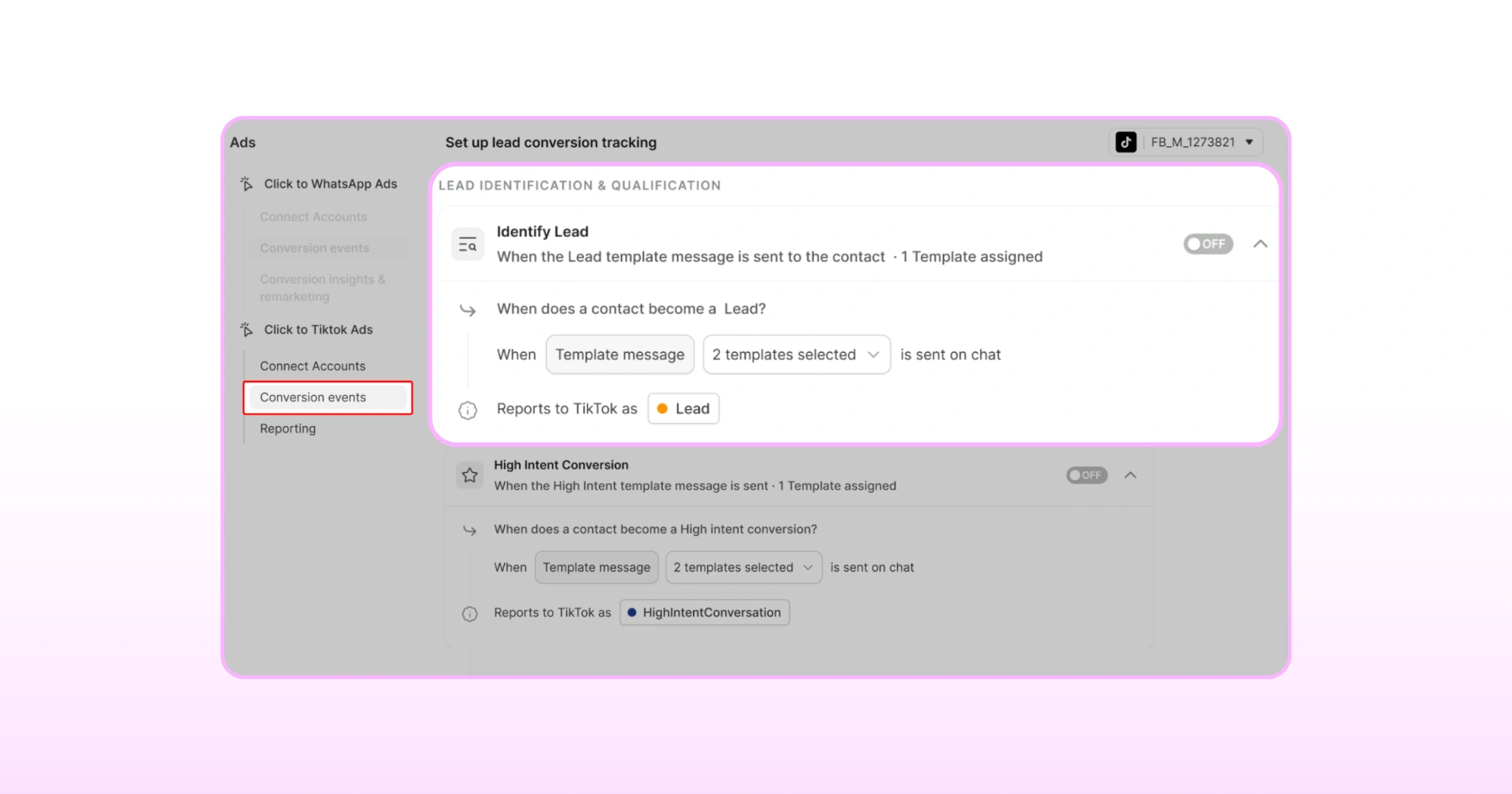
2. High Intent Conversation
Fires when a template signaling real interest is sent; think a message about pricing, availability, or specifics of what you're selling.
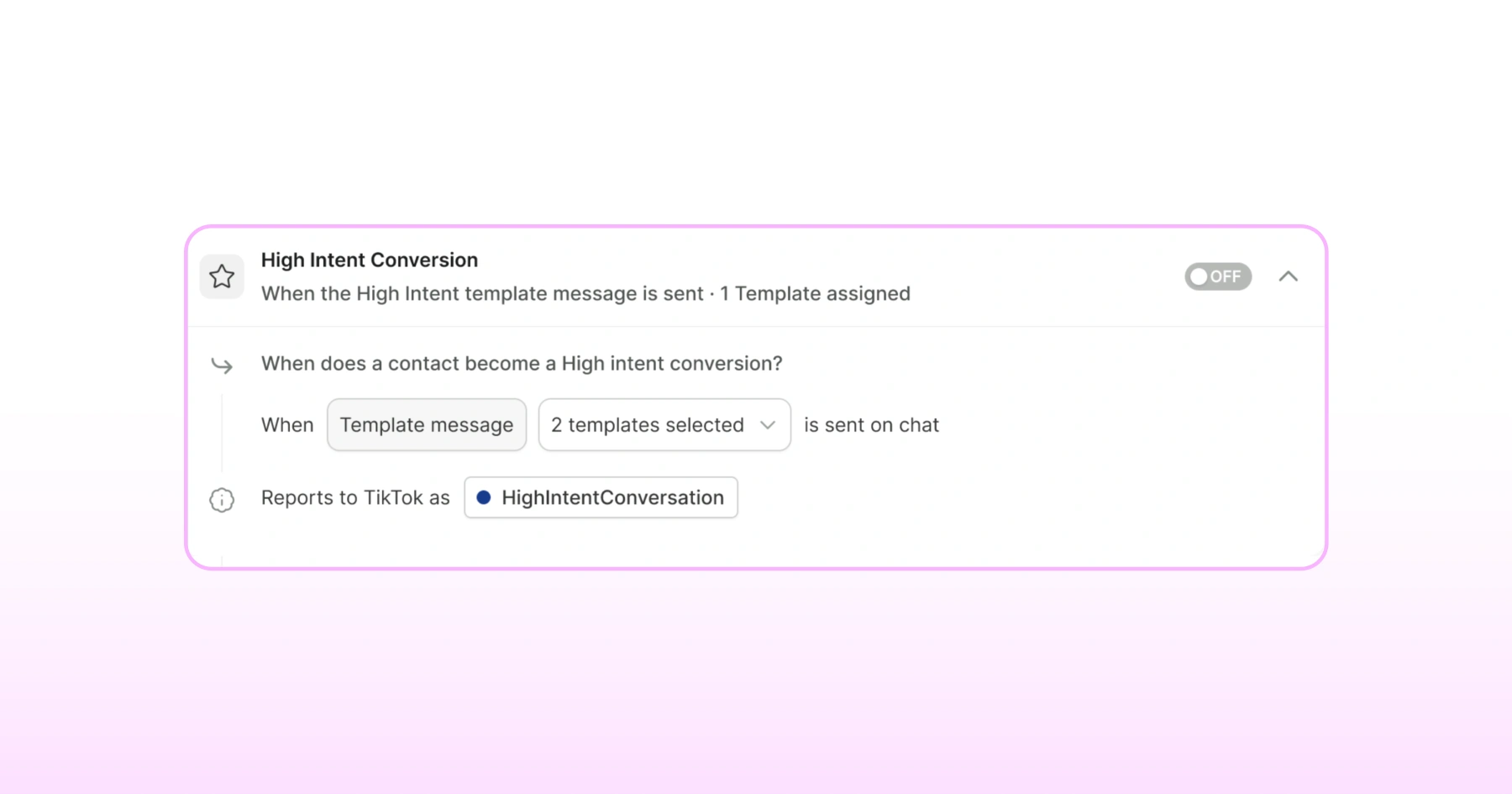
A skincare brand might trigger this event when its team sends a template answering a question about a product's ingredients, since that's a clear signal of genuine purchase interest, not just casual curiosity.
3. Qualified Lead
Fires when your qualifying template, the one confirming someone is a genuine prospect, gets sent.
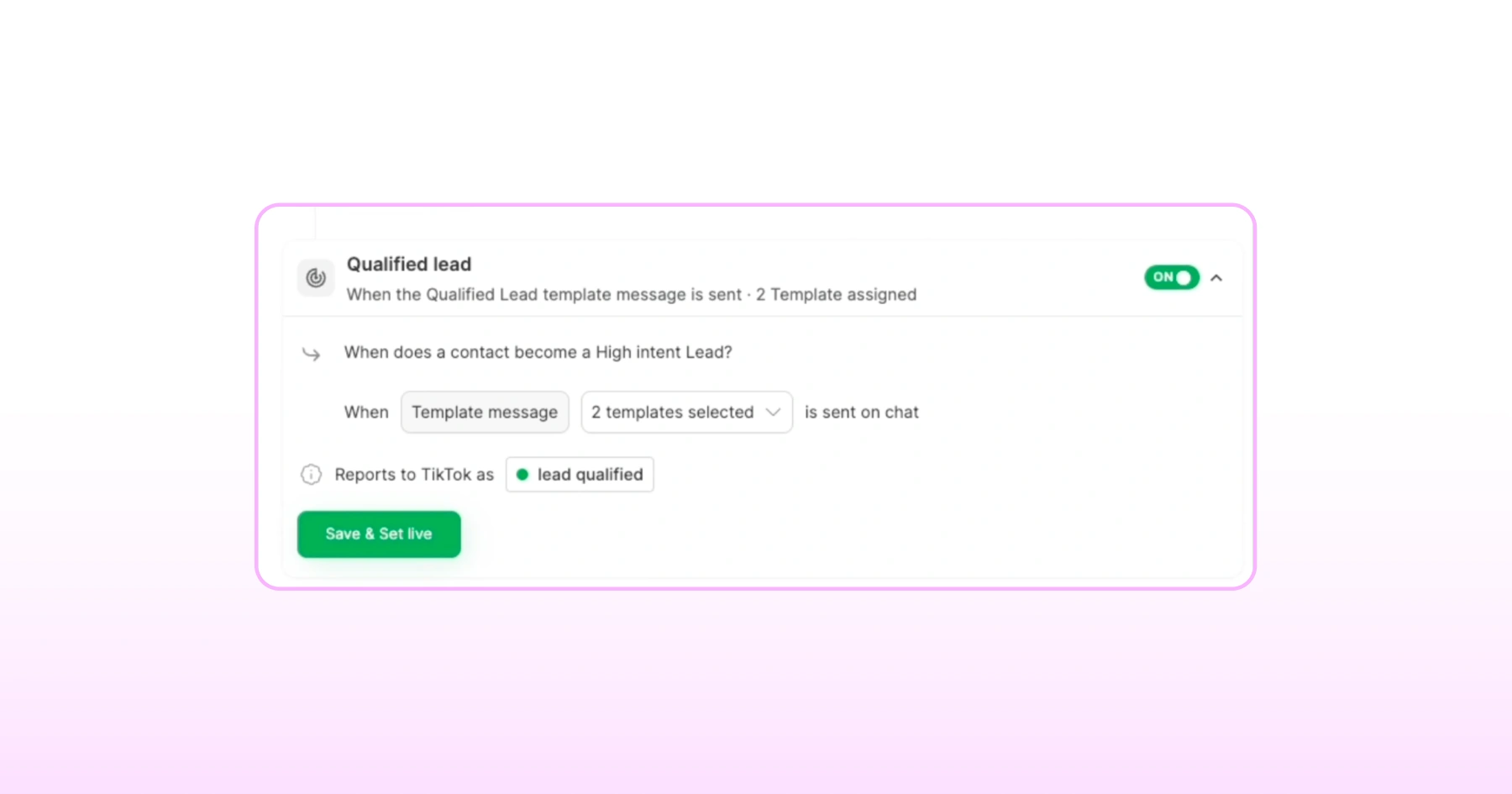
For each event, select the template message(s) that should trigger it - Lead and High Intent Conversation each accept up to two templates; Qualified Lead takes one; then save and set live
One thing worth being upfront about: there's no Purchase event for Click to DM, unlike the WhatsApp-based CTWA integration.
If ROAS tracking on actual sales matters to your team, that's currently only available through CTWA, not this format.
What Else Can You Configure Beyond the Core Events?
Two additional settings round out the click to DM setup, both found alongside your conversion events in Wati.
Report Spam
When an agent marks a TikTok-ad-originated conversation as spam, this setting reports that back to TikTok as a fourth event type. It's a useful signal; spam reports help TikTok's algorithm avoid showing your ad to similar low-intent users again.
Attribute Conversions to TikTok Ads
Here, you select which TikTok Ads account should receive credit for the conversions you're tracking. Worth noting: Click to DM Ads and CTWA each use their own separate Event Set, so if you're running both formats, there's no risk of one overwriting or muddying the other's attribution data.
How Do You Know Your Click-to-Direct DM Ads Setup is Actually Working?
Unlike CTWA, there's no QR code to scan here for a quick test.
Instead, TikTok Direct Messaging Ads verification happens through Wati's Reporting dashboard, and it's just as reliable once you know where to look.
Go to Ads > Click-to-TikTok Ads > Reporting, where you'll find:
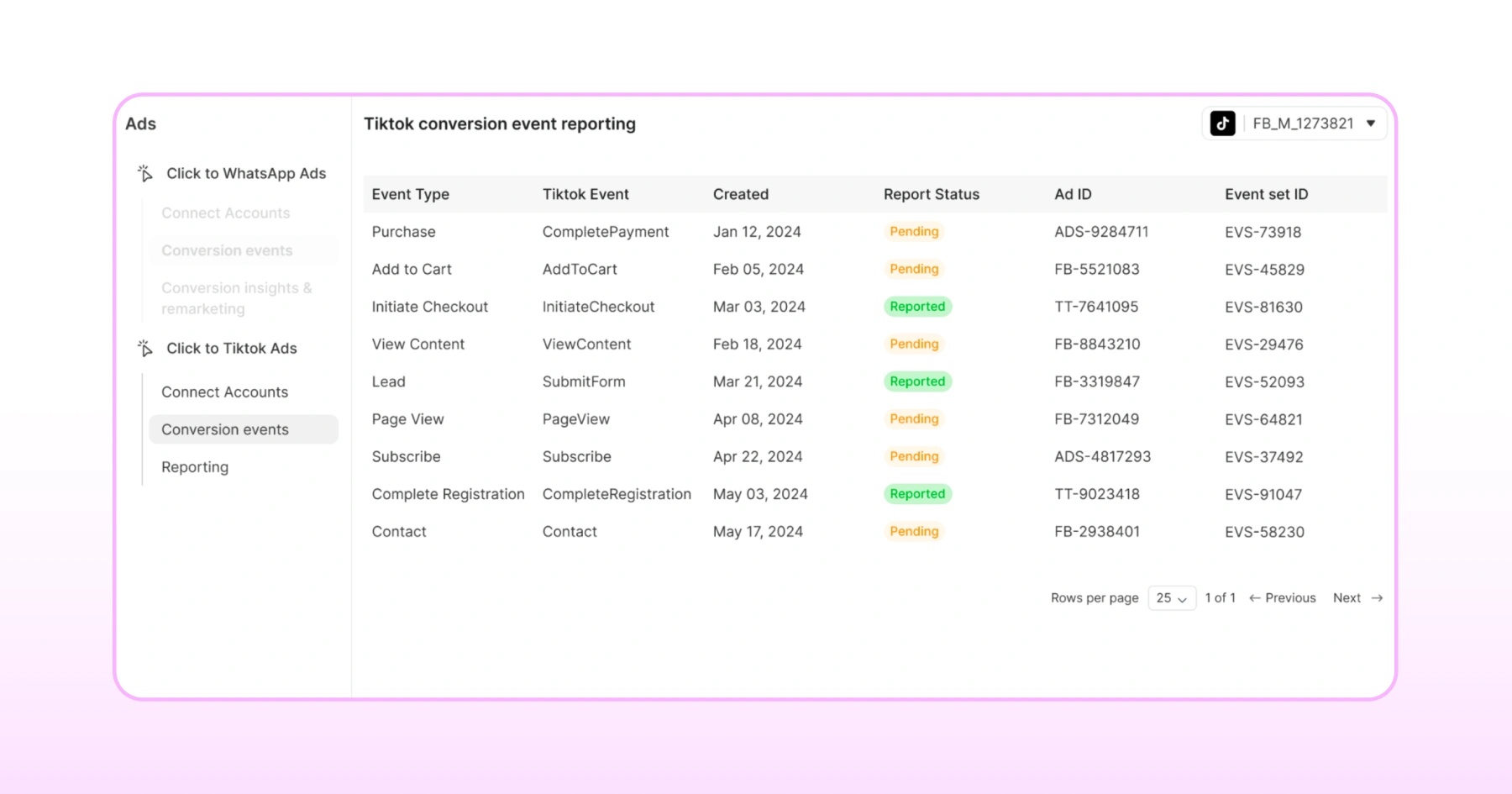
- Event Type: Which of your configured events fired (Lead, High Intent Conversation, Qualified Lead, or Spam)
- Created: The timestamp of when the event fired
- Report Status: Whether the event was successfully reported to TikTok
- Ad ID: Which specific ad drove the conversation
- Event Set ID: Confirming it's tied to the correct Click to Direct DM Ads Event Set, not CTWA's
After your first few conversations come in, check this dashboard to confirm events are firing and reporting successfully.
If something's off, a missing template send or a status that isn't updating, this is where you'll spot it.
Things Worth Knowing Before You Rely on This
A few honest aspects worth understanding before you build your reporting or team workflow around Click-to-Direct DM.
- Only conversations that actually originate from a Click to Direct DM ad are eligible for event reporting. Organic TikTok DMs won't show up in this data, even if they'd otherwise qualify as a lead.
- Events only fire when the template is actually sent, not automatically based on customer behavior. If your team doesn't send the mapped template, the event won't report, even if the conversation clearly qualifies. This makes team responsiveness part of your measurement accuracy, not just your customer experience.
- There's no Purchase event or ROAS tracking for Click-to-Direct DM Ads. Unlike Click-to-WhatsApp (CTWA), which does support purchase-level attribution
None of these three limitations- no organic DM tracking, no purchase event, and template-dependent reporting should stop you from using Click-to-Direct DM Ads.
They're just the kind of details worth knowing up front so your reporting matches reality instead of raising questions later.
The Payoff of TikTok Direct Messaging Ads
TikTok Direct Messaging Ads pay off when your team replies fast. Every conversation lands in Wati's Team Inbox, already tagged and attributed to the ad that generated it.
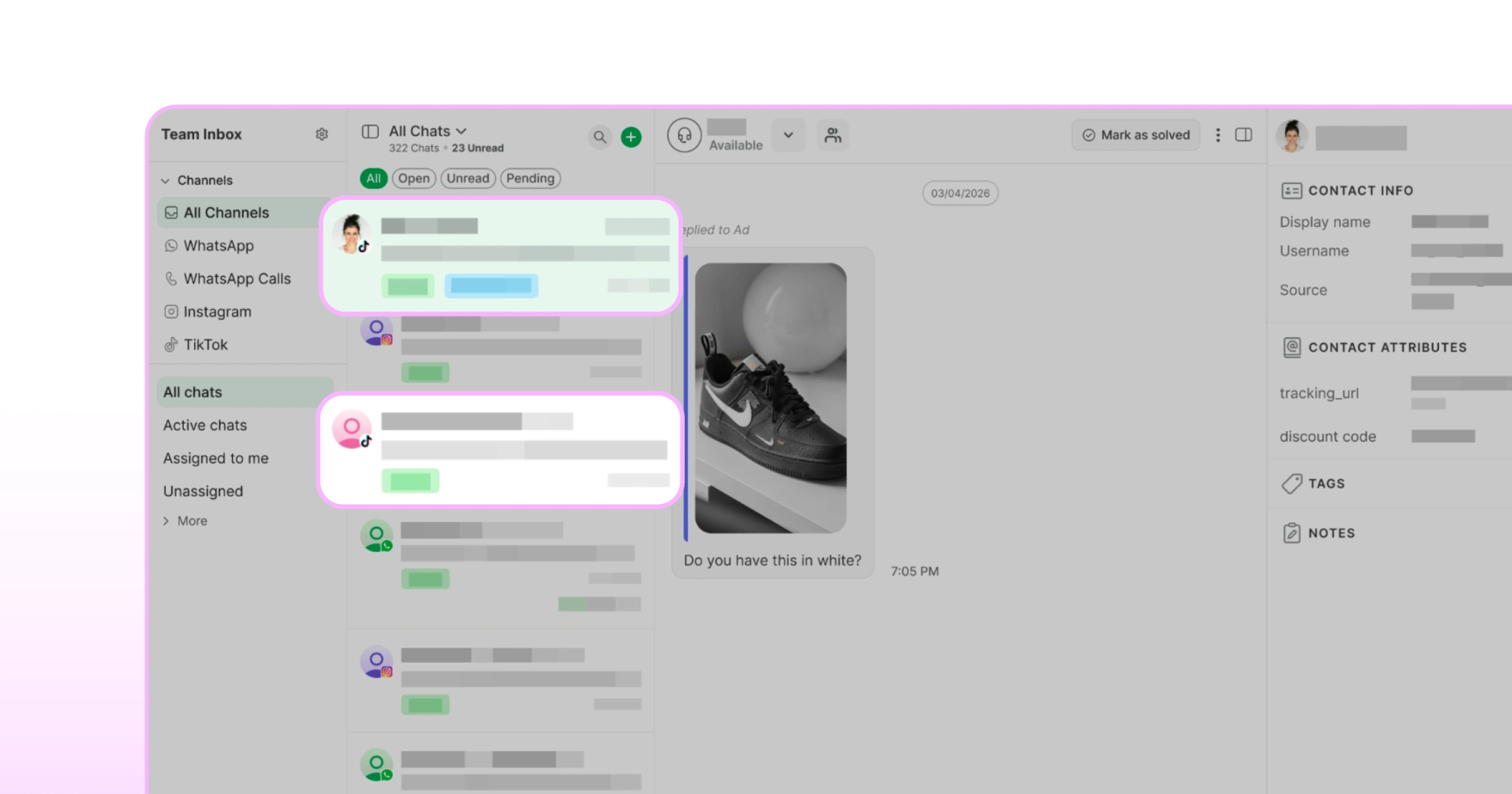
A thoughtful, timely response turns a tapped ad into a real relationship, the kind of moment that's easy to underestimate and hard to manufacture any other way.
The technical work is done. From here, it's about showing up for the conversations you've made it this easy to have.
Sign up for a free trial to get started with Wati if you haven’t already.
Frequently asked questions
1. What do I need before configuring TikTok Click to Direct DM campaigns in Wati?
Your TikTok DM channel is connected to Wati, an active TikTok Ads account, and Wati's Pro or Business plan.
2. Which conversion events can I configure?
Lead, High Intent Conversation, and Qualified Lead, each triggered by a specific template message you choose.
3. When does Wati report conversion events to TikTok?
As soon as the mapped template message is sent in a qualifying conversation.
4. When is a Spam event reported?
When an agent marks a TikTok-ad-originated conversation as spam, this gets reported back to TikTok as a signal to improve targeting.
5. Can I run Click to DM Ads and CTWA at the same time?
Yes. They use separate Event Sets, so attribution for each stays accurate without overlap.
Related posts
- How to Create Personalized AI Videos with Wati’s AI Video Generator
Transform your marketing with Wati’s AI video generator. Create personalized, professional videos at scale without technical expertise or expensive equipment.
- How to Set Up Auto Reply in WhatsApp Business?
Master WhatsApp auto-reply for your business: improve response times, customer service, and communication.
- How to Add a WhatsApp Chat Button On Website: 2026 Guide
Discover how to add a WhatsApp chat button on your website effortlessly. Create real-time connections, improve support, and convert visitors with Wati.
- How to Set Up an Instagram Chatbot to Answer FAQs Automatically (2026 Guide)
Learn how an Instagram FAQ chatbot works, which questions to automate, and how to set one up in Wati without code, from your first button template to a live keyword rule.