
Too Long? Read This First
- WhatsApp Coexistence lets you run the Business App and Business API on the same number, but only if you're on app version 2.24.17+, already active on the Business App, and have a linked Facebook Business Page.
- Chat history sync during Coexistence setup is a choice, not automatic: text syncs 6 months, media only 2 weeks, and skipping it means a full re-onboarding to fix later.
- Don't add a payment method directly to your WABA without checking with Wati Support first. Wati's wallet already covers conversation billing in the standard setup, and adding one on top risks double billing.
- Windows and WearOS companion devices don't reconnect after Coexistence onboarding. Every other supported companion client does.
- App messages stay free; WhatsApp Business API messages follow Meta's per-message pricing, so budget before shifting your campaign volume over.
For small and medium-sized businesses that started their WhatsApp conversations in the WhatsApp Business App, moving to the Business API used to mean an uncomfortable trade: give up the familiar mobile app and its chat history, or stay capped at basic features and four linked devices.
WhatsApp Coexistence removes that trade-off.
Already decided to connect your WhatsApp Business App and the Business API on the same number?
This is the execution guide: exactly what to check first, the onboarding steps themselves, what it costs, and what changes for your team once you're live.
Am I Eligible for WhatsApp Coexistence?
Requirement | Detail
|
|---|---|
Existing WhatsApp Business App account | Active on the number you plan to connect; this is not a path for brand-new accounts |
App version | 2.24.17 or newer and Meta's own signup requirements |
Number activity | Meta doesn't publish an exact threshold, but the number generally needs several days (commonly 7) of genuine one-to-one activity, with 30–60 days recommended for smoother approval. |
Prior WhatsApp Business API history | If the number was previously connected to a WhatsApp Business API (WABA) account, that WABA must be disconnected first. Integrators report that it typically takes around 1–2 months of renewed WhatsApp Business App activity before the number becomes eligible for Coexistence, though Meta doesn't publish an official cooldown period. |
Country eligibility | Determined by Meta and checked during Wati onboarding; availability varies by market and keeps expanding |
Facebook Business Page | Requires onboarding through Meta's Embedded Signup flow. You'll need admin access to the Meta Business Manager (Business Portfolio) associated with the WhatsApp Business Account. |
Business name | Locked across both surfaces once Coexistence is enabled. So confirm it is correct in both the app and Meta Business Manager before you start |
Meeting these prerequisites lets Meta verify your identity, link your number, and start syncing chat history without interruption once you begin onboarding through Wati.
How to Connect: Wati's Onboarding Walkthrough
Before you start, make sure your WhatsApp Business app is on a supported version (2.24.17+ and at least 7 days of number activity) and that your number meets Meta's eligibility requirements, including any minimum activity requirements shown during onboarding.
If your number isn't yet eligible, onboarding may fail or the Coexistence option may not appear.
Before enabling Coexistence, make sure your business name is correct in both the WhatsApp Business app and Meta Business Manager. After setup, the business identity is shared across both, and changing the display name follows Meta's approval process.
During Embedded Signup
1. Verify prerequisites:
Wati checks your app version, country, and Facebook Page during setup and flags anything missing before you go further.
2. Launch Embedded Signup from your Wati dashboard and authenticate with the Facebook account that administers your Business Manager and Page.
3. Generate and scan the QR code: In the WhatsApp Business App, go to Settings > WhatsApp > Sign Up with Facebook to generate the code, then scan it from the Embedded Signup window in Wati. Using this exact in-app path avoids partial or incorrect signup states; if the code won't scan, updating to the latest app version usually fixes it.
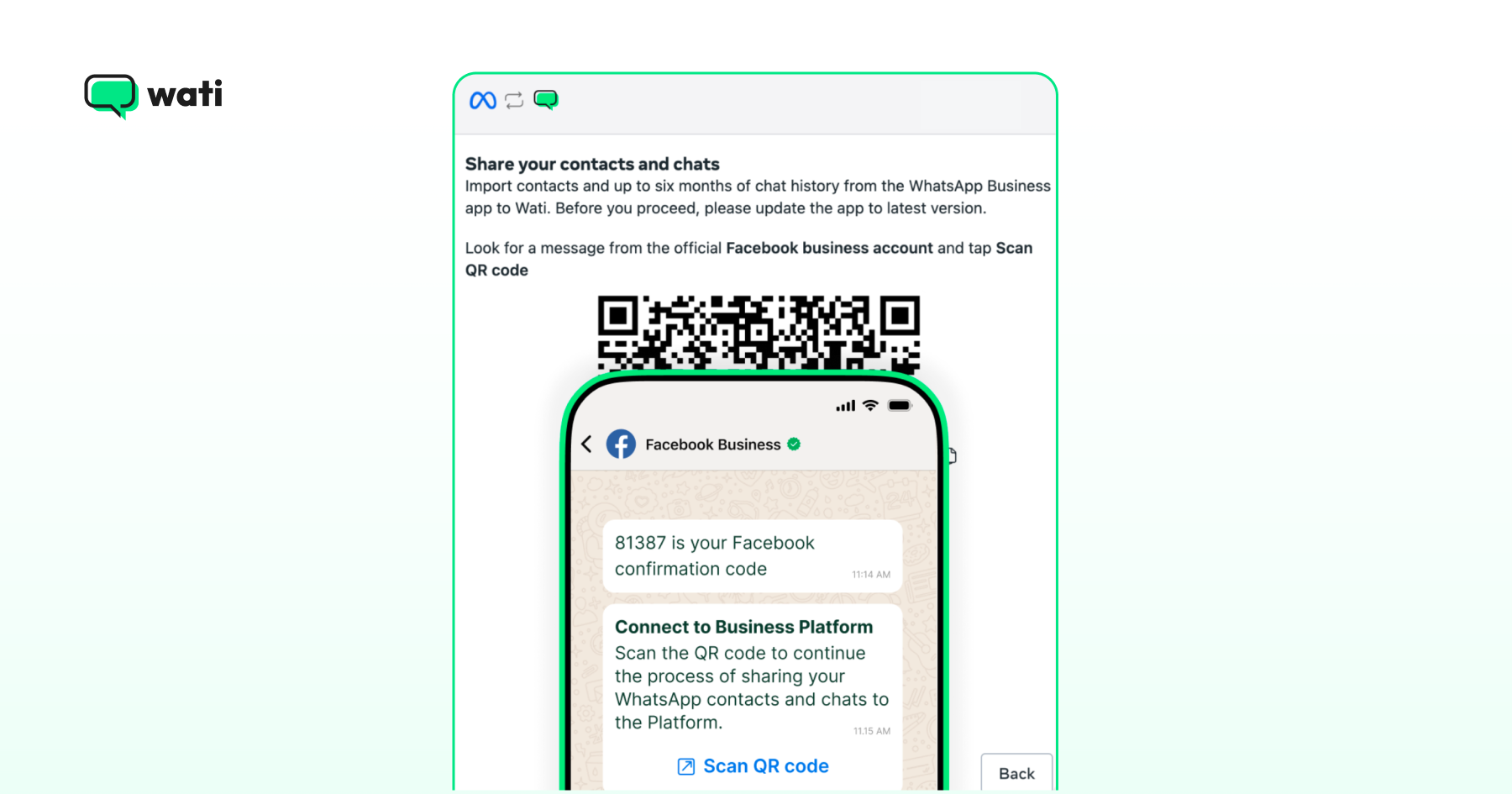
4. Confirm your phone number: Embedded Signup detects the number tied to your active app session and verifies you control it, no separate SMS code needed.
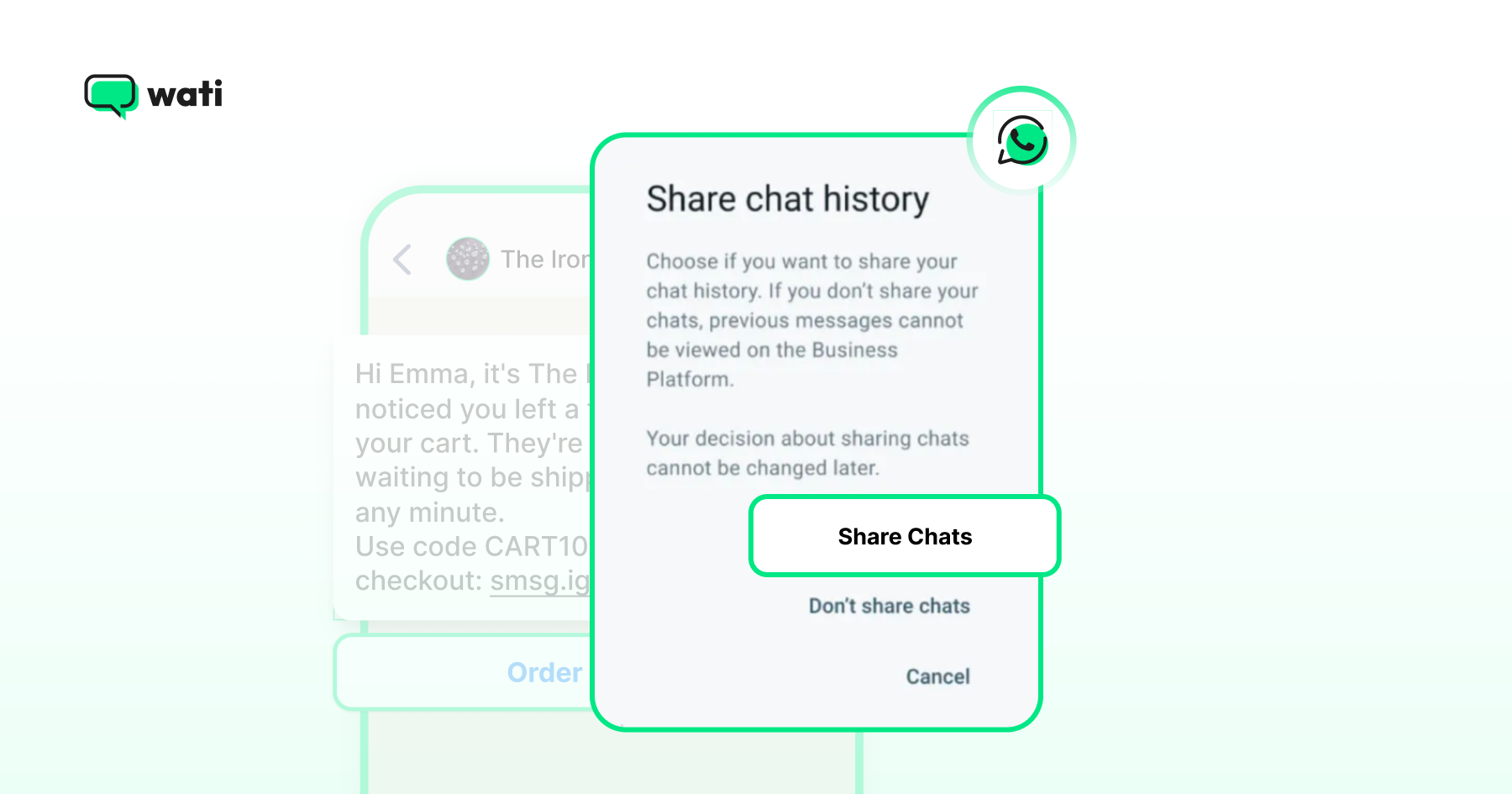
5. Choose whether to sync your chat history: After you scan the QR code, Wati asks directly: sync past chats, or skip it. This is on by default, but it's a real choice, not something that just happens.
If you skip it and change your mind later, there's no partial fix; you have to disconnect and redo the entire Coexistence onboarding to sync history.
If you say yes, all contacts sync automatically, one-to-one text chats sync for the last six months, but media (images, documents, voice notes) only syncs for the most recent two weeks, not the full six months.
Group chats never sync, regardless of your choice. Meta says syncing usually takes several minutes, but larger histories can take longer. Providers commonly cite up to a few hours within a 24-hour completion window.
6. Link your Facebook Business Page. This becomes your visible identity in some customer-facing contexts, so double-check the name and category before confirming.
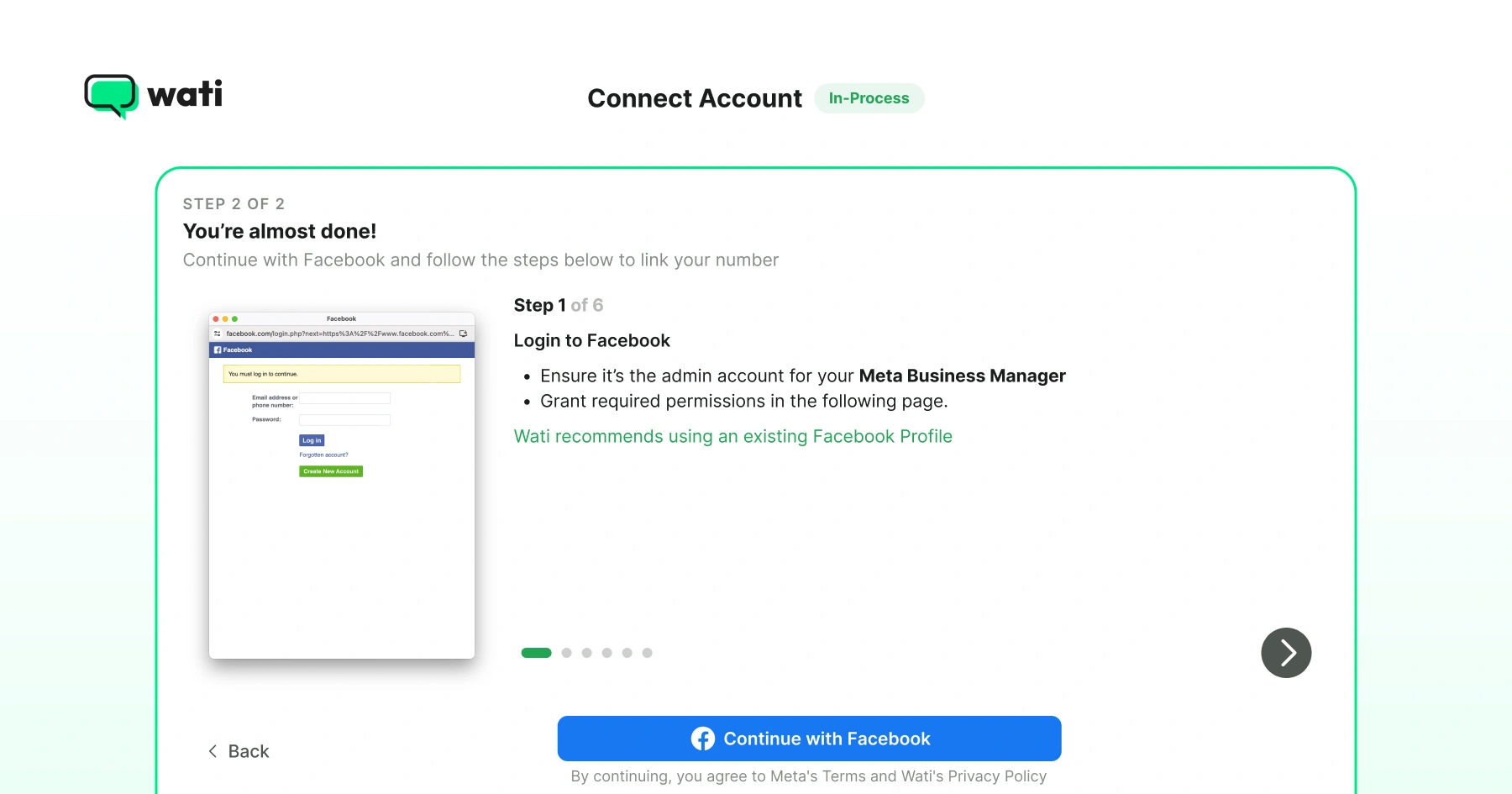
- Two things happen automatically at this point, worth knowing in advance: any devices you'd previously linked (Web, Desktop, tablets) get unlinked as a security step, and you'll need to relink the supported ones (Web, Mac) afterward from Settings > Linked Devices. This is normal, not an error.
After Signup
7. Let sync finish: Your app keeps working normally the entire time; new messages sync automatically once the initial import completes.
8. Turn off any greeting or away messages you had set up natively in the WhatsApp Business App: If you leave these on, they'll run alongside whatever automation you build in Wati, and the two will conflict. Rebuild the same logic (and more) using Wati's Rule-Based Automation instead.
9. Configure your team and automations in the Team Inbox: Invite agents, set up routing rules, build a welcome flow, and launch your first Campaign.
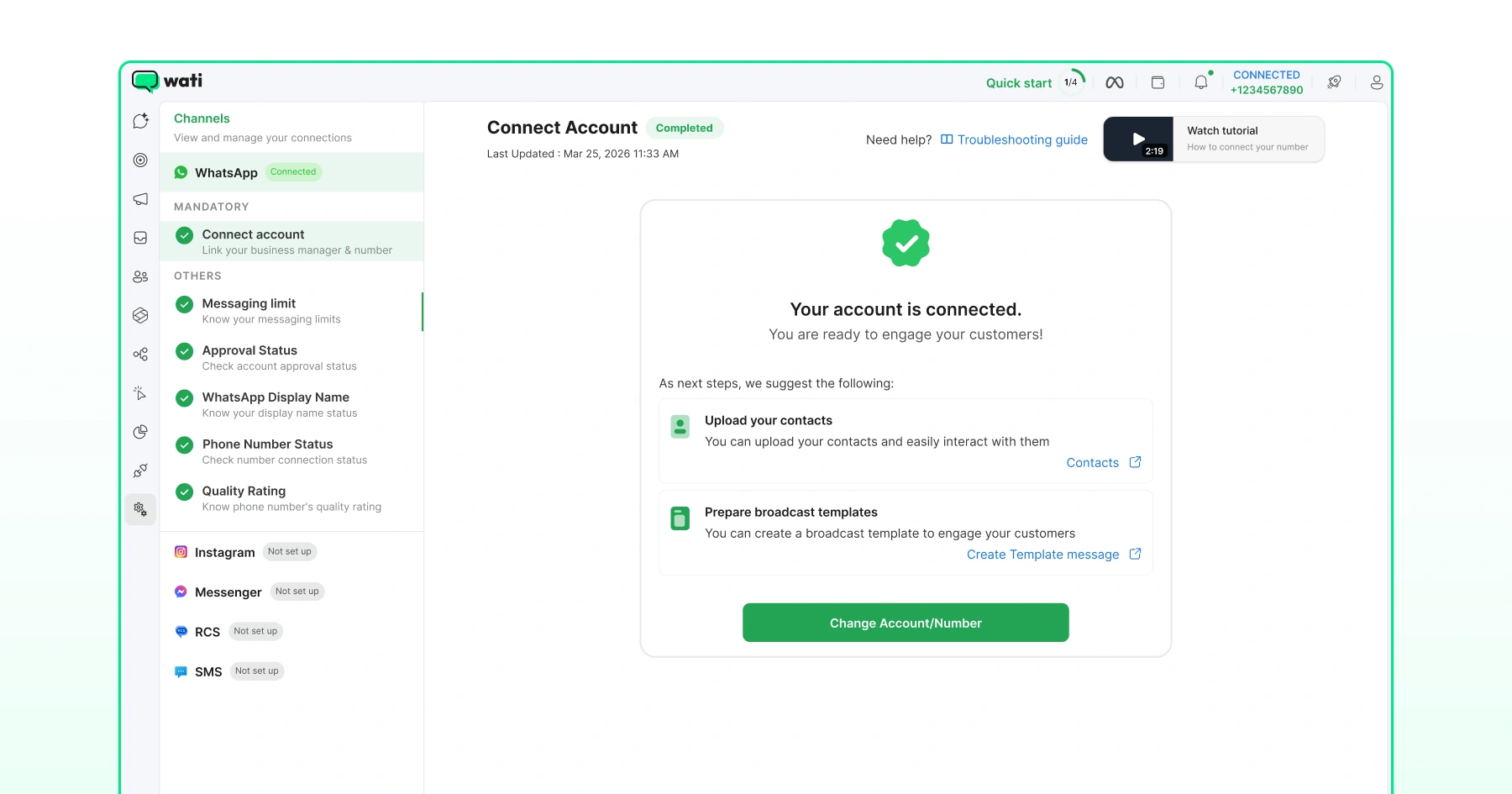
From a user perspective, very little changes after the Coexistence solution is enabled. The phone number stays online throughout onboarding, customers experience no interruption, and businesses can continue using the WhatsApp Business App alongside the Business API.
What Does WhatsApp Coexistence Cost?
Coexistence itself has no separate fee. Messages sent from the WhatsApp Business App stay free, as they always have.
WhatsApp Business API messages are billed per delivered template, with rates varying by message category (marketing, utility, authentication) and recipient country; free-form replies inside an open 24-hour customer window stay free either way.
Before you shift your full campaign volume onto the API, model your expected send mix against Meta's current rate card so the cost of scale doesn't surprise you.
Wati manages Business API billing for the WABA connected to your account. If you also add a payment method directly in Meta Business Manager, you risk getting billed by both Wati and Meta for the same messages.
If you've already added one, don't try to remove it mid-stream. Back up your app chats, re-register the number in the personal WhatsApp app (this removes it from the Business App), then re-register it in the WhatsApp Business App and redo the Coexistence process from scratch.
If you're not sure whether a payment method is already set, check with Wati support before touching your billing settings.
Running Multiple Numbers on One Wati Account
Wati also supports connecting more than one phone number to a single account, mixing Coexistence and standard Embedded Signup as needed. It is available in the business plan.
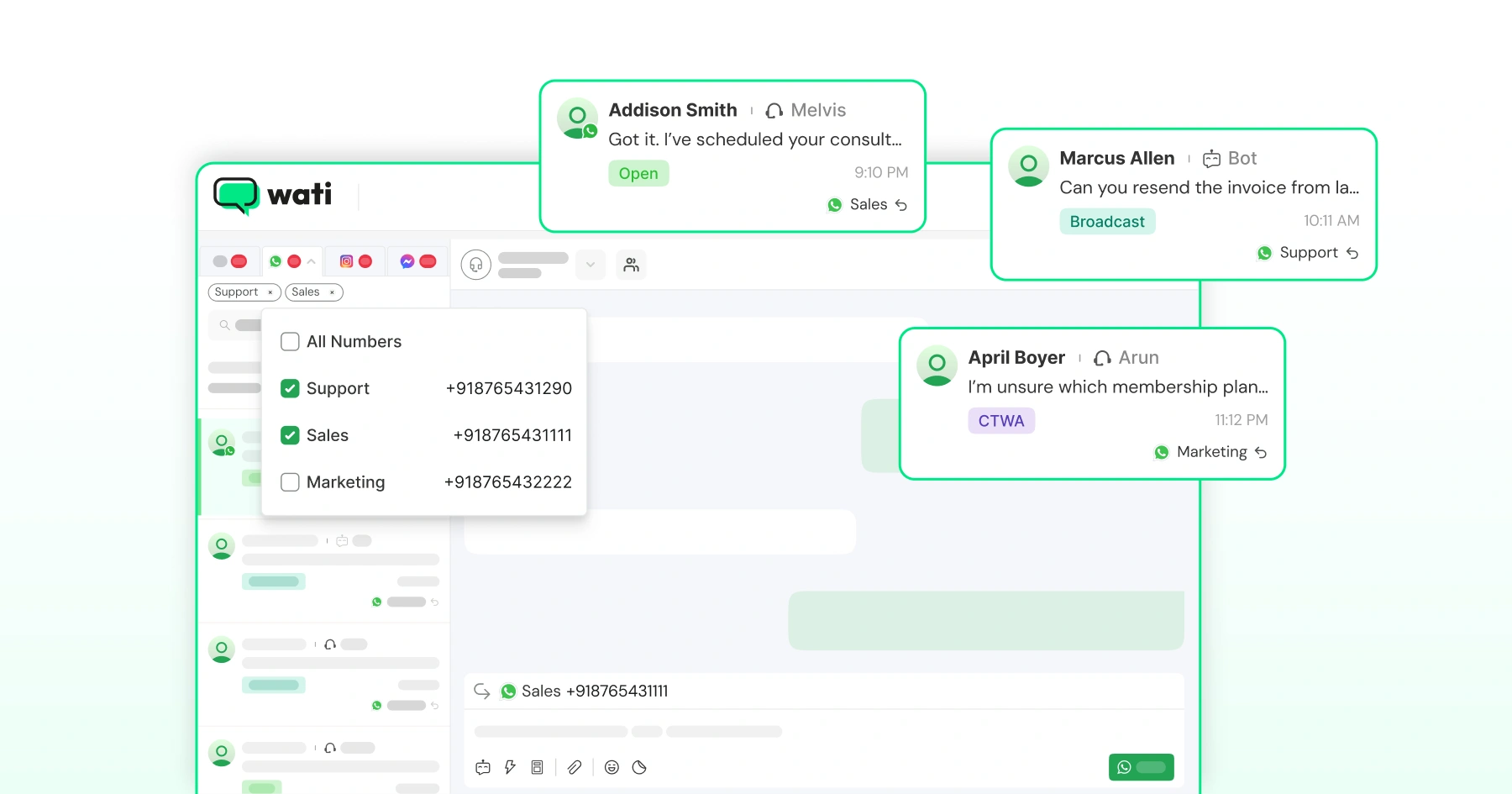
You might onboard your main support line through Coexistence to keep its history, while adding a second number for a new region through standard signup.
Contacts and chats from every connected number land in the same Contacts list and Team Inbox, tagged by source, so a growing multi-line operation still works from one dashboard.
Bonus read: How to Run Sales Automation with WhatsApp Coexistence: A No-Code Guide
Getting Started with WhatsApp Coexistence via Wati
Create a Wati account, and the Coexistence checklist verifies your prerequisites before you begin. From there: launch Embedded Signup, wait for sync, invite your team, build a welcome automation, and set up your first Campaign.
The app remains available throughout as a mobile fallback, so nobody has to abandon a tool they already trust. Sign up for a free trial if you haven’t already.
Frequently asked questions
Can I keep using the WhatsApp Business App after enabling Coexistence?
Yes. One-to-one messages are mirrored both ways between the app and the Business API, so the app keeps working for mobile conversations while your team also works from the Team Inbox.
Will I lose my chat history?
No. Meta syncs the most recent six months of one-to-one chats during onboarding, and large histories may take up to six hours to finish.
Can I send to more than 256 contacts after onboarding?
Yes, through Campaigns on the Business API, which removes the app's 256-contact broadcast list cap.
Do I need a Facebook Business Page?
Yes, Meta requires one to complete Embedded Signup and link your WhatsApp Business Account.
What happens to my group chats?
They stay fully functional in the app but are not synced to the Team Inbox or reachable through the WhatsApp Business API.
How long does onboarding take?
Embedded Signup itself takes a few minutes; full chat and contact sync can take from a few minutes up to six hours depending on history size.
Related posts
- TikTok Business Account vs. Personal Account: How Do They Differ?
TikTok Business Account vs Personal Account: Business unlocks ads, analytics, and messaging; Personal keeps sounds and creator payouts.
- How to Use an Instagram Chatbot for FAQ Automation (2026 Guide)
An Instagram chatbot replies to DMs, comments, and story replies instantly using keyword triggers, then hands off to a human when needed. Here's how to set one up in Wati.
- How to Capture Phone Numbers From Instagram DMs With Wati in 2026
An Instagram DM lead capture flow collects a prospect's phone number, then bridges the chat to WhatsApp. Set it up in Wati, step by step.
- How to Set Up Keyword-Triggered Instagram Automation in Wati
Keyword-triggered Instagram automation sends an auto-DM only when a comment matches your keyword. Set it up in Wati in under 10 minutes.