
Too Long? Read This First
- WhatsApp Coexistence lets you run the Business App and Wati's Business API on the same number. No deleting, porting, or lost history.
- Up to six months of chat history and all your contacts sync over automatically at onboarding.
- The app stays fully usable for manual replies and calls, while Wati adds automation, Team Inbox, and campaigns.
- A few features get restricted in exchange, including broadcast lists, most companion devices, and API voice or video calls.
- Setup takes minutes through Embedded Signup, and most SMBs never hit the throughput cap.
WhatsApp Coexistence is Meta's solution that allows small and medium businesses to run the WhatsApp Business App and the Business API on the same phone number at the same time.
Before this, upgrading to the API for automation, team inboxes, and broadcast campaigns meant giving up the number of customers already trusted. Coexistence removes that trade-off entirely.
Through Embedded Signup, SMBs connect an existing WhatsApp Business App number to WhatsApp Business API without deleting the app, porting the number, or losing chat history.
Which WhatsApp BSP Offers Coexistence?
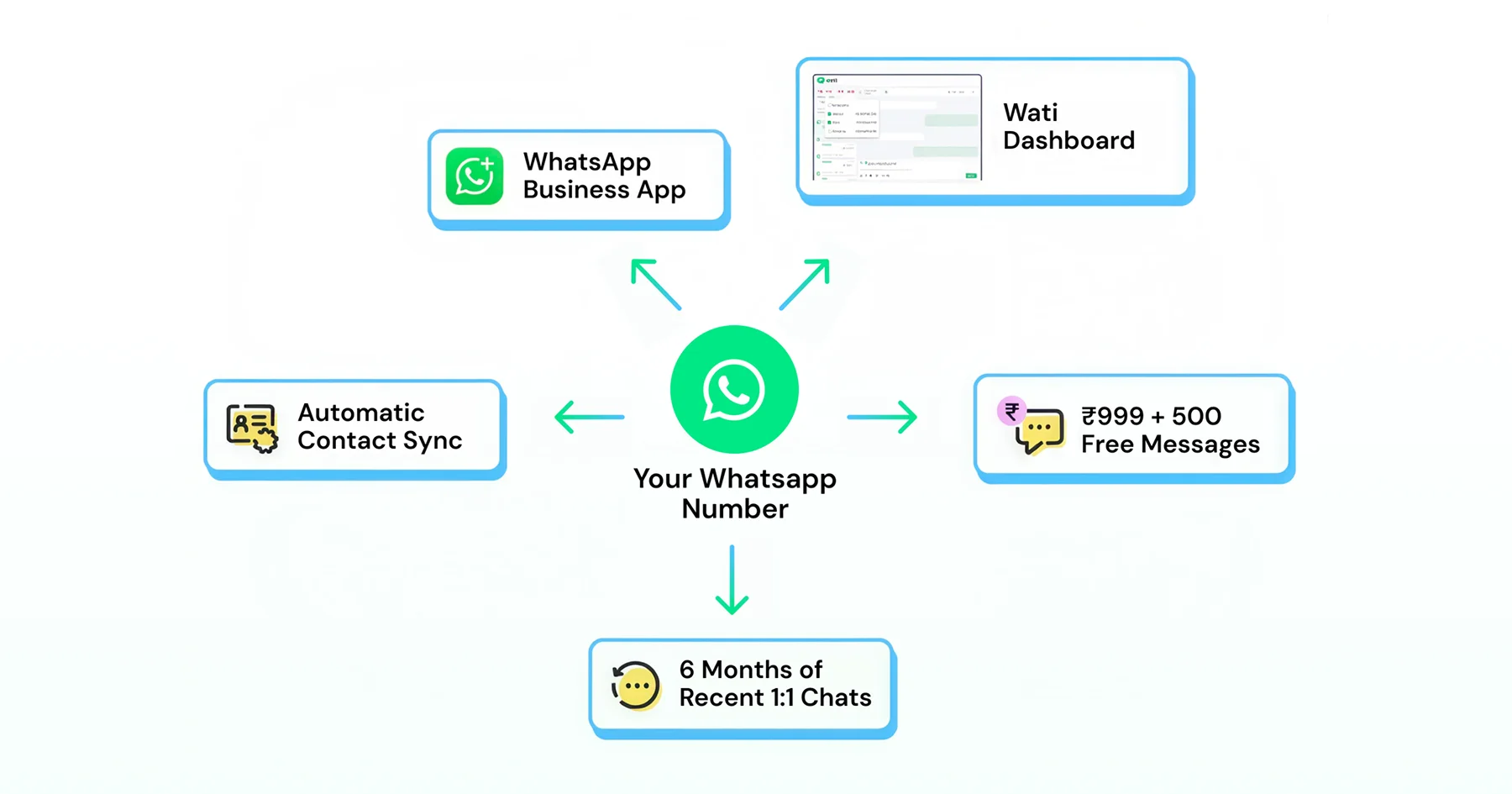
Wati offers WhatsApp coexistence solution for businesses, helping every brand migrate to the WhatsApp Business API without losing their chat history or existing data. Up to six months of 1:1 chats and contacts sync automatically.
The app stays fully usable for manual replies and calls, while Wati's Team Inbox, automations, and campaigns run on the same number.
In exchange, broadcast lists, most companion-device logins, and API voice or video calls become restricted, and combined app-plus-API traffic is capped at a fixed throughput.
What does WhatsApp Coexistence mean for Your Business Number?
Coexistence means your WhatsApp Business App number and Wati's WhatsApp API now run side by side, so you no longer have to abandon your Business App number when you adopt the API. The same phone number powers both surfaces at once.
Customers see a single consistent sender, while your team gains API-driven automation, centralized inboxes, and behind-the-scenes campaign management.
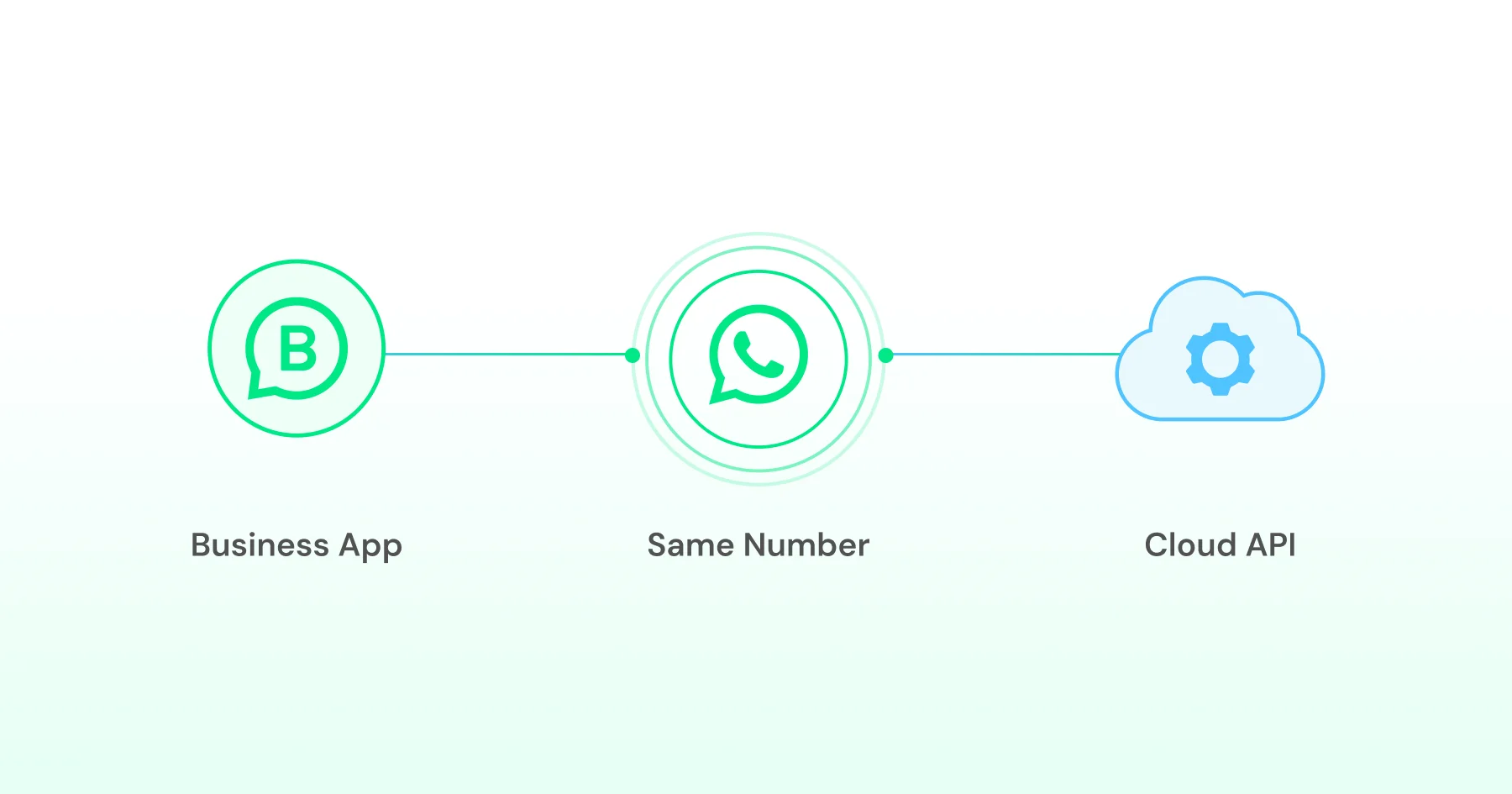
Meta routes personal replies through the app and automated messages, templates, and webhook-triggered flows through the API, while messages sent from the app also sync to the API side, keeping your team in the loop.
This shift matters most for SMBs that grew organically on the Business App but now need to scale. Here is an example of a normal move: Printcious, a Malaysian B2B printing supplier that ran WhatsApp Business manually before moving to Wati.
By automating quotation responses with chatbot-driven keyword replies, the team cut response time from 3 hours to 3 seconds, while sales continued working with the same number of customers they already knew. The co-existence move can also achieve the same or better results in boosting your growth metrics.
The result: A 300% revenue increase and a closing rate that climbed from roughly 10% to 25 to 30%.
The Embedded Signup Onboarding Flow, Step by Step
Embedded Signup is Meta's streamlined onboarding mechanism for the WhatsApp Business API. When coexistence is configured, it connects your existing Business App number without forcing you into Meta Business Manager's maze of menus.
Before you start, confirm you meet these requirements:
- Your number is already active on the WhatsApp Business App. A personal WhatsApp account doesn't qualify.
- You're running WhatsApp Business App version 2.24.17 or later.
- Your number is added to, or ready to be added to, a Meta Business Manager account.
- Your business profile has completed Meta Business Verification, or you're ready to complete it during onboarding.
How the migration flow works:
1. Scan the QR code from your Business Solution Provider (for example, in the Wati dashboard).
2. Link your WhatsApp Business App to Meta's authorization server. This proves you own the phone number.
3. Meta verifies your business profile to ensure your WhatsApp Business App profile is complete and approved.
4. Business API access is provisioned within seconds. There's no need to manually create a WhatsApp Business Account (WABA) or go through another SMS verification process.
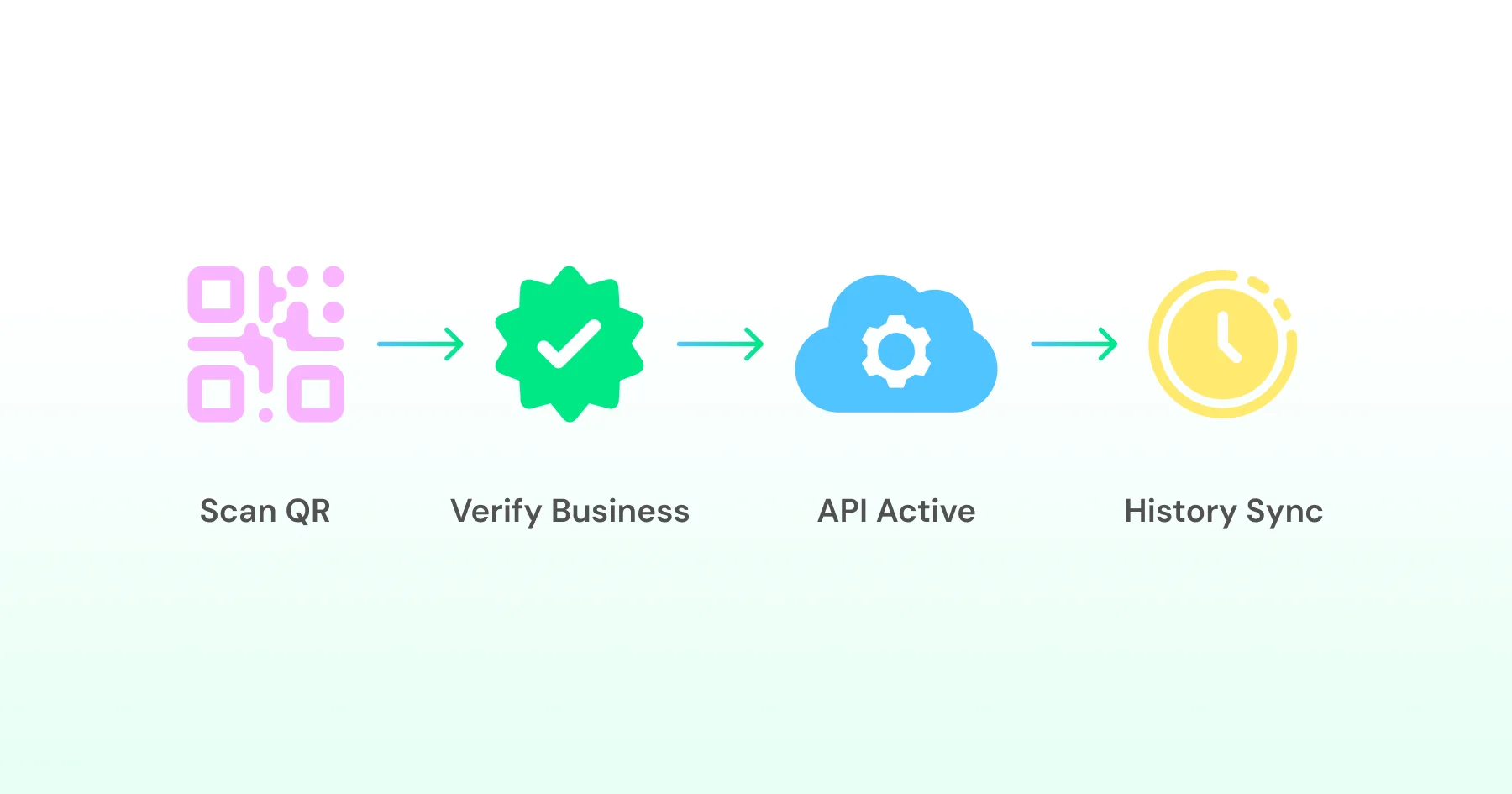
5. Your data syncs automatically. Up to six months of chat history and your contacts are transferred to the WhatsApp Business API.
6. Keep using the app as usual. Your WhatsApp Business App continues to work just as before, while the API is now connected in the background.
What Stays in the App, What Moves to Business API
Coexistence isn't a full migration; it's a clean split. Knowing which capabilities live where prevents surprises down the line.
- Stays in the Business App: Manual 1:1 messaging, voice and video calls, Status updates, and in-app catalog browsing. If you're on the go and want to reply personally, or close a sale with a quick call, the app is still your tool. You also remain part of any WhatsApp groups, though group activity is only visible in the app and never appears in your Business API inbox.
- Moves to Business API: automated messaging through Wati's no-code chatbot builder, template-based broadcasts through Wati's Campaigns feature, multi-agent collaboration through Wati's Team Inbox, and webhook-driven integrations with tools like Salesforce, HubSpot, and Google Sheets. One limitation worth flagging early: a number onboarded through coexistence can't apply for Meta's Official Business Account blue tick, since that badge assumes a pure API number. Meta Verified remains available as a separate option.
Feature | WhatsApp Business App | Business API (Wati) |
Manual 1:1 messaging | Supported | Supported (session) |
Voice/video calls | Supported | Supported |
Broadcast lists | Read-only after onboarding | Supported, via template campaigns |
Automation & chatbots | Not available | Full support |
Multi-agent Team Inbox | Single user | Shared queue |
Webhook integrations | Not available | Real-time events |
Group-chat sync | App-only | Not synchronized |
Official Business Account (blue tick) eligibility | Not applicable | Not eligible via coexistence numbers |
Chat History Import: What Transfers and What Doesn't
One of the most valuable promises of coexistence is continuity. Customers shouldn't feel the seams when you upgrade your backend.
Up to six months of individual chat history can be synchronized during onboarding, which means every 1:1 conversation thread from the past half-year appears in your Business API platform, Wati's Team Inbox, in this case.
An agent opening a chat sees the full context: product inquiries, past orders, support tickets, even emoji reactions and media files like images, PDFs, and voice notes sent within that window.
What Makes the Cut:
- Text messages, media attachments, location shares, and contact cards from individual customers.
- Message timestamps and read receipts, so you know when the customer last engaged.
- Your own sent messages, including replies you typed in the app and broadcast messages you sent via app lists, though those lists won't function once you're onboarded.
What's Excluded:
- Group chats: If you ran a customer support group or a VIP buyer group in the Business App, those threads don't sync. Meta's API architecture treats groups and individual chats as separate entities, and coexistence only bridges the latter. If group engagement is core to how you operate, you'll need a workaround, such as migrating key discussions into individual threads.
- Messages older than six months: Anything beyond the 180-day window is permanently inaccessible via the API. The app retains its own local history, but once you shift day-to-day operations to the Team Inbox, sales reps won't see conversations older than that. If your business runs on multi-year customer relationships, it's worth exporting critical threads before onboarding.
- Broadcast-list metadata: Messages you sent through app broadcast lists may still show up in individual chat histories, but the list structure itself, meaning which contacts belonged to which segment, is lost. You'll need to rebuild that segmentation using contact attributes and labels in your Wati workspace.
- Live location, view-once, and disappearing messages: These message types don't carry over, and they aren't supported going forward once coexistence is active, so plan any communication that depends on them accordingly.
The import runs once, at onboarding. There's no continuous background sync. New messages after coexistence go straight to the Business API, and old app-only messages stay frozen in the app's local storage.
Throughput Limits and Messaging Quotas Under Coexistence
Performance expectations shift once you're operating on the Business API.
Businesses using both the WhatsApp Business App and the Business API have a fixed throughput limit of 20 messages per second, and that cap applies to the combined traffic from API calls and app-sent messages attributed to your phone number together, not each channel separately.
What 20 messages per second means in practice
For an SMB sending appointment reminders to 500 customers each morning, that translates to a theoretical 72,000 messages an hour, far beyond what most small businesses ever need.
You'd only approach the limit if you're running large campaigns. Think Black Friday promos to tens of thousands of contacts, or high-frequency chatbot interactions.
The cap applies per phone number, not per BSP, so the typical remedy is scaling horizontally by adding a second number for a different product line or region.
Messaging tiers and quality rating
The Business API also enforces tiered limits based on your number's quality rating and messaging volume. A new, unverified business portfolio starts at newly onboarded businesses, which start with lower messaging limits that increase as quality rating and trust improve, capped at 250 unique recipients per 24 hours. Completing Meta Business Verification unlocks Tier 1, capped at 1,000 unique recipients per 24 hours for marketing and utility templates.
Consistently strong engagement, meaning low block rates and healthy opt-in confirmation, promotes you to Tier 2 at 10,000 recipients, then Tier 3 at 100,000.
Coexistence doesn't reset this. If your Business App number already had a strong reputation, that carries over to the Business API.
The same is true in reverse: if the number was previously flagged for spammy behavior, that history transfers too.
Keep Reading: WhatsApp API Rate Limits - What They are & How to Avoid Blocking
Separate app-versus-API pricing
After onboarding, template messages sent through the WhatsApp Business API are billed per delivered message based on the recipient's country and template category. Messages sent manually from the WhatsApp Business App remain free.
The rate depends on the message category (marketing, utility, or authentication) and the recipient's country. Messages sent manually from the Business App remain free, as do free-form replies and utility templates sent within an open 24-hour customer service window.
Meta treats these as distinct billing categories, so there's no double-billing, but it's worth tracking which channel drives which costs as your usage grows.
Companion Devices, Linked Apps, and the Desktop Trade-Off
The Business App supports companion devices, including WhatsApp Web, desktop apps for macOS and Windows, and mobile-linked tablets, that mirror your phone's session. All companion apps are automatically unlinked the moment your number is onboarded to the Business API.
This is a deliberate security measure. Meta can't allow multiple devices to maintain active sessions, since the number is also controlled by an API key and BSP infrastructure, which raises the risk of message collisions (two agents replying to the same customer at once) or token leakage.
What gets unlinked:
- Every browser session logged into web.whatsapp.com
- Every macOS or Windows desktop app instance
- Any tablet or secondary phone running the WhatsApp Business Companion interface
You'll see a "Your phone is no longer connected" message once onboarding completes.
What can and can't be re-linked:
Companion | Status after onboarding |
WhatsApp Web (browser) | Can be re-linked via QR code |
macOS desktop app | Can be re-linked via QR code |
WhatsApp for Windows | Not supported |
WearOS | Not supported |
If you relied on a Windows desktop app for faster keyboard replies, you'll need to shift that workflow to Wati's web-based Team Inbox instead.
- The catch with re-linking: Even supported companions partially undo the point of coexistence. Agents replying through Web still route messages through the app channel, not the Business API, so those conversations entirely skip webhook events, centralized assignment, and automation triggers.
- Best practice: Train your team to work from Wati's Team Inbox by default, and treat the app and its companions as backup options rather than the primary workflow.
This unlinking catches many SMBs off guard, since many assume coexistence is purely additive. In reality, it's a genuine trade: you gain multi-agent collaboration and automation, but you give up the convenience of desktop mirrors running alongside the phone.
Disabled Features: Broadcast Lists, Channels, and Messaging Tools
Broadcast lists go read-only after onboarding, as covered above, but it's worth understanding why.
App broadcasts never had the safeguards that WhatsApp Business API templates require, things like mandatory review, opt-out language, and delivery and read tracking.
They relied entirely on the business to manage opt-ins responsibly, with no enforcement to back it up. Coexistence closes that gap by pushing broadcast activity onto the compliant path instead: create a template through Wati's dashboard, get it approved, and send it as a Campaign through the API.
A few other things shift quietly in the background:
- Quick replies, catalog shortcuts, and away messages configured inside the app stay app-side and don't carry over to the Business API.
- Labels are the one exception, syncing over as contact attributes even though the in-app label interface itself is being phased out for daily use.
- WhatsApp Channels are unaffected either way, since Channels live at the profile level rather than the number level, though there's still no way to automate Channel posts through the API.
The takeaway for any SMB weighing coexistence: it's built for conversational messaging, meaning day-to-day inquiries, support threads, transactional alerts, and marketing campaigns, not for preserving every feature the Business App has ever shipped.
If your operation leans heavily on app-side broadcast lists, voice calls, or Channels, it's worth mapping out those dependencies before you flip the switch.
Country Eligibility, App-Version Requirements, and Edge Cases
Not every WhatsApp Business App number qualifies for coexistence right away, and coverage has advanced so quickly that older guidance is already out of date.
As of mid-2026, coexistence is available across all 27 EU member states, the UK, the US, India, and the large majority of markets where the Business App operates. The remaining exclusion list is short, with Nigeria and South Africa being the most common, rather than the wider set of restricted regions from earlier guidance.
Meta doesn't publish one fixed list, and eligibility is confirmed per phone number during Embedded Signup, so treat any published list, including this one, as a snapshot rather than a guarantee.
A few requirements worth checking before you start:
- App version: Your Business App needs to be on version 2.24.17 or later. Older builds will fail the QR-code scan with an outdated version error.
- Business verification: Meta requires a verified Business Account. Embedded Signup won't proceed without it.
- Phone-number portability: Coexistence only works for numbers already on the Business App. A personal WhatsApp number isn't eligible, and there's no "reverse coexistence": once a number is API-only, moving it back means giving up the API infrastructure entirely.
Two Important Things to Consider
- Coexistence ties a number to one BSP at a time, so switching providers means off-boarding first, often with a one- to two-month cooldown before re-onboarding elsewhere, which is worth weighing against roadmap and support quality rather than just month-one pricing.
- The numbers onboarded through coexistence currently aren't eligible for Meta's Marketing Messages Lite API, a lighter-weight configuration some BSPs offer for pure marketing use cases, so factor that in if it's central to your stack.
Putting Coexistence to Work: Automation, Campaigns, and the Wati Platform
Once onboarding is complete, the real value of coexistence for SMBs becomes apparent in how the two channels begin to work together. The Business App keeps the relationship personal, while the Business API handles the volume behind it.
A few ways SMBs typically put this to work in the first 90 days:
- Automated welcome flows. Wati's no-code chatbot builder can greet new contacts, capture their name, and route them to a catalog, a support ticket, or a human, all running 24/7 without anyone touching the Business App.
- Template campaigns. Instead of messaging 300 contacts one by one through an old app broadcast list, you build a template with personalization fields, get it approved, and send it as a Wati Campaign to a defined segment, with delivery and read receipts tracked in real time.
- Click-to-WhatsApp Ads. Wati's CTWA feature connects Meta ads directly to a WhatsApp conversation on the same number customers already recognize, so a click can turn into a personalized, templated first message without feeling like cold outreach.
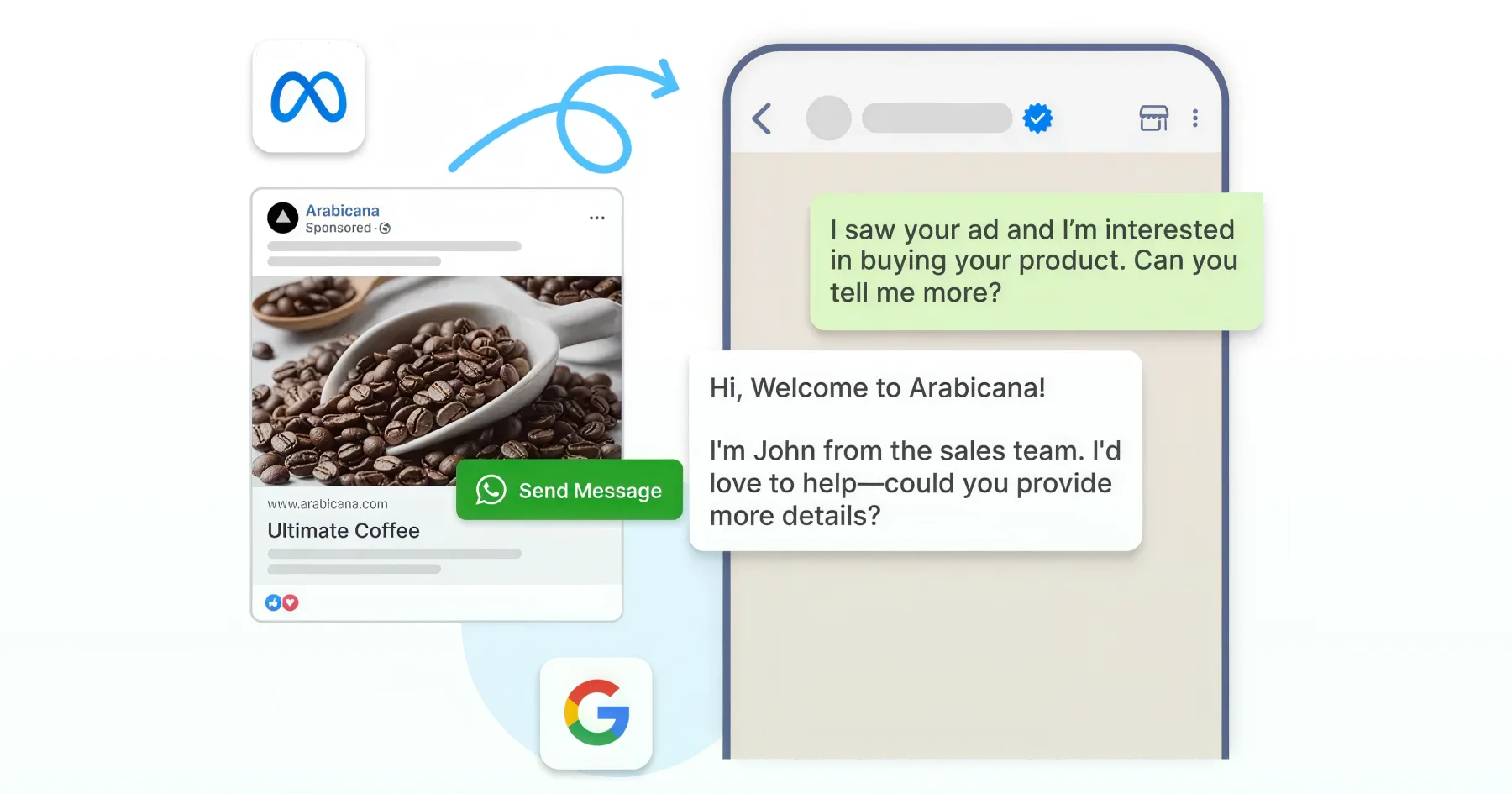
- Instagram and Messenger, one inbox. Once those channels are linked to the same Meta Business Account, Wati routes them into the same Team Inbox as WhatsApp, so leads and support questions can be triaged from one place instead of three.
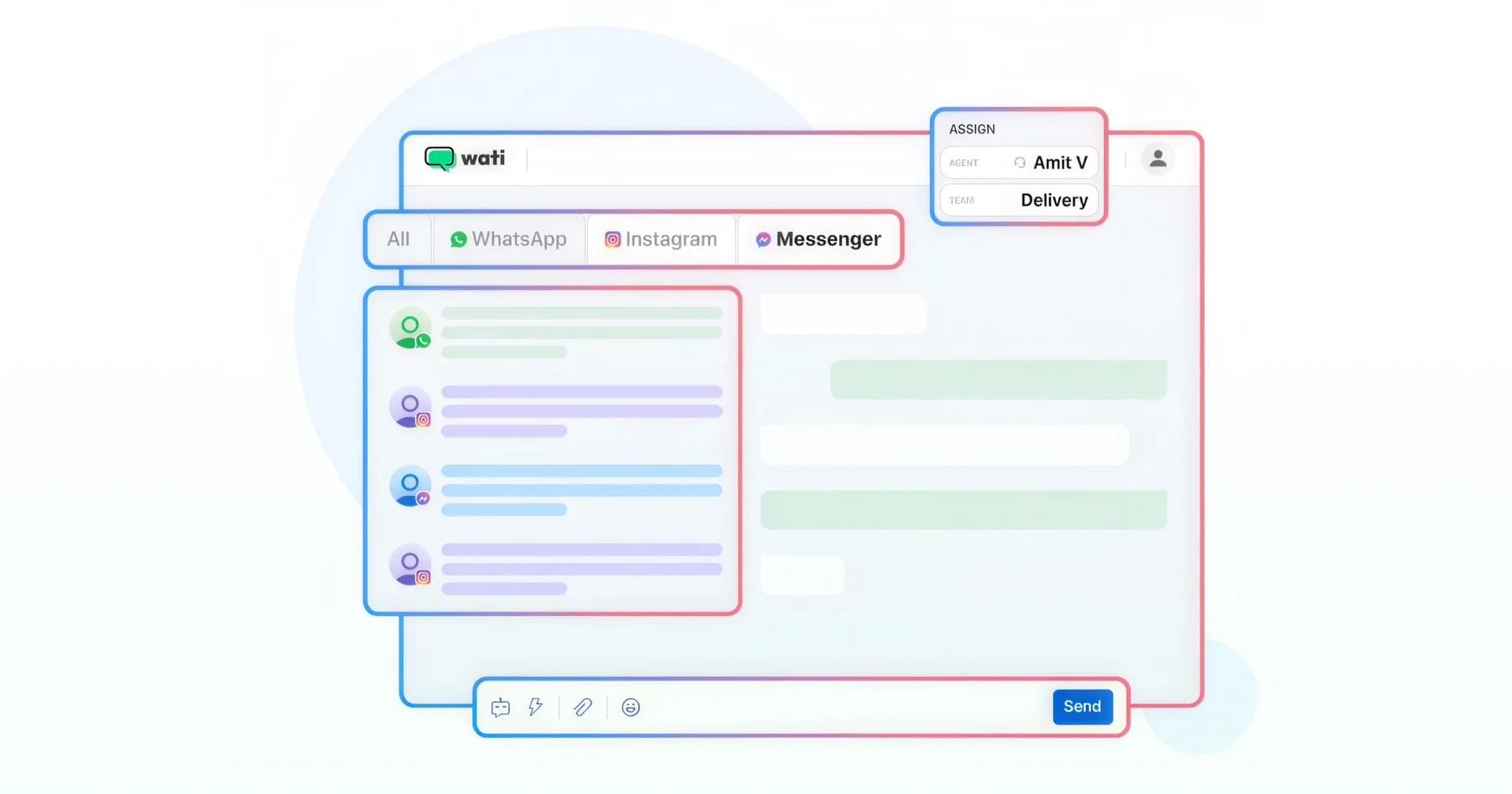
- Google Sheets and CRM sync. New contacts captured through a QR code or an ad click can flow straight into a spreadsheet or CRM, so teams without Wati logins still see leads the moment they come in.
More recently, some of this is starting to run through natural language rather than the dashboard.
Wati's MCP server connects the workspace to AI assistants like Claude, so a manager could ask their assistant to find contacts who've gone quiet and draft a win-back campaign, with the assistant pulling the data and drafting the message, though it still checks in before anything actually sends.
Start Using Coexistence for SMBs Today
Coexistence removes the choice small businesses used to be stuck with. You keep the number, history, and relationships you've already built in the WhatsApp Business App, while the Business API adds automation, a shared Team Inbox, and campaigns on top of it.
The trade-offs are real but narrow: a few app features move behind glass, and a throughput cap most SMBs will never hit.
If you're already running the WhatsApp Business App and ready to scale without starting over, this is the upgrade path built for you.
Ready to connect your number? Set up WhatsApp Coexistence with Wati and keep every conversation intact.
Frequently asked questions
Can I still use the WhatsApp Business App after onboarding to the Business API?
es. The app stays fully functional, so you can send messages, make calls, and view chats from your phone. Broadcast lists become read-only, and some companion devices lose access, but the app and Business API share the same number and identity throughout.
How much chat history transfers when I onboard?
Up to six months of individual chat history syncs over automatically. Group chats don't transfer, and anything older than six months stays in the app's local storage. The sync happens once, at onboarding, with no ongoing refresh afterward.
What happens to my existing broadcast lists?
They become read-only. You can view old broadcasts and their recipients, but sending new messages through them isn't possible anymore. All broadcast activity moves to Business API template campaigns instead.
Is there a message-per-second limit under coexistence?
Yes, most current documentation puts it at 20 messages per second for combined app and API traffic. A few provider pages cite 5 messages per second for their specific setup, so it's worth confirming with your BSP if you're planning a large send. Most SMBs never come close to either limit.
Which countries currently support WhatsApp Coexistence?
Coverage is close to global as of mid-2026, including the US, UK, EU, and India. A small number of markets, most consistently Nigeria and South Africa, remain excluded, though Meta expands coverage in waves without publishing one fixed list.
Can I get the WhatsApp Official Business Account badge on a coexistence number?
No. Coexistence is a Meta-built onboarding path, not a workaround, so using it through an official Business Partner doesn't carry the risk that unauthorized tools do. Standard WhatsApp policies on spam, opt-ins, and template quality still apply.
Related posts
- WhatsApp API for Enterprise: Designing Intelligent End-to-End Workflows for 2026
Build scalable workflows using the WhatsApp API for enterprise. Connect CRM, ERP, ticketing, and RPA tools to automate enterprise sales operations.
- WhatsApp For Gyms And Fitness Center: Boost Your Subscription and Renewals
Fitness centers run on constant communication, and WhatsApp is the one channel members never ignore. But as your gym grows, the basic WhatsApp app cannot handle bookings, reminders, renewals, and daily inquiries. This blog breaks down how fitness centers use the WhatsApp Business API and Wati to automate class scheduling, support, payments, and marketing while keeping every interaction fast, personal, and organised.
- The Top 7 WhatsApp API Providers in 2026: Achieve Conversational Success
Find the best WhatsApp API providers by comparing features, reliability, and support to improve business messaging and engagement.
- 20+ WhatsApp API Templates: Types, Pricing, and Best Practices
learn how to improve engagement with pre-built whatsapp api templates to hook prospects and build an exceptional brand experience.