
Too Long? Read This First
- Three-layer routing chain: active assignee, then contact owner (if enabled), then automation rule (round robin, last assignee, or a default agent/team). The call stops at the first layer that produces a result.
- Contact owner routing is a hard stop. If the owner is away, the call goes unanswered. It does not fall through to automation rules.
- Availability spans web and mobile together. An operator is only skipped if they're unavailable on both platforms; if free on either, that device rings.
- Post-call automations run on a separate trigger, Inbound WhatsApp Call Received, filtered by Call Status (Answered/Unanswered), and the same pattern works for outbound calls.
- Whoever answers becomes the assignee for that conversation, across every routing path.
WhatsApp call routing is a set of rules that decides which operator receives an inbound WhatsApp Business call, and post-call automation is a trigger that fires an action, such as a message or an AI handoff, right after that call ends
Built on the WhatsApp Business Platform, Wati brings the two together to turn WhatsApp Calling from a feature where "someone might pick up" into a managed call operation.
Every call reaches a specific person through a fixed priority order, and every missed call gets an automatic, professional follow-up instead of going unacknowledged.
Why Wati Built Call Routing and Post-Call Automation?
Wati built call routing and post-call automation because inbound WhatsApp calls, until now, had no reliable way to reach the right person.
Before this update, a call could land on whoever happened to be logged in, and a missed call triggered no automatic response, which made it difficult for sales and support teams to run real call operations on WhatsApp, since missed calls often went unacknowledged until someone noticed manually.
Wati's routing priority chain and post-call automation trigger close that gap.
Every inbound call is evaluated top-down against three routing layers, and any call, inbound or outbound, answered or unanswered, can trigger an automated follow-up action.
The feature helps the right operator get the call, and a missed call gets an immediate, on-brand response instead of silence.
For the fundamentals of the channel itself, see Wati's guide to WhatsApp Business Calling.
Missed inbound calls carry a real revenue cost, per CallRail's 2025 benchmarking report (1.1 million leads analyzed):
- Up to 85% of customers whose calls go unanswered never call back
- Unanswered-call rates range from 9% (real estate) to 32% (healthcare)
A structured routing chain plus an automatic callback promise is a direct way to close that gap on WhatsApp.
How Does WhatsApp Inbound Call Routing Priority Work?
Every inbound WhatsApp call is evaluated against three layers, in a fixed order, and the call stops at the first layer that produces a result. It never checks a later layer once an earlier one resolves.
Layer | Who gets the call | What happens if unavailable |
|---|---|---|
1. Active assignee | The conversation's current assignee, if available on web or mobile | Call moves to Layer 2 |
2. Contact the owner | The contact owner, only if contact owner routing is toggled on | Hard stop: call goes unanswered, does NOT fall through to Layer 3 |
3. Automation rule | Round robin, last assignee, or a default agent/team, per your configured rule | N/A (final layer) |
Layer 1: Active Assignee
The active assignee is the conversation's current owner in Team Inbox, and they receive the call first if they're available on web or mobile. If they're away on both platforms, the call moves to the next layer.
Layer 2: Contact Owner (Hard Stop)
Contact owner routing sends the call directly to the contact's assigned owner, but only when the toggle is turned on in settings.
Contact owner routing behaves differently from the other two layers: if the contact owner is away, the call does not fall through to automation rules; it goes unanswered. If no contact owner is set, or the toggle is off, the call moves straight to Layer 3.
Layer 3: Automation Rule
The final layer runs whatever automation rule you've configured for the Incoming WhatsApp Calls trigger: round robin across a team, reassignment to the last operator who handled that contact, or a default agent/team assignment.
How is Operator Availability Determined Across Web and Mobile?
An operator is only skipped as "away for calls" when they're unavailable on both web and mobile at once.
Availability is checked using login status and call-availability settings on each platform separately, so if an operator is logged in and available to take calls on at least one device, that device rings.
Mobile-first teams benefit most from this rule: an operator working from the Wati app on their phone rings exactly the same as one sitting at a desktop, and routing rules apply identically regardless of which device answers.
How Do You Enable Contact Owner Routing?
Contact owner routing is available on Wati's Pro and Business plans and needs to be turned on explicitly before it takes effect:
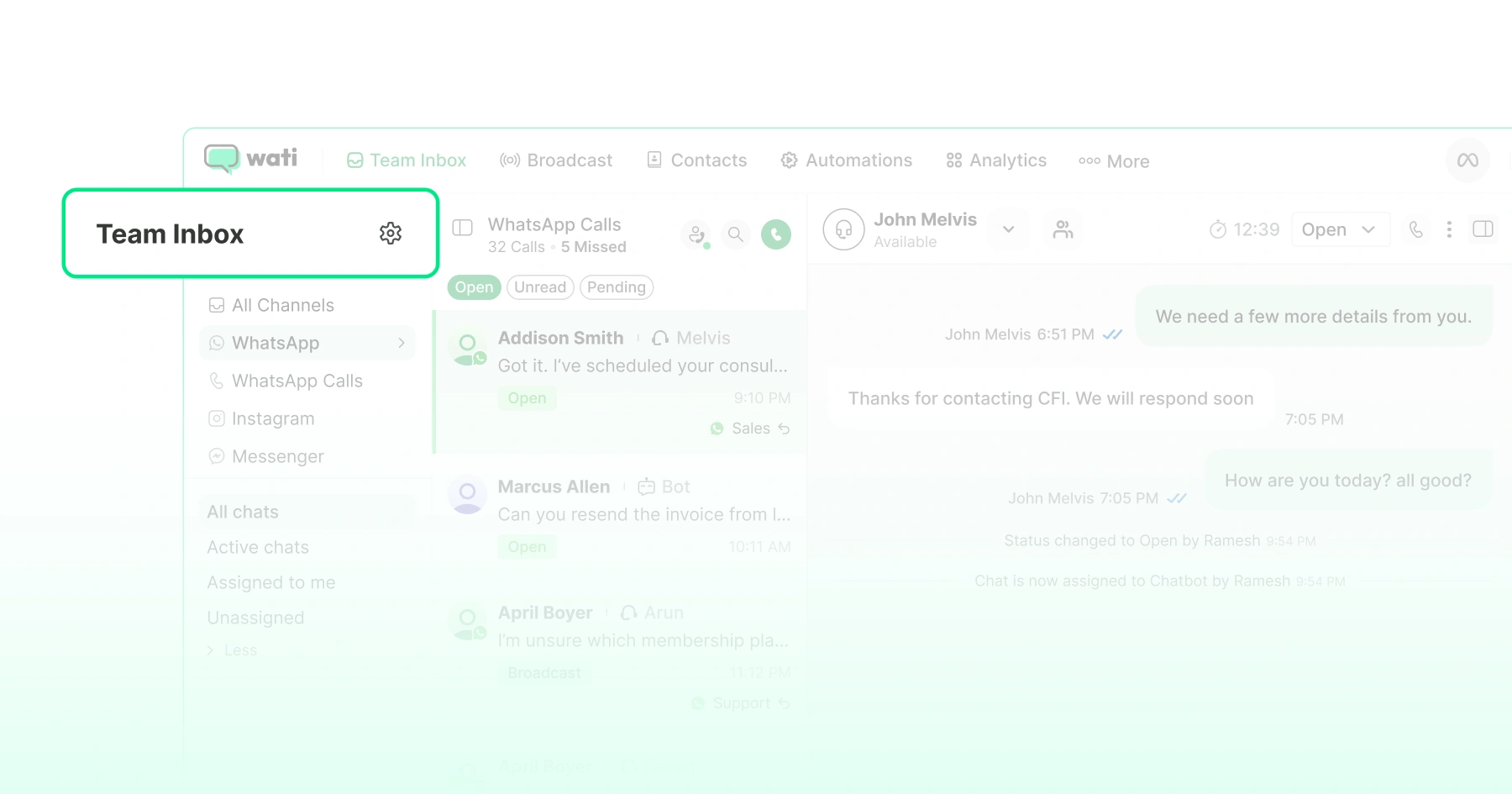
- Go to Team Inbox → Settings → Routing.
- Turn on the Contact owner routing toggle.
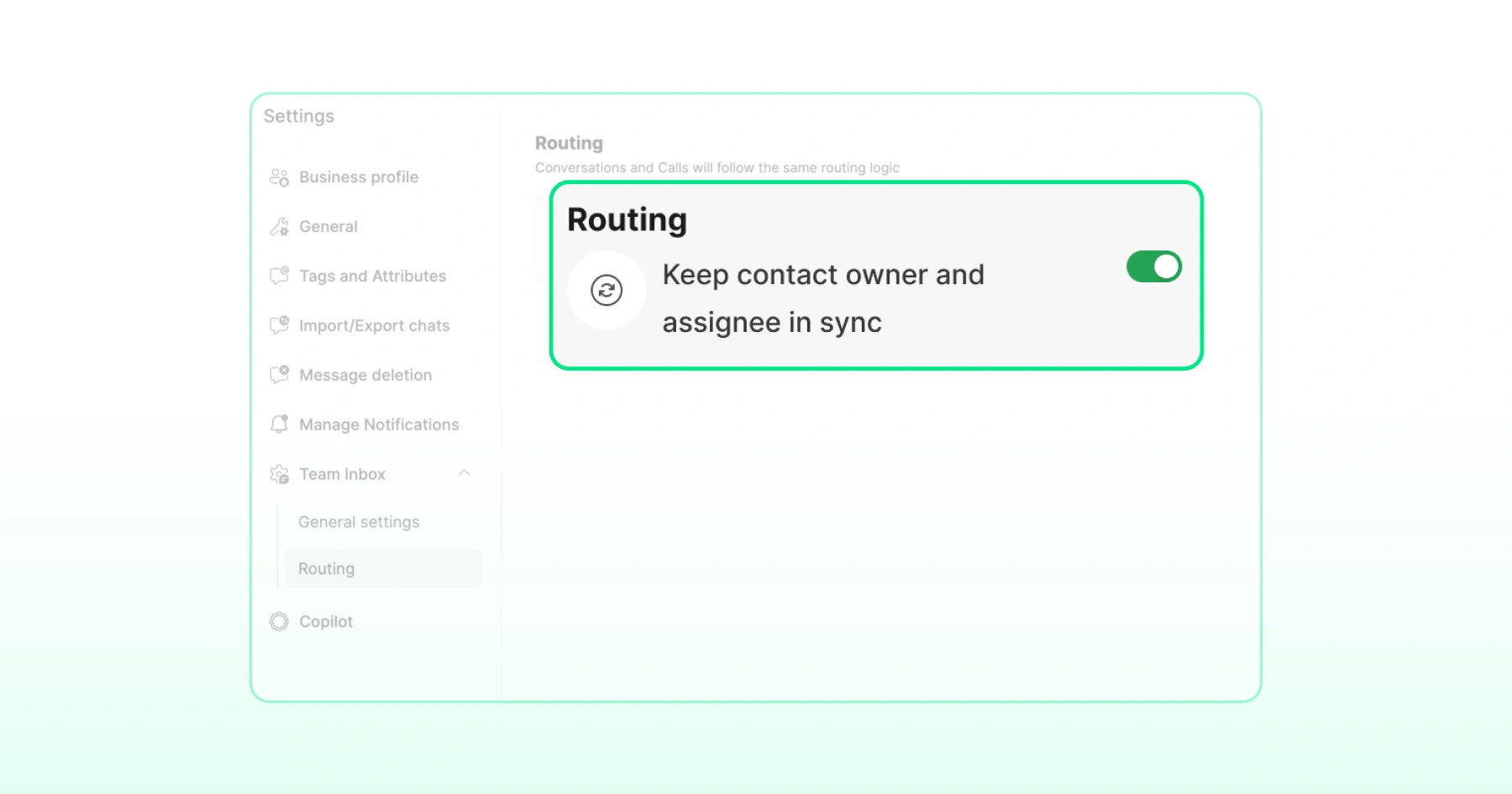
- Confirm: When the toggle is on, inbound calls route to the contact owner before any automation rule runs. When it's off, this layer is skipped entirely, and calls fall straight through to your automation rules.
How Do You Build an Automation Rule for Live Inbound Calls?
Live call routing rules, the kind that direct a ringing call to a specific agent or team, are built in the Automations module using the Incoming WhatsApp Calls trigger:
- Open the Automations module from the left navigation bar and click Create Rules.
- Select the Incoming WhatsApp Calls trigger. This trigger only routes live, ringing calls; it's distinct from the Inbound WhatsApp Call Received trigger, which fires actions only after a call has already ended.
- Add optional filters, for example, a contact attribute to direct calls to a specific team. Combine multiple filters with AND (all conditions must match) or OR (any one condition is enough).
- Choose Routing as the action, then pick a destination: an agent (routes to one specific person); a team, with an optional round-robin toggle that rings operators in rotation order, skipping anyone away (tick "Direct lead to the contact owner" to automatically make whoever answers the new contact owner); or Assign the last assignee, which hands the call to whoever last handled this contact.
- Name the rule, save it, and toggle it on.
What are Post-Call Automations?
Post-call automations are actions that fire automatically after a call ends, using a separate trigger, Inbound WhatsApp Call Received, filtered by Call Status.
This is different from the Incoming WhatsApp Calls trigger, which routes a call while it's still ringing; post-call automation instead reacts after the call is already over.
The Call Status filter has two options:
- Answered: Trigger a follow-up action for calls an operator picked up (e.g., a satisfaction survey or a CRM update).
- Unanswered: Trigger a recovery action for missed calls, such as an automated apology message with a callback promise, or hand the conversation to the Astra AI Agent to keep the customer engaged until a human calls back.
To set it up:
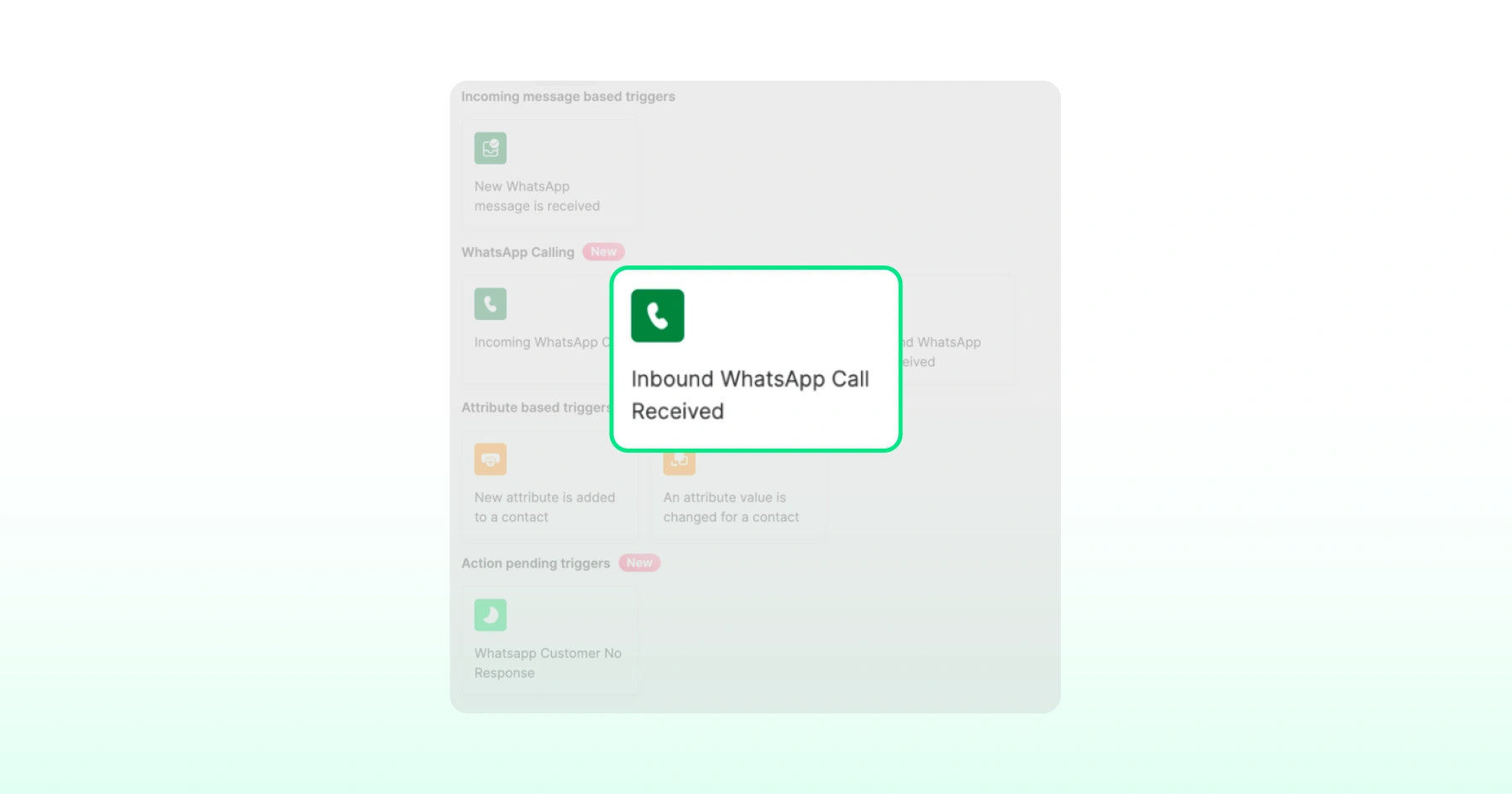
- In the Automations module, create a new rule and select Inbound WhatsApp Call Received.
- Add the Call Status filter (Answered / Unanswered) and any other conditions.
- Choose the action: Send a template message, assign a tag, start the Astra AI Agent, or another supported action.
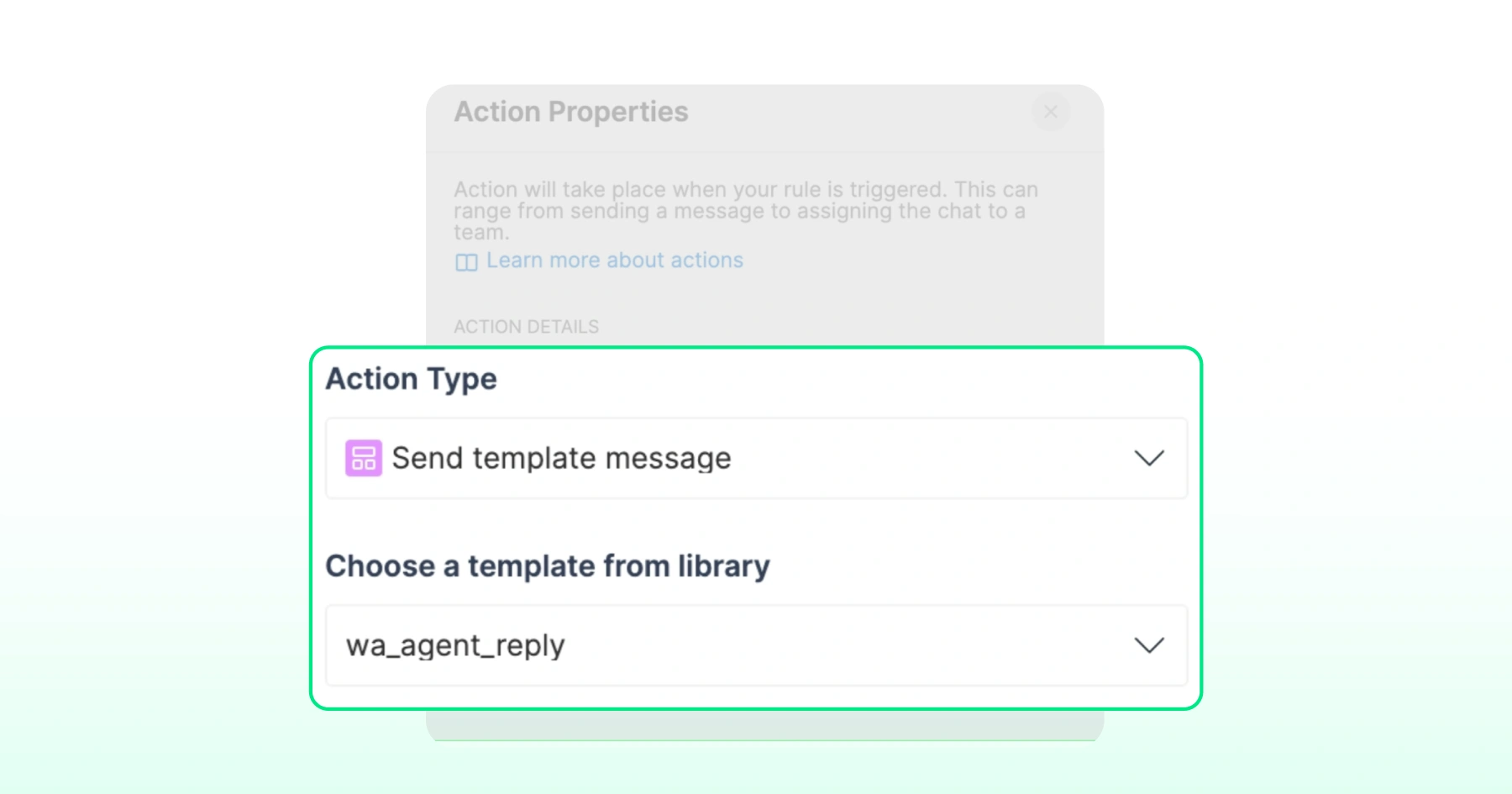
- Save and toggle the rule on.
How Do Outbound Call Automations Work?
Outbound calls follow the identical automation pattern, just using the outbound call trigger instead of the inbound one. When a customer doesn't pick up on an outbound call, that missed connection can trigger a follow-up message or task automatically, using the same Call Status logic.
Who Becomes the Assignee After a Call?
Whichever operator receives or answers the call becomes that conversation's assignee. This holds true across every routing path, whether the call reached them via active-assignee routing, contact owner routing, or an automation rule.
This keeps the conversation record accurate for whoever needs to follow up next, without a manual reassignment step.
Who Should Use WhatsApp Call Routing and Post-Call Automation?
- Sales teams that need calls routed straight to the contact owner, with leads auto-assigned to whoever answers.
- Support teams running tiered or round-robin call queues that span both web and mobile shifts.
- Admins on Pro and Business plans configuring routing priority and setting up post-call action rules.
- Mobile-first teams whose operators take calls from the Wati app rather than a desktop, since routing and availability checks apply identically on mobile.
Putting WhatsApp Call Routing and Post-Call Automation to Work
WhatsApp call routing and post-call automation turn WhatsApp Calling from a channel where answering is optional into one where every call has a defined path and every miss has a defined response.
The three-layer chain (active assignee, then contact owner, then automation rule) puts the right operator on the call first.
The web-and-mobile availability rule means no call goes unanswered just because someone stepped away from their desk, and the post-call trigger closes the loop on anything that still slips through.
For sales and support teams running real call volume on WhatsApp, that combination is what separates a voice channel from a voice operation.
Ready to see it running on your own account? Book a demo and Wati's team will walk you through routing priority, contact owner setup, and post-call automation for your workflow.
Frequently asked questions
1. Which layer takes priority when a WhatsApp call comes in?
The active assignee is checked first, then the contact owner (if the toggle is on), then automation rules, always in that order, and the call stops at the first layer that resolves.
2. What happens if the active assignee is away for calls?
The call skips them and moves to the contact owner layer, then to automation rules if no contact owner is available or set.
3. When is an operator considered "away for calls"?
Only when they're unavailable on both web and mobile at the same time. If they're logged in and available on at least one platform, that device rings.
4. What happens if the contact owner is away, or if no contact owner is set?
If the owner is away, the call goes unanswered and does not fall through. Contact owner routing is a hard stop once it's engaged. But if no contact owner exists on the contact at all, the hard stop never triggers, and the call falls through to your automation rules even with the toggle on.
5. Which plans support contact owner routing?
Contact owner routing is available on Wati's Pro and Business plans, configured under Team Inbox → Settings → Routing.
6. Can I send an automated message only when a call is missed?
Yes, add the Call Status filter set to Unanswered so the action runs only for missed calls, leaving answered calls untouched.
7. What does round robin do when routing calls to a team?
It checks operators in the team's rotation order one at a time and rings the first available operator, skipping anyone who is away on both platforms.
Related posts
- How to Create Personalized AI Videos with Wati’s AI Video Generator
Transform your marketing with Wati’s AI video generator. Create personalized, professional videos at scale without technical expertise or expensive equipment.
- How to Set Up Auto Reply in WhatsApp Business?
Master WhatsApp auto-reply for your business: improve response times, customer service, and communication.
- How to Add a WhatsApp Chat Button On Website: 2026 Guide
Discover how to add a WhatsApp chat button on your website effortlessly. Create real-time connections, improve support, and convert visitors with Wati.
- How to Set Up an Instagram Chatbot to Answer FAQs Automatically (2026 Guide)
Learn how an Instagram FAQ chatbot works, which questions to automate, and how to set one up in Wati without code, from your first button template to a live keyword rule.