
Too Long? Read This First
- WhatsApp Error 131049 is Meta's per-user marketing cap, not a bug or an account issue.
- It triggers when a recipient has hit their marketing template limit across every business messaging them.
- Utility, Authentication, and messages sent inside an open 24-hour window are exempt.
- Don't retry immediately. Meta's own guidance says an instant resend will just fail again.
- Wati's Auto Retry API (Pro and Business plans) retries automatically every 24 hours for up to 7 days.
You've launched a WhatsApp campaign through the WhatsApp Business API.
Everything appears to be working as expected until you review the delivery status and notice that some messages have failed with Error 131049: "This message was not delivered to maintain a healthy ecosystem engagement."
For businesses, every undelivered message could mean a missed customer interaction, interrupted automation, or an incomplete campaign.
For developers, it raises an immediate question: what does WhatsApp Error 131049 mean, and is there a reliable way to recover these messages?
While you can't force Meta to deliver a message, you can automate how eligible failed messages are retried.
In this guide, we explain what Error 131049 is, why Meta's own documentation says it happens, which templates it does and doesn't affect, and how Wati's Auto Retry API helps developers recover messages without building custom retry logic.
What is WhatsApp Error 131049?
WhatsApp Error 131049 is Meta's Cloud API error code for a message that was intentionally withheld under Meta's Per-User Marketing Template Message Limits, sometimes called "frequency capping."
Meta's own error description reads: "This message was not delivered to maintain healthy ecosystem engagement."
Error 131049 is different from errors caused by bad authentication, connectivity issues, or invalid recipients. It happens because Meta caps how many Marketing-category templates a single WhatsApp user can receive, counting messages from every business that contacts them, not just yours.
This isn't some mystery rule, either. Meta documents it clearly.
The idea is simple: fewer marketing messages per person means better read rates and less fatigue. The cap works per person, not per business, and it isn't a fixed number. If someone engages more, by opening, replying, or tapping, they can receive more marketing templates before hitting their limit.
Meta has rolled the cap out market by market rather than to every region at once.
The limit is dynamic and recipient-specific, so there's no single published threshold (for example, "3 messages per day") that applies to every user. That's the real reason a business can't predict exactly when it will trigger, not an absence of documentation about the mechanism itself.
Does the WhatsApp Business API Support Auto-Retries to Recover Messages?
Yes. Wati's Auto Retry API lets developers configure automatic retry logic for WhatsApp messages sent through the API. It extends the existing Auto Retry capability beyond the dashboard, allowing retries to be configured programmatically within your application's workflows.
This helps recover eligible failed message deliveries automatically, reducing manual intervention and making message delivery more reliable.
Which Messages Does Error 131049 Affect?
Error 131049 only applies to Marketing-category template messages. Utility, Authentication, and Service (session) messages are not subject to this cap.
This distinction is the fastest way to triage a spike in 131049 errors: if a failing template is Utility or Authentication and correctly categorized as such, the fix is not retry logic; it's a miscategorization audit.
Message type | Subject to Error 131049? | Notes |
|---|---|---|
Marketing template | Yes | The only category this cap applies to |
Utility template | No | Delivers normally regardless of the recipient's marketing cap |
Authentication template | No | Not affected by per-user marketing limits |
Free-form/session message | No, if sent inside the 24-hour window | Opened when the customer replies, marketing templates sent in this window also bypass the cap |
Recategorizing a genuinely promotional message as Utility to dodge the cap is a policy and quality risk that can hurt template approval and account standing. Only use Utility or Authentication categories for content that is genuinely non-marketing.
What Happens to Your Messages When Error 131049 Occurs?
When this error is returned:
- The message is not delivered to the recipient.
- The recipient doesn't receive a notification for that message.
- The failed delivery is reported through the WhatsApp Business Platform.
- Any workflow that depends on that message may be interrupted.
For businesses running customer engagement campaigns, these failed deliveries can have operational consequences.
For example:
- Promotional campaigns may not reach every intended recipient.
- Appointment reminders or notifications sent as Marketing templates may never arrive (whereas the same content sent as a correctly categorized Utility template would not be capped).
- Automated customer journeys can pause if subsequent actions depend on successful message delivery.
- Development teams may need to monitor failed messages and decide whether to retry them.
At scale, manually handling these failures becomes increasingly difficult.
Bonus Read: The WhatsApp Marketing Calendar That Plans Your Week For You
Do Not Retry Immediately: What Meta Recommends
Meta's own guidance is explicit. If you suspect that Error 131049 is due to the per-user limit, do not resend the same template immediately. An immediate retry will typically fail again.
The limit can remain active for varying periods depending on the recipient's engagement history. Instead:
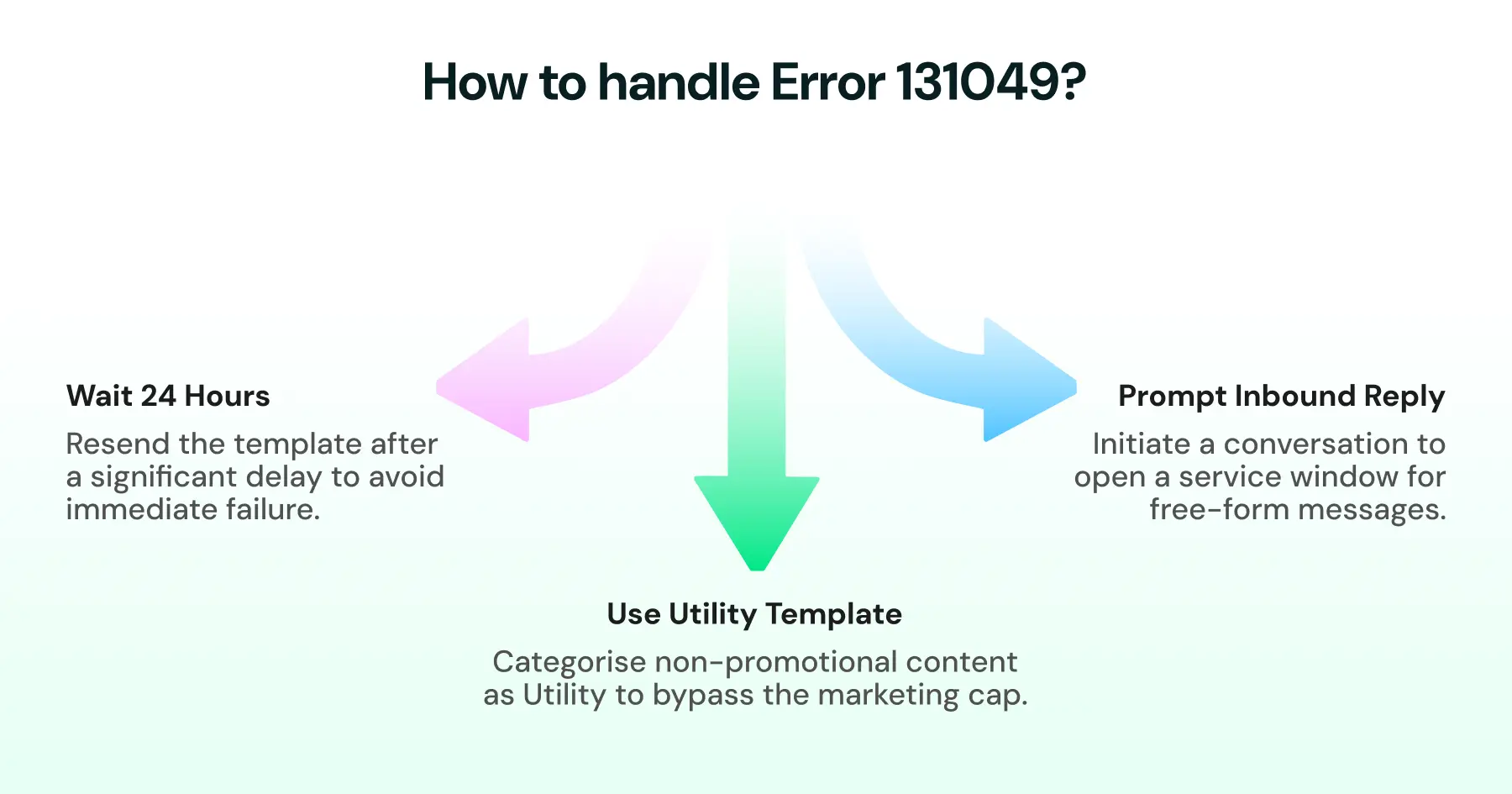
- Wait at least 24 hours before resending a failed Marketing template, and be prepared to wait longer if the retry fails again.
- Prompt an inbound reply (for example, via a click-to-chat link or QR code) to open a 24-hour service window, inside which the same marketing content can be sent as a free-form message without hitting the cap.
- Move time-sensitive, non-promotional content to a correctly categorized utility template, which is not subject to the marketing cap at all.
The Manual Workaround (and Why It Doesn't Scale)
When Error 131049 occurs, developers build the retry logic. Many development teams implement custom processes that:
- Detect Error 131049
- Store failed messages
- Schedule retry attempts with an increasing (not immediate) delay
- Stop retrying after a specific period
While this approach works, it also increases engineering effort and operational complexity. Every team ends up maintaining its own retry mechanism instead of focusing on business logic.
Previously, Wati helped simplify this process through a dashboard-based Auto Retry setting inside Broadcast Campaigns. That dashboard version only applies to campaigns sent with Marketing templates and only when the initial send fails due to Meta's per-user limit. r.
To reduce the workflow and offer a better way to address this, Wati now comes with an auto-retry fix
The API-First Fix: Wati's Auto Retry API
To address this need, Wati has extended its existing Auto Retry capability to the API.
The Auto Retry API is available across all Wati Pro and Business plans, giving API-first teams the same retry logic that was previously available only via the dashboard.
Instead of enabling the feature only through the dashboard, developers can now configure Auto Retry programmatically.
When Auto Retry is enabled, Wati automatically:
- Detects messages that fail with Error 131049
- Retries the message every 24 hours
- Continues retrying for up to seven days
- Stops retrying once the message is successfully delivered or the retry period ends
This allows developers to rely on a built-in retry mechanism rather than maintaining custom retry infrastructure for this specific delivery error.
For API-first teams managing WhatsApp messaging through code, this creates a more streamlined and maintainable workflow.
How to Enable Auto Retry
Enabling Auto Retry is straightforward.
If you're using a Wati Pro or Business plan, you can configure Auto Retry through the Wati API.
The general implementation flow is:
- Enable Auto Retry through the appropriate API endpoint.
- Continue sending WhatsApp messages as usual.
- If Meta returns Error 131049 for an eligible message, Wati automatically manages the retry process based on the configured behavior.
- Monitor delivery status using your existing reporting and webhook workflows.
How to Prevent Error 131049 Where Possible?
Although businesses cannot control Meta's delivery decisions, following messaging best practices can help maintain healthy messaging performance over time.
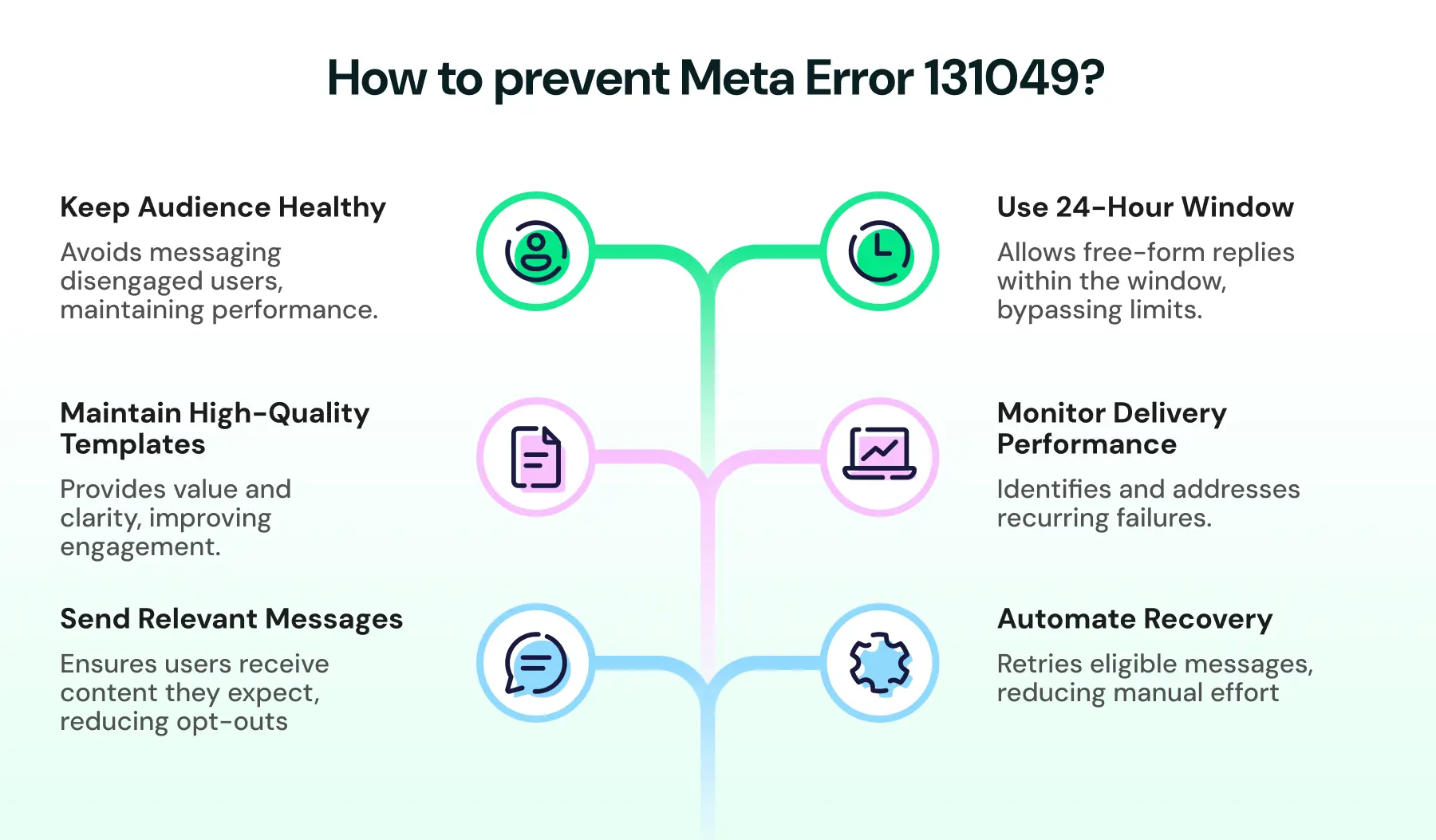
1. Send Relevant Messages
Only message users who have opted in and expect communication from your business.
2. Maintain High-Quality Templates
Ensure your templates are clear, relevant, and provide value to recipients. Also, confirm each template is assigned the correct category (Marketing, Utility, or Authentication). Only Marketing templates are subject to this limit.
3. Keep Your Audience Healthy
Review your contact lists regularly and avoid repeatedly messaging disengaged recipients.
4. Use the 24-Hour Window When You Can
If a customer has messaged you in the last 24 hours, marketing content sent as a free-form reply inside that window is not subject to the per-user marketing cap. Prompting an inbound reply, such as via a click-to-chat link, is one of the fastest ways to ensure delivery of time-sensitive offers.
5. Monitor Delivery Performance
Track delivery reports and investigate recurring delivery failures as part of your messaging operations.
6. Automate Recovery
Not every delivery failure can be prevented. Automating retries for eligible messages reduces manual intervention and gives messages another opportunity to be delivered.
Error 131049 vs. Similar WhatsApp Delivery Errors
131049 is often confused with other WhatsApp delivery failures. Here is how they differ.
Error | API | What it means | Typical fix |
|---|---|---|---|
131049 | Cloud API | Meta chose not to deliver a Marketing template to protect the recipient's engagement (per-user cap) | Wait 24h+, open a service window, or auto-retry |
1026 | On-Premises API | The On-Premises API equivalent of the same per-user marketing limit | Same as 131049 |
131026 | Cloud API | A broader "message undeliverable" failure, not limited to the marketing cap | Check recipient reachability, opt-in status, and account quality |
131047 | Cloud API | The 24-hour customer service window has closed, so a free-form message can't be sent | Use an approved template to re-open contact |
Living With WhatsApp Error 131049
Error 131049 isn't a mystery, and it isn't personal. It's Meta protecting people's inboxes from too many marketing pings, and your business just happened to be in the queue.
With Wati's Auto Retry API, eligible messages affected by Error 131049 can be retried automatically every 24 hours for up to seven days, without requiring custom retry infrastructure.
Sign up now to get started with Wati.
If you're already using Wati's Pro or Business plan, you can enable Auto Retry through the API and make your messaging workflows more resilient with minimal development effort.
Frequently asked questions
Can I force Meta to deliver the message?
No. Businesses cannot force delivery once Error 131049 has been returned, since the cap is controlled by Meta at the recipient level, not by your account's quality rating or verification status.
Does Error 131049 affect Utility or Authentication templates?
No. The per-user marketing cap behind Error 131049 applies only to Marketing-category templates. Correctly categorized Utility and Authentication messages, and any message sent inside an open 24-hour service window, are not affected.
Can I retry messages that fail with Error 131049?
Yes. Eligible messages can be retried. Wati's Auto Retry feature automates this process for supported accounts, retrying every 24 hours for up to seven days.
How often does Wati retry messages?
When Auto Retry is enabled, Wati retries eligible messages every 24 hours for up to seven days.
Should I retry a failed Marketing template immediately?
No. Meta's own guidance recommends waiting at least 24 hours before resending, since an immediate retry will typically fail again while the recipient's cap is still active.
Is Error 131049 the same everywhere in the world?
The underlying policy is global, but Meta rolled it out market by market, starting in the United States before expanding to other regions such as India. Businesses sending high volumes of Marketing templates into any market should expect the cap to apply there.
Related posts
- WhatsApp API for Enterprise: Designing Intelligent End-to-End Workflows for 2026
Build scalable workflows using the WhatsApp API for enterprise. Connect CRM, ERP, ticketing, and RPA tools to automate enterprise sales operations.
- WhatsApp For Gyms And Fitness Center: Boost Your Subscription and Renewals
Fitness centers run on constant communication, and WhatsApp is the one channel members never ignore. But as your gym grows, the basic WhatsApp app cannot handle bookings, reminders, renewals, and daily inquiries. This blog breaks down how fitness centers use the WhatsApp Business API and Wati to automate class scheduling, support, payments, and marketing while keeping every interaction fast, personal, and organised.
- The Top 7 WhatsApp API Providers in 2026: Achieve Conversational Success
Find the best WhatsApp API providers by comparing features, reliability, and support to improve business messaging and engagement.
- 20+ WhatsApp API Templates: Types, Pricing, and Best Practices
learn how to improve engagement with pre-built whatsapp api templates to hook prospects and build an exceptional brand experience.