
Too Long? Read This First
- WISMO stands for "where is my order?" and covers every post-purchase question about order status, shipping, and delivery.
- Proactive order updates on the channel shoppers read prevent most WISMO questions before they start.
- AI can answer the rest accurately only when it reads live Shopify order data, not a generic FAQ.
- Refund and return questions (WISMR) and COD confirmations belong in the same automated flow.
- Track your WISMO rate before and after, so you can prove the drop.
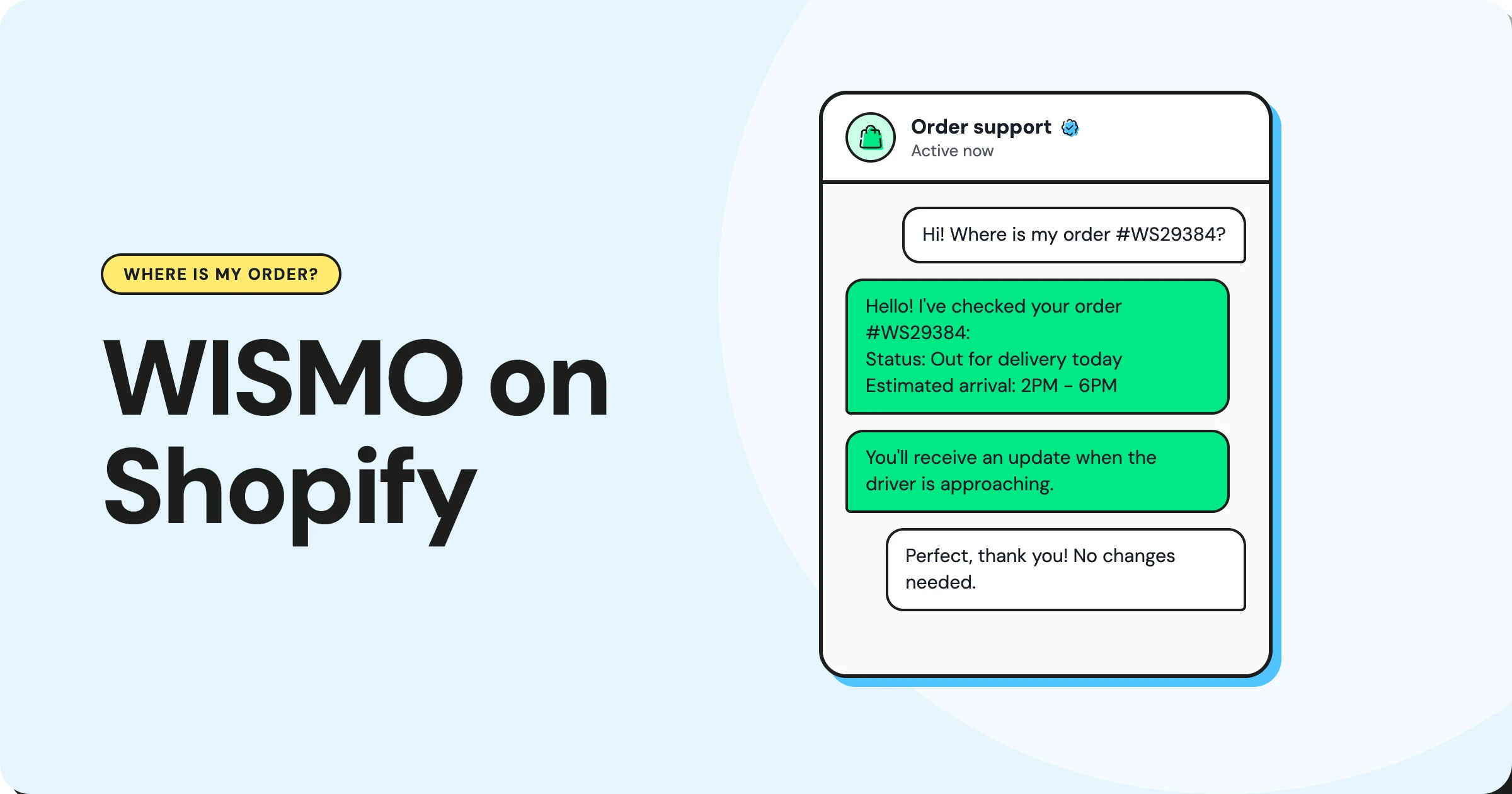
WISMO, short for "Where is my order?", is the question Shopify stores hear most after a sale. You reduce it in three moves: send order updates before shoppers ask, make tracking easy to find, and let AI answer the questions that still arrive using live order data.
With Wati's Shopify integration, all three can run on WhatsApp, where many shoppers already expect to hear from you.
Most guides treat WISMO as an email problem. That misses where a growing share of shoppers now ask, and it ignores cash-on-delivery orders, failed deliveries, and refund questions that arrive in the same chat.
This guide explains what WISMO is and why it spikes, then walks through a three-layer system to cut it, with message templates and an AI reply table you can copy. We also cover returns and refunds, handoffs to your team, COD stores, and the metrics that prove it's working.
What is WISMO & Why Does It Matter for Shopify Stores?
WISMO is the ecommerce shorthand for "where is my order?" It covers every question a customer asks about an order after paying: has it shipped, when will it arrive, why hasn't tracking moved, and what happened to my delivery.
A WISMO ticket is any support conversation, email, chat, or call driven by that question. WISMO calls are the phone version, and they tend to cost the most because each one ties up a person.
A close cousin is WISMR, "where is my refund?" It follows the same pattern: the customer wants a status, and the answer already exists in your systems.
These questions matter because they're repetitive, predictable, and almost always answerable without judgment. Every minute your team spends pasting tracking links is a minute not spent on a complaint, a VIP order, or a sale.
Bonus Read: 9 Benefits of AI Customer Service for Shopify Stores
Why Do WISMO Questions Spike on Shopify?
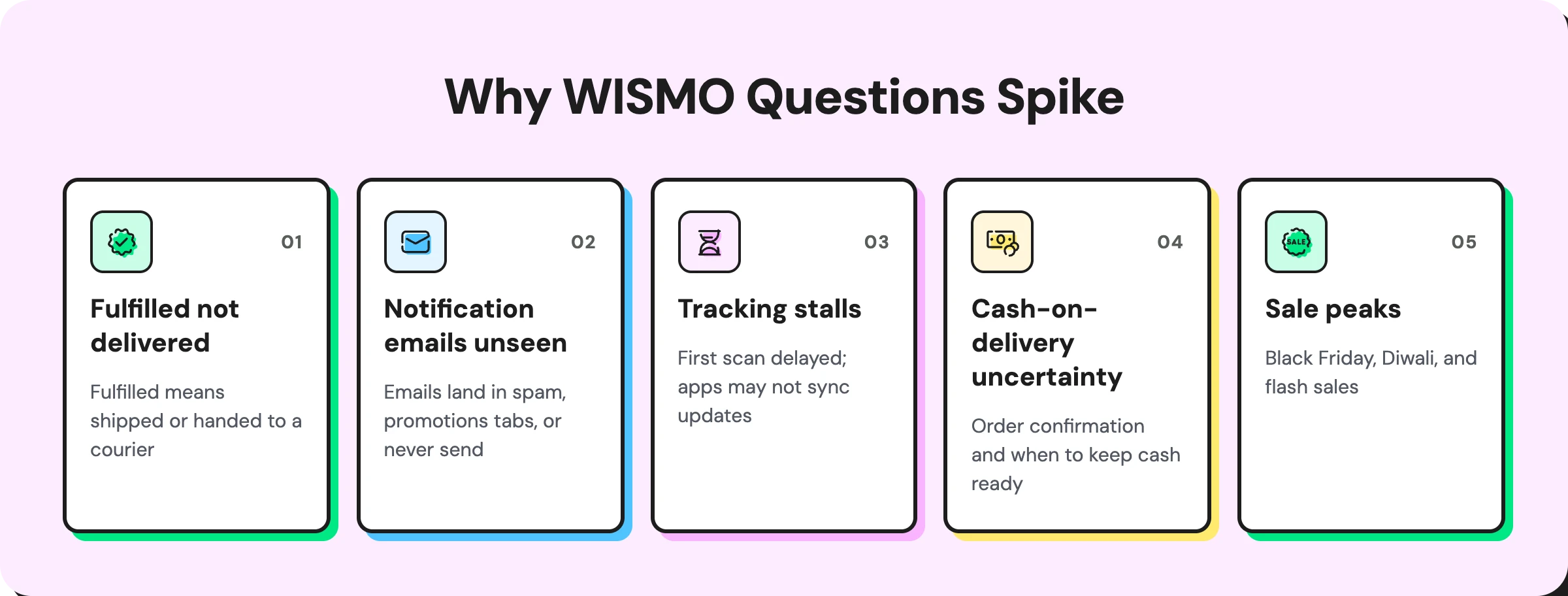
WISMO questions spike when shoppers can't see what's happening with their order. Five causes show up again and again:
- "Fulfilled" doesn't mean "delivered." In Shopify, fulfilled means you've marked the order as shipped or handed it to a courier, not that it has arrived. Shoppers often read it as "delivered," then write in when nothing shows up.
- Notification emails go unseen. Shipping and delivery emails land in spam, promotions tabs, or never send at all. Shopify Community threads are full of merchants asking why customers aren't receiving them.
- Tracking stalls. Carriers can take a day or more to show the first scan, and some fulfillment apps never sync later updates back to Shopify.
- Cash-on-delivery adds uncertainty. COD shoppers want to know whether their order is confirmed and when to keep cash ready.
- Sale peaks multiply everything. Black Friday, Diwali, and flash sales bring more orders, longer carrier delays, and a wave of status questions at once.
How Do You Reduce WISMO on Shopify?
The most reliable way to reduce WISMO is a three-layer system. Each layer catches what the one before it misses.
Layer 1: Prevent Questions With Proactive Updates
The cheapest WISMO question is the one never asked. Send an update at every milestone, on the channel the shopper reads most. For many stores, especially in India, the Middle East, and Latin America, that channel is WhatsApp.
Here are templates you can adapt. Keep each one short, and include the order number and a tracking link.
Order Stage | Example Message |
|---|---|
Confirmed | "Hi Ananya, your order #4821 is confirmed! We'll message you as soon as it ships." |
Shipped | "Good news: order #4821 is on its way with Delhivery. Track it here: [link]" |
Out for delivery | "Order #4821 is out for delivery today. Please keep your phone handy." |
Delayed | "Sorry, order #4821 is running 2 days late due to a courier backlog. New estimate: Friday. Reply here with any questions." |
Delivered | "Order #4821 was delivered. Not received it? Reply here and we'll help right away." |
The "delayed" message does the most work. A proactive apology arrives before frustration does, which turns a likely complaint into a reassured customer.
Wati's Shopify integration sends confirmation, processing, shipped, and delivered messages on WhatsApp automatically.
For a technical walkthrough, see how to sync Shopify orders to WhatsApp with approved templates. If a WhatsApp message can't be delivered, it can fall back to SMS, RCS, or email on supported plans and markets.
Layer 2: Make Self-Serve Tracking Easy
Some shoppers prefer to check for themselves. Make that effortless.
The Shopify order status page is the default self-serve option. Customize its copy so status terms are clear, and add plain-language explanations such as "Fulfilled means your order has left our hands and is with the courier."
Then make the page and your support channel easy to find:
- Link the order status page in every update.
- Add a "Track my order" link to your store menu and footer.
- Place a WhatsApp chat button on your storefront, so a shopper with a question reaches you in one tap.
Layer 3: Let AI Answer the Questions That Still Arrive
Some shoppers will always ask, especially when tracking looks stuck. This is where AI helps, but only if it reads live order data. An AI that replies "Please check your email for tracking details" sends the customer straight back to the queue.
Teach the AI how shoppers really ask. WISMO rarely arrives as "where is my order?" Here is a starter intent library:
- English: "Has my order shipped?", "Tracking hasn't updated", "When will it arrive?", "Still waiting for my package"
- Hinglish: "Mera order kab aayega?", "Order kahan hai?", "Tracking update nahi ho raha"
- Arabic (transliterated): "Wein talabi?" (Where is my order?), "Mata yasil talabi?" (When will my order arrive?)
Map each Shopify status to the right reply. This table keeps AI answers accurate:
What Shopify Shows | What the AI Should Say | When to Hand Off |
|---|---|---|
Paid, unfulfilled | Being prepared, with the expected ship date | Past the promised ship date |
Fulfilled, no carrier scan yet | Handed over or awaiting courier pickup; tracking can take a day to update | No scan after 2 to 3 days |
In transit | Tracking link plus estimated delivery date | Estimate already missed |
Out for delivery | Arriving today | Not delivered by end of day |
Delivered | Confirm delivery and ask if anything's wrong | Customer says it didn't arrive |
Delivery exception or failed attempt | Explain what happened and offer to reschedule | Second failed attempt |
Cancelled or refunded | Confirm the status and share the refund timeline | Refund overdue |
Astra AI Agent answers these questions on WhatsApp and Instagram, any hour of the day. For stores that prefer a guided flow, a no-code chatbot can look up order status through a webhook to your store and reply with the exact details.
How Should AI Handle Returns, Refunds and Shopify Returns Questions?
AI should handle returns and refunds the same way it handles WISMO: check the record, explain the status, and route anything that needs a decision.
For Shopify returns, the AI can:
- Confirm whether an order is inside your return window
- Explain your return or exchange policy in plain words
- Collect the reason, photos, and preferred exchange size
- Create or pass on the return request for your team to approve
For WISMR ("where is my refund?"), it can confirm whether a refund was issued and share the typical timeline your payment provider gives. Final refund approvals and disputes should stay with a person.
Wati's Shopify integration supports return requests, order changes, and shipping questions over WhatsApp, so these conversations stay in the same thread as the original order updates.
When Should a Person Take Over?
AI should hand off whenever a conversation needs judgment, empathy, or an exception to policy. Set clear triggers:
- The customer says the order was delivered but never arrived.
- A delivery is late beyond your promised window.
- The shopper is upset or asks for a person.
- A refund is disputed or overdue.
- The order is high-value or flagged for review.
The handoff matters as much as the automation. When a chat moves to your team in the Team Inbox, the full history should travel with it. Wati AI summarizes the conversation and translates messages, so whoever picks it up can respond in one message instead of asking the customer to repeat everything.
How Do COD and Failed Deliveries Change WISMO?
In cash-on-delivery markets such as India and the Middle East, WISMO comes with two extra questions: "Is my order confirmed?" and "Why didn't the courier deliver?"
- COD confirmation prevents both. Ask the buyer to confirm the order with one tap before dispatch. Confirmed buyers know their order is real, and unconfirmed orders can be held before they turn into costly return-to-origin (RTO) shipments. Wati sends these COD verification messages on WhatsApp automatically.
- Failed deliveries, often called non-delivery reports or NDRs, need fast follow-up. A short message works well: "We tried delivering order #4821 today but couldn't reach you. Reply 1 to reschedule for tomorrow or 2 to update your address." Acting within hours, not days, saves the order.
Which Metrics Show WISMO is Falling?
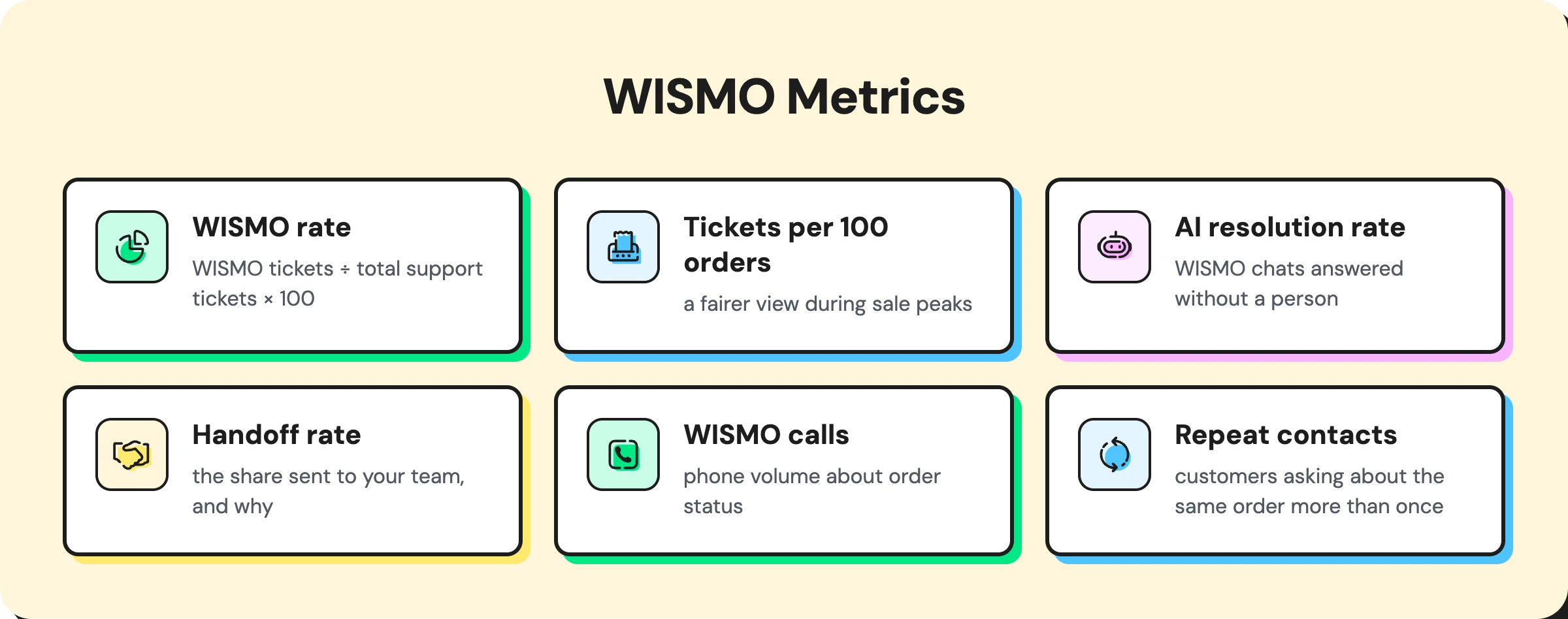
You can't prove a drop you didn't measure. Record a baseline before you start, then track these monthly:
- WISMO rate: WISMO tickets ÷ total support tickets × 100. If 300 of 1,000 tickets are order-status questions, your WISMO rate is 30%.
- WISMO tickets per 100 orders: a fairer view during sale peaks, when total orders rise.
- AI resolution rate: the share of WISMO chats answered without a person.
- Handoff rate: the share sent to your team, and why.
- WISMO calls: phone volume about order status, if you run a support line.
- Repeat contacts: customers asking about the same order more than once.
A falling WISMO rate alongside a steady or rising order count is the clearest sign the system works.
What Results Can Proactive Order Updates Deliver?
Aisha Jewels, a luxury jewelry brand in Bahrain, handled order confirmations, invoices, and follow-ups manually through WhatsApp Web and email. It took 3 to 4 hours every day, and communication was scattered across platforms.
After moving to Wati, the brand automated order confirmations, invoice delivery, and post-purchase messages on WhatsApp. The result: 60% fewer post-purchase customer queries and 3 to 4 hours of daily manual work eliminated.
The lesson is simple. When shoppers hear from you first, they don't need to ask.
How Does Wati Help Shopify Stores Automate WISMO?
Wati is an agentic customer engagement platform that turns conversations into revenue growth across marketing, sales, and support. For Shopify stores, it covers all three WISMO layers in one place.
- Prevent: the Shopify integration sends order, shipping, delivery, and COD messages on WhatsApp.
- Self-serve: a WhatsApp chat button on your store puts help one tap away.
- Answer: Astra AI Agent replies to order questions instantly, with handoff to your team when needed.
- Resolve: the Team Inbox and Wati AI give your team full context for the cases that need a person.
For more ways to support ecommerce customers, see how stores run omnichannel sales for ecommerce and map the post-purchase stage of the ecommerce customer journey.
Stop Answering the Same Question Twice
WISMO won't disappear, but it can shrink fast. Get ahead of shoppers with timely updates, point them to self-serve tracking, and give AI the live order data it needs for everything else. Your team then spends its time on the conversations that need a person.
Ready to cut "where is my order?" messages? Start your free Wati trial or book a demo.
Frequently asked questions
What does WISMO stand for?
WISMO stands for "where is my order?" It's the ecommerce term for customer questions about order status, shipping, tracking, and delivery after a purchase.
What is a WISMO ticket?
A WISMO ticket is any support request, such as an email, chat, or call, where a customer asks about the status of an order. It's usually the most common type of ticket for online stores.
How do you reduce WISMO tickets on Shopify?
Message shoppers at every order milestone, link the Shopify order status page in each update, and use AI connected to live order data for the questions that remain. Track your WISMO rate to measure progress.
What is the difference between WISMO and WISMR?
WISMO means "where is my order?" and covers order and delivery status. WISMR means "where is my refund?" and covers refund status after a return or cancellation.
Can AI answer order status questions accurately?
Yes, when it reads live order and tracking data from your store. Without that connection, AI can only give generic answers, which usually send the customer back to a human agent.
Related posts
- Instagram Comment Automation: How It Works and How to Set It Up in Wati
Instagram comment automation auto-replies to comments and DMs commenters within seconds via Meta's API. Covers strategy, use cases, and Wati setup.
- Shared Team Inbox for Instagram: A Buyer’s Checklist for 2026
Use this fastest checklist to evaluate any shared team inbox for Instagram, which covers DMs, comments, automation, and multi-channel support.
- How to Send Bulk Messages on WhatsApp Without Getting Blocked
Learn how to send bulk WhatsApp messages without getting blocked. Compare the WhatsApp Business app and API, messaging limits, costs, templates, and best practices for safe, compliant bulk messaging.
- How to Set Up a TikTok Business Account: Step-by-Step Guide
Set up a TikTok Business Account step by step: switch from personal, pick a category, add your profile, and unlock ads and analytics.