
Too Long? Read This First
- Instagram comment automation is software that uses Meta's official Graph API to detect a comment and instantly trigger a public reply, a private DM, or both. That turns a comment into a private, trackable conversation within seconds.
- There are two trigger types: blanket auto-DM (fires on every comment) for giveaways and broad campaigns, and keyword-triggered DM (fires only on a specific word) for qualifying intent.
- Instagram gives you 7 days to send a private reply to a comment, and automated DMs can only go out within 24 hours of the customer’s last message. Wati replies within seconds, so you stay well inside both windows.
- Before setup, you need an Instagram Business or Creator account, admin access to that account, and a Wati account (you can start on the free trial). Managing multiple Instagram accounts requires the Business plan.
- Setup in Wati takes six steps: connect Instagram, create your reply or chatbot, create the comment rule (post, keyword and action), write the DM, check platform limits, then test from a secondary account.
- Getting the DM sent is the start, not the finish. Conversion depends on the follow-up sequence and human handoff for anything the bot can't answer.
A "Price?" comment on your Reel isn't just engagement. It's a lead with an expiration date. Left unanswered for a few hours, that intent cools off, and the person moves on.
Instagram comment automation closes that gap: the moment someone comments, they get a reply, turning a comment section from a vanity metric into a lead-capture system running in the background of every post.
Wati, an AI-powered customer engagement platform, runs this entire workflow end-to-end through its Instagram Automation feature, detecting the comment, firing the DM, and routing the conversation into a shared Team Inbox that your team can act on.
This guide covers the trigger logic behind comment automation, the 7-day window Instagram imposes on private replies, blanket vs. keyword-triggered DMs, and what to check for in a tool before you commit to one.
What is Instagram Comment Automation?
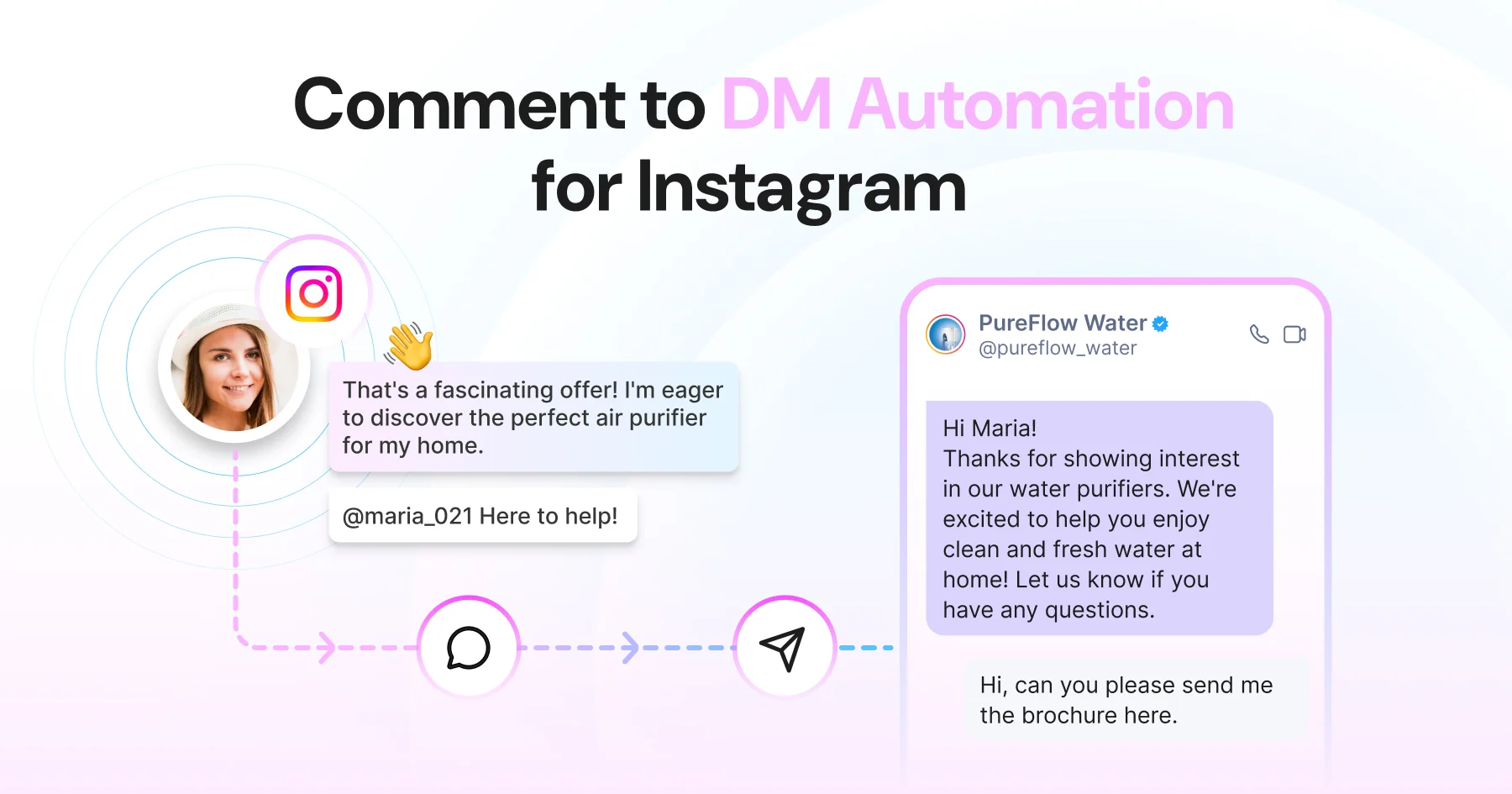
Instagram comment automation is software that uses Meta's official Graph API to detect a comment on your post or Reel and automatically trigger a response: either a public reply in the comment thread, a private DM to the commenter, or both, within seconds of the comment being posted.
There are two layers to how it works:
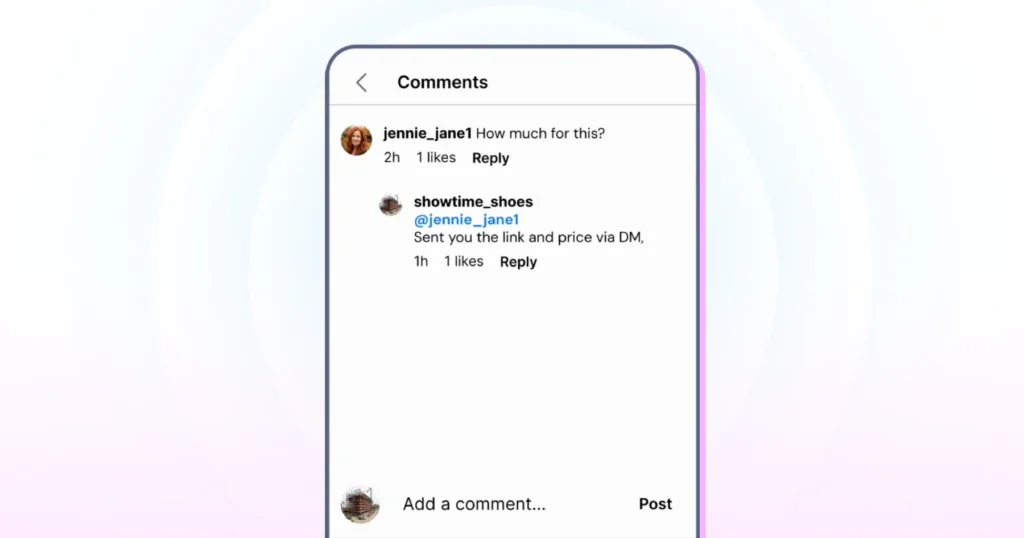
- Public reply. An automated response in the comment thread, acknowledging the comment and keeping your brand visible to other viewers.
- Private DM trigger. A message sent directly to the commenter's inbox the moment they comment, opening a private conversation at the exact point of interest.
Most businesses use both together: the public reply builds social proof in the thread, and the private DM is where the actual conversation and conversion happen.
This is not a bot mimicking human behavior. It runs through Meta's official API, operates within Instagram's guidelines, and carries no risk to your account (see the FAQ below).
How Does Instagram Comment Automation Actually Work?
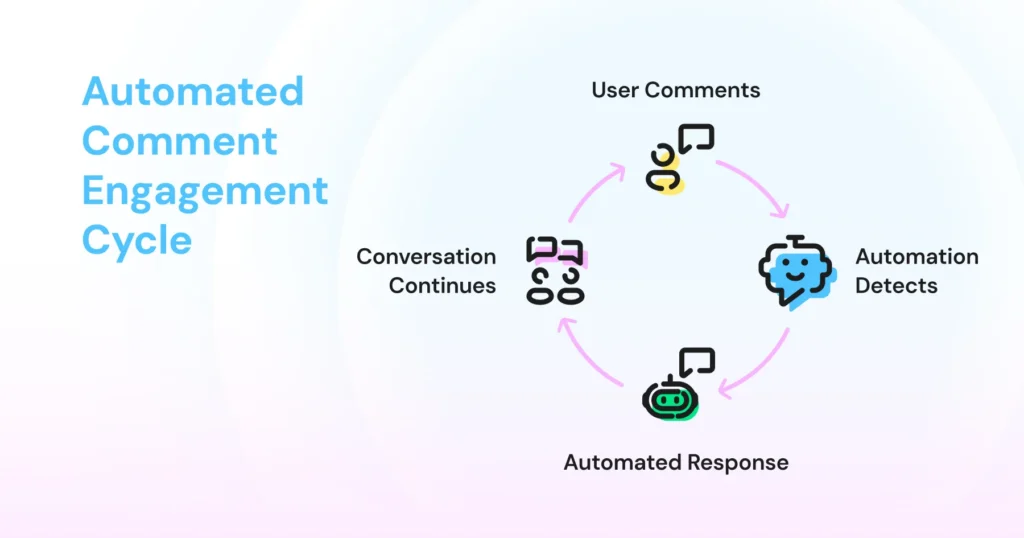
1. A user comments on a post or reel.
2. The automation detects the comment using a trigger, either "any comment" (blanket) or a specific keyword/campaign rule.
3. An automated response fires: a public reply, a private DM, or both.
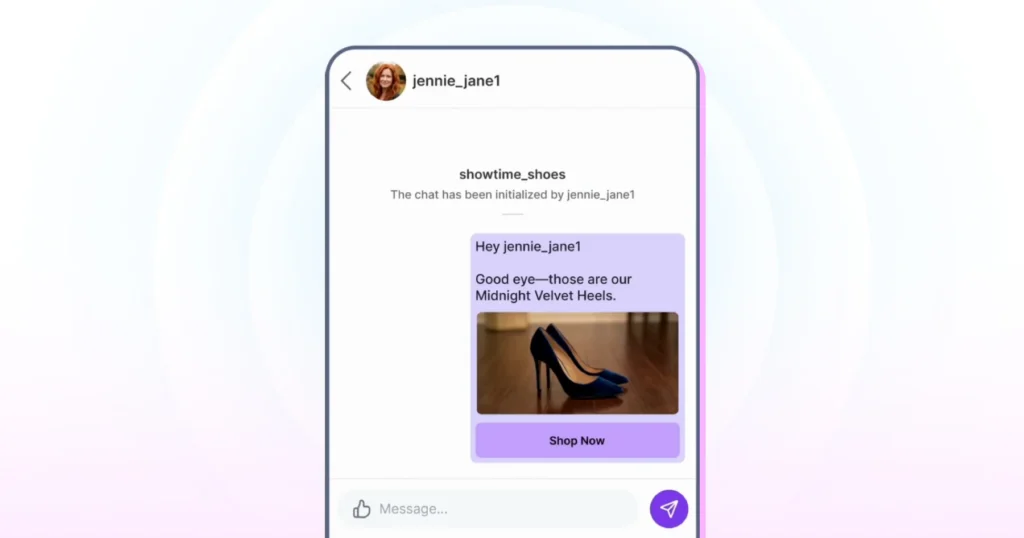
4. The conversation continues in DMs, where the business can share links, answer questions, or capture lead details.
The DM is just the starting point, not the end of the interaction. What happens in the conversation after it is sent determines whether the lead is captured or lost.
The 7-Day Reply Window (and Why It Matters)
Four Instagram-side rules apply to every comment automation tool built on the Graph API, including Wati. Design your campaigns around them, not against them. Before the limits, one basic rule: the customer always messages first. A conversation only opens when someone DMs you, comments, replies to or mentions your story, or taps your ad. You can't message people cold, which is exactly why a comment is such a valuable trigger.
1. The 7-day reply window. Meta only allows a business to send a private reply to a comment within 7 days of when it was posted. If a comment sits unactioned past that window, the automation can no longer open a DM from it. The person can still message you later, but you've missed the moment they raised their hand.
This is why "within seconds" matters more than it sounds. It's not just about speed to lead, it's about staying inside a hard platform deadline, not one your team sets.
2. One DM per commenter, per post. Instagram's comment trigger fires only on a user's first comment under a post. If that same person comments the keyword again, to re-enter a giveaway, or by mistake, the automation will not fire a second time.
This is a platform-side limitation that applies to every tool on the API, not a bug in any one product. Design multi-entry campaigns (especially giveaways) around this constraint rather than against it.
3. Hourly send limit. Meta caps private replies to post and Reel comments at 750 calls per hour per account. Requests beyond that are rejected, so automation tools queue extra replies to send once the window resets. Plan viral-post campaigns with this ceiling in mind.
4. Follow-up window. A second, separate rule governs everything after the first DM. Once a private conversation is open, rules and chatbots can reply within 24 hours of the customer’s last message. After that, only your team can reply manually, up to 7 days after the customer’s last message, and only to help with their query. That’s why follow-up sequences need to run inside the 24-hour window, and why capturing a WhatsApp number (with opt-in) matters for anything later.
Why Instagram Comment Automation is the Highest-ROI Feature Most Businesses Ignore
Most businesses treat their comment section as an engagement metric: a vanity number that tells you a post performed well. The reality is that every comment is an inbound signal from someone who has already shown interest. Without a system to act on it, that signal disappears.
The buying window is shorter than you think. A user comments "Price?" on your Reel at 9 p.m. Without automation, that comment gets seen the next morning, gets a public reply, and the user has moved on. With automation, a DM lands in their inbox within seconds, at peak intent, not 12 hours later.
Speed-to-lead is measurable, not just intuitive:
- Faster response times are consistently linked to higher conversion rates in DM-based selling: the sooner you reply, the warmer the lead.
- Automated comment-to-DM tools typically deliver the first message within seconds, while manual replies on busy posts often take hours.
The better your content performs, the worse the problem gets without a system. A Reel with strong reach generates hundreds of comments. Without automation, high-performing content creates a management crisis, not an opportunity.
Every unanswered "How much?", "Where can I buy this?", or "Do you ship to X?" is a warm lead that went cold. Instagram comment automation turns the comment section from a metric into a pipeline.
Blanket Auto-DM vs Keyword-Triggered DM: When to Use Each
There are two ways to trigger a comment automation flow. Which one you use depends entirely on what you are trying to achieve.
Factor | Blanket Auto-DM | Keyword-Triggered DM |
|---|---|---|
Trigger | Any comment | Specific word or phrase |
Best use case | Giveaways, product launches, broad awareness | Lead generation, promotions, qualified intent |
DM volume | High. Watch the hourly API cap (see the limits above) | Controlled |
Lead quality | Broad | Pre-qualified |
Follow-up risk | Higher inbox load | Easier to manage |
Conversion pattern | Lower intent per DM | Higher intent per DM, because commenters self-select |
Blanket auto-DM sends a message to every person who comments, regardless of what they wrote. Best for giveaways and broad awareness campaigns where every commenter is a relevant audience.
The tradeoff is high DM volume and low qualification: you're starting a conversation with everyone, including people who commented with an emoji.
A keyword-triggered DM only fires when a comment contains a specific word or phrase ("PRICE," "INFO," "DROP," "GUIDE"). Best for lead generation, promotional offers, and any scenario where you want to qualify intent before opening a conversation.
The tradeoff is lower volume but higher quality: the comments that trigger a DM have already signaled why they're there. “(Full setup: see Step 3, “Create the Comment-to-DM Rule,” below.)”
What Happens After the Auto-DM Fires?
Most businesses focus on the trigger: getting the DM sent. The conversion happens after it.
From the moment the auto-DM lands, one of three things happens:
- They don't reply. A follow-up sequence can re-engage them after a set time, with a reminder, an additional offer, or a simple check-in.
- They reply with a simple question. A bot flow handles it: FAQs, pricing, availability, booking links, with no human involvement.
- They reply with something complex. This is the human handoff point: the conversation gets flagged, assigned to a team member, and picked up from there.
Example in practice: A user comments "PRICE" on a jewelry brand's Reel. An auto-DM fires instantly with the pricing breakdown. The user replies asking about a custom sizing option, something the bot isn't built to answer.
The conversation gets flagged and handed to a team member, who picks it up within minutes. The user never experiences a gap, the team never has to monitor the comment section, and the lead doesn't go cold.
If the person replies with a phone number, asks to continue on WhatsApp, or shows buying intent, a Wati chatbot with the AI Assist node can collect those details and hand the conversation off to a WhatsApp follow-up sequence, so the conversation continues across channels instead of ending in a single Instagram DM.
This matters because Instagram doesn't let businesses message people first, but WhatsApp does. Capturing the number in the first conversation is what lets you follow up next week.
Most tools stop at the DM, with no visibility, assignment, or tracking after it lands. The follow-up depends entirely on whether the right person happens to see it.
A shared team inbox for Instagram changes this: comment-triggered DMs flow into a single view alongside regular DMs and other channels, so every conversation is visible, assignable, and trackable.
Related Read: Why Isn't Instagram Engagement Converting into Leads?
Top Use Cases for Instagram Comment-to-DM Automation
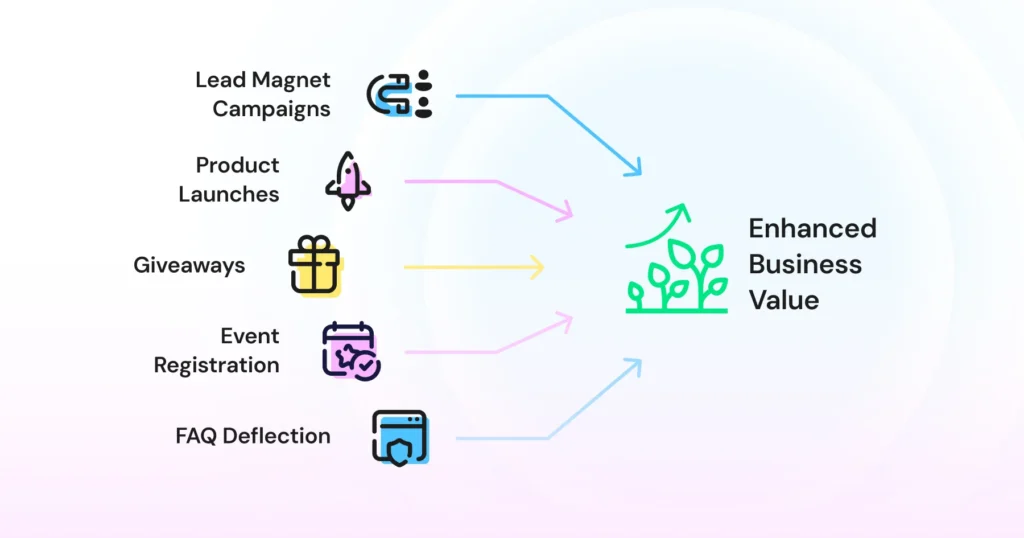
- Lead magnet campaigns. Post content offering something valuable, ask your audience to comment a keyword to receive it, and let automation deliver the resource instantly, whether that's a pricing sheet, lookbook, guide, or consultation link. The DM conversation that opens is the natural moment to capture a phone number or email.
- Product launches and promotions. "Comment LAUNCH to be the first to know" or "Comment SHOP to get the link" build anticipation and drive direct action, without relying solely on the link in bio. Works particularly well for e-commerce drops, cohort launches, and service package announcements.
- Giveaways and contests. These generate the highest comment volumes of any content type on Instagram. Comment automation handles entry confirmation, eligibility DMs, and winner outreach at any volume.
- Event and webinar registration. "Comment REGISTER to save your seat" delivers a registration link directly via DM, automating a process that would otherwise mean manually DMing every interested commenter. The audience is highly intent by definition: they've seen the event and taken a public action to signal interest.
- FAQ deflection. Pricing, availability, shipping, and booking questions are the most common and most repetitive comment types. Keyword triggers mean every question gets an instant, accurate DM answer without anyone retyping the same response for the hundredth time.
What to Build First, by Industry
Industry | Use case | Recommended automation |
|---|---|---|
Retail & e-commerce | Turn product posts into sales. DM product links and promo codes to everyone who comments. | Comment-to-DM, keyword DM |
Professional services | Catch consultation leads the moment they ask, day or night. | Out-of-office, lead qualification bot |
Education & coaching | Fill your next batch from comments. Collect goals, email, and phone, then route hot leads. | Comment-to-DM, lead generation bot |
Healthcare & wellness | Take appointment requests from DMs and send reminders on WhatsApp. | Appointment booking bot |
Travel & hospitality | Answer package and availability questions instantly, and take enquiries from ads. | Keyword DM, Click-to-Instagram ads |
Automotive | Qualify buyers by model and timeline, and book test drives and services. | Lead qualification, booking bot |
Instagram Comment Automation for Posts vs. Reels
Comment automation works across both feed posts and Reels, but the two content types behave differently.
Reels generate significantly more reach and comment volume. A Reel picked up by the algorithm can attract hundreds of comments in hours, from audiences who've never interacted with your account before.
This makes Reels the higher-ROI surface for comment automation, but a blanket auto-DM trigger on a high-performing Reel can flood your inbox fast. Keyword triggers are generally the safer default on Reels unless your team has the inbox capacity to handle scale.
Comment velocity on Reels is harder to predict. A post that sits quietly for 24 hours can suddenly pick up traction from a share, so your automation needs to be always on, not manually activated per post.
Feed posts attract a smaller, more predictable comment pattern from a typically warmer, more familiar audience. Keyword triggers work with more precision here because comments tend to be more deliberate. For businesses just starting with comment automation, a feed post is a lower-risk environment to test trigger logic, DM copy, and follow-up flow before scaling to Reels.
A Note on Stories Comment automation doesn't cover Stories, but Wati handles them with two separate triggers. Use New Instagram story mention is received to thank everyone who tags you (for example, with a discount code), and New Instagram story reply is received to answer replies like “how much?” with your price list. |
How to Evaluate an Instagram Comment-to-DM Automation Tool: 4 Things to Look For
Most tools in this space will tell you they support DM automation. Fewer will tell you what happens after the DM fires, how they handle volume, or whether your team can actually manage the conversations it generates. Pressure-test these four before you commit:
- Meta API approval. Non-negotiable. Only tools connecting via Instagram's official Meta Graph API operate within Instagram's guidelines. Tools that mimic human behavior through browser automation put your account at risk of being flagged, restricted, or suspended.
- Keyword trigger flexibility. Can you set multiple keywords per post? Run different triggers across different posts simultaneously? Exclude certain keywords to prevent irrelevant triggers? Rigid keyword logic limits your campaign options fast.
- Unified inbox. Where do comment-triggered DMs actually land: one person's phone with no shared visibility, or a unified team inbox where they sit alongside regular DMs and other channels? The latter is what makes automation manageable at scale.
- Human handoff capability. Automation opens the conversation; a human closes it. Look for a platform that lets conversations be assigned to specific team members, with full visibility into what's open, being handled, and waiting for a response.
Setting Up Instagram Comment Automation in Wati
Before You Start: What You Need
Three things must be in place before setup. Missing any one will stop the connection from completing:
- An Instagram Business or Creator account. Personal accounts aren't supported by the Meta API. If you're on a personal account, switch to a professional account in your Instagram settings and choose Business or Creator.
- Admin access to that Instagram account. You confirm this during connection, so log in with the account owner or an admin.
- A Wati account. You can connect Instagram during the 7-day free trial. DM, comment, and story automations and Instagram chatbots are included on the Growth, Pro, and Business plans. Managing multiple Instagram accounts from one login requires the Business plan.
How to Set Up Instagram Comment Automation in Wati
Step 1: Connect Your Instagram Account to Wati
Once your Instagram account meets the requirements, you can connect it to Wati. It takes six clicks. Have your Instagram login ready.
1. Open Channels. In the left bar, hover over the Settings icon and click Channels.
2. Open Instagram. Find Instagram in the channels list and click Get Started.
3. Confirm and connect. Tick I have an Instagram professional account and I have admin access to the professional account, then click Connect Instagram.
4. Log in to Instagram. Instagram opens in a new window. Log in with the account you want to connect. If it's linked to Facebook, you can use Log in with Facebook.
5. Allow access. Keep comments and messages switched on and tap Allow. Wati needs both to show them in your inbox.
6. You're connected. You'll see Instagram Connected. Click Set up Automation to build your first rule, or Skip for now.
Good to know: Wati creates a Welcome and an Out of Office rule for you when you connect. Both stay off until you edit and switch them on.”
Step 2: Build Your Chatbot Flow
Only need to send one message? Skip the chatbot. Go to Automations › Actions Library › Reply Material, pick Text, Image or Video (the three types Instagram supports), click Add, write your message and save it.
Start the name with “IG” (for example, IG price list) so it's easy to find when you build the rule.
Once your Instagram account is connected to Wati, you can create a chatbot to decide how you want to respond to customers.
- Open Chatbots. In your Wati dashboard, go to Automations › Actions Library › Chatbots.
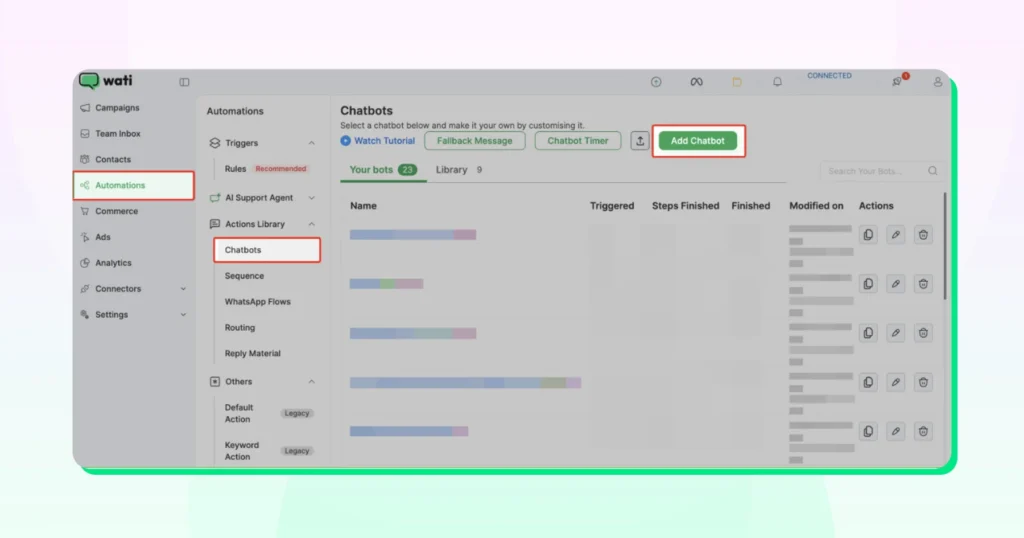
- Create a new chatbot. Click Create chatbot to start building your flow.
- Choose Instagram. Select Instagram at the top of the node panel so you only see nodes that work on Instagram. Greyed-out nodes aren't supported on Instagram.
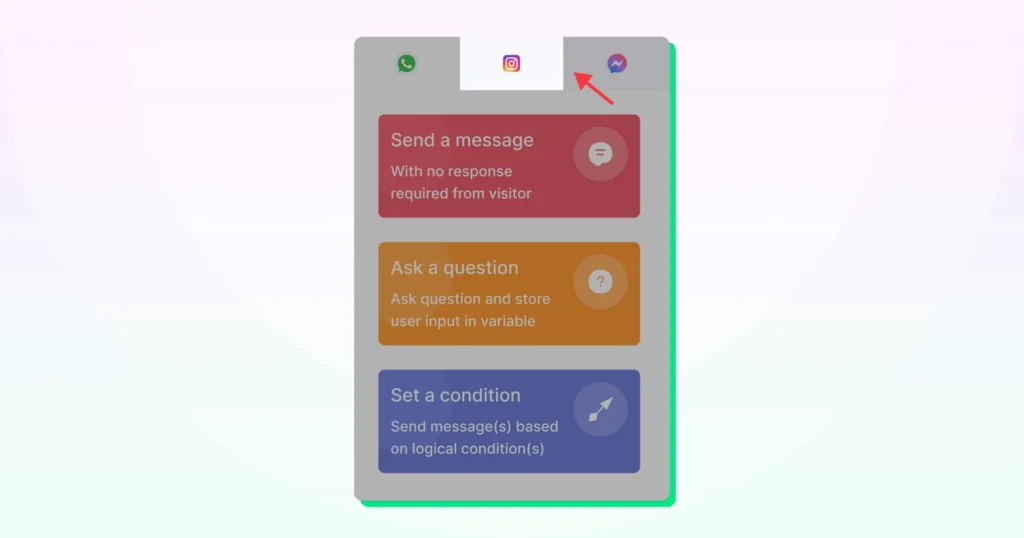
- Build your conversation flow. You'll see a drag-and-drop editor. Use the nodes in the left panel to add messages, questions, buttons, conditions, and other actions to your flow. Connect the nodes in the order you want the conversation to happen. For example: Instagram template with buttons → Question (save the answer as a variable) → Send a message → Assign Team.
- Save your chatbot. Once your flow is ready, click Save.
Which Chatbot Nodes Work on Instagram
Feature | Function | Description |
|---|---|---|
Instagram template | Send a message | Send a message with up to 3 buttons |
Send a message | Send content | Send text, an image or a video |
Ask a question | Collect responses | Ask and save the answer, like @name |
Set a condition | Branch conversations | Branch on an answer or variable |
Wati AI Assist | Collect details | Collect details in a natural chat |
Webhook, Google Spreadsheet | Manage data | Look up data or save leads |
Set tags, Assign team or user | Organize and route chats | Label the chat and hand it over |
Not supported on Instagram: List and Buttons messages, audio, documents, WhatsApp Flows, Subscribe, Unsubscribe, Update attribute and Trigger chatbot.
Example: A Lead Generation Chatbot
Someone comments COURSE on your course reel. The bot:
1. Sends an Instagram template with two buttons: Get the brochure and Talk to a counsellor.
2. Asks for their full name and saves it as @name.
3. Uses Wati AI Assist to collect their email and WhatsApp number.
4. Confirms: “Thanks @name! The brochure is on its way to @email.”
5. Adds the lead as a new row in a Google Sheet.
6. Assigns the chat to your Admissions team.
Step 3: Create the Comment-DM Rule
Now that your chatbot is ready, create an automation rule to tell Wati when to start the chatbot and what action to take.
- Open Rules. Go to Automations › Triggers › Rules.
- Create a new rule. Click Create rule.
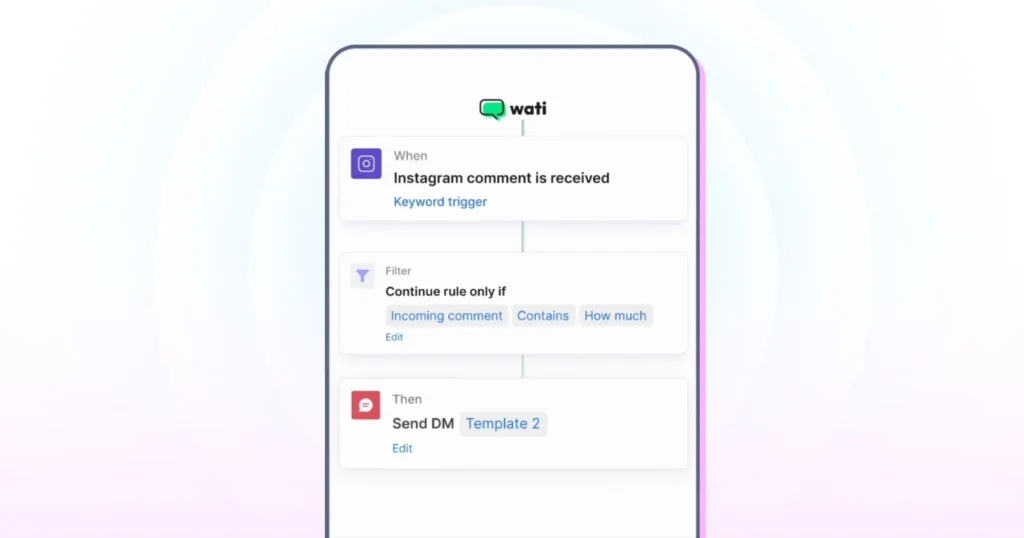
- Choose the trigger. Click When, select New Instagram comment is received, and pick your Instagram account.
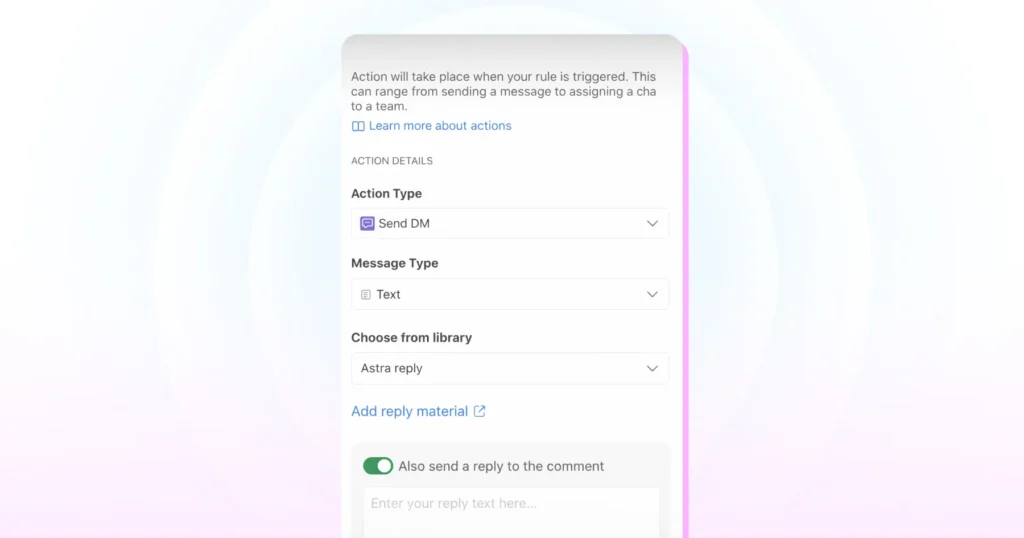
- Choose the action. Click Then and choose Send DM to send a saved reply from Reply Material, or Start chatbot to launch the flow you built in Step 2.
- Reply publicly too. Switch on Also send a reply to the comment and write a short public reply, such as “Thanks! We've sent you a DM with the details.” You can use up to 400 characters.
- Save and switch it on. Name the rule, save it, and switch it on in the Rules list.
Watch for overlapping rules: if two rules match the same comment, both will fire. Give each rule its own keywords.”
Important: Use Select content in the Filter to choose which posts or reels this rule watches. Pick specific posts for a campaign, or All posts/reels for an always-on rule.
Tip: Say the keyword in your caption, like “Comment PRICE and we'll DM you.” It works on both organic and boosted posts and reels.
Step 4: Add Keyword Triggers (Optional)
If you want your automation to respond only when someone comments with a specific word or phrase, you can add a keyword trigger.
- Add a keyword (optional). In the same Filter, add Comment matches keyword.
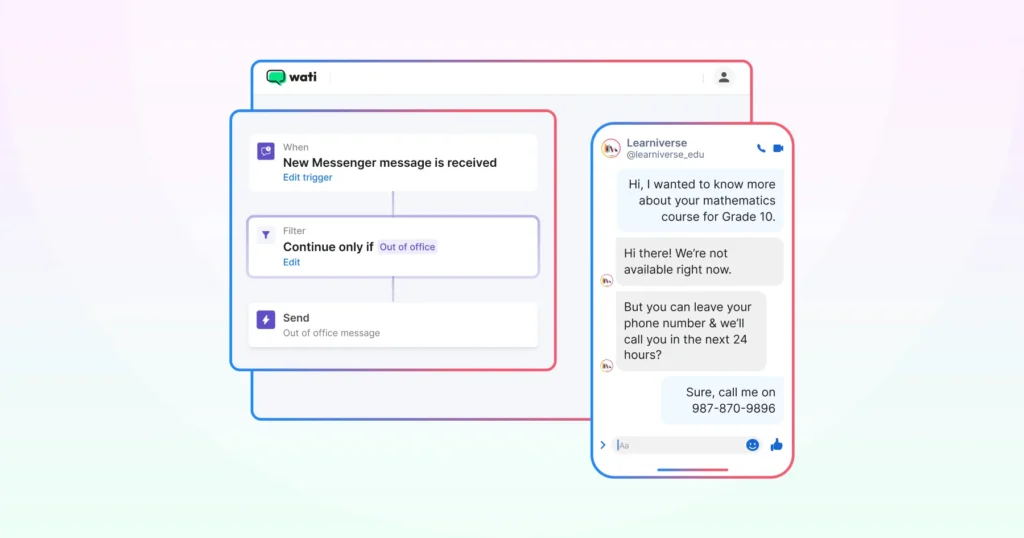
- Enter your keyword. Type the word or phrase you want Wati to look for in comments. For example, if your post says "Comment PROMO to get the offer," enter PROMO as your keyword.
- Choose how the keyword should match. Select the matching option that best fits your campaign:
- Contains: Triggers when the keyword appears anywhere in the comment (e.g., "Can I get the PROMO?").
- Exactly: Triggers only when the comment is the keyword on its own (e.g., “PROMO”).
- Fuzzy: Triggers on typos and close variants (e.g., “PRMOO” instead of “PROMO”). Use the slider to set how close the match needs to be.
Tip: Choose keywords that are specific to your campaign. Avoid common words such as "yes," "okay," or "sure," as they can trigger the automation for unrelated comments.
Using multiple keywords: Type each keyword and press Enter to add it. Keywords aren't case-sensitive, and all of them send users to the same reply or chatbot.”
Step 5: Write Your Auto-DM Message
Whether you're writing a Reply Material message or a chatbot message node, keep these things in mind:
- Reference the post. "Hey, thanks for commenting on our post!" makes the message feel intentional, not automated.
- Lead with value. Give the commenter something immediately: information, a link, an offer, or the answer to what they were likely asking about.
- One clear CTA. One question, one link, one next step. Multiple CTAs split attention and reduce replies.
- Keep it short. A DM that reads without scrolling on mobile is easier to act on.
- Match your Instagram tone. A formal message from a casual brand feels off.
- Write the public reply too. The reply under the comment is seen by everyone, so keep it short and friendly, such as “Thanks! Check your DMs.” The limit is 400 characters.
Step 6: Know the Platform Limits Before You Go Live
Revisit “The 7-Day Reply Window (and Why It Matters)” above. The one-DM-per-commenter rule, the reply windows, and the hourly send cap all apply here. Plan viral-post campaigns with the hourly ceiling in mind.
Step 7: Test Before Going Live
- Confirm the rule is switched on in the Rules list.
- Using a secondary Instagram account (not your business account), comment on one of your published posts.
- Check the secondary account's DM inbox within 60 seconds. The auto-DM should arrive from your business account.
- Confirm the message copy, links, and any buttons or follow-up nodes behave as expected.
- Check your Wati shared Team Inbox for Instagram and confirm the conversation appears there too.
- Check that the public reply appeared under your test comment.
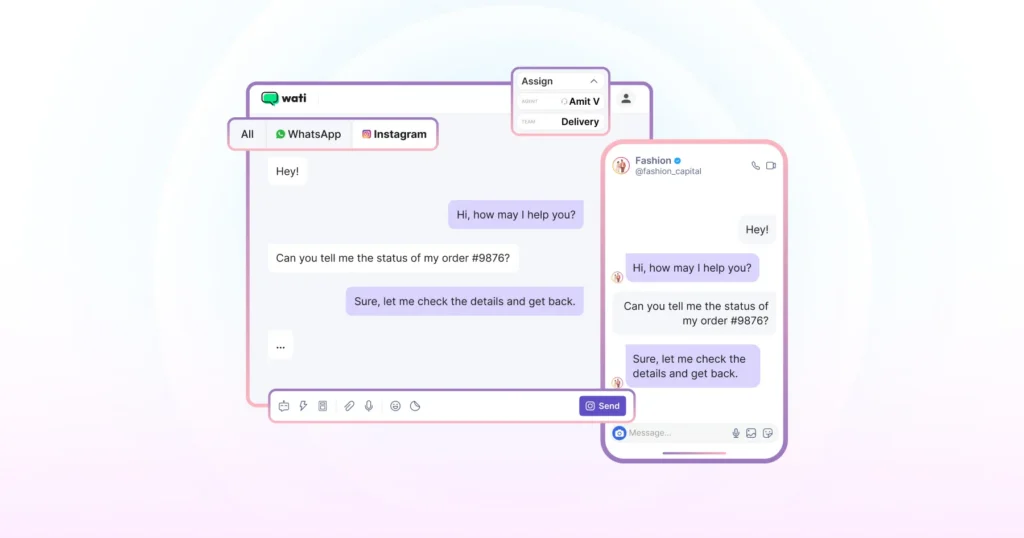
Always test from a secondary account. Testing from the account that owns the automation may suppress the trigger, leading you to believe the automation is broken when it isn't. This is the most common reason users report comment automation as "not working."
Common Mistakes That Kill Comment Automation Results
Mistake | Why It Hurts |
|---|---|
Using the same DM for every campaign | A generic DM can feel irrelevant and reduce engagement. Each campaign has a different audience and intent, so the message should match the specific CTA and campaign goal. |
Using overly broad keyword triggers | Words like "yes," "OK," or "sure" can trigger automations on unrelated comments, filling your inbox with irrelevant conversations. Use specific keywords closely tied to your CTA. |
Using a blanket trigger on a viral Reel | A Reel that takes off can generate thousands of comments quickly, and a blanket trigger DMs every one of them. Add a keyword filter, or limit the rule to specific posts with Select content |
Treating the auto-DM as the finish line | Many users who receive an Instagram auto-reply reply with questions or hesitation. Set up follow-up sequences for non-responders and have a clear human handoff process for complex conversations. |
Having no team-wide visibility | If comment-triggered DMs land in one person's inbox without shared visibility or assignment, conversations can easily be missed. Automation works best with a shared team inbox and clear ownership. |
Assuming keywords trigger again on repeat comments | Instagram's trigger typically fires only on a user's first qualifying comment. If your campaign involves giveaways or multiple entries, design the flow around this limitation rather than assuming every comment will trigger a new DM. |
Troubleshooting: Common Setup Issues of Instagram Automation
Why won't my Instagram account connect to Wati? Check that your Instagram account is a Business or Creator account and that you have admin access to it. Personal accounts can't connect. If both are in place, go to Settings › Channels › Instagram and start the connection again.
Why isn't the auto-DM firing after a comment? Check, in order: the Rule is turned ON (not draft/paused); the post is selected under Select content; if you're using a keyword, the test comment matches it under your matching method (Exactly, Contains or Fuzzy); and you're testing from a different Instagram account.
Why did a repeat comment from the same user not trigger a second DM? Expected behavior, not a bug. Instagram's comment trigger only fires on a person's first comment under a post, even for the same keyword. This is a platform-side limitation, not something Wati controls; design repeat-entry campaigns around it.
Why does connecting Instagram automation show a Meta permissions error? Comments or messages access was switched off during login. Disconnect via Settings › Channels › Instagram, reconnect, and keep comments and messages switched on before tapping Allow.
Why does a DM show up in the Team Inbox but not in the Instagram app? Expected behavior. Wati routes automated DMs through its own inbox, and there may be a delay before they appear in the native Instagram app. If it's visible in your Wati Team Inbox, the automation is working correctly.
Why does Instagram comment automation fire on unintended posts? Open the rule and check the Select content filter. If All posts/reels is ticked, untick it and select only the posts or reels for this campaign.
How Wati Handles Comment-to-DM Automation
Most comment-automation tools are built around the trigger. Wati is built around what happens after it.
Factor | Wati | Instagram-Only Automation Tools |
|---|---|---|
Channel scope | Instagram, WhatsApp, and Messenger in one Team Inbox | Most competing tools cover Instagram only |
Post-DM handoff | Can move a lead into a WhatsApp follow-up sequence once contact info is captured | Conversation typically stays inside the Instagram DM |
Trigger control | Keyword-triggered and blanket auto-DM across posts and reels, with multiple rules running at once | Documentation depth on Meta’s API limits varies by tool |
Campaign management | Different DM flows for different campaigns, managed from a single dashboard | Varies by tool |
Multiple accounts | Run every brand, branch or city account from one Wati login, each with its own rules (Business plan) | Varies by tool |
When a comment triggers a DM through Wati, it flows into Wati's Team Inbox, where Instagram DMs sit in a dedicated tab alongside WhatsApp and Messenger, with an "All" view bringing every conversation into a single list.
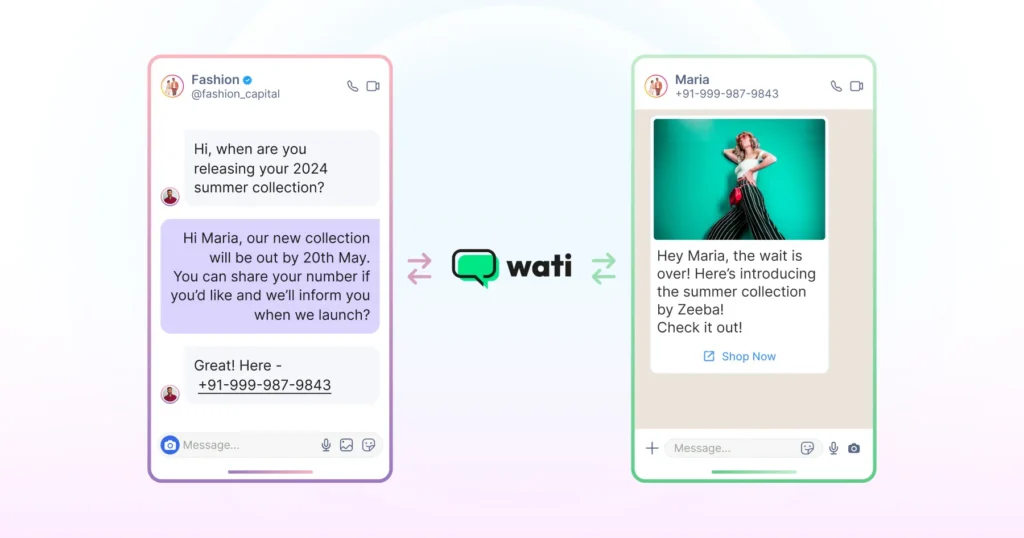
When a user responds, Wati can capture their phone number and move the conversation to WhatsApp, closing the loop between Instagram engagement and direct follow-up without manual steps.
Get More Comments and DMs With Click-to-Instagram Ads
“Want more DMs than organic posts bring in? Run a Click-to-Instagram ad in Meta Ads Manager: choose the Messages objective, set the ad type to Click to Message, and tick Instagram Direct.
When someone taps Send message, the DM lands in your Wati Team Inbox and your rules reply instantly.
Match the ad's question starters (like “What's the price?”) to your keyword rules. No ad budget? Share your ig.me/m/yourusername link in your bio, emails, or a QR code. It opens a DM the same way.
Is Instagram Comment Automation Right for Your Business?
If your Instagram account generates comments consistently, yes. The sooner the system is in place, the sooner every comment starts working for you. Most businesses let comments pile up without acting on them: no follow-up, no DM, no next step.
With comment automation live, every comment becomes an opening for a conversation, a lead, or a sale. From here, layer in keyword triggers for specific campaigns, build an FAQ bot for repetitive questions, and connect everything to WhatsApp for follow-up. Each addition makes the system work harder without adding to your team's workload.
Go-Live Checklist
☐ Instagram connected in Settings › Channels
☐ Reply (in Reply Material) or chatbot ready
☐ Comment rule switched on, with posts and keyword selected
☐ Keyword mentioned in your caption
☐ Tested from a different Instagram account: DM received and public reply posted
Book a demo to see how the full setup works.
Frequently asked questions
How does Instagram comment to DM automation work?
When someone comments on your post or reel, Wati detects it via Meta's official API and automatically sends a DM to that user within seconds. From there, a private conversation opens in your Wati inbox where you can share information, qualify the lead, or capture contact details.
What is the difference between a blanket auto-DM and a keyword-triggered DM?
A blanket auto-DM sends a message to every person who comments, regardless of what they wrote. A keyword-triggered DM only fires when a comment contains a specific word or phrase like “PRICE” or “INFO”. Keyword triggers are better for qualifying intent. Blanket auto-DMs work better for giveaways and broad engagement campaigns.
Does Instagram comment automation work on Reels?
Yes, on both feed posts and Reels. Reels typically generate higher comment volume, which means higher automation ROI but also more DM load to manage.
Is Instagram comment automation safe?
Yes, provided you use a tool that connects via Meta's official Graph API. Tools that mimic human behaviour through browser automation are the ones that put accounts at risk.
What is the best tool for Instagram comment-to-DM automation?
It depends on your setup. The four things worth evaluating are Meta API approval, keyword trigger flexibility, unified inbox, and human handoff capability. Wati checks all four and is built specifically for businesses that run both Instagram and WhatsApp from a single inbox.
How long do I have to send an automated DM after someone comments?
You have 7 days from when the comment was posted. Meta allows one private DM in reply to each comment within that window. Wati sends the DM within seconds, so you’ll never get close to the limit. Once the person replies, automated messages can continue for 24 hours after their last message, and your team can reply manually for up to 7 days.
Is there a free way to automate Instagram comments?
Not permanently. Wati and most Meta-API-approved tools offer a free trial rather than an ongoing free plan. A fully free, unlimited option isn't realistic at scale, since Meta's Graph API usage isn't free to operate. Evaluate trials on automation-trigger limits and which plan tier actually includes Instagram features, not just the trial length.
How much does Instagram comment automation cost?
Pricing typically combines a flat plan fee with usage-based charges, automation triggers, message volume, and team seats, rather than one flat number. When comparing tools, check which tier unlocks Instagram automation specifically (it's often gated to a mid-tier plan, not the entry-level one), and confirm current pricing directly on the vendor's site, since third-party trackers frequently lag or disagree with the official page.
Do I need a Facebook Page to automate Instagram comments?
No. To connect Instagram to Wati, you need an Instagram Business or Creator account and admin access to it. A linked Facebook Page is only needed if you want to run Click-to-Instagram ads.
Can I reply to a comment publicly and send a DM at the same time?
Yes. In a comment rule, choose Send DM and switch on Also send a reply to the comment. The commenter gets a public reply (up to 400 characters) and a private DM.
Can I automate replies to Instagram story mentions and story replies?
Yes. Wati has two story triggers: New Instagram story mention is received (for example, to thank people with a discount code) and New Instagram story reply is received (for example, to send your price list when someone replies “how much?”)
Which chatbot features don't work on Instagram?
List and Buttons messages, audio, documents, WhatsApp Flows, Subscribe, Unsubscribe, Update attribute and Trigger chatbot aren't supported. Use Instagram templates (up to 3 buttons), text, images and video instead.
Can I manage multiple Instagram accounts in Wati?
Yes, on the Business plan. Each account gets its own rules, and all conversations land in one Team Inbox.
Related posts
- TikTok vs Instagram for Business: Which Platform Should You Use?
TikTok wins on discovery and reach among people who've never heard of you; Instagram wins on trust, research, and the tools that turn interest into a customer. Most businesses need both, at different
- Why Isn’t Instagram Engagement Converting into Leads? (And How to Fix it)
learn what are the ways to optimize instagram engagement and how to turn public comments and private DMs into leads to improve your sales pipeline and conversions.
- Shared Team Inbox for Instagram: A Buyer’s Checklist for 2026
Use this fastest checklist to evaluate any shared team inbox for Instagram, which covers DMs, comments, automation, and multi-channel support.
- How to Send Bulk Messages on WhatsApp Without Getting Blocked
Learn how to send bulk WhatsApp messages without getting blocked. Compare the WhatsApp Business app and API, messaging limits, costs, templates, and best practices for safe, compliant bulk messaging.