
Too Long? Read This First
- Instagram has no calendar sync, so booking runs either as a request your front desk confirms or through fixed slots the bot offers.
- A button-led bot asks for the treatment, a preferred day and time, a name, and a WhatsApp number.
- A clinic bot should never give medical advice, diagnoses, or results guarantees.
- The front desk confirms with an approved WhatsApp template, then sends reminders the same way.
- After-hours rules and Astra AI Agent keep enquiries moving when the clinic is closed.
Clinic appointment booking on Instagram works best when a button-led bot gathers the booking details and your front desk confirms the slot. The bot asks for the service, the patient's preferred time, and their contact details.
The patient gets an instant reply, and your team gets a ready-to-confirm request instead of a vague DM.
At 9:08 pm in Dubai, a follower watches your skin-booster reel and writes, "Do you have a slot tomorrow? How much?" Your front desk closed at 8.
With Wati's Instagram automation, that message gets an answer, a booking flow, and a place in tomorrow's queue. It's part of how Wati for healthcare helps clinics turn enquiries into visits.
Below, you'll see why booking requests slip through and the two ways to run booking on Instagram. We also cover what your bot should and shouldn't say, and how the front desk turns a request into a confirmed appointment.
Why Do Clinic Booking Requests Get Lost on Instagram?
Clinic booking requests get lost for four reasons:
- They arrive after hours. Patients scroll and enquire in the evening, after the front desk has gone home.
- Instagram gets checked once a day. Many clinics treat DMs as a social media task, not a booking channel.
- Details scatter. The treatment is in one message, the preferred day in another, and the phone number nowhere.
- The messaging window closes. On Instagram, automated replies work for 24 hours after the patient's last message, and your team can reply by hand for up to 7 days. After that, you can't message them until they write again.
How Does Clinic Appointment Booking Work on Instagram?
Instagram doesn't connect to your clinic's diary, so the bot can't see open slots on its own. That leaves two practical flows.
Flow | How It Works | Best For |
|---|---|---|
Request and confirm | The bot gathers the treatment, a preferred time, name, and number. Your front desk checks the diary and confirms. | Clinics whose diaries change daily, such as multi-specialty centres and dental practices |
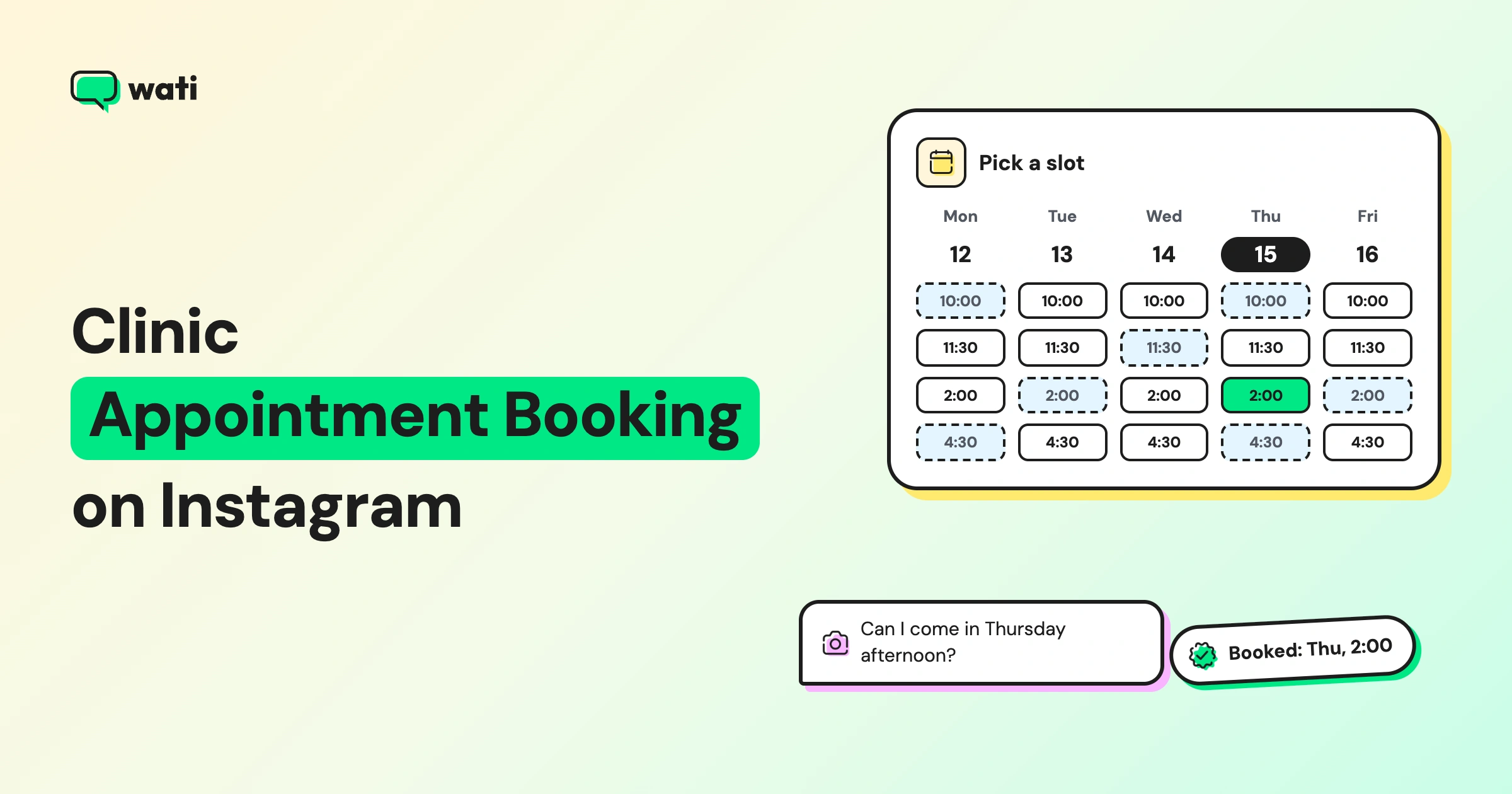
Fixed-slot buttons | The bot offers set times as buttons, such as "Sat 11 am" or "Tue 6 pm," and confirms the one the patient taps. | Clinics with fixed consultation days or session times, such as laser or hygiene days |
Most clinics start with a request and confirmation, then add fixed slots for treatments with set schedules. Either way, the patient gets an immediate reply instead of waiting until morning.
What Should Your Booking Bot Ask?
Your booking bot should ask only what the front desk needs to confirm. Start it in two ways:
- Keyword rules: a keyword rule that fires on words like "book," "appointment," and "slot." Use Contains or fuzzy matching for these words, never single letters. Also make sure two rules don't match the same message, or the patient gets both replies.
- Comment-to-DM: a comment rule on treatment reels, such as "comment BOOK." For comment automation, the bot must open with an Instagram button template.
Then collect the details in three steps:
- Service: an Instagram button template with up to three choices, such as Consultation, Treatment, or Check-up.
- Preferred date, time, and name: Question nodes collect each answer as text. In a fixed-slot flow, show the times as buttons instead.
- WhatsApp number: a Wati AI Assist step asks for the number so the clinic can confirm on WhatsApp. AI Assist is available on the Pro and Business plans. Our guide to capturing phone numbers from Instagram DMs explains the setup.
For a dental clinic, the flow might read: "Which visit do you need? [Check-up] [Cleaning] [Consultation]" → "Which day suits you?" → "Morning or evening?" → "Your name?" → "Your WhatsApp number, so we can confirm?"
What Should a Clinic Bot Never Answer?
A clinic bot should never give medical advice. Keep these topics for a qualified person:
- Diagnosis or symptoms ("Is this rash serious?")
- Suitability ("Is this treatment safe for me?")
- Results or guarantees ("Will this remove my scars?")
- Medication or dosage questions
These are safe to automate: services offered, prices "starting from," clinic hours, location, what to bring, and booking. When a patient asks a medical question, the bot should say so clearly: "That's a question for our doctor. We'll connect you during your consultation."
Ask only for the details you need to book, and tell patients why you're asking for their number. Patient information deserves extra care, especially under the data protection rules in the UAE and Saudi Arabia.
Give your front desk one inbox for every booking request. Assign requests, add internal notes, and filter by Open, Pending, or Solved. Explore the Team Inbox
How Does the Front Desk Confirm the Appointment?
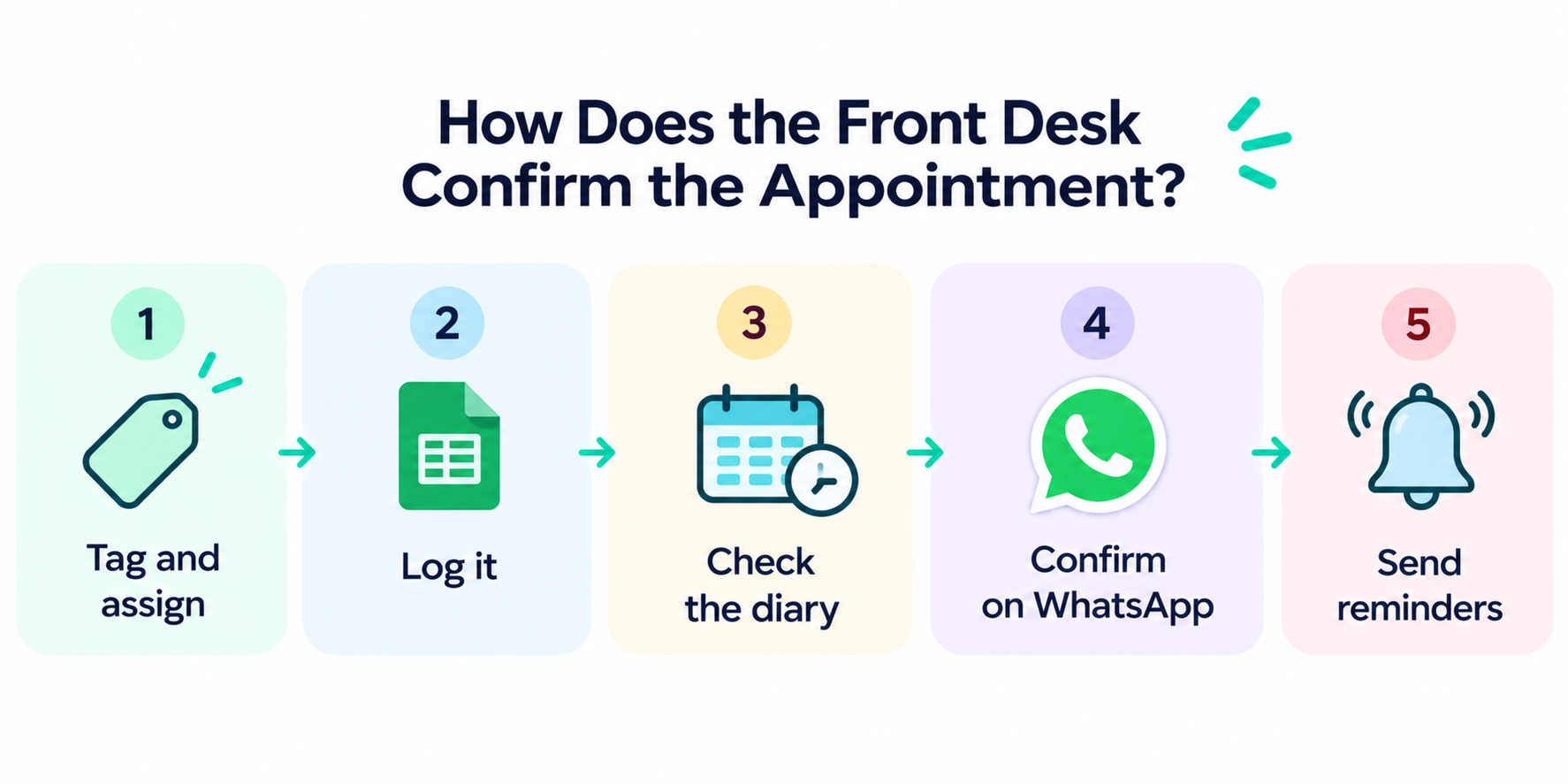
The front desk turns each request into a confirmed slot. In Wati:
- Tag and assign: the bot tags each request as "booking-request" and assigns it to your front desk team. On Instagram, tagging and automatic assignment are available on the Pro and Business plans. On Growth, your team tags and assigns from the Team Inbox.
- Log it: send each request to a Google Sheet, so the team has a list of pending bookings.
- Check the diary: compare the preferred time with your clinic system.
- Confirm on WhatsApp: send an approved template with the date, time, doctor, and address. The first message to a new contact must be a template.
- Send reminders: schedule template reminders the day before and a few hours before. Set a WhatsApp keyword rule so a reply like "reschedule" reaches the front desk.
A short front-desk checklist helps: confirm the slot, note the treatment, share preparation instructions, and mark the chat as Solved once the booking is done.
How Do You Handle Arabic and After-Hours Enquiries?
Clinics in the UAE and Saudi Arabia receive enquiries in two languages, often late at night. Three settings keep them moving:
- Out-of-office rule: Wati creates it when you connect Instagram, but it stays off until you edit and switch it on. Set your working hours, and use Holiday Mode for Eid and public holidays.
- Replies in both languages: write your Reply Material and bot messages in Arabic and English, so patients get answers in the language they use.
- Astra AI Agent: Astra AI Agent answers treatment and pricing questions on Instagram from your approved website content and FAQs. On Instagram, Astra can hand the chat to your team and update the patient's phone number. It runs as a separate agent from your WhatsApp one, and you can start it with a rule or by assigning the chat from the Team Inbox.
Which Metrics Show Booking From Instagram is Working?
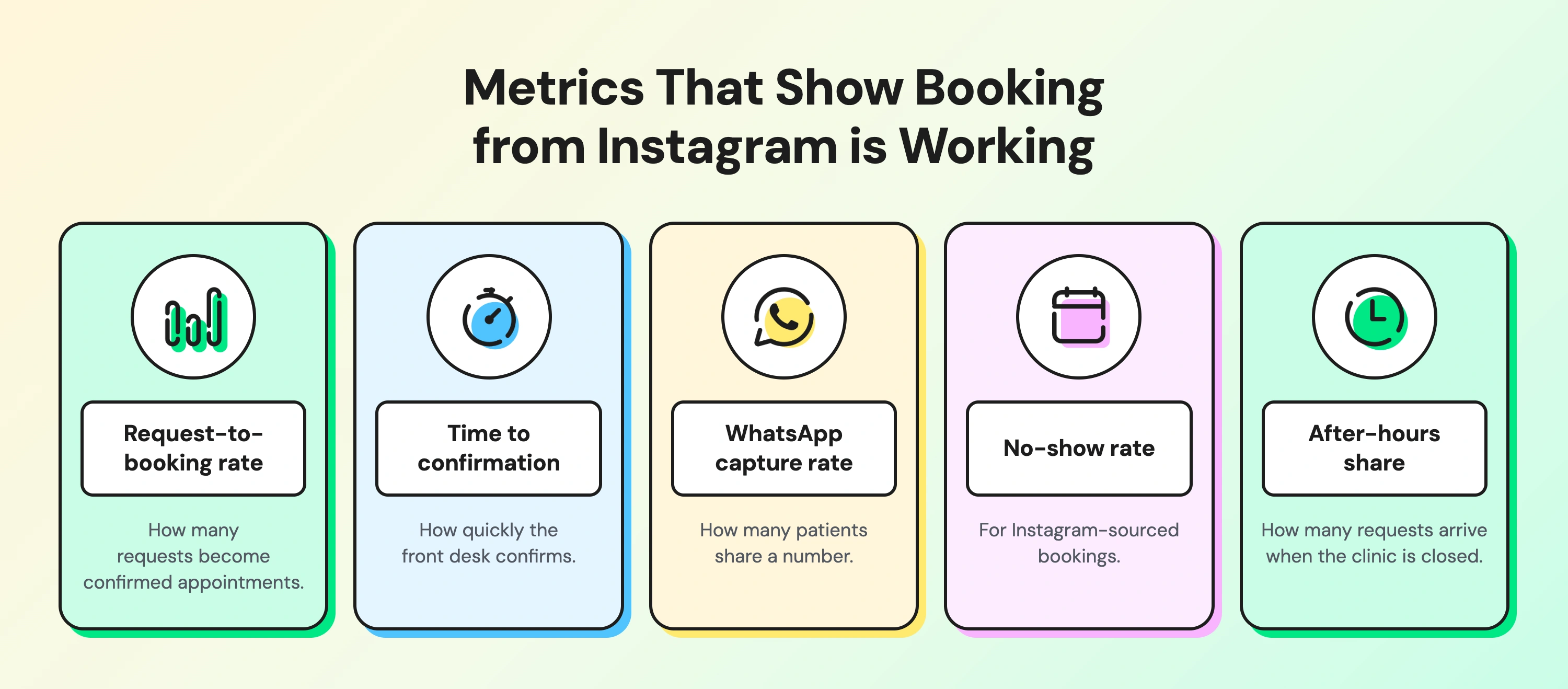
Track these numbers monthly:
- Request-to-booking rate: how many requests become confirmed appointments.
- Time to confirmation: how quickly the front desk confirms.
- WhatsApp capture rate: how many patients share a number.
- No-show rate: for Instagram-sourced bookings. Our guide to omnichannel customer engagement for healthcare covers ways to reduce it.
- After-hours share: how many requests arrive when the clinic is closed.
How Does Wati Help Clinics Book From Instagram?
Wati is an agentic customer engagement platform that turns conversations into revenue growth across marketing, sales, and support. Here's what your front desk sees at 9 am:
- Already done overnight: booking requests collected, tagged, and logged; treatment questions answered by Astra AI Agent; WhatsApp numbers saved.
- Waiting for the team: a queue of booking requests in the Team Inbox, ready to check against the diary.
- Next step: confirm each slot with a WhatsApp template and schedule reminders.
For more on clinic communication, see how a WhatsApp agent handles appointment booking and how clinics run omnichannel support for healthcare.
Turn "Do You Have a Slot?" Into a Booked Visit
Every booking DM is a patient ready to visit. Good clinic appointment booking on Instagram means replying instantly, collecting what your front desk needs, and confirming on WhatsApp.
Ready to book more appointments from Instagram? Start your free Wati trial.
Frequently asked questions
Can patients book clinic appointments on Instagram?
Yes. A booking bot can ask for the treatment, a convenient time, and contact details in a DM. The clinic then confirms the appointment, or the bot confirms a fixed slot the patient picks.
Does Instagram sync with my clinic's calendar?
No. Instagram doesn't connect to clinic diaries, so the bot either collects a request for your front desk to confirm or offers fixed time slots you've set.
What should a clinic chatbot not answer?
It shouldn't give medical advice, diagnose symptoms, judge treatment suitability, guarantee results, or answer medication questions. Those go to a qualified person.
How do I confirm an Instagram booking on WhatsApp?
Collect the patient's WhatsApp number in the DM, then send an approved WhatsApp template with the appointment details. Reminders go out as templates too.
Can a bot reply to Instagram DMs in Arabic?
Yes. You can write automated replies and bot messages in Arabic and English, so patients get answers in their own language.
Related posts
- How to Send Bulk Messages on WhatsApp Without Getting Blocked
Learn how to send bulk WhatsApp messages without getting blocked. Compare the WhatsApp Business app and API, messaging limits, costs, templates, and best practices for safe, compliant bulk messaging.
- Instagram Comment Automation: How It Works and How to Set It Up in Wati
Instagram comment automation auto-replies to comments and DMs commenters within seconds via Meta's API. Covers strategy, use cases, and Wati setup.
- Shared Team Inbox for Instagram: A Buyer’s Checklist for 2026
Use this fastest checklist to evaluate any shared team inbox for Instagram, which covers DMs, comments, automation, and multi-channel support.
- How to Set Up a TikTok Business Account: Step-by-Step Guide
Set up a TikTok Business Account step by step: switch from personal, pick a category, add your profile, and unlock ads and analytics.