
Too Long? Read This First
- Shopify AI customer service answers routine questions instantly and routes complex or sensitive ones to your team.
- Sort tickets into three groups: automate, assist, and keep human. Most order, shipping, and policy questions can be automated or prevented.
- A simple capacity worksheet shows how many hours AI frees, so you can plan around your current team instead of hiring.
- Customers expect an easy path to a person, so every automated flow needs a clear, fast handoff.
- Prepare for sale peaks two weeks early by updating knowledge, sending proactive order updates, and setting routing rules.
Shopify AI customer service lets a small support team handle far more conversations by letting AI answer routine questions and routing everything else to people. You don't replace your team. You stop spending their time on the same questions every day, so the people you already have can cover more customers, more channels, and busier seasons.
With Wati, Astra AI Agent can take on that work on WhatsApp, while the Shopify integration sends order updates automatically.
The catch is that customers still want a person when it matters. A Gartner survey found that 87% of customers say companies using generative AI for service must provide access to a human agent. The stores that get this right design AI and people to work together.
This guide shows which Shopify tickets to hand to AI, how to size your team around it, and how to make the move from bot to person feel smooth. You'll also get a peak-season playbook, a checklist for choosing a tool, and the metrics that prove it's working.
What is Shopify AI Customer Service?
Shopify AI customer service is software that reads a shopper's message, works out what they need, and replies using information you've approved, such as your policies, product details, and FAQs. When a question needs a person, it hands the conversation over with the history attached.
It's different from a traditional Shopify chatbot. A rule-based chatbot follows menus and keyword triggers, so it breaks as soon as someone phrases a question in an unexpected way. An AI agent understands free-text messages, follows the conversation across several replies, and knows when to step aside.
AI customer service for ecommerce isn't only about cost. It changes what your team spends time on. If you're still deciding whether it's worth it, our guide to the benefits of AI customer service for Shopify stores covers the case in detail. This guide focuses on how to run it.
What Does Shopify Offer Natively, and When Do You Need More?
Shopify gives every store a free starting point. Shopify Inbox is a free chat app built into the Shopify admin. It includes AI-generated suggested replies and instant answers, powered by Shopify Magic, that draw on your store information. A team member reviews and sends each suggested reply. Suggested replies are currently available only in English.
That's enough for many small stores. Merchants usually outgrow it when:
- Customers message on other channels. Shoppers ask questions on WhatsApp and Instagram, not only in your website chat.
- Several people share the load. Teams need assignment, routing, internal notes, and visibility across shifts.
- Volume outpaces review. Suggested replies still need a person to send them, which stops scaling once chats pile up.
- You need reporting. Response times, resolution, and conversation quality become hard to track without proper reports.
Channels matter more than many merchants expect. Gartner found that customers are about three times more likely to use third-party generative AI tools than company-provided chatbots when resolving service issues. Shoppers go where they're comfortable, so your support should meet them there.
Our complete WhatsApp for Shopify guide shows how stores add WhatsApp to their support and sales.
Which Support Tickets Should AI Handle?
The best way to decide is to sort your tickets into three groups: automate, assist, and keep human. Shopify customer support automation works when each ticket type goes to the right place.
Ticket Type | Approach | How | Why |
|---|---|---|---|
Order status ("where is my order?") | Prevent, then assist | Proactive order update templates; AI explains delivery timelines, and your team handles order-specific lookups | Many of these questions disappear when customers get updates first |
Shipping times and costs | Automate | AI answers from your shipping policy | Same answer every time |
Return and exchange policy | Automate | AI explains the window and steps | Policy questions follow clear rules |
Sizing and product questions | Automate | AI answers from product pages and size guides | Fast answers save sales |
Discount codes and promotions | Automate | AI answers from current offer details | Keep the knowledge base updated weekly |
Address changes | Assist | AI collects the new address; a person confirms before dispatch | Changes need a check against fulfillment |
Damaged or wrong items | Assist | AI gathers photos and order details, then hands over | A person decides the remedy |
Refunds and disputes | Keep human | Route straight to your team | Money and judgment are involved |
Complaints and frustrated customers | Keep human | Escalate immediately | Empathy matters more than speed |
VIP, wholesale, and high-value orders | Keep human | Route to a named team member | Relationships drive revenue |
A good rule of thumb: automate questions with one correct answer, assist with questions that need a check, and keep anything involving money, emotion, or exceptions with a person.
Some of the biggest wins don't involve AI conversations at all. Automated templates, sent when something happens in your store, stop many questions before they're asked:
- Order confirmations and shipping updates answer "has it shipped?" before the customer wonders.
- Cash-on-delivery verification confirms COD orders before dispatch, which cuts failed deliveries.
- Cart reminders bring back shoppers who left mid-checkout, with a link straight back to their cart.
In Wati, these run as templates triggered by the Shopify integration. AI then handles the replies that come back.
Order status deserves special attention because it's usually the biggest category. Our guide to automating "where is my order?" questions on Shopify walks through prevention and AI replies in detail.
How Do You Build a Knowledge Base the AI Can Trust?
AI customer service is only as good as what it learns from. An AI agent that answers from your knowledge sources will repeat any gap or outdated detail it finds there, so the knowledge base deserves the same care as your product pages.
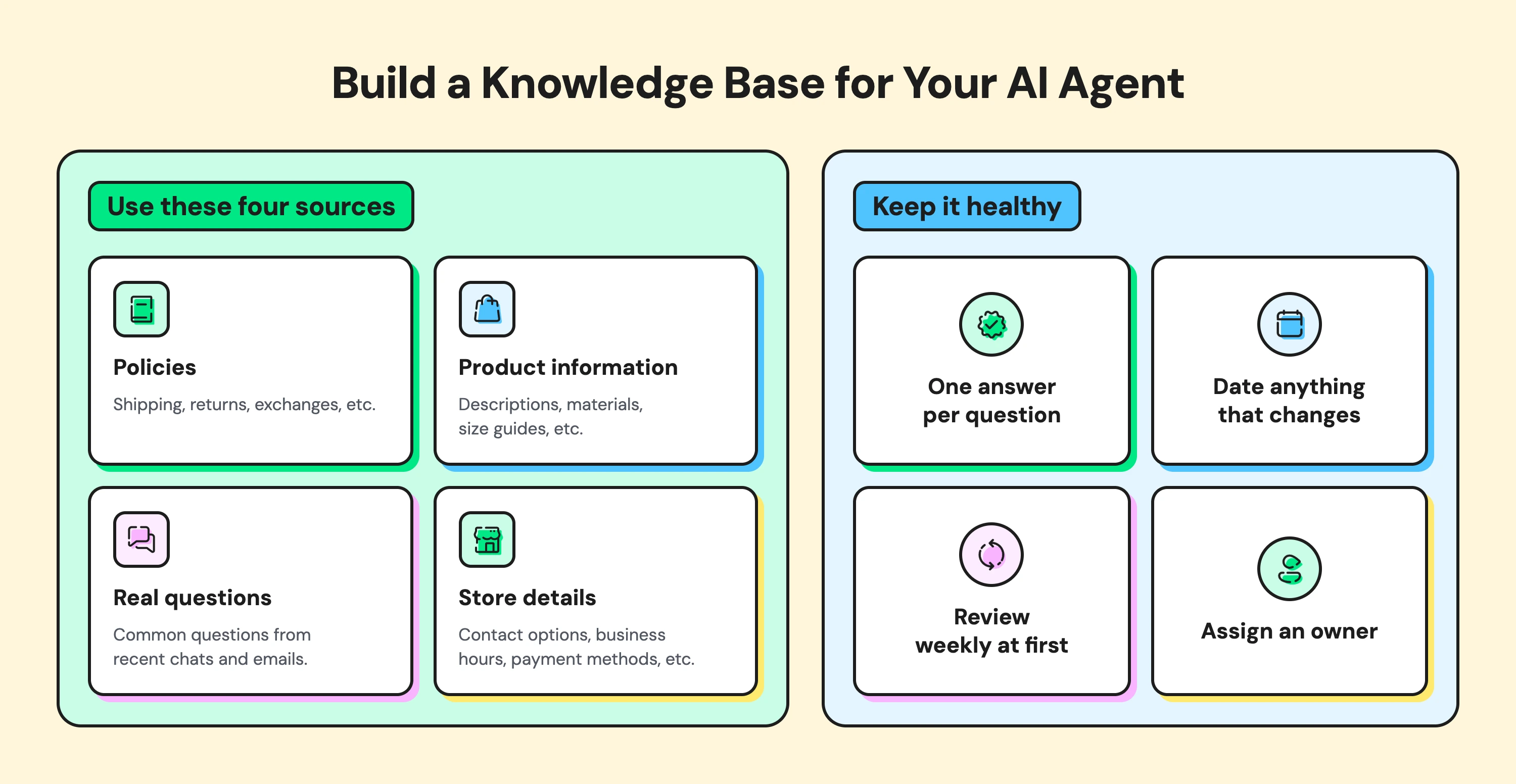
Build it from four sources:
- Policies: shipping, returns, exchanges, warranty, and cash on delivery, written in plain language.
- Product information: descriptions, materials, care instructions, and size guides.
- Real questions: the most common questions from the last 60 to 90 days of chats and emails, with your best answers.
- Store details: contact options, business hours, delivery regions, and payment methods.
Then keep it healthy:
- Write one answer per question. Conflicting answers in different places confuse the AI and your customers.
- Date anything that changes. Sale terms, shipping cut-offs, and promotions need start and end dates.
- Review weekly at first. Check handed-off chats for questions the AI couldn't answer, and add them.
- Assign an owner. One person should approve changes, so the knowledge base doesn't drift.
The payoff compounds. Every answer you add is one your team types far less often.
How Many Support Agents Do You Need With AI?
You can estimate how many hours AI frees up with a simple worksheet. Use your own numbers from the last 60 to 90 days.
Step | What to Calculate | Example |
|---|---|---|
1 | Monthly conversations | 3,000 |
2 | Share AI can fully answer (from your ticket sort) | 40% |
3 | Conversations AI handles | 1,200 |
4 | Average handle time per conversation | 6 minutes |
5 | Hours freed per month (step 3 × step 4 ÷ 60) | 120 hours |
In this illustrative example, AI frees about 120 hours a month, roughly the time of a part-time hire. Start with a conservative share in step 2, then raise it as you see real results.
The freed hours shouldn't vanish. Put them toward:
- Faster replies to the conversations that need a person
- Proactive outreach, such as checking in on delayed orders
- Knowledge upkeep, so AI answers stay accurate
- Sales conversations with high-intent shoppers
This matches how most service leaders plan. A Gartner poll found that 95% of customer service leaders plan to retain human agents as they define AI's role. The goal is a stronger team, not a smaller one.
Your team also works faster with the right tools. In Wati's Team Inbox, Round Robin assignment spreads new chats across available team members. Wati AI then summarizes long conversations, so whoever picks one up doesn't need to read the whole thread.
Give your team one inbox for every channel. Wati's Team Inbox brings your messaging channels and website chat into one place, with routing and internal notes. Explore the Team Inbox
How Do You Design Handoffs Customers Trust?
You design handoffs customers trust by making it easy to reach a person and making sure that person already knows the story. Gartner's 2026 research asked customers who were unwilling to use AI what would change their mind.
The most common answer was being able to switch to a human agent. Six rules help:
- Always offer a way out. Every automated reply should make it clear how to reach a person.
- Escalate on frustration. Don't wait for a customer to ask twice. In Wati, Smart Escalation can hand a chat from the bot to your team when a customer asks for a person or expresses frustration.
- Pass the full context. The person taking over should see the conversation, the order, and what the AI already tried. Wati AI summaries and Private Notes keep that context in one place.
- Set expectations. Tell the customer when a person will reply, especially outside working hours.
- Switch channels when it helps. Some issues are easier to solve by voice. With WhatsApp Business Calling, customers can call your team from the same chat, and calls can be recorded and summarized on the contact.
- Never loop. If the AI has failed to help twice, hand over. Repeating the same answer frustrates customers fastest.
For how one customer record connects these handoffs across channels, see our guide to omnichannel customer service for ecommerce.
Handoffs are also where your team learns. Review a sample of escalated chats each week to find questions the AI should be able to answer next time.
How Do You Get Through a Sale Peak Without Temporary Hires?
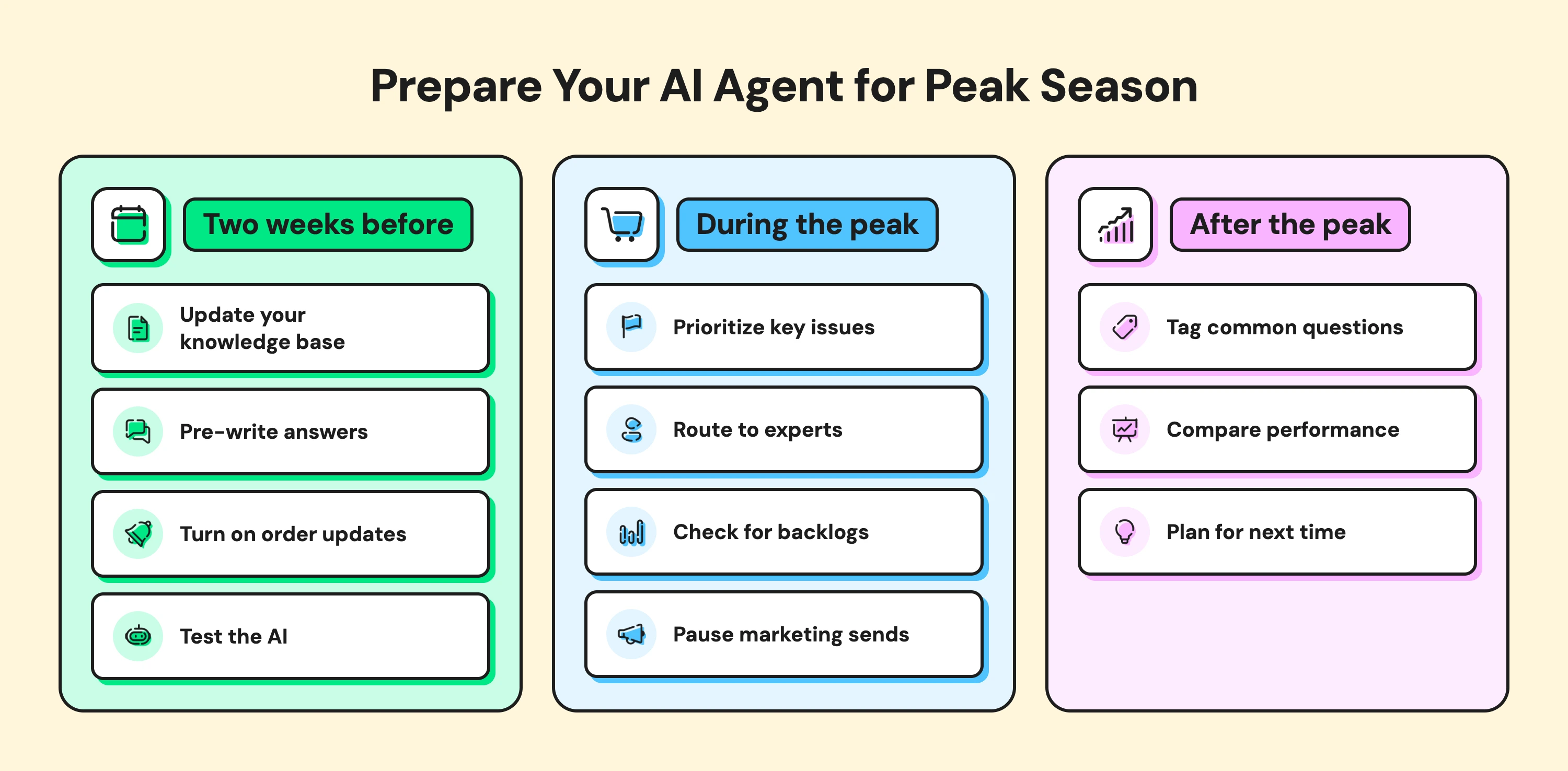
You get through a sale peak by preparing two weeks early, routing smartly during the rush, and learning from it afterward.
Two weeks before
- Refresh your knowledge base with sale terms, last-order dates for delivery before the holiday, and return rules for discounted items.
- Pre-write answers to the questions last year's peak brought in.
- Turn on proactive order update templates, so fewer questions need asking. If a WhatsApp message can't be delivered, Wati can fall back to email, SMS, or RCS on supported plans and markets.
- Test the AI with 20 to 30 real questions from past sales.
During the peak
- Prioritize payment problems and delivery issues over general questions.
- Route complaints and refund requests straight to experienced team members.
- Check the inbox for backlogs twice a day, and adjust routing if one team falls behind.
- Pause marketing sends to customers with open support issues.
After the peak
- Tag the most common question themes and add missing answers to the knowledge base.
- Compare response times and resolution with your normal weeks.
- Note which questions could be prevented next year with an earlier update or a clearer policy.
Each peak makes the next one easier, because every unanswered question becomes a new answer the AI can give.
How Do You Choose a Shopify AI Customer Service Tool?
Choosing an AI chatbot for Shopify comes down to how well it fits your channels, your data, and your team. Most tools look similar in a demo, so test each one against your own tickets before you decide. Use this checklist when you compare tools:
- Channels: Does it cover WhatsApp, Instagram, Messenger, and web chat, or only your website?
- Shopify connection: Can it use your Shopify data and trigger messages from store events?
- Knowledge training: Can you train it on your own content and update it easily when policies change?
- Handoff: Does it pass full context to your team and escalate on frustration?
- Shared inbox: Can your whole team work from one place, with routing and internal notes?
- Languages: Does it reply in the languages your customers use?
- Reporting: Does it show response times, resolution, and conversation quality?
- Pricing model: Is it per conversation, per seat, or a flat plan, and how does that scale with your volume?
- Compliance: Does it use the official WhatsApp Business Platform and respect opt-ins?
One more question to ask every vendor: what's live today, and what's on the roadmap? A Shopify customer service app is only as useful as the features you can turn on now.
Which Metrics Show AI Support is Working?
The right metrics show whether AI is resolving questions or just deflecting them. Track these monthly:
- AI resolution rate: the share of conversations the AI resolved without a person, ideally confirmed by the customer.
- Handoff rate and reasons: how often chats move to your team, and why. Rising handoffs on one topic point to a knowledge gap.
- First response time: how quickly customers get their first reply.
- Time to resolution: how long issues take from first message to solved.
- Conversation quality: CSAT, or Wati AI's CX score, which rates conversation quality without a survey.
- Repeat contacts: customers coming back about the same issue, a sign the first answer didn't work.
- Conversations per team member: how much more each person can handle with AI support.
Watch these together. A high AI resolution rate means little if repeat contacts rise at the same time.
How Does Wati Help Shopify Teams Scale Support?
Wati is an agentic customer engagement platform that turns conversations into revenue growth across marketing, sales, and support. For Shopify teams, it brings AI and people together in one place.
Astra AI Agent answers routine questions on WhatsApp using your website, product pages, and FAQs, and hands complex chats to your team. The Shopify integration sends order updates, COD verification messages, and cart reminders as automated templates, so many questions never need asking.
Your team works from one Team Inbox across WhatsApp, Instagram, Messenger, and web chat, replying to Instagram DMs and anything Astra hands over. Smart Escalation moves chats to a person when customers ask or get frustrated.
Wati AI summarizes conversations, translates messages, and scores conversation quality, and WhatsApp Business Calling lets customers talk to your team without leaving the chat.
For a look at how this plays out across a whole store, see our guide to the benefits of AI customer service, or explore Wati for ecommerce.
Scale Support Without Scaling Headcount
AI handles the routine questions, and your team handles the moments that matter. Start by sorting your tickets, automate the easy ones, and make reaching a person effortless.
Ready to scale your Shopify support? Start your free Wati trial to plan your setup.
Frequently asked questions
Does Shopify have an AI agent for customer service?
Shopify Inbox, Shopify's free chat app, includes AI-generated suggested replies and instant answers based on your store information. A team member reviews and sends suggested replies. For AI that replies on its own across channels like WhatsApp, merchants add a third-party tool.
Is Shopify Inbox enough for customer support?
Shopify Inbox works well for small stores that mainly chat with shoppers on their website. Stores usually need more once customers message on WhatsApp or Instagram, several team members share the load, or they need routing and detailed reporting.
How many support agents does a Shopify store need with AI?
It depends on your volume and how many tickets AI can answer. Multiply monthly conversations by the share AI can resolve, then by your average handle time. The result is the time your team gets back, which you can plan around the conversations that still need a person.
What should an AI chatbot never do for a Shopify store?
An AI chatbot should never approve refunds, promise compensation, invent discounts or policies, or keep a frustrated customer in a loop. It should hand those conversations to a person with the full context.
How do I prepare Shopify support for Black Friday?
Start two weeks early. Update your knowledge base with sale terms and shipping cut-offs, and turn on proactive order updates. Then test the AI with past questions and set routing rules, so refunds and complaints go straight to experienced team members.
Related posts
- Instagram Comment Automation: How It Works and How to Set It Up in Wati
Instagram comment automation auto-replies to comments and DMs commenters within seconds via Meta's API. Covers strategy, use cases, and Wati setup.
- Shared Team Inbox for Instagram: A Buyer’s Checklist for 2026
Use this fastest checklist to evaluate any shared team inbox for Instagram, which covers DMs, comments, automation, and multi-channel support.
- How to Send Bulk Messages on WhatsApp Without Getting Blocked
Learn how to send bulk WhatsApp messages without getting blocked. Compare the WhatsApp Business app and API, messaging limits, costs, templates, and best practices for safe, compliant bulk messaging.
- How to Set Up a TikTok Business Account: Step-by-Step Guide
Set up a TikTok Business Account step by step: switch from personal, pick a category, add your profile, and unlock ads and analytics.