
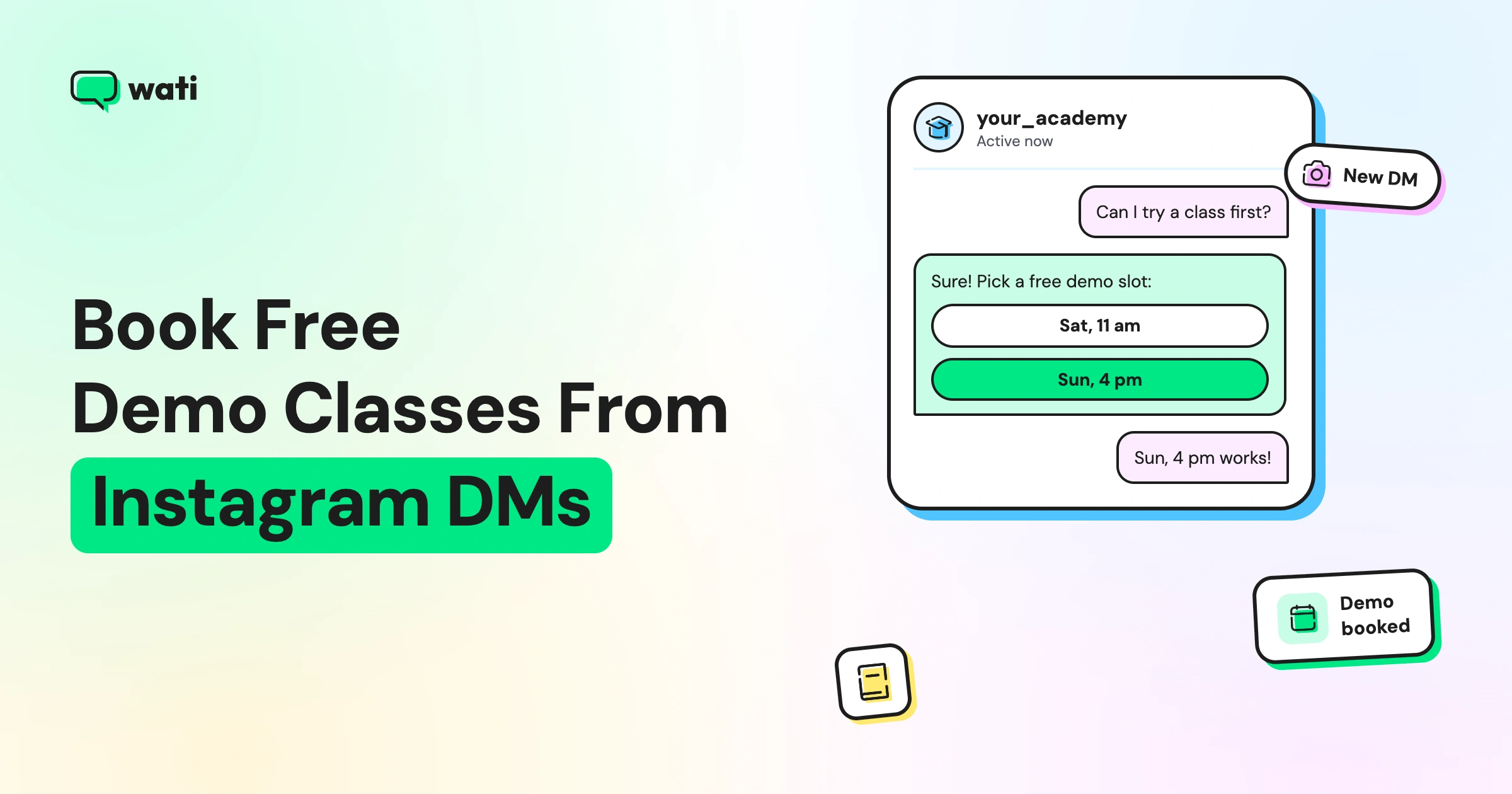
Too Long? Read This First
- Demo enquiries often arrive at night and on weekends, so a bot should book the slot instantly.
- Give the bot three buttons: book a free demo, get the brochure, or talk to a counsellor.
- Show fixed demo slots as buttons, so the bot can confirm a booking without a counsellor.
- Ask students and parents different questions, and collect a WhatsApp number in the DM.
- Send confirmations and reminders as approved WhatsApp templates.
The fastest way to get more free demo class bookings from Instagram is to let the DM do the booking. A button-led bot offers your next demo slots, confirms the one the student picks, collects their details, and hands the lead to a counsellor who already knows who they’re calling.
Picture 10:47 pm on a Sunday. A Class 11 student finishes your NEET topper reel and types "demo?" in your DMs.
Your counsellors logged off hours ago. By Monday morning, the student has booked a demo with the institute that replied first. Wati's Instagram automation closes that gap, and it's one of many ways Wati for education helps institutes turn interest into enrolments.
Below, you’ll see why demo leads go cold, how to design a booking bot for students and parents, how it runs while your counsellors are offline, and how to make sure booked students actually show up.
Why Do Demo-Class Leads Go Cold on Instagram?
Demo-class leads go cold for three reasons, and none of them is a lack of interest.
They arrive when no one is watching. Students scroll after school, after coaching, and late at night. Admission enquiries spike after board results and around new batch launches, often outside office hours.
Details get scattered. One counsellor has the student's name, another has the parent's number, and the preferred batch time sits in a DM thread nobody can find.
Instagram's messaging window closes. On Instagram, automated replies work for 24 hours after the student's last message, and your team can reply by hand for up to 7 days. After that, you can't message them until they write again. If you never collected a phone number, that lead is gone.
What Should Your Free Demo Class Booking Bot Look Like?
A good demo-booking bot is short, friendly, and built around buttons, so students tap instead of type. Start with three choices in an Instagram button template:
- Book a free demo: shows your next demo slots as buttons, confirms the one the student taps, and saves the details.
- Get the brochure: sends a fee-card image or a link to the brochure page, then offers a demo.
- Talk to a counsellor: collects the basics and passes the chat to a counsellor. After hours, the bot says when a counsellor will call, such as “We’ll call you before 11 am tomorrow,” and offers to book the demo now.
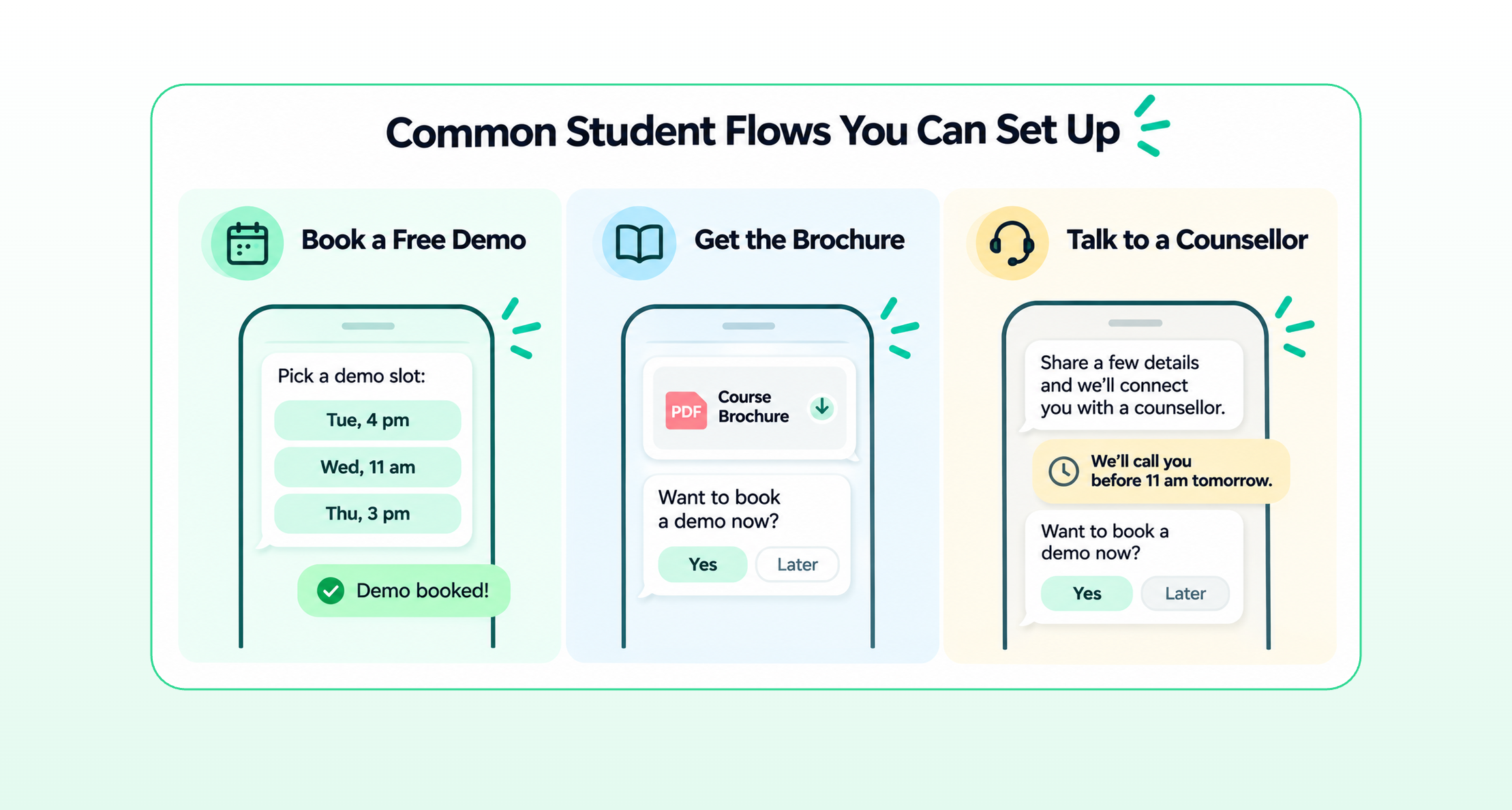
This works because demo classes run at fixed times. The bot only offers slots you’ve set, so it can confirm a booking on its own.
Students reach the bot in several ways. A keyword rule can start it whenever a DM mentions “demo” or “trial.” Avoid “class” with Contains matching, since it fires on messages like “I’m in Class 11.” If you keep it, use Exactly Matches.
Comment-to-DM can start it when someone comments a keyword on a batch-launch reel. For this, the bot must open with an Instagram button template, such as your three choices.
Click-to-Instagram ads add a Send message button to your ad, so a tap opens the same conversation. Keep your rules from overlapping. If two rules match the same message, the student gets both replies.
Keep the bot's tone warm. A line like "Great choice! Let's get you a seat in our next demo" feels more welcoming than a form.
Which Questions Should Students and Parents Answer?
Students and parents want different things, so give them different paths. Ask “Who’s booking this demo?” with an Instagram button template (Student / Parent), then use a Set a Condition node to branch.
For students, ask:
- Your name
- Your class or target exam, such as JEE, NEET, or UPSC
- What you'd most like to improve
- Pick a demo slot (buttons: Sat 11 am / Sun 4 pm / Other). Route “Other” to a counsellor.
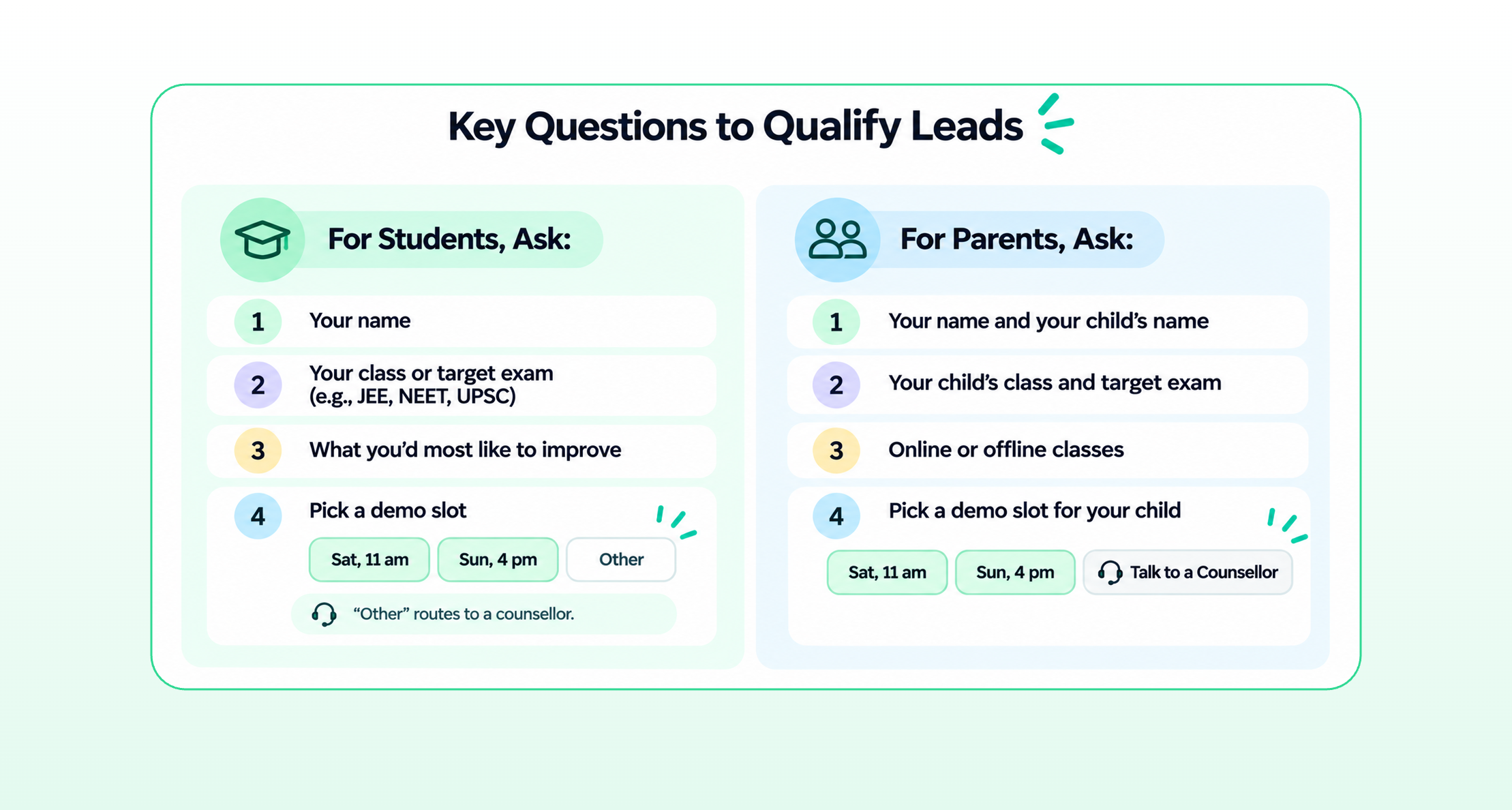
For parents, ask:
- Your name and your child's name
- Your child's class and target exam
- Online or offline classes
- Pick a demo slot for your child, or choose “Talk to a counsellor.”
Keep each path to four questions. Every extra step loses some people.
Before the booking closes, a Wati AI Assist step (AI Assist is available on the Pro and Business plans) can ask for the WhatsApp number to send the confirmation. AI Assist saves the WhatsApp number to the student’s Instagram contact, so your counsellor can see which Instagram lead each WhatsApp follow-up belongs to.
Keep this step inside the booking bot, since a standalone AI Assist rule only fires for new contacts and would miss students who already commented.
Tag each lead as "student" or "parent," so counsellors know who they're speaking to. Our guide to capturing phone numbers from Instagram DMs explains the setup.
Give your counsellors one inbox for every enquiry. Assign demo bookings, add internal notes, and filter chats by Open, Pending, or Solved. Explore the Team Inbox
How Does the Bot Run When Your Counsellors are Offline?
The bot handles the night shift, so nobody needs to be online at 10:47 pm. Four pieces make it work:
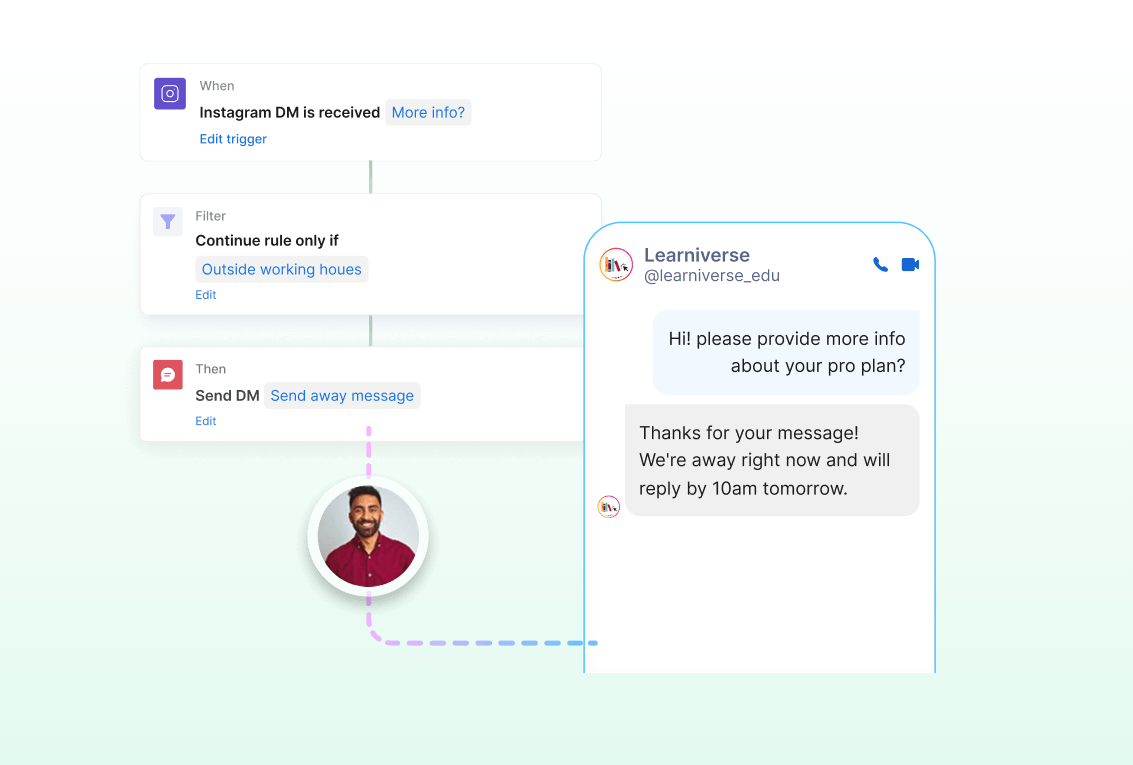
- An after-hours rule: filter a rule to run outside your working hours, so evening and weekend DMs start the booking bot straight away.
- The out-of-office rule: Wati creates it when you connect Instagram, but it stays off until you edit and switch it on. It sets expectations for anyone who doesn’t book.
- Astra AI Agent for questions: Astra answers “What are the fees?” at 11 pm from your course pages, holds the chat, and hands it to Admissions in the morning with the full thread.
- A morning queue: counsellors log in to tagged, logged bookings instead of raw DMs.
What Happens When Your Counsellors Log In?
Overnight bookings are already confirmed, tagged, and logged. Counsellors call only the families who asked for one. Three habits keep the morning efficient:
- Log every booking in one place. Send each lead’s details to a Google Sheet, so your team has a running list of upcoming demos.
- Assign the chat automatically. Route each booking to the Admissions team in Wati’s Team Inbox. The right counsellor then picks it up with the full conversation in front of them.
- Cover fee questions until someone replies. If a chat is already assigned to Admissions, use an FAQ rule for fee and batch questions until a counsellor responds.
Tagging, Google Sheets logging, and automatic assignment from Instagram bots are available on the Pro and Business plans. On Growth, counsellors tag and assign from the Team Inbox.
Give counsellors a simple checklist for the first call: check the booked slot, share the joining link or centre address, note the student’s goal, and answer any parent questions. For common questions about fees, batches, or scholarships, an Instagram FAQ chatbot can take the load off.
How Do You Make Sure Students Show Up?
A booked demo only counts if the student attends. Once they've shared their WhatsApp number, follow up there. Send the confirmation and reminders as approved WhatsApp templates, scheduled for each booked slot, since an Instagram bot can’t send WhatsApp messages itself:
- Confirmation right away: date, time, subject, and the joining link or address.
- A reminder the day before, with a quick "Reply 1 to confirm, 2 to reschedule." Set a WhatsApp keyword rule so “2” starts a reschedule flow or assigns the chat to a counsellor.
- A final reminder an hour before the class starts.
- A thank-you after the demo, with the next step, such as a counsellor call or batch details.
Make rescheduling easy. A student who moves the demo is still a warm lead. Only message students who have shared their number and agreed to hear from you.
How Does Wati Help Coaching Institutes Book Demo Classes?
Wati is an agentic omnichannel customer engagement platform that turns conversations into revenue growth across marketing, sales, and support. Here's how one enquiry moves through it:
- 9:40 pm: Aarav comments "DEMO" on your JEE batch-launch reel. Comment-to-DM sends him the booking bot.
- 9:42 pm: He taps “Book a free demo,” picks “Sat 11 am,” and the bot replies, “You’re booked for Saturday, 11 am.” Wati AI Assist saves his WhatsApp number.
- 9:43 pm: His details land in your Google Sheet, and the booking is tagged and assigned to Admissions.
- Next morning: A counsellor sends an approved WhatsApp template with the joining details, then calls his mother to answer her question about fees.
- Saturday: Template reminders go out the day before and an hour before. Aarav joins the demo.
For the wider student journey, from first enquiry to enrolment, see our guide to omnichannel customer engagement for education.
Fill Every Demo Batch
Every "demo?" in your DMs is a student ready to try your teaching, and every free demo class booking is a step toward an enrolment. Book it instantly, get it to a counsellor fast, and remind them until they walk in.
Ready to turn Instagram enquiries into demo bookings? Start your free Wati trial.
Frequently asked questions
How do I get more demo class bookings from Instagram?
Reply instantly with a DM bot that offers fixed demo slots and confirms the one the student picks. Start it from keywords, reel comments, and ads, and collect a WhatsApp number for reminders.
Can students book a demo class without talking to anyone?
Yes. A button-led bot can show your fixed demo slots, confirm the one the student taps, and send the details to your team. Students only speak to a counsellor when they want to, or when the bot hands them over.
How do I handle parents and students differently?
Ask "Who's booking this demo?" first, then give each a separate set of questions. Tag the lead as parent or student, so counsellors know who they're calling.
Can I send demo reminders on Instagram?
Only within Instagram’s messaging window: 24 hours after the student’s last message for automated replies, or up to 7 days for manual replies. For reminders after that, use approved WhatsApp templates once the student has shared their number.
Related posts
- How to Send Bulk Messages on WhatsApp Without Getting Blocked
Learn how to send bulk WhatsApp messages without getting blocked. Compare the WhatsApp Business app and API, messaging limits, costs, templates, and best practices for safe, compliant bulk messaging.
- Instagram Comment Automation: How It Works and How to Set It Up in Wati
Instagram comment automation auto-replies to comments and DMs commenters within seconds via Meta's API. Covers strategy, use cases, and Wati setup.
- Shared Team Inbox for Instagram: A Buyer’s Checklist for 2026
Use this fastest checklist to evaluate any shared team inbox for Instagram, which covers DMs, comments, automation, and multi-channel support.
- How to Set Up a TikTok Business Account: Step-by-Step Guide
Set up a TikTok Business Account step by step: switch from personal, pick a category, add your profile, and unlock ads and analytics.