
Too Long? Read This First
- Omnichannel marketing for e-commerce coordinates all channels around a single campaign plan and a single customer view, rather than running each channel independently.
- Each channel should have a specific job, such as discovery on Instagram, conversion on WhatsApp and the website, and retention on email, SMS, and messaging.
- Running one campaign across channels, with a shared calendar and clear handoffs, beats running separate campaigns on each channel.
- Personalization, loyalty, and referral programs work best when they run across every channel rather than living in one.
- You should measure omnichannel e-commerce marketing using blended metrics, such as the marketing efficiency ratio and new-customer acquisition cost, rather than relying on last-click attribution alone.
A shopper spots your beauty cream in an Instagram Reel on Monday. On Wednesday, she clicks your ad, and on Friday, she messages you on WhatsApp to ask if it suits oily skin.
Then your email team sends her a first-order discount for a product she's already decided to buy. That's three channels and three separate conversations, and none of them knew about the others.
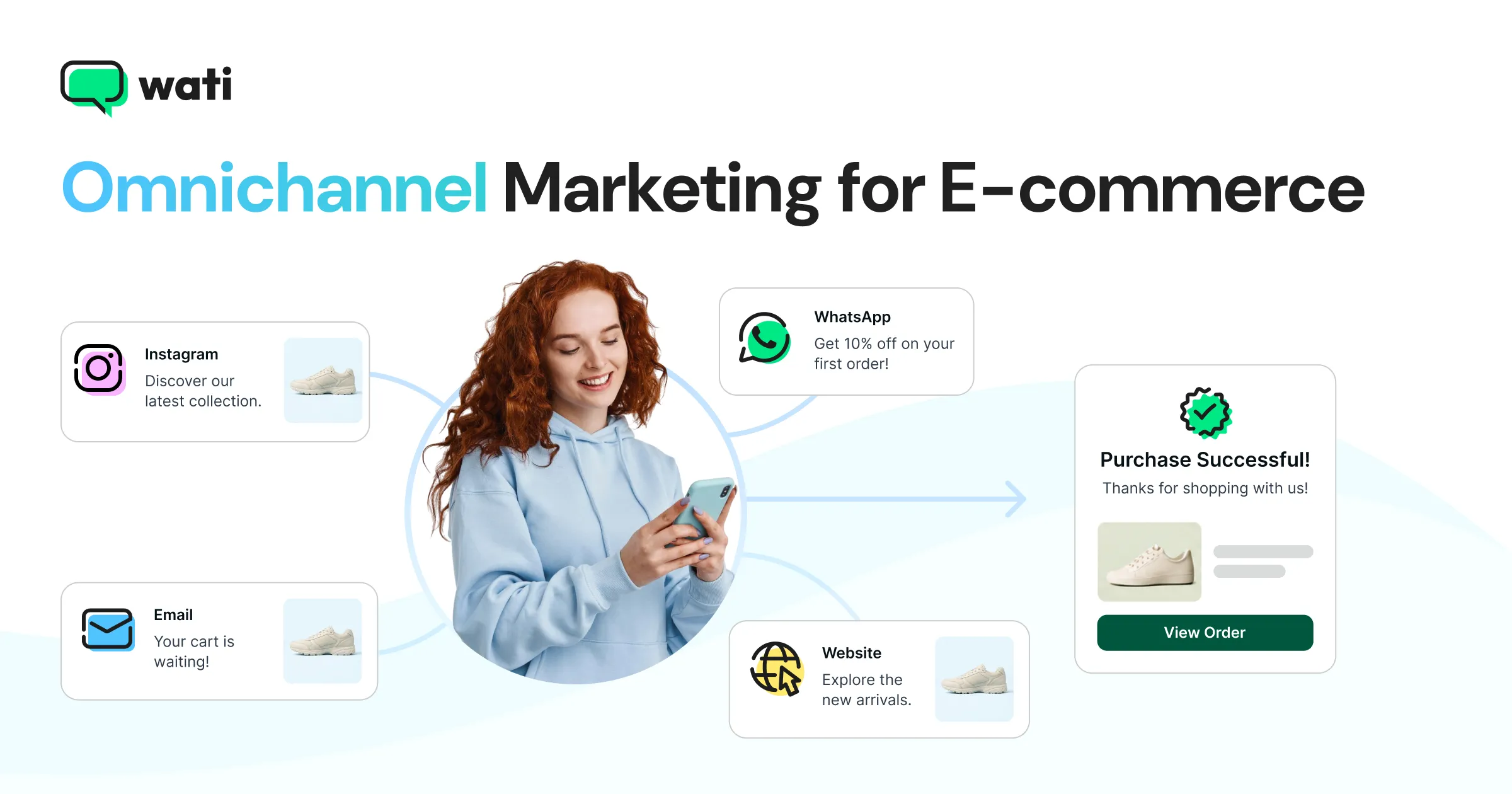
Omnichannel marketing for e-commerce fixes that. Every channel gets a clear job: Instagram finds new shoppers, ads capture intent, WhatsApp and your website close the sale, and email, SMS, and messaging bring customers back. Every campaign runs across all of them as one plan, using the same customer data, so each message picks up where the last one left off.
Most e-commerce marketing guides list dozens of tactics, one channel at a time. This one is built around campaigns instead, because that's how e-commerce teams actually plan, launch, and measure their marketing.
In this guide, you'll learn:
- What omnichannel marketing for e-commerce is, and how it changes e-commerce marketing
- Which e-commerce marketing channels matter, and the job each one does
- How channel mixes differ in messaging-first and email-first markets
- How to run one campaign across every channel, with a week-by-week example
- How to build an omnichannel e-commerce marketing plan and calendar
- How to split your budget across acquisition, conversion, and retention
- How to run personalization and loyalty programs across channels
- How to measure results without relying on last-click attribution
- The most common omnichannel mistakes, and how to avoid them
- How Wati powers the messaging side of your omnichannel stack
What is Omnichannel Marketing for E-Commerce?
Omnichannel marketing for e-commerce is a way of planning your store’s marketing so that every channel pursues the same campaign goal and draws on the same customer data.
Picture a shopper who finds you on TikTok, opens your launch email, and buys on your website. To her, it should feel like one brand talking. It shouldn’t feel like three teams that have never met.
That’s the real difference: coordination.
In most stores, the social team, the email team, and the paid ads team each plan their own campaigns, and the customer ends up stitching them together.
In omnichannel e-commerce, a single plan determines what each channel says, when it says it, and who hears it. (For the bigger picture beyond e-commerce, read our guide to omnichannel marketing.)
Doing this well means your channels have to talk to each other, and that’s the gap Wati closes. Your Instagram comments, click-to-WhatsApp ads, and Shopify store all feed into one place, so your team sees every shopper’s full story. When someone asks “Will this suit oily skin?” at midnight, Astra answers on WhatsApp right away, and the sale doesn’t wait until morning.
What is E-Commerce Marketing, and What Changes When You Go Omnichannel?
E-commerce marketing is everything you do to get shoppers to your online store, turn them into buyers, and bring them back for more.
Today, that means juggling social media, search and shopping ads, marketplaces, email, SMS, messaging apps, content, and creators, often all at once.
The trouble is how most brands run them. Each channel gets its own budget, its own calendar, and its own team checking its own numbers.
Instagram runs a launch, email runs a discount the same week, and paid ads chase shoppers who've already bought.
Omnichannel fixes this in three ways:
- One plan, not five: You plan the campaign once, then shape it for each channel, instead of every team inventing its own.
- One customer view: Every channel sees the same profile, so a customer who bought last week doesn't get a "10% off your first order" email today.
- One scoreboard: You measure success by total revenue and profit across channels, not by which channel grabbed the last click.
Which E-Commerce Marketing Channels Matter, and What Job Should Each One Do?
The channels that matter most are the ones your customers already use, but no channel is good at everything. Giving each channel a defined job is the foundation.
1. Get Discovered
- Instagram and TikTok: Reels, creator content, and comments that spark conversations.
- Creators and influencers (paid or rented): Reviews and demos that build trust faster than your own ads can.
- Marketplaces (rented): High-intent shoppers already browsing Amazon or Flipkart.
2. Capture Intent
- Search and shopping ads (paid): Shoppers already searching for your category.
- Click-to-WhatsApp ads (paid): Ads that open a chat instead of a landing page, so a click becomes a live conversation. Ask for opt-in during the chat if you want to send the shopper offers later.
3. Close the Sale
- WhatsApp (owned after opt-in): Product questions, launches, and one-tap buy links.
- Website and app (owned): Product pages, checkout, and accounts.
- Stores and pop-ups (owned): Trials, events, and in-person service.
4. Bring Them Back
- WhatsApp (owned after opt-in): Restocks, reorders, and loyalty updates.
- Email (owned): Launch stories, newsletters, and receipts.
- SMS and RCS (owned): Short alerts, plus a backup when another channel fails.
Two principles help:
- Move shoppers from rented to owned channels. Instagram and marketplaces can change their rules at any time. A shopper who opts in to WhatsApp, SMS, or email becomes someone you can reach directly.
- Do not ask one channel to do every job. Instagram is great for discovery but weak for reorders. Email is great for storytelling but slow for urgent alerts.
How Do E-Commerce Channel Mixes Differ by Market?
E-commerce channel mixes differ mainly in which owned channel carries conversion and retention.
- Messaging-first markets: In India, Latin America, Southeast Asia, and the Middle East, many shoppers expect to ask questions, get offers, and receive updates on WhatsApp. Messaging often becomes the main conversion and retention channel, with SMS as a fallback and email playing a smaller role.
- Email-first markets: In the US, the UK, and much of Europe, email and SMS have traditionally carried retention. Messaging apps are growing, especially for customer questions and high-value purchases, but they usually support email rather than replace it.
The practical takeaway is to build your retention backbone on the channel your customers actually read.
Turn ad clicks into conversations you can track. Wati connects click-to-WhatsApp ads to your team inbox. Each lead is tagged by campaign, ad set, and creative, so you can see which ads start real sales conversations. See how Instagram and Messenger work in Wati |
How Do You Run One Campaign Across Every Channel?
You run one campaign across every channel by planning it in phases, giving each channel a role in each phase, and passing shoppers from one channel to the next.
Here is how a D2C skincare brand might launch a new serum over four weeks.
Week 1: Tease
- Instagram and TikTok: Behind-the-scenes Reels and creator teasers, with a "comment SERUM for early access" prompt.
- Comment-to-DM: Each comment triggers a DM that collects the shopper's opt-in for launch alerts on WhatsApp.
- Email: A short story about why the product was made, sent to existing subscribers.
How Wati helps in Week 1:
- Comment-to-DM automation: Set a keyword rule for “SERUM,” and every commenter gets an instant DM with a WhatsApp link to join the early-access list. It runs through the night, so no comment is missed.
- Waitlist tagging: Shoppers who join on WhatsApp are tagged as the serum waitlist, so on launch day you already have a ready-made segment.
- Creator chat links: Each creator gets a WhatsApp link with a unique pre-filled message, such as “Hi, I’m here from Ria’s video,” so you can see which teaser actually filled the list.
- AI Template Generator: Draft the launch-day WhatsApp template now and check it against Meta’s guidelines, so it’s approved before Week 2 rather than stuck in review on launch morning.
Week 2: Launch
- WhatsApp: Early access for everyone who opted in, with a product video and a buy link.
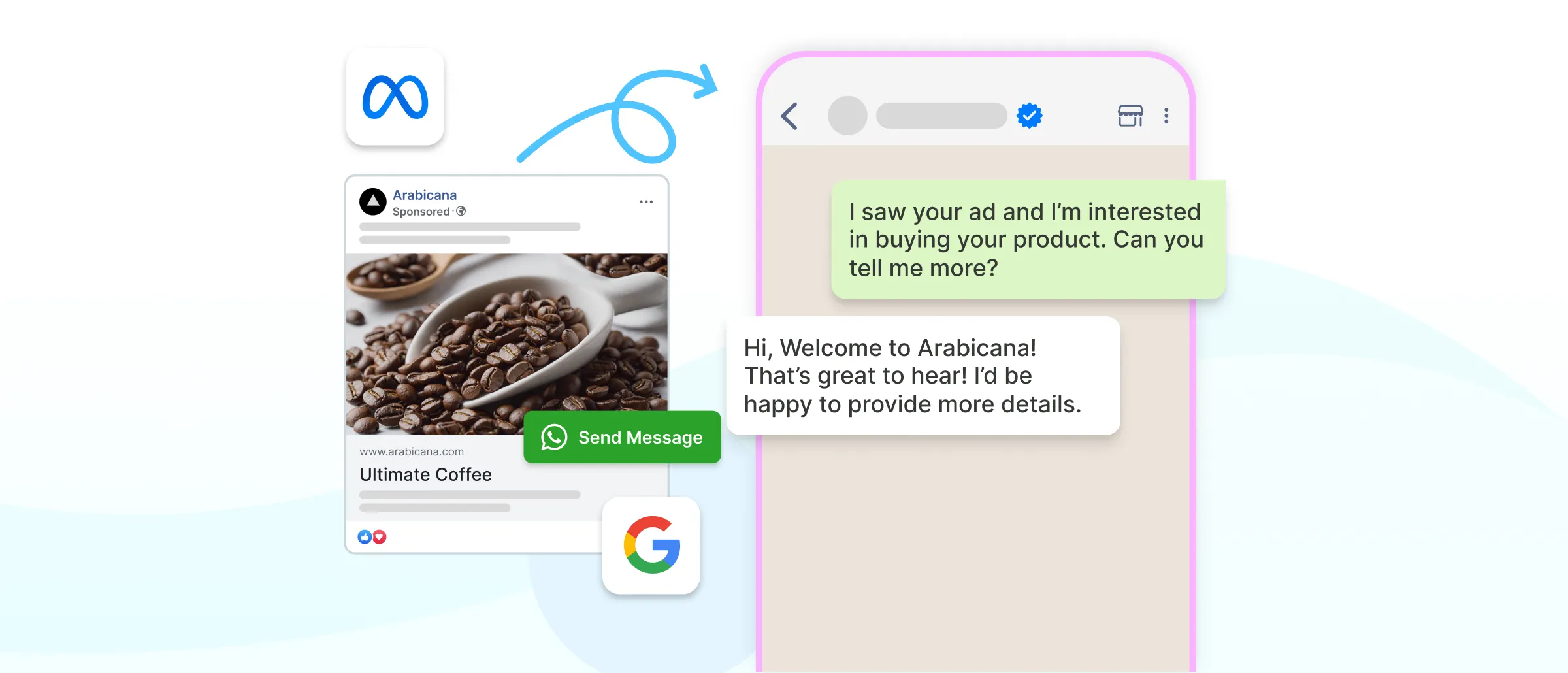
Paid social and search: Launch ads go live, including click-to-WhatsApp ads for shoppers with questions.
- Website: The product page goes live with reviews from early testers.
How Wati helps in Week 2:
- Launch broadcast to the waitlist: One broadcast goes to the serum waitlist from Week 1, with the product video and a “Buy now” button. Wati shows who read it, replied, or clicked, so Week 3 retargeting starts from real data.
- Click-to-WhatsApp ads with instant answers: Shoppers who tap the ad land in a WhatsApp chat, and Astra answers “Is it safe for sensitive skin?” instantly. Each chat is tagged by campaign, so you know which ad started the conversation.
- Astra on the product page: Visitors reading tester reviews can ask questions right there through website chat, instead of leaving to search for answers.
- Every reply in one inbox: Questions from the broadcast, the ads, and the website all land in the Team Inbox, so your team can step in when a shopper needs a human.
Week 3: Sell Through
- Retargeting: Shoppers who clicked but did not buy get a reminder that answers common questions, such as skin type or ingredients.
- SMS: A short "last few days of launch pricing" alert for opted-in customers when a WhatsApp message fails to be delivered.
- Creators: A second wave of reviews and demos.
How Wati helps in Week 3:
- Retargeting based on what shoppers did: Wati lets you retarget customers based on whether they read, replied, or clicked. Shoppers who clicked “Buy now” but didn’t check out get a follow-up that answers the usual doubts, such as skin type or ingredients.
- Ready-to-Buy: Wati AI Agents flag shoppers who showed purchase intent in chat, like asking about price or delivery, and save them as a segment. Your sell-through push goes to people who are one nudge away from buying.
- Cart reminders from Shopify: Shoppers who added the serum to their cart but didn’t finish checkout get an automatic WhatsApp reminder.
- RCS and SMS fallback: When a WhatsApp message can’t be delivered, the reminder falls back to RCS and then SMS, so the “last few days” alert still reaches them.
- Fresh creator links: Second-wave creators get their own pre-filled WhatsApp links, so you can compare which wave drove more conversations.
Week 4: Follow Up
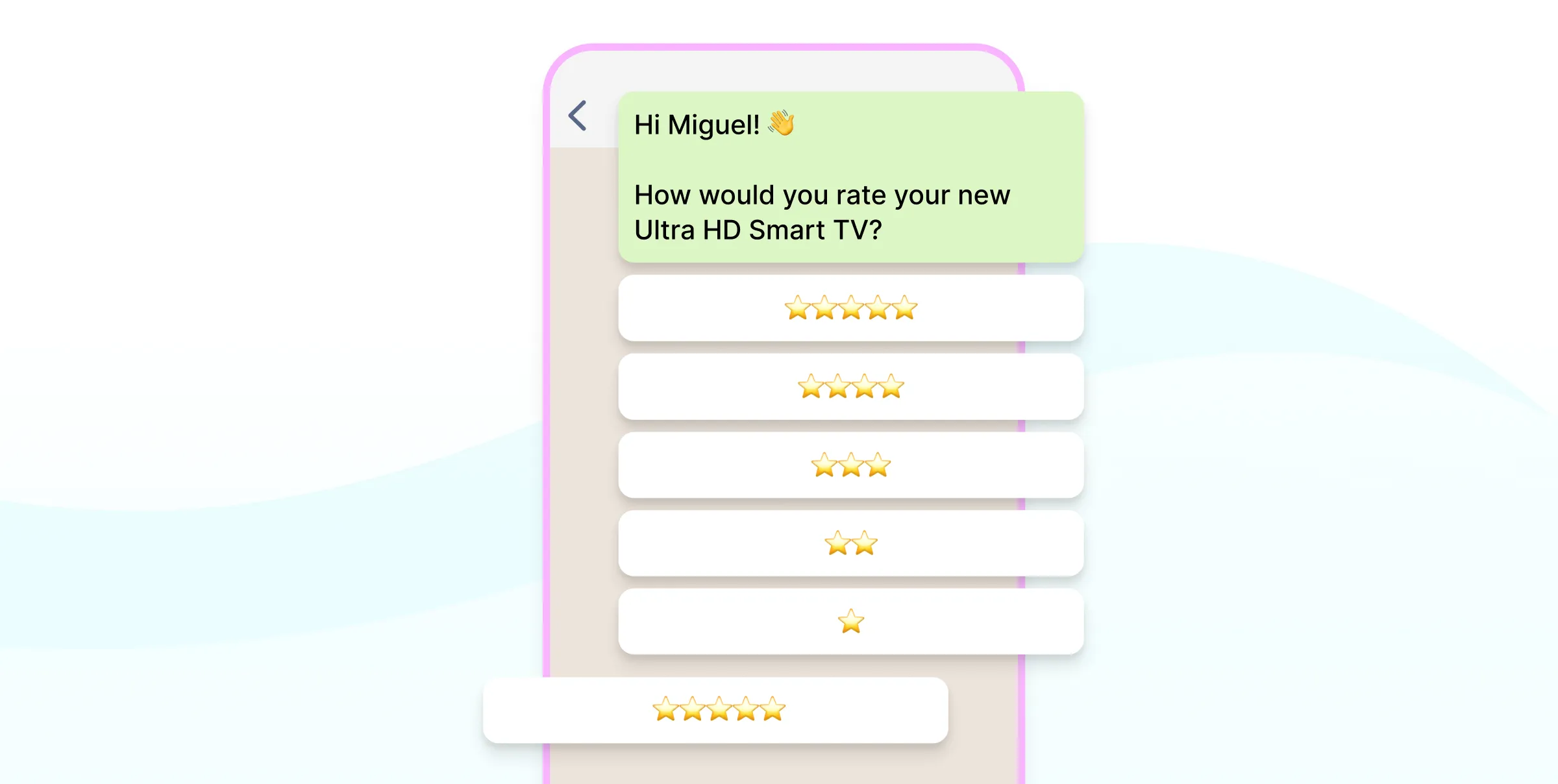
- Messaging: A usage tip a few days after delivery, then a review request.
- Email: A "how customers are using it" roundup that features reviews and UGC.
- Referral prompt: Happy buyers get a link to share with friends.
How Wati helps in Week 4:
- Delivery-triggered follow-ups: When Shopify marks the order delivered, Wati automatically sends a usage tip a few days later, then a review request. Nobody has to track who received their order when.
- Reviews and UGC straight from the chat: Happy customers reply with a rating or a photo of the serum on their shelf, which gives you ready-made material for the email roundup.
- Ask only the happy ones: CX Score shows how each customer’s conversations went. Shoppers who complained about delivery get help first, not a review request.
- One-tap referral sharing: The referral prompt includes a WhatsApp link with a pre-filled message, so sharing with a friend takes one tap. Rewards and tracking still run through your referral app.
- A quick launch debrief: Ask Wati AI, “How did the serum launch campaign do?” and see read, reply, and click results in seconds, ready for planning the next launch.
Every channel has a job every week, and each one hands shoppers to the next. No channel is running a separate campaign with a separate message.
Building an E-Commerce Marketing Calendar
An e-commerce marketing calendar keeps these campaigns from colliding. Map your year in four layers:
1. Tentpole sales: Festive seasons, Black Friday and Cyber Monday, and end-of-season sales.
2. Launches and drops: New products, collections, and collaborations.
3. Always-on programs: Loyalty, referrals, replenishment reminders, and back-in-stock alerts.
4. Cultural and local moments: Regional festivals, sports events, and back-to-school.
For festive peaks such as Diwali, our guides to Diwali marketing campaigns and Diwali drip campaigns show how to plan the run-up, the sale, and the follow-up.
How Do You Build an Omnichannel E-commerce Marketing Plan?
You build an omnichannel e-commerce marketing plan in six steps, moving from audience to channels to measurement.
Step 1: Define Your Core Audiences
Pick two or three high-value segments, such as first-time buyers from social, repeat buyers, and lapsed customers. Each segment needs a different message and a different channel mix.
Wati’s Segments group shoppers by how they engage, such as who read, clicked, or replied, and by contact details you choose.
Ready-made segments like Highly Engaged, At Risk, and Winback separate active shoppers from lapsing ones, and custom segments let you build audiences such as repeat buyers when that data is saved on the contact.
Step 2: Assign a Job to Every Channel
Decide what each channel does for each segment. For example, Instagram handles discovery for new shoppers, while WhatsApp and email handle retention for repeat buyers.
Wati handles the conversation channels, including WhatsApp, Instagram DMs, click-to-WhatsApp ads, and website chat, so discovery clicks turn into chats you own.
Step 3: Build a Shared Campaign Calendar
Put all your campaigns on one calendar, with each channel's role in each phase. This prevents the email team from running a discount the same week the social team runs a full-price launch.
Wati’s AI Campaign Calendar and Wati Recommended Campaigns suggest what to send and when, and queue holiday and seasonal moments early, so you can plan WhatsApp campaigns alongside launches on your other channels.
Step 4: Connect Your Data and Consent
Connect your store, ads, and messaging channels so each channel sees the same customer profile and purchase history. Record opt-ins for each channel, since messaging and SMS marketing need clear permission.
The Shopify integration brings order and customer data into Wati, and every WhatsApp opt-in is recorded against the contact.
Step 5: Set Up Automations and Handoffs
Automate the always-on messages, such as abandoned cart reminders and back-in-stock alerts, and decide when a human should step in.
Shopify automations send cart and restock reminders, Astra answers routine questions, and anything it can’t handle goes to your team in the Shared Inbox with the full context.
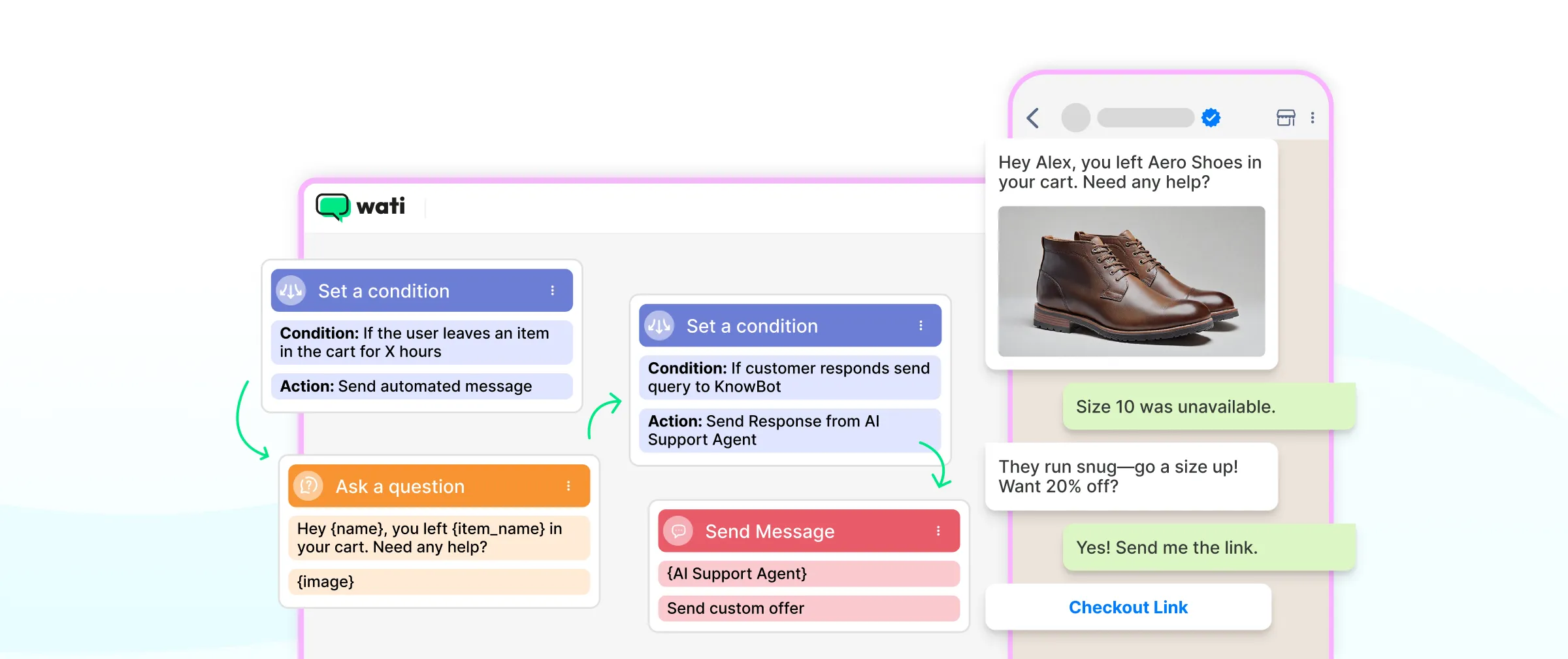
Our guide to omnichannel marketing automation covers ready-to-use workflows.
Step 6: Measure, Test, and Reallocate
Review blended results after every campaign, test one change at a time, and move budget toward the channels and campaigns that drive profitable growth.
Wati shows read, reply, and click results for every campaign, and Ask Wati AI answers “Which campaign drove the most replies this month?” in seconds.
How Should You Split Your Budget Across E-commerce Marketing Channels?
You should split your budget by channel job, not by channel popularity. Any omnichannel e-commerce budget should be split into three buckets.
- Acquisition: Paid social, search, and shopping ads, creators, and marketplace ads that bring in new shoppers.
- Conversion: Retargeting and click-to-WhatsApp ads that bring interested shoppers back to buy.
- Retention: Owned channels such as WhatsApp, SMS, and email. These cost less per message but need ongoing investment in content, tools, and data.
A few rules keep the split healthy:
- Fund owned channels early. Each shopper who opts in to messaging or email lowers your future cost of reaching them.
- Keep a test budget. Many teams follow a 70/20/10 approach: most spend on proven channels, some on promising ones, and a small share on new experiments.
- Rebalance after every campaign. Move budget toward the channels that improved blended results, not the ones that simply claimed the most last clicks.
How Do You Personalize E-Commerce Marketing Across Channels?
You personalize e-commerce marketing across channels by using what shoppers tell you and what they do, then adapting both the message and the channel to each segment.
E-commerce personalization works best when it helps shoppers decide, not when it simply shows that you are watching them.
That distinction matters. A Gartner survey found that personalized marketing generates negative experiences for 53% of customers, who were 3.2 times more likely to regret a purchase and 44% less likely to buy again.
However, customers engaged through what Gartner calls active personalization (asking customers to share their own preferences and goals, then using them to help them decide) were 2.3 times more likely to confidently complete important purchase decisions.
In practice, that means:
- Use the data that shoppers give you directly. Quiz answers, chat replies about skin type or size, and saved preferences are more useful and less intrusive than guesses from browsing data.
- Personalize the channel, not just the content. Send each shopper messages on the channel they actually respond to.
- Help with the decision. Recommend a product because it fits the shopper's stated need, and explain why.
- Set limits. Avoid referencing browsing behavior the shopper would not expect you to know, and cap how often personalized messages go out.
How Do You Run an E-Commerce Loyalty Program Across Channels?
You run an e-commerce loyalty program across channels by designing it around what your customers value, then making sure members hear about their rewards on the channels they actually use.
A loyalty program that only lives inside an account page is easy to forget. Choose a program type that fits your category.
Program Type | How It Works | Best For |
|---|---|---|
Points | Customers earn points on purchases and redeem them for rewards | Frequent, lower-value purchases |
Tiers | Higher spending unlocks better perks | Brands with clear high-value customers |
Paid membership | Customers pay for ongoing benefits, such as free delivery | High-frequency categories |
Value-based | Rewards tied to community, causes, or exclusive access | Brands with a strong identity |
Then connect the program to each channel:
- Messaging: Points balances, rewards about to expire, and early access to drops.
- Email: Monthly statements and member-only stories.
- Website and app: A clear member dashboard and checkout reminders.
- Stores: Recognition at checkout, so the program feels real offline too.
For how loyalty fits into the wider post-purchase experience, see our guide to the e-commerce customer journey.
How Do You Measure Omnichannel E-Commerce Marketing?
You measure omnichannel e-commerce marketing with blended metrics that look at total results across channels, because last-click attribution undervalues the channels that start and nurture purchases.
Metric | What It Measures | Why It Matters |
|---|---|---|
Marketing efficiency ratio (MER) | Total revenue divided by total marketing spend | Shows overall return without arguing over credit |
New-customer acquisition cost | Marketing spend divided by new customers acquired | Shows what growth really costs |
CAC payback period | Time for a new customer's profit to cover their acquisition cost | Shows whether growth is sustainable |
Contribution margin | Revenue minus product, shipping, and marketing costs | Shows whether campaigns make money, not just sales |
Repeat purchase rate | Share of customers who buy again | Shows whether retention channels are working |
Campaign revenue by channel | Revenue influenced by each channel within a campaign | Shows each channel's role, including assists |
Holdout tests make measurement more reliable. Leave a small group of customers out of a campaign, then compare their purchases with the group that received it. The difference shows the campaign's true impact.
What Mistakes Should You Avoid in Omnichannel E-Commerce Marketing?
Most omnichannel e-commerce marketing mistakes come from treating channels as separate. Watch for these five.
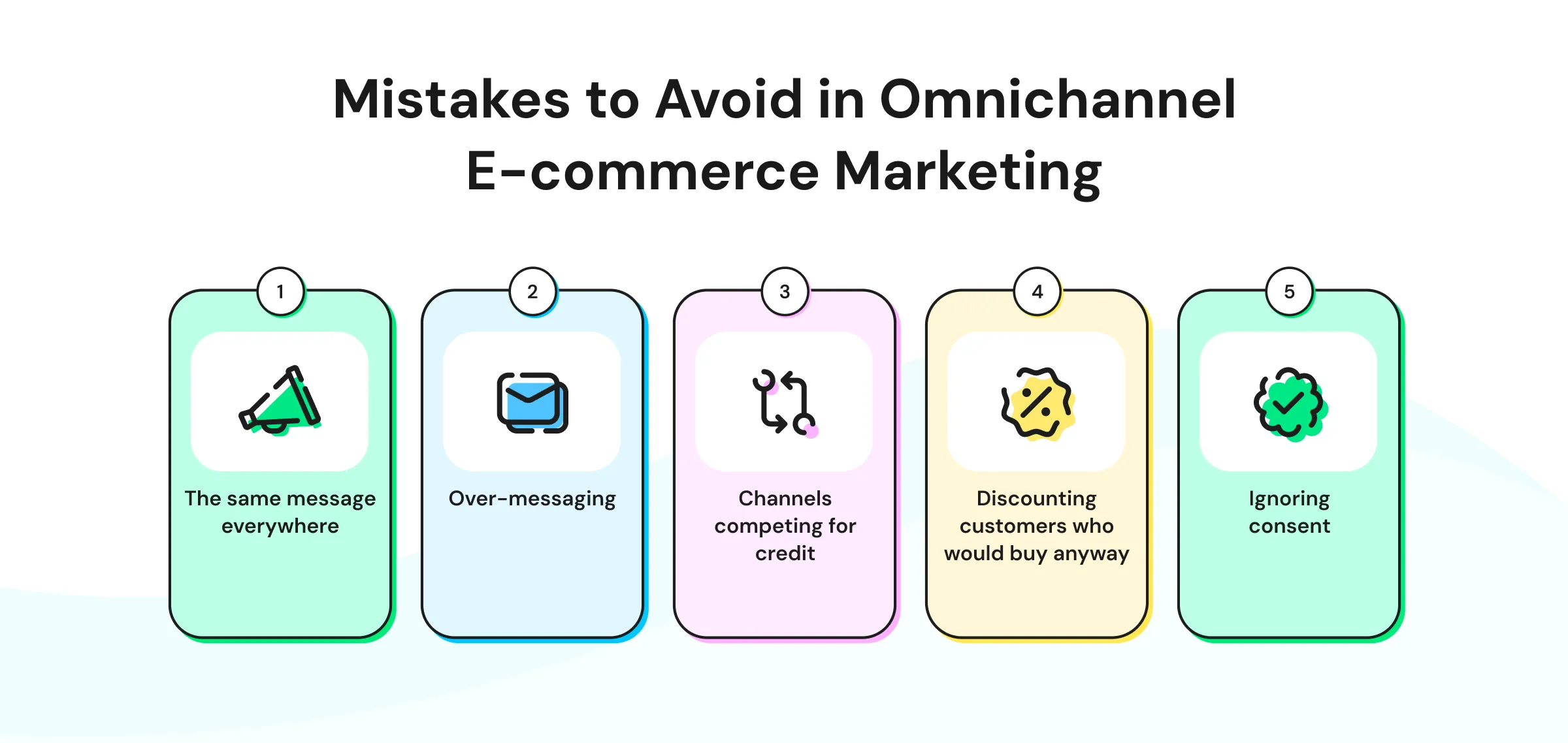
- The same message everywhere: Copying one message to every channel ignores what each channel does best. Adapt the message to the channel's job.
- Over-messaging: When several teams target one customer, shoppers get flooded. Set a frequency cap across all channels.
- Channels competing for credit: Teams that are judged on revenue fight over a single sale. Use combined results and shared goals.
- Discounting customers who would buy anyway: Sending a first-order discount to repeat buyers erodes margin. Use shared customer data to target offers.
- Ignoring consent: Messaging and SMS marketing without clear opt-in damages trust and can break platform rules. Record permission for each channel.
How Does Wati Power Omnichannel E-Commerce Marketing?
Wati is an omnichannel agentic customer engagement platform that turns conversations into revenue growth across marketing, sales, and support.
For e-commerce marketers, Wati acts as the messaging layer of an omnichannel stack. It connects your ads, social channels, and store to WhatsApp and other messaging channels.
Here is how the serum launch from earlier would run on Wati.
- During the tease week, each "SERUM" comment on Instagram triggers an automated DM that collects the shopper's opt-in.
- Click-to-WhatsApp ads start conversations straight from Facebook and Instagram, and each lead is tagged by campaign, ad set, and creative. That tagging shows exactly which creative is filling your launch list.
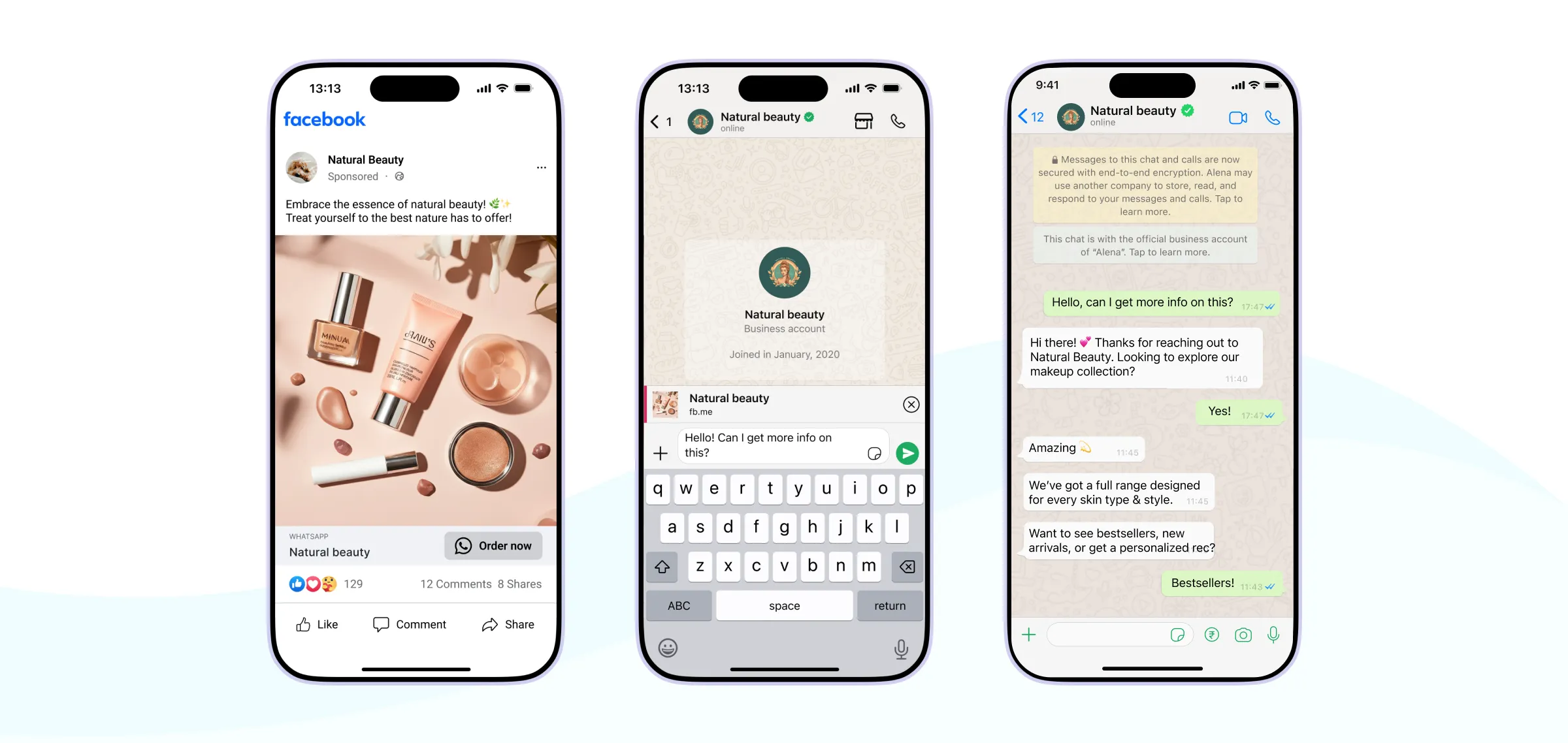
- On launch day, opted-in shoppers get early access on WhatsApp.
- When they ask about skin type or ingredients, Astra answers instantly on WhatsApp and Instagram.
- With WhatsApp Catalog, shoppers browse the product in the chat and check out through a secure payment link or WhatsApp Pay in supported markets.
- In the sell-through week, segmented broadcasts and retargeting reach shoppers based on whether they engaged.
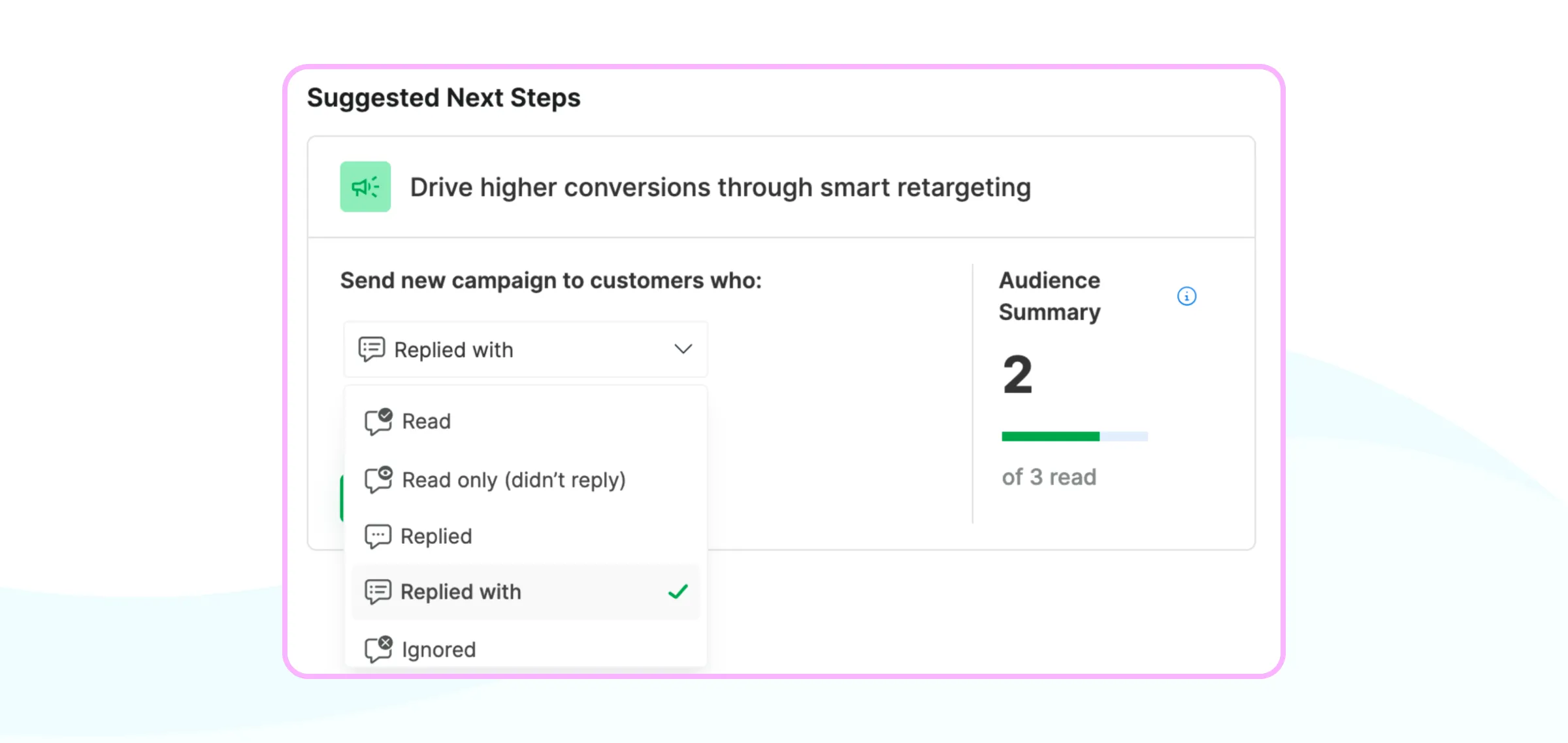
- The Shopify integration sends cart reminders, with fallback from WhatsApp to RCS and then SMS when a message can't be delivered.
- After delivery, that integration triggers order updates and post-purchase follow-ups, such as usage tips and review requests.
- Throughout the campaign, the Shared Inbox keeps every conversation in one place, and Wati AI helps team members with summaries and one-click translation.
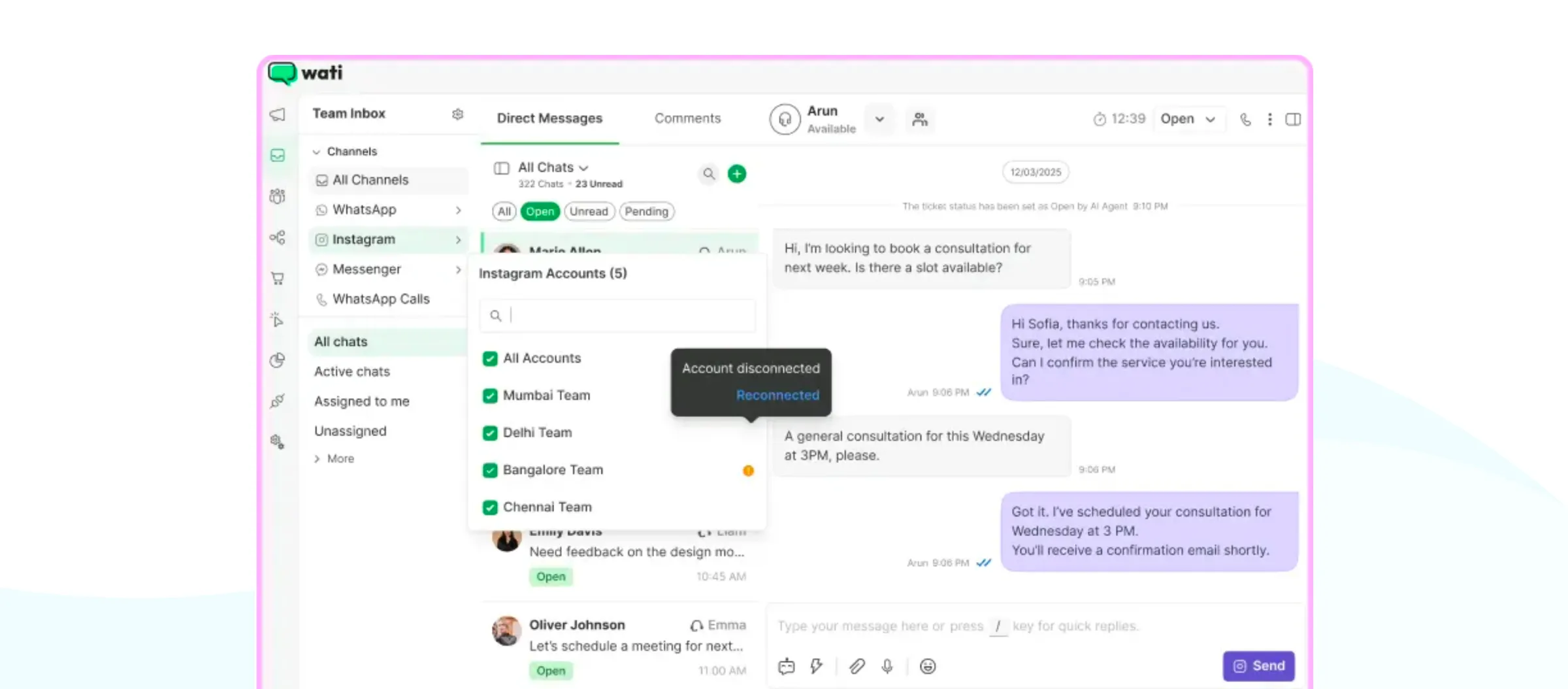
To get started, see our guides to setting up Instagram automation and optimizing click-to-WhatsApp ad budgets.
Turn Every Channel Into Part of One Plan
Omnichannel marketing for e-commerce is not about being on every channel.
It is about giving each channel a job, running every campaign across them as a single plan, and measuring the combined result. Start with one campaign, map each channel's role, connect your customer data, and build from there.
Ready to connect your e-commerce marketing channels? Start your free Wati trial or book a demo.
Frequently asked questions
What is omnichannel e-commerce?
Omnichannel e-commerce is a way of running an online business in which all channels share the same customer data and work together. Those channels include the website, marketplaces, social media, messaging apps, email, and physical stores. Shoppers can move between them and get one connected experience.
What is an omnichannel e-commerce strategy?
An omnichannel e-commerce strategy is a plan that gives each channel a clear job, coordinates campaigns across all of them, and connects them with shared customer data. It also defines how success is measured across channels, rather than channel by channel.
What are the best e-commerce marketing channels?
The best e-commerce marketing channels are the ones your customers already use. Most brands combine social media for discovery, search and shopping ads for intent, a website and messaging apps for conversion, and email, SMS, and messaging for retention.
How do you create an e-commerce marketing plan?
You create an e-commerce marketing plan in six steps. Define your core audiences, assign a job to each channel, and build a shared campaign calendar. Then connect your customer data and consent, set up automations, and measure results with total revenue across channels.
What companies use omnichannel marketing?
Omnichannel marketing is used by e-commerce brands of every size, from large retailers to D2C startups. The common pattern is consistent: they connect social media, ads, messaging, email, and their store around one customer view, and plan campaigns across all of them.
Related posts
- Instagram Comment Automation: How It Works and How to Set It Up in Wati
Instagram comment automation auto-replies to comments and DMs commenters within seconds via Meta's API. Covers strategy, use cases, and Wati setup.
- Shared Team Inbox for Instagram: A Buyer’s Checklist for 2026
Use this fastest checklist to evaluate any shared team inbox for Instagram, which covers DMs, comments, automation, and multi-channel support.
- How to Send Bulk Messages on WhatsApp Without Getting Blocked
Learn how to send bulk WhatsApp messages without getting blocked. Compare the WhatsApp Business app and API, messaging limits, costs, templates, and best practices for safe, compliant bulk messaging.
- How to Set Up a TikTok Business Account: Step-by-Step Guide
Set up a TikTok Business Account step by step: switch from personal, pick a category, add your profile, and unlock ads and analytics.