
Too Long? Read This First
- Click-to-WhatsApp ads (CTWA) open a live WhatsApp chat directly from a Facebook, Instagram, Google, or TikTok ad.
- Meta gives you a 72-hour free messaging window after the ad click, so follow-ups in that window don't cost extra.
- Setup happens inside Meta Ads Manager, once your WhatsApp Business Account and number are verified and linked.
- Start with a daily budget, then scale it based on cost per conversation and CPA.
- Wati tracks every conversation back to the ad that started it, in one shared inbox across Meta, Google, and TikTok.
Businesses are putting more of their advertising budget into conversations on WhatsApp, and the numbers reflect that shift. Meta reported paid business messaging on WhatsApp had reached a $2 billion annual run rate, and U.S. revenue from click-to-message ads grew 50% year over year in the same quarter.
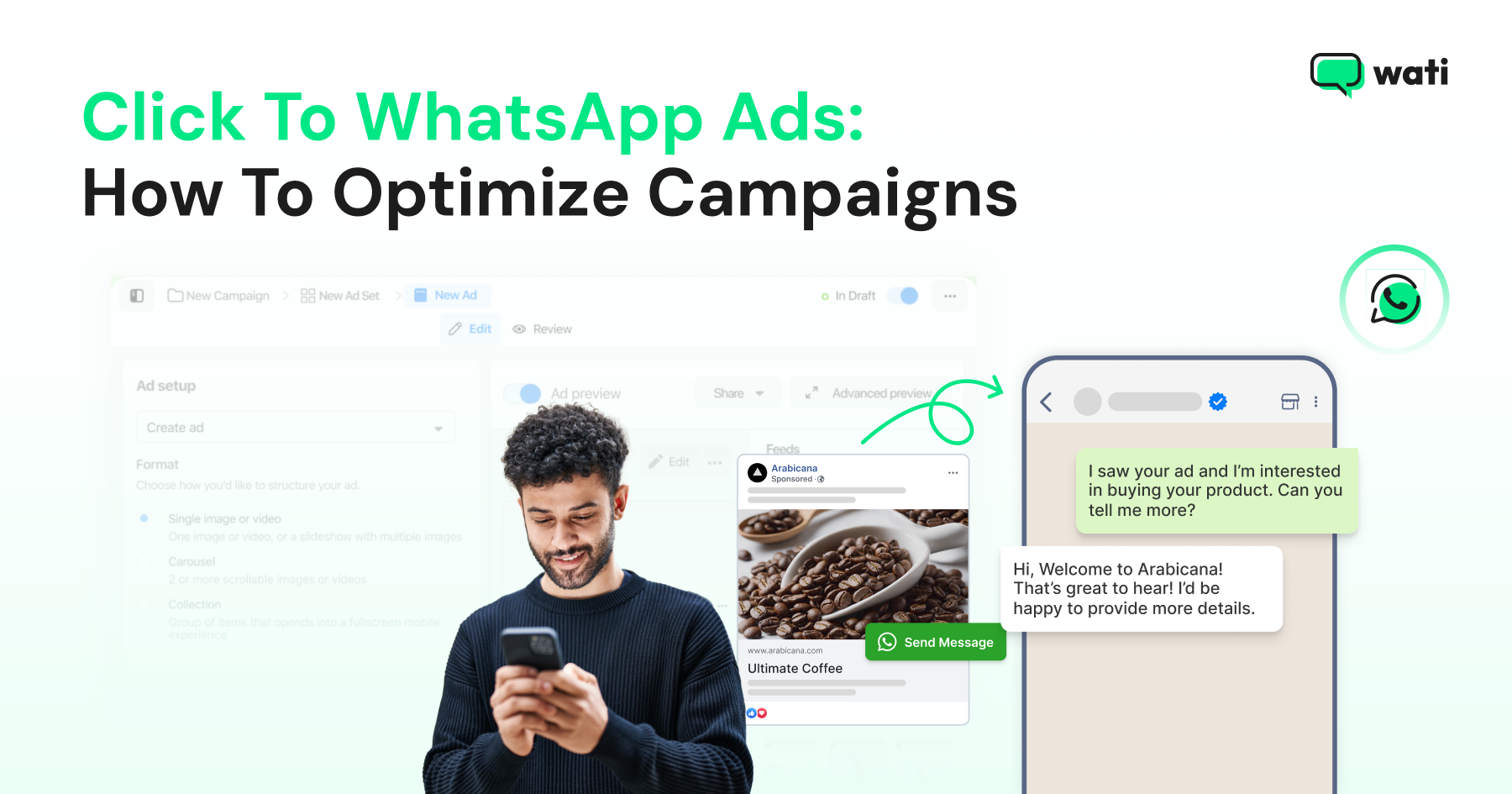
Click-to-WhatsApp Ads (CTWA) turn attention into a conversation. A tap on a Facebook, Instagram, Google, or TikTok ad opens a live WhatsApp chat with the business.
This guide walks through what CTWA is, how to set it up, managing budget as it scales, and the best practices for optimizing campaigns over time.
What are Click-to-WhatsApp Ads?
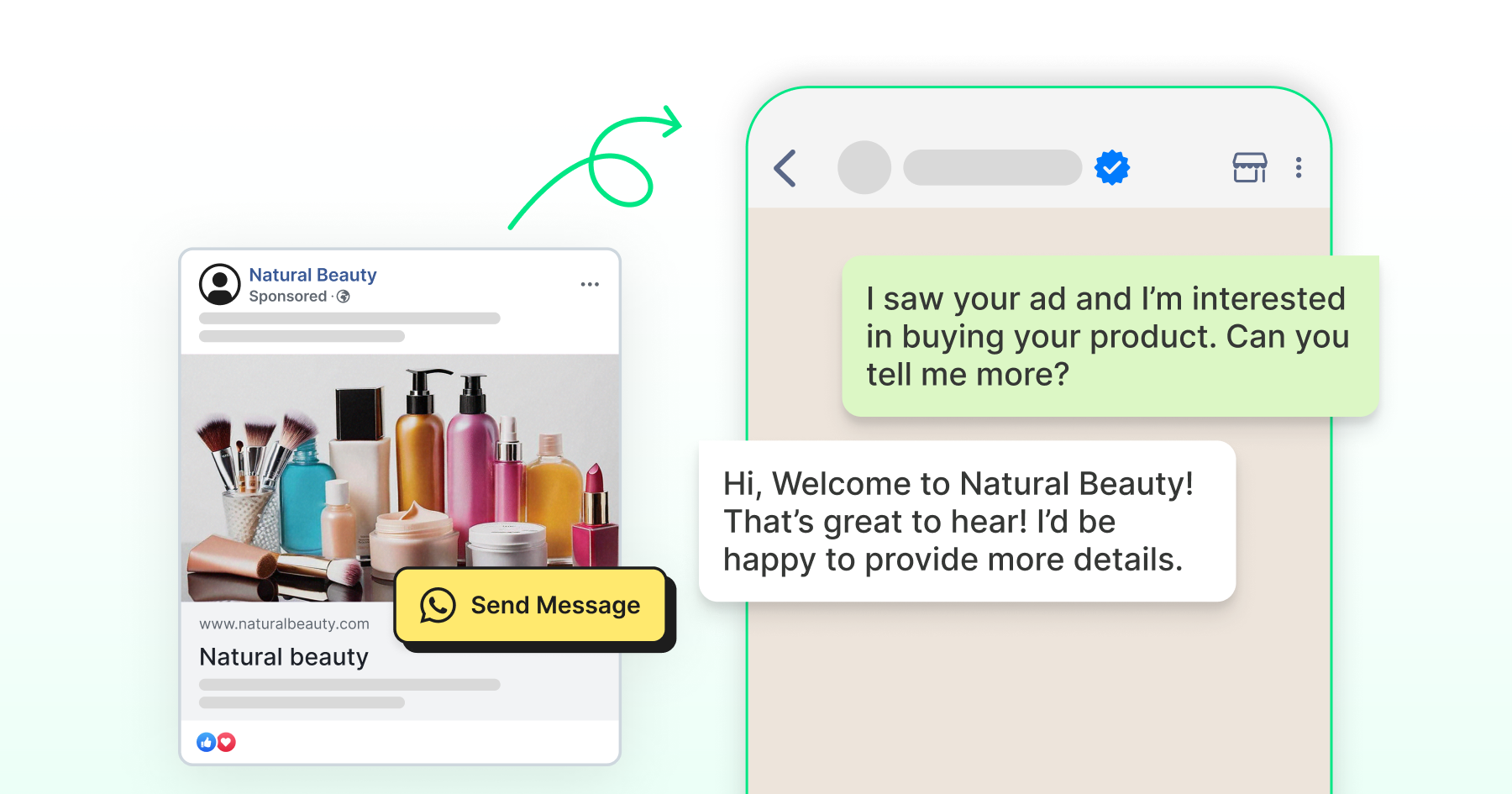
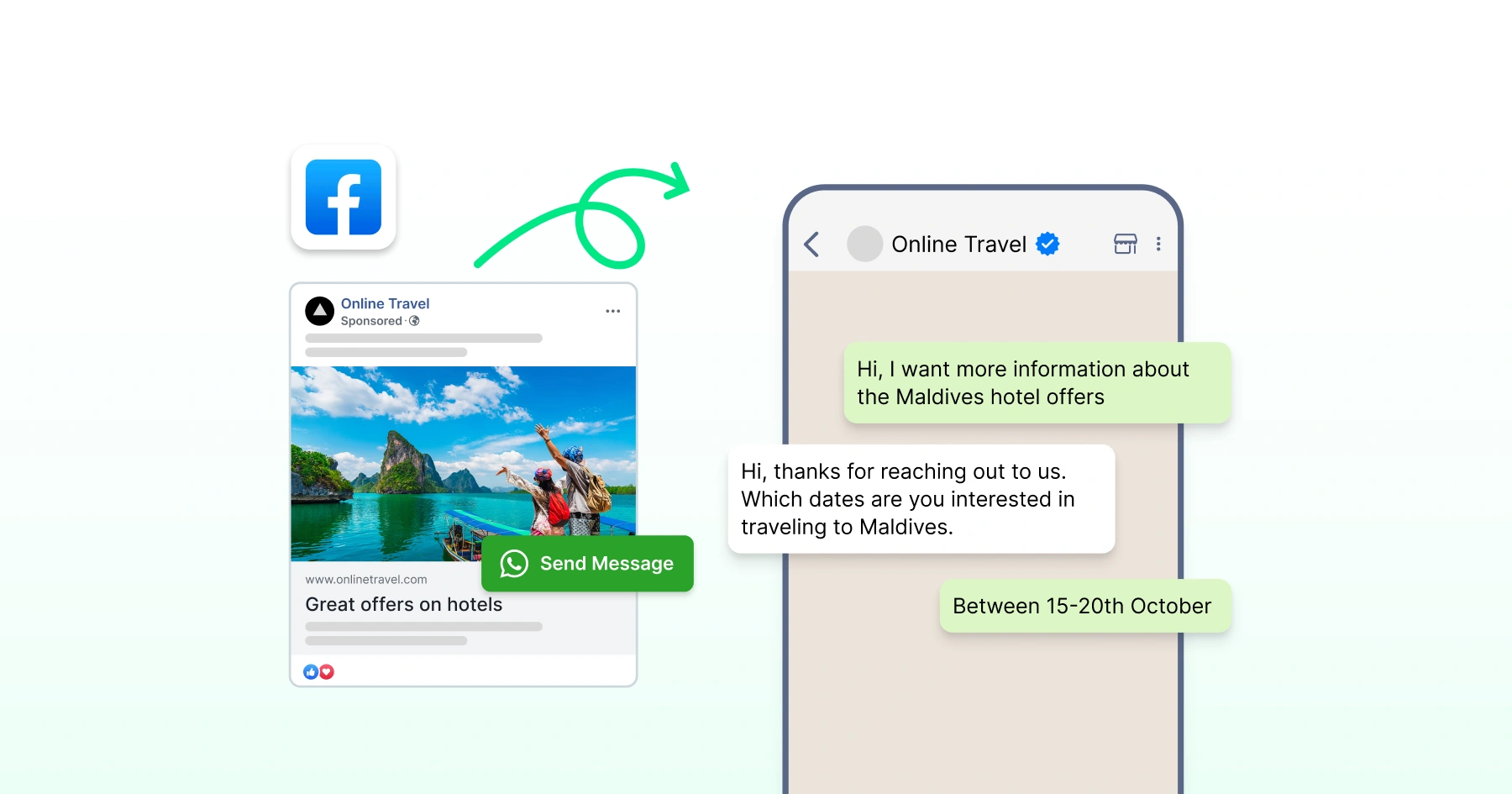
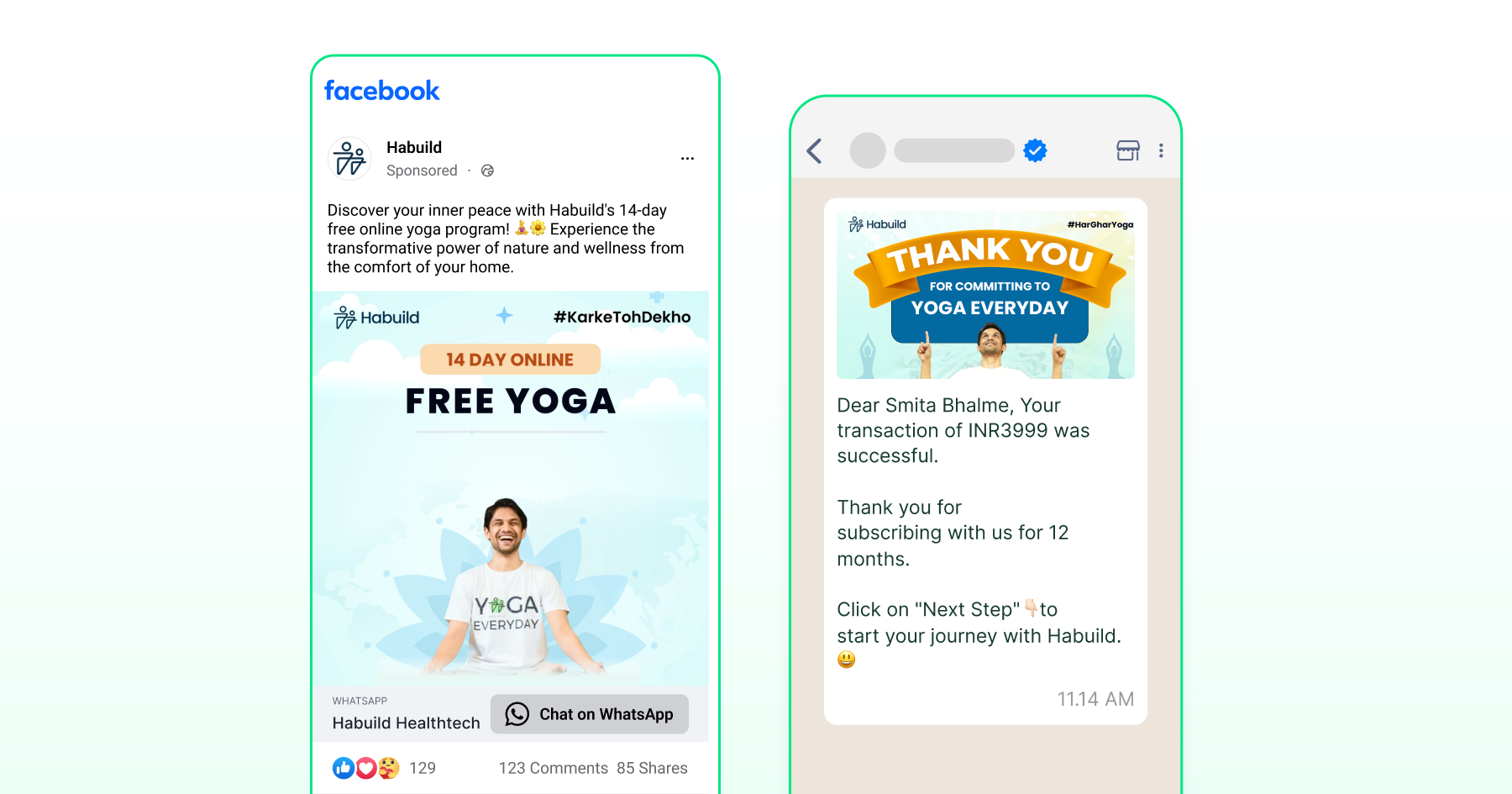
Click-to-WhatsApp ads (CTWA) are ads on Facebook and Instagram with a "Send Message" call-to-action. Instead of leading to a landing page or website, they open a direct WhatsApp chat with the business.
These ads work at every stage of the funnel.
They can introduce a new audience to the brand, answer product questions, create a sales pipeline, or bring back an existing customer for a repeat purchase.
How do Click-to-WhatsApp Ads Work?
As the name indicates, clicking the ad opens a live WhatsApp chat. What happens next depends on a simple messaging window that decides how long replies stay free.
Where the Conversation Starts
A tap on a Facebook or Instagram ad opens WhatsApp instead of a website, with a pre-filled greeting already sitting in the chat box.
These ads run across standard Meta placements, including feed, stories, and Marketplace, and the person never has to leave WhatsApp to ask a question or make a purchase.
The same number can also be reached through a QR code on packaging or in-store signage, or a wa.me link on the website, in emails, or in search ads.
Each of these feeds the same conversation thread, so volume builds no matter where someone first found the business.
Example: A skincare brand runs an Instagram carousel ad for a new serum. The ad opens a WhatsApp chat pre-filled with "Tell me more about the new Vitamin C serum." The team replies with product details and a link to buy, all in the same thread. |
Managing the Conversation Once it's Live
Once the chat is live, the business can respond right away and pick it back up later.
- The customer service window runs 24 hours from the customer's last message. Inside it, the business can reply with free-form text, images, and quick replies.
- Meta waives conversation charges for 72 hours on messages tied to the ad click, so replying in that window doesn't add cost.
- Once that window closes, reaching the customer again requires a pre-approved WhatsApp template, sent only to those who've opted in.
- Wati brings ad and chat data into one inbox, so a team can trace a conversation back to the ad that started it and follow it through to a lead or a purchase, without switching between tools.
Bonus Read: How to Create Click-to-WhatsApp Ads: Step-by-Step in Meta Ads Manager
Why Should Businesses Use Click-to-WhatsApp Ads?
Unlike traditional ads that rely on static landing pages or lengthy contact forms, click-to-WhatsApp ads create a direct, two-way channel between businesses and customers.
With click-to-WhatsApp ads, your business benefits from:
- Faster response, shorter sales cycles: Reply in minutes, not days, before the champion loses momentum internally.
- Persona-based routing: CFO gets ROI numbers, IT gets security docs, same chat, different answers.
- Skip the gated form: Prospects ask, you answer, no MQL form, no email limbo.
- Qualify before the AE gets involved: Ask budget, size, use case upfront; route enterprise-fit leads to a calendar, rest to self-serve.
- Lower cost per qualified meeting: Fewer drop-offs, less SDR time on dead leads, track cost-per-SQL, not just clicks.
Prerequisites for Setting Up Click-to-WhatsApp Ads
Three things need to be in place before creating the ad:
- Verified WhatsApp Business Account
- WhatsApp number linked to the Facebook Page
- Clear picture of the target audience
Verification confirms to customers that the business is authentic and recognized by WhatsApp, and it unlocks features like message statistics and multi-device access.
Steps to Verify Your WhatsApp Business Account:
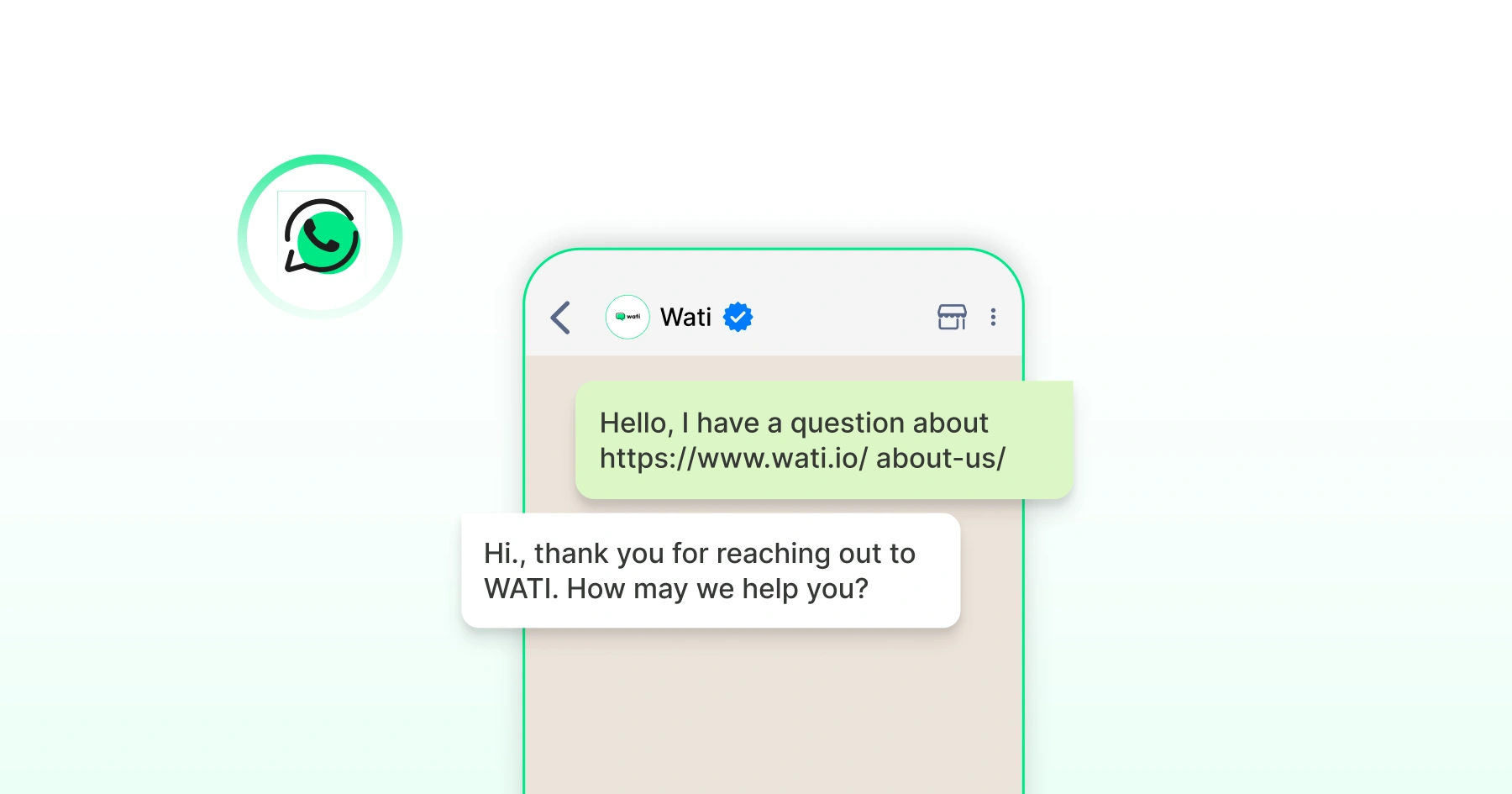
- Set up a WhatsApp Business Account through the WhatsApp Business App or use the WhatsApp Business API.
WhatsApp Business App vs. WhatsApp Business API Click-to-WhatsApp ads can run through either the WhatsApp Business app or the WhatsApp Business API. Which one a business uses affects how much automation and reporting the campaign can support.
|
- Complete the business profile with an accurate name, logo, contact details, and business description.
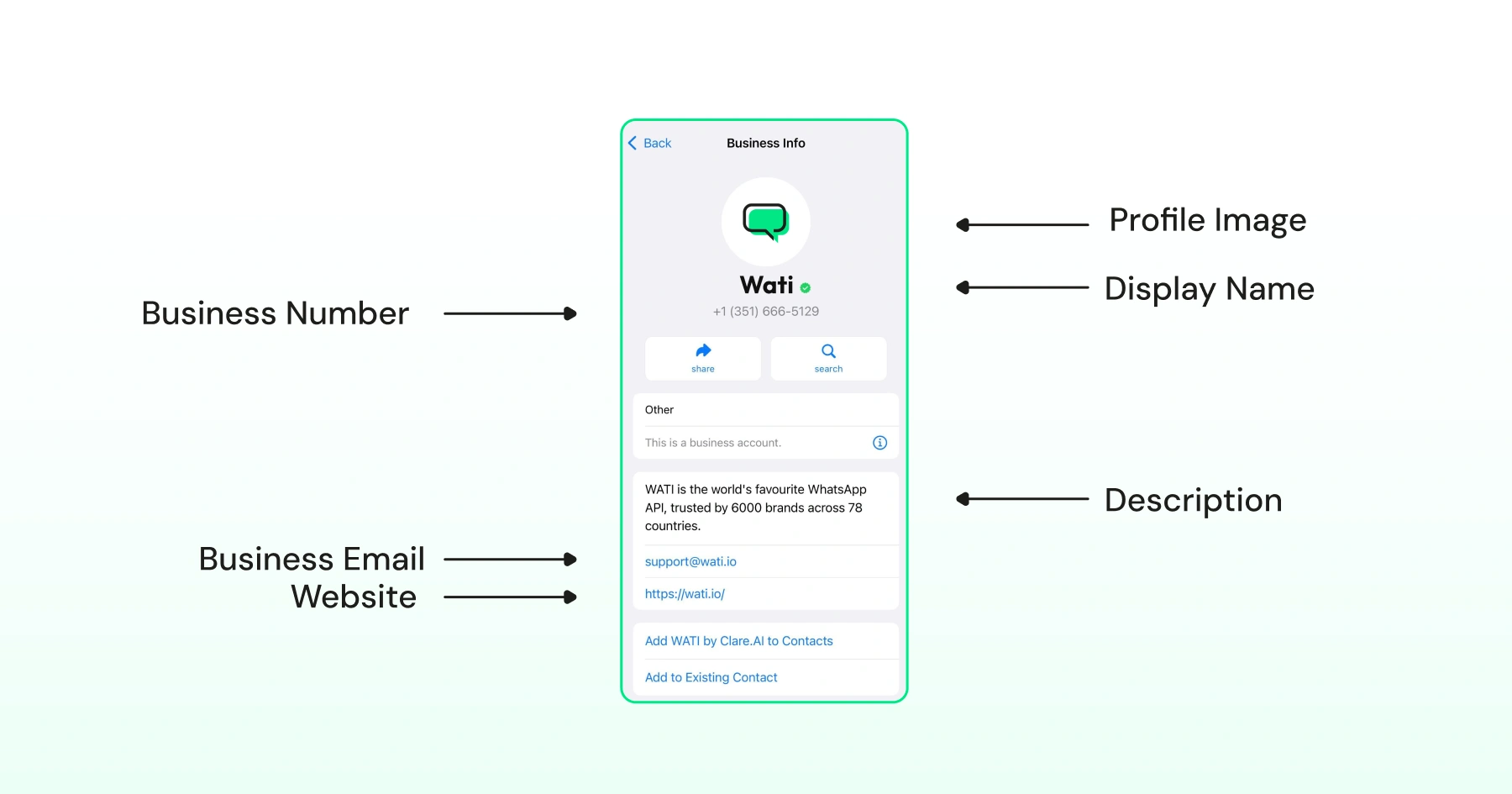
- Apply for Official Business Account status through WhatsApp Business Manager. Approval depends on brand reputation and adherence to WhatsApp's commerce policies.
A WhatsApp Number Linked to the Facebook Page
This link is what lets a Facebook or Instagram ad open a WhatsApp chat when someone taps it. To connect the two:
- Go to the Facebook Page's Settings and select the WhatsApp tab.
- Enter the country code and WhatsApp business number, then request the verification code.
- Enter the code and confirm.
A Clear Picture of the Target Audience
Ads perform better when they're built around who's actually likely to respond. Three sources help here:
- Existing customer data for demographics and behavior patterns
- Direct research such as surveys or industry reports
- Facebook Audience Insights for how that audience behaves on Meta platforms
How to set up Click-to-WhatsApp Ads (Step by Step)
Setting up a Click-to-WhatsApp ad campaign is simple once you know the steps.
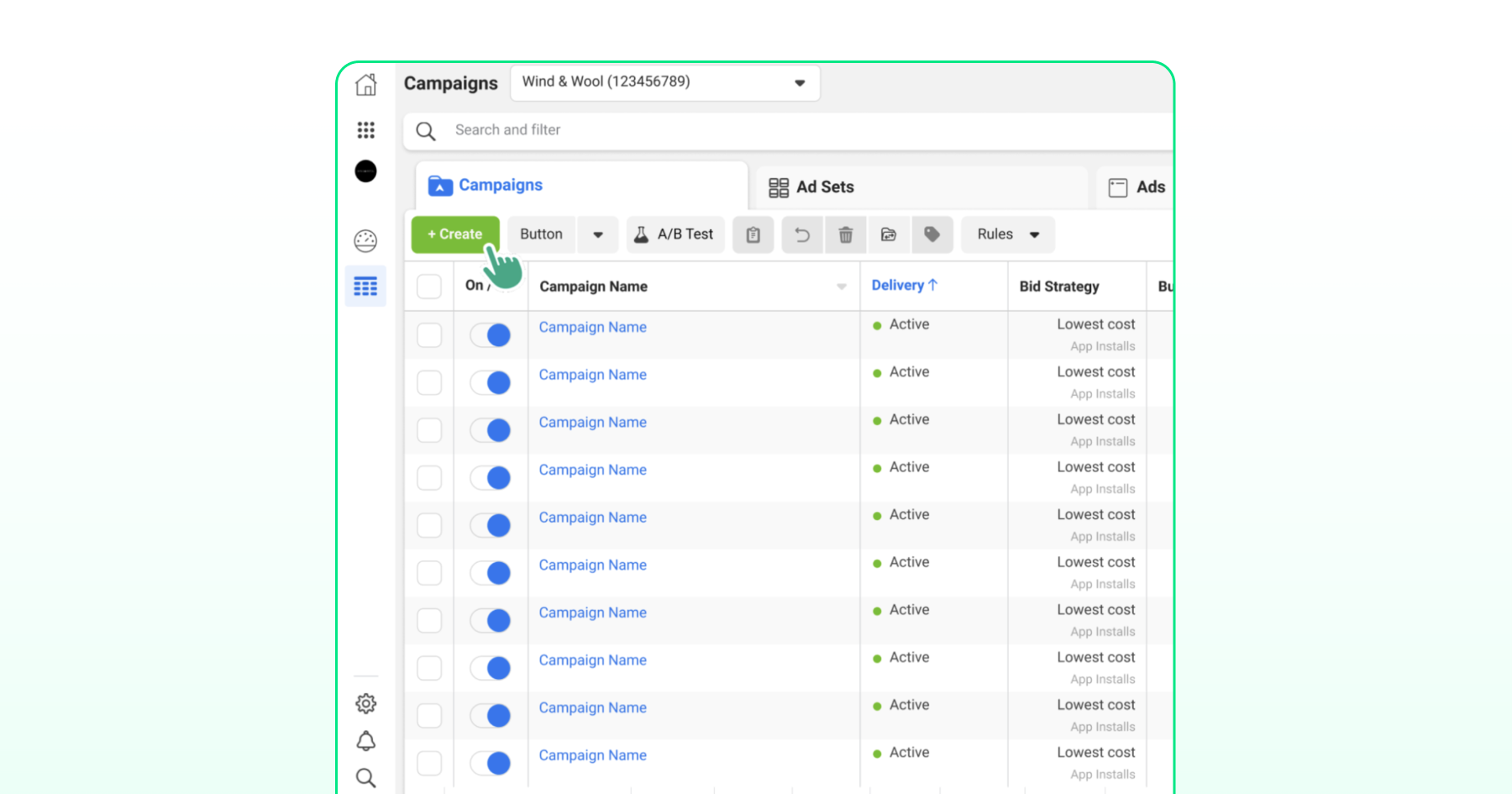
Step 1: Access Ads Manager
- Log in to Meta Ads Manager with the business account.
- Go to Campaigns.
- Click Create.
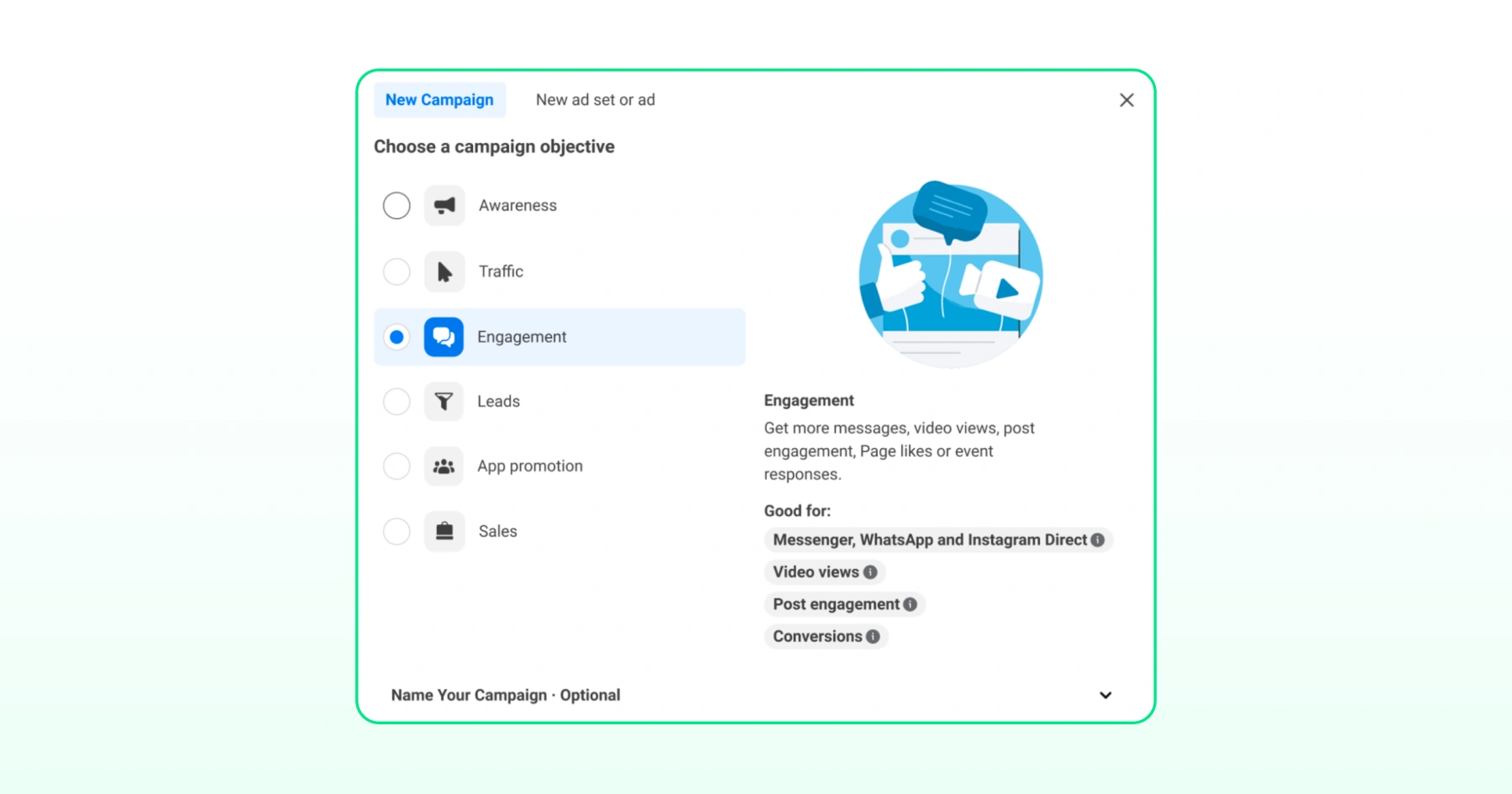
Step 2: Choose the Campaign Objective
- Pick a campaign objective: Awareness, Engagement, Traffic, Leads, App promotion, or Sales.
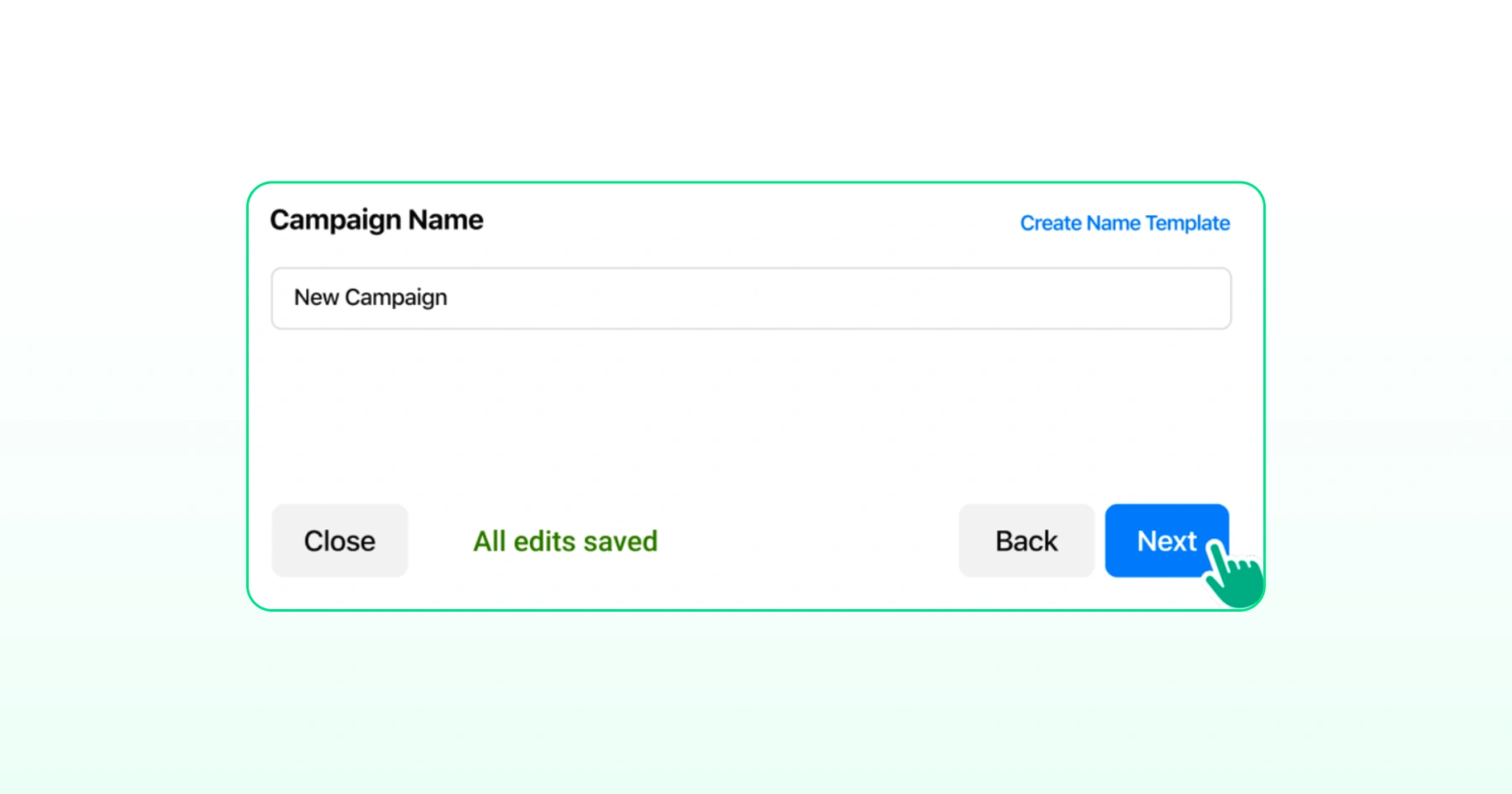
Step 3: Set Campaign Name
- Name your campaign for future reference.
- Click Next.
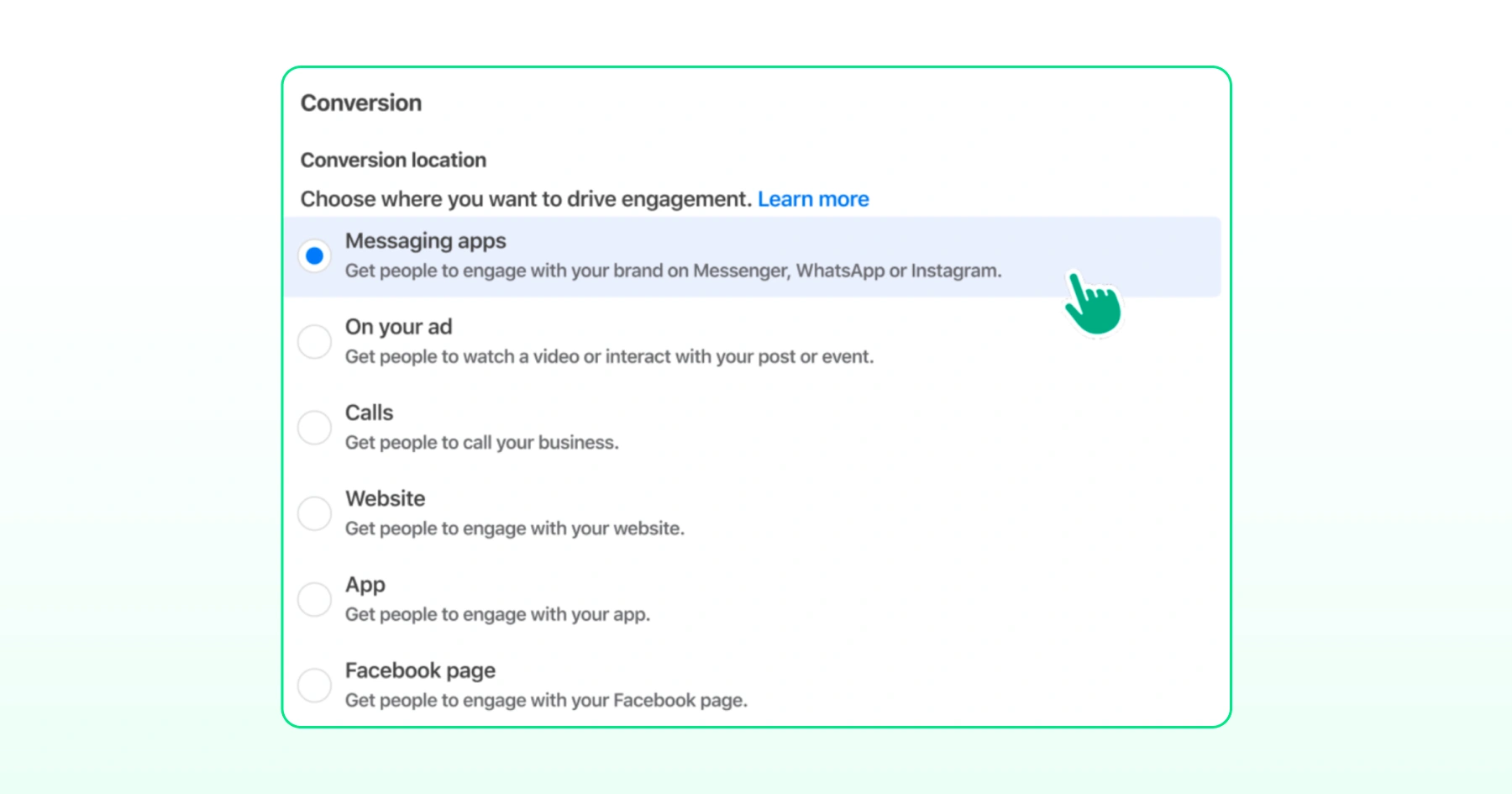
Step 4: Select WhatsApp as Your Conversion Action
- Under Conversions, select Messaging Apps.
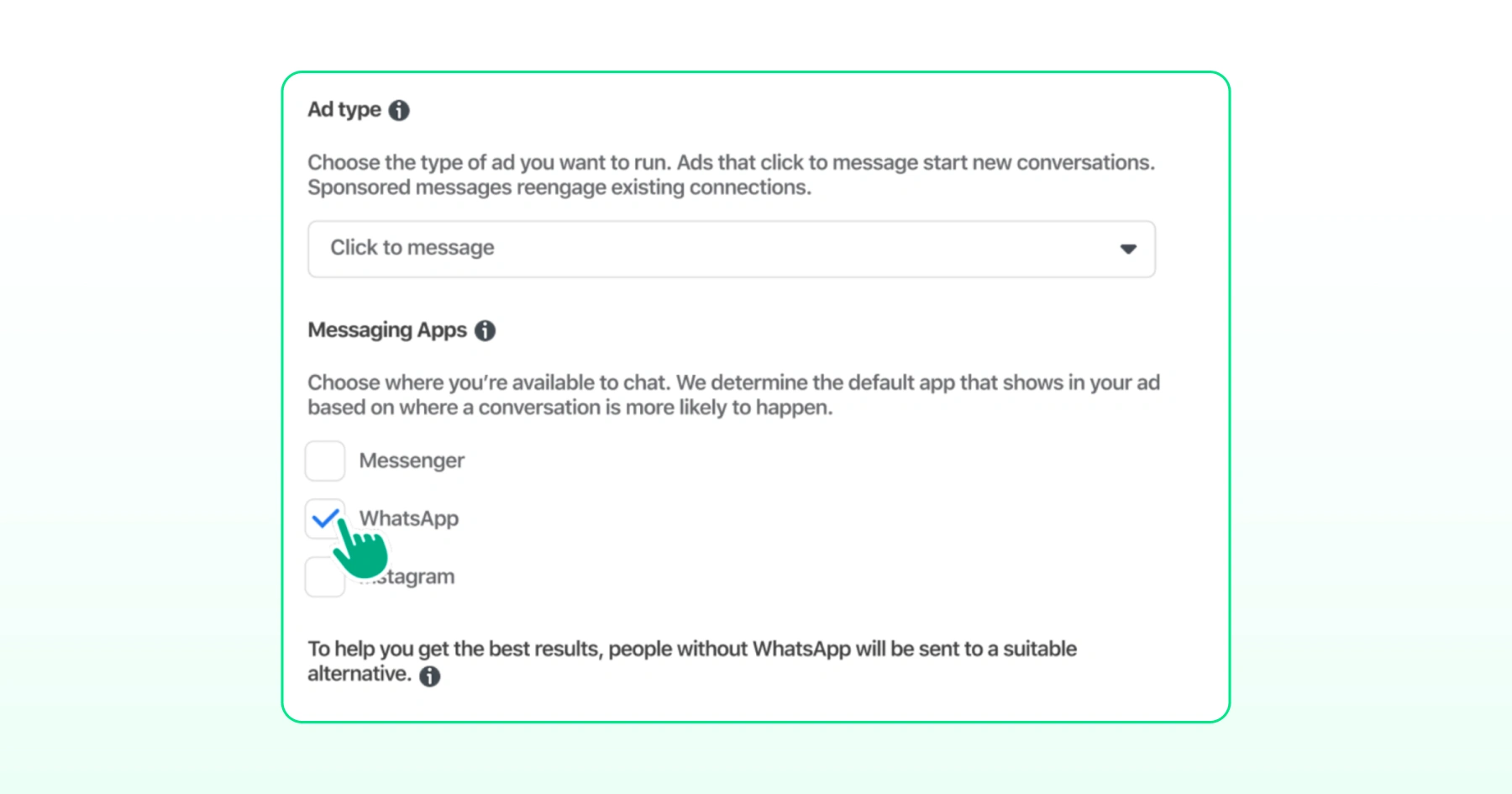
- Choose WhatsApp as the messaging app.
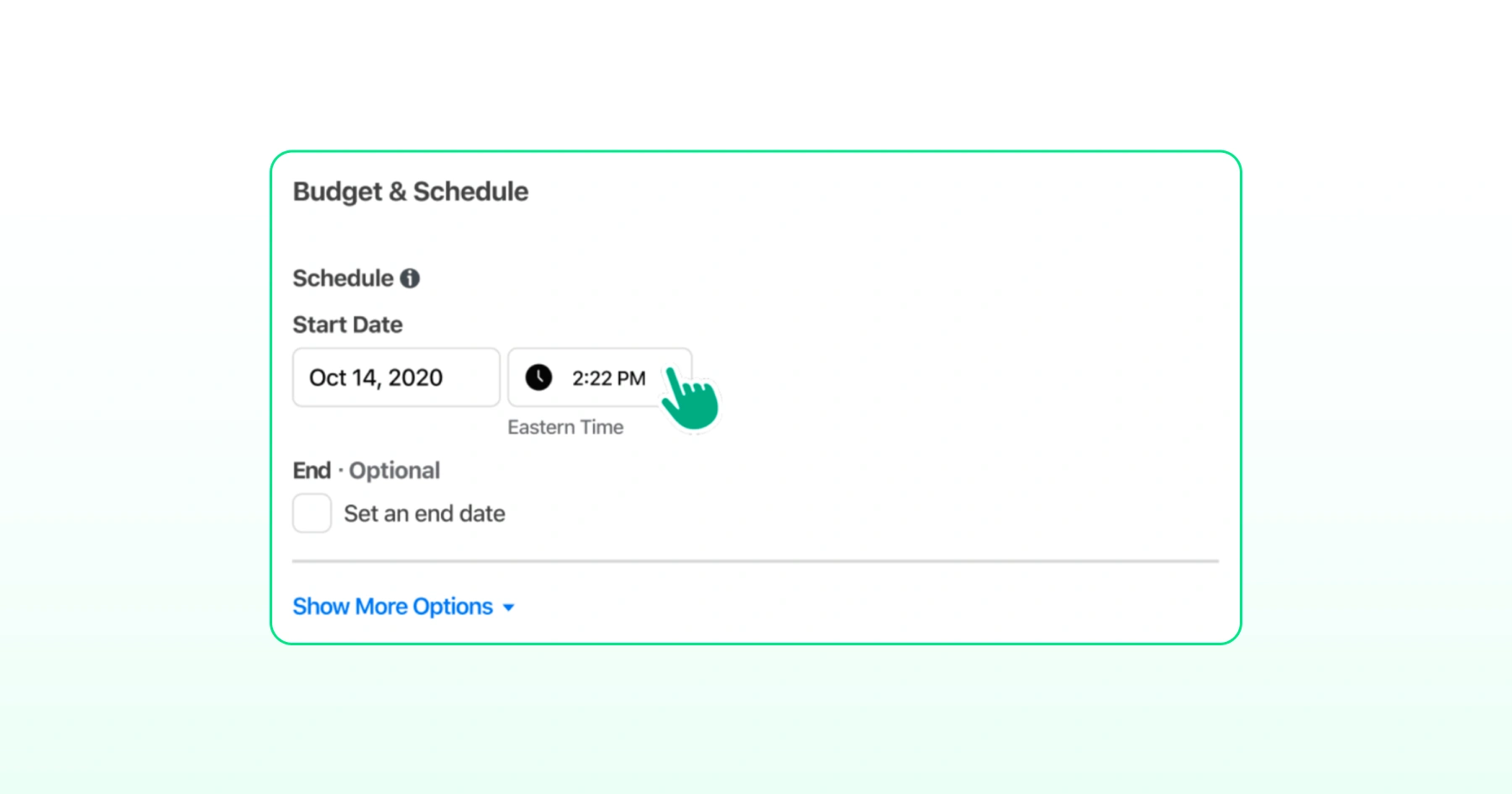
Step 5: Set the Budget and Schedule
- Set start and end dates for your ad and set your budget.
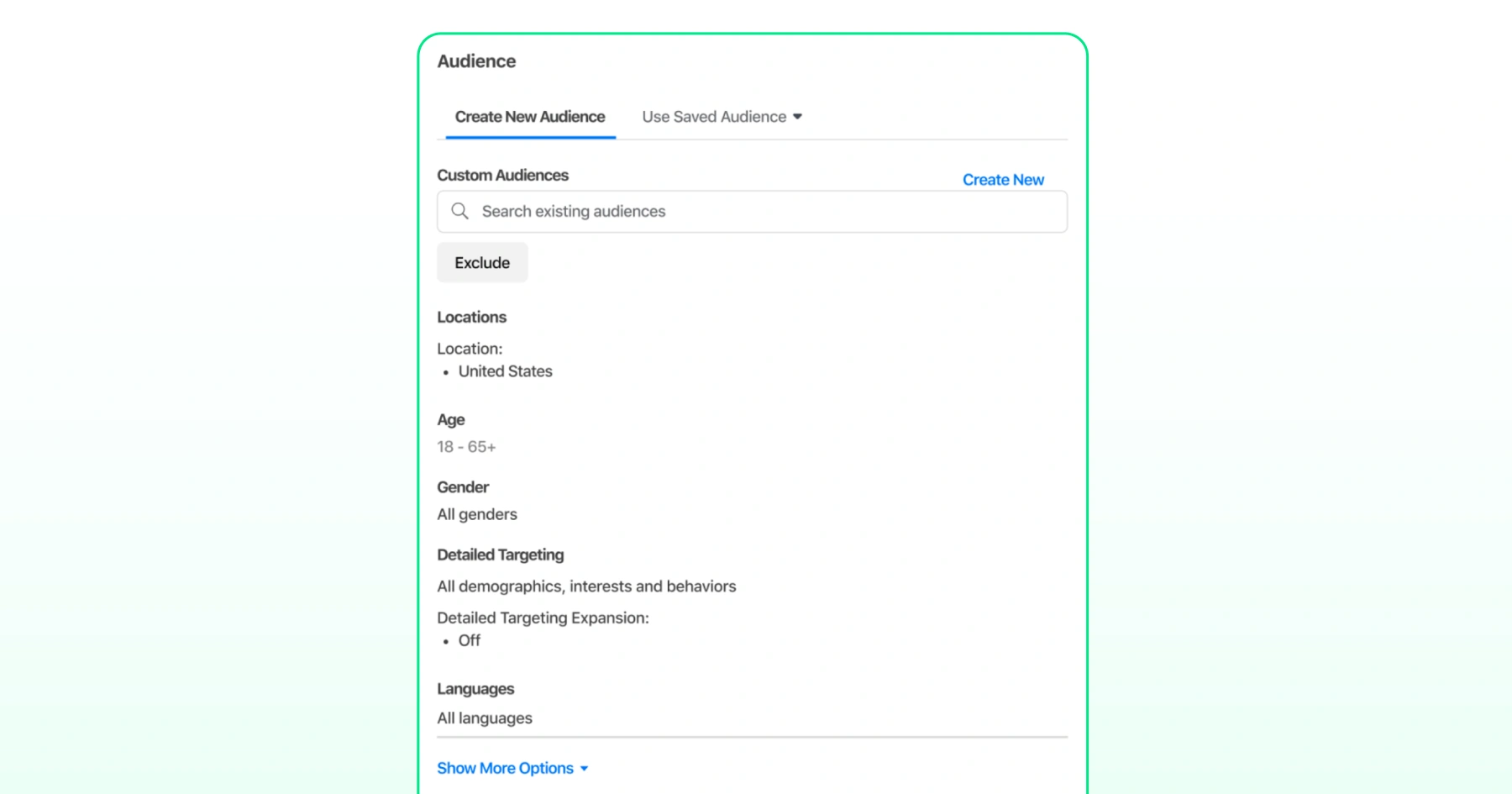
Step 6: Define Your Audience
- Define the audience either by using a saved audience or by creating a new audience.
Step 7: Write the Ad Copy
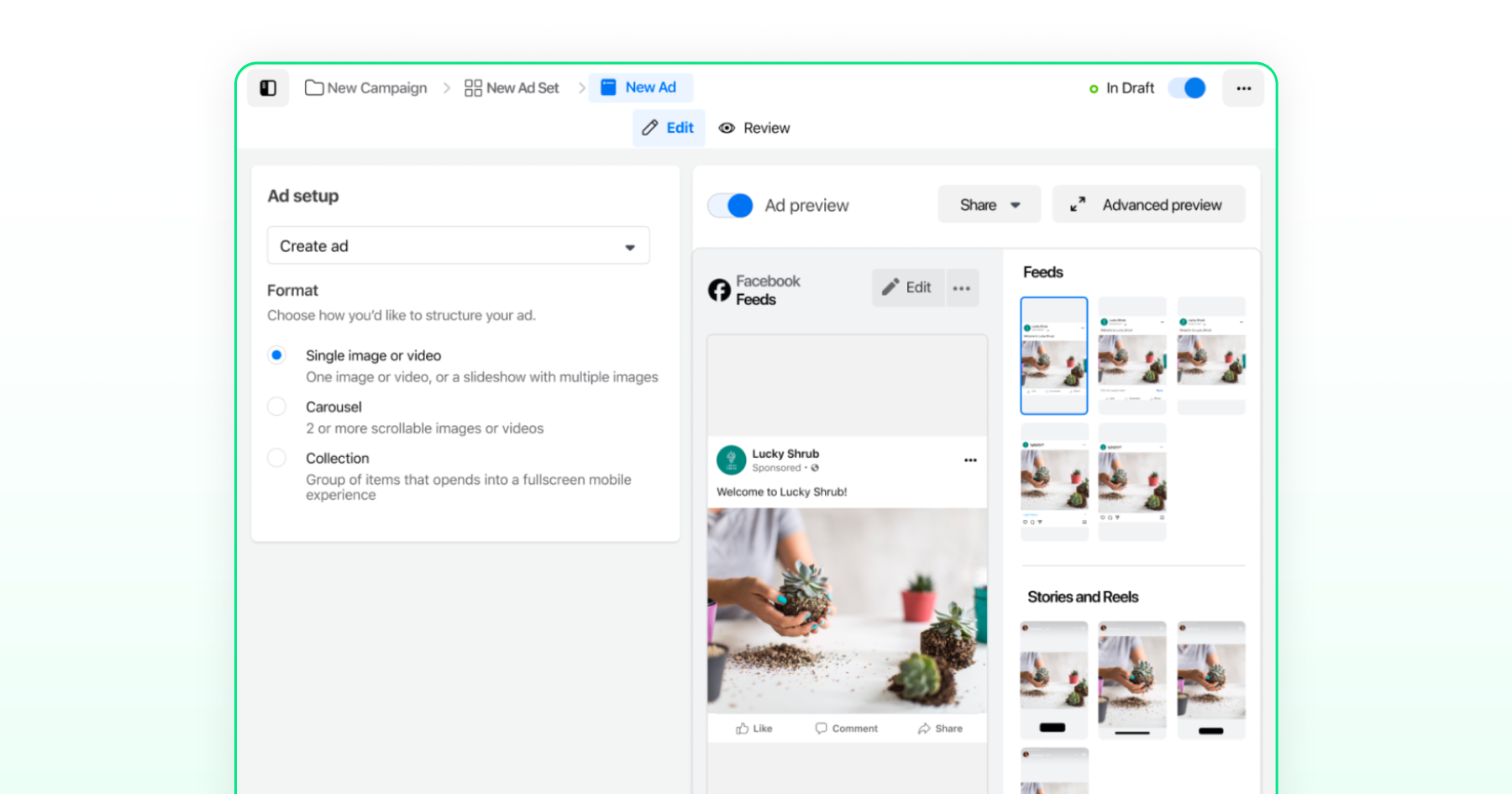
- Choose the ad format: Single image or video, carousel, or collection.
- Upload images and enter the ad copy.
- Preview the ad and click Publish.
How to Manage Your CTWA Budget Efficiently?
Setting up the campaign is only half the budget decision. The other half is choosing how Meta spends and adjusts the budget as the data comes in.
Daily Budget vs. Lifetime Budget
- A daily budget sets your average daily spend. It has no fixed end date. You can pause or adjust it anytime.
- A lifetime budget sets one total amount across a fixed date range. Meta shifts spend across days within that window instead of pacing it evenly.
Start with a daily budget for most CTWA campaigns. It's easier to adjust once you see how the cost per conversation is trending.
Use a lifetime budget when the campaign is tied to a fixed window, like a seasonal sale or product launch.
How Much Budget to Start With?
Meta enforces a minimum spend. It varies by campaign objective, market, and account. Check the actual figure in Ads Manager rather than relying on a fixed number.
Don't just hit the minimum. Spend enough to generate real data. A budget too close to the minimum won't produce enough conversations to tell you if the campaign works.
Bonus read: How Much Do Click-to-WhatsApp Ads Cost? 2026 Pricing Breakdown
Deciding Whether to Scale Spend Up or Down
Once the campaign is live, track three numbers:
- Cost per conversation started: what you pay to get someone into a WhatsApp chat
- Conversation-to-sale rate: how many of those chats turn into a lead or purchase
- Cost per acquisition (CPA): cost per conversation ÷ conversation-to-sale rate
If cost per conversation rises but your conversation-to-sale rate stays flat, that's a targeting or creative problem. More budget won't fix it.
If CPA sits comfortably within what the sale is worth, scale up. Increase the daily budget in small steps. Large jumps can reset the campaign's learning phase.
Why the 72-Hour Window Changes the Click-to-Ads Budget?
Meta waives conversation charges for 72 hours on messages tied to the ad click. Every follow-up or retargeting message sent in that window costs nothing extra.
This means most of the actual selling happens for free. A follow-up that turns "just looking" into a sale doesn't add to your spend.
Budget for CTWA with this in mind. A slightly higher cost per conversation can still be efficient if your team uses the 72-hour window to close leads before they go cold.
Proof that CTWA Works: Blacklyf Tripled Conversions and Cut Acquisition Costs by 60% with Click-to-WhatsApp Ads
Blacklyf, Uganda's first direct-to-consumer audio and wearable electronics brand, was struggling to convert customers through its website.
In a market where online shopping is widely distrusted, driving traffic to a landing page and lead forms resulted in conversion rates of just 1.5–1.8%.
Blacklyf replaced its website-first approach with Wati's Click-to-WhatsApp ads, pairing them with keyword-based automation and smart retargeting within WhatsApp's 72-hour free messaging window. This led to:
- 3X higher conversion rate (from 1.5% via website to 4.8% via WhatsApp)
- 60% reduction in acquisition costs
- 21% increase in lead volume
- 4.3X higher ROAS, 4.3X higher conversion rate
Best Practices to Optimize Click-to-WhatsApp Ads
How you handle messaging, media, and tracking afterward determines whether those clicks turn into real conversations and sales. Here's what to focus on.
Keep Your Message Templates Customer-Centric
Templates that read like a script tend to get ignored. Write with the customer in mind, and keep the tone conversational rather than transactional.
- Personalize your messages: Use the customer's name and details relevant to them. According to McKinsey, companies that excel at personalization generate 40% more revenue from those efforts than average performers.
- Be direct: Get to the point without sounding cold. Say what's needed, and nothing more.
- Add quick reply buttons: These make it easier for customers to respond without typing out full sentences.
- Follow WhatsApp's Business Policy: Templates that don't comply risk rejection or restrictions, so check compliance before launch.
Bonus read: 21 Click-to-WhatsApp Ad Examples Designed to Drive Conversions (2026)
Use Rich Media to Strengthen Engagement
Plain text rarely holds attention on WhatsApp. Visuals do a better job of showing value and prompting a response.
- Use high-quality product photos and videos: These highlight features and benefits more effectively than text alone.
- Incorporate GIFs and stickers where appropriate: They add a lighter touch without undermining professionalism.
- Use carousel ads for multiple products: This lets customers browse options within a single message.
- Add clickable CTA buttons: Let customers browse, book, or order directly from the chat.
Track Performance and Adjust Regularly
A campaign that performs well at launch won't necessarily hold up over time. Regular tracking helps you catch issues early and refine what's working.
- Monitor click-through rate (CTR): A low CTR usually signals that the creative or copy needs revising.
- Focus on conversions, not just clicks: A strong CTR doesn't matter much if those clicks aren't converting into leads or sales.
- Keep an eye on cost per conversion: Rising costs often point to targeting that needs adjustment.
- Track response time: Slower replies tend to hurt conversion rates, so quicker responses are generally better.
- Run A/B tests periodically: Testing different creatives, CTAs, and audiences helps identify what consistently performs best.
Omnichannel Click-to-Message Ads with Wati
CTWA is no longer Meta-only. Wati supports click-to-message ads on Instagram and TikTok in addition to Facebook and Google, with conversations routed into the same Wati inbox.
Google Click-to-Message (CTM) Ads
Google CTM ads let a person start a WhatsApp conversation directly from a Google Search result, without visiting a website first.
Setup requires the advertiser's Google Ads account to be whitelisted by Google, a process that typically takes about a week through Wati's Customer Success team.
TikTok Instant Messaging Ads
TikTok Instant Messaging ads open a WhatsApp chat from a TikTok ad. Wati's TikTok integration supports the Conversations optimization goal, so TikTok can optimize delivery toward people likely to start a chat, and tracks qualified leads and purchases via conversion event signals (Qualified Lead / Purchase tags applied by agents) sent to TikTok's Ads Manager through the Events API.
One Inbox, Every Channel
Meta, Google, and TikTok conversations all land in the same shared Team Inbox. A support or sales team works from one place regardless of which ad platform the conversation started on.
Benefits of Using WhatsApp Business API with Click-to-WhatsApp Ads
For businesses using the WhatsApp Business API, click-to-WhatsApp ads open the chat, but it's the API that lets a business handle the resulting conversations at scale, without manual effort.
- No-code chatbots: Reply the instant someone messages. They answer common questions and qualify the lead before handing off to an agent only when the conversation needs a person.
- Astra AI Agent: Understands the customer's question, retrieves relevant product or order details, and responds without following a fixed script. It can also clone a voice from a short recording, currently rolling out to select customers, allowing the same agent to handle both the WhatsApp text conversation and a voice call in a consistent, familiar voice.
- 24/7 automation: Keeps answering after hours and on weekends. Coverage doesn't depend on a shift schedule, and the conversation is exactly where the team left it once someone picks it up.
- CRM and e-commerce integrations: Integrations with Salesforce, HubSpot, and Zoho CRM, plus Shopify and WooCommerce for order data, keep a lead's contact history and order status attached to the conversation. Following up means picking up where the last conversation left off, not starting outreach from scratch.
Conclusion
Click-to-WhatsApp ads work because they remove a step: no landing page, no form, just a conversation. But the ad only opens the chat. Whether that chat turns into a lead or a sale depends on how well your team can handle the volume that follows.
That's where Wati comes in. From setting up your first campaign to automating replies, tracking every conversation back to the ad that started it, and reporting on results in one shared inbox, Wati handles the full CTWA workflow, so your team isn't managing it manually.
Ready to see it in action? Book a demo with Wati and see how much of your CTWA workflow you can automate.
Frequently asked questions
What are Click-to-WhatsApp Ads?
Click-to-WhatsApp ads (CTWA) are ads with a "Send Message" call-to-action that opens a direct WhatsApp chat with the business instead of a landing page. They originally ran only on Facebook and Instagram, but now also run on Google and TikTok.
How is CTWA different from a boosted post with a WhatsApp button?
A CTWA ad is built using the Engagement objective with Messages selected as the destination, and generates a ctwa_clid click identifier for attribution. A boosted post (CTWP) runs under Engagement or Reach instead. Only CTWA generates a click ID and gets the 72-hour free messaging window.
Do I need the WhatsApp Business API to run CTWA?
No. CTWA can run through the WhatsApp Business App for simple one-to-one chats, or through the WhatsApp Business API for automation, message templates, and analytics at scale. Wati provides the API as a Meta partner.
How long is the free messaging window?
Meta waives conversation charges for 72 hours on messages tied to the ad click. Once that window closes, reaching the customer again requires a pre-approved WhatsApp template.
How much should I budget for a CTWA campaign?
Meta's minimum spend varies by objective, market, and account, so check the actual figure in Ads Manager. Spend enough to generate real conversation data, then scale the daily budget based on cost per conversation and CPA.
Can I run Click-to-WhatsApp ads outside of Meta?
Yes. Wati also supports click-to-message ads on Google and TikTok, with all conversations from Meta, Google, and TikTok landing in the same shared Team Inbox.
Related posts
- How to Send Bulk Messages on WhatsApp Without Getting Blocked
Learn how to send bulk WhatsApp messages without getting blocked. Compare the WhatsApp Business app and API, messaging limits, costs, templates, and best practices for safe, compliant bulk messaging.
- Complete Guide to Instagram Automation
Instagram comment automation auto-replies to comments and DMs commenters within seconds via Meta's API. Covers strategy, use cases, and Wati setup.
- How to Set Up a TikTok Business Account: Step-by-Step Guide
Set up a TikTok Business Account step by step: switch from personal, pick a category, add your profile, and unlock ads and analytics.
- TikTok for Business: How to Set Up, Market, Advertise & Grow (2026)
Learn how to use TikTok for Business to build your brand, create content, run ads, manage customer messages, and turn views into growth.