
Too Long? Read This First
- WhatsApp advertising messages live in Meta's Marketing category and need explicit opt-in before you can send a single one.
- Personalize beyond the first name. Match the message to the funnel stage, and keep every CTA to one clear action.
- Reply within 24 hours of a Click-to-WhatsApp ad click to unlock a free 72-hour follow-up window for your templates.
- Wrong category, weak opt-in, or reused templates are the fastest ways to get rejected or tank your quality rating.
- Brands running WhatsApp advertising messages through Wati have seen up to 11x ROAS and 60% lower acquisition costs.
WhatsApp advertising messages are pre-approved, opt-in promotional messages businesses send through the WhatsApp Business API to announce offers, launch products, or follow up on Click-to-WhatsApp ad conversations.
Unlike a regular chat reply, every one of these messages has to go through Meta's Marketing template category before it reaches a customer's phone.
That approval process comes with its own rules: categories, character limits, opt-out requirements. Getting them wrong is the fastest way to see a template rejected or your number's quality rating drop.
Here's what a compliant, high-converting WhatsApp advertising message actually looks like, and how to build one.
WhatsApp Advertising Messages vs. Regular WhatsApp Business Templates
WhatsApp advertising messages are a subset of a bigger system: WhatsApp Business message templates.
Every template you send through the WhatsApp Business API, whether it's an order confirmation or a flash-sale alert, falls into one of three categories that Meta defines: Marketing, Utility, or Authentication.
Advertising messages live specifically in the Marketing category. That's what separates them from the rest of your template library.
- Marketing templates (advertising messages): promotional offers, product launches, re-engagement nudges, and event invites. These require explicit opt-in and a working opt-out option.
- Utility templates: transactional updates like shipping confirmations, payment reminders, and appointment notices. These are tied to an existing order or action, not a promotion.
- Authentication templates: one-time passwords and login codes. No promotional content allowed here at all.
If you're setting up transactional templates too, our full breakdown of WhatsApp Business API templates covers welcome messages, order confirmations, and appointment reminders in detail. This guide stays focused on the Marketing category: the messages doing the actual selling.
The distinction matters beyond labeling. Choosing the wrong category during submission is one of the most common reasons templates get rejected or delayed, since Meta checks that your content matches your declared category before approval.
The Rules That Govern WhatsApp Advertising Messages
Before Meta approves a WhatsApp advertising message, it checks the template against a few non-negotiable requirements. Missing any of these is the quickest way to get rejected or throttled.
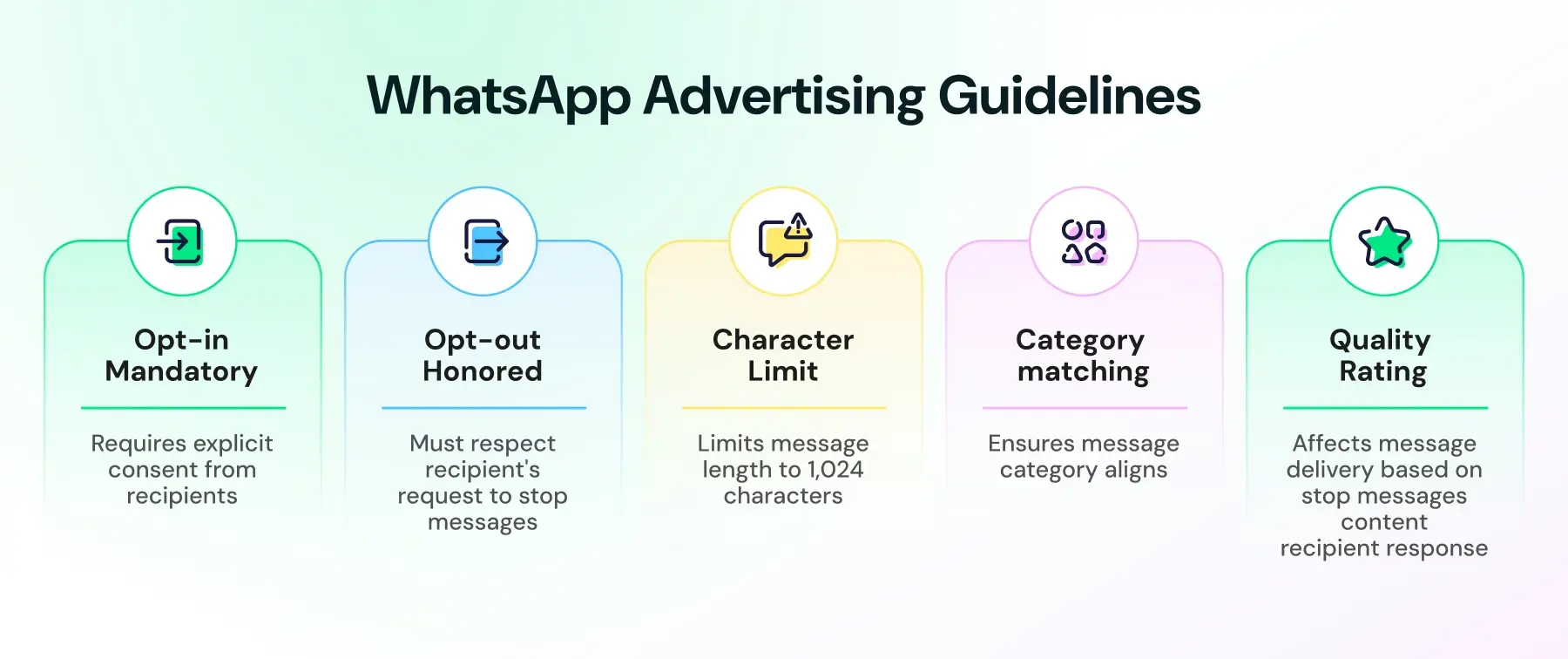
- Opt-in is mandatory. You can only send WhatsApp advertising messages to people who've given permission to be contacted. Per Meta's WhatsApp Business Messaging Policy, that opt-in doesn't have to be WhatsApp-specific: a general consent (like an SMS or email opt-in) counts, as long as you clearly state your business name and what the person is agreeing to receive, and you comply with local law.
- Opt-out has to be honored, even if you don't control the button. WhatsApp gives every recipient a built-in way to stop marketing messages, either by opting out directly in the chat or turning off promotional messages in their business chat settings. You can also add your own opt-out option inside a template. Either way, ignoring these signals is what tanks your quality rating, not the mechanism itself.
- Character limit: 1,024. Character limit: 1,024 characters for the template body, so build in room for personalization without hitting the ceiling.
- The category has to match the content. A Marketing template dressed up to look like a Utility message (or vice versa) gets flagged during review. If your message includes a discount, an offer, or a call to buy, it belongs in Marketing.
- Quality rating follows the number. Meta assigns every WhatsApp Business number a rating (High, Medium, or Low) based on how recipients respond. A pattern of blocks or opt-outs on your advertising messages can drag that rating down and limit how many people you're allowed to message.
None of this is a one-time checklist. Quality rating and opt-out compliance are ongoing, which is why the messages you send matter as much as the approval you got for them.
If you're running these templates off the back of a Click-to-WhatsApp ad, there's an added wrinkle. The 24-hour customer service window determines whether you can send a free-form reply or need a template. A separate 72-hour Free Entry Point window works differently.
It's triggered when you reply within that first 24 hours. It determines whether Meta charges you for the messages you send.
Worth noting that this is set to shift soon. Meta is ending the free 24-hour window on October 1, 2026. After that, free-form replies inside the window get billed per message instead of being free. The 72-hour CTWA window stays free regardless.
Bonus Read: WhatsApp AI Token Pricing (Aug 2026) - Meta Business Agent Billing Explained
WhatsApp Advertising Message Samples for Every Campaign Type
Every WhatsApp advertising message sample below sits in Meta's Marketing category, follows the character limit and opt-in rules covered above, and is built to adapt to your own offer, product, or event. Swap in your variables and submit for approval as-is.
1. Flash Sale Alert
Hi {{name}}, your favorite picks are on sale for the next 24 hours only. Get {{discount}}% off sitewide with code {{code}}. Shop now: {{link}} |
Why it works: A real deadline and a specific discount give the recipient a reason to act immediately instead of scrolling past.
2. Product Launch Announcement
We just dropped something new, {{name}}. Meet {{product_name}}, now available at {{business_name}}. Get first access here: {{link}} |
Why it works: "Just dropped" signals urgency without a discount, useful when you want to protect margin on a new release.
3. Re-Engagement Message for Inactive Customers
It's been a while, {{name}}. Here's {{offer}} to welcome you back to {{business_name}}. We'd love to see you again: {{link}} |
Why it works: Pairing the win-back message with a concrete offer converts better than a generic "we miss you" note.
4. Event or Webinar Invite
You're invited, {{name}}. Join us for {{event_name}} on {{event_date}}. RSVP here: {{link}} |
Why it works: WhatsApp's higher open rates make it a strong channel for time-bound invites where email might get missed.
5. Abandoned Cart Recovery
Still thinking it over, {{name}}? Your cart is waiting with {{item_name}}. Complete your order before it sells out: {{link}} |
Why it works: This message works best when sent inside the 24-hour customer service window after a customer has already engaged, so check your timing against the rules above before sending it as a cold template.
6. CTWA Follow-Up (Post-Ad-Click)
Hey {{name}}, saw your message from our ad. Here's how we can help: {{quick_reply_options}} |
Why it works: This is the message that opens the conversation after someone clicks a Click-to-WhatsApp ad. Getting a reply here within 24 hours is what unlocks the 72-hour free follow-up window covered in the CTWA section below.
How WhatsApp Advertising Messages Connect to Click-to-WhatsApp Ads
WhatsApp advertising messages don't start the conversation; the ad does. A Click-to-WhatsApp ad on Instagram or Facebook is what gets someone to tap and land in a chat with your business.
What happens after that tap is where your advertising message templates take over.
Here's the sequence:
1. Someone clicks your CTWA ad and lands directly in a WhatsApp chat with your business.
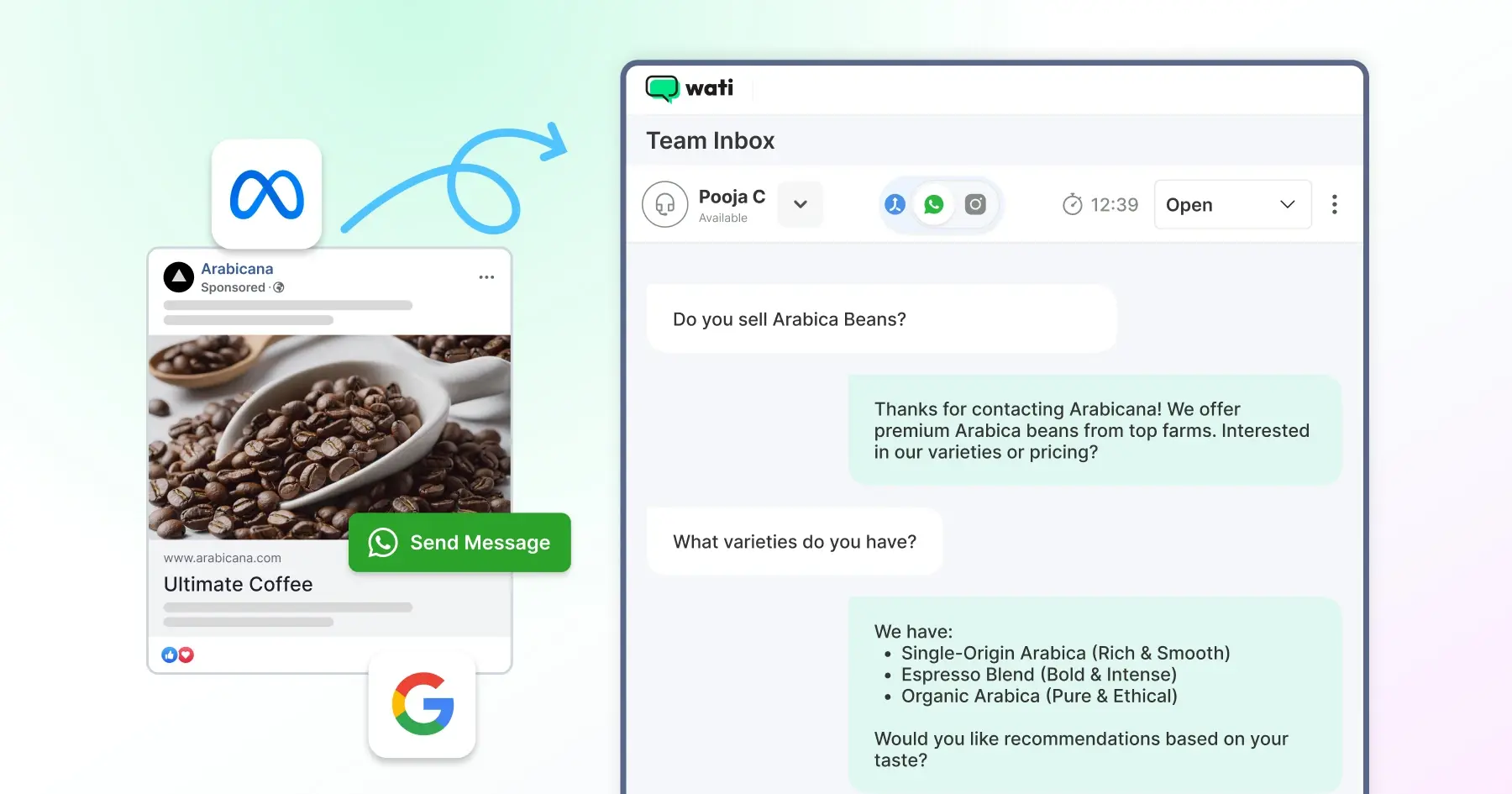
2. A 24-hour customer service window opens the moment they send that first message. You can reply freely during this window without needing an approved template.
3. Your reply within those 24 hours unlocks a 72-hour Free Entry Point window, letting you send follow-ups, formal templates, or informal messages at no extra template cost.
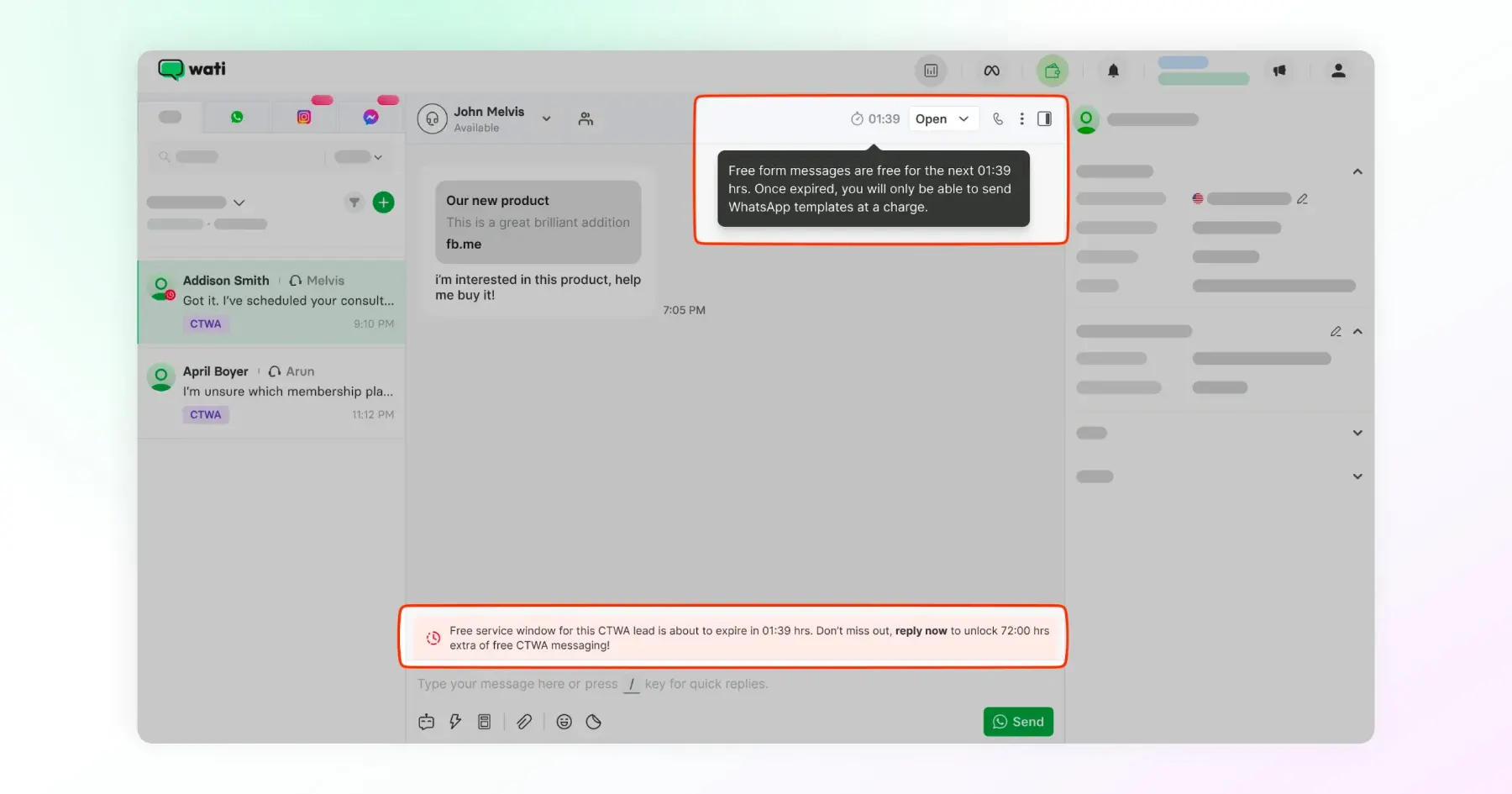
4. After 72 hours, you're back to needing an approved Marketing template to reach that person again, which is exactly why the samples above (flash sale, re-engagement, product launch) are built to be pre-approved and ready to go.
This is the part most advertising-message guides skip: the message you send matters, but the window you send it in decides whether it's free or billable.
Missing the 24-hour reply means missing the 72-hour window entirely, and Meta still lets you fall back to paid templates after that, but at message-category rates. For a deeper breakdown of that pricing structure, see our WhatsApp API pricing guide.
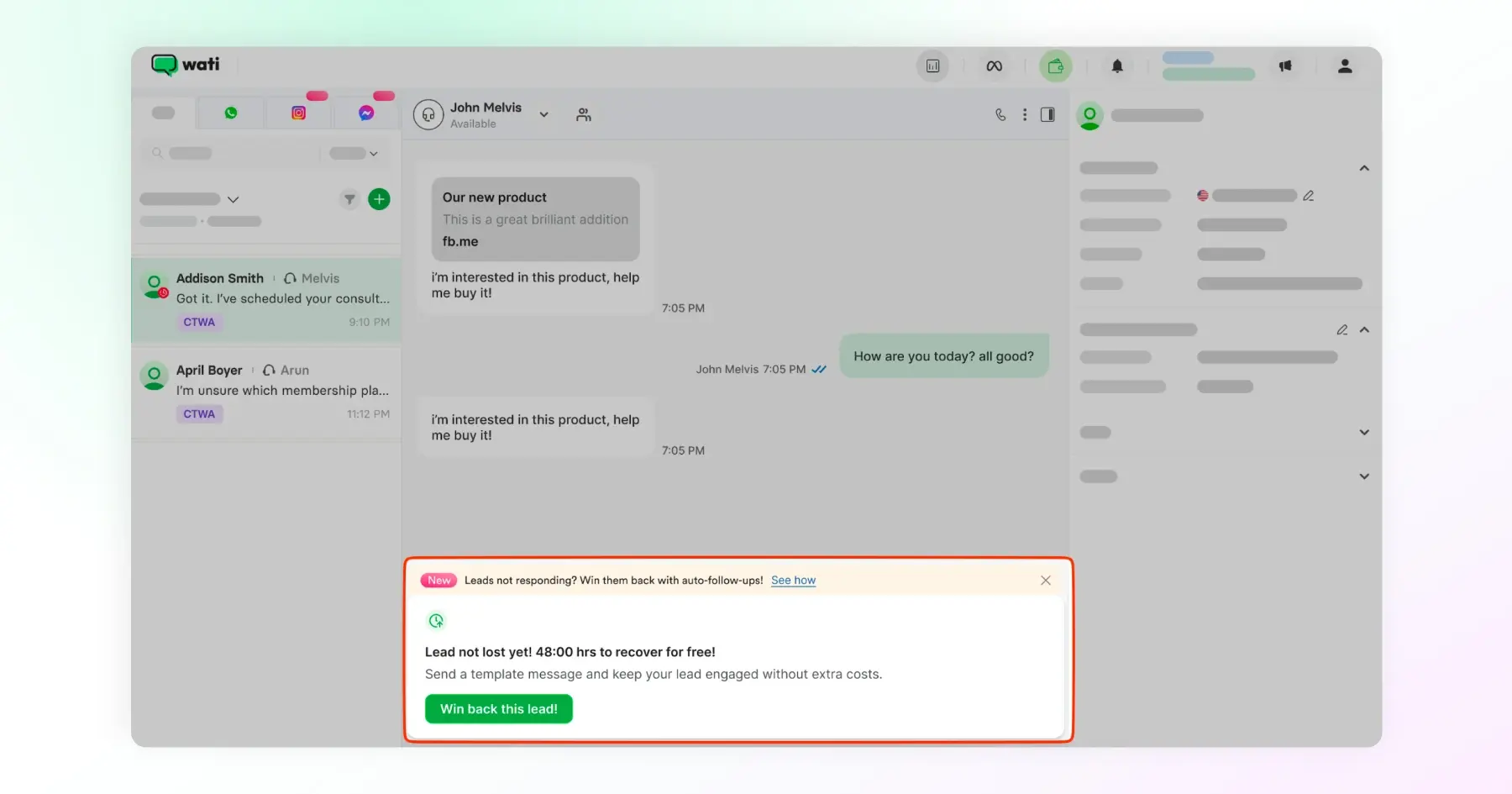
In practice, this is why the CTWA follow-up template from the samples section isn't optional. It's the message that starts the clock on your free follow-up window, and getting it out fast is worth more than getting it perfect.
What Makes a WhatsApp Advertising Message Actually Perform?
A WhatsApp advertising message performs when it feels like it was written for one person, not blasted to a list. That comes down to a handful of habits, not luck.
- Personalize beyond the name. {{name}} is table stakes. Pull in order history, past browsing, or the specific product someone asked about in an ad reply. Messages that reference something real convert better than generic offers.
- Keep the CTA to one action. "Shop now," "Book a demo," "Claim your offer." One button, one next step. Splitting attention across multiple links or asks drops your response rate.
- Match the message to where they are in the funnel. A cold broadcast to your full list needs a stronger hook than a follow-up to someone who just clicked a CTWA ad and is already mid-conversation.
- Reply inside the 24-hour window, every time. This isn't just a compliance habit. It's the difference between a free follow-up and a paid template, as covered in the CTWA section above.
- Test one variable at a time. Discount amount, send time, or CTA wording. Changing all three at once tells you nothing about what actually moved the needle.
- Watch your quality rating, not just your open rate. A message that gets opened but also gets blocked or reported is quietly costing you reach on every future send.
None of this replaces a good offer. It just makes sure the offer actually gets through, gets read, and gets acted on.
Bonus read: How Much Do Click-to-WhatsApp Ads Cost? 2026 Pricing Breakdown
What are the Mistakes That Get WhatsApp Advertising Messages Rejected or Restricted?
Most rejections and quality-rating drops trace back to a small set of repeat mistakes, not obscure policy violations.
Mistake | What happens | Fix |
Wrong category selected | Meta flags the mismatch between the declared category and the actual content, delaying or rejecting approval | If it includes a discount, offer, or sales pitch, submit it as Marketing, not Utility |
Sending without proper opt-in | Triggers, blocks and reports, which drag down your quality rating over time | Confirm opt-in was collected specifically for the message category you're sending, not just assumed from an old contact list |
Ignoring the 24-hour reply window | Missing it forfeits the 72-hour free follow-up window entirely, pushing you to paid template rates | Route CTWA replies through a chatbot or team inbox that flags unanswered chats before the window closes |
Generic, impersonalized broadcasts | Lower response rates and higher block rates, since the message reads as spam rather than relevant | Segment your list and personalize beyond {{name}}, as covered in the best practices above |
Overusing urgency language or emojis | Reads as deceptive or spammy to Meta's review process, a common rejection reason | Keep one clear urgency cue (a real deadline or limited quantity), not a stack of them |
Same template reused with no variation across campaigns | Feels repetitive to recipients and doesn't get flagged by Meta, but quietly tanks engagement and quality rating | Rotate offer framing, CTA wording, or send timing across campaigns |
A quality rating drop doesn't happen from one bad send. It's a pattern Meta tracks over a sustained period, which is also why fixing a mistake once won't undo the damage if the underlying habit continues.
Do WhatsApp Advertising Messages Actually Work? Two Brands Proved It
Best practices are one thing. Real numbers from businesses running WhatsApp advertising messages at scale are another.
Bowaba, GCC
Bowaba built WhatsApp-first funnels where customers could chat directly with the business instead of filling out a form. Every advertising message and follow-up ran through Wati, tied into CRM tools, and Meta's 72-hour free window for remarketing.
The result: 15% reduction in cost per lead and a 20% increase in sales-qualified leads across their client base, with one vertical (a perfume brand) seeing ROAS grow up to 11x. Read the full case study.
Blacklyf, Uganda
Blacklyf was selling to shoppers who didn't trust e-commerce checkout pages. Switching from landing-page ads to WhatsApp advertising messages lets potential buyers chat directly with the team instead of clicking "Buy" on a site they didn't know.
Smart retargeting inside the 72-hour window recovered leads who'd gone quiet.
The result: 60% lower acquisition costs and a 3x higher conversion rate. Read the complete case study.
Neither brand won on message volume.
Both won by pairing a well-timed advertising message with the follow-up window covered earlier, and by treating every WhatsApp advertising message sample as something to test and refine, not set and forget.
Ready to Turn Advertising Messages Into Conversations That Convert?
Getting a WhatsApp advertising message approved is one hurdle. Getting it opened, replied to, and acted on within the right window is what actually moves revenue.
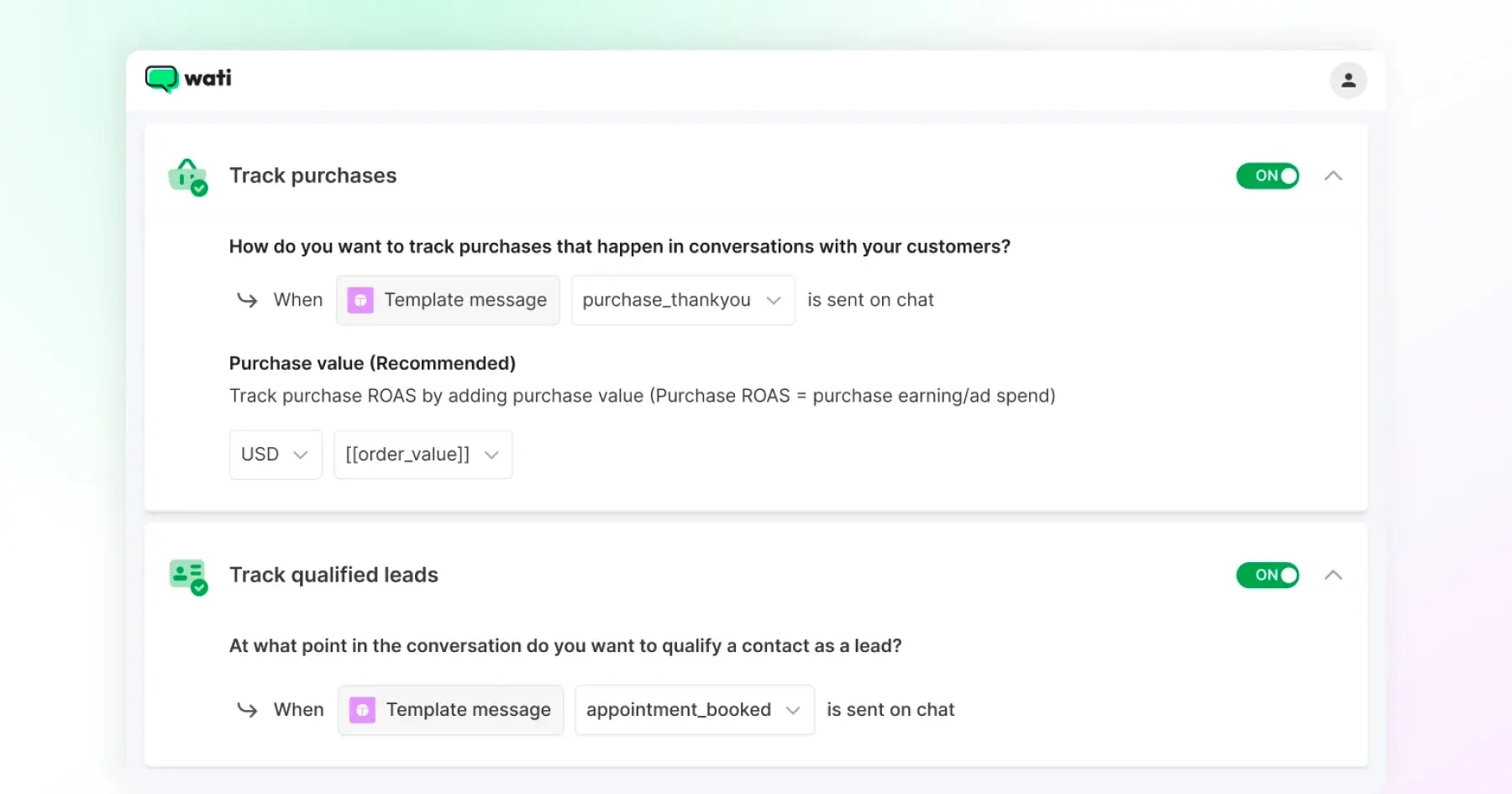
With Wati, you can build, submit, and track advertising message templates alongside your Click-to-WhatsApp ad campaigns, all from one inbox, with quality rating and conversion data in view the whole time.
Book a demo with Wati and see how your next advertising message can turn a click into a customer.
Frequently asked questions
1. How do I get a WhatsApp advertising message approved?
Submit your template through your WhatsApp Business API provider, choosing the Marketing category if it includes a discount, offer, or sales pitch. Meta reviews it against content guidelines, opt-in requirements, and formatting rules before approval. Official guidance states a decision can take up to 24 hours, though many templates are approved faster in practice.
2. Can I personalize a WhatsApp advertising message sample before sending it?
Yes. Every sample in this guide uses variables like {{name}} or {{discount_code}} that you can customize per recipient. Just keep the total message, including resolved variables, under the 1,024-character limit.
3. Do WhatsApp advertising messages cost money to send?
It depends on timing. Messages sent within the 24-hour customer service window or the 72-hour Free Entry Point window after a Click-to-WhatsApp ad click are free. Outside those windows, you're charged at Meta's message-category rates.
4. What's the difference between a WhatsApp advertising message and a regular template?
WhatsApp advertising messages sit specifically in the Marketing category, used for promotions and campaigns. Regular templates can also fall under Utility (order updates, reminders) or Authentication (OTPs), which follow different rules and don't need the same opt-in scope.
5. How do I stop my WhatsApp advertising messages from getting rejected?
Match your template category to its actual content, avoid stacking urgency language or excessive emojis, and confirm opt-in was collected for the right message category. Most rejections come from a mismatch between what the template claims to be and what it actually says.
6. Can I connect WhatsApp advertising messages to my Click-to-WhatsApp ads?
Yes. Once someone clicks your CTWA ad and messages you, replying within 24 hours opens a 72-hour window for follow-up templates at no extra cost. Your advertising message samples should be ready to send the moment that window opens.
7. What happens if too many people opt out of my advertising messages?
A pattern of opt-outs, blocks, or reports drags down your WhatsApp Business number's quality rating over time. A low rating limits how many people you're allowed to message, so it's worth monitoring alongside your open and response rates.
Related posts
- How to Send Bulk Messages on WhatsApp Without Getting Blocked
Learn how to send bulk WhatsApp messages without getting blocked. Compare the WhatsApp Business app and API, messaging limits, costs, templates, and best practices for safe, compliant bulk messaging.
- Complete Guide to Instagram Automation
Instagram comment automation auto-replies to comments and DMs commenters within seconds via Meta's API. Covers strategy, use cases, and Wati setup.
- How to Set Up a TikTok Business Account: Step-by-Step Guide
Set up a TikTok Business Account step by step: switch from personal, pick a category, add your profile, and unlock ads and analytics.
- TikTok for Business: How to Set Up, Market, Advertise & Grow (2026)
Learn how to use TikTok for Business to build your brand, create content, run ads, manage customer messages, and turn views into growth.