
Too Long? Read This First
- WhatsApp login is quick and only requires your phone number and a verification code.
- New users can easily create an account by registering their number and setting up a profile.
- Once logged in, you can add contacts, adjust your settings, and start chatting right away.
- Keep your account secure by managing privacy settings and enabling two-step verification.
- New in 2026: On supported devices, you can sign in to WhatsApp with a passkey using your fingerprint, Face ID, or device PIN instead of entering an SMS verification code in supported sign-in scenarios.
WhatsApp login means verifying your identity to access your account on the app, WhatsApp Web, or WhatsApp Desktop. You can do this by verifying your phone number or, on supported devices, using a passkey.
Logging into the WhatsApp app shouldn’t feel complicated. Many people get stuck wondering how to log in to WhatsApp and switch between devices, whether they’re creating a personal account or setting up WhatsApp for Business.
You don’t have to be a tech expert to use it. WhatsApp login on a new phone or through WhatsApp Web takes a few simple steps.
In this guide, we’ll walk you through the easiest ways to log in a step-by-step manner. This includes how to access WhatsApp on mobile, desktop, and web.
What Are the Different Ways to Log Into WhatsApp? (Quick Comparison)
WhatsApp supports three common ways to access your account in 2026: verifying your phone number with an SMS or phone call, signing in with a passkey on supported mobile devices, and linking WhatsApp Web or Desktop by scanning a QR code.
Method | Where it works | What you need | Best for |
Phone number + SMS/call code | Mobile app | Active phone number | First-time setup, new devices, account recovery |
QR code scan | WhatsApp Web, WhatsApp Desktop app | Phone already logged into WhatsApp | Using WhatsApp on a computer |
Passkey (fingerprint, Face ID, Touch ID, or device PIN) | Mobile app | Previously created passkey | Re-logging into WhatsApp faster and more securely without entering an SMS verification code |
How Do You Prepare for WhatsApp Login?
Before you start chatting on WhatsApp, you will need to set a few things up first.
We will guide you through the initial steps to get everything ready for your WhatsApp experience.
1. Checking Internet Connectivity
It’s best to check your internet connection first to ensure WhatsApp installs and sets up without interruptions.
- Connect to Wi-Fi or Enable Mobile Data: Open your device’s settings and check that you’re connected to Wi-Fi or have mobile data turned on.
- Test Your Connection: Try loading a webpage or streaming a short video to make sure your internet is working well.
A stable connection will make the download quicker and prevent any interruptions.
2. Updating Your Operating System
Having the latest version of your device’s operating system is essential for the best WhatsApp experience.
- Check for Updates: Go to your phone’s settings, find the “Software Update” option, and check if an update is available.
- Download and Install the Update: If there’s an update, follow the prompts to download and install it. This might take a few minutes, but it helps improve app performance and compatibility.
- If you want to sign in with a passkey, make sure your device supports passkeys. WhatsApp passkeys are supported on compatible Android 9+ and iOS 16+ devices with a screen lock (PIN, password, or pattern) and, where available, biometric authentication enabled.
Updating your operating system ensures that WhatsApp runs smoothly and gives you access to the latest features.
3. Downloading and Installing WhatsApp
The first key step in WhatsApp login online is to download the app. It’s super easy and only takes a few minutes.
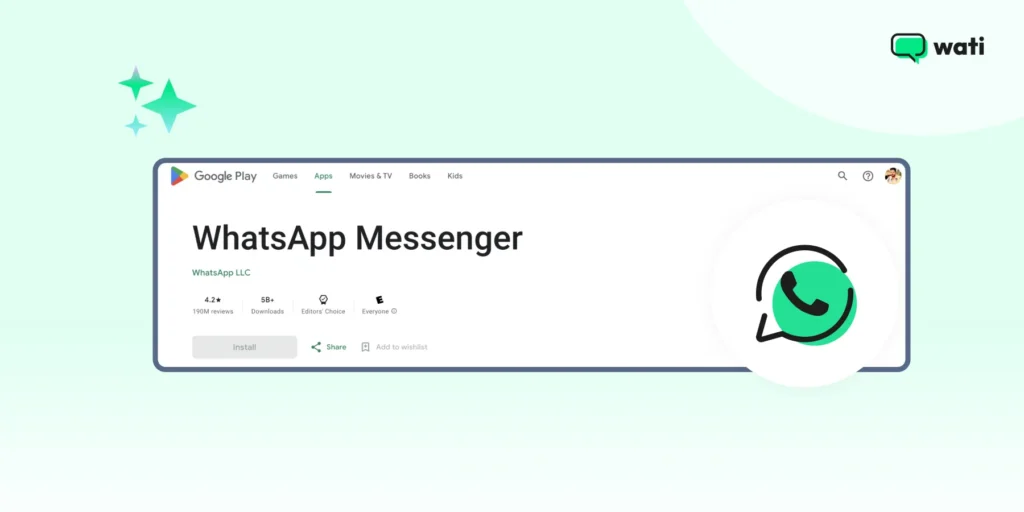
- Open the App Store or Google Play Store: On your phone, find the app store. If you have an iPhone, it’s the App Store. If you have an Android phone, it’s the Google Play Store.
- Search for WhatsApp: In the search bar, type “WhatsApp” and look for the app with the green speech bubble icon.
- Download the App: Click the “Install” or “Get” button. The app will start downloading and installing automatically.
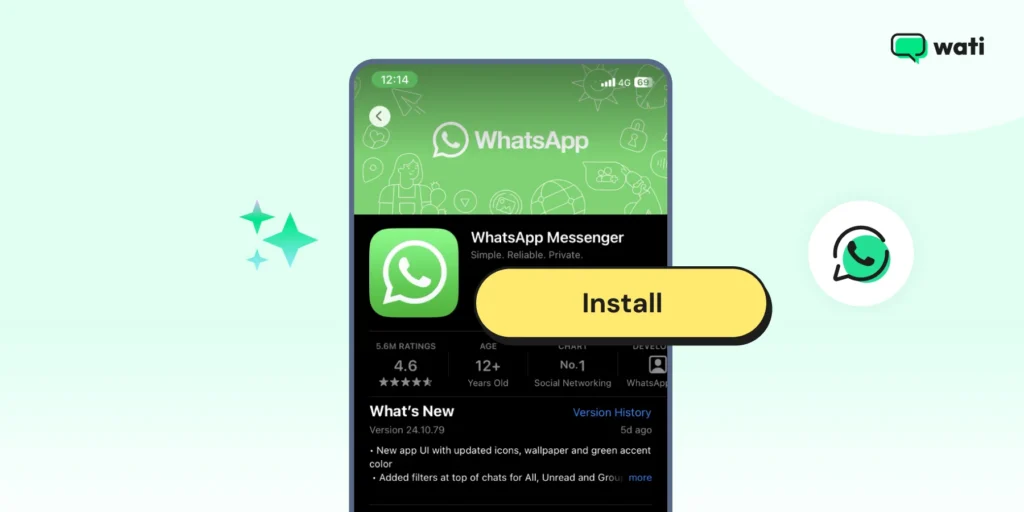
Once the WhatsApp download is complete, you’re ready to move on to the next step: creating a WhatsApp account.
What is the Process to Create a WhatsApp Account?
With WhatsApp downloaded, it’s time to get everything set up.
1. Open WhatsApp
Find the WhatsApp icon on your phone and tap it to launch the app.
2. Agree to the Terms of Service
You’ll see a welcome screen with WhatsApp’s Terms of Service. Read through them and tap “Agree and Continue” to move ahead.
3. Verify Your Phone Number
Next, it’s time to verify your number. Enter your phone number and tap “Next.”
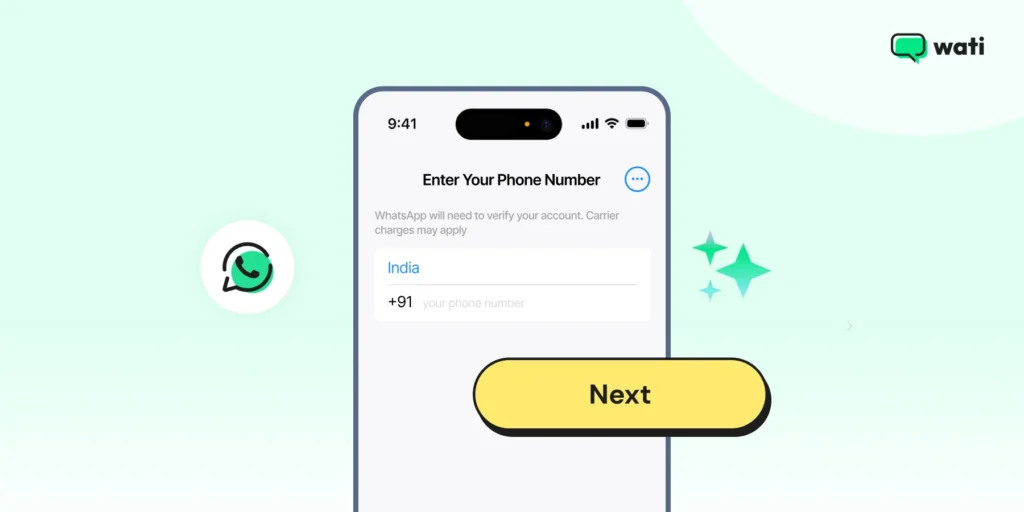
You’ll get a text message with a 6-digit verification code. Enter the code in WhatsApp to confirm your account. That’s your official WhatsApp number set up!
Pro tip: Curious about the blue badge on WhatsApp? Check out our guide on WhatsApp Verification.
4. Set App Permissions
Finally, WhatsApp will ask for permissions to work properly, such as access to contacts, photos, the camera, and notifications.
- Review Permissions: Take a quick look at the list shown.
- Grant Permissions: Tap “Allow” for the ones you’re comfortable with. For the best experience, allow access to contacts and photos.
Your WhatsApp account is now ready to go.
If you’re a business looking to create a WhatsApp business account, do check out our in-depth guide.
How to Log Into WhatsApp with a Passkey (New for 2026)
WhatsApp passkeys offer a faster and more secure way to access your WhatsApp account on supported devices. The feature was rolled out for Android in October 2023 and iOS in April 2024. Instead of entering an SMS verification code, you can authenticate using your fingerprint, Face ID, or your device's screen-lock PIN. Passkeys are cryptographically secured, so only someone with access to your physical device and its authentication method, such as your fingerprint, Face ID, Touch ID, or device PIN, can access your account.
To set up a passkey:
- Open WhatsApp.
- Go to Settings > Account > Passkeys.
- On Android, tap the ⋮ (More options) menu first to open Settings.
- On iPhone, tap Settings from the bottom navigation bar.
- Tap Create passkey.
- Authenticate using your fingerprint, Face ID, Touch ID, or device PIN/passcode.
Why use a passkey?
Passkeys reduce reliance on SMS verification codes, which can be vulnerable to phishing, SIM-swap attacks, and message interception. Because passkeys are cryptographically secured, they provide a faster and more secure way to access your WhatsApp account.
Note: You'll still need to verify your phone number when creating a new WhatsApp account or in certain recovery and security scenarios. Passkeys don't completely replace phone number verification.
What are the Steps to Complete the WhatsApp Login Setup?
Now that WhatsApp is installed, let’s finish the setup.
This step is all about personalizing your profile and adding contacts so you can start chatting right away.
1. Personalizing Your Profile
Making your WhatsApp profile uniquely yours is easy and fun. Here’s the way to do it.
1. Open WhatsApp: Tap the WhatsApp icon to open the app.
2. Go to Settings: Tap on the three dots in the upper-right corner (for Android) or the gear icon in the bottom-right corner (for iPhone) to access the settings menu.
3. Tap on Your Name: At the top of the settings menu, you’ll see your name. Tap on it to open your profile.
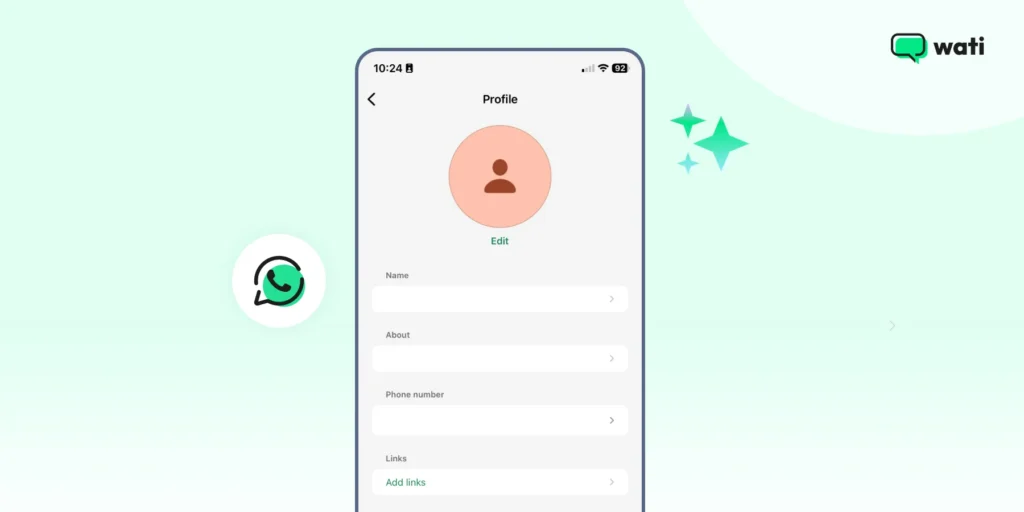
4. Add a Profile Picture: Tap on the camera icon next to your current profile picture (or the blank space if you don’t have one yet). You can take a new photo or choose one from your gallery.
5. Set Your Name: If you didn’t add your name during installation or want to change it, tap on the text box under “Name” and type in your preferred name.
6. Add a Status Message: Below your name, you can set a status message. This is a short text that your contacts can see under your profile. Tap on the ‘About’ field and choose something fun or meaningful.
Next, let’s add some contacts so you can start messaging.
2. Adding Contacts
To chat on WhatsApp, you’ll need to add contacts. Here’s a simple way to do it.
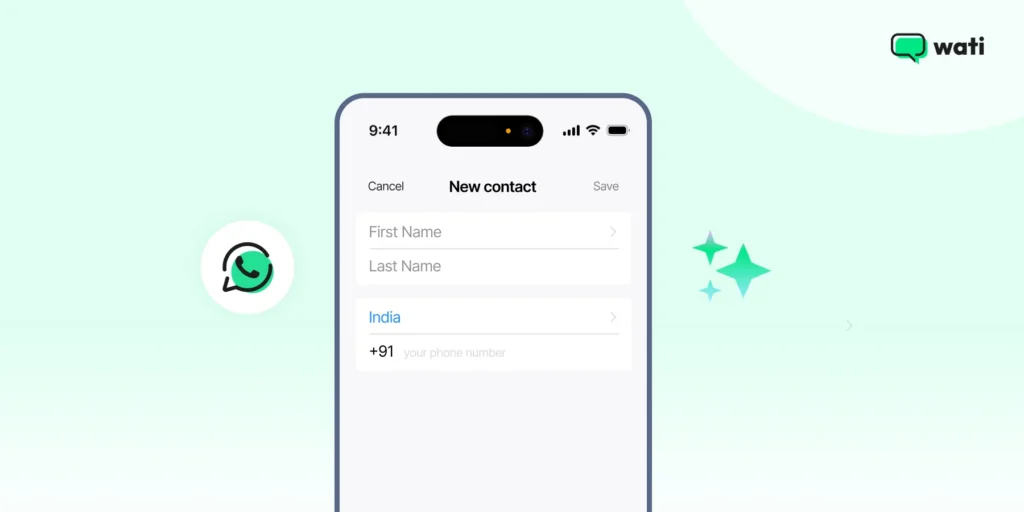
1. Open WhatsApp: Make sure you’re in the main chat screen.
2. Access Contacts: Tap on the chat icon in the bottom right corner (for iPhone) or the green chat bubble in the lower-right corner (for Android).
3. Add a New Contact: Tap on “New Contact” or the person icon with a plus sign.
4. Enter Contact Information: Fill in the name and phone number of the person you want to add. Make sure the phone number is correct and includes the country code if they’re in a different country.
5. Save the Contact: Tap “Save” or the checkmark icon to add the contact to your list.
Now you can start messaging friends, family, or colleagues in just a few taps.
How Do You Start Chatting After WhatsApp Login?
Let’s look at how you can start conversations & video calls, create groups, and share media with ease.
1. Starting a New Chat
1. Open WhatsApp: Tap the WhatsApp icon to open the app.
2. Go to Chats: From the main screen, tap on the chat icon in the bottom right corner (for iPhone) or the green chat bubble in the lower-right corner (for Android).
3. Select a Contact: You’ll see a list of your contacts. Scroll through or use the search bar at the top to find the person you want to chat with. Tap on their name to open a new chat window.
4. Type Your Message: At the bottom of the chat window, you’ll see a text box. Tap on it to start typing your message.
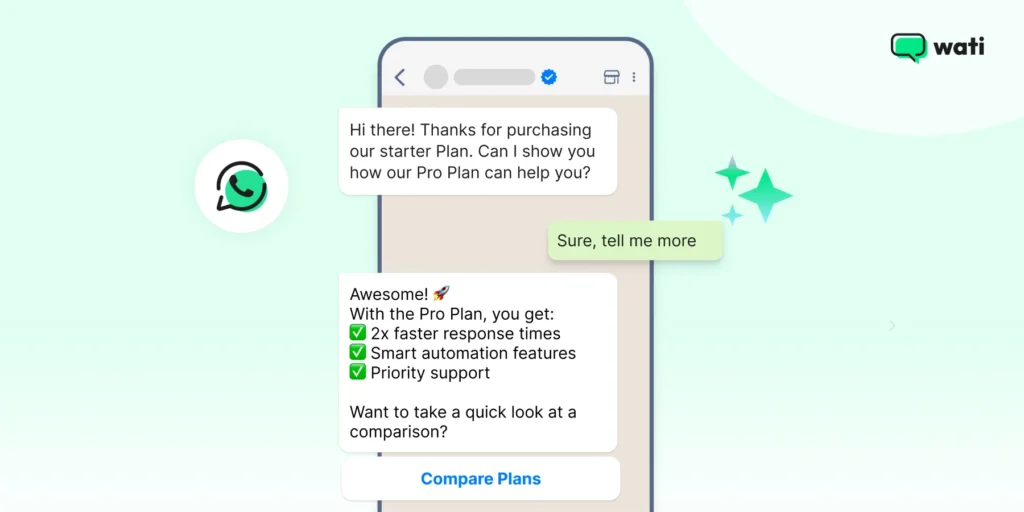
5. Send Your Message: When you’re ready to send your message, tap the send button (a paper airplane icon) next to the text box.
Helpful Read: Want to handle customer calls on WhatsApp? Learn how to use WhatsApp Business Calling to manage voice calls alongside customer conversations.
2. Creating a Group Chat
You can send messages to multiple contacts at once by setting up a group.
Here’s how to start a group conversation.
1. Open WhatsApp: Launch the app by tapping the WhatsApp icon.
2. Go to Chats: Tap the chat icon (iPhone) or the green chat bubble (Android).
3. Create a New Group: Tap the “New Chat” button and then select “New Group.”
4. Add Participants: Choose the contacts you want to add to the group. Tap “Next” when you’re ready.
5. Name Your Group: Enter a name for your group and tap “Create” to finalize. You’re all set to start chatting with everyone at once!
Also Read: WhatsApp Channels: How to Use Them Effectively?
3. Sending Media (Photos, Videos, Documents)
Sharing photos, videos, or documents is easy! Here’s how.
1. Open the Chat: Tap the contact or group chat where you want to send media.
2. Tap the Attachment Icon: On Android, tap the paperclip icon; on iPhone, tap the “+” icon.
3. Select Media: Choose whether you want to send a photo, video, or document.
4. Choose Your File: Browse your gallery or files to pick the media you want to send.
5. Send Your Media: Once selected, tap the send button (paper airplane icon) to share it with your chat.
How Do Businesses Log Into a WhatsApp Business Account?
Now that you know how to log into a regular WhatsApp account, let’s move on to WhatsApp Business.
The login process is just as simple.
Read on to see how you can sign in, verify your business number, and start managing customer conversations in one place.
Logging in to WhatsApp Business
1. Download the app
Head to the Google Play Store (Android) or the App Store (iOS) and install the WhatsApp Business app.
2. Open the app and accept the Terms
After launching the app, you’ll be prompted with the Terms of Service. Tap Agree and Continue to proceed.
3. Enter and verify your phone number
- Select your country and enter your business number.
- Tap Next. You’ll receive an SMS code (or in some regions a call) to verify the number.
4. Restore chats (optional)
If a backup exists (on Google Drive for Android or iCloud for iOS), you’ll be given the option to restore it. Allowing this makes sure prior chats are available in your business account.
The free WhatsApp Business app works well for small businesses and supports one primary phone plus up to four linked companion devices. If your team needs multiple agents to manage customer conversations from a shared inbox, consider upgrading to the WhatsApp Business API.
Helpful Read: Your Guide to a Clear and Engaging WhatsApp Business Description
How Does WhatsApp Desktop and Web Login Work?
WhatsApp makes it easy to stay connected from your computer.
You can access your chats and send personal messages right from your browser or through the WhatsApp Desktop app. Here’s the way to begin.
1. Accessing WhatsApp Web Login
You can use WhatsApp Web to access your personal messages directly from your browser. Here’s how.
1. On your computer, go to web.whatsapp.com.
2. Open WhatsApp on your phone, tap the three dots (Android) or settings (iPhone), and select “WhatsApp Web/Desktop.”
3. Use your phone’s camera to scan the QR code displayed on the web page.
4. Once the WhatsApp Web QR code is scanned, your WhatsApp chats will sync, and you can start using WhatsApp from your browser!
2. Logging into WhatsApp Desktop
For a more dedicated experience, you can use the WhatsApp Desktop app. Follow these steps to log in.
1. Download WhatsApp Desktop: Visit the official WhatsApp website and download the Desktop app for Windows or Mac.
2. Install the App: Follow the installation steps to get WhatsApp on your desktop.
3. Open the App: Once installed, launch the app.
4. Scan the QR Code: Similar to WhatsApp Web, open WhatsApp on your phone, tap the three dots (Android) or settings (iPhone), and choose “WhatsApp Web/Desktop.”
5. Start Using WhatsApp: Your chats will sync, and you can start sending personal messages from your desktop! Bonus Read: Stay Connected and Productive with WeChat Web and Desktop
3. Managing Active Sessions
To keep your account secure, it’s important to manage your active sessions. This is how you can monitor and manage them.
- View Active Sessions: Open WhatsApp on your phone, go to “Settings” (iPhone) or the three dots (Android), then tap “WhatsApp Web/Desktop.”
- See Active Devices: You’ll see a list of all the devices currently logged into your account.
- Log Out of Devices: To log out of any device, simply tap on the session you want to end and select “Log out.
- Secure Your Account: If you notice any unauthorized devices, be sure to log them out to keep your account safe.
Security tip: Regularly review your linked devices, especially if you use WhatsApp Web or WhatsApp Desktop on shared or public computers. If you see a device or browser you don't recognize, log it out immediately and verify that your account is secure.
Don’t Miss This: Why Managing Instagram DMs from Phone is Killing Productivity + How Auto Reply on Instagram Helps
How Do You Protect Your Account After WhatsApp Login?
Keeping your WhatsApp account secure is crucial to protecting your personal information and conversations.
Let’s discuss two simple yet efficient things that you can do.
Tip 1: Enabling Two-Step Verification
Two-step verification adds an extra layer of security to your WhatsApp account.
See how to activate it.
1. Open WhatsApp: Tap the WhatsApp icon to open the app.
2. Go to Settings: Tap the three dots in the upper-right corner (for Android) or the gear icon in the bottom-right corner (for iPhone) to access the settings menu.
3. Tap on Account: In the settings menu, select “Account.”
4. Select Two-Step Verification: Tap on “Two-step verification,” then “Enable.”
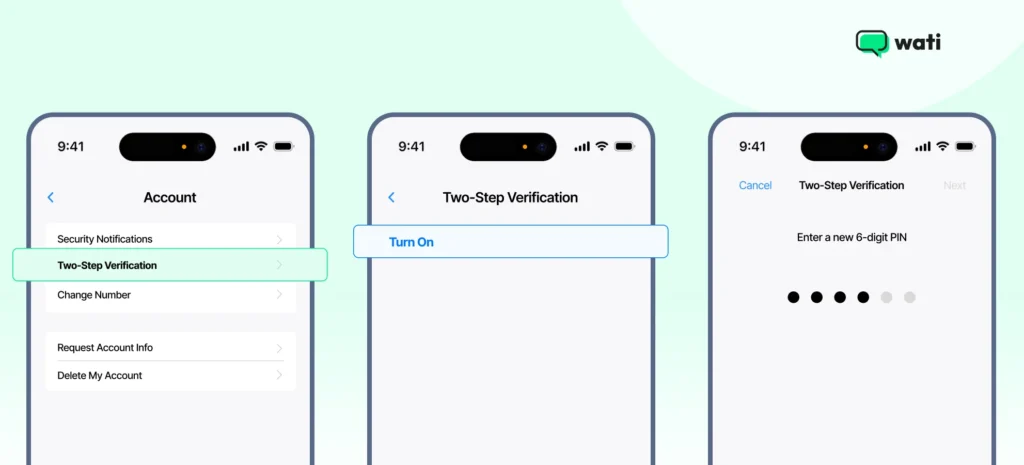
5. Set a PIN: You’ll be prompted to create a six-digit PIN. Enter a PIN that you can easily remember but is hard for others to guess.
6. Provide an Email Address: Enter an email address that you can use to reset your PIN if you forget it. This step is optional but highly recommended.
7. Confirm Your Email: Re-enter your email address to confirm it.
With two-step verification enabled, you’ll need to enter your PIN periodically and whenever you register your phone number with WhatsApp again.
Tip 2: Take Control of Your Privacy
Adjusting your privacy settings helps you control who can see your information on WhatsApp.
Here’s how to review and change these settings.
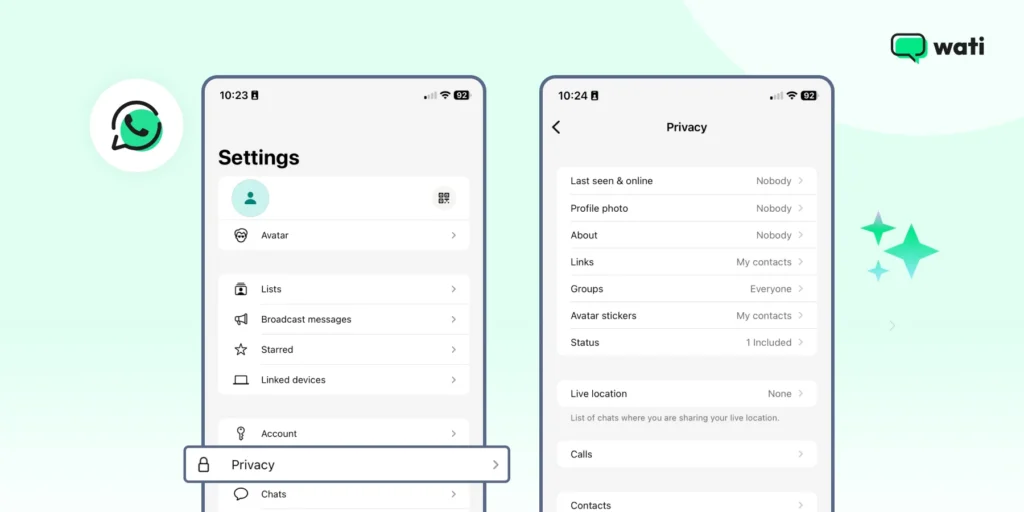
A. Open WhatsApp: Tap the WhatsApp icon to open the app.
B. Go to Settings: Tap the three dots in the upper-right corner (for Android) or the gear icon in the bottom-right corner (for iPhone) to access the settings menu.
C. Select Privacy: Tap on “Privacy” to see all the privacy options.
Here are some key privacy settings you can adjust.
– Last Seen: Choose who can see when you were last online. Options include “Everyone,” “My Contacts,” or “Nobody.” – Profile Photo: Control who can see your profile picture. Options include “Everyone,” “My Contacts,” or “Nobody.” – About: Decide who can see your status message. Options include “Everyone,” “My Contacts,” or “Nobody.” – Status: Select who can see your status updates. You can choose “My Contacts,” “My Contacts Except…,” or “Only Share With…” – Read Receipts: Toggle read receipts on or off. When off, you won’t send or receive read receipts, but group chats will still have them. |
You can control who sees your personal details by adjusting these settings.
Tip 3: Set up a passkey
A passkey provides a faster and more secure way to access your WhatsApp account. Instead of relying on an SMS verification code, you can authenticate using your fingerprint, Face ID, or your device's screen-lock PIN on supported devices. Because passkeys are cryptographically secured, they're more resistant to phishing and SIM-swap attacks than SMS-based verification.
If you haven't already enabled a passkey, follow the setup steps in the "How to Log Into WhatsApp with a Passkey" section above.
Wrapping Up Your WhatsApp Login Journey
From creating your account to personalizing your profile, adding contacts, and sending your first message, the WhatsApp login process is quick and beginner-friendly.
Once you’re in, you can easily chat, create groups, and share images, videos, or documents.
So log in, set things up the way you like, and connect with friends, family, or coworkers in a few taps. WhatsApp makes staying in touch easy, and now you’re ready to make the most of it.
If you’re planning to use WhatsApp for business, Wati is here to help. With features like WhatsApp chatbots, CTWA, and WhatsApp broadcast, Wati will help you streamline communication and grow your business.
Plus, you can also use the tool for Instagram comment automation and manage your conversations for both using a shared inbox.
Want to give it a try? Sign up for a free trial now.
Bonus Read: How to Set Up Wati Instagram DM Automation for Comments in 2026
Frequently asked questions
1. Is WhatsApp login different for business accounts?
No, the WhatsApp login online process is the same for both personal and business accounts.
2. Is it safe to use WhatsApp for business communication?
Yes, WhatsApp uses end-to-end encryption to secure messages.
3. Do I need a phone number to login to WhatsApp?
Yes, traditional WhatsApp login requires a phone number. However, you can also opt for a virtual number for WhatsApp to get started.
4. Is WhatsApp login available in all countries?
WhatsApp login is available in most countries worldwide (around 180+).
Can I log into WhatsApp without an OTP or password?
Yes. If you've already set up a passkey on a supported device, WhatsApp can let you sign in using your fingerprint, Face ID, Touch ID, or your device's screen-lock PIN instead of entering an SMS verification code in supported sign-in scenarios.
Related posts
- How to Create WhatsApp Display Name for WhatsApp Account
Learn how to set and optimize your WhatsApp Display Name, a crucial branding element enhancing your business’s credibility and recognition.
- How to Remove Blue Ticks on WhatsApp (Android, iPhone & Web): 2026 Guide
Learn how to remove WhatsApp blue ticks on Android and iPhone. Take control of your chats, protect privacy, and avoid pressure to reply instantly in 2026.
- WhatsApp Business Calling Pricing in 2026: What It Actually Costs and Why Most Estimates Get It Wrong
Most WhatsApp Business Calling pricing guides skip two of the three cost layers. Here’s the full breakdown with 2026 rates, country tiers, and worked examples.
- How to Close More Deals with WhatsApp Calling on Wati
Learn how to use WhatsApp Calling on Wati to connect with warm leads, record every conversation, and track what’s working without leaving your chat inbox.